Page 244 of 692
244 2-4. Using other driving systems
L/C200_EE (OM60G38E)Display on/off setting
On or off can be selected for Toyota parking assist-sensor display.
Touch “Display Off”.
When the “Display Off” indicator is turned on, the display of Toyota
parking assist-sensor will be off. Touch “Display Off” again to turn the
display of Toyota parking assist-sensor on.
Touch “OK”.
Alert distance setting
Front or rear center sensors display and tone indication can be set.
Touch “Rear”.
Long distance or short distance can be selected.
Touch “OK”.
The Toyota parking assist-sensor can be operated when
Front corner sensors:
• The “ENGINE START STOP” switch is in IGNITION ON mode.
• The shift lever is in a position other than “P”.
• The vehicle speed is less than approximately 10 km/h (6 mph).
Rear corner and rear center sensors:
• The “ENGINE START STOP” switch is in IGNITION ON mode.
• The shift lever is in “R”.
Toyota parking assist-sensor display
When an obstacle is detected while the Toyota parking assist monitor or
Multi-terrain monitor is in use, the warning indicator will appear in the top
right of the screen even if the display setting has been set to off.
STEP1
STEP2
STEP1
STEP2
Page 253 of 692
253 2-4. Using other driving systems
2
When driving
L/C200_EE (OM60G38E)
Automatic leveling function
The vehicle is adjusted to a fixed height for each mode, regardless of the
number of occupants and the luggage load.
However the vehicle cannot be raised if the vehicle load exceeds the fol-
lowing limits:
• Up to 4 occupants
* plus approximately 300 kg (661 lb.) in the normal
mode
• Up to 4 occupants
* plus approximately 200 kg (441 lb.) in the high
mode
*: average weight 68 kg (150 lb.) per person
If the vehicle height cannot be raised when in the normal mode, and “LO”
appears on the display, the vehicle is loaded too heavily. Take extra care
when driving in this condition.
If the vehicle height cannot be raised even after unloading the vehicle,
press “ ” then “ ” on the height select switch. If the vehicle height still
cannot be raised, turn the ignition off then on again, then try once more.
When the vehicle is stopped during driving
The activation of the automatic leveling function may cause the vehicle
height to change. This is not a malfunction.
If the vehicle height does not change
If the vehicle is loaded too heavily, or the undercarriage has come into con-
tact with the road surface, the vehicle height cannot be raised/lowered.
Page 260 of 692
260 2-4. Using other driving systems
L/C200_EE (OM60G38E)
Shifting between “H4” and “L4”
Shifting from “H4” to “L4”
Stop the vehicle completely.
Shift the shift lever to “N”.
Push and turn the four-wheel drive control switch fully clock-
wise.
Maintain this condition until the low speed four-wheel drive indica-
tor light turns on.
Shifting from “L4” to “H4”
Stop the vehicle completely.
Shift the shift lever to “N”.
Turn the four-wheel drive control switch fully counterclock-
wise.
Maintain this condition until the low speed four-wheel drive indica-
tor light turns off.
The four-wheel drive control switch can be operated when
The “ENGINE START STOP” switch is in IGNITION ON mode.
The shift lever is in the “N” position.
The vehicle is stopped completely.
The low speed four-wheel drive indicator light
The indicator light blinks while shifting between “H4” and “L4”.
STEP1
STEP2
STEP3
STEP1
STEP2
STEP3
Page 261 of 692
261 2-4. Using other driving systems
2
When driving
L/C200_EE (OM60G38E)
Advice for driving on slippery roads
If you shift the four-wheel drive control switch to “L4” and the shift lever to
the “2” range of “S” while driving in steep off-road areas, the output of the
brake can be controlled effectively by the Active TRC, which assists the
driver to control the driving power of 4 wheels.
Use the “1” range of “S” of the shift lever for maximum power and traction
when your wheels get stuck or when driving down a steep incline.
The center differential lock indicator light
The indicator light blinks while locking/unlocking the center differential.
The center differential lock/unlock button can be operated when
The “ENGINE START STOP” switch is in IGNITION ON mode.
The vehicle speed is less than 100 km/h (60 mph).
Locking/unlocking the center differential
When the center differential is locked, VSC is automatically turned off.
(The center differential lock and VSC OFF indicator lights come on.)
If the operation is not completed, the center differential lock indicator
blinks. If the indicator light does not turn off when unlocking the center
differential, drive straight ahead while accelerating or decelerating, or
drive in reverse.
If the center differential lock/unlock is not completed within 5 seconds
while the cruise control system is on, cancel the cruise control system.
Page 357 of 692
357 3-1. Using the air conditioning system and defogger
3
Interior features
L/C200_EE (OM60G38E)
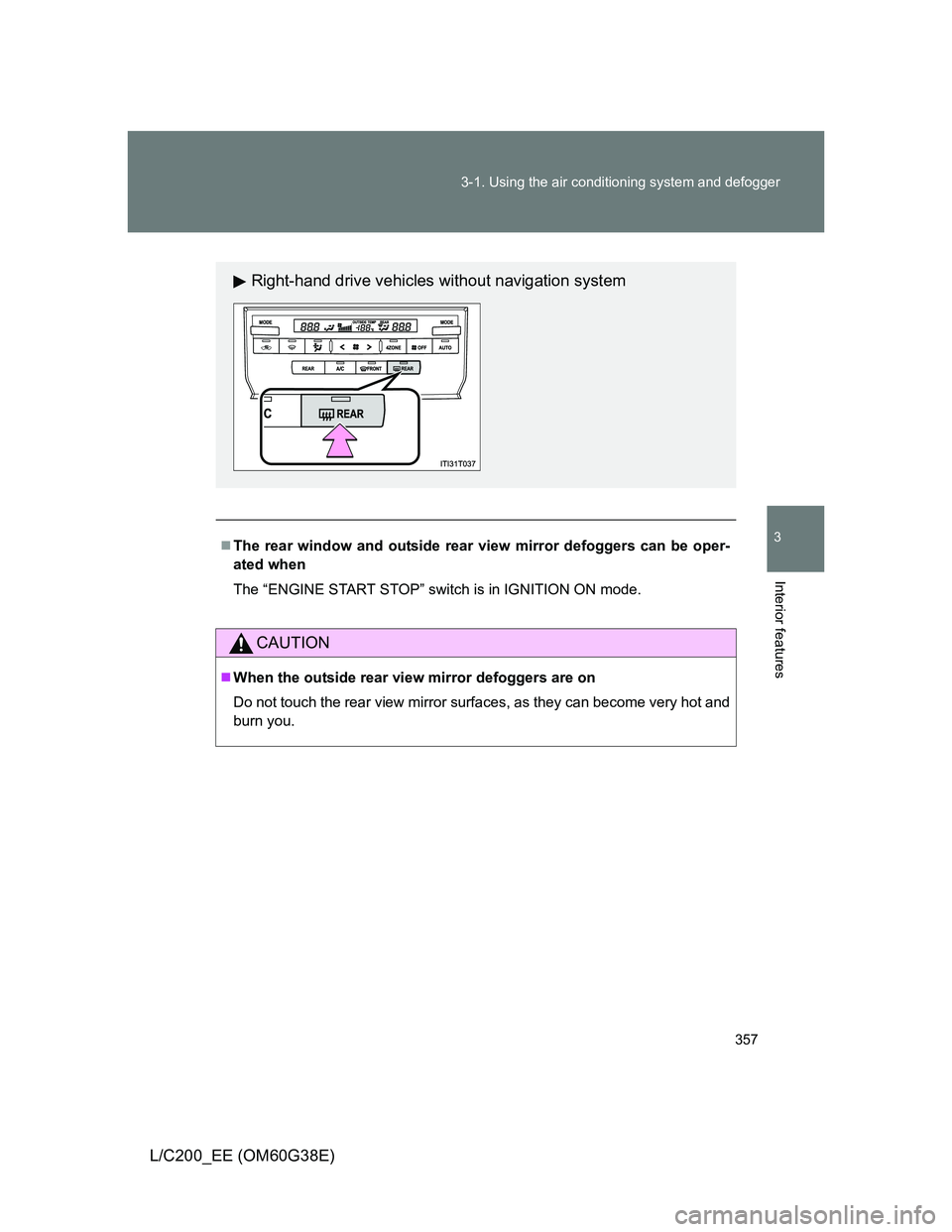
The rear window and outside rear view mirror defoggers can be oper-
ated when
The “ENGINE START STOP” switch is in IGNITION ON mode.
CAUTION
When the outside rear view mirror defoggers are on
Do not touch the rear view mirror surfaces, as they can become very hot and
burn you.
Right-hand drive vehicles without navigation system
Page 359 of 692
359 3-1. Using the air conditioning system and defogger
3
Interior features
L/C200_EE (OM60G38E)
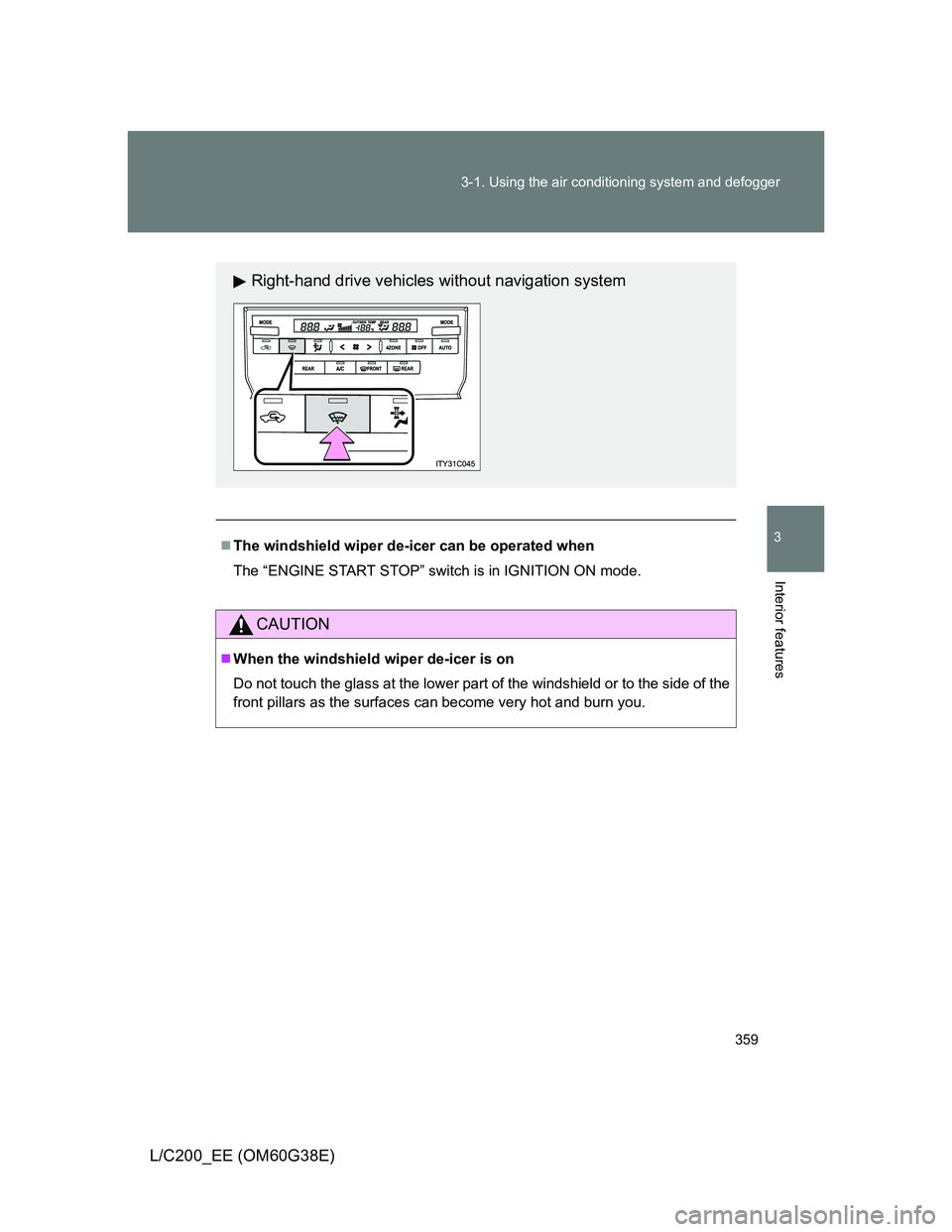
The windshield wiper de-icer can be operated when
The “ENGINE START STOP” switch is in IGNITION ON mode.
CAUTION
When the windshield wiper de-icer is on
Do not touch the glass at the lower part of the windshield or to the side of the
front pillars as the surfaces can become very hot and burn you.
Right-hand drive vehicles without navigation system
Page 414 of 692
414 3-3. Using the Bluetooth
® audio system
L/C200_EE (OM60G38E)
Registering a portable player
Select “Pair Audio” using , and perform the procedure for reg-
istering a portable player. (P. 408)
Selecting a portable player to be used
Select “Select Audio” using .
Select the portable player to be used using .
Select “From Car” or “From Audio” using .
If “From Car” is selected, the portable player will be automatically
connected whenever the “ENGINE START STOP” switch is in either
ACCESSORY or IGNITION ON mode.
STEP1
STEP2
STEP3
Page 465 of 692
465
3-7. Other interior features
3
Interior features
L/C200_EE (OM60G38E)
Clock
The clock is displayed when
The “ENGINE START STOP” switch is in ACCESSORY or IGNITION ON
mode.
When the battery is disconnected
The time display will automatically be set to 1:00.
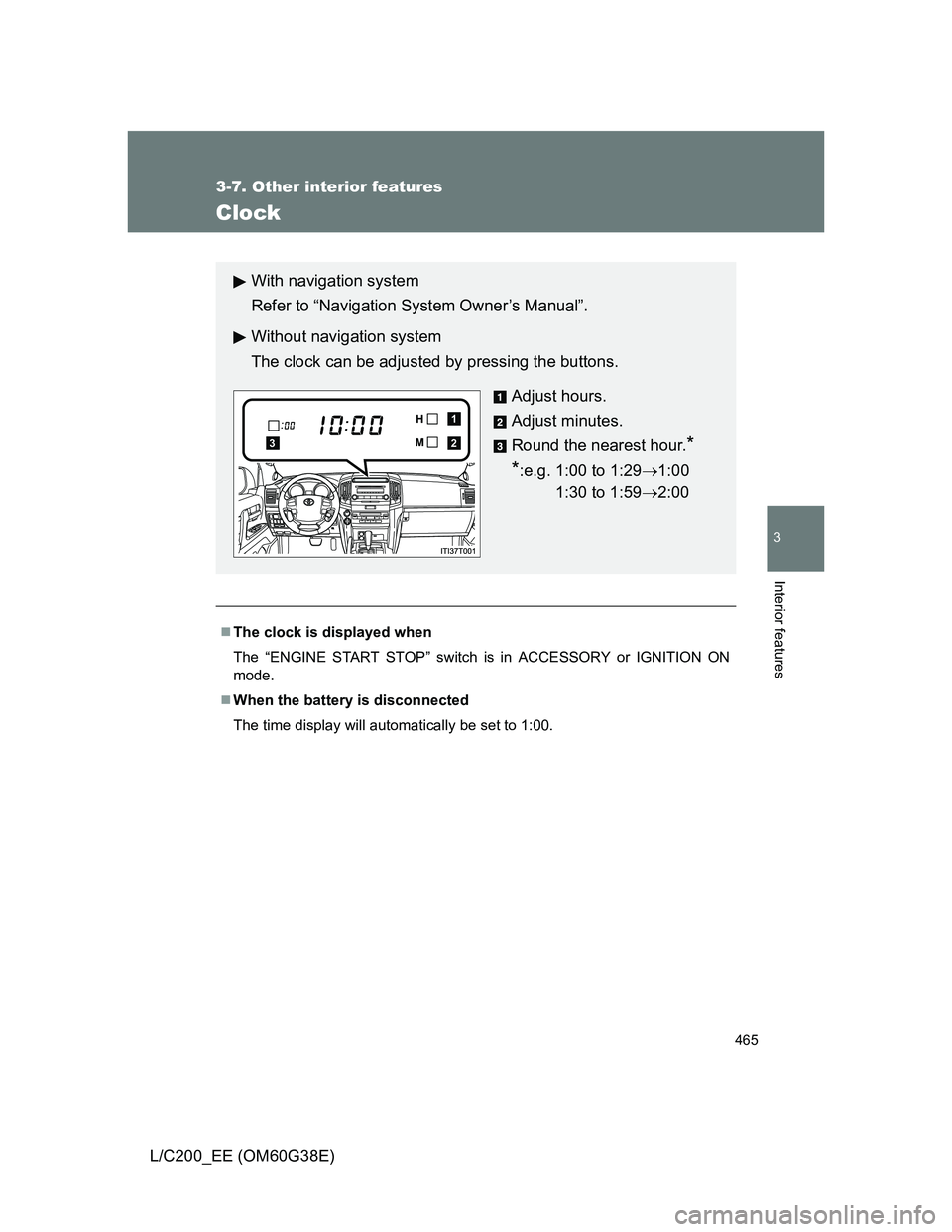
With navigation system
Refer to “Navigation System Owner’s Manual”.
Without navigation system
The clock can be adjusted by pressing the buttons.
Adjust hours.
Adjust minutes.
Round the nearest hour.
*
*
:e.g. 1:00 to 1:291:00
1:30 to 1:592:00
2
1
3