Page 167 of 636

167
2-1. Driving procedures
2
When driving
CAUTION
■
When braking the vehicle
●When the brakes are wet, drive more cautiously.
Braking distance increases when the brakes are wet, and may cause one
side of the vehicle to brake differently than the other side. Also the parking
brake may not securely hold the vehicle.
● If the power brake assist function does not operate, do not follow other
vehicles closely and avoid downhills or sharp turns that require braking.
In this case, braking is still possible, but it will require more force on the
pedal than usual. Braking distance may also increase.
● Do not pump the brake pedal if the engine stalls.
Each push on the brake pedal uses up the reserve for the power-assisted
brakes.
● The brake system consists of 2 individual hydraulic systems: If one of the
systems fails, the other will still operate. In this case, the brake pedal
should be depressed more firmly than usual and braking distance
becomes longer.
Do not drive your vehicle with only a single brake system. Have your
brakes fixed immediately.
■ If the vehicle becomes stu ck or bogged (4WD models)
Do not spin the wheels recklessly when any of the tires is up in the air, or
stuck in sand or mud etc. This may damage the drive system components or
propel the vehicle forward (or in another direction) and cause an accident.
■ If you hear a squealing or scraping noise (brake pad wear limit indica-
tors)
Have the brake pads checked and replaced by your Toyota dealer as soon
as possible.
Rotor damage can result if the pads are not replaced when needed.
It is dangerous to drive the vehicle when the wear limits of the brake pads
and/or those of the brake discs are exceeded.
Page 170 of 636
170
2-1. Driving procedures
Engine (ignition) switch (vehicles with smart key system)
Performing the following operations when carrying the electronic
key on your person starts the en gine or changes “ENGINE START
STOP” switch mode.
■ Starting the engine
The engine can be started in any mode by operating the “ENGINE
START STOP” switch at the same time as depressing the brake
pedal.
Check that the parking brake is set.
Check that the shift lever is set in P.
Sit in the driver’s seat and firmly depress the brake pedal.
The “ENGINE START STOP” switch indicator turns green. If the
indicator does not turn green, the engine cannot be started.
Press the “ENGINE START
STOP” switch.
The engine can be started
from any “ENGINE START
STOP” switch mode.
Continue depressing the brake
pedal until the engine is com-
pletely started.
The engine will crank until it
starts or for up to 30 seconds,
whichever is less.
STEP1
STEP2
STEP3
STEP4
Page 173 of 636

173
2-1. Driving procedures
2
When driving
CAUTION
■
When starting the engine
Always start the engine while sitting in the driver's seat. Do not depress the
accelerator pedal while starting the engine under any circumstances.
Doing so may cause an accident resulting in death or serious injury.
■ Caution while driving
If the vehicle begins to slide due to engine failure or other circumstances, do
not lock or open the doors until the vehicle reaches a safe and complete
stop. Activation of the steering lock in this circumstance may lead to an acci-
dent, resulting in death or serious injury.
■ Stopping the engine in an emergency
If you want to stop the engine in an emergency while driving the vehicle,
press and hold the “ENGINE START STOP” switch for more than 3 seconds.
However, do not touch the “ENGINE START STOP” switch while driving
except in an emergency. Turning the engine off while driving will not cause
loss of steering or braking control, but the power assist to these systems will
be lost. This will make it more difficult to steer and brake, so you should pull
over and stop the vehicle as soon as it is safe to do so.
NOTICE
■To prevent battery discharge
Do not leave the “ENGINE START STOP” switch in ACCESSORY or IGNI-
TION ON mode for long periods without the engine running.
■ When starting the engine
●Do not race a cold engine.
● If the engine becomes difficult to start or stalls frequently, have the engine
checked immediately.
Page 178 of 636
178 2-1. Driving procedures
■Shift position uses
*1: Shifting to the D position allows the system to select a gear suitable
for the driving conditions. Setting the shift lever to the D position is
recommended for normal driving.
*2: Selecting shift ranges using S mode restricts the upper limit of thepossible gear ranges, controls engine braking forces, and prevents
unnecessary upshifting.
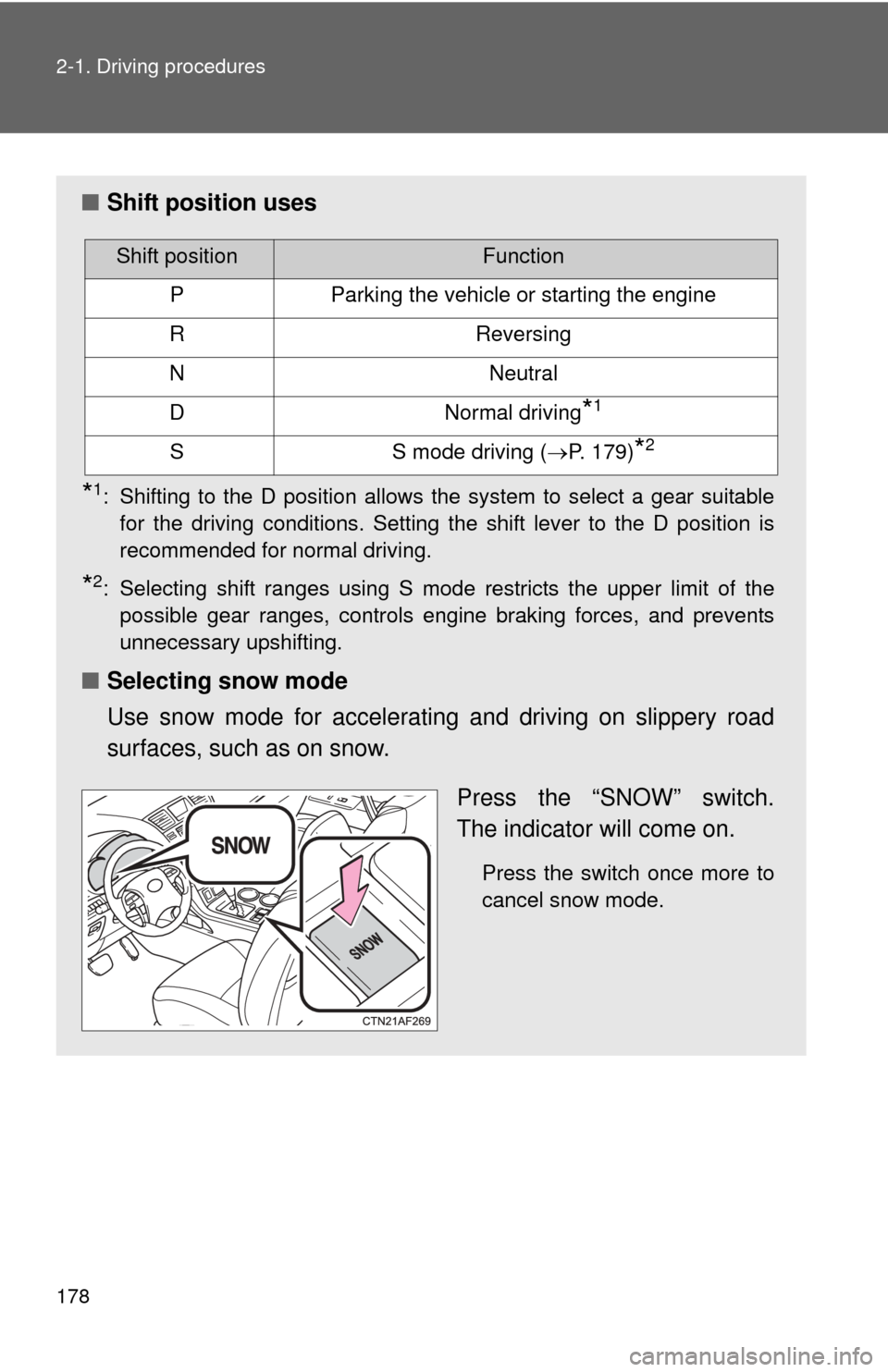
■ Selecting snow mode
Use snow mode for accelerating and driving on slippery road
surfaces, such as on snow.
Press the “SNOW” switch.
The indicator will come on.
Press the switch once more to
cancel snow mode.
Shift positionFunction
PParking the vehicle or starting the engine
RReversing
NNeutral
DNormal driving*1
SS mode driving (P. 179)*2
Page 181 of 636

181
2-1. Driving procedures
2
When driving
■
If the shift lever cannot be shifted from P
P. 556
■ If the S indicator does not come on even after shifting the shift lever to
S
This may indicate a malfunction in the automatic transmission system. Have
the vehicle inspected by your Toyota dealer immediately.
(In this situation, the vehicle will operate as if the shift lever is in D.)
■ Downshift restriction warning buzzer (S mode)
To help ensure safety and driving performance, downshifting operation may
sometimes be restricted. In some circumstances, downshifting may not be
possible even when the shift lever is operated. (A buzzer will sound twice.)
■ S mode
●2.7L 4-cylinder (1AR-FE) engine: when the shift range is “5” or lower,
holding the shift lever toward “+” sets the shift range to “6”.
● 3.5L V6 (2GR-FE) engine: when the shift range is “4” or lower, holding
the shift lever toward “+” sets the shift range to “5”.
● To prevent excessive engine speed, a function was adopted that auto-
matically selects a higher shift range before engine speed becomes too
high.
● To protect the automatic transmission, a function is adopted that auto-
matically selects a higher shift range when the fluid temperature is high.
■ AI-SHIFT
AI-SHIFT automatically selects the suitable gear according to driver perfor-
mance and driving conditions.
AI-SHIFT automatically operates when the shift lever is in the D position.
(Shifting the shift lever to the S mode driving position cancels the function.)
The engine speed may remain high after releasing the accelerator pedal.
This does not indicate a malfunction.
Page 189 of 636

189
2-2. Instrument cluster
2
When driving
*1: These lights turn on when the engine switch is turned to the “ON”
position (vehicles without smart key system) or the “ENGINE
START STOP” switch is turned to IGNITION ON mode (vehicles
with smart key system) to indicate that a system check is being per-
formed. They will turn off after the engine is started, or after a few
seconds. There may be a malfunction in a system if a light does not
come on, or if the lights do not turn off. Have the vehicle inspected
by your Toyota dealer for details.
*2: The light flashes to indicate that the system is operating.
■ Warning lights
Warning lights inform the driver of malfunctions in any of the
vehicle’s systems. ( P. 528)
Shift position and shift range indica-
tors ( P. 177)
SRS airbag on-off indi-
cator (P. 135)
Enhanced VSC off indi-
cator
(P. 225)
(if equipped)
Cruise control indicator
( P. 215)
(if equipped)
Engine immobilizer/
alarm indicator
(P. 113, 116)“TRAC OFF” indicator
( P. 224)
(Canada)(U.S.A.)(Canada)(U.S.A.)(Canada)
(U.S.A.)(U.S.A.)
(if equipped)
*1
*1
*1
*1*1*1*1, 2*1*1*1*1
*1*1, 2*1*1*1, 2*1, 2
*4*5*3*1*6
Page 190 of 636

190 2-2. Instrument cluster
CAUTION
■If a safety system warning light does not come on
Should a safety system light such as the ABS and SRS airbag warning light
not come on when you start the engine, this could mean that these systems
are not available to help protect you in an accident, which could result in
death or serious injury. Have the vehicle inspected by your Toyota dealer
immediately if this occurs.
*1: These lights turn on when the engine switch is turned to the “ON”
position (vehicles without smart key system) or the “ENGINE
START STOP” switch is turned to IGNITION ON mode (vehicles
with smart key system) to indicate that a system check is being per-
formed. They will turn off after the engine is started, or after a few
seconds. There may be a malfunction in a system if a light does not
come on, or if the lights do not turn off. Have the vehicle inspected
by your Toyota dealer for details.
*2: Vehicles without multi-information display
*3: Vehicles with multi-information display
*4: Vehicles without navigation system
*5: Vehicles with navigation system
*6: The light flashes to indicate a malfunction.
Page 194 of 636
194 2-2. Instrument cluster
Setting up the displaysDisplay the set up screen on the
multi-information display when
the vehicle is stopped.
Press and hold the “DISP” button
to display the set up screen.
Select the desired item on the
menu screen.
Press and hold the “DISP” button
to enter the setting mode.
■Setting the clock
Select “CLOCK” on the menu screen. Press and hold the
“DISP” button until the display changes.
Press the “DISP” button to adjust
the hours.
After adjusting the hours, wait 5
seconds to allow the hours to be
automatically input.
STEP1
STEP2
STEP1
STEP2