Page 224 of 540
224 3-1. Using the air conditioning system and defogger
NOTICE
■To prevent battery discharge
Do not leave the air conditioning system on longer than necessary when the
engine is stopped.
Page 225 of 540
225
3-1. Using the air conditioning system and defogger
3
Interior features
Rear window defogger
■The rear window defogger can be operated when
The engine switch is in the ON position.
NOTICE
■ To prevent battery discharge
Turn the rear window defogger off when the engine is off.
This feature is used to defog the rear window.
On/off
Press the button to turn on the
rear window defogger. The
indicator light will come on.
The defogger will automatically
turn off after 15 to 240 minutes.
The operation time changes
according to the ambient tem-
perature and vehicle speed.
Pressing the button again also
turns the defogger off.
Page 229 of 540
229
3-2. Using the audio system
3
Interior features
NOTICE
■
To prevent battery discharge
Do not leave the audio system on longer than necessary with the engine o\
ff.
■ To avoid damaging the audio system
Take care not to spill drinks or other fluids over the audio system.
Page 288 of 540
288 3-3. Using the Bluetooth
® audio system
Selecting a portable player to be usedSelect “Select Audio Player” using a voice command or
.
Select the portable player to be used by either of the following
methods, and select “Confirm” using a voice command or
:
a. Press the talk switch and say the name of the desired por- table player.
b. Press the talk switch and say “List Audio Players”. When
the name of the desired portable player is read aloud, press
the talk switch.
Press the talk switch and say “From Car” or “From Audio”, and
select “Confirm” using a voice command or .
If “From Car” is selected, the portable player will be automatically
connected whenever the engine switch is in either the ACC or ON
position.
Page 330 of 540
330
3-5. Using the interior lights
Interior lights list
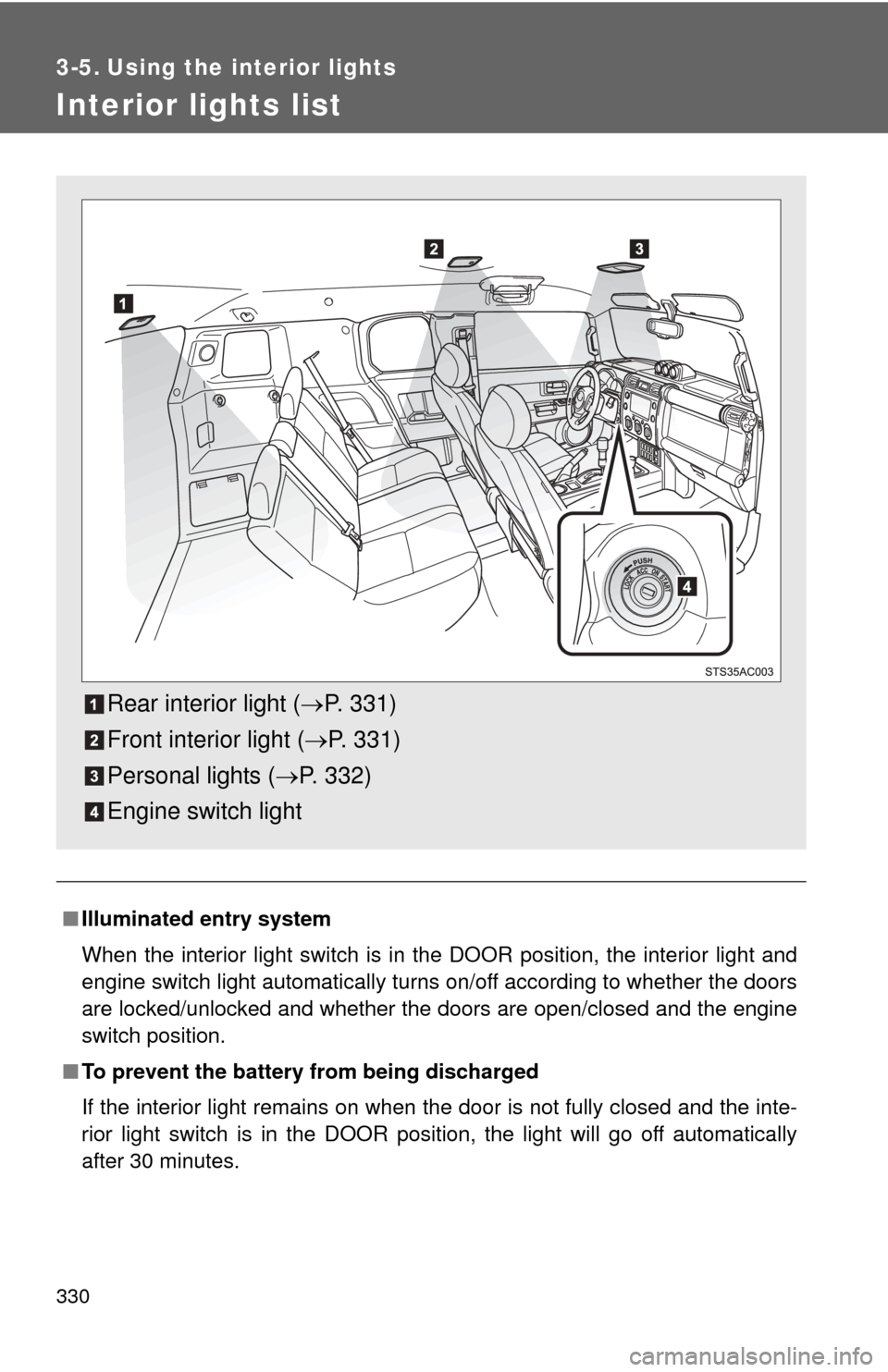
■Illuminated entry system
When the interior light switch is in the DOOR position, the interior light and
engine switch light automatically turns on/off according to whether the doors
are locked/unlocked and whether the doors are open/closed and the engine
switch position.
■ To prevent the battery from being discharged
If the interior light remains on when the door is not fully closed and the inte-
rior light switch is in the DOOR position, the light will go off automatically
after 30 minutes.
Rear interior light ( P. 331)
Front interior light ( P. 331)
Personal lights ( P. 332)
Engine switch light
Page 332 of 540
332 3-5. Using the interior lights
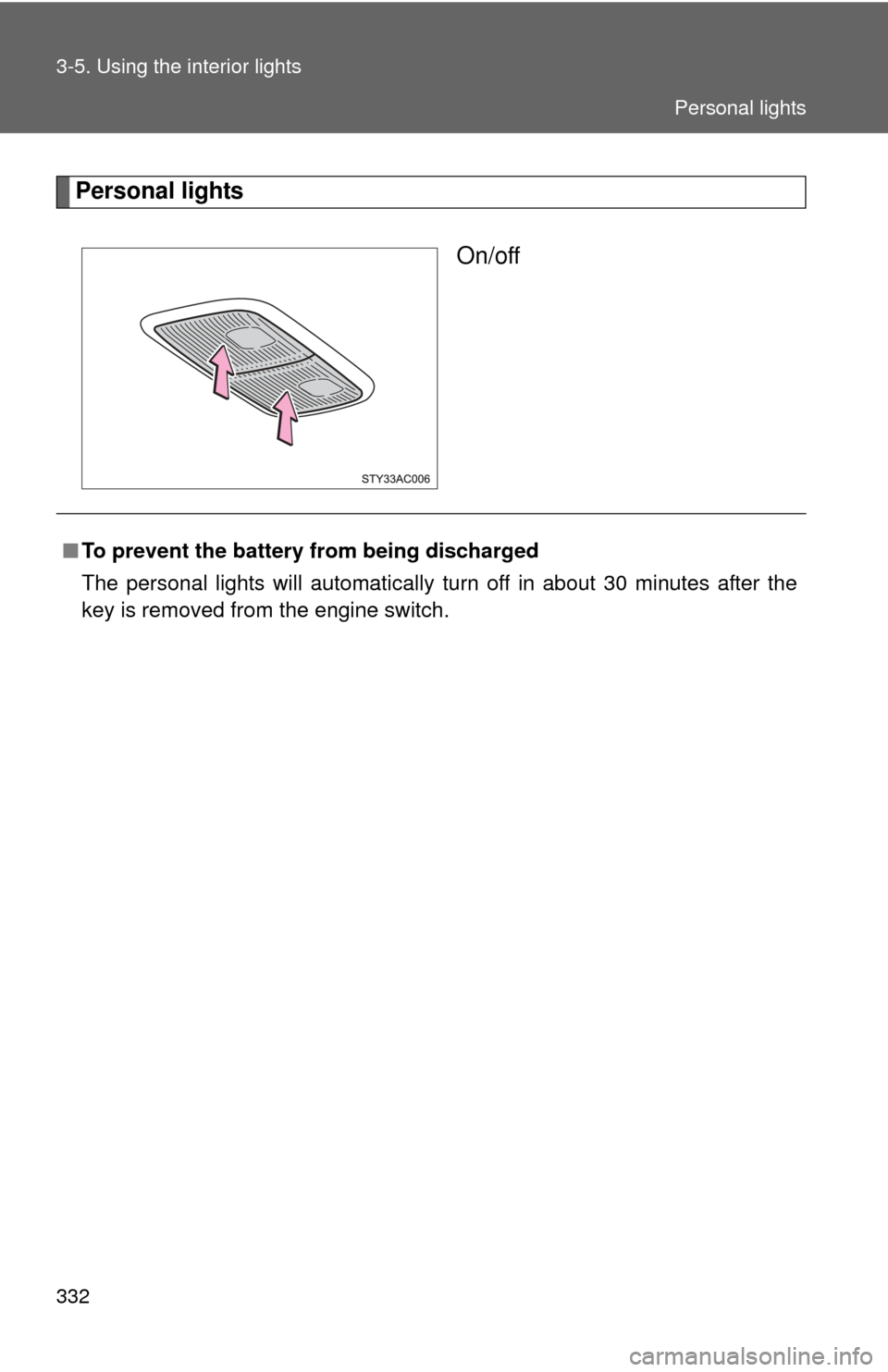
Personal lightsOn/off
■To prevent the battery from being discharged
The personal lights will automatically turn off in about 30 minutes after the
key is removed from the engine switch.
Personal lights
Page 342 of 540
342
3-7. Other interior features
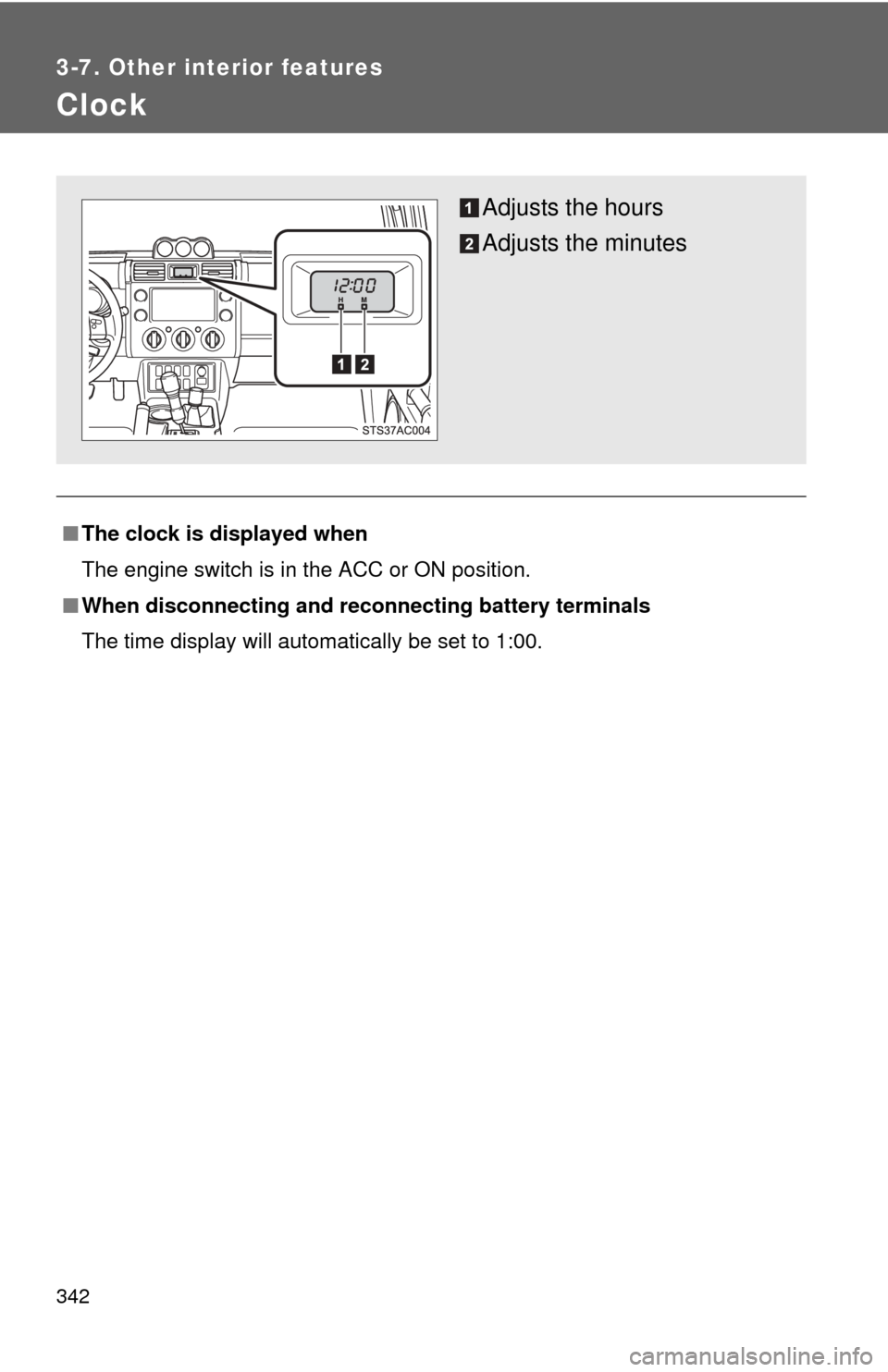
Clock
■The clock is displayed when
The engine switch is in the ACC or ON position.
■ When disconnecting and reco nnecting battery terminals
The time display will automatically be set to 1:00.
Adjusts the hours
Adjusts the minutes
Page 343 of 540
343
3-7. Other interior features
3
Interior features
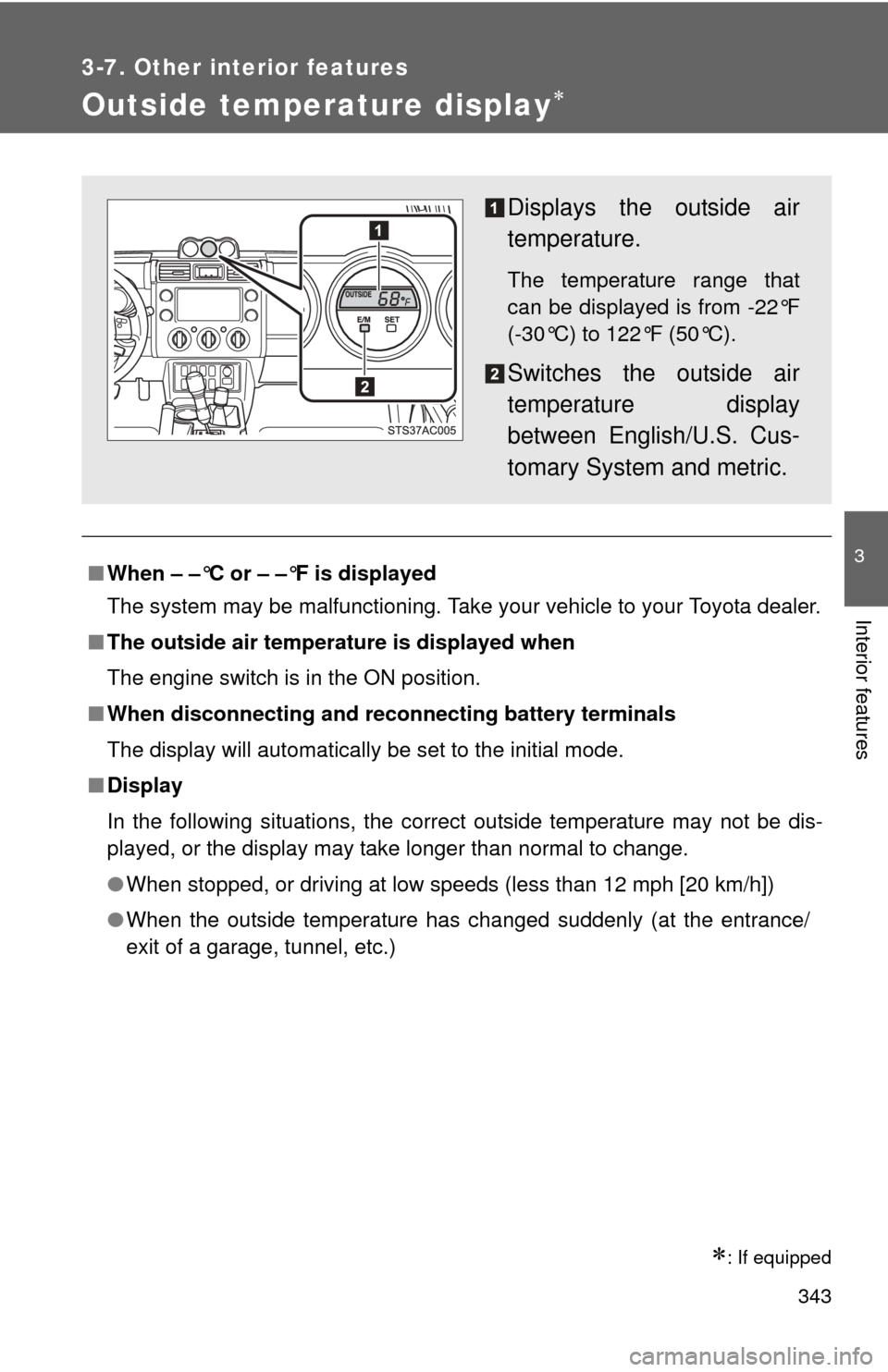
Outside temperature display
: If equipped
■When – –°C or – –°F is displayed
The system may be malfunctioning. Take your vehicle to your Toyota dealer.
■ The outside air temperature is displayed when
The engine switch is in the ON position.
■ When disconnecting and reco nnecting battery terminals
The display will automatically be set to the initial mode.
■ Display
In the following situations, the correct outside temperature may not be dis-
played, or the display may take longer than normal to change.
●When stopped, or driving at low speeds (less than 12 mph [20 km/h])
● When the outside temperature has changed suddenly (at the entrance/
exit of a garage, tunnel, etc.)
Displays the outside air
temperature.
The temperature range that
can be displayed is from -22°F
(-30°C) to 122°F (50°C).
Switches the outside air
temperature display
between English/U.S. Cus-
tomary System and metric.