Page 112 of 529
112 1-7. Safety information
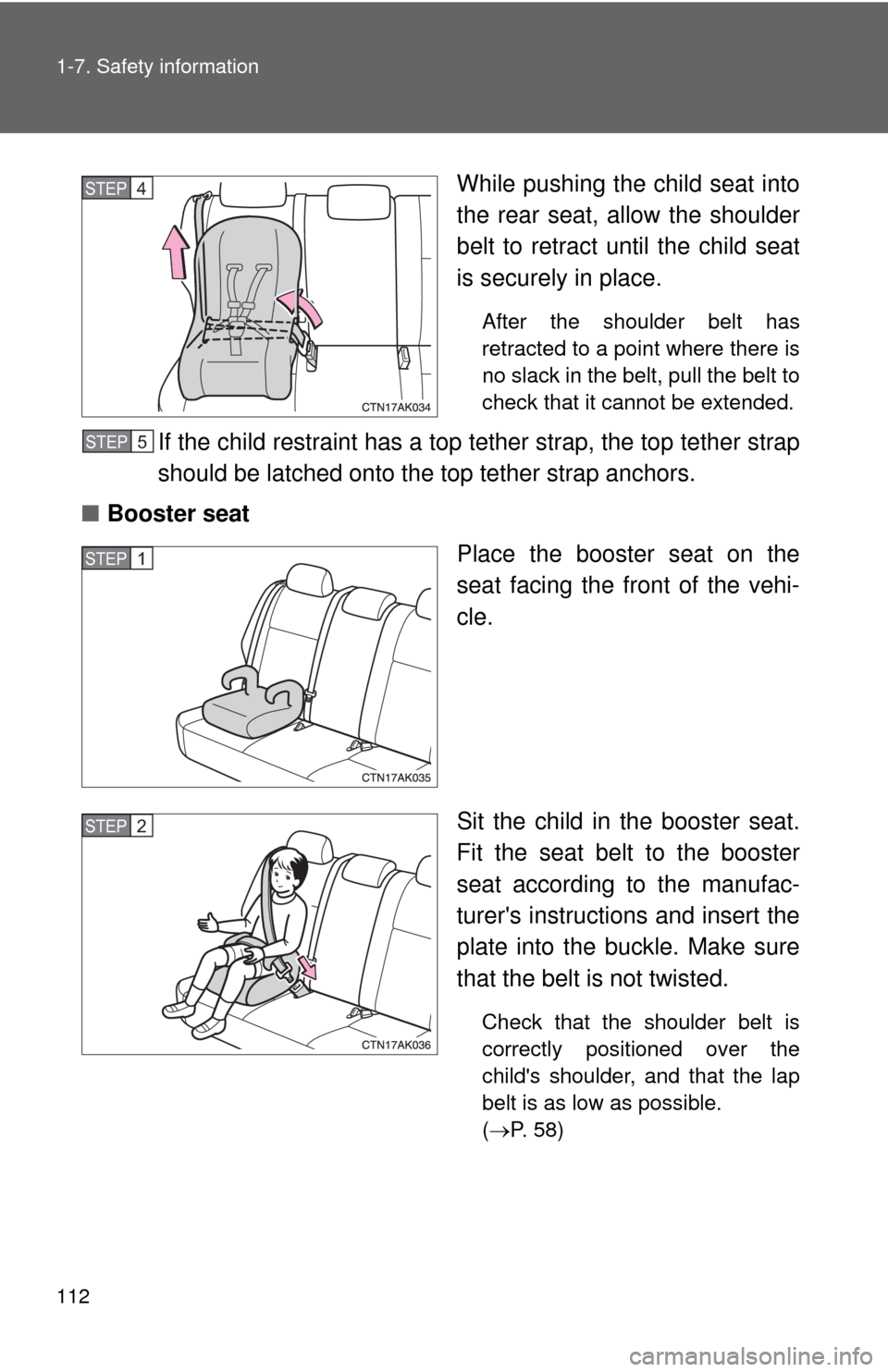
While pushing the child seat into
the rear seat, allow the shoulder
belt to retract until the child seat
is securely in place.
After the shoulder belt has
retracted to a point where there is
no slack in the belt, pull the belt to
check that it cannot be extended.
If the child restraint has a top tether strap, the top tether strap
should be latched onto the top tether strap anchors.
■ Booster seat
Place the booster seat on the
seat facing the front of the vehi-
cle.
Sit the child in the booster seat.
Fit the seat belt to the booster
seat according to the manufac-
turer's instructions and insert the
plate into the buckle. Make sure
that the belt is not twisted.
Check that the shoulder belt is
correctly positioned over the
child's shoulder, and that the lap
belt is as low as possible.
(P. 58)
STEP 4
STEP 5
STEP 1
STEP 2
Page 116 of 529
116 1-7. Safety information
CAUTION
■When installing a booster seat
Do not fully extend the shoulder belt to prevent the belt from going to ALR
lock mode: ( P. 61)
ALR mode causes the belt to tighten only which could cause injury or dis-
comfort to the child.
■ When installing a child restraint system
Follow the directions given in the child restraint system installation manual
and fix the child restraint system securely in place.
If the child restraint system is not correctly fixed in place, the child or other
passengers may be seriously injured or even killed in the event of sudden
braking, sudden swerving or an accident.
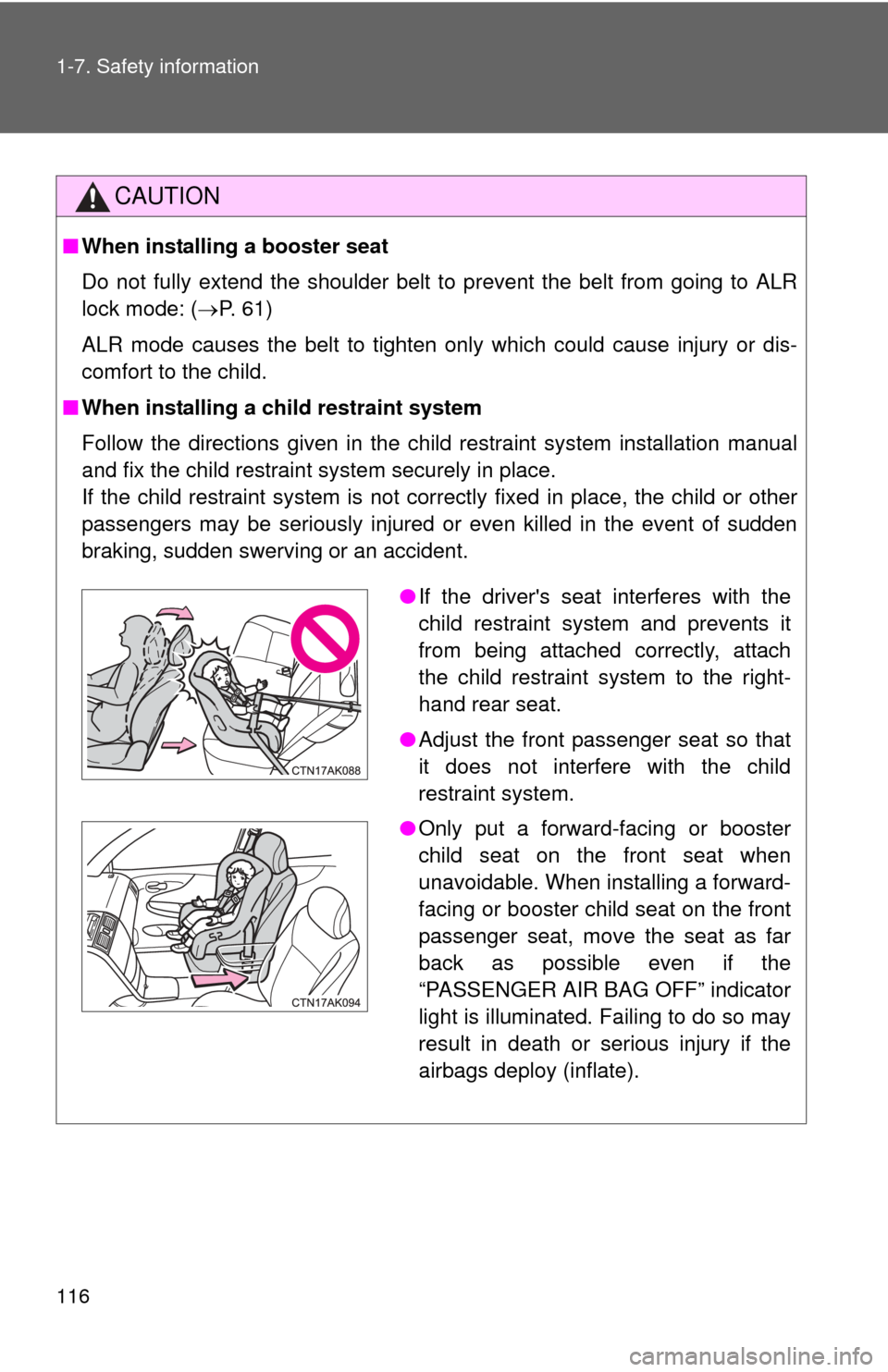
●If the driver's seat interferes with the
child restraint system and prevents it
from being attached correctly, attach
the child restraint system to the right-
hand rear seat.
● Adjust the front passenger seat so that
it does not interfere with the child
restraint system.
● Only put a forward-facing or booster
child seat on the front seat when
unavoidable. When installing a forward-
facing or booster child seat on the front
passenger seat, move the seat as far
back as possible even if the
“PASSENGER AIR BAG OFF” indicator
light is illuminated. Failing to do so may
result in death or serious injury if the
airbags deploy (inflate).
Page 146 of 529
146
2-1. Driving procedures
Tur n signal lever
■Turn signals can be operated when
Vehicles with smart key system
The “ENGINE START STOP” switch is in IGNITION ON mode.
Vehicles without smart key system
The engine switch is in
the “ON” position.
■ If the indicators flash faster than usual
Check that a light bulb in the front or rear turn signal lights has not burned
out.
Right turn
Left turn
Move and hold the lever
partway to signal a lane
change.
The right hand signal will flash
until you release the lever.
Move and hold the lever
partway to signal a lane
change.
The left hand signal will flash
until you release the lever.
Page 154 of 529

154 2-2. Instrument cluster
■Indicators
The indicators inform the driver of the operating state of the
vehicle’s various systems.
*1: These lights turn on when the “ENGINE START STOP” switch is
turned to IGNITION ON mode (vehicles with smart key system) or
the engine switch is turned to
the “ON” position (vehicles without
smart key system) to indicate that a system check is being per-
formed. They will turn off after the engine is started, or after a few
seconds. There may be a malfunction in a system if a light does not
come on, or if the lights do not turn off. Have the vehicle inspected
by your Toyota dealer for details.
*2: The light flashes to indicate that the system is operating.
Turn signal indicator
( P. 146)
(if equipped)
Front fog light indicator
( P. 164)
Headlight high beam
indicator ( P. 161)
(if equipped)
Cruise control indicator
(P. 169)
Slip indicator
(P. 173)
(if equipped)
Cruise control set indi-
cator (P. 169)
Engine immobilizer sys-
tem indicator ( P. 81)
VSC OFF indicator
(P. 174)
“TRAC OFF” indicator
(P. 174)
(vehicles with an automatic transmission)
*1, 2
“PASSENGER
AIR BAG ON”
and
“PASSENGER
AIR BAG OFF”
indicator
(P. 98)*1
*1
*1
Shift position
indicators
(P. 139)
Page 164 of 529
164
2-3. Operating the lights and wipers
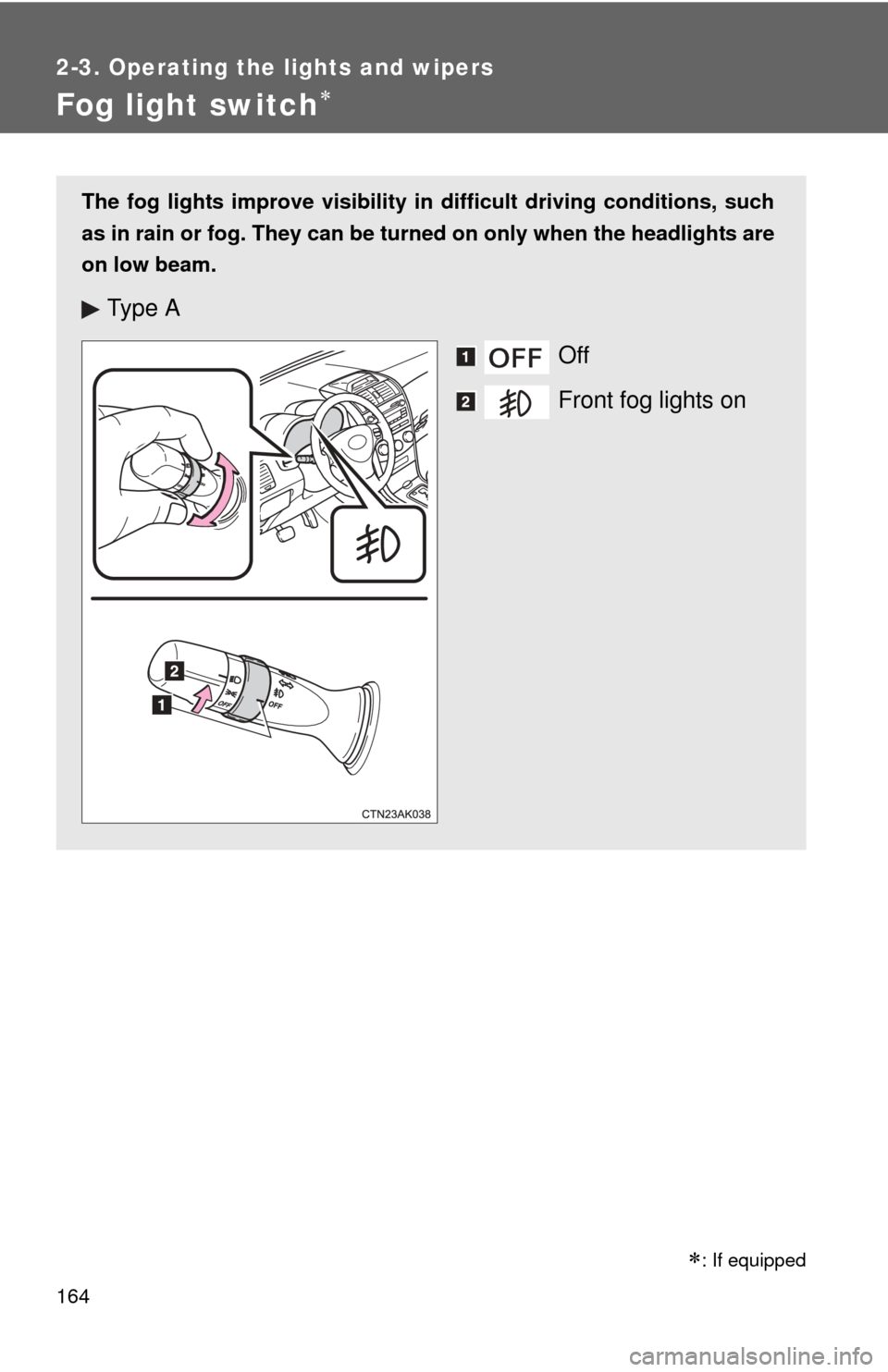
Fog light switch
The fog lights improve visibility in difficult driving conditions, such
as in rain or fog. They can be turned on only when the headlights are
on low beam.
Ty p e AOff
Front fog lights on
: If equipped
Page 165 of 529
165
2-3. Operating the lights and wipers
2
When driving
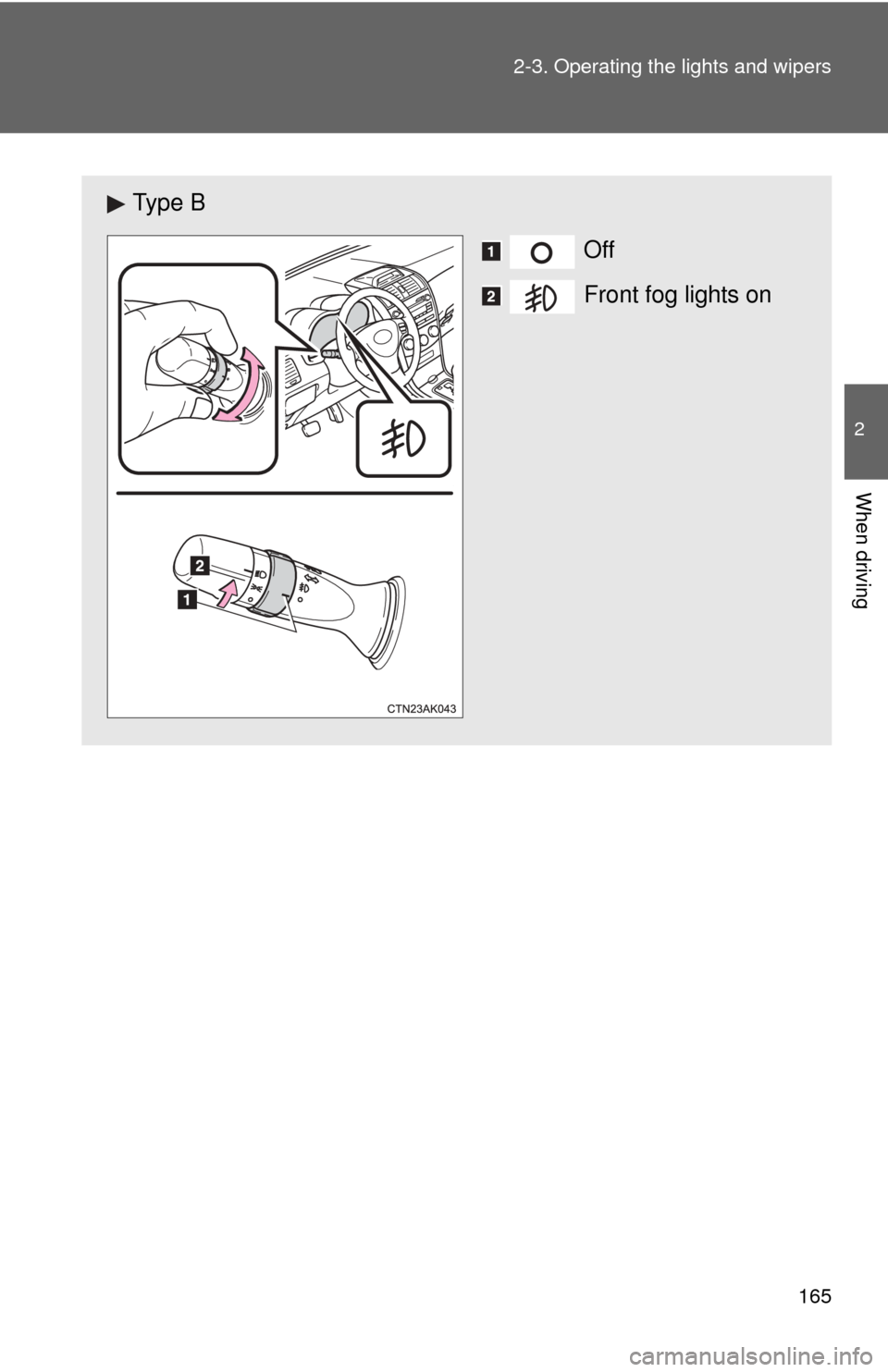
Ty p e B
Off
Front fog lights on
Page 173 of 529
173
2-4. Using other driving systems
2
When driving
Driving assist systems
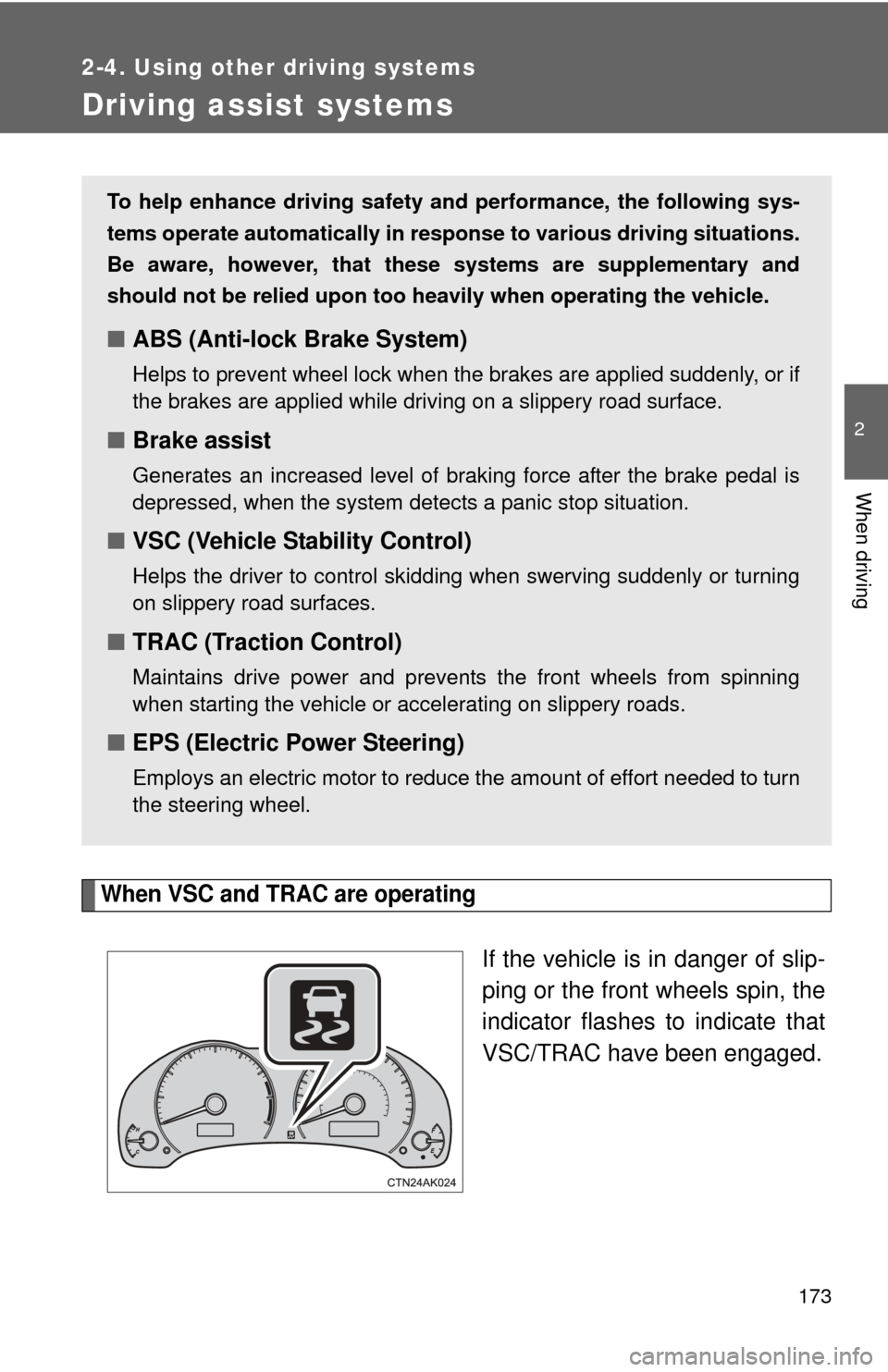
When VSC and TRAC are operating
If the vehicle is in danger of slip-
ping or the front wheels spin, the
indicator flashes to indicate that
VSC/TRAC have been engaged.
To help enhance driving safety and performance, the following sys-
tems operate automatically in res ponse to various driving situations.
Be aware, however, that these systems are supplementary and
should not be relied upon too heavi ly when operating the vehicle.
■ABS (Anti-lock Brake System)
Helps to prevent wheel lock when the brakes are applied suddenly, or if
the brakes are applied while driving on a slippery road surface.
■Brake assist
Generates an increased level of braking force after the brake pedal is
depressed, when the system detects a panic stop situation.
■VSC (Vehicle Stability Control)
Helps the driver to control skidding when swerving suddenly or turning
on slippery road surfaces.
■TRAC (Traction Control)
Maintains drive power and prevents the front wheels from spinning
when starting the vehicle or accelerating on slippery roads.
■EPS (Electric Power Steering)
Employs an electric motor to reduce the amount of effort needed to turn
the steering wheel.
Page 176 of 529

176 2-4. Using other driving systems
CAUTION
■Stopping distance when the ABS is operating may exceed that of nor-
mal conditions
ABS is not designed to shorten the vehicle's stopping distance. Always
maintain a safe distance from the vehicle in front of you in the following situ-
ations.
● When driving on dirt, gravel or snow-covered roads
● When driving with tire chains
● When driving over bumps in the road
● When driving over roads with potholes or uneven roads
■ TRAC may not operate effectively when
Directional control and power may not be achievable while driving on slip-
pery road surfaces, even if the TRAC system is operating.
Do not drive the vehicle in conditions where stability and power may be lost.
■ When VSC is activated
The slip indicator light flashes. Always drive carefully. Reckless driving may
cause an accident. Exercise particular care when the indicator light flashes.
■ When TRAC and VSC are off
Be especially careful and drive at a speed appropriate to the road condi-
tions. As these are systems to ensure vehicle stability and driving force, do
not turn off TRAC and VSC unless necessary.
■ Replacing tires
Make sure that all tires are of the same size, brand, tread pattern and total
load capacity. In addition, make sure that the tires are inflated to the recom-
mended tire pressure level.
The ABS and VSC system will not function correctly if different tires are fitted
on the vehicle.
Contact your Toyota dealer for further information when replacing tires or
wheels.
■ Handling of tires and suspension
Using tires with any kind of problem or modifying the suspension will affect
the driving assist systems, and may cause the system to malfunction.