Page 78 of 529
78 1-5. Refueling
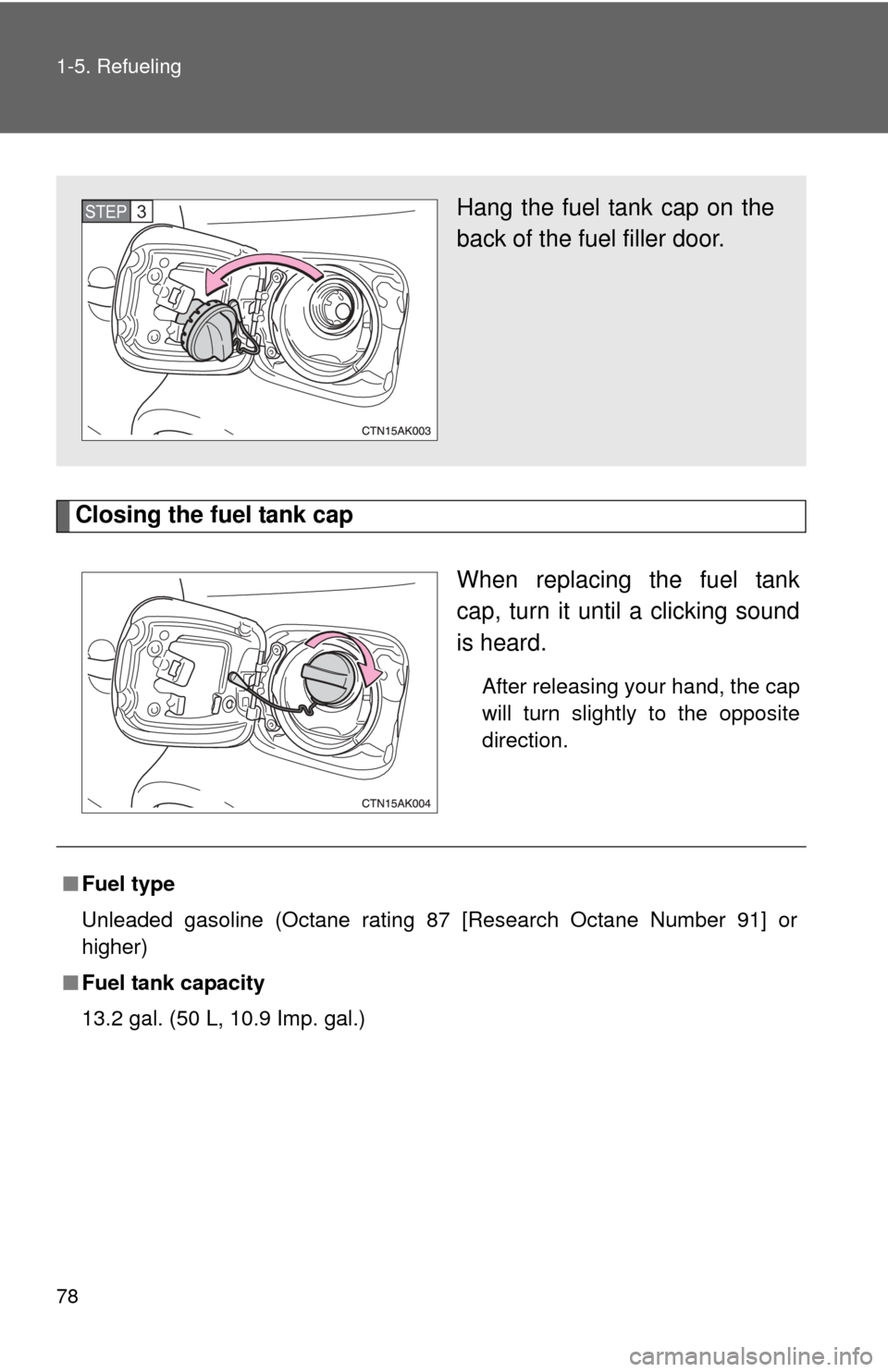
Closing the fuel tank capWhen replacing the fuel tank
cap, turn it until a clicking sound
is heard.
After releasing your hand, the cap
will turn slightly to the opposite
direction.
Hang the fuel tank cap on the
back of the fuel filler door.STEP 3
■Fuel type
Unleaded gasoline (Octane rating 87 [Research Octane Number 91] or
higher)
■ Fuel tank capacity
13.2 gal. (50 L, 10.9 Imp. gal.)
Page 79 of 529
79
1-5. Refueling
1
Before driving
CAUTION
■
Refueling the vehicle
Observe the following precautions while refueling the vehicle.
Failure to do so may result in death or serious injury.
●Touch the vehicle or some other metal surface to discharge any static
electricity.
Sparks resulting from discharging static electricity may cause the fuel
vapors to ignite.
● Always hold the grips on the fuel tank cap and turn it slowly to remove it.
A whooshing sound may be heard when the fuel tank cap is loosened.
Wait until the sound cannot be heard before fully removing the cap.
In hot weather, pressurized fuel may spray out of the filler neck and cause
injury.
● Do not allow anyone that has not discharged static electricity from their
bodies to come close to an open fuel tank.
● Do not inhale vaporized fuel.
Fuel contains substances that are harmful if inhaled.
● Do not smoke while refueling the vehicle.
Doing so may cause the fuel to ignite and cause a fire.
● Do not return to the vehicle or touch any person or object that is statically
charged.
This may cause static electricity to build up, resulting in a possible ignition
hazard.
■ When replacing the fuel cap
Do not use anything but a genuine Toyota fuel tank cap designed for your
vehicle. Doing so may cause a fire or other incident which may result in
death or serious injury.
Page 80 of 529
80 1-5. Refueling
NOTICE
■Refueling
Do not spill fuel during refueling.
Doing so may damage the vehicle, such as causing the exhaust systems to
operate abnormally or damaging fuel system components or the vehicle's
painted surface.
Page 123 of 529

123
2-1. Driving procedures
2
When driving
■
Breaking in your new Toyota
To extend the life of the vehicle, the following precautions are recommended
to observe:
●For the first 200 miles (300 km):
Avoid sudden stops.
● For the first 500 miles (800 km):
Do not tow a trailer.
● For the first 1000 miles (1600 km):
• Do not drive at extremely high speeds.
• Avoid sudden acceleration.
• Do not drive slowly with the manual transmission in a high gear.
• Do not drive at a constant speed for extended periods.
■ Drum-in-disc type parking brake system (2.4 L 4-cylinder [2AZ-FE]
engine)
Your vehicle has a drum-in-disc type parking brake system. This type of
brake system needs bedding-down of the brake shoes periodically or when-
ever the parking brake shoes and/or drum are replaced. Have your Toyota
dealer perform the bedding down.
■ Operating your vehicle in a foreign country
Comply with the relevant vehicle registration laws and confirm the availability
of the correct fuel. ( P. 468)
Page 150 of 529

150 2-2. Instrument cluster
Tachometer
Displays the engine speed in revolutions per minute.
Speedometer
Displays the vehicle speed.
Fuel gauge
Displays the quantity of fuel remaining in the tank.
Low fuel level warning light
P. 422
Odometer/trip meter/instrument panel light control and trip meter
reset button
Switches between odometer and trip meter displays. Pressing and
holding the button will reset the trip meter when the trip meter is being
displayed.
To adjust the brightness of the instrument panel light, turn the button.
( P. 151)
Odometer and trip meter display
Odometer: Displays the total distance the vehicle has been driven.
Trip meter: Displays the distance the vehicle has been driven since the
meter was last reset. Trip meters A and B can be used to record and
display different distances independently.
Multi-informat ion display
P. 156
Display button
Switches the multi-information display.
Engine coolant temperature gauge
Displays the engine coolant temperature.
Page 156 of 529
156
2-2. Instrument cluster
Multi-information display
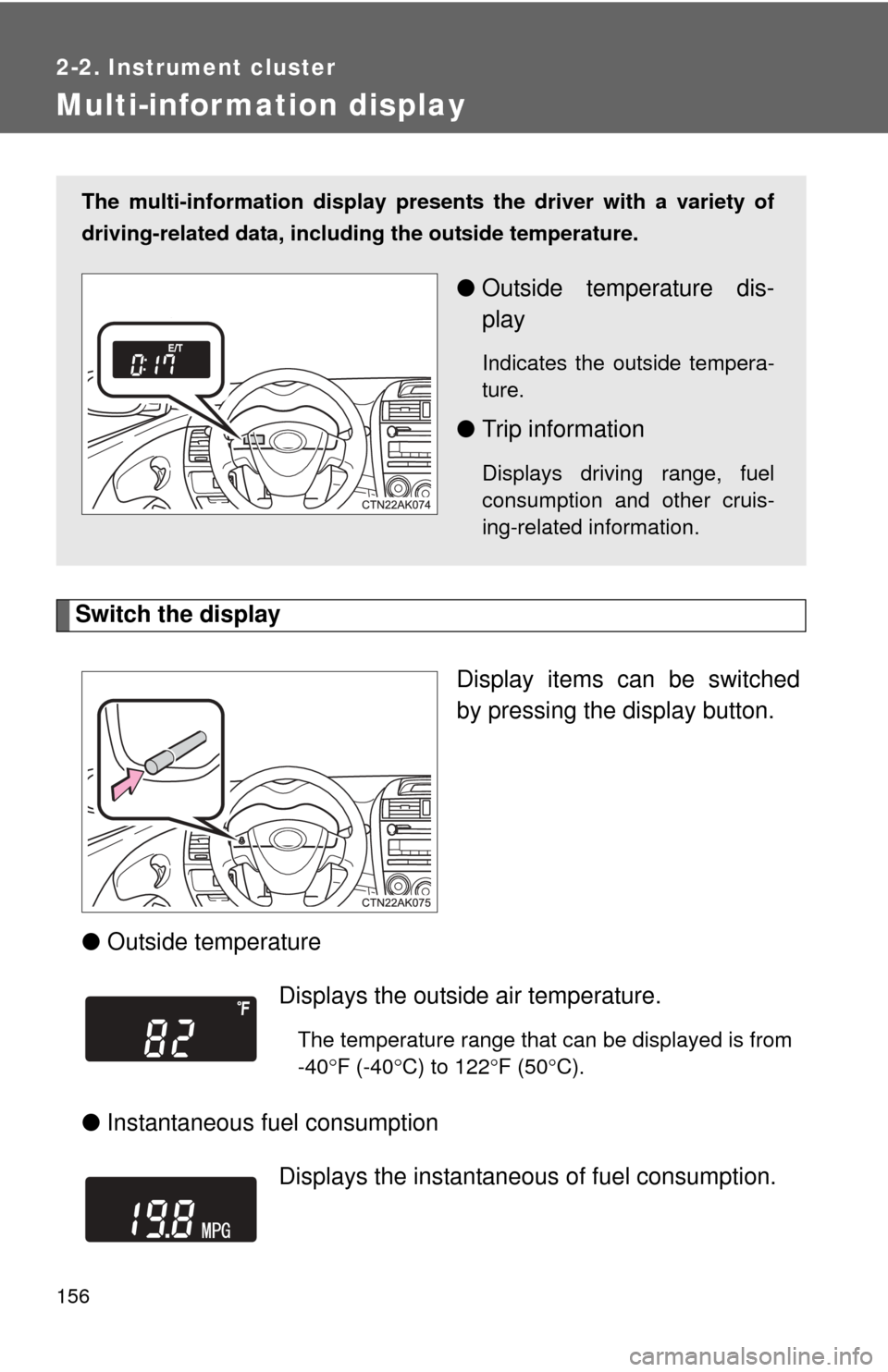
Switch the displayDisplay items can be switched
by pressing the display button.
● Outside temperature
● Instantaneous fuel consumption
The multi-information display presen ts the driver with a variety of
driving-related data, includ ing the outside temperature.
●Outside temperature dis-
play
Indicates the outside tempera-
ture.
●Trip information
Displays driving range, fuel
consumption and other cruis-
ing-related information.
Displays the outside air temperature.
The temperature range that can be displayed is from
-40 F (-40 C) to 122 F (50 C).
Displays the instantaneous of fuel consumption.
Page 157 of 529

157
2-2. Instrument cluster
2
When driving
●
Average fuel consumption
● Driving range Displays the average fuel
consumption since the
function was reset.
• The function can be reset by pressing the display button for longer than one second when the aver-
age fuel consumption is displayed.
• Use the displayed average fuel consumption as a reference.
Displays the estimated maximum distance that
can be driven with the quantity of fuel remaining.
• This distance is computed based on your averagefuel consumption. As a result, the actual distance
that can be driven may differ from that displayed.
• When only a small amount of fuel is added to the tank, the display may not be updated.
Vehicles without smart key system
When refueling, turn the engine off. If the vehicle
is refueled without turning the engine off, the dis-
play may not be updated.
Vehicles with smart key system
When refueling, turn the “ENGINE START STOP”
switch OFF. If the vehicle is refueled without turn-
ing the “ENGINE START STOP” switch OFF, the
display may not be updated.
Page 158 of 529
158 2-2. Instrument cluster
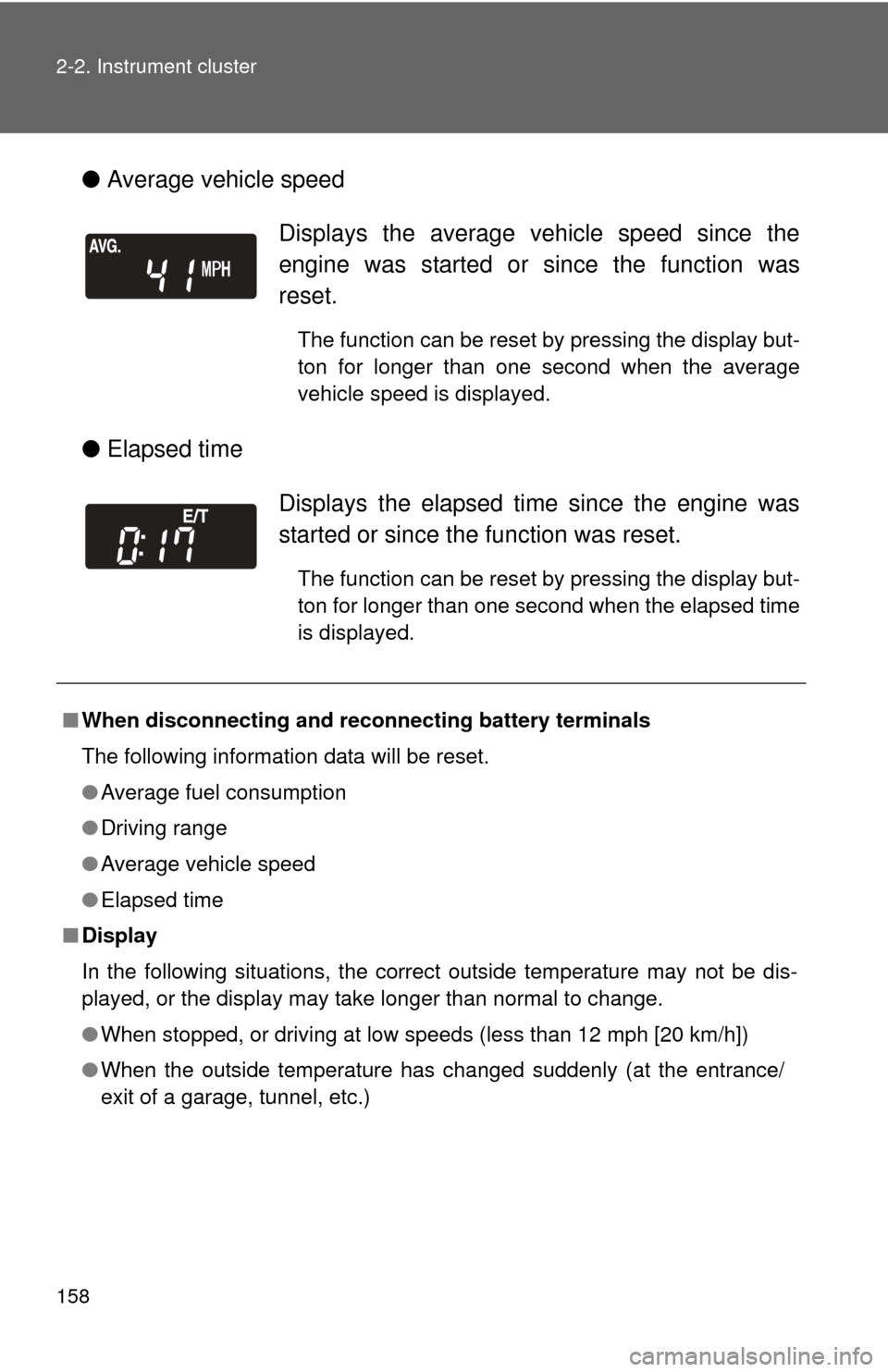
●Average vehicle speed
● Elapsed time
Displays the average vehicle speed since the
engine was started or since the function was
reset.
The function can be reset by pressing the display but-
ton for longer than one second when the average
vehicle speed is displayed.
Displays the elapsed ti me since the engine was
started or since the function was reset.
The function can be reset by pressing the display but-
ton for longer than one second when the elapsed time
is displayed.
■ When disconnecting and reco nnecting battery terminals
The following information data will be reset.
● Average fuel consumption
● Driving range
● Average vehicle speed
● Elapsed time
■ Display
In the following situations, the correct outside temperature may not be dis-
played, or the display may take longer than normal to change.
●When stopped, or driving at low speeds (less than 12 mph [20 km/h])
● When the outside temperature has changed suddenly (at the entrance/
exit of a garage, tunnel, etc.)