Page 204 of 580
204 2-4. Using other driving systems
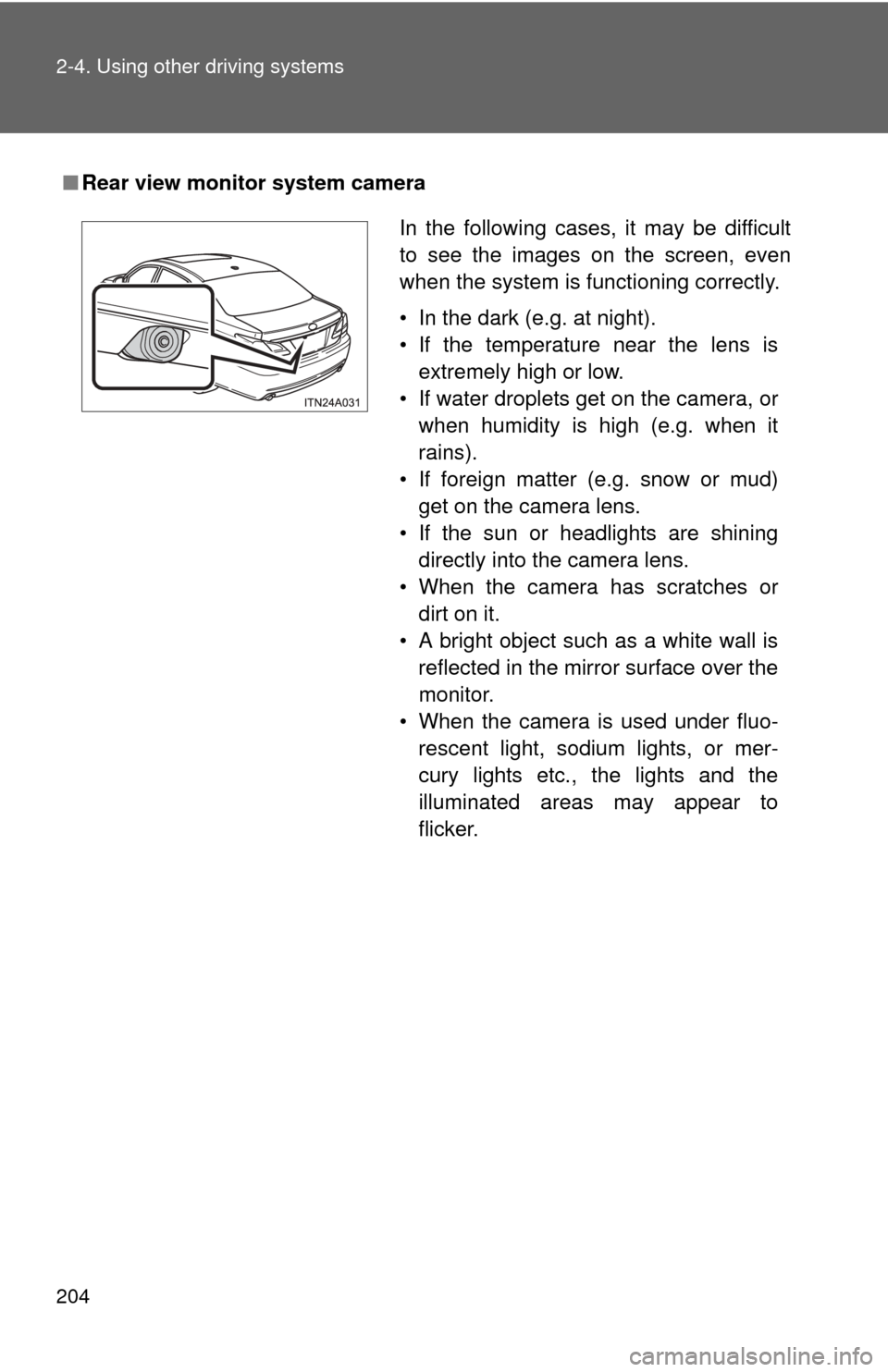
■Rear view monitor system camera
In the following cases, it may be difficult
to see the images on the screen, even
when the system is functioning correctly.
• In the dark (e.g. at night).
• If the temperature near the lens is
extremely high or low.
• If water droplets get on the camera, or when humidity is high (e.g. when it
rains).
• If foreign matter (e.g. snow or mud) get on the camera lens.
• If the sun or headlights are shining directly into the camera lens.
• When the camera has scratches or dirt on it.
• A bright object such as a white wall is reflected in the mirror surface over the
monitor.
• When the camera is used under fluo- rescent light, sodium lights, or mer-
cury lights etc., the lights and the
illuminated areas may appear to
flicker.
Page 227 of 580

Interior features3
227
3-3. Using the Bluetooth® audio
system
Blu etooth
® audio
system ........................... 289
Using the Bluetooth
®
audio system.................. 292
Operating a Bluetooth
®
enabled portable
player ............................. 299
Setting up a Bluetooth
®
enabled portable
player ............................. 301
Bluetooth
® audio system
setup .............................. 307
3-4. Using the hands-free system
(for cellular phone)
Hands-free sys tem
(for cellular phone) ......... 308
Using the hands-free system ........................... 311
Making a phone call ......... 320
Setting a cellular phone ............................. 325
Security and system setup .............................. 332
Using the phone book ...... 337 3-5. Using the interior lights
Interior lights list ............... 346
3-6. Using the storage features List of storage features .... 349
3-7. Other interior features Sun visors ........................ 357
Vanity mirrors ................... 358
Clock ................................ 359
Ashtrays ........................... 360
Power outlets ................... 361
Seat heaters/ventilators ...................... 363
Armrest ............................ 365
Rear sunshade................. 366
Floor mats ........................ 368
Trunk features .................. 370
Garage door opener......... 372
Compass .......................... 380
Page 346 of 580
346
3-5. Using the interior lights
Interior lights list
Illuminated entry system: The various lights automatically turn on/
off according to the presence of the key, whether the doors are
locked/unlocked, whether the d oors are open/closed, and the
“ENGINE START STOP” switch mode (vehicles with smart key sys-
tem) or the engine switch posi tion (vehicles without smart key sys-
tem).
Outer foot light
Front personal lights ( P. 348)
Rear personal light ( P. 348)
Interior light ( P. 348)
Engine switch light (if equipped)
Page 347 of 580
347
3-5. Using the interior lights
3
Interior features
■
To prevent battery discharge
If the interior lights, personal lights and engine switch light (if equipped)
remain on when the door is not fully closed or the interior light switch in
“DOOR” position, the lights will go off automatically after 20 minutes.
■ Customization that can be co nfigured at Toyota dealer
Setting (e.g. The time elapsed before lights turn off) can be changed.
(Customizable features
P. 545)
Page 348 of 580
348 3-5. Using the interior lights
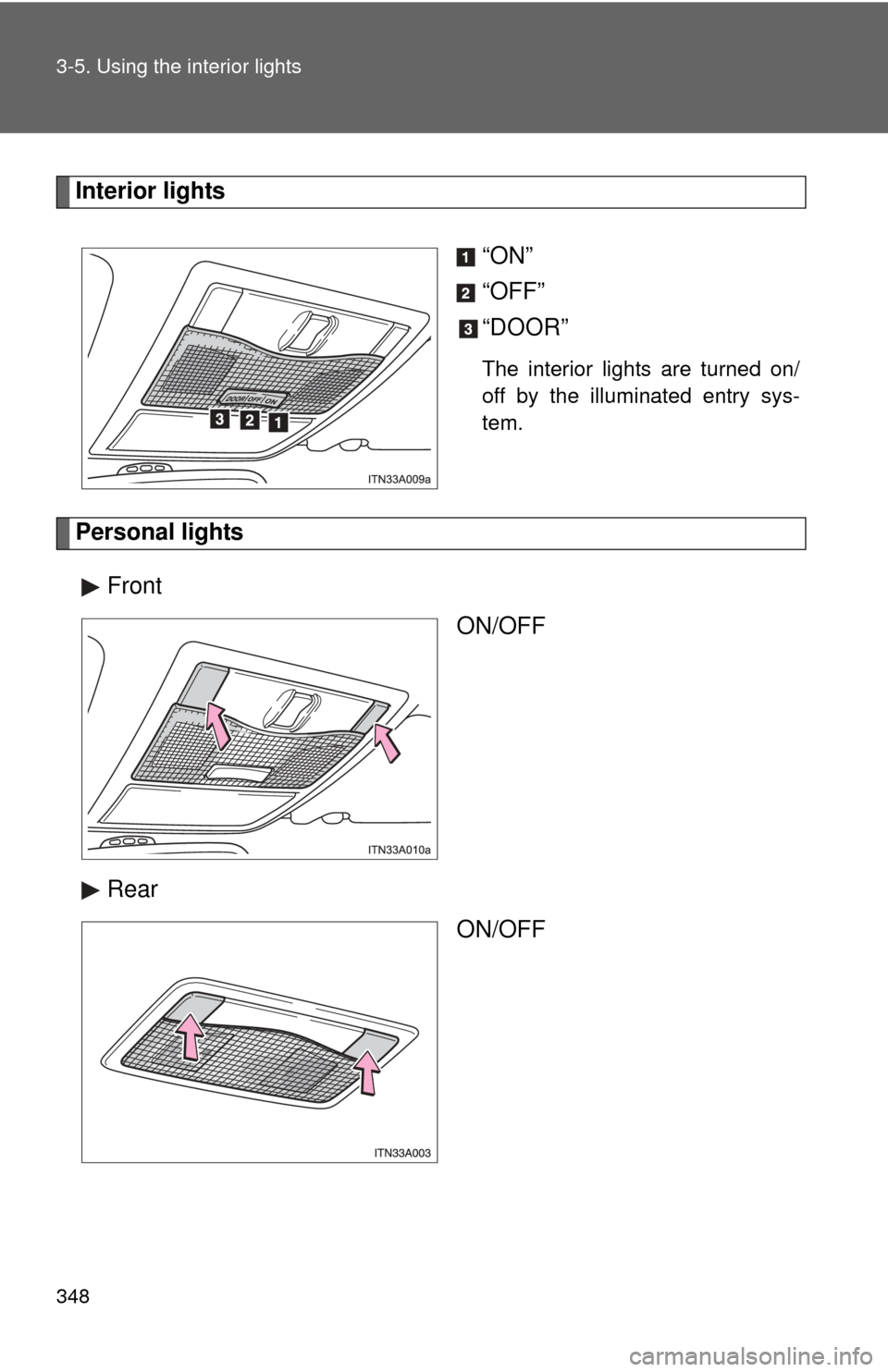
Interior lights“ON”
“OFF”
“DOOR”
The interior lights are turned on/
off by the illuminated entry sys-
tem.
Personal lightsFront ON/OFF
Rear ON/OFF
Page 358 of 580
358
3-7. Other interior features
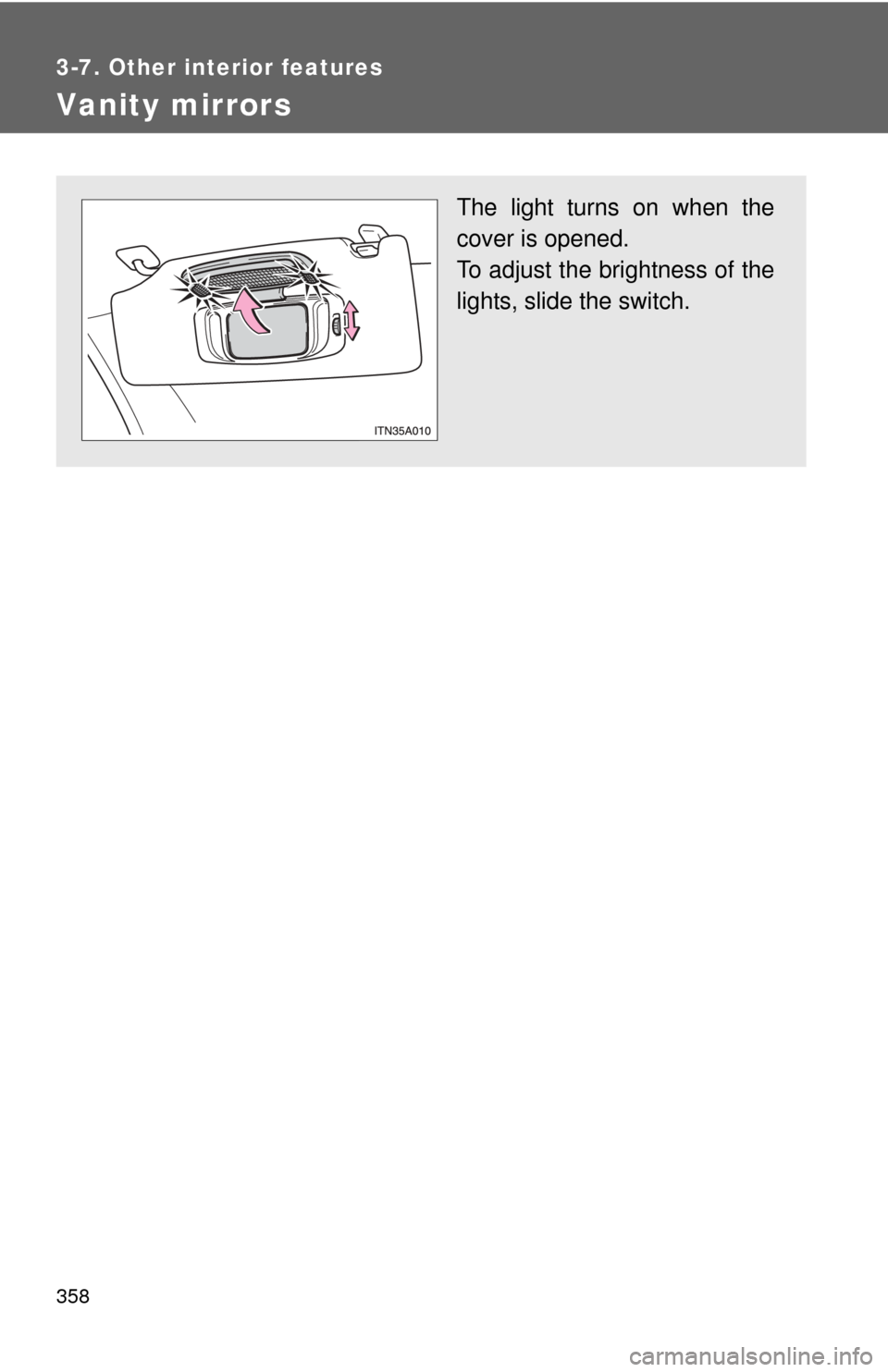
Vanity mirrors
The light turns on when the
cover is opened.
To adjust the brightness of the
lights, slide the switch.
Page 385 of 580
Maintenance and care4
385
4-1. Maintenance and careCleaning and protecting the vehicle exterior ......... 386
Cleaning and protecting the vehicle interior .......... 389
4-2. Maintenance Maintenance requirements .................. 392
General maintenance....... 395
Emission inspection and maintenance (I/M)
programs........................ 398
4-3. Do-it-yourself maintenance Do-it-yourself service precautions .................... 399
Hood ................................ 403
Positioning a floor jack ..... 404
Engine compartment ........ 406
Tires ................................. 421
Tire inflation pressure ...... 430
Wheels ............................. 434
Air conditioning filter......... 437
Key battery ....................... 440
Checking and replacing fuses .............................. 444
Headlight aim (with discharge headlights) ..... 453
Light bulbs........................ 455
Page 388 of 580
388 4-1. Maintenance and care
NOTICE
■To prevent paint deterioration and corrosion on the body and compo-
nents (aluminum wheels etc.)
● Wash the vehicle immediately in the following cases:
• After driving near the sea coast
• After driving on salted roads
• If you see coal tar or tree sap on the paint surface
• If you see dead insects, insect droppings or bird droppings on the paint
• After driving in an area contaminated with soot, oily smoke, mine dust,
iron powder or chemical substances
• If the vehicle becomes heavily soiled in dust or mud
• If liquids such as benzine and gasoline are spilled on the paint surface
● If the paint is chipped or scratched, have it repaired immediately.
● To prevent the wheels from corroding, remove any dirt and store in a place
with low humidity when storing the wheels.
■ Cleaning the exterior lights
●Wash carefully. Do not use organic substances or scrub with a hard brush.
This may damage the surfaces of the lights.
● Do not apply wax on the surface of the lights. Wax may cause damage to
the lenses.
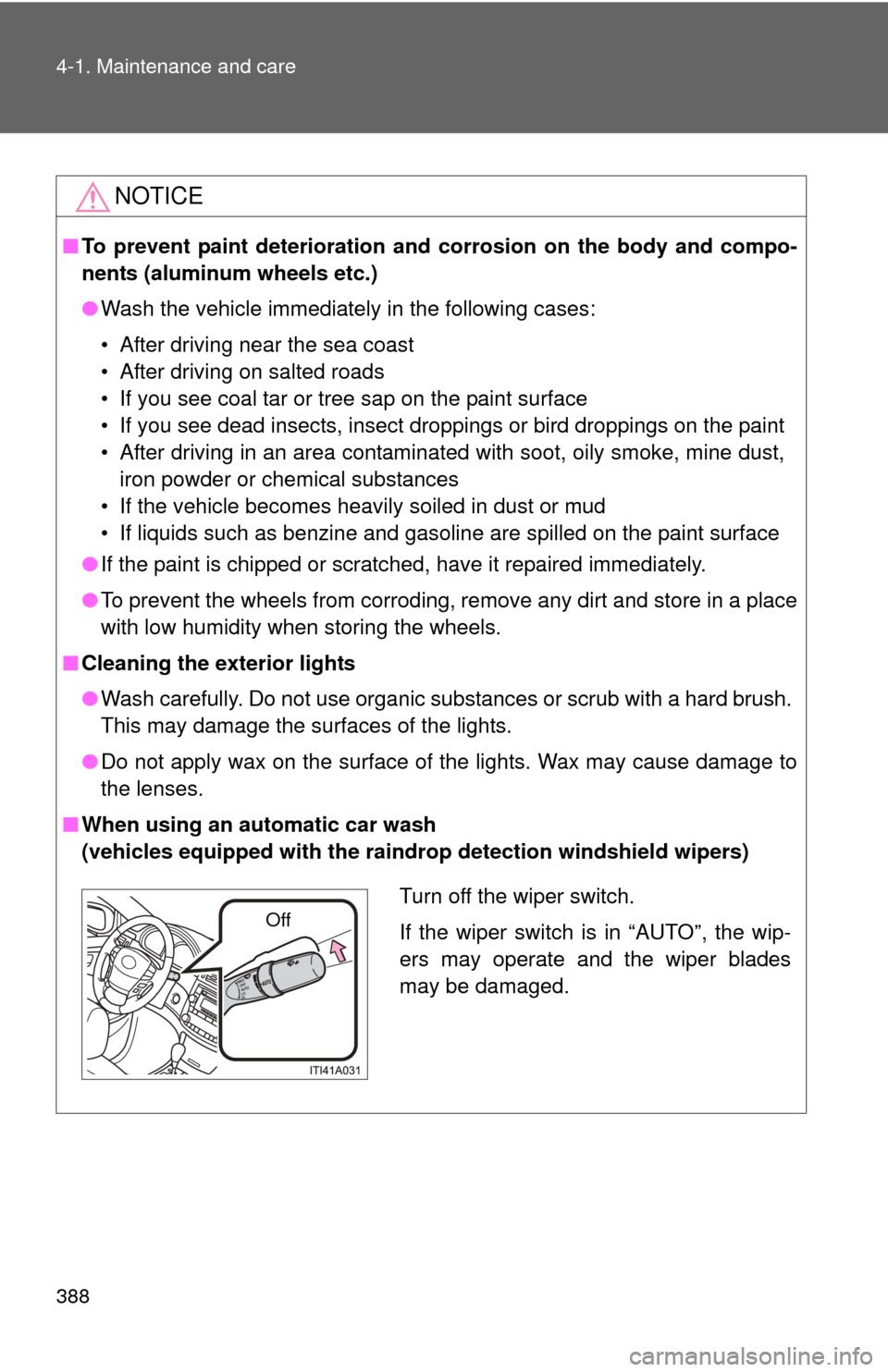
■ When using an automatic car wash
(vehicles equipped with the raindrop detection windshield wipers)
Turn off the wiper switch.
If the wiper switch is in “AUTO”, the wip-
ers may operate and the wiper blades
may be damaged.
Off