Page 286 of 700
286
2-5. Driving information
4RUNNER_U
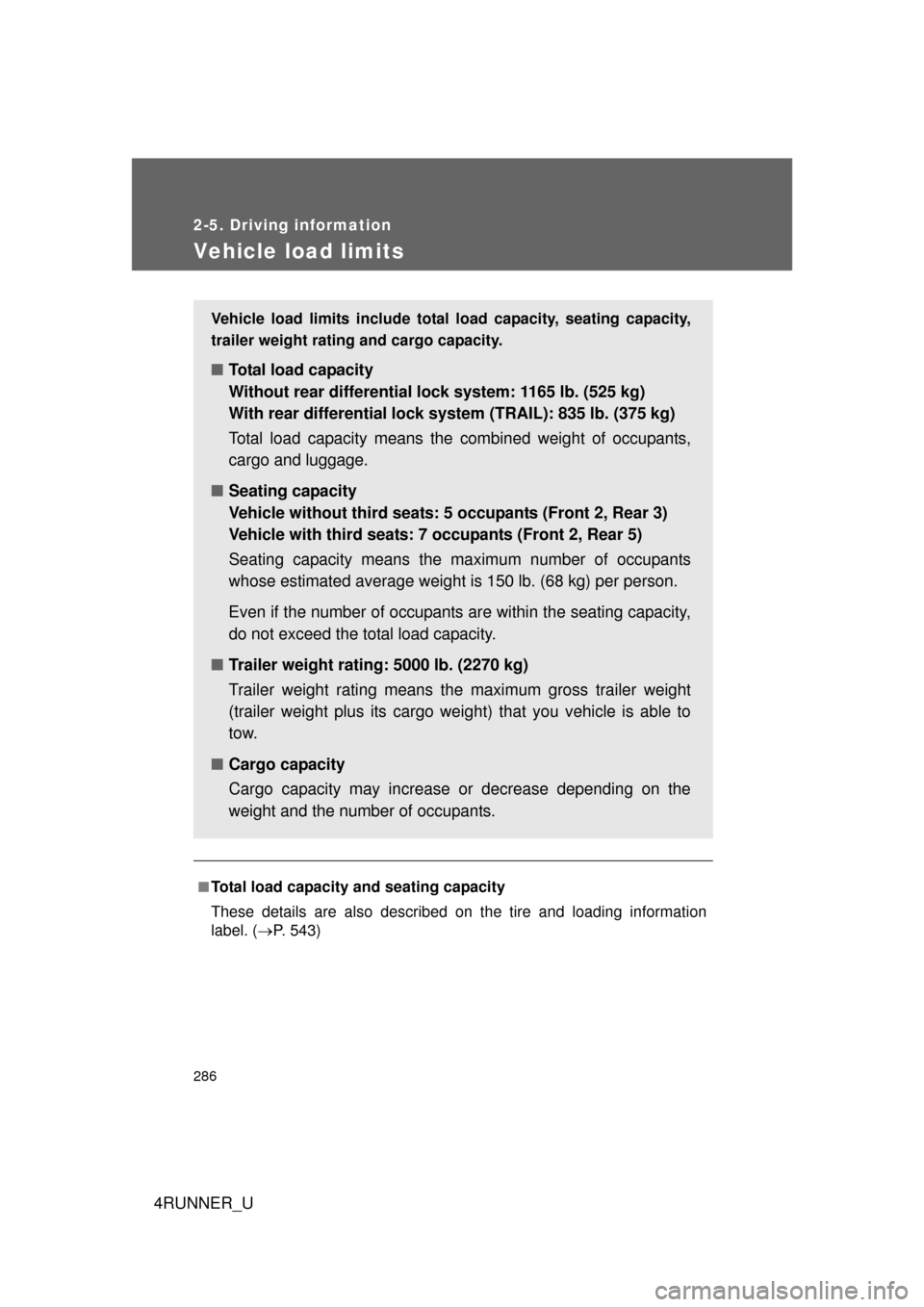
Vehicle load limits
■Total load capacity and seating capacity
These details are also described on the tire and loading information
label. (P. 543)
Vehicle load limits include total load capacity, seating capacity,
trailer weight rating and cargo capacity.
■ Total load capacity
Without rear differential lock system: 1165 lb. (525 kg)
With rear differential lock system (TRAIL): 835 lb. (375 kg)
Total load capacity means the combined weight of occupants,
cargo and luggage.
■ Seating capacity
Vehicle without third seats: 5 occupants (Front 2, Rear 3)
Vehicle with third seats: 7 occupants (Front 2, Rear 5)
Seating capacity means the ma ximum number of occupants
whose estimated average weight is 150 lb. (68 kg) per person.
Even if the number of occupants are within the seating capacity,
do not exceed the total load capacity.
■ Trailer weight rating: 5000 lb. (2270 kg)
Trailer weight rating means the maximum gross trailer weight
(trailer weight plus its cargo weig ht) that you vehicle is able to
tow.
■ Cargo capacity
Cargo capacity may increase or decrease depending on the
weight and the number of occupants.
Page 289 of 700
289
2-5. Driving information
2
When driving
4RUNNER_U
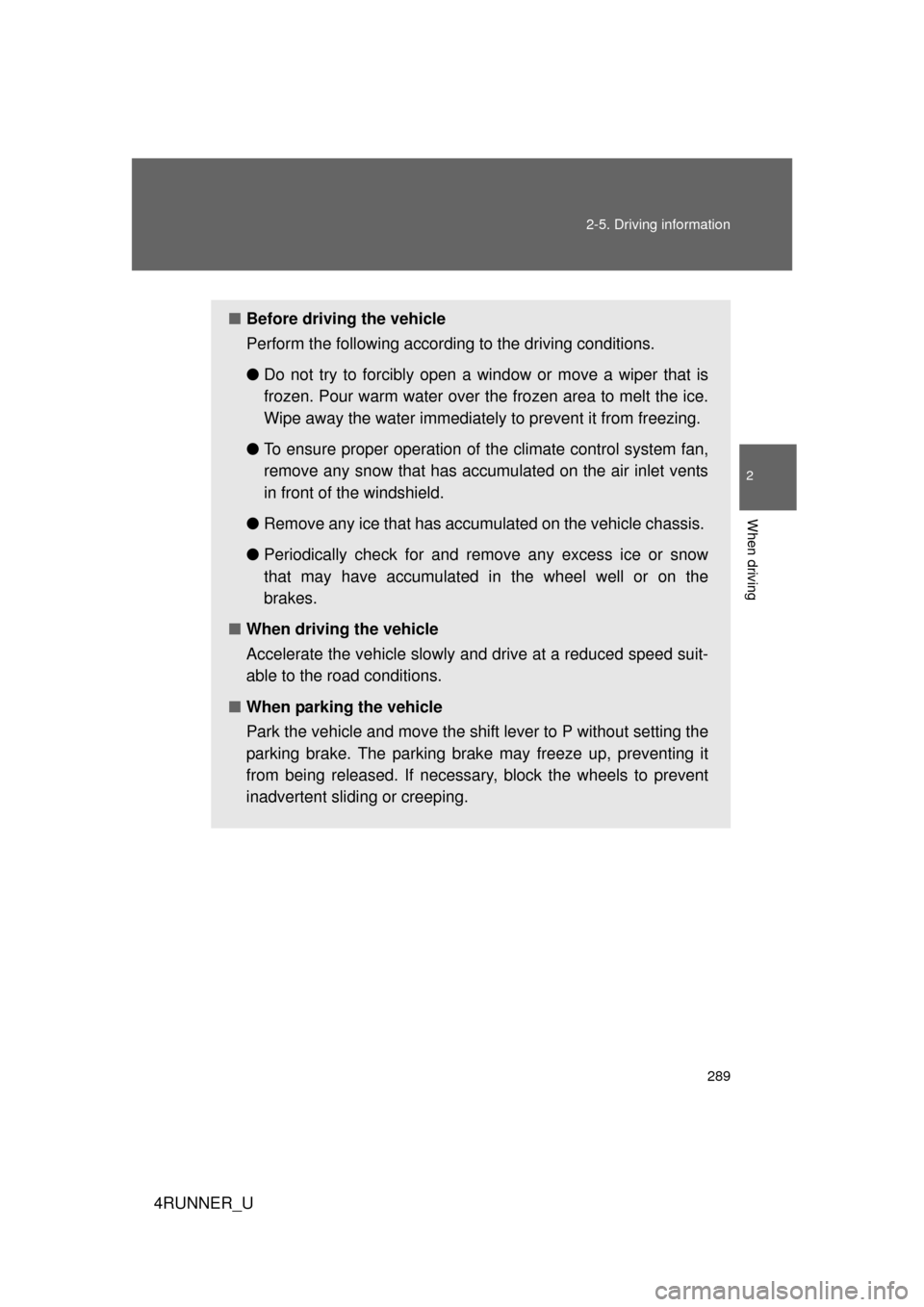
■
Before driving the vehicle
Perform the following according to the driving conditions.
●Do not try to forcibly open a window or move a wiper that is
frozen. Pour warm water over the frozen area to melt the ice.
Wipe away the water immediately to prevent it from freezing.
● To ensure proper operation of th e climate control system fan,
remove any snow that has accumulated on the air inlet vents
in front of the windshield.
● Remove any ice that has accumu lated on the vehicle chassis.
● Periodically check for and remove any excess ice or snow
that may have accumulated in the wheel well or on the
brakes.
■ When driving the vehicle
Accelerate the vehicle slowly and drive at a reduced speed suit-
able to the road conditions.
■ When parking the vehicle
Park the vehicle and move the shift lever to P without setting the
parking brake. The parking brak e may freeze up, preventing it
from being released. If necessary , block the wheels to prevent
inadvertent sliding or creeping.
Page 301 of 700
301
2-5. Driving information
2
When driving
4RUNNER_U
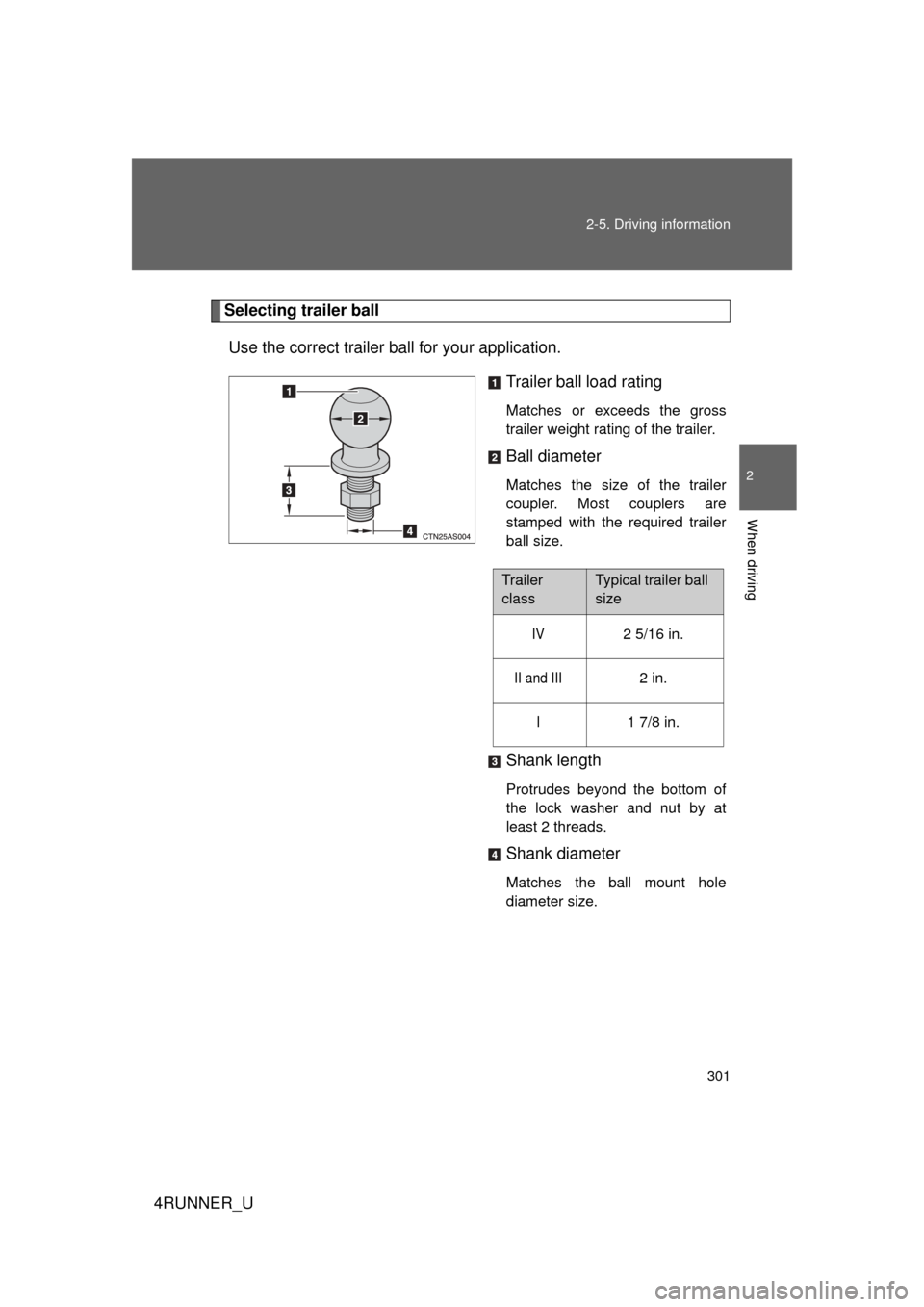
Selecting trailer ball
Use the correct trailer ball for your application. Trailer ball load rating
Matches or exceeds the gross
trailer weight rating of the trailer.
Ball diameter
Matches the size of the trailer
coupler. Most couplers are
stamped with the required trailer
ball size.
Shank length
Protrudes beyond the bottom of
the lock washer and nut by at
least 2 threads.
Shank diameter
Matches the ball mount hole
diameter size.
Trailer
classTypical trailer ball
size
IV2 5/16 in.
II and III2 in.
I1 7/8 in.
Page 305 of 700

305
2-5. Driving information
2
When driving
4RUNNER_U
●
Always place wheel blocks under both the vehicle’s and the
trailer’s wheels when parking. Ap ply the parking brake firmly, and
put the transmission in P. Avoid pa rking on a slope, but if unavoid-
able, do so only after performing the following:
Apply the brakes and keep them applied.
Have someone place wheel blo cks under both the vehicle’s
and trailer’s wheels.
When the wheel blocks are in pl ace, release the brakes slowly
until the blocks absorb the load.
Apply the parking brake firmly.
Shift into P and turn off the engine.
● When restarting after parking on a slope:
With the transmission in P, start the engine. Be sure to keep
the brake pedal pressed.
Shift into a forward gear. If reversing, shift into R.
Release the parking brake and brake pedal, and slowly pull or
back away from the wheel blocks. Stop and apply the brakes.
Have someone retrieve the blocks.
STEP 1
STEP 2
STEP 3
STEP 4
STEP 5
STEP 1
STEP 2
STEP 3
STEP 4
Page 313 of 700
Interior features3
313
4RUNNER_U
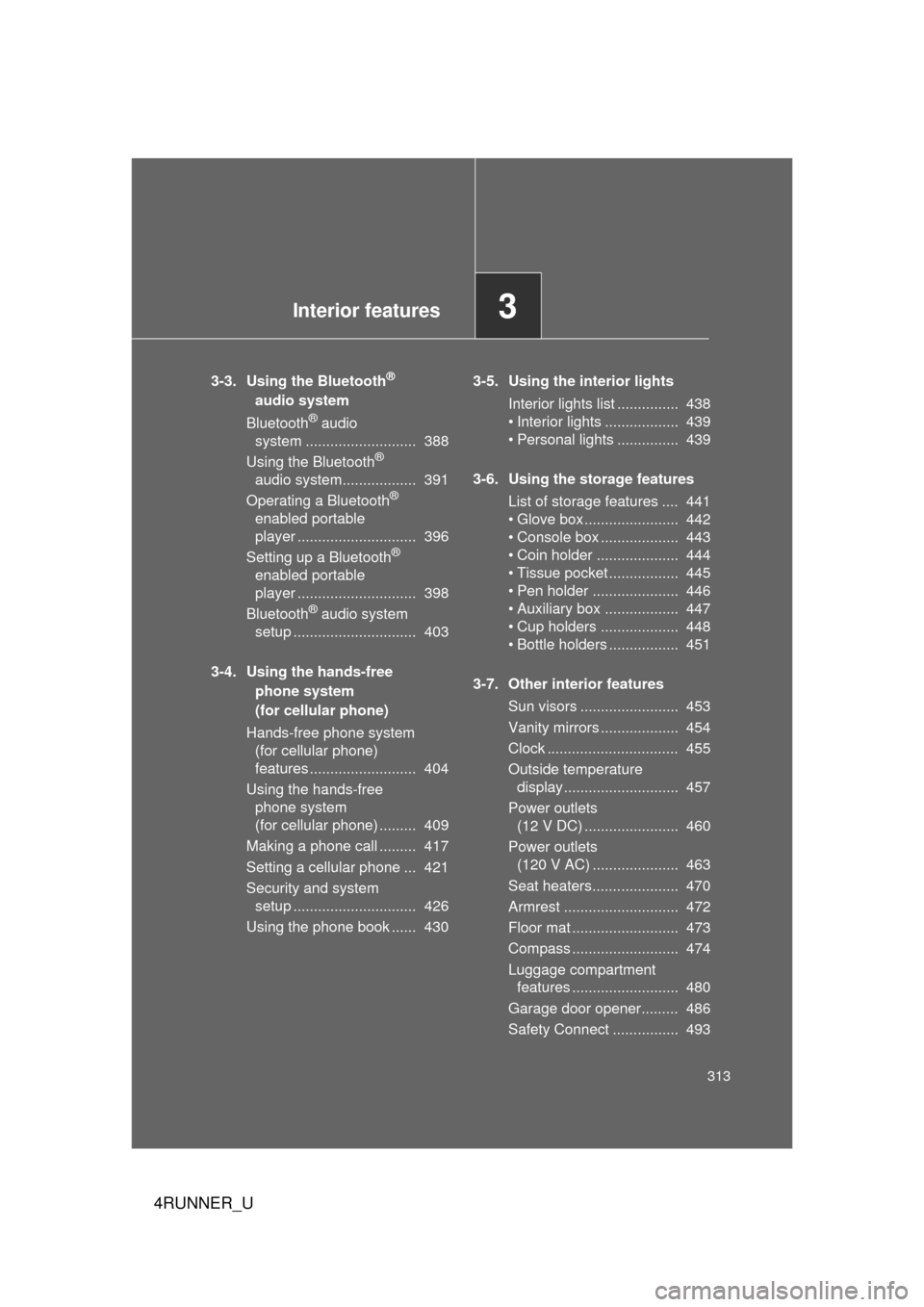
3-3. Using the Bluetooth®
audio system
Bluetooth
® audio
system ........................... 388
Using the Bluetooth
®
audio system.................. 391
Operating a Bluetooth
®
enabled portable
player ............................. 396
Setting up a Bluetooth
®
enabled portable
player ............................. 398
Bluetooth
® audio system
setup .............................. 403
3-4. Using the hands-free phone system
(for cellular phone)
Hands-free phone system (for cellular phone)
features .......................... 404
Using the hands-free phone system
(for cellular phone) ......... 409
Making a phone call ......... 417
Setting a cellular phone ... 421
Security and system setup .............................. 426
Using the phone book ...... 430 3-5. Using the interior lights
Interior lights list ............... 438
• Interior lights .................. 439
• Personal lights ............... 439
3-6. Using the storage features List of storage features .... 441
• Glove box....................... 442
• Console box ................... 443
• Coin holder .................... 444
• Tissue pocket ................. 445
• Pen holder ..................... 446
• Auxiliary box .................. 447
• Cup holders ................... 448
• Bottle holders ................. 451
3-7. Other interior features Sun visors ........................ 453
Vanity mirrors ................... 454
Clock ................................ 455
Outside temperature display............................ 457
Power outlets (12 V DC) ....................... 460
Power outlets (120 V AC) ..................... 463
Seat heaters..................... 470
Armrest ............................ 472
Floor mat .......................... 473
Compass .......................... 474
Luggage compartment features .......................... 480
Garage door opener......... 486
Safety Connect ................ 493
Page 314 of 700
314
4RUNNER_U
3-1. Using the air conditioning system and defogger
Manual air conditioning system
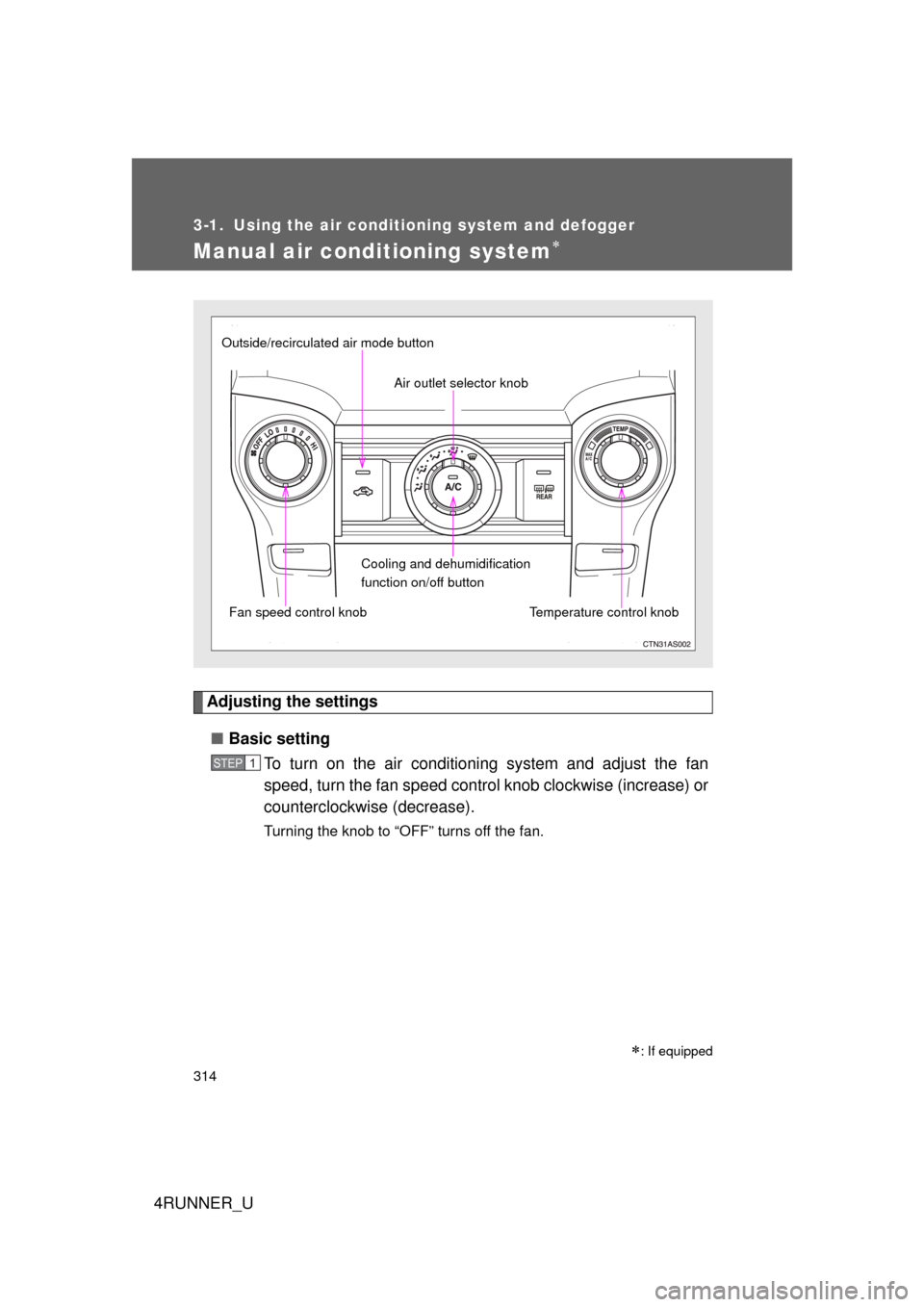
Adjusting the settings■ Basic setting
To turn on the air conditioning system and adjust the fan
speed, turn the fan speed control knob clockwise (increase) or
counterclockwise (decrease).
Turning the knob to “OFF” turns off the fan.
: If equipped
Fan speed control knob Air outlet selector knob
Cooling and dehumidification
function on/off button Temperature control knob
Outside/recirculated air mode button
STEP 1
Page 315 of 700
315
3-1. Using the air conditioning system
and defogger
3
Interior features
4RUNNER_UTo adjust the temperature setting, turn the temperature control
knob clockwise (warm) or countercloc
kwise (cool).
If is not pressed, the system will blow ambient temperature
air or heated air.
For quick cooling, turn the temper ature control knob to “MAX A/C”.
The air conditioning will automatically turn on and, if an air outlet
position other than or is selected, the system will be
set to recirculated air mode. While “MAX A/C” is selected, it is not
possible to turn off the air conditioning.
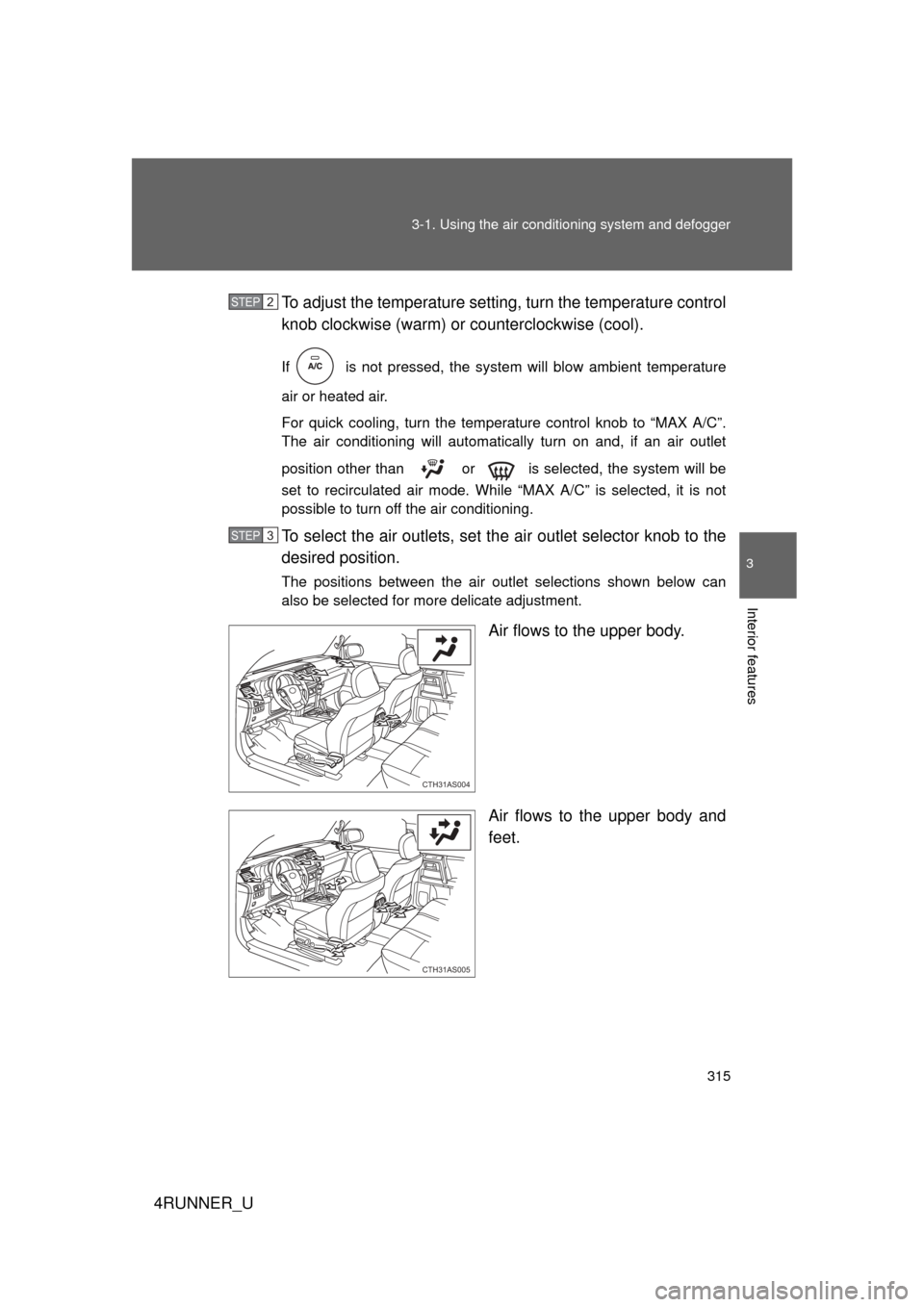
To select the air outlets, set th e air outlet selector knob to the
desired position.
The positions between the air outlet selections shown below can
also be selected for more delicate adjustment.
Air flows to the upper body.
Air flows to the upper body and
feet.
STEP 2
STEP 3
CTH31AS004
CTH31AS005
Page 319 of 700
319
3-1. Using the air conditioning system
and defogger
3
Interior features
4RUNNER_U
■Air conditioning odors
● During use, various odors from inside and outside the vehicle may enter
into and accumulate in the air conditioning system. This may then cause
odor to be emitted from the vents.
● To reduce potential odors from occurring:
It is recommended that the air conditioning system be set to outside air
mode prior to turning the vehicle off.
CAUTION
■To prevent the windshield from fogging up
Do not use during cool air operation in extremely humid weather. The
difference between the temperature of the outside air and that of the wind-
shield can cause the outer surface of the windshield to fog up, blocking your
vision.
NOTICE
■To prevent battery discharge
Do not leave the air conditioning system on longer than necessary when the
engine is stopped.