2012 SKODA OCTAVIA lights
[x] Cancel search: lightsPage 115 of 222

The warning light lights up in the instrument cluster when the TCR is deactiva-
ted.
Active driver-steering recommendation (DSR) The DSR indicates to the driver in critical situations a steering recommendation in
order to stabilise the vehicle. The DSR is activated, for example, on the right and
left vehicle side when braking sharply on different road surfaces.
Hydraulic brake assist (HBA)
The HBA is activated by the very quick operation of the brake pedal. HBA increa- ses the braking effect and helps to shorten the braking distance. To achieve the
shortest possible braking distance, the brake pedal must be applied firmly until the vehicle has come to a complete standstill.
The ABS is activated faster and more effectively with the intervention of the HBA. The HBA is automatically switched off when the brake pedal is released.
Hill hold control (HHC)
The HHC makes it easier to start off on steep hills. The system holds the brake
pressure produced by the activation of the brake pedal for approx. 2 seconds af-
ter the brake pedal is released. The driver can therefore move his foot from the
brake pedal to the accelerator pedal and start off on the slope, without having to
actuate the handbrake.
The brake pressure drops gradually the more you operate the accelerator pedal. If the vehicle does not start off within 2 seconds, it starts to roll back.
The HHC is active as of a 5 % slope, if the driver door is closed. HHC is always ac- tive on slopes when in forward or reverse start off. When driving downhill, it is in-
active.
“Multicollision brake”
The multifunction brake deploys automatic braking after a collision in order to re-
duce the risk of further collisions. Automatic braking can only be deployed at
speeds of over 10 km/h in the event of a frontal or side impact.
The vehicle is slowed down automatically by the ESC system as long as the brakes, the ESC and the requisite electrical system remains operational post-im-
pact.
Automatic braking is not applied if the driver presses the accelerator during the
accident.
Antilock brake system (ABS)
First read and observe the introductory information and safety warn-
ings
on page 112.
ABS prevents the wheels locking when braking. Thus helping the driver to main-
tain control of the vehicle.
The intervention of the ABS is noticeable from the pulsating movements of the
brake pedal which is accompanied by noises.
When the ABS system is active, do not brake periodically or reduce the pressure
on the brake pedal.
Traction control system (TCS)
Fig. 106
TCS button
First read and observe the introductory information and safety warn- ings on page 112.
If the wheels are slipping, the TCS system adapts the engine speed to the condi-
tions of the road surface. The TCS makes it much easier to start off, accelerate
and climb steep hills even if the conditions of the road surface are unfavourable.
The TCS function is automatically activated each time the ignition is switched on.
If your vehicle is fitted with the ESC system, the ASR is integrated into the ESC
system » page 112 .
During an intervention of the system, the TCS warning light flashes in the in-
strument cluster.
113Assist systems
Page 116 of 222

The TCS should normally always be switched on. It may be advisable to switch off
the system only in exceptional circumstances, such as:
› when driving with snow chains;
› when driving in deep snow or on a very loose surface;
› when it is necessary to “rock a vehicle free” when it has got stuck.
The TCR can be deactivated in the Infotainment or with the button
» Fig. 106 » operating instructions for Infotainment , chapter Setting vehicle
systems (CAR button) .
The warning light lights up in the instrument cluster when the TCR is deactiva-
ted.
Ensure the TCS is activated again afterwards.
Electronic differential lock (EDL)
First read and observe the introductory information and safety warn-ings
on page 112.
If one of the wheels starts to spin, the EDL system brakes the spinning wheel and transfers the driving force to the other wheels. This ensures the stability of the
vehicle and a quick journey.
The EDL switches off automatically if severe stresses exist in order to avoid ex- cessive heat generation in the disc brake on the wheel which is being braked. The
vehicle can continue to be driven and has the same characteristics as a vehicle
not fitted with EDL. The EDL switches on again automatically as soon as the
brake has cooled down.
Parking aidFig. 107
Parking aid: Range of sensors/parking aid button on vehicles with
front and rear sensors
Fig. 108
road display/compact display
The system supports the driver using acoustic signals/Infotainment display when parking and manoeuvring.
Information about setting acoustic signals/description of the display in the Info-
tainment display » operating instructions for Infotainment , chapter Setting vehi-
cle systems (CAR button) .
The system uses ultrasound waves to calculate the distance between the bumper
and an obstacle. The ultrasound sensors are integrated in the front/rear bumper.
The system only operates if the ignition is switched on.
114Using the system
Page 117 of 222

Explanation of graphic - range of sensors in the vicinity of the vehicleArea » Fig. 107Range of sensors a)A120 cmB90 cmC160 cmD90 cmEb)90 cma)
These are only the approximate ranges of sensors.
b)
Applies only for vehicles with 12 sensors.
The interval between the acoustic signals becomes shorter as the clearance is re-
duced. A continuous tone sounds from a distance of approx. 30 cm - danger area.
From this moment on do not continue driving!
The length of the vehicle can be increased with an installed detachable towing
device. The danger area thus begins at a distance of around 35 cm on vehicles
equipped with a factory-fitted towing device.
Towing a trailer
On vehicles equipped with a factory-fitted towing device, only the areas
A
and
B
» Fig. 107 of the system are active when operating a trailer, there is no road
display.
Activation/deactivation
The system is automatically activated when you shift into reverse or after press-
ing the button
» Fig. 107 . The symbol
lights up in the button; activation is
confirmed by a brief acoustic signal.
The system is deactivated by moving out of reverse gear, by pressing the button
or automatically at a speed exceeding 10 km/h (the symbol
in the button
goes out).
On vehicles which only have rear sensors, the system can only be deactivated by
moving out of reverse gear.
Automatic system activation when driving forward
The compact display of the parking aid can be displayed in the area of the Info- tainment display » Fig. 108 -
.
Automatic activation takes place at a speed below around 10 km/h under the fol- lowing conditions:
› the distance to the obstacle at the front is less than around 90 cm;
› the distance to the obstacle at the rear or to the side of the vehicle is less than
around 30 cm.
Acoustic signals are sounded as of a distance from the obstacle of around 50 cm.
Automatic display can be activated/deactivated in the Infotainment » operating
instructions for Infotainment , chapter Setting vehicle systems (CAR button) .
Road display
The display of the upcoming road changes depending on the steering angleA
» Fig. 108 - .
Obstacles appearing on the road are represented by the colours:
› the distance to the obstacle is less than around 30 cm - red;
› the distance to the obstacle is greater than around 30 cm - yellow;
Obstacles which do not appear on the road are represented by the following col-
ours:
› the distance to the obstacle is less than around 30 cm - red;
› the distance to the obstacle is greater than around 30 cm - white.
The road ahead is displayed when a forward gear or Neutral is engaged or the se-
lector lever is in position N.
The road behind the vehicle is displayed when reverse gear is engaged or the se-
lector lever is in position R.
WARNING■
The parking aid is not a substitute for the driver paying proper attention and
it is always the driver's responsibility to take care when reversing the vehicle or carrying out similar manoeuvres. Pay particular attention to small children
and animals as they are not recognised by the parking aid sensors.■
You should satisfy yourself before reversing that there is no small obstacle,
such as a rock, thin post, trailer drawbar etc., in front or behind your vehicle.
Such obstacles may not be recognised by the parking aid sensors.
■
Under certain circumstances, surfaces of certain objects and types of cloth-
ing cannot reflect the signals from the parking aid. Thus, these objects or peo-
ple who wear such clothing are not recognised by the parking aid sensors.
■
External sound sources can have a detrimental effect on the parking aid.
Under unfavourable conditions, objects or people may not be recognised.
115Assist systems
Page 118 of 222
CAUTION■If a warning signal sounds for about 3 seconds after activating the system and
there is no obstacle close to your car, this indicates a system fault. The fault is
confirmed additionally when the symbol flashes in the button
.
! is displayed
in the error area of the Infotainment display. Have the fault rectified by a ŠKODA
specialist garage.
■
The sensors must be kept clean (free of ice, etc.) to enable the parking aid to
operate properly.
Note
■ The signal tones for front obstacle recognition are factory-set to be higher than
for rear obstacle recognition.■
If not all fields around the vehicle are shown after the system is activated, the
vehicle will need to be moved a few metres forwards or in reverse.
■
If the parking aid is activated and the selector lever of the automatic gearbox is
in the position P (the vehicle cannot move), the warning signal is interrupted and
no obstacles are displayed.
■
Additional mounted modules, such as a bicycle carrier, can impair the function of
the parking aid.
Park Assist
Introduction
This chapter contains information on the following subjects:
finding a parking space
117
Parking the vehicle
117
Manoeuvring out of a parallel parking space
118
Automatic brake assist
118
Information for the driver
119
The parking aid is part of the park assist system, therefore the information and
safety guidelines » page 114, Parking aid must be read and observed.
Park Assist (in the following referred to as the system) helps drivers park in suita- ble parallel and perpendicular parking places and also to manoeuvre out of paral- lel parking spaces.
The system only operates if the ignition is switched on.
During the parking procedure the system only takes over the steering move- ments, the pedals continue to be operated by the driver.
When the system is activated,
the warning light
» Fig. 109 on page 117 -
lights up in the button.
The traction control system (TCS) must always be switched on when parking.
The function of the system is based on: › the measurement and evaluation of the size of parking spaces when driving,
› the determination of the correct position of the vehicle for parking,
› the calculation of the line on which the vehicle drives backwards into the park-
ing space or forwards from the parking space;
› the automatic turning of the front wheels when parking in, or manoeuvring out
of the parking space.
WARNING■ The system does not exempt the driver from his/her responsibility for park-
ing in and manoeuvring out of the parking space.■
External sound sources can have a detrimental effect on parking in and ma-
noeuvring out of the parking space. Under unfavourable conditions, objects or
people may not be recognised.
■
When parking in, and manoeuvring out of parking spaces, the system auto-
matically executes quick steering movements. While it is doing so, do not place your hands between the steering wheel - risk of injury!
CAUTION
■ If other vehicles are parked behind or on the kerb, the system guides your vehi-
cle beyond the kerb or onto it. Ensure that the wheels or the wheel rims of your
vehicle are not damaged and if necessary intervene in time.■
Under certain circumstances, surfaces or structures of certain objects such as
wire mesh fences, powder snow, etc., cannot be recognised by the system.
■
The evaluation of the parking space and the parking procedure depends on the
circumference of the wheels. The system only works correctly if the vehicle is fit-
ted with the wheel size approved by the manufacturer. If wheels other than those approved by the manufacturer are mounted, the resulting position of the
vehicle in the parking space can differ slightly. This can be avoided by readjusting
the system at a ŠKODA specialist garage. Under certain circumstances, the sys-
tem may not function correctly, for example, if the vehicle is fitted with snow chains or a temporary spare wheel.
116Using the system
Page 124 of 222
In the start-stop mode, the engine automatically switches to the vehicle's idle
phase, e.g. when stopped at traffic lights. The engine restarts automatically
where necessary.
Information about the current status of the system can be displayed in the Info-
tainment display » operating instructions for Infotainment , chapter Setting vehi-
cle systems (CAR button) .
Basic conditions for the START STOP mode
› The driver's door is closed.
› The driver has fastened the seat belt.
› The bonnet is closed.
› The driving speed was higher than 4 km.h after the last stop.
› No trailer is coupled.WARNING■
The brake servo unit and power steering only operate if the engine is run-
ning.■
Never let the vehicle roll with the engine switched off.
CAUTION
Always deactivate the START-STOP system before driving through wa-
ter » page 104 .
Note
■
\If the driver's seat belt is removed for more than 30 seconds or the driver's
door is opened during stop mode on vehicles with manual transmission or on ve-
hicles with automatic transmission when the selector lever in position P, the en-
gine must be started manually with the key or starter button KESSY » page 95.■
After manually starting the engine on vehicles with manual transmission, auto-
matic engine shut down is not possible until the vehicle has travelled the re-
quired minimum distance for START-STOPP mode.
■
If on vehicles with automatic transmission, the selector lever D/S or N is selec-
ted after moving in reverse, the vehicle will first need to achieve a speed greater
than 10 km/h before automatic engine shut down takes place again.
■ Changes to the outdoor temperature can have an effect on the internal temper-
ature of the vehicle battery even after several hours. If the vehicle remains out-
doors for a long time in minus temperatures or in direct sunlight, it can take sev-
eral hours until the internal temperature of the vehicle battery reaches a suitable temperature for proper operation of the START STOP system.■
If the Climatronic is running in automatic mode, under certain conditions, the
engine may not switch off automatically.
Starting/shutting down the engine
Fig. 113
Instrument cluster display: En-
gine shut down (STOP phase)
First read and observe the introductory information and safety warn-
ings on page 121.
Vehicles with manual transmission
›
Stop the vehicle (where necessary, apply the handbrake).
›
Put the gear stick into Neutral.
›
Release the clutch pedal.
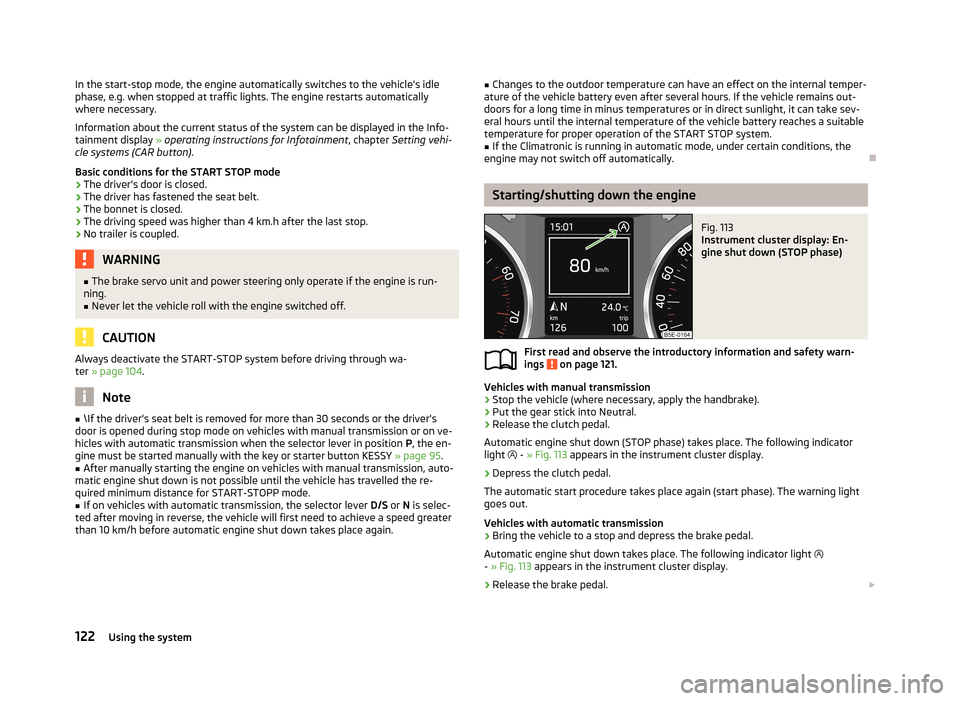
Automatic engine shut down (STOP phase) takes place. The following indicator
light
- » Fig. 113 appears in the instrument cluster display.
›
Depress the clutch pedal.
The automatic start procedure takes place again (start phase). The warning light
goes out.
Vehicles with automatic transmission
›
Bring the vehicle to a stop and depress the brake pedal.
Automatic engine shut down takes place. The following indicator light
- » Fig. 113 appears in the instrument cluster display.
›
Release the brake pedal.
122Using the system
Page 126 of 222

Manually activating/deactivating the systemFig. 115
Button for the START-STOP sys-
tem
First read and observe the introductory information and safety warn-
ings on page 121.
Activation/deactivation
›
Press the button
» Fig. 115 .
When start-stop mode is deactivated, the warning light in the button lights up.
Note
■ If the system is deactivated during the STOP phase, the automatic start proce-
dure takes place.■
If the Eco » page 124 driving mode is selected, manual deactivation is not pos-
sible.
Information for the driver
First read and observe the introductory information and safety warn-ings
on page 121.
The information for the driver appears in the instrument cluster display.
Start the engine manually!
or
START MANUALLY
The driver sees this message when the conditions for the automatic start proce-
dure are not met during the STOP phase. The engine must be started manually
with the key or starter button KESSY » page 95.
Error: start-stop system
or
START STOP ERROR
Error in the START-STOP system. Seek help from a ŠKODA specialist garage.
Select driving mode
Fig. 116
Centre console: Button for se-
lecting the driving mode
Selecting the driving mode allows you to adjust a range of different driving pa-
rameters for the vehicle.
The driving mode can only be selected when the ignition is turned on. The menu for selecting the driving mode is called up by pressing the button
» Fig. 116 . More information about setting the driving mode » operating in-
structions for Infotainment , chapter Other functions .
When the Sport, Eco or Individual modes are activated, the symbol
» Fig. 116
lights up in the button.
The most recently selected driving mode (before the ignition was switched off) is
mapped to the vehicle key and is re-activated after the ignition is switched on.
Driving mode
› Normal
- this mode is suitable for a standard comfortable driving style
› Sport
- this mode is suitable for a sporty driving style
› Eco
- this mode is suitable for a economical driving style
› Individual
- this mode is provided for making custom settings to the vehicle sys-
tems (steering, engine, dynamic cornering lights, air conditioning)
124Using the system
Page 127 of 222
Steering
In the Sport driving mode, the steering force assistance » page 93 is reduced
somewhat. This helps keep the vehicle on the best possible track when driving in
a sporty driving style.
Engine (drive)
The engine and transmission respond more dynamically or more relaxed to move- ments of the gas pedal based on what driving mode was set. In the Eco driving
mode, automatic transmission allows you to drive in the Neutral posi- tion » page 130 . When the Cruise Control System is active, the selected driving
mode can have an influence on driving behaviour when accelerating.
Dynamic cornering lights
The headlights adjust to the more dynamic driving style in the Sport driving
mode. Dynamic cornering lights is deactivated in the Eco driving mode.
Air conditioning (Climatronic)
In the Eco driving mode, the air conditioning system works more efficiently whilst
still maintaining the desired interior temperature.WARNING■ Setting the driving mode while driving can distract you from other traffic -
risk of accident.■
Concentrate fully at all times on your driving! As the driver you are fully re-
sponsible for the operation of your vehicle.
■
Adjust the speed and driving style to the current visibility, weather, road and
traffic conditions.
Note
■ The Eco driving mode is not available when towing a trailer. When the vehicle is
connected electrically to a trailer and is in the Eco driving mode, the Normal driv-
ing mode is configured automatically.■
On vehicles with automatic transmission, the gear is automatically set to mode
S » page 129 when selecting driving mode Sport or, in Eco driving mode, to mode
E .
■
The driver can change some vehicle functions irrespective of the selected driv-
ing mode. For instance, in the driving mode Eco , the driver can switch the auto-
matic transmission to the mode S.
ProActive passenger protection
ProActive passenger protection increases the protection offered to passengers in situations which could lead to a collision or rollover.
The system is automatically activated each time the ignition is switched on and
works at speeds of over 30 km/h.
In critical driving situations (e.g. during an emergency brake or sudden change in direction), the following steps can be taken separately or combined in order to re-
duce the risk of serious injury:
› Front passenger seatbelt or front passenger and driver's seatbelts are automat-
ically tensioned strongly over the body;
› Door panels in the side doors and the sliding/tilting roof (if open) are automati-
cally closed up to a gap of around 5 cm from the edge.
Once the critical driving situation has passed, the tension on the seatbelts will be released again.
All functions of the system are available when:
› the system is activated in Infotainment
» operating instructions for Infotain-
ment , chapter Setting vehicle systems (CAR button) ;
› the TCS is switched on
» page 113;
› the
Sport driving mode is not selected » page 124.
If the system cannot function correctly, the following message will appear in the
instrument cluster display:
ProActive passenger protection not available.
or ProActive passenger protection: funct. restricted.
Seek help from a ŠKODA specialist garage.WARNING■ Adjust the speed and driving style to the current visibility, weather, road and
traffic conditions. The increased safety offered by ProActive passenger pro-
tection must not tempt you to take greater risks than otherwise – risk of an
accident! 125Assist systems
Page 129 of 222

Where necessary, the system only performs a steering intervention when the
boundary line is detected on at least one side of the lane.
If the turn signal is switched on prior to driving over the boundary line (e.g. whenmaking a turn), no steering intervention takes place when the vehicle approaches
the boundary line. The system regards the situation as an intended lane change.
The system works above speeds of 65 km/h and is designed for driving on motor-ways and streets with high-quality markings (the boundary lines must have high
visibility).
Adaptive lane assist
Using steering intervention, the system helps to keep the selected distance from the boundary lines on both sides of the vehicle. A steering intervention is only
made when the boundary lines are detected on both sides of the vehicle.
If the position within the lane is changed, the system quickly adapts and holds
the newly-selected position.
Adaptive lane assist can be activated/deactivated in the Infotainment » operating
instructions for Infotainment , chapter Setting vehicle systems (CAR button) .
Explanations of situations
Fig. 118
Instrument cluster display: Examples of system indications
Fig. 119
Instrument cluster display (colour): Examples of system indications
First read and observe the introductory information and safety warn-
ings
on page 126.
Explanation of graphic
Dis-
play » Fig. 118 ;
» Fig. 119DescriptionAThe system is active, but not ready to intervene.BThe system is active and ready to intervene.CThe system intervenes when approaching the right-hand boundary lane.DThe system intervenes (adaptive lane assist).
The system can be activated/deactivated in the following menu in the informa-
tion display:
■ Assist systems
■ Lane Assist
Warning lights in the instrument cluster
Illumi-
nates » Fig. 118DescriptionThe system is active, but not ready to intervene.The system is active and ready to intervene or is currently
intervening. 127Assist systems