2012 SKODA OCTAVIA fuel
[x] Cancel search: fuelPage 16 of 24
Vehicle systems setup
Main menu
First and foremost, pay attention to the safety instructions » page 3 , Safety in-
structions .
Select and confirm all functions as described at the beginning of this man- ual » page 4 , Unit overview and operation .
Accessing the main menu for vehicle systems setup
›
Press the button CAR.
■ Deactivate traction control (ASR) - Traction control (ASR) off » page 14
■ Vehicle status - Vehicle status » page 14
■ Auxiliary heater - Sets the auxiliary heater and ventilation » page 14
■ Assistants - Sets the driving assistants » page 15
■ Lights - Sets the lights » page 15
■ Vision - Adjusts the mirrors and windshield wipers » page 16
■ Opening/closing - Adjusts opening and closing » page 16
■ Seats - Adjusts the seats » page 16
■ Driving data - Display of data from the multi-function display on/off » page 16
■ Winter tyres limit - Sets the winter tyres limit » page 16
■ Service - Service interval display, VIN » page 16
■ Factory settings - Resets to factory settings » page 17
Note
■
The individual systems are described in the » Vehicle Owner's Manual .■If the functions of some systems are switched off, some functions, such as
parts of the ESC system » Vehicle Owner's Manual , are switched on again auto-
matically for security reasons, after switching the ignition off and on.
Ð
Deactivating traction control (TCS)
›
Press the button CAR
→ Deactivate traction control (ASR) - Deactivation of
traction control (ASR) on/off
Ð
Vehicle status›
Press the button CAR
→ Vehicle status .
■ Convenience consumers - Displays up to three consumers which have the larg-
est share of fuel consumption and displays the fuel consumption to run all con-
venience consumers » Vehicle Owner's Manual
■ Tyre pressure monitoring - Starts a new calibration process of the tyre pressure
monitor
■ Start-stop status - Displays information about the status of the START-STOP
system
Ð
Auxiliary heater and ventilation
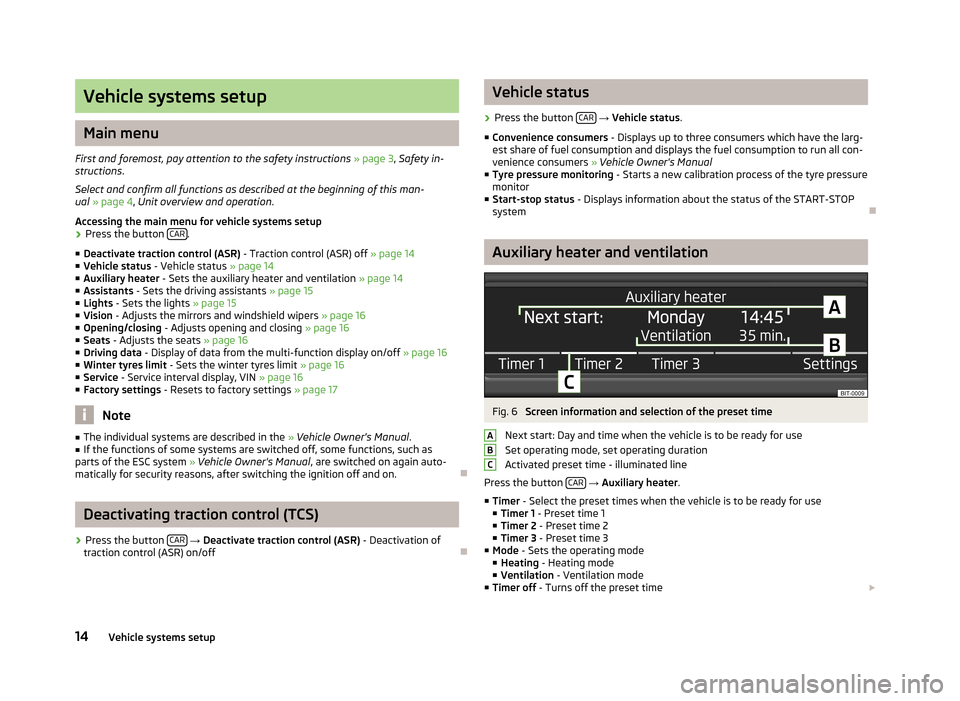
Fig. 6
Screen information and selection of the preset time
Next start: Day and time when the vehicle is to be ready for use
Set operating mode, set operating duration
Activated preset time - illuminated line
Press the button CAR
→ Auxiliary heater .
■ Timer - Select the preset times when the vehicle is to be ready for use
■ Timer 1 - Preset time 1
■ Timer 2 - Preset time 2
■ Timer 3 - Preset time 3
■ Mode - Sets the operating mode
■ Heating - Heating mode
■ Ventilation - Ventilation mode
■ Timer off - Turns off the preset time £
ABC14Vehicle systems setup
Page 18 of 24

Vision›
Press the button CAR
→ Vision .
■ Mirrors - Adjusts the mirrors
■ Synchronous mirror adjustment - Synchronous mirror adjustment on/off
■ Lowering in reverse - Lowering of front passenger mirror in reverse on/off
■ Fold in while parking - Folding the mirrors after parking on/off
■ Wipers - Adjusts the windscreen wipers
■ Automatic wiping in rain - Automatic wiping in rain on/off
■ Automatic rear wiper - Automatic rear wiper on/off
Ð
Opening/closing
›
Press the button CAR
→ Opening/closing .
■ Windows - Sets the windows
■ Convenience opening - Sets the convenience opening
■ Off - No window
■ All windows - All windows
■ Driver - Driver's window only
■ Central locking - Sets the doors
■ Door unlocking - Sets the door unlocking
■ All - All doors
■ Single door - Single door
■ Driver side - Door on the driver's side
■ Automatic locking - Automatic locking on/off
■ Alarm system confirmation - Acoustic signals on/off when locking/unlocking a
vehicle with an anti-theft alarm system
Ð
Seats
›
Press the button CAR
→ Seats .
■ Store driver's seat position on key - Storing driver's seat position on key on/off
Ð
Driving data
›
Press the button CAR
→ Driving data .
■
Current consumption - Display of current fuel consumption on/off
■ Travelling time - Display of travelling time on/off
■ Distance travelled - Display of distance travelled on/off
■ Avg. speed - Display of average speed on/off
■ Avg. consumption - Display of average fuel consumption on/off
■ Digital speed - Display of current speed on/off
■ Oil temperature - Display of oil temperature on/off
■ Winter tyres warning - Winter tyres warning on/off
■ Coolant temperature - Coolant temperature on/off
■ Refuel quantity - Display of refuel quantity on/off
■ Eco tips - Display of tips for economical driving on/off
■ Convenience consumers - Display of fuel consumption of convenience consum-
ers on/off
■ Reset since “start driving data ” - Resets the single-trip memory
■ Reset “long-term driving data ” - Resets the long-term memoryÐ
Winter tyres limit
›
Press the button CAR
→ Winter tyres limit .
■ Winter tyres warning - Winter tyres warning on/off
■ Warning at: --- km/h - Sets the speed for the warning
Note
This function is, for example, used for winter tyres where the maximum permissi-
ble speed is lower than the maximum speed of the vehicle.Ð
Service
›
Press the button CAR
→ Service .
■ Oil change service - Oil change due
■ Oil change service due in … days / ... km - Displays the days and distance trav-
elled until the next engine oil change
■ Inspection - Mandatory inspection service
■ Inspection due in … days / ... km - Displays the day and distance travelled until
the mandatory inspection service
■ Vehicle ID - Displays the vehicle identification number
Ð
16Vehicle systems setup
Page 20 of 24
Other functions
Introductory information
First and foremost, pay attention to the safety instructions » page 3 , Safety in-
structions .
Select and confirm all functions as described at the beginning of this man-
ual » page 4 , Unit overview and operation .
Ð
Selecting driving mode
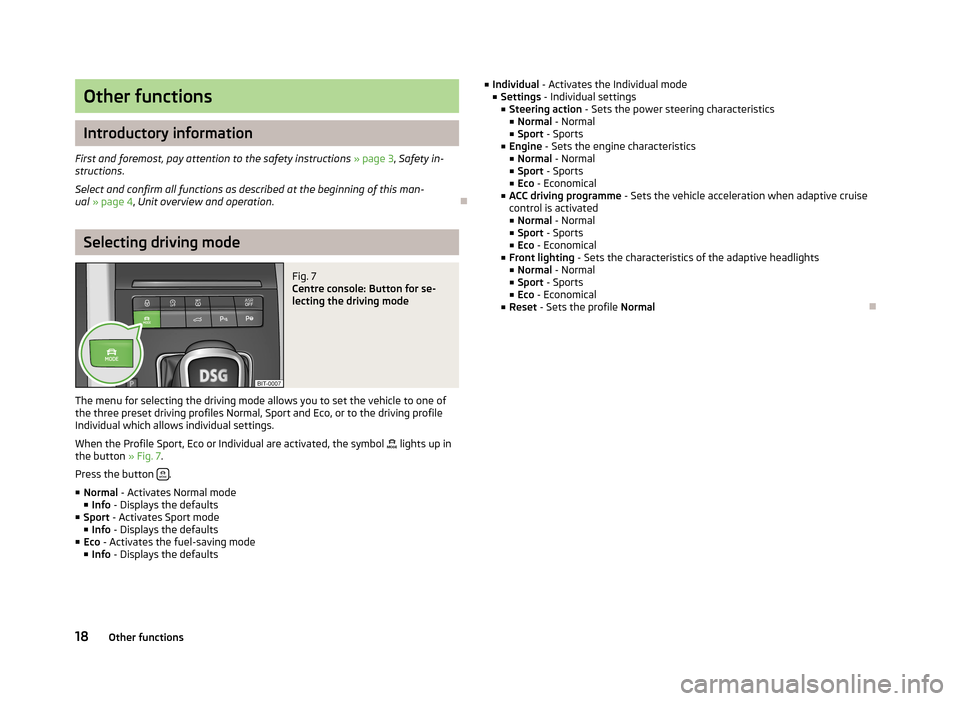
Fig. 7
Centre console: Button for se-
lecting the driving mode
The menu for selecting the driving mode allows you to set the vehicle to one of
the three preset driving profiles Normal, Sport and Eco, or to the driving profile Individual which allows individual settings.
When the Profile Sport, Eco or Individual are activated, the symbol
lights up in
the button » Fig. 7.
Press the button
.
■ Normal - Activates Normal mode
■ Info - Displays the defaults
■ Sport - Activates Sport mode
■ Info - Displays the defaults
■ Eco - Activates the fuel-saving mode
■ Info - Displays the defaults
■
Individual - Activates the Individual mode
■ Settings - Individual settings
■ Steering action - Sets the power steering characteristics
■ Normal - Normal
■ Sport - Sports
■ Engine - Sets the engine characteristics
■ Normal - Normal
■ Sport - Sports
■ Eco - Economical
■ ACC driving programme - Sets the vehicle acceleration when adaptive cruise
control is activated ■ Normal - Normal
■ Sport - Sports
■ Eco - Economical
■ Front lighting - Sets the characteristics of the adaptive headlights
■ Normal - Normal
■ Sport - Sports
■ Eco - Economical
■ Reset - Sets the profile NormalÐ
18Other functions