2012 Seat Exeo wheel
[x] Cancel search: wheelPage 71 of 317
69
Cockpit
Turn signals and hazard warning lights
Depending on which turn signal is operated, either the left or right turn
signal lamp flashes. Both turn signal lamps will flash when the hazard warn-
ing lights are switched on.
If a turn signal fails, the indicator lamp will start flashing twice as fast as
normal.
This does not apply when towing a trailer. Where a turn signal bulb does not
work, either on the trailer or on the towing vehicle, the turn signal bulb will
not flash. For further information on the turn signals, see ⇒ page 122.
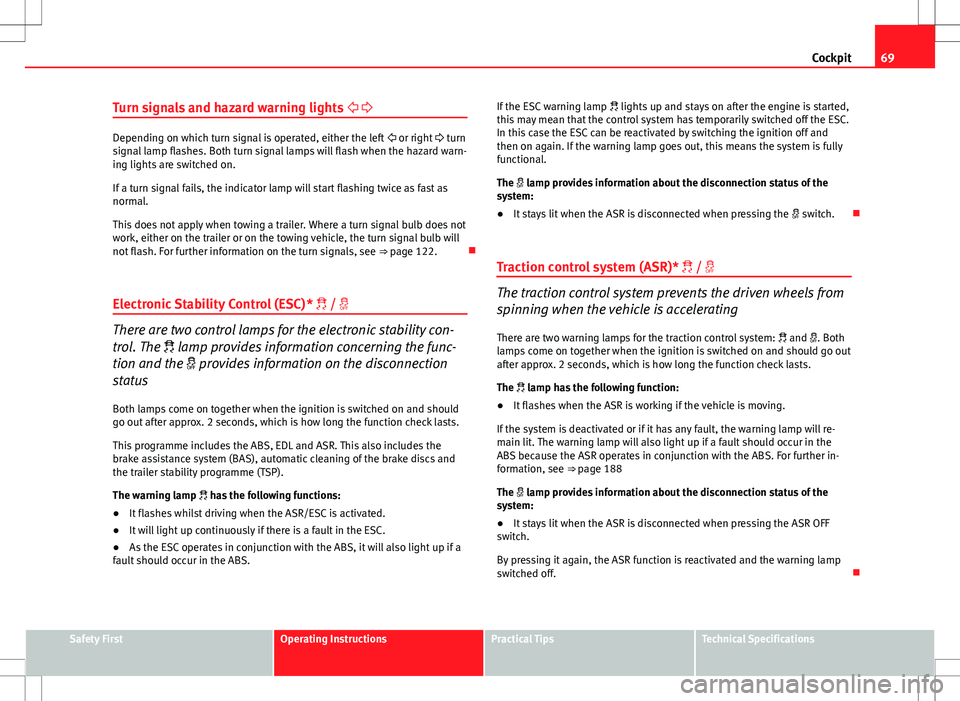
Electronic Stability Control (ESC)* /
There are two control lamps for the electronic stability con-
trol. The lamp provides information concerning the func-
tion and the provides information on the disconnection
status
Both lamps come on together when the ignition is switched on and should
go out after approx. 2 seconds, which is how long the function check lasts.
This programme includes the ABS, EDL and ASR. This also includes the
brake assistance system (BAS), automatic cleaning of the brake discs and
the trailer stability programme (TSP).
The warning lamp has the following functions:
● It flashes whilst driving when the ASR/ESC is activated.
● It will light up continuously if there is a fault in the ESC.
● As the ESC operates in conjunction with the ABS, it will also light up if a
fault should occur in the ABS. If the ESC warning lamp
lights up and stays on after the engine is started,
this may mean that the control system has temporarily switched off the ESC.
In this case the ESC can be reactivated by switching the ignition off and
then on again. If the warning lamp goes out, this means the system is fully
functional.
The lamp provides information about the disconnection status of the
system:
● It stays lit when the ASR is disconnected when pressing the switch.
Traction control system (ASR)* /
The traction control system prevents the driven wheels from
spinning when the vehicle is accelerating
There are two warning lamps for the traction control system: and . Both
lamps come on together when the ignition is switched on and should go out
after approx. 2 seconds, which is how long the function check lasts.
The lamp has the following function:
● It flashes when the ASR is working if the vehicle is moving.
If the system is deactivated or if it has any fault, the warning lamp will re-
main lit. The warning lamp will also light up if a fault should occur in the
ABS because the ASR operates in conjunction with the ABS. For further in-
formation, see ⇒ page 188
The lamp provides information about the disconnection status of the
system:
● It stays lit when the ASR is disconnected when pressing the ASR OFF
switch.
By pressing it again, the ASR function is reactivated and the warning lamp
switched off.
Safety FirstOperating InstructionsPractical TipsTechnical Specifications
Page 73 of 317

71
Cockpit
When the engine is warm, or at outside temperatures above +8 °C, the
warning lamp will only light up very briefly.
Note
● If the glow plug indicator lamp should start flashing while the vehicle is
moving, this indicates a fault in the engine management system. The en-
gine should be serviced without delay.
● If the indicator lamp fails to light up when the ignition is switched on,
this can mean that the glow plug system is defective. The engine should be
serviced.
Brake system
The warning lamp flashes when the handbrake is applied, or
if the brake fluid level is too low or if there is a fault in the
ABS system. If the warning lamp flashes (and the handbrake is not applied), stop the
vehicle and check the brake fluid level ⇒
⇒ page 236.
If a failure should occur in the ABS, the ABS warning lamp will light up
together with the brake warning lamp ⇒
.
Handbrake on
The warning lamp also lights up when the handbrake is applied. In addi-
tion to this, the handbrake warning ⇒ page 77 switches on after driving
for 3 seconds at a speed above 5 km/h.
WARNING
● Before opening the bonnet and checking the brake fluid level, ob-
serve the warning information in ⇒ page 227, Work in the engine com-
partment.
● If the brake warning lamp does not go out, or if it lights up when driv-
ing, the brake fluid level in the reservoir is too low and this may cause an
increased accident risk. Stop the vehicle and do not drive on. Obtain
technical assistance.
● If the brake warning lamp lights up together with the ABS warning
lamp, this can mean that there is a fault in the ABS control function. As a
result, the rear wheels can lock relatively easily when braking. Under cer-
tain circumstances, the rear of the vehicle could suddenly sway from side
to side, with the subsequent danger of skidding. Drive carefully to the
nearest specialised workshop and have the fault repaired.
Safety FirstOperating InstructionsPractical TipsTechnical Specifications
Page 81 of 317

79
Cockpit
WARNING
● Before opening the bonnet and checking the brake fluid level, ob-
serve the warning information in ⇒ page 227, Work in the engine com-
partment.
● If the brake fluid level in the reservoir is too low, this could result in
an accident. Do not drive on! Obtain technical assistance.
● If the brake warning lamp lights up together with the ABS warning
lamp, this can mean that there is a fault in the ABS control function. As a
result, the rear wheels can lock relatively easily when braking. Under cer-
tain circumstances, the rear of the vehicle could suddenly sway from side
to side, with the subsequent danger of skidding. Drive carefully to the
nearest specialised workshop and have the fault repaired.
Fault in the cooling system
Faults in the cooling system must be repaired immediately.
If the symbol flashes in the display, this means that either the
coolant temperature is too high or the coolant level is too low. The
following message will appear in the display together with the
symbol:
Switch off engine and check coolant level
– Stop the vehicle.
– Switch the engine off.
– Check the coolant level ⇒ page 232.
– Add more coolant if necessary ⇒ page 233.
– Wait for the symbol to go out before driving on. –
Obtain professional assistance if necessary.
If the coolant level is correct, the overheating may be caused by a malfunc-
tion of the radiator fan.
If the alternator warning lamp lights up as well ⇒ page 70, it is possible that
the drive belt has broken.
CAUTION
Do not drive on if the symbol has come on to indicate a fault in the cool-
ing system, otherwise there is a risk of engine damage.
Engine oil pressure too low
If the engine oil pressure is too low the fault must be re-
paired immediately.
If the symbol flashes in the display, the oil pressure is too low.
The following message will appear in the display together with the
symbol:
Switch off engine, check oil level
– Stop the vehicle.
– Switch the engine off.
– Check the engine oil level ⇒ page 230.
– Obtain professional assistance if necessary.
Engine oil level too low
If the engine oil level is too low, add more oil ⇒ page 231.
Safety FirstOperating InstructionsPractical TipsTechnical Specifications
Page 92 of 317

90Cockpit
Controlling the menu
The menu display is called up via the Reset button and the
rocker switch on the windscreen wiper lever. Use these con-
trols to make checks and adjust the settings.
Fig. 63 Windscreen wip-
er lever: Reset button
and rocker switch
Functions of the Reset
B ⇒
Fig. 63 and the rocker switch A:
Activating the menu
– Press the Reset
button until the menu display
⇒ Fig. 62 ap-
pears.
Selecting and setting
– Press the rocker switch to select one of the menus. Press "up"
or "down" on the switch to select the options accordingly.
Entering and confirming
– Press the Reset
button. Use the rocker switch to select the menus and adjust various values. The se-
lected values are highlighted on a red background.
By pressing the
Reset
button, you can confirm the option you have selected
or the value you have set. Selected functions are marked with a tick.
The following symbols are used:
CursorFunction selectedRed background (active
function)
TickSelected
BoxNot selected
Triangle pointing upwardsPrevious page
Triangle pointing down-
wardsNext page
Tyre pressure monitoring* Introduction
The tyre pressure monitoring system constantly checks the
pressure of the tyres.
The system warns the driver in the event of a loss of pressure by means of
symbols and messages in the instrument panel display. The system works
with the help of the ABS sensors in the wheels.
Please bear in mind that the tyre inflation pressure is also influenced by the
temperature of the tyre. Tyre pressure increases about 0.1 bar for each 10 °C
in tyre temperature increase. The tyre heats up while the vehicle is being
Page 93 of 317

91
Cockpit
driven and the tyre pressure will rise accordingly. Therefore, you should only
adjust the tyre pressures when they are cold (i.e. approximately at ambient
temperature).
To ensure that the tyre pressure monitoring system works reliably, you
should check and, if necessary, adjust the tyre pressures at regular intervals
and store the correct pressures (reference values) in the system.
A tyre pressure information label is attached to the inside of the fuel tank
flap.
WARNING
● Never adjust tyre pressure when the tyres are hot. This may damage
or even burst the tyres. Risk of accident!
● An insufficiently inflated tyre flexes a lot more at high speeds and
causes significant heating of the tyre. Under these conditions, the tyre
bead may be released or the tyre may burst. Risk of accident!
For the sake of the environment
Under-inflated tyres lead to increased fuel consumption and tyre wear.
Note
● Responsibility for ensuring that the tyres are correctly inflated remains
with the driver; the system can only provide assistance.
● Pressure can only be adjusted when the tyres are at ambient tempera-
ture. Tyre pressure monitoring display
The tyre pressure should be corrected as soon as possible if
it is too low.
If the symbol appears, the tyre pressure on at least one of the
wheels is too low.
– Stop the vehicle.
– Check the tyre(s).
– Correct the tyre pressure ⇒ page 242.
For more detailed information on the tyre pressure monitoring system,
please refer to ⇒ page 241.
Safety FirstOperating InstructionsPractical TipsTechnical Specifications
Page 94 of 317
92Steering wheel controls
Steering wheel controls
Multifunction steering wheel* Introduction
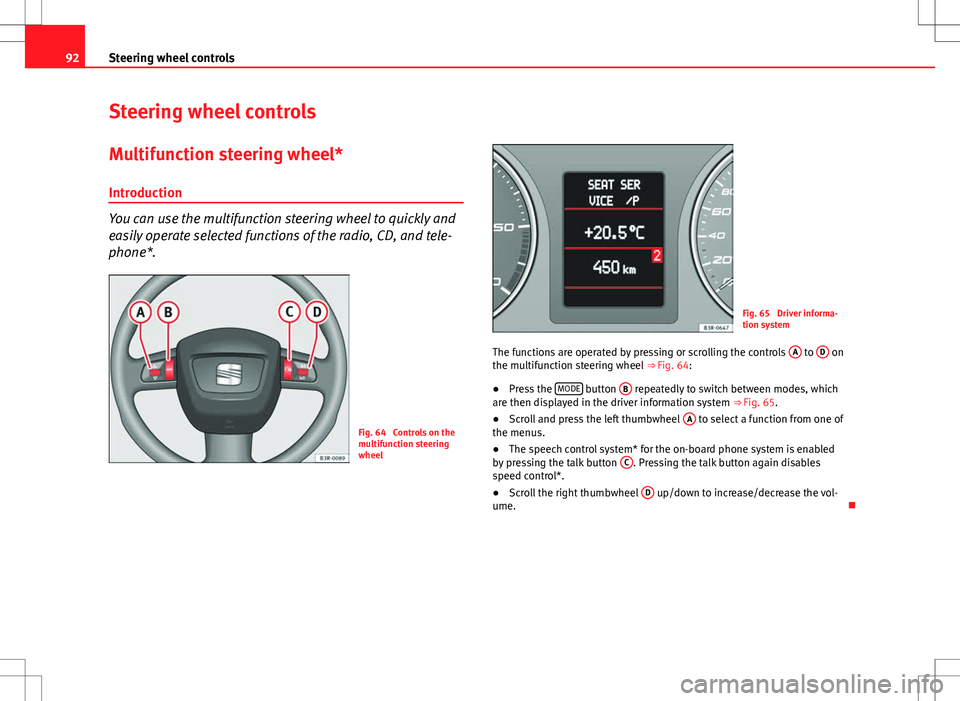
You can use the multifunction steering wheel to quickly and
easily operate selected functions of the radio, CD, and tele-
phone*.
Fig. 64 Controls on the
multifunction steering
wheel
Fig. 65 Driver informa-
tion system
The functions are operated by pressing or scrolling the controls A
to D on
the multifunction steering wheel ⇒ Fig. 64:
● Press the MODE
button
B repeatedly to switch between modes, which
are then displayed in the driver information system ⇒ Fig. 65.
● Scroll and press the left thumbwheel A
to select a function from one of
the menus.
● The speech control system* for the on-board phone system is enabled
by pressing the talk button C
. Pressing the talk button again disables
speed control*.
● Scroll the right thumbwheel D
up/down to increase/decrease the vol-
ume.
Page 95 of 317

93
Steering wheel controls
Steering wheel audio version controls
AB(Mode)C(PTT)D+-Press+-Press
Radio modeStation search.
Increase frequen- cyStation search.Decrease fre- quencyPress once: starts the search.
Press twice: can- cels the searchLong press:
block the steering wheel controls
Short press:
activates the steering wheel controls (if
they are blocked /
without specific func- tion (if they are not blocked)
No functionspecified
Volume upVolume downMUTE
CD/
iPod-USB ModeCD mode: next track.
iPod/USB Mode: next trackCD mode: previ-ous track.
iPod/USB Mode: previous trackCD mode: fast for- ward.
iPod/USB Mode: fast forward
Volume upVolume downMUTE
MP3
modeNext trackPrevious trackFast forwardVolume upVolume downMUTE
Safety FirstOperating InstructionsPractical TipsTechnical Specifications
Page 96 of 317

94Steering wheel controls
Steering wheel Audio + Telephone version controls
AB(Mode)C(PTT)D+-Press+-Press
Radio modeStation search.
Increase frequen- cyStation search.Decrease fre- quencyPress once: starts the search.
Press twice: can- cels the search
Change to phone
Enable voicerecognition
Volume upVolume downMUTE
CD/
iPod-USB ModeCD mode: next track.
iPod/USB Mode: next trackCD mode: previ-ous track.
iPod/USB Mode: previous trackCD mode: fast for- ward.
iPod/USB Mode: fast forward
Volume upVolume downMUTE
MP3 modeNext trackPrevious trackFast forwardVolume upVolume downMUTE
Phone modeNext name inphone bookPrevious name in phone bookAccept
Change to ra-dio / CD /
iPod-USB / MP3
Volume upVolume downNo functionspecified
Incoming call modeNo functionspecifiedNo functionspecifiedOne press: accept call.
Held down: reject callNo functionspecifiedNo function specifiedVolume upVolume downNo functionspecified
Active call modeNo functionspecifiedNo functionspecifiedEnd callNo functionspecifiedNo function specifiedVolume upVolume downNo functionspecified
Voice activation modeNo functionspecifiedNo functionspecifiedNo function speci- fiedNo functionspecifiedCancelVolume upVolume downNo function specified