9.96
06
2
1
2
1
OK
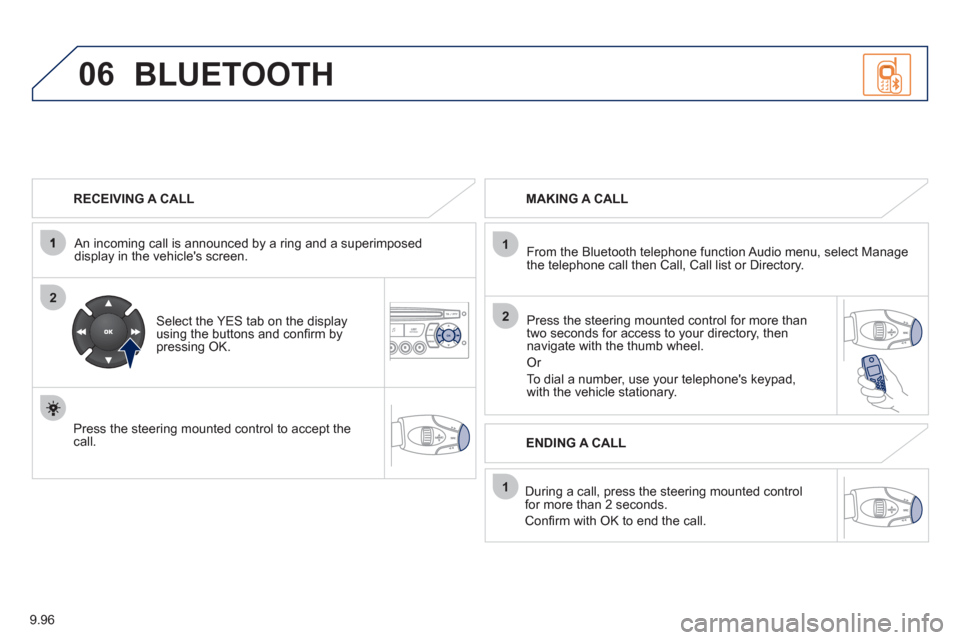
RECEIVING A CALL
An incomin
g call is announced by a ring and a superimposed
display in the vehicle's screen.
Select the YES tab on the display
using the buttons and confi rm bypressing OK.
Press the steering mounted control to accept thecall.
MAKING A CALL
From the Bluetooth telephone
function Audio menu, select Manage
the telephone call then Call, Call list or Directory.
Press the steerin
g mounted control for more than
two seconds for access to your directory, then navigate with the thumb wheel.
Or
To dial a number, use your telephone's keypad,with the vehicle stationary.
Durin
g a call, press the steering mounted control
for more than 2 seconds.
Confi rm with OK to end the call.
BLUETOOTH
ENDING A CALL
158
Instruments and controls
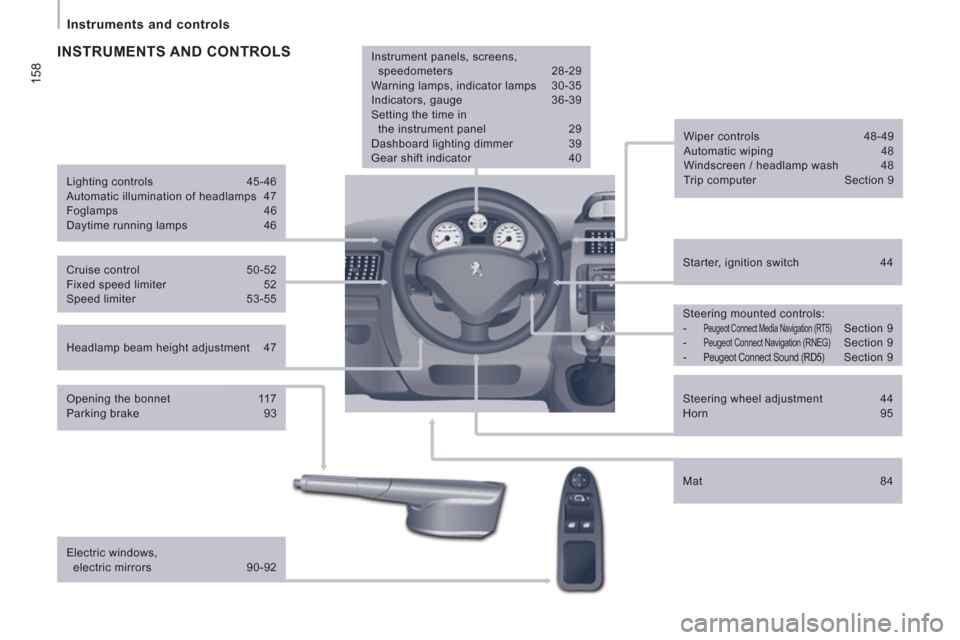
Headlamp beam height adjustment 47
Starter, ignition switch 44
Wiper controls 48-49
Automatic wiping 48
Windscreen / headlamp wash 48
Trip computer Section 9
Cruise control 50-52
Fixed speed limiter 52
Speed limiter 53-55
Steering mounted controls:
-
Peugeot Connect Media Navigation (RT5) Section 9
- Peugeot Connect Navigation (RNEG) Section 9
- Peugeot Connect Sound (RD5) Section 9
Lighting controls 45-46
Automatic illumination of headlamps 47
Foglamps 46
Daytime running lamps 46
INSTRUMENTS AND CONTROLS
Opening the bonnet 117
Parking brake 93
Electric windows,
electric mirrors 90-92
Instrument panels, screens,
speedometers 28-29
Warning lamps, indicator lamps 30-35
Indicators, gauge 36-39
Setting the time in
the instrument panel 29
Dashboard lighting dimmer 39
Gear shift indicator 40
Mat 84
Steering wheel adjustment 44
Horn 95