2012 Peugeot Boxer Benne steering
[x] Cancel search: steeringPage 50 of 184
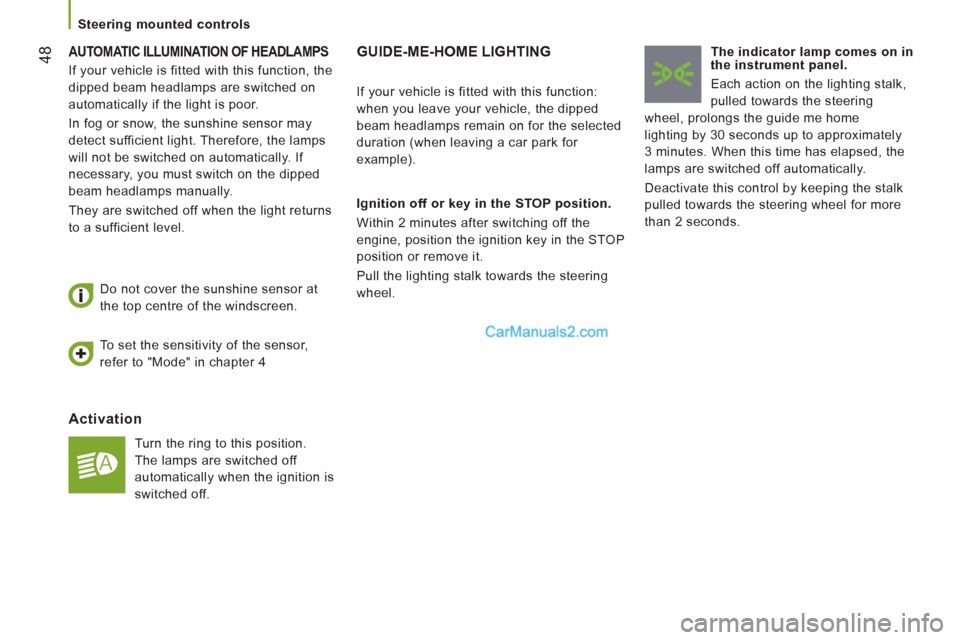
48 AUTOMATIC ILLUMINATION OF HEADLAMPS
Activation
Turn the ring to this position.
The lamps are switched off
automatically when the ignition is
switched off.
Do not cover the sunshine sensor at
the top centre of the windscreen.
GUIDE-ME-HOME LIGHTING
Ignition off or key in the STOP position.
Within 2 minutes after switching off the
engine, position the ignition key in the STOP
position or remove it.
Pull the lighting stalk towards the steering
wheel.
The indicator lamp comes on in
the instrument panel.
Each action on the lighting stalk,
pulled towards the steering
wheel, prolongs the guide me home
lighting by 30 seconds up to approximately
3 minutes. When this time has elapsed, the
lamps are switched off automatically.
Deactivate this control by keeping the stalk
pulled towards the steering wheel for more
than 2 seconds.
If your vehicle is fitted with this function:
when you leave your vehicle, the dipped
beam headlamps remain on for the selected
duration (when leaving a car park for
example).
To set the sensitivity of the sensor,
refer to "Mode" in chapter 4
If your vehicle is fitted with this function, the
dipped beam headlamps are switched on
automatically if the light is poor.
In fog or snow, the sunshine sensor may
detect sufficient light. Therefore, the lamps
will not be switched on automatically. If
necessary, you must switch on the dipped
beam headlamps manually.
They are switched off when the light returns
to a sufficient level.
Steerin
g mounted controls
Page 52 of 184
50
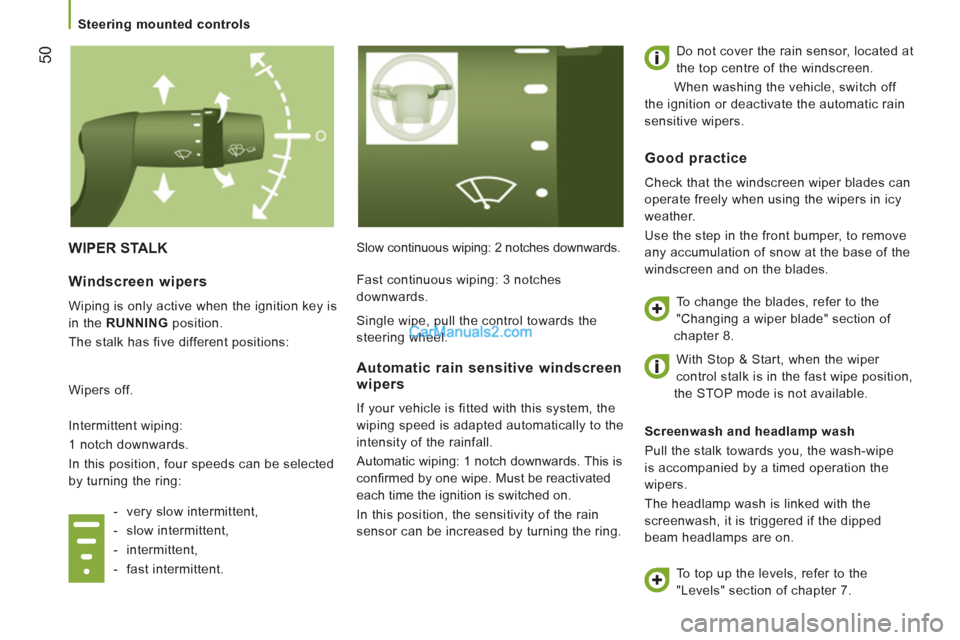
WIPER STALK
Slow continuous wiping: 2 notches downwards. Do not cover the rain sensor, located at
the top centre of the windscreen.
When washing the vehicle, switch off
the ignition or deactivate the automatic rain
sensitive wipers.
Screenwash and headlamp wash
Pull the stalk towards you, the wash-wipe
is accompanied by a timed operation the
wipers.
The headlamp wash is linked with the
screenwash, it is triggered if the dipped
beam headlamps are on.
Windscreen wipers
Wiping is only active when the ignition key is
in the RUNNING
position.
The stalk has five different positions:
Wipers off.
Intermittent wiping:
1 notch downwards.
In this position, four speeds can be selected
by turning the ring:
- very slow intermittent,
- slow intermittent,
- intermittent,
- fast intermittent.
Automatic rain sensitive windscreen
wipers
If your vehicle is fitted with this system, the
wiping speed is adapted automatically to the
intensity of the rainfall.
Automatic wiping: 1 notch downwards. This is
confi rmed by one wipe. Must be reactivated
each time the ignition is switched on.
In this position, the sensitivity of the rain
sensor can be increased by turning the ring.
Good practice
Check that the windscreen wiper blades can
operate freely when using the wipers in icy
weather.
Use the step in the front bumper, to remove
any accumulation of snow at the base of the
windscreen and on the blades.
To change the blades, refer to the
"Changing a wiper blade" section of
chapter 8.
To top up the levels, refer to the
"Levels" section of chapter 7. Fast continuous wiping: 3 notches
downwards.
Single wipe, pull the control towards the
steering wheel.
With Stop & Start, when the wiper
control stalk is in the fast wipe position,
the STOP mode is not available.
Steerin
g mounted controls
Page 61 of 184
59
3
EASE OF USE
and
COMFOR
T
Ventilation
Comfort value adjustment ring
The settings range between:
- increasing the interior ambient air
temperature HI (High) which goes up to
to a maximum setting of 32,
- cooling the interior ambient air
temperature LO (Low) which goes down
to a setting of 16.
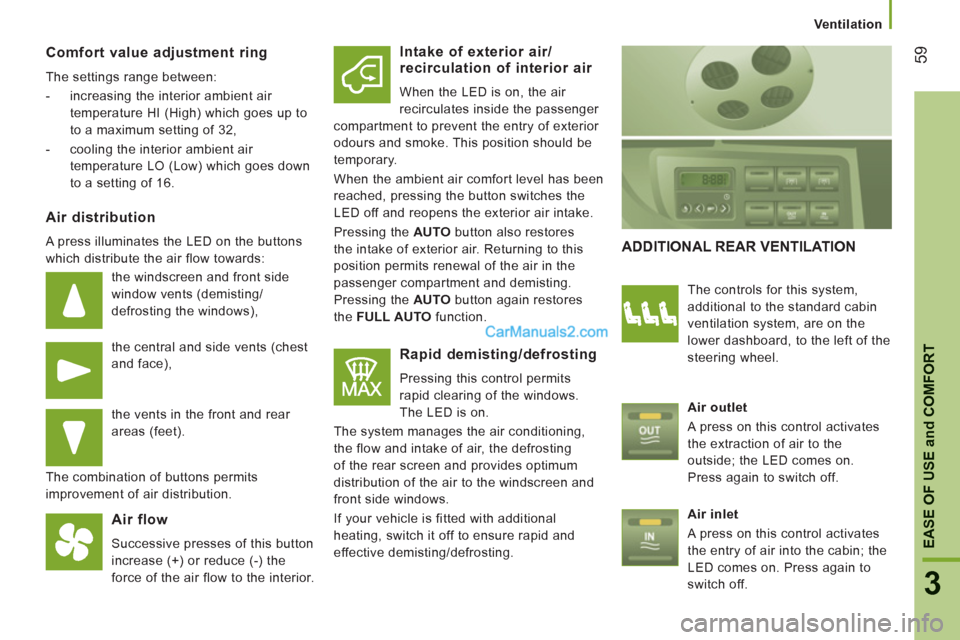
Air distribution
A press illuminates the LED on the buttons
which distribute the air flow towards:
the windscreen and front side
window vents (demisting/
defrosting the windows),
the central and side vents (chest
and face),
the vents in the front and rear
areas (feet).
The combination of buttons permits
improvement of air distribution.
Air flow
Successive presses of this button
increase (+) or reduce (-) the
force of the air flow to the interior.
Intake of exterior air/
recirculation of interior air
When the LED is on, the air
recirculates inside the passenger
compartment to prevent the entry of exterior
odours and smoke. This position should be
temporary.
When the ambient air comfort level has been
reached, pressing the button switches the
LED off and reopens the exterior air intake.
Pressing the AUTO
button also restores
the intake of exterior air. Returning to this
position permits renewal of the air in the
passenger compartment and demisting.
Pressing the AUTO
button again restores
the FULL AUTO
function.
Rapid demisting/defrosting
Pressing this control permits
rapid clearing of the windows.
The LED is on.
The system manages the air conditioning,
the flow and intake of air, the defrosting
of the rear screen and provides optimum
distribution of the air to the windscreen and
front side windows.
If your vehicle is fitted with additional
heating, switch it off to ensure rapid and
effective demisting/defrosting.
ADDITIONAL REAR VENTILATION
The controls for this system,
additional to the standard cabin
ventilation system, are on the
lower dashboard, to the left of the
steering wheel.
Air outlet
A press on this control activates
the extraction of air to the
outside; the LED comes on.
Press again to switch off.
Air inlet
A press on this control activates
the entry of air into the cabin; the
LED comes on. Press again to
switch off.
Page 82 of 184
80
Mode
MODE
Confi
guration - Personalisation
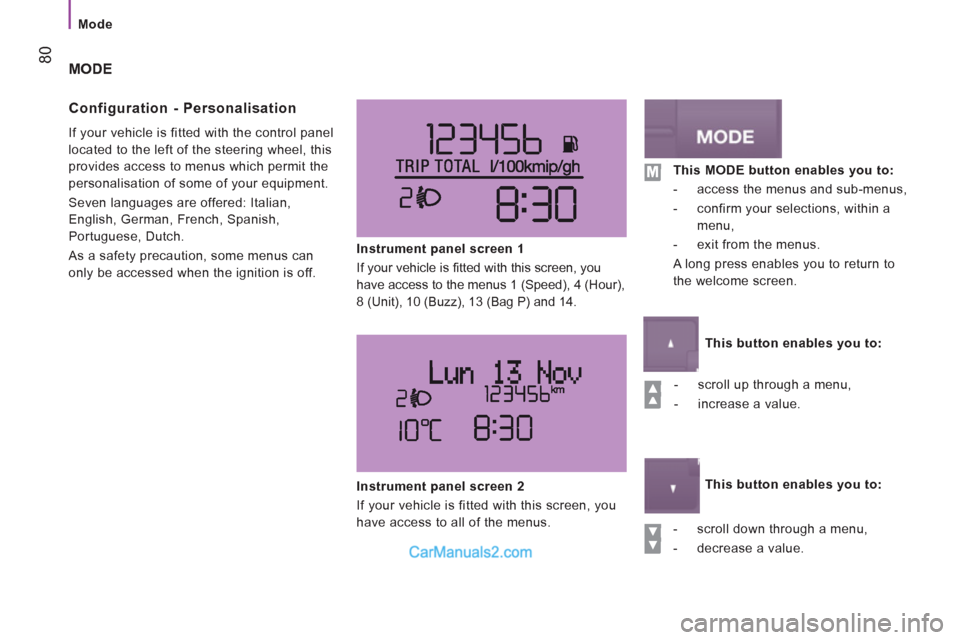
If your vehicle is fitted with the control panel
located to the left of the steering wheel, this
provides access to menus which permit the
personalisation of some of your equipment.
Seven languages are offered: Italian,
English, German, French, Spanish,
Portuguese, Dutch.
As a safety precaution, some menus can
only be accessed when the ignition is off.
Instrument panel screen 1
If your vehicle is fi tted with this screen, you
have access to the menus 1 (Speed), 4 (Hour),
8 (Unit), 10 (Buzz), 13 (Bag P) and 14.
- scroll up through a menu,
- increase a value.
- scroll down through a menu,
- decrease a value.
Instrument panel screen 2
If your vehicle is fitted with this screen, you
have access to all of the menus.
This MODE button enables you to:
- access the menus and sub-menus,
- confirm your selections, within a
menu,
- exit from the menus.
A long press enables you to return to
the welcome screen.
This button enables you to:
This button enables you to:
Page 92 of 184
Audio equipment
90
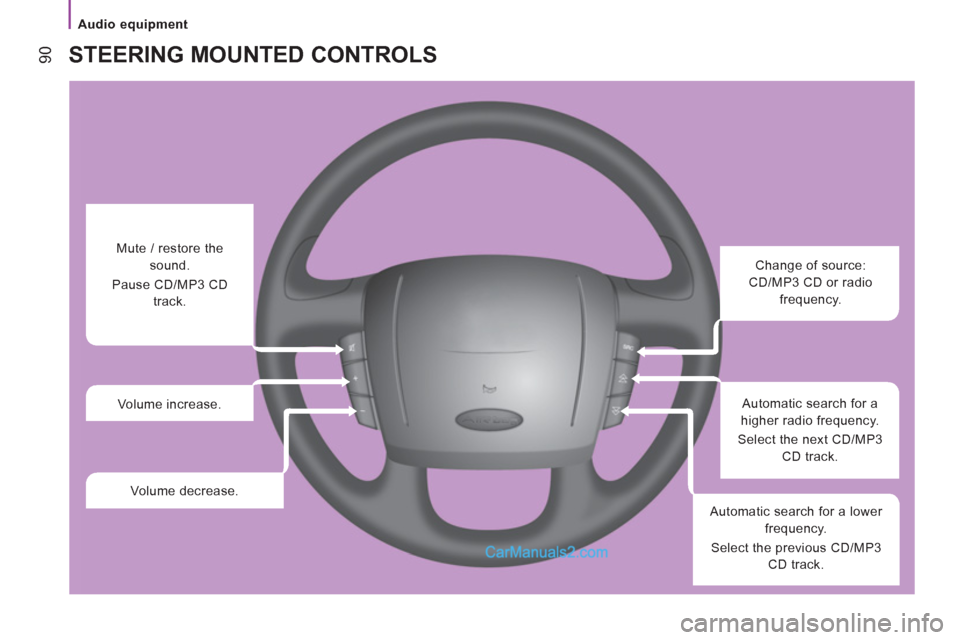
STEERING MOUNTED CONTROLS
Change of source:
CD/MP3 CD or radio
frequency.
Automatic search for a
higher radio frequency.
Select the next CD/MP3
CD track.
Automatic search for a lower
frequency.
Select the previous CD/MP3
CD track.
Mute / restore the
sound.
Pause CD/MP3 CD
track.
Volume increase.
Volume decrease.
Page 99 of 184
97
Bluetooth hands-free system
4
TECHNOLOGY
on
BOARD
When you switch on the audio system, you may have to enter a
code for access to its functions.
In this cases, the message " Radio Code
" is displayed in the
screen, followed by 4 dashes.
The 4-number code should be entered using the buttons 1 to 6.
You have 20 seconds to enter the code.
If the wrong code is entered, the audio system gives an audible
signal and the message message " Radio blocked/wait
" is
displayed. You should then start the procedure again.
Keep your code in a safe place, never inside the
vehicle
.
TELEPHONE PRE-EQUIPMENT
If the hands-free kit is fitted to your vehicle, you can use the
audio system and the steering mounted controls to manage your
telephone calls.
During an incoming call, the audio system is deactivated, and
the message " PHONE
" is displayed.
The volume can be adjusted and stored via the " EXTERNAL
AUDIO
" menu.
Each time an incorrect code is entered, the waiting time before
the code can be entered again increases progressively (1 minute,
2 minutes, 4 minutes, 8 minutes, 16 minutes, 30 minutes, 1 hour,
2 hours, 4 hours, 8 hours, 16 hours, 24 hours).
The language of the Bluetooth system adapts automatically
by detecting the language set on your telephone.
SYSTEM
INTRODUCTION
This system allows you to:
- send and receive calls via the Bluetooth® connection with your
mobile telephone,
- display the names of your contacts and numbers from the
directory of your mobile phone in the instrument panel screen,
- use voice commands to make a call and manage your
contacts while keeping both hands on the steering wheel,
- hear your text messages via the voice synthesiser built into
the system,
- listen to MP3, WMA, AAC, M4A, MP4 and WAV audio files
from a USB storage device,
- display information on the track being played in the radio
screen (title, artist, etc...),
- control vocally a portable music player (iPod
® type),
- recharge your portable music player (iPod
® type) via the USB
port.
Audio equipment
Page 100 of 184
98
Bluetooth hands-free system
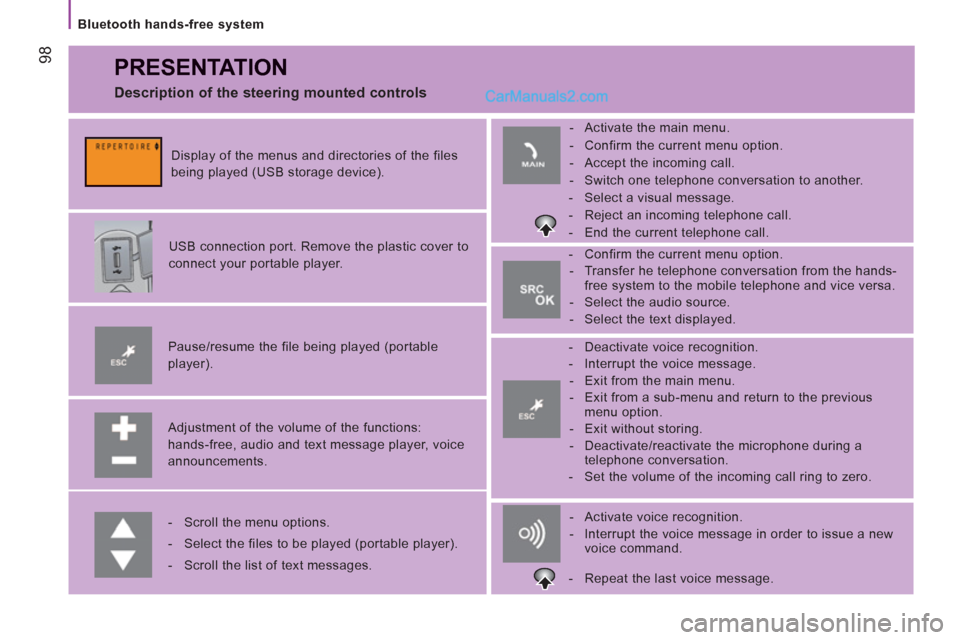
PRESENTATION
Adjustment of the volume of the functions:
hands-free, audio and text message player, voice
announcements.
Pause/resume the file being played (portable
player).
USB connection port. Remove the plastic cover to
connect your portable player.
Display of the menus and directories of the files
being played (USB storage device).
- Scroll the menu options.
- Select the files to be played (portable player).
- Scroll the list of text messages.
- Activate voice recognition.
- Interrupt the voice message in order to issue a new
voice command.
- Deactivate voice recognition.
- Interrupt the voice message.
- Exit from the main menu.
- Exit from a sub-menu and return to the previous
menu option.
- Exit without storing.
- Deactivate/reactivate the microphone during a
telephone conversation.
- Set the volume of the incoming call ring to zero.
- Confirm the current menu option.
- Transfer he telephone conversation from the hands-
free system to the mobile telephone and vice versa.
- Select the audio source.
- Select the text displayed.
- Activate the main menu.
- Confirm the current menu option.
- Accept the incoming call.
- Switch one telephone conversation to another.
- Select a visual message.
- Reject an incoming telephone call.
- End the current telephone call.
Description of the steering mounted controls
- Repeat the last voice message.
Page 117 of 184
11
5
5
SAFETY
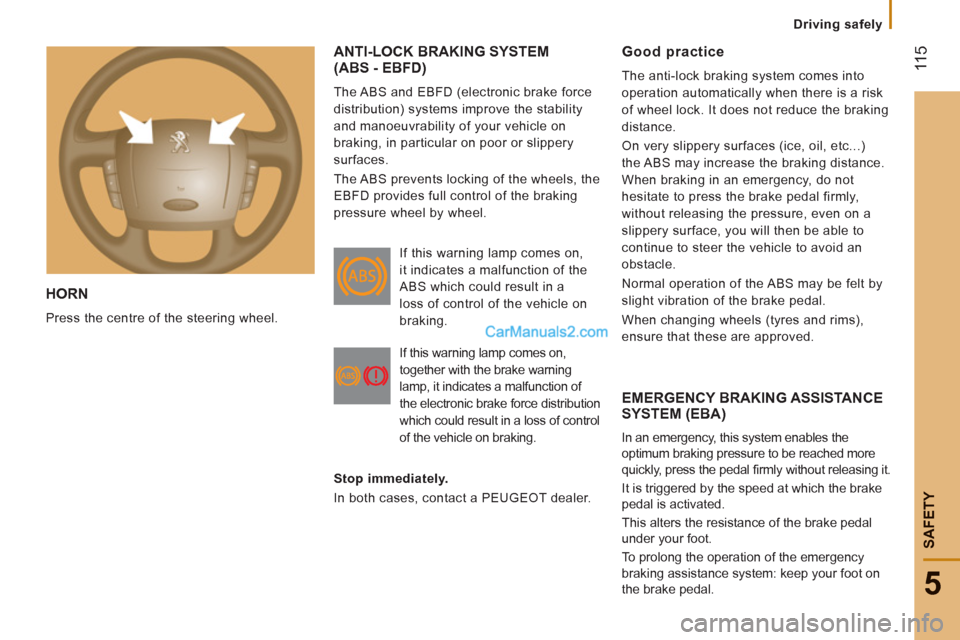
HORN
Press the centre of the steering wheel.
ANTI-LOCK BRAKING SYSTEM(ABS - EBFD)
The ABS and EBFD (electronic brake force
distribution) systems improve the stability
and manoeuvrability of your vehicle on
braking, in particular on poor or slippery
surfaces.
The ABS prevents locking of the wheels, the
EBFD provides full control of the braking
pressure wheel by wheel.
EMERGENCY BRAKING ASSISTANCE
SYSTEM (EBA)
In an emergency, this system enables the
optimum braking pressure to be reached more
quickly, press the pedal fi rmly without releasing it.
It is triggered by the speed at which the brake
pedal is activated.
This alters the resistance of the brake pedal
under your foot.
To prolong the operation of the emergency
braking assistance system: keep your foot on
the brake pedal.
Good practice
The anti-lock braking system comes into
operation automatically when there is a risk
of wheel lock. It does not reduce the braking
distance.
On very slippery surfaces (ice, oil, etc...)
the ABS may increase the braking distance.
When braking in an emergency, do not
hesitate to press the brake pedal firmly,
without releasing the pressure, even on a
slippery surface, you will then be able to
continue to steer the vehicle to avoid an
obstacle.
Normal operation of the ABS may be felt by
slight vibration of the brake pedal.
When changing wheels (tyres and rims),
ensure that these are approved. If this warning lamp comes on,
it indicates a malfunction of the
ABS which could result in a
loss of control of the vehicle on
braking.
If this warning lamp comes on,
together with the brake warning
lamp, it indicates a malfunction of
the electronic brake force distribution
which could result in a loss of control
of the vehicle on braking.
Stop immediately.
In both cases, contact a PEUGEOT dealer.
Drivin
g safely