2012 PEUGEOT 107 USB
[x] Cancel search: USBPage 116 of 140
11 4
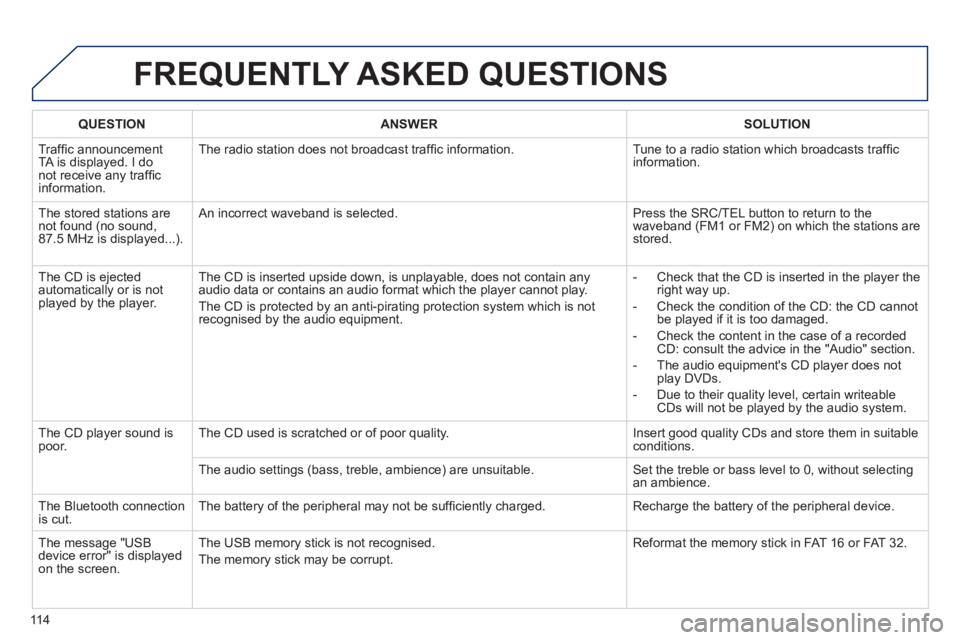
FREQUENTLY ASKED QUESTIONS
QUESTIONANSWERSOLUTION
Traffi c announcementTA is displayed. I donot receive any traffi c
information.Th
e radio station does not broadcast traffi c information. Tune to a radio station which broadcasts traffi c
information.
The stored stations arenot found (no sound, 87.5 MHz is displayed...).
An incorrect waveband is selected. Press the SRC/TEL button to return to the
waveband (FM1 or FM2) on which the stations arestored.
The
CD is ejected
automatically or is not played by the player. The
CD is inserted upside down, is unplayable, does not contain any audio data or contains an audio format which the player cannot play.
The CD is protected b
y an anti-pirating protection system which is not recognised by the audio equipment.
-
Check that the CD is inserted in the player the
right way up.
-
Check the condition of the CD: the CD cannot
be played if it is too damaged.
-
Check the content in the case of a recordedCD: consult the advice in the "Audio" section.
- The audio equipment's
CD player does not
play DVDs.
- Due to their qualit
y level, certain writeableCDs will not be played by the audio system.
The
CD player sound ispoor.The CD used is scratched or of poor quality. Insert good quality CDs and store them in suitable conditions.
The audio settin
gs (bass, treble, ambience) are unsuitable. Set the treble or bass level to 0, without selectingan ambience.
The Bluetooth connection
is cut. The battery of the peripheral may not be suffi ciently charged. Recharge the battery of the peripheral device.
The messa
ge "USB
device error" is displayed
on the screen.The U
SB memory stick is not recognised.
The memory stick may be corrupt. Reformat the memory stick in FAT 16 or FAT 32.
Page 117 of 140

115
FREQUENTLY ASKED QUESTIONS
QUESTIONANSWERSOLUTION
A telephone connects
automatically,
disconnecting another
telephone. Automatic connection overrides manual connection. Modify the telephone settings to remove automatic connection.
An iPod is not recognisedwhen connecting to the
USB port.The iPod is o
f a generation that is not compatible with the USB.
Th
e hard disk or deviceis not recognised whenconnecting to the USBport.
Some hard disks and devices need a power supply greater than is
provided by the audio system. Connect the device to the 230 V socket, the 12 V socket or an external power supply.
Caution
:
ensure that the device does not transmit
a voltage greater than 5 V (risk of destruction of
the system).
When streamin
g, the sound cuts momentarily. Some telephones prioritise connection of the "hands-free" profi le. Delete the "hands-free" connection profi le to
improve streaming.
In "Random all" pla
y,not all of the tracks areplayed.In "Random all" pla
y, the system can only take into account up to 999
tracks.
With the en
gine off, the
audio system switches off after a few minutes of use. When the en
gine is switched off, the audio system operating timedepends on the battery charge.
The switch-o
ff is normal: the audio system switches to economy mode and switches off to prevent discharging the vehicle's battery.
Start the vehicle's engine to increase the batterycharge.
The messa
ge "the audio system is overheated"
appears on the display. In order to protect the installation if the surroundin
g temperature is too
high, the audio system switches to an automatic thermal protection mode leading to a reduction of the volume or stopping of the playing of the CD. Switch the audio s
ystem off for a few minutes to
allow the system to cool.
Page 136 of 140
134Alphabetical index
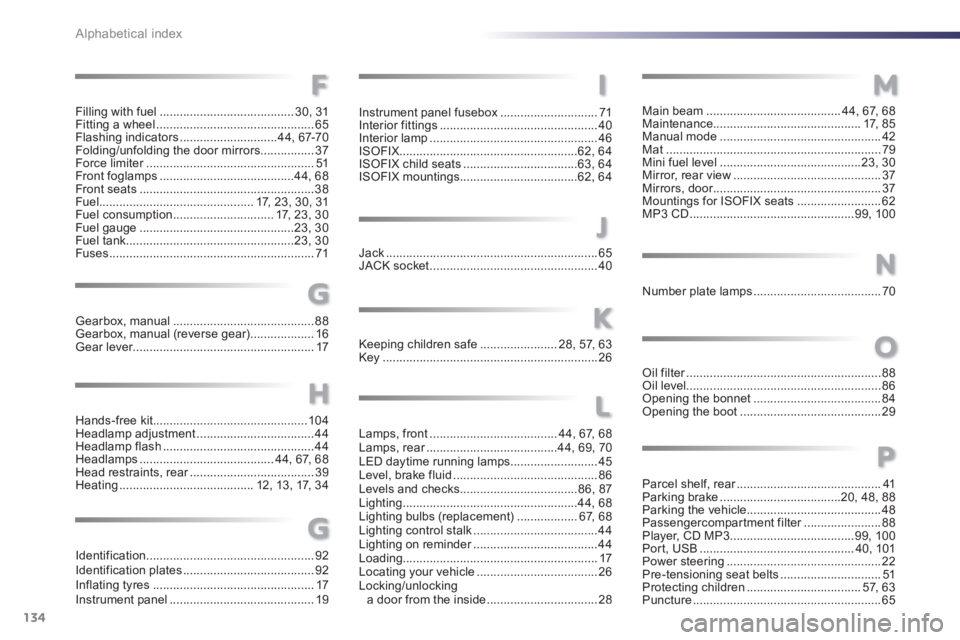
Lamps, front......................................44,67,68Lamps, rear.......................................r44, 69,70LED daytime running lamps..........................45Level, brake fluid...........................................86Levels and checks...................................86,87Lighting....................................................44,68Lighting bulbs (replacement)..................67,68Lighting control stalk .....................................44Lighting on reminder.....................................r44Loading..........................................................17Locating your vehicle....................................26Locking/unlockinga door from the inside .................................28
Main beam........................................44, 67, 68Maintenance............................................17,85Manual mode................................................42Mat................................................................79Mini fuel level ..........................................23, 30Mirror, rear view............................................37Mirrors, door..................................................r37Mountings for ISOFIX seats .........................62MP3 CD .................................................99, 100
Number plate lamps......................................70
Oil filter..........................................................r88Oil level..........................................................86Opening the bonnet......................................84Opening the boot ..........................................29L
M
N
O
Filling with fuel ........................................30,31Fitting a wheel ...............................................65Flashing indicators .............................44, 67-70Folding/unfolding the door mirrors................37Force limiter..................................................r51Front foglamps........................................44, 68Front seats....................................................38Fuel..............................................17, 23,30,31Fuel consumption..............................17, 23, 30Fuel gauge ..............................................23, 30Fuel tank..................................................23, 30Fuses .............................................................71
Gearbox, manual..........................................88Gearbox, manual (reverse gear)...................16Gear lever......................................................17
Instrument panel fusebox.............................71Interior fittings...............................................40Interior lamp..................................................46ISOFIX.....................................................62, 64
ISOFIX child seats ..................................63, 64
ISOFIX mountings ...................................62, 64
Jack...............................................................65JACK socket..................................................40
Hands-free kit..............................................104Headlamp adjustment...................................44Headlamp flash .............................................44Headlamps ........................................ 44, 67, 68Head restraints, rear.....................................r39Heating ........................................12, 13, 17,34Keepin
g children safe.......................28,57, 63Key................................................................26
F
H
G
I
J
K
Identification..................................................92Identification plates .......................................92Inflating tyres ................................................17Instrument panel ...........................................19
G
Parcel shelf, rear...........................................r41Parking brake....................................20, 48,88Parking the vehicle........................................48Passengercompartment filter.......................r88Player, CD MP3.....................................99, 100Port, USB .............................................. 40, 101Power steering..............................................22Pre-tensioning seat belts..............................51Protecting children..................................57,63Puncture........................................................65
P