Page 83 of 406
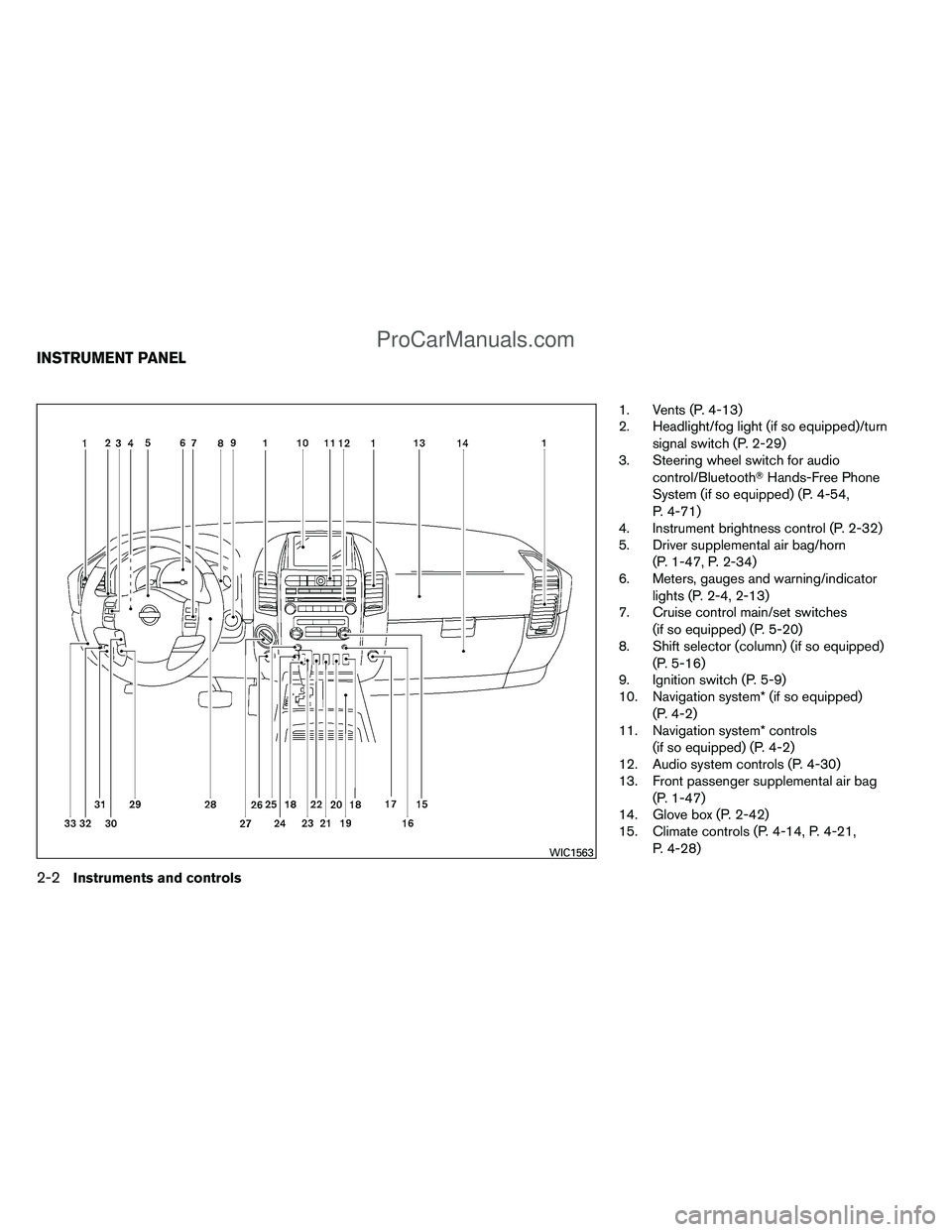
1. Vents (P. 4-13)
2. Headlight/fog light (if so equipped)/turnsignal switch (P. 2-29)
3. Steering wheel switch for audio
control/Bluetooth� Hands-Free Phone
System (if so equipped) (P. 4-54,
P. 4-71)
4. Instrument brightness control (P. 2-32)
5. Driver supplemental air bag/horn
(P. 1-47, P. 2-34)
6. Meters, gauges and warning/indicator
lights (P. 2-4, 2-13)
7. Cruise control main/set switches
(if so equipped) (P. 5-20)
8. Shift selector (column) (if so equipped)
(P. 5-16)
9. Ignition switch (P. 5-9)
10. Navigation system* (if so equipped)
(P. 4-2)
11. Navigation system* controls
(if so equipped) (P. 4-2)
12. Audio system controls (P. 4-30)
13. Front passenger supplemental air bag
(P. 1-47)
14. Glove box (P. 2-42)
15. Climate controls (P. 4-14, P. 4-21,
P. 4-28)
WIC1563
INSTRUMENT PANEL
2-2Instruments and controls
ProCarManuals.com
Page 86 of 406
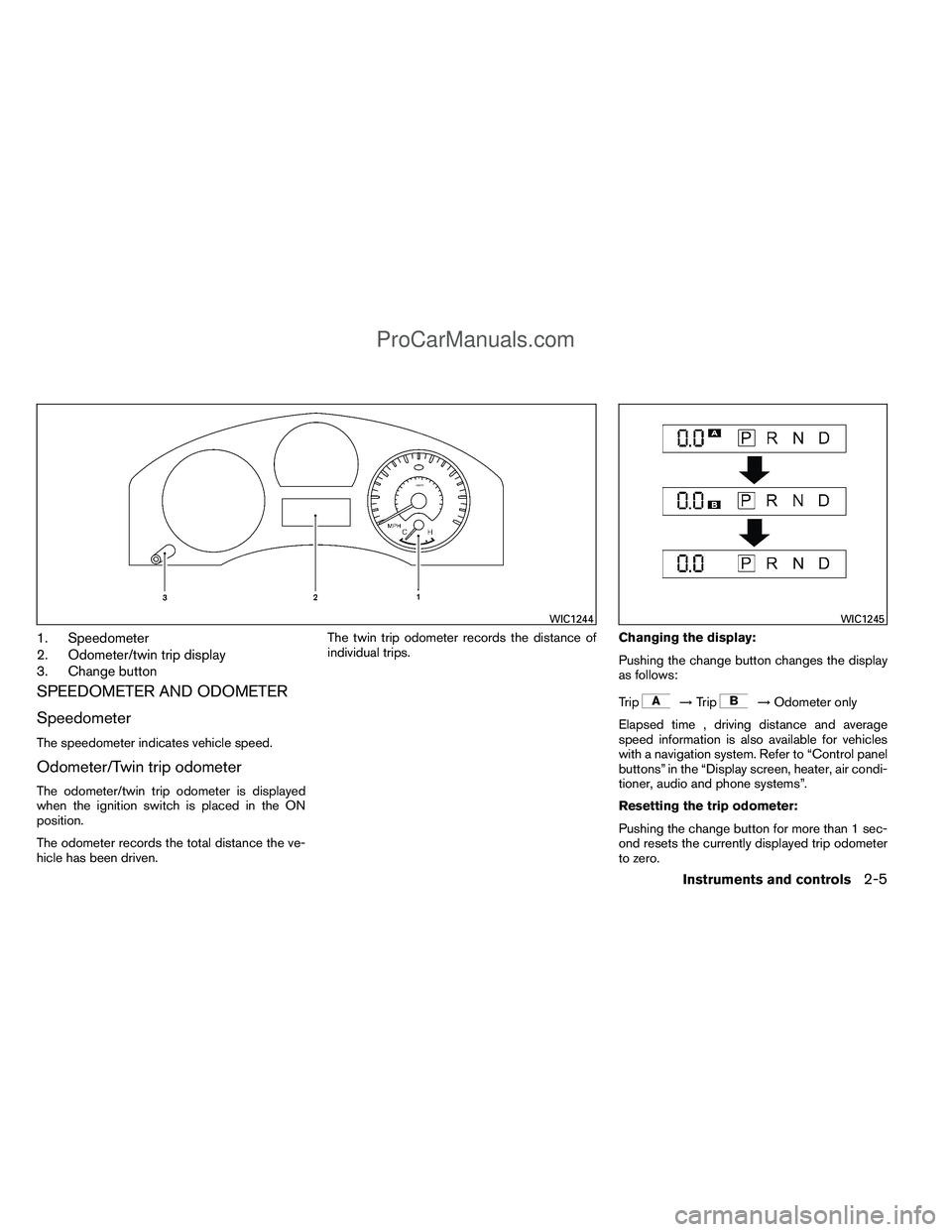
1. Speedometer
2. Odometer/twin trip display
3. Change button
SPEEDOMETER AND ODOMETER
Speedometer
The speedometer indicates vehicle speed.
Odometer/Twin trip odometer
The odometer/twin trip odometer is displayed
when the ignition switch is placed in the ON
position.
The odometer records the total distance the ve-
hicle has been driven.The twin trip odometer records the distance of
individual trips.
Changing the display:
Pushing the change button changes the display
as follows:
Trip
→
Trip→Odometer only
Elapsed time , driving distance and average
speed information is also available for vehicles
with a navigation system. Refer to “Control panel
buttons” in the “Display screen, heater, air condi-
tioner, audio and phone systems”.
Resetting the trip odometer:
Pushing the change button for more than 1 sec-
ond resets the currently displayed trip odometer
to zero.
WIC1244WIC1245
Instruments and controls2-5
ProCarManuals.com
Page 88 of 406
FUEL GAUGE
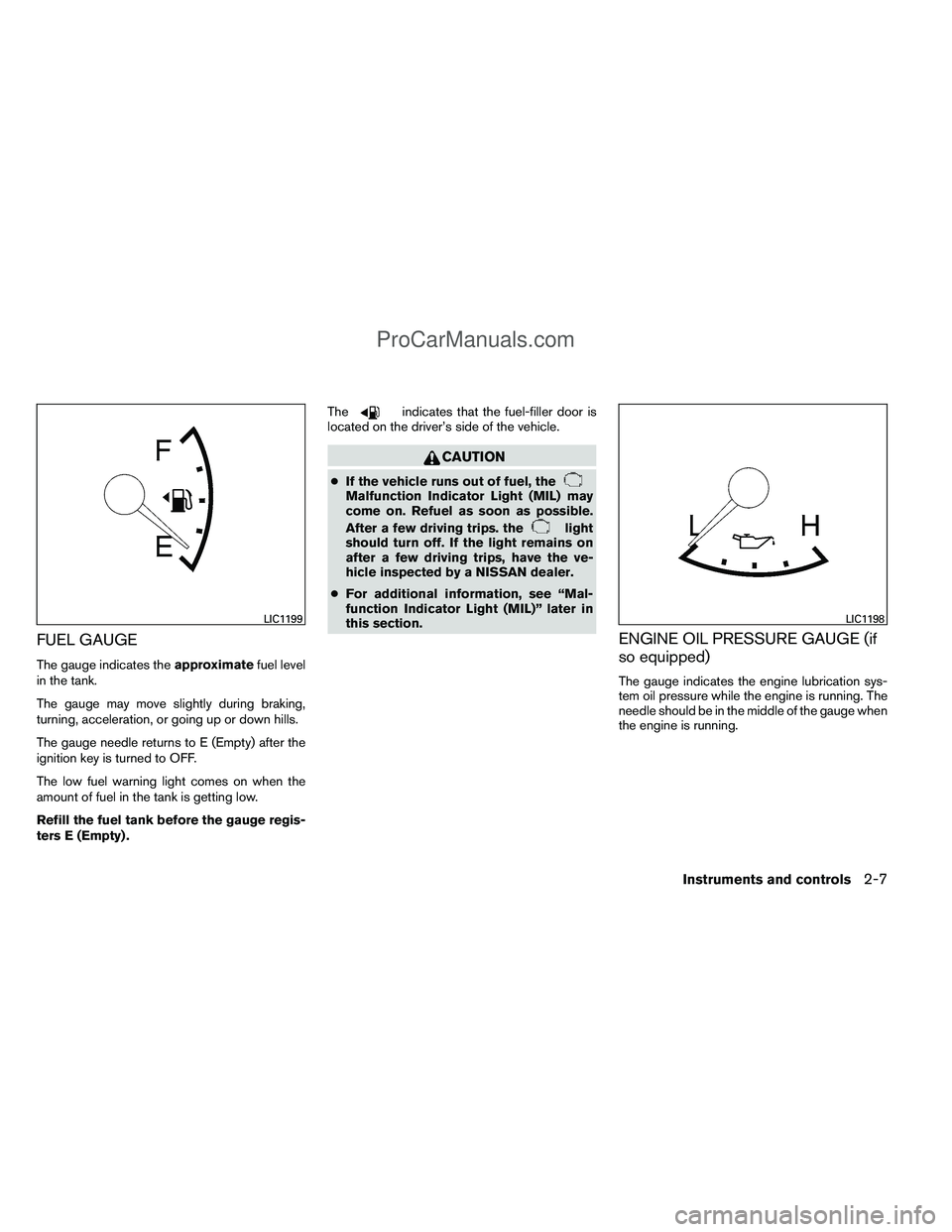
The gauge indicates theapproximatefuel level
in the tank.
The gauge may move slightly during braking,
turning, acceleration, or going up or down hills.
The gauge needle returns to E (Empty) after the
ignition key is turned to OFF.
The low fuel warning light comes on when the
amount of fuel in the tank is getting low.
Refill the fuel tank before the gauge regis-
ters E (Empty) . The
indicates that the fuel-filler door is
located on the driver’s side of the vehicle.
CAUTION
● If the vehicle runs out of fuel, theMalfunction Indicator Light (MIL) may
come on. Refuel as soon as possible.
After a few driving trips. the
light
should turn off. If the light remains on
after a few driving trips, have the ve-
hicle inspected by a NISSAN dealer.
● For additional information, see “Mal-
function Indicator Light (MIL)” later in
this section.
ENGINE OIL PRESSURE GAUGE (if
so equipped)
The gauge indicates the engine lubrication sys-
tem oil pressure while the engine is running. The
needle should be in the middle of the gauge when
the engine is running.
LIC1199LIC1198
Instruments and controls2-7
ProCarManuals.com
Page 89 of 406
CAUTION
●This gauge is not designed to indicate
low engine oil level. Use the dipstick to
check the oil level. (See “Engine oil” in
the “Maintenance and do-it-yourself”
section.)
● If the gauge needle does not move with
the proper amount of engine oil, have
the vehicle checked by a NISSAN
dealer. Continued vehicle operation in
such a condition could cause serious
damage to the engine.
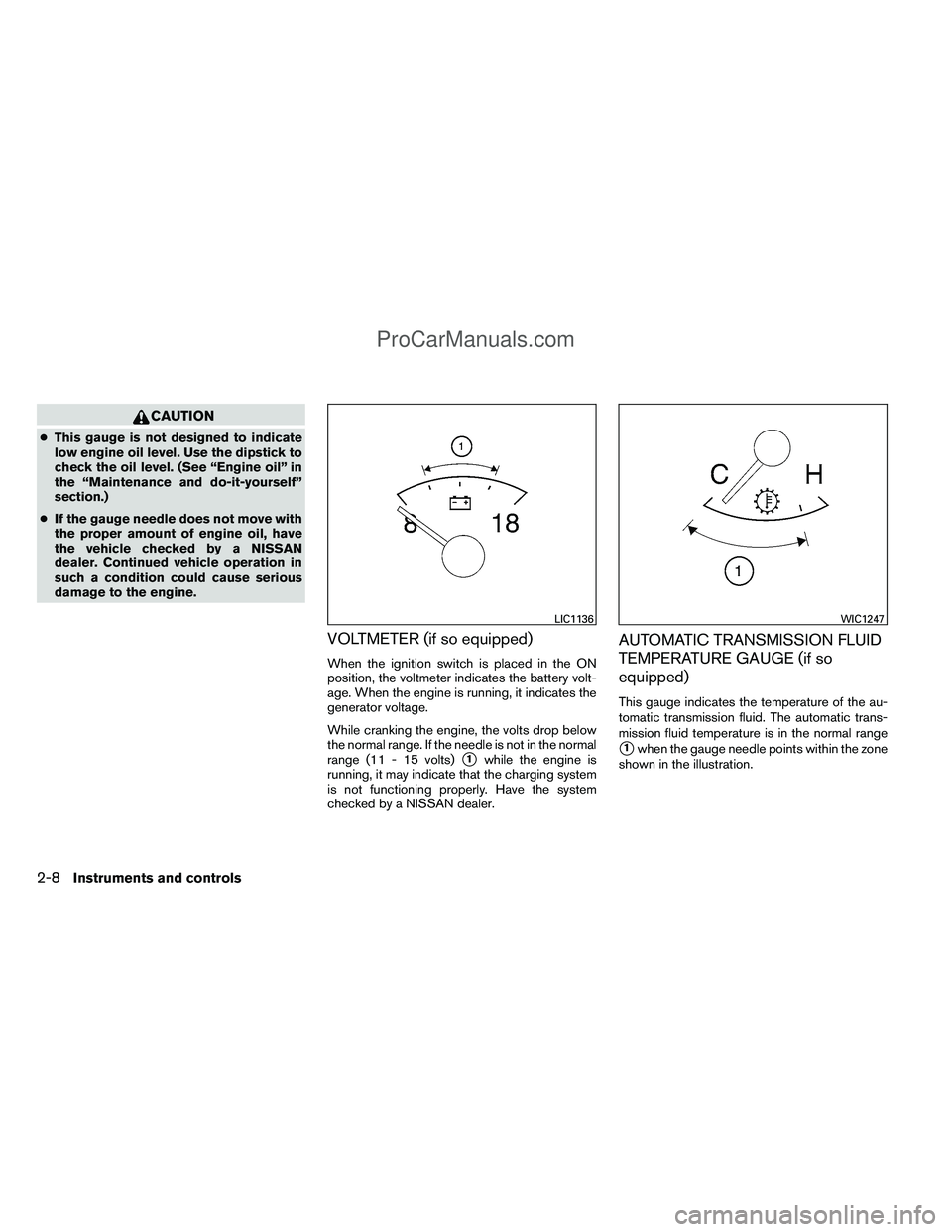
VOLTMETER (if so equipped)
When the ignition switch is placed in the ON
position, the voltmeter indicates the battery volt-
age. When the engine is running, it indicates the
generator voltage.
While cranking the engine, the volts drop below
the normal range. If the needle is not in the normal
range (11 - 15 volts)
�1while the engine is
running, it may indicate that the charging system
is not functioning properly. Have the system
checked by a NISSAN dealer.
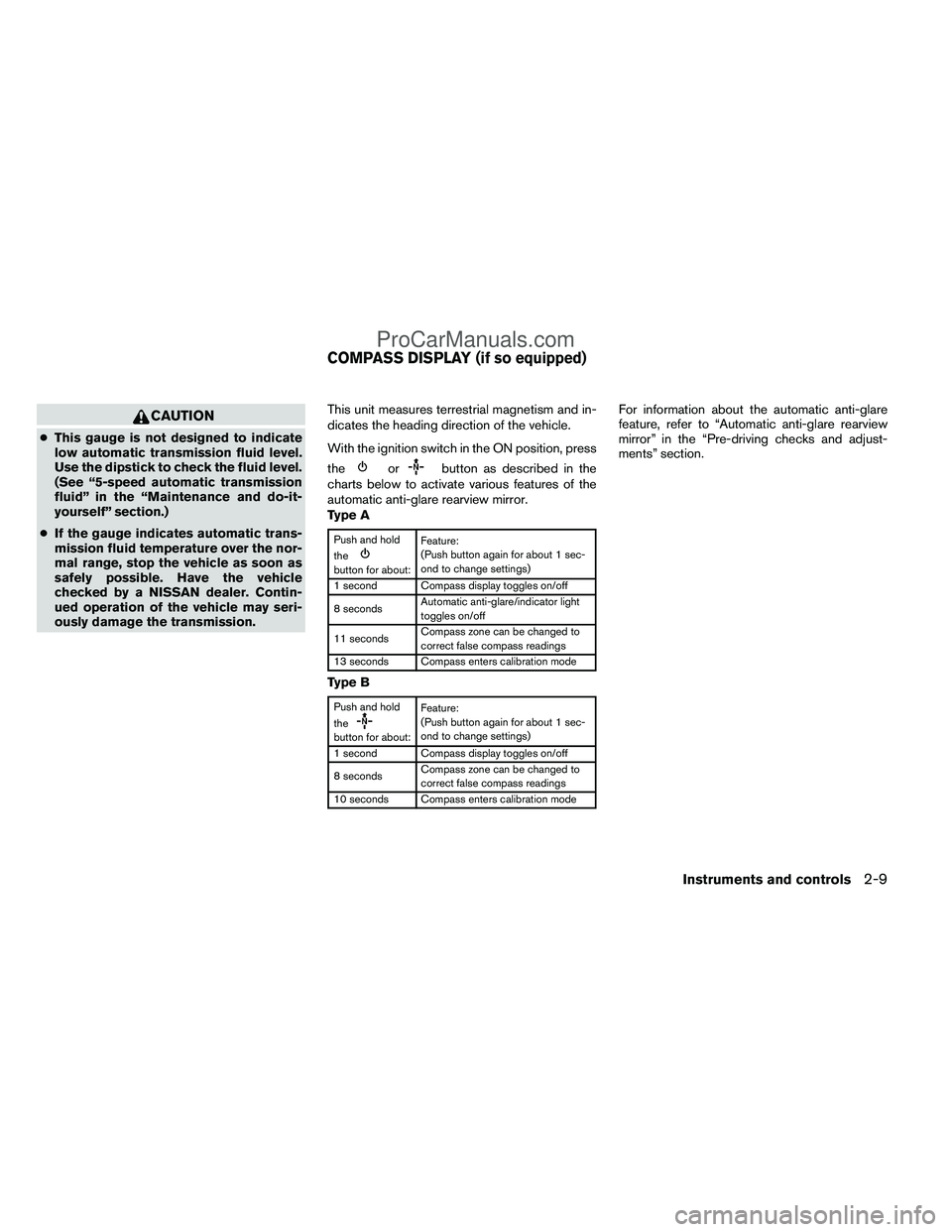
AUTOMATIC TRANSMISSION FLUID
TEMPERATURE GAUGE (if so
equipped)
This gauge indicates the temperature of the au-
tomatic transmission fluid. The automatic trans-
mission fluid temperature is in the normal range
�1when the gauge needle points within the zone
shown in the illustration.
LIC1136WIC1247
2-8Instruments and controls
ProCarManuals.com
Page 90 of 406
CAUTION
●This gauge is not designed to indicate
low automatic transmission fluid level.
Use the dipstick to check the fluid level.
(See “5-speed automatic transmission
fluid” in the “Maintenance and do-it-
yourself” section.)
● If the gauge indicates automatic trans-
mission fluid temperature over the nor-
mal range, stop the vehicle as soon as
safely possible. Have the vehicle
checked by a NISSAN dealer. Contin-
ued operation of the vehicle may seri-
ously damage the transmission. This unit measures terrestrial magnetism and in-
dicates the heading direction of the vehicle.
With the ignition switch in the ON position, press
the
orbutton as described in the
charts below to activate various features of the
automatic anti-glare rearview mirror.
Type A
Push and hold
the
button for about: Feature:
(Push button again for about 1 sec-
ond to change settings)
1 second Compass display toggles on/off
8 seconds Automatic anti-glare/indicator light
toggles on/off
11 seconds Compass zone can be changed to
correct false compass readings
13 seconds Compass enters calibration mode
Type B
Push and hold
the
button for about: Feature:
(Push button again for about 1 sec-
ond to change settings)
1 second Compass display toggles on/off
8 seconds Compass zone can be changed to
correct false compass readings
10 seconds Compass enters calibration mode
For information about the automatic anti-glare
feature, refer to “Automatic anti-glare rearview
mirror” in the “Pre-driving checks and adjust-
ments” section.
COMPASS DISPLAY (if so equipped)
Instruments and controls2-9
ProCarManuals.com
Page 91 of 406
COMPASS DISPLAY
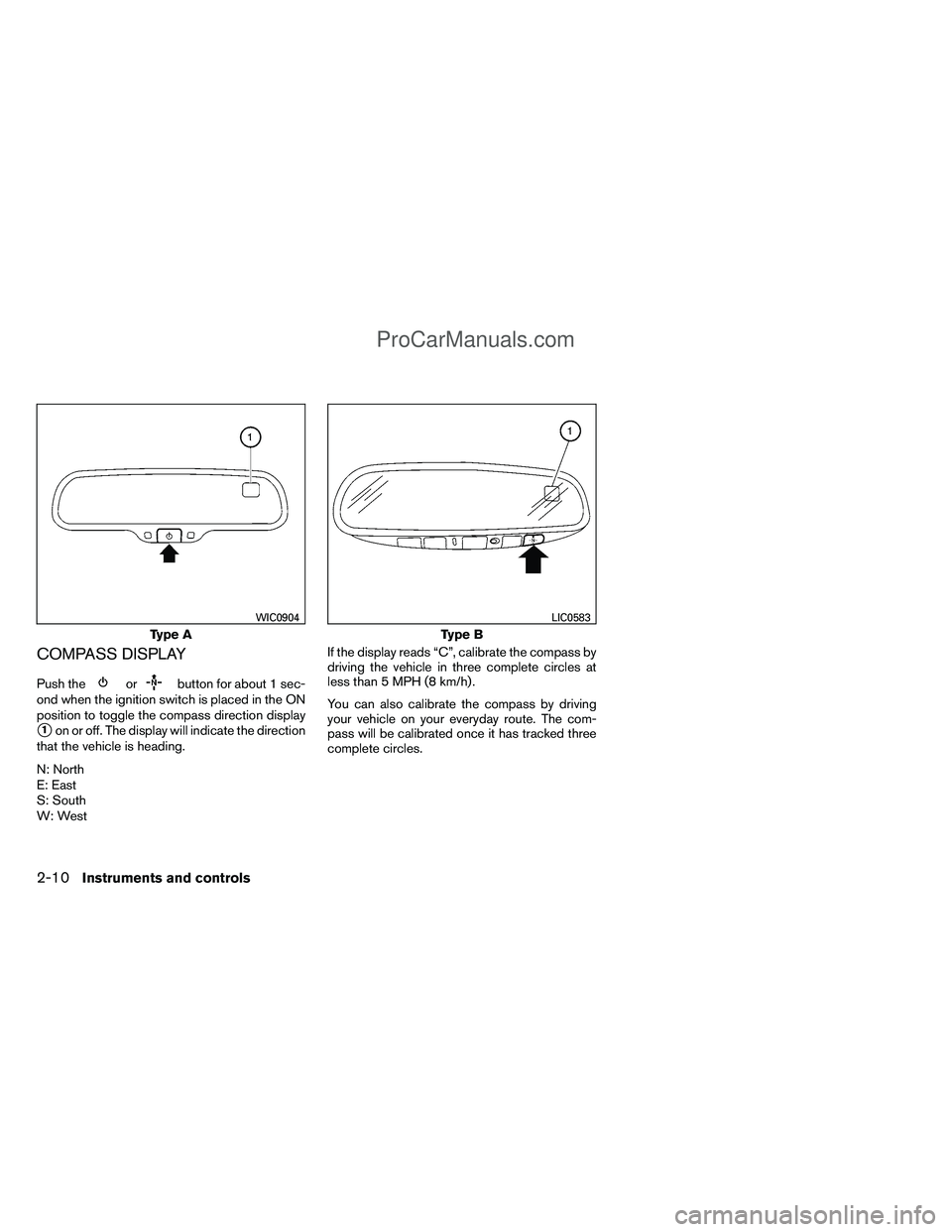
Push theorbutton for about 1 sec-
ond when the ignition switch is placed in the ON
position to toggle the compass direction display
�1on or off. The display will indicate the direction
that the vehicle is heading.
N: North
E: East
S: South
W: West If the display reads “C”, calibrate the compass by
driving the vehicle in three complete circles at
less than 5 MPH (8 km/h) .
You can also calibrate the compass by driving
your vehicle on your everyday route. The com-
pass will be calibrated once it has tracked three
complete circles.
Type A
WIC0904
Type B
LIC0583
2-10Instruments and controls
ProCarManuals.com
Page 94 of 406
orAnti-lock Braking System (ABS)
warning lightLow fuel warning lightHigh beam indicator light (Blue)
Automatic transmission check warning lightLow tire pressure warning lightMalfunction indicator light (MIL)
Automatic transmission park warning light
(model)Master warning light (if so equipped)Security indicator light (if so equipped)
orBrake warning lightSeat belt warning light and chimeSlip indicator light
Charge warning lightSupplemental air bag warning lightTurn signal/hazard indicator lights
Engine oil pressure low/engine coolant
temperature high warning lightElectronic locking rear differential (E-Lock)
system on indicator light (if so equipped)Vehicle Dynamic Control (VDC) off indicator
light
4WD warning light (model)Front passenger air bag status light
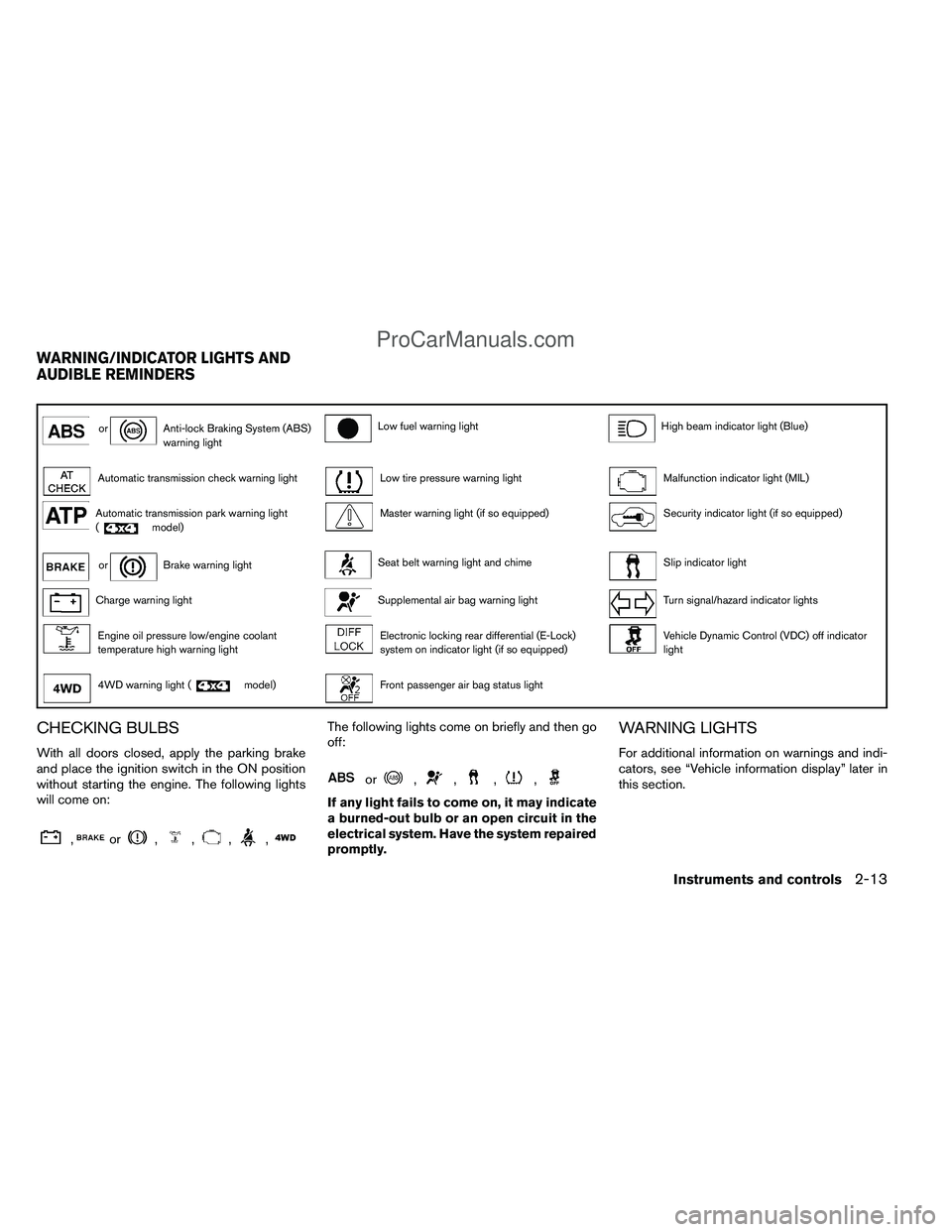
CHECKING BULBS
With all doors closed, apply the parking brake
and place the ignition switch in the ON position
without starting the engine. The following lights
will come on:
,or,,,,
The following lights come on briefly and then go
off:
or,,,,
If any light fails to come on, it may indicate
a burned-out bulb or an open circuit in the
electrical system. Have the system repaired
promptly.
WARNING LIGHTS
For additional information on warnings and indi-
cators, see “Vehicle information display” later in
this section.
WARNING/INDICATOR LIGHTS AND
AUDIBLE REMINDERS
Instruments and controls2-13
ProCarManuals.com
Page 95 of 406
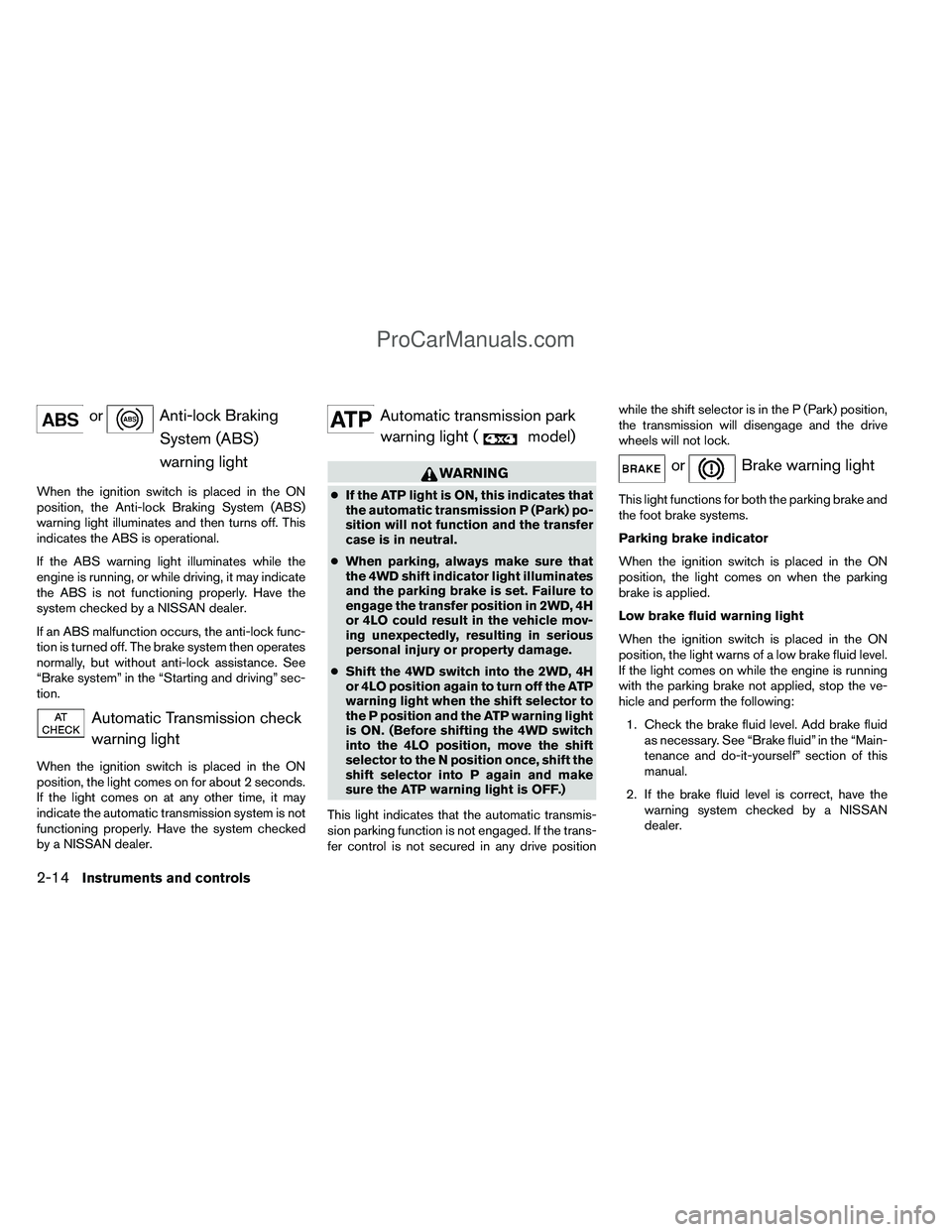
orAnti-lock BrakingSystem (ABS)
warning light
When the ignition switch is placed in the ON
position, the Anti-lock Braking System (ABS)
warning light illuminates and then turns off. This
indicates the ABS is operational.
If the ABS warning light illuminates while the
engine is running, or while driving, it may indicate
the ABS is not functioning properly. Have the
system checked by a NISSAN dealer.
If an ABS malfunction occurs, the anti-lock func-
tion is turned off. The brake system then operates
normally, but without anti-lock assistance. See
“Brake system” in the “Starting and driving” sec-
tion.
Automatic Transmission checkwarning light
When the ignition switch is placed in the ON
position, the light comes on for about 2 seconds.
If the light comes on at any other time, it may
indicate the automatic transmission system is not
functioning properly. Have the system checked
by a NISSAN dealer.
Automatic transmission parkwarning light (
model)
WARNING
● If the ATP light is ON, this indicates that
the automatic transmission P (Park) po-
sition will not function and the transfer
case is in neutral.
● When parking, always make sure that
the 4WD shift indicator light illuminates
and the parking brake is set. Failure to
engage the transfer position in 2WD, 4H
or 4LO could result in the vehicle mov-
ing unexpectedly, resulting in serious
personal injury or property damage.
● Shift the 4WD switch into the 2WD, 4H
or 4LO position again to turn off the ATP
warning light when the shift selector to
the P position and the ATP warning light
is ON. (Before shifting the 4WD switch
into the 4LO position, move the shift
selector to the N position once, shift the
shift selector into P again and make
sure the ATP warning light is OFF.)
This light indicates that the automatic transmis-
sion parking function is not engaged. If the trans-
fer control is not secured in any drive position while the shift selector is in the P (Park) position,
the transmission will disengage and the drive
wheels will not lock.
orBrake warning light
This light functions for both the parking brake and
the foot brake systems.
Parking brake indicator
When the ignition switch is placed in the ON
position, the light comes on when the parking
brake is applied.
Low brake fluid warning light
When the ignition switch is placed in the ON
position, the light warns of a low brake fluid level.
If the light comes on while the engine is running
with the parking brake not applied, stop the ve-
hicle and perform the following:
1. Check the brake fluid level. Add brake fluid as necessary. See “Brake fluid” in the “Main-
tenance and do-it-yourself” section of this
manual.
2. If the brake fluid level is correct, have the warning system checked by a NISSAN
dealer.
2-14Instruments and controls
ProCarManuals.com