Page 151 of 406
Using the panic alarm
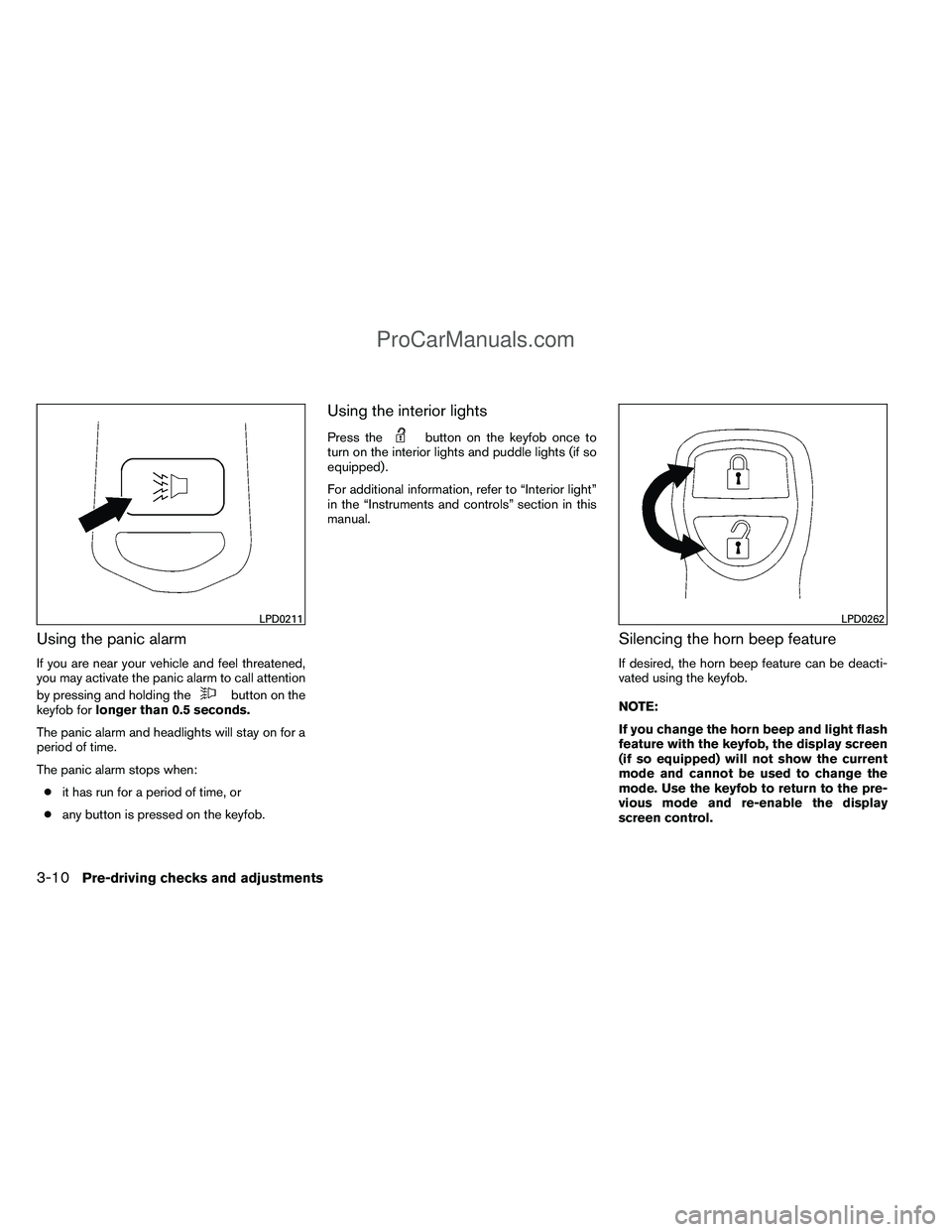
If you are near your vehicle and feel threatened,
you may activate the panic alarm to call attention
by pressing and holding the
button on the
keyfob for longer than 0.5 seconds.
The panic alarm and headlights will stay on for a
period of time.
The panic alarm stops when: ● it has run for a period of time, or
● any button is pressed on the keyfob.
Using the interior lights
Press thebutton on the keyfob once to
turn on the interior lights and puddle lights (if so
equipped) .
For additional information, refer to “Interior light”
in the “Instruments and controls” section in this
manual.
Silencing the horn beep feature
If desired, the horn beep feature can be deacti-
vated using the keyfob.
NOTE:
If you change the horn beep and light flash
feature with the keyfob, the display screen
(if so equipped) will not show the current
mode and cannot be used to change the
mode. Use the keyfob to return to the pre-
vious mode and re-enable the display
screen control.
LPD0211LPD0262
3-10Pre-driving checks and adjustments
ProCarManuals.com
Page 152 of 406
To deactivate:Press and hold the
andbuttonsfor at least 2 seconds.
The hazard warning lights will flash 3 times to
confirm that the horn beep feature has been
deactivated.
To activate: Press and hold the
andbuttonsfor at least 2 seconds
once more.
The hazard warning lights will flash once and the
horn will sound once to confirm that the horn
beep feature has been reactivated.
Deactivating the horn beep feature does not si-
lence the horn if the alarm is triggered.
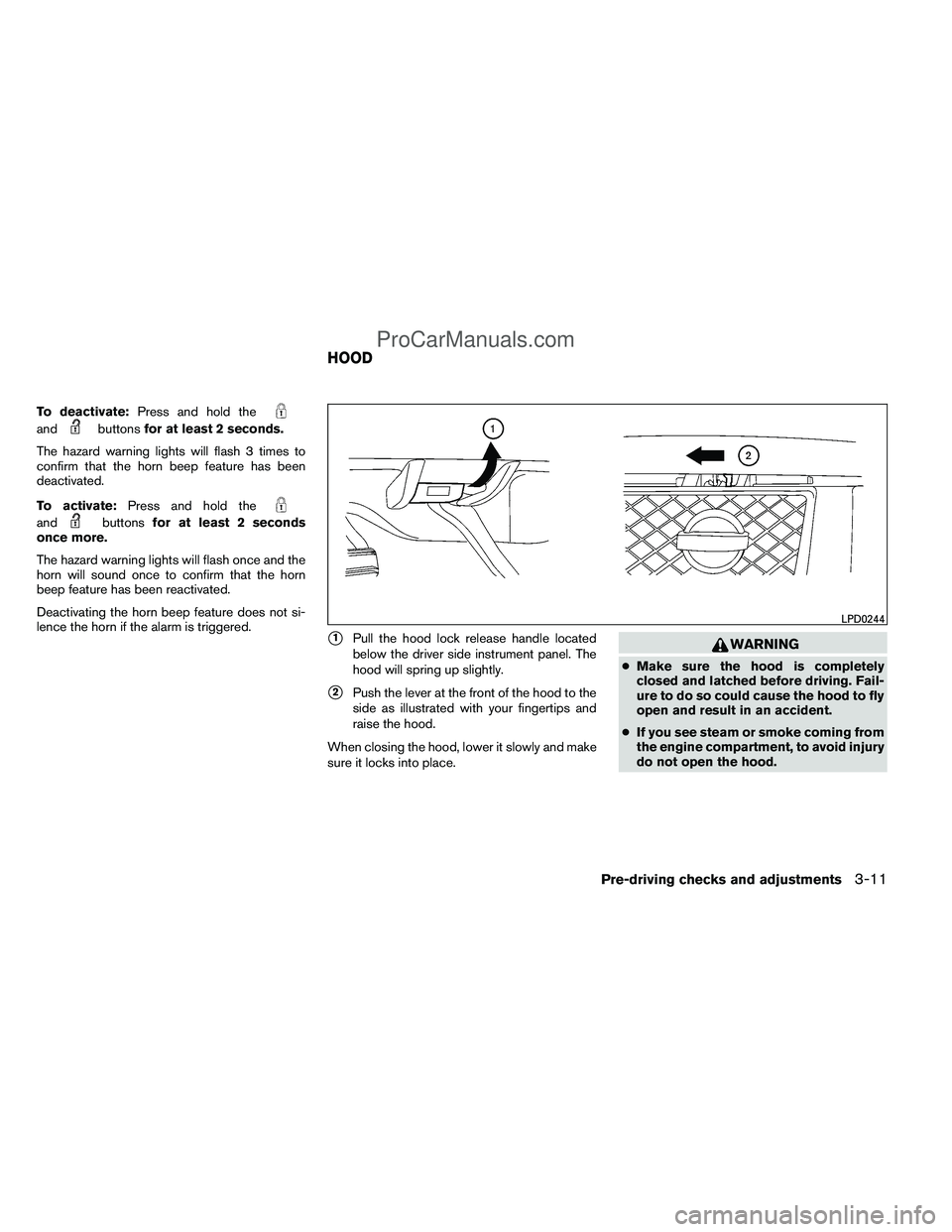
�1Pull the hood lock release handle located
below the driver side instrument panel. The
hood will spring up slightly.
�2Push the lever at the front of the hood to the
side as illustrated with your fingertips and
raise the hood.
When closing the hood, lower it slowly and make
sure it locks into place.
WARNING
● Make sure the hood is completely
closed and latched before driving. Fail-
ure to do so could cause the hood to fly
open and result in an accident.
● If you see steam or smoke coming from
the engine compartment, to avoid injury
do not open the hood.
LPD0244
HOOD
Pre-driving checks and adjustments3-11
ProCarManuals.com
Page 178 of 406
To turn the screen on,● Press the SETTING button and select the
“Display” key and then select the “Display
Off” key. Then set the screen to on by press-
ing the ENTER button, or
● Hold the
button for approximately 2
seconds and the message “resuming dis-
play” will appear and the “Display Off” key
will be automatically turned on (no amber
indicator) .
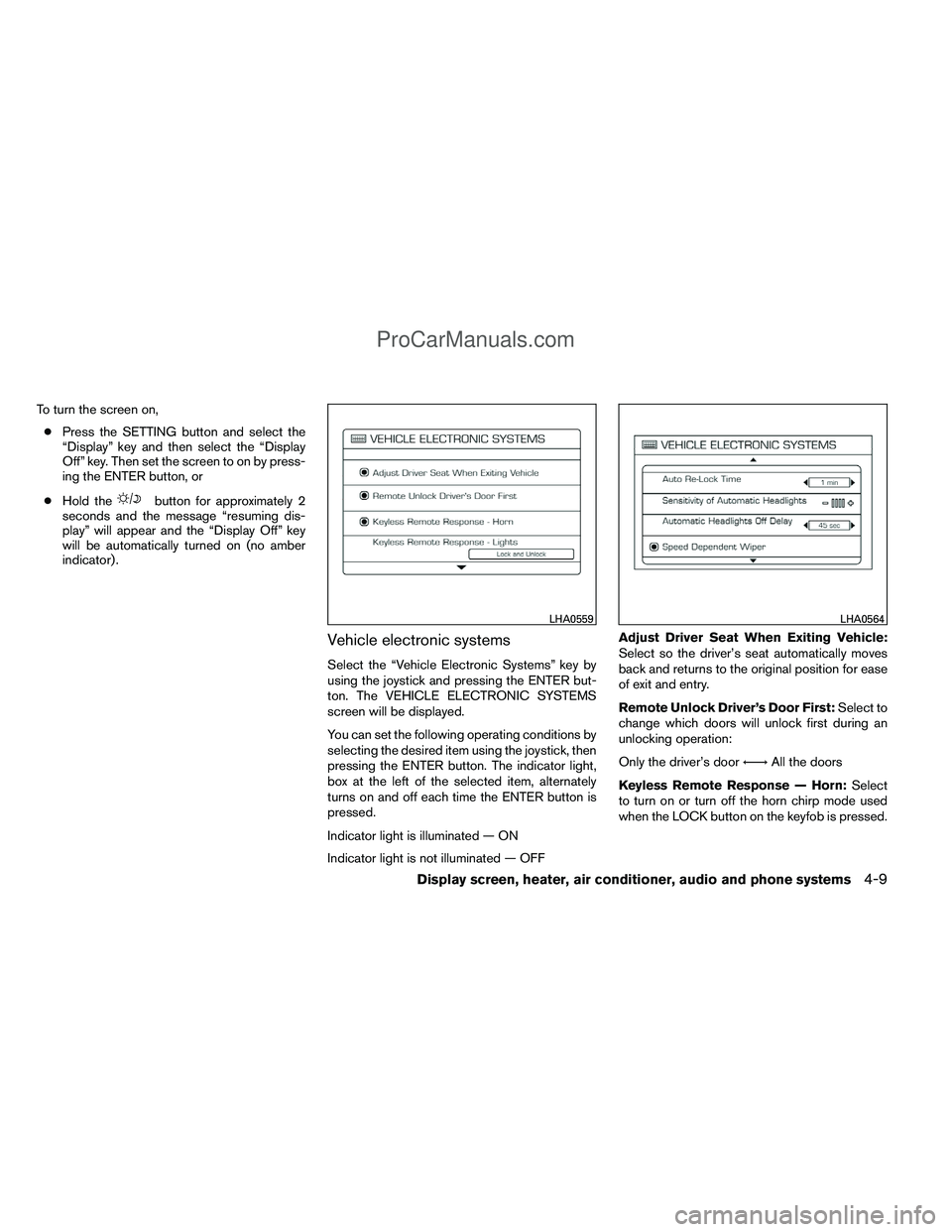
Vehicle electronic systems
Select the “Vehicle Electronic Systems” key by
using the joystick and pressing the ENTER but-
ton. The VEHICLE ELECTRONIC SYSTEMS
screen will be displayed.
You can set the following operating conditions by
selecting the desired item using the joystick, then
pressing the ENTER button. The indicator light,
box at the left of the selected item, alternately
turns on and off each time the ENTER button is
pressed.
Indicator light is illuminated — ON
Indicator light is not illuminated — OFF Adjust Driver Seat When Exiting Vehicle:
Select so the driver’s seat automatically moves
back and returns to the original position for ease
of exit and entry.
Remote Unlock Driver’s Door First:
Select to
change which doors will unlock first during an
unlocking operation:
Only the driver’s door ←→All the doors
Keyless Remote Response — Horn: Select
to turn on or turn off the horn chirp mode used
when the LOCK button on the keyfob is pressed.
LHA0559LHA0564
Display screen, heater, air conditioner, audio and phone systems4-9
ProCarManuals.com
Page 179 of 406
NOTE:
If you change the horn beep or the lamp
flash feature with the keyfob, the display
screen will not show the current mode. Use
the keyfob to return to the previous mode
and re-enable the display screen control.
Keyless Remote Response — Lights:Select
to turn on or turn off the hazard indicator flash
mode used when the LOCK or UNLOCK button
on the keyfob is pressed. NOTE:
If you change the horn beep or the lamp
flash feature with the keyfob, the mode will
not be changed with the display. Use the
keyfob to return to the previous mode and
re-enable the display control.
Auto Re-Lock Time:
Select to set the length of
time before doors automatically re-lock.
Sensitivity of Automatic Headlights: Select
to change the sensitivity setting of the automatic
headlights:
● Lower: less sensitive, automatic headlights
will take longer to come on when the head-
light sensor senses less ambient light.
● Higher: more sensitive, automatic headlights
will come on quicker when the headlight
sensor senses less ambient light.
Automatic Headlights Off Delay: Select to
change the setting for the length of time the
automatic headlights remain on after exiting the
vehicle.
Speed Dependent Wiper: Select to turn on or
turn off the driving speed dependent intermittent
wiper function.
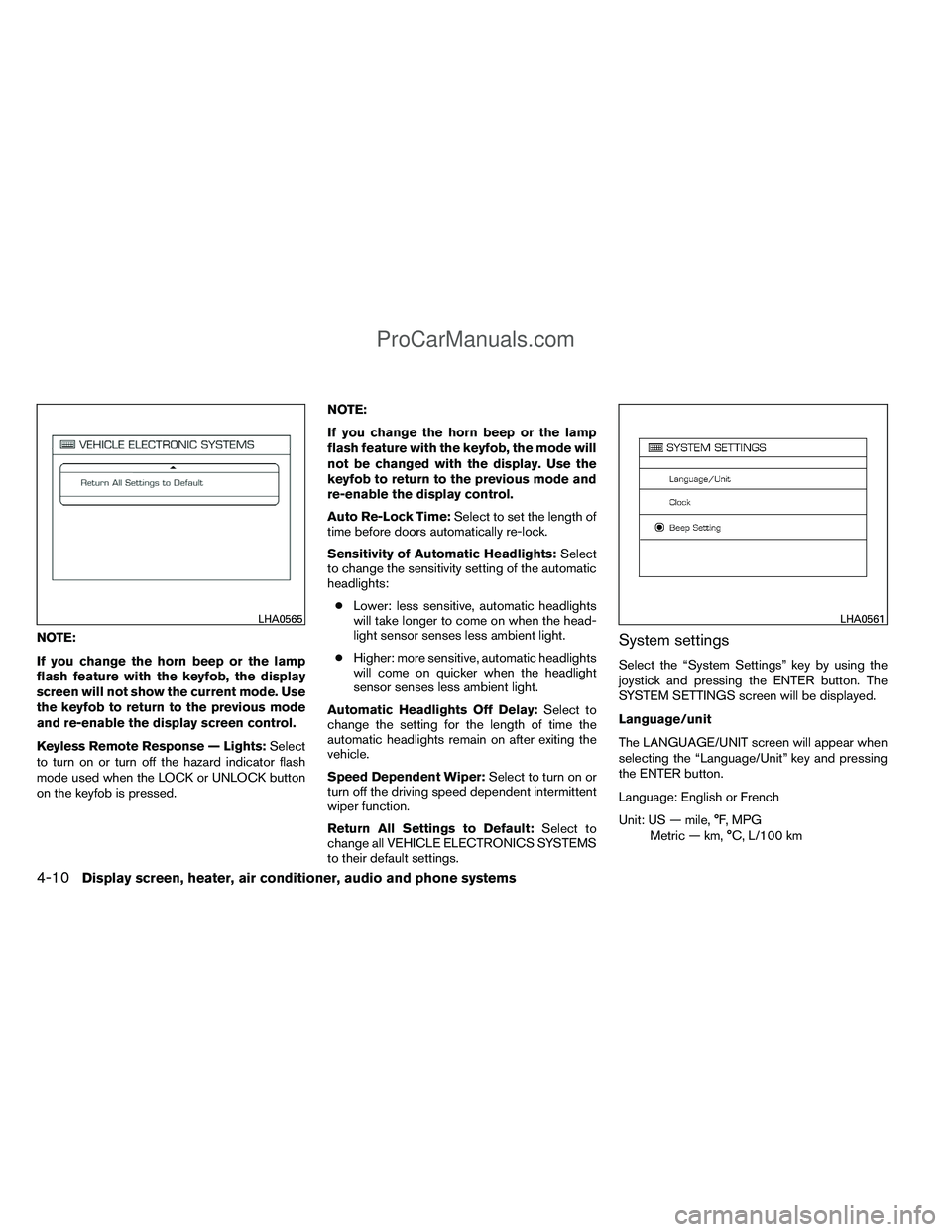
Return All Settings to Default: Select to
change all VEHICLE ELECTRONICS SYSTEMS
to their default settings.System settings
Select the “System Settings” key by using the
joystick and pressing the ENTER button. The
SYSTEM SETTINGS screen will be displayed.
Language/unit
The LANGUAGE/UNIT screen will appear when
selecting the “Language/Unit” key and pressing
the ENTER button.
Language: English or French
Unit: US — mile, °F, MPG
Metric — km, °C, L/100 km
LHA0565LHA0561
4-10Display screen, heater, air conditioner, audio and phone systems
ProCarManuals.com
Page 400 of 406
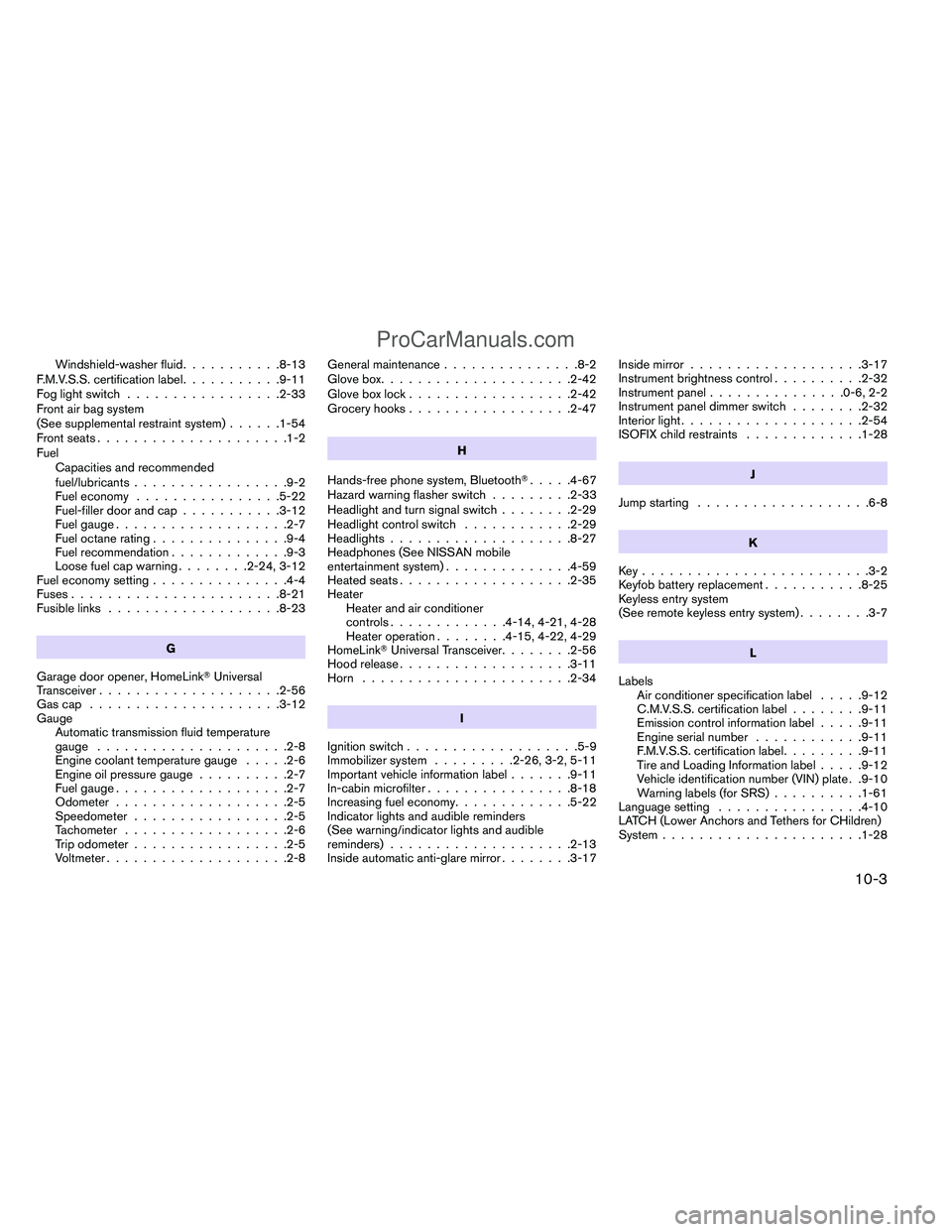
Windshield-washer fluid...........8-13
F.M.V.S.S. certification label ...........9-11
Fog light switch .................2-33
Front air bag system
(See supplemental restraint system) ......1-54
Front seats .....................1-2
Fuel Capacities and recommended
fuel/lubricants .................9-2
Fuel economy ................5-22
Fuel-filler door and cap ...........3-12
Fuel gauge ...................2-7
Fuel octane rating ...............9-4
Fuel recommendation .............9-3
Loose fuel cap warning ........2-24, 3-12
Fuel economy setting ...............4-4
Fuses .......................8-21
Fusible links ...................8-23
G
Garage door opener, HomeLink� Universal
Transceiver ....................2-56
Gascap .....................3-12
Gauge Automatic transmission fluid temperature
gauge .....................2-8
Engine coolant temperature gauge .....2-6
Engine oil pressure gauge ..........2-7
Fuel gauge ...................2-7
Odometer ...................2-5
Speedometer .................2-5
Tachometer ..................2-6
Trip odometer .................2-5
Voltmeter ....................2-8 General maintenance
...............8-2
Glove box .....................2-42
Glove box lock ..................2-42
Grocery hooks ..................2-47
H
Hands-free phone system, Bluetooth� .....4-67
Hazard warning flasher switch .........2-33
Headlight
and turn signal switch ........2-29
Headlight control switch ............2-29
Headlights ....................8-27
Headphones (See NISSAN mobile
entertainment system) ..............4-59
Heated seats ...................2-35
Heater Heater and air conditioner
controls .............4-14, 4-21, 4-28
Heater operation ........4-15, 4-22, 4-29
HomeLink� Universal Transceiver ........2-56
Hood release ...................3-11
Horn .......................2-34
I
Ignition switch ...................5-9
Immobilizer system .........2-26, 3-2, 5-11
Important vehicle information label .......9-11
In-cabin microfilter ................8-18
Increasing fuel economy .............5-22
Indicator lights and audible reminders
(See warning/indicator lights and audible
reminders) ....................2-13
Inside automatic anti-glare mirror ........3-17Inside mirror
...................3-17
Instrument brightness control ..........2-32
Instrument panel ...............0-6, 2-2
Instrument panel dimmer switch ........2-32
Interior light ....................2-54
ISOFIX child restraints .............1-28
J
Jump starting ...................6-8
K
Key.........................3-2
Keyfob battery replacement ...........8-25
Keyless entry system
(See remote keyless entry system) ........3-7
L
Labels Air conditioner specification label .....9-12
C.M.V.S.S. certification label ........9-11
Emission control information label .....9-11
Engine serial number ............9-11
F
.M.V.S.S. certification label .........9-11
Tire and Loading Information label .....9-12
Vehicle identification number (VIN) plate . .9-10
Warning labels (for SRS) ..........1-61
Language setting ................4-10
LATCH (Lower Anchors and Tethers for CHildren)
System ......................1-28
10-3
ProCarManuals.com