Page 116 of 489
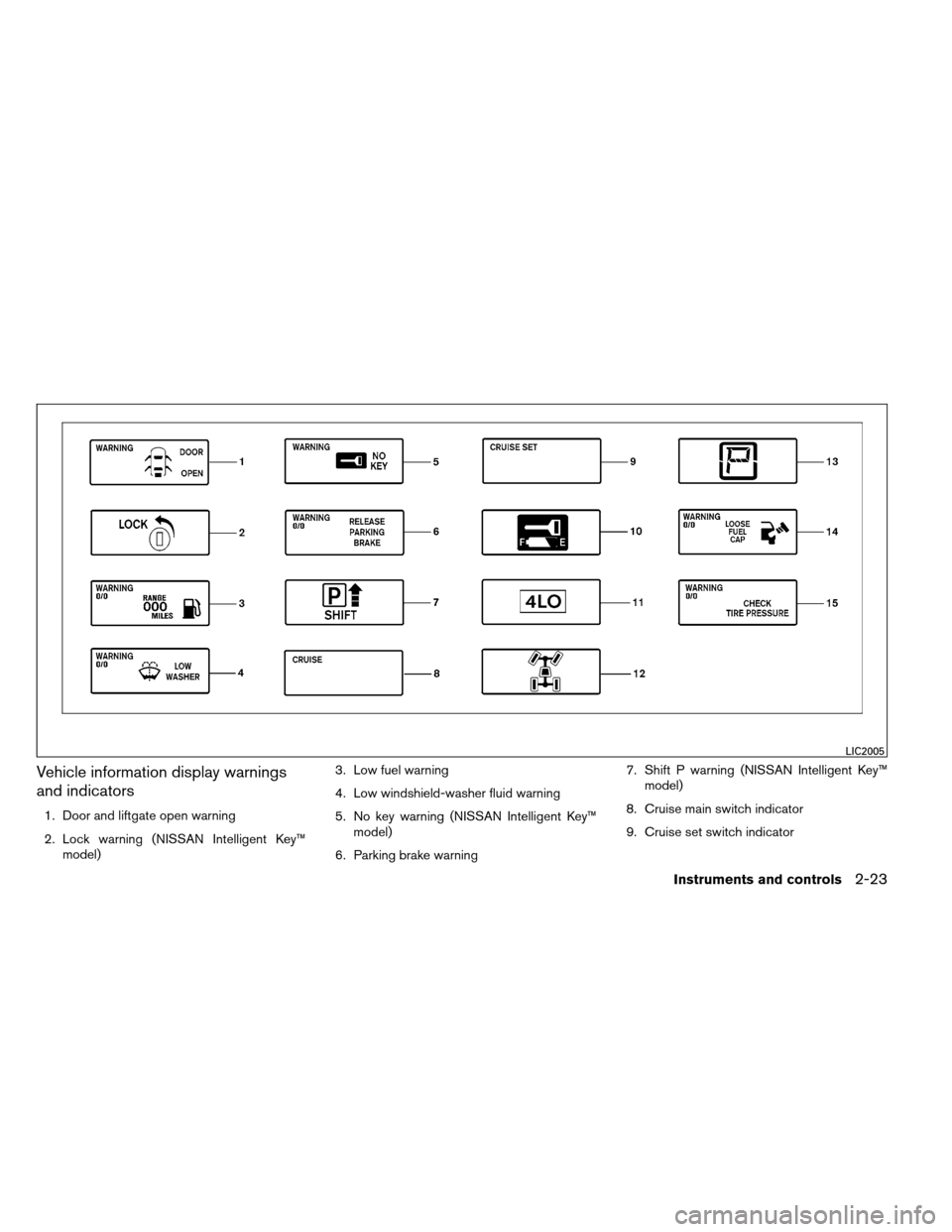
Vehicle information display warnings
and indicators
1. Door and liftgate open warning
2. Lock warning (NISSAN Intelligent Key™model) 3. Low fuel warning
4. Low windshield-washer fluid warning
5. No key warning (NISSAN Intelligent Key™
model)
6. Parking brake warning 7. Shift P warning (NISSAN Intelligent Key™
model)
8. Cruise main switch indicator
9. Cruise set switch indicator
LIC2005
Instruments and controls2-23
Page 123 of 489
To defrost the rear window glass and outside
mirrors:
Start the engine and push the rear window de-
froster switch. The rear window defroster indica-
tor light on the display screen comes on. Push the
switch again to turn the defroster off.
The rear window defroster automatically turns off
after approximately 15 minutes.
CAUTION
When cleaning the inner side of the rear
window, be careful not to scratch or dam-
age the rear window defroster.
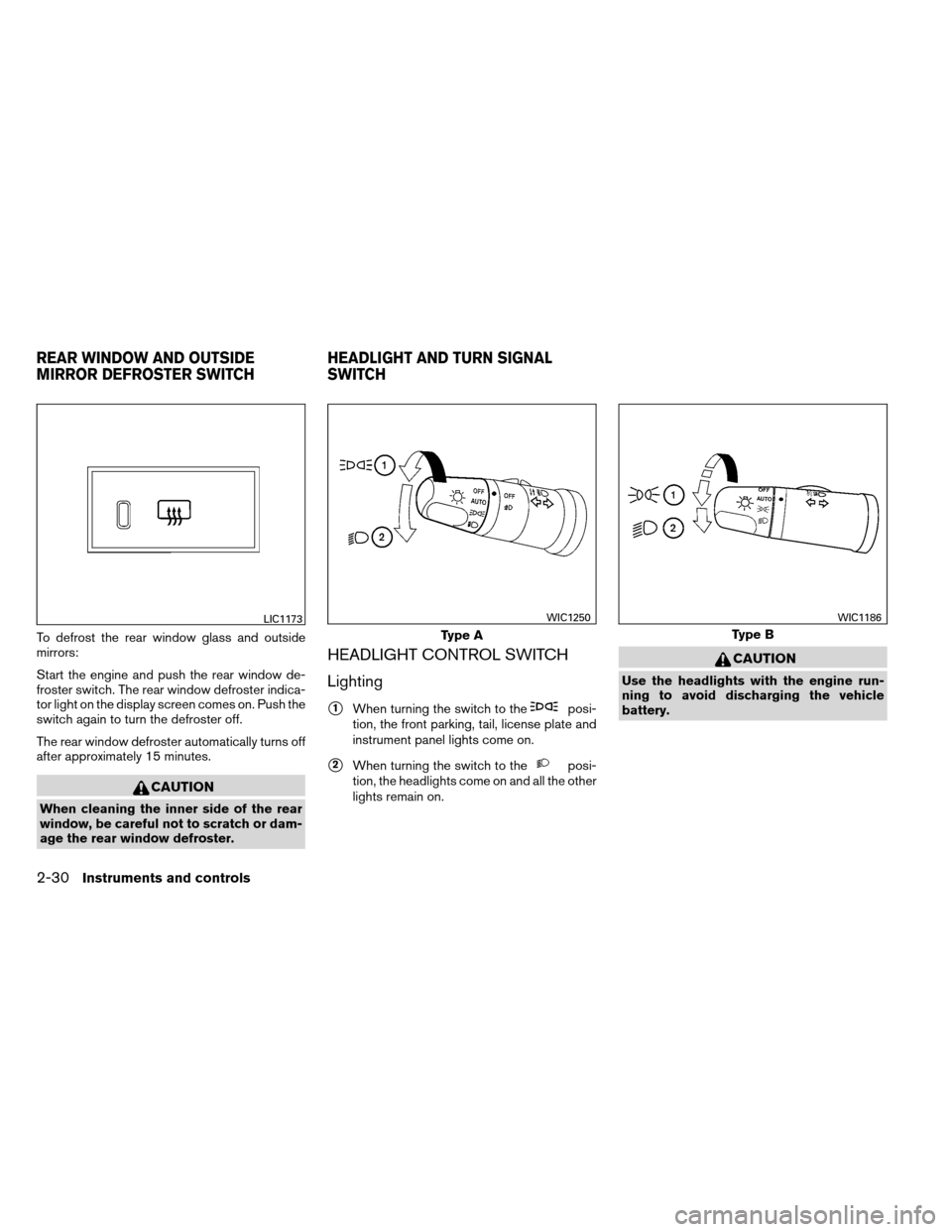
HEADLIGHT CONTROL SWITCH
Lighting
�1When turning the switch to theposi-
tion, the front parking, tail, license plate and
instrument panel lights come on.
�2When turning the switch to theposi-
tion, the headlights come on and all the other
lights remain on.
CAUTION
Use the headlights with the engine run-
ning to avoid discharging the vehicle
battery.
LIC1173
Type A
WIC1250
Type B
WIC1186
REAR WINDOW AND OUTSIDE
MIRROR DEFROSTER SWITCH HEADLIGHT AND TURN SIGNAL
SWITCH
2-30Instruments and controls
Page 166 of 489
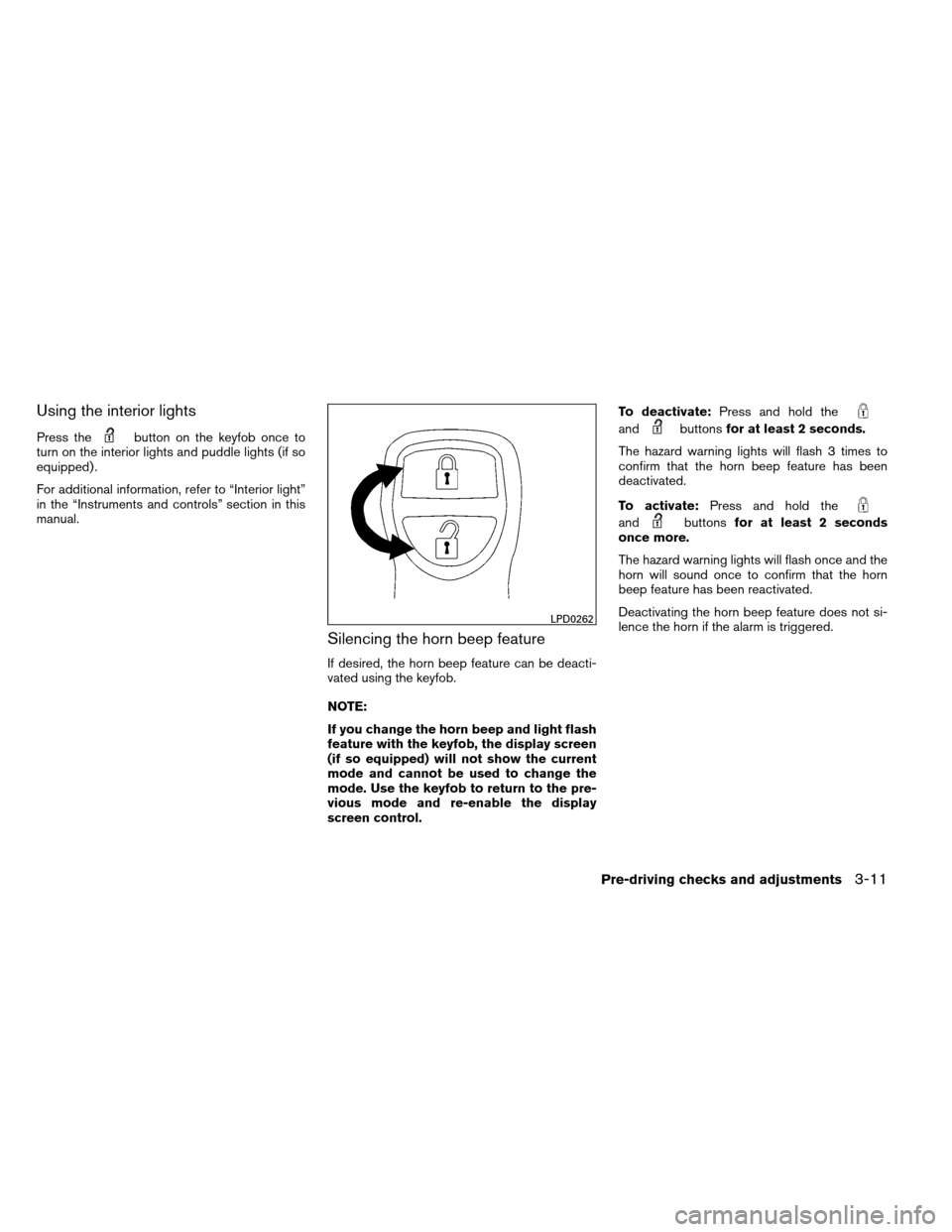
Using the interior lights
Press thebutton on the keyfob once to
turn on the interior lights and puddle lights (if so
equipped) .
For additional information, refer to “Interior light”
in the “Instruments and controls” section in this
manual.
Silencing the horn beep feature
If desired, the horn beep feature can be deacti-
vated using the keyfob.
NOTE:
If you change the horn beep and light flash
feature with the keyfob, the display screen
(if so equipped) will not show the current
mode and cannot be used to change the
mode. Use the keyfob to return to the pre-
vious mode and re-enable the display
screen control. To deactivate:
Press and hold the
andbuttonsfor at least 2 seconds.
The hazard warning lights will flash 3 times to
confirm that the horn beep feature has been
deactivated.
To activate: Press and hold the
andbuttonsfor at least 2 seconds
once more.
The hazard warning lights will flash once and the
horn will sound once to confirm that the horn
beep feature has been reactivated.
Deactivating the horn beep feature does not si-
lence the horn if the alarm is triggered.
LPD0262
Pre-driving checks and adjustments3-11
Page 176 of 489
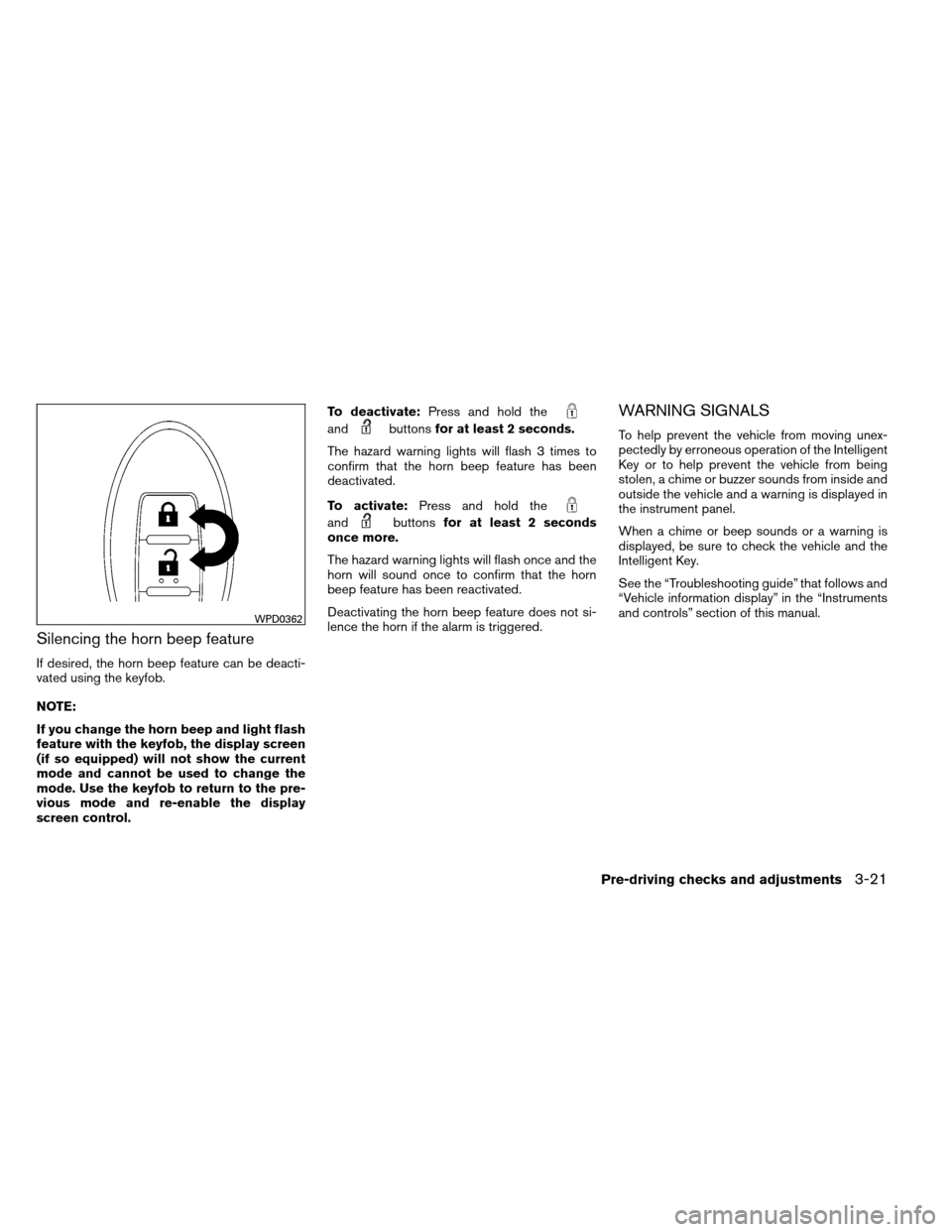
Silencing the horn beep feature
If desired, the horn beep feature can be deacti-
vated using the keyfob.
NOTE:
If you change the horn beep and light flash
feature with the keyfob, the display screen
(if so equipped) will not show the current
mode and cannot be used to change the
mode. Use the keyfob to return to the pre-
vious mode and re-enable the display
screen control.To deactivate:
Press and hold the
andbuttonsfor at least 2 seconds.
The hazard warning lights will flash 3 times to
confirm that the horn beep feature has been
deactivated.
To activate: Press and hold the
andbuttonsfor at least 2 seconds
once more.
The hazard warning lights will flash once and the
horn will sound once to confirm that the horn
beep feature has been reactivated.
Deactivating the horn beep feature does not si-
lence the horn if the alarm is triggered.
WARNING SIGNALS
To help prevent the vehicle from moving unex-
pectedly by erroneous operation of the Intelligent
Key or to help prevent the vehicle from being
stolen, a chime or buzzer sounds from inside and
outside the vehicle and a warning is displayed in
the instrument panel.
When a chime or beep sounds or a warning is
displayed, be sure to check the vehicle and the
Intelligent Key.
See the “Troubleshooting guide” that follows and
“Vehicle information display” in the “Instruments
and controls” section of this manual.
WPD0362
Pre-driving checks and adjustments3-21
Page 177 of 489
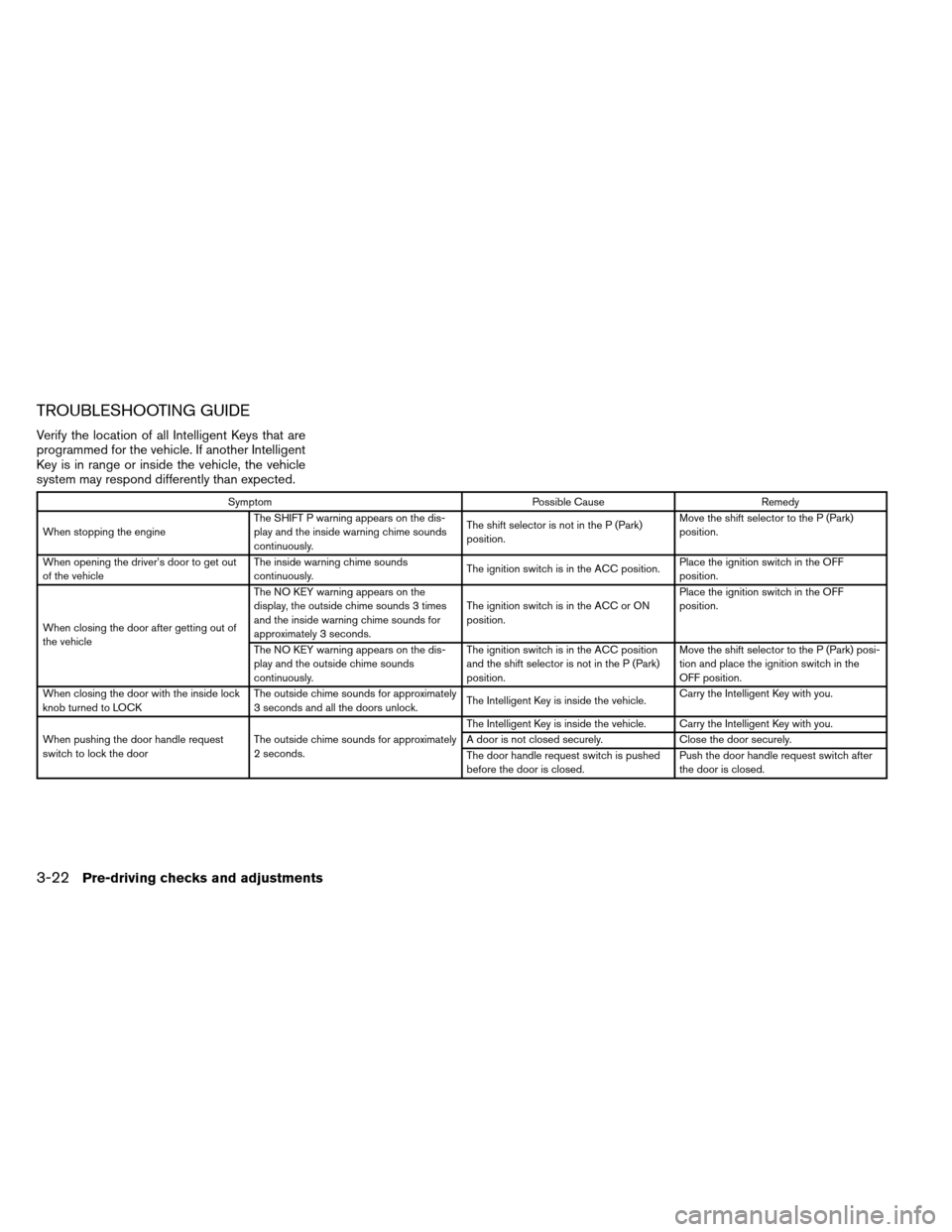
TROUBLESHOOTING GUIDE
Verify the location of all Intelligent Keys that are
programmed for the vehicle. If another Intelligent
Key is in range or inside the vehicle, the vehicle
system may respond differently than expected.
SymptomPossible CauseRemedy
When stopping the engine The SHIFT P warning appears on the dis-
play and the inside warning chime sounds
continuously. The shift selector is not in the P (Park)
position.Move the shift selector to the P (Park)
position.
When opening the driver’s door to get out
of the vehicle The inside warning chime sounds
continuously.
The ignition switch is in the ACC position.Place the ignition switch in the OFF
position.
When closing the door after getting out of
the vehicle The NO KEY warning appears on the
display, the outside chime sounds 3 times
and the inside warning chime sounds for
approximately 3 seconds.
The ignition switch is in the ACC or ON
position.Place the ignition switch in the OFF
position.
The NO KEY warning appears on the dis-
play and the outside chime sounds
continuously. The ignition switch is in the ACC position
and the shift selector is not in the P (Park)
position.Move the shift selector to the P (Park) posi-
tion and place the ignition switch in the
OFF position.
When closing the door with the inside lock
knob turned to LOCK The outside chime sounds for approximately
3 seconds and all the doors unlock.
The Intelligent Key is inside the vehicle.Carry the Intelligent Key with you.
When pushing the door handle request
switch to lock the door The outside chime sounds for approximately
2 seconds. The Intelligent Key is inside the vehicle. Carry the Intelligent Key with you.
A door is not closed securely.
Close the door securely.
The door handle request switch is pushed
before the door is closed. Push the door handle request switch after
the door is closed.
3-22Pre-driving checks and adjustments
Page 184 of 489
●The LOOSE FUEL CAP warning will ap-
pear if the fuel-filler cap is not properly
tightened. Failure to tighten the fuel-
filler cap properly after the LOOSE
FUEL CAP warning appears may cause
the
Malfunction Indicator Light
(MIL) to illuminate.
● Failure to tighten the fuel-filler cap
properly may cause the
Malfunc-
tion Indicator Light (MIL) to illuminate.
If the
light illuminates because
the fuel-filler cap is loose or missing,
tighten or install the cap and continue
to drive the vehicle. The
light
should turn off after a few driving trips.
If the
light does not turn off after a
few driving trips, have the vehicle in-
spected by a NISSAN dealer.
● For additional information, see the
“Malfunction Indicator Light (MIL)” in
the “Instruments and Controls” section
in this manual.
● If fuel is spilled on the vehicle body,
flush it away with water to avoid paint
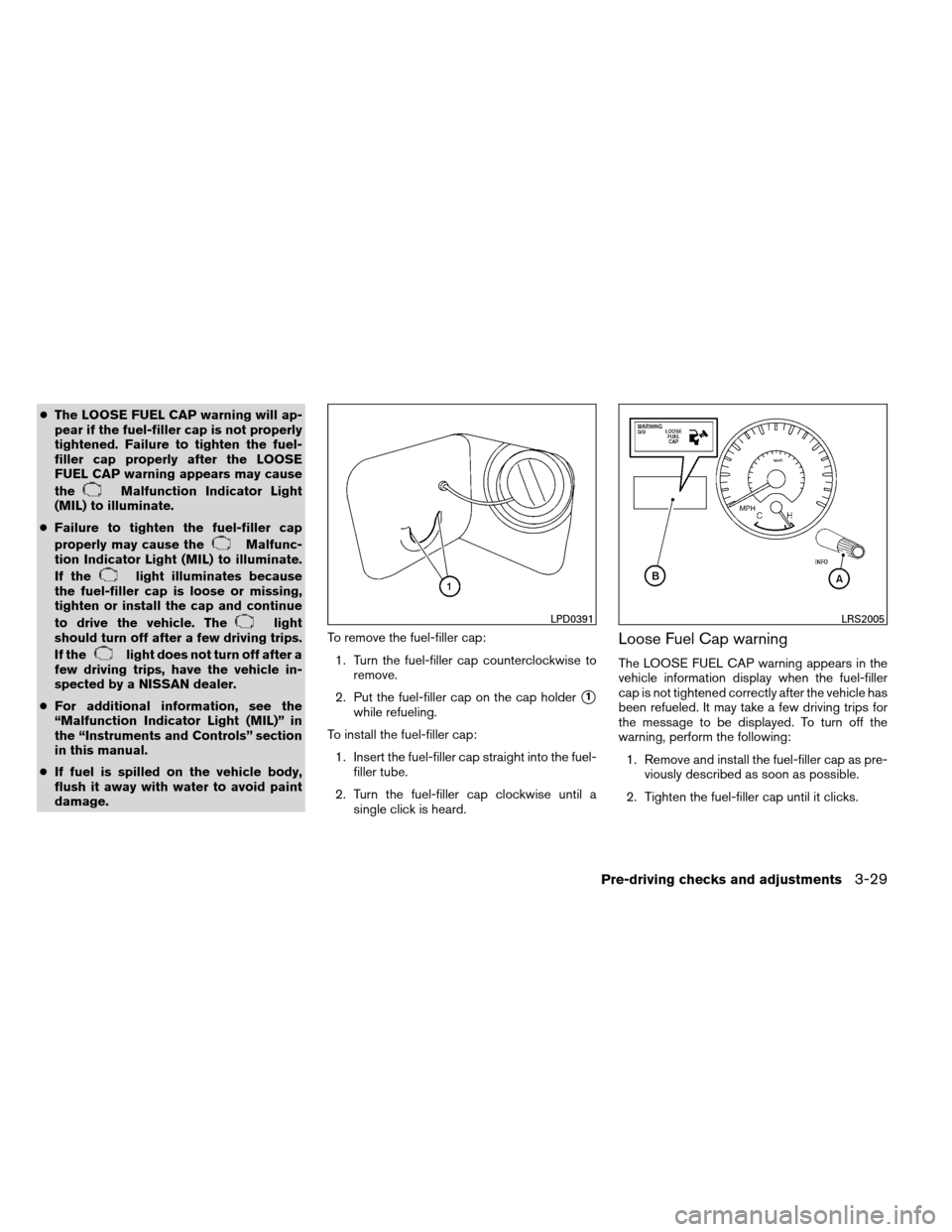
damage. To remove the fuel-filler cap:
1. Turn the fuel-filler cap counterclockwise to remove.
2. Put the fuel-filler cap on the cap holder
�1
while refueling.
To install the fuel-filler cap: 1. Insert the fuel-filler cap straight into the fuel- filler tube.
2. Turn the fuel-filler cap clockwise until a single click is heard.
Loose Fuel Cap warning
The LOOSE FUEL CAP warning appears in the
vehicle information display when the fuel-filler
cap is not tightened correctly after the vehicle has
been refueled. It may take a few driving trips for
the message to be displayed. To turn off the
warning, perform the following:
1. Remove and install the fuel-filler cap as pre- viously described as soon as possible.
2. Tighten the fuel-filler cap until it clicks.
LPD0391LRS2005
Pre-driving checks and adjustments3-29
Page 188 of 489
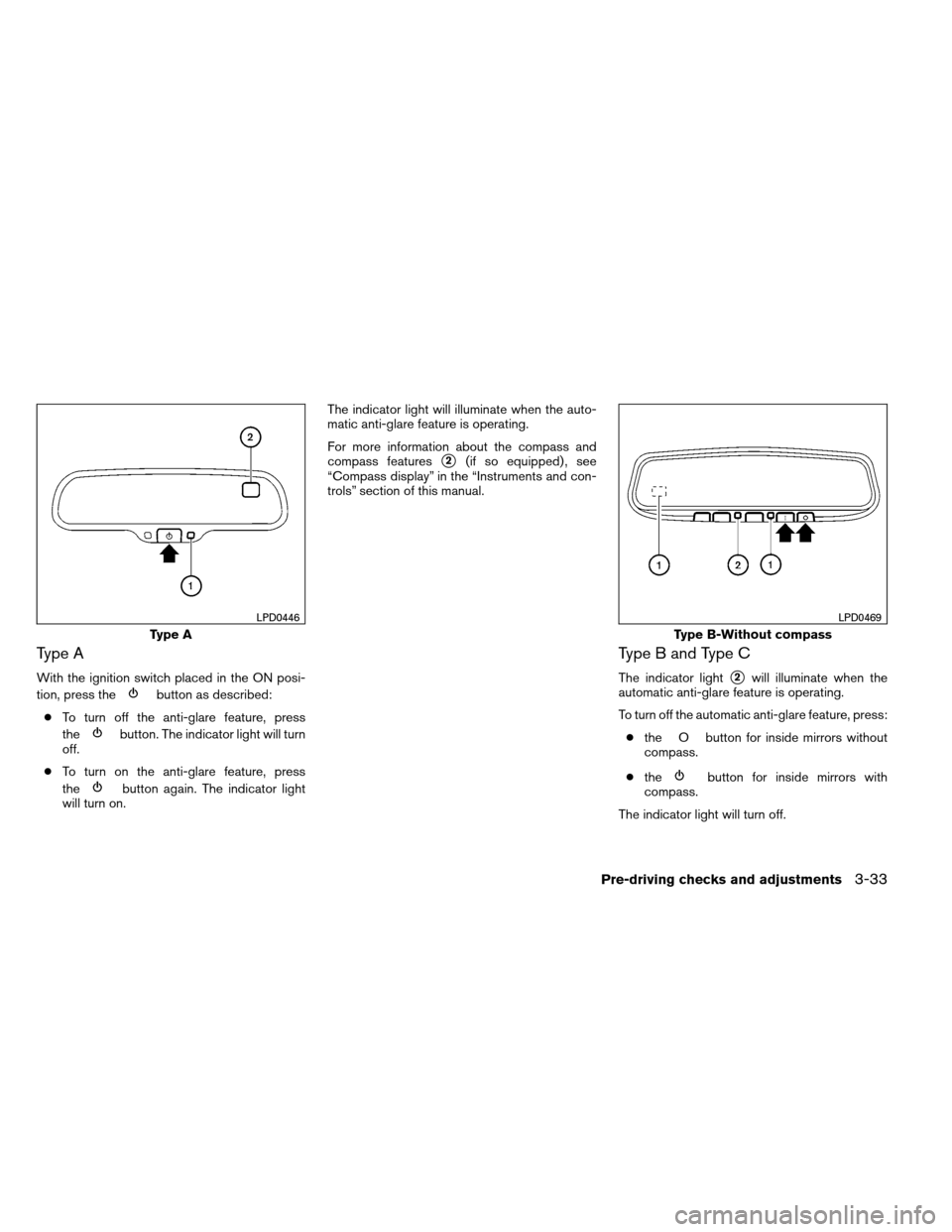
Type A
With the ignition switch placed in the ON posi-
tion, press the
button as described:
● To turn off the anti-glare feature, press
the
button. The indicator light will turn
off.
● To turn on the anti-glare feature, press
the
button again. The indicator light
will turn on. The indicator light will illuminate when the auto-
matic anti-glare feature is operating.
For more information about the compass and
compass features
�2(if so equipped) , see
“Compass display” in the “Instruments and con-
trols” section of this manual.
Type B and Type C
The indicator light�2will illuminate when the
automatic anti-glare feature is operating.
To turn off the automatic anti-glare feature, press:
● the O button for inside mirrors without
compass.
● the
button for inside mirrors with
compass.
The indicator light will turn off.
Type A
LPD0446
Type B-Without compass
LPD0469
Pre-driving checks and adjustments3-33
Page 189 of 489
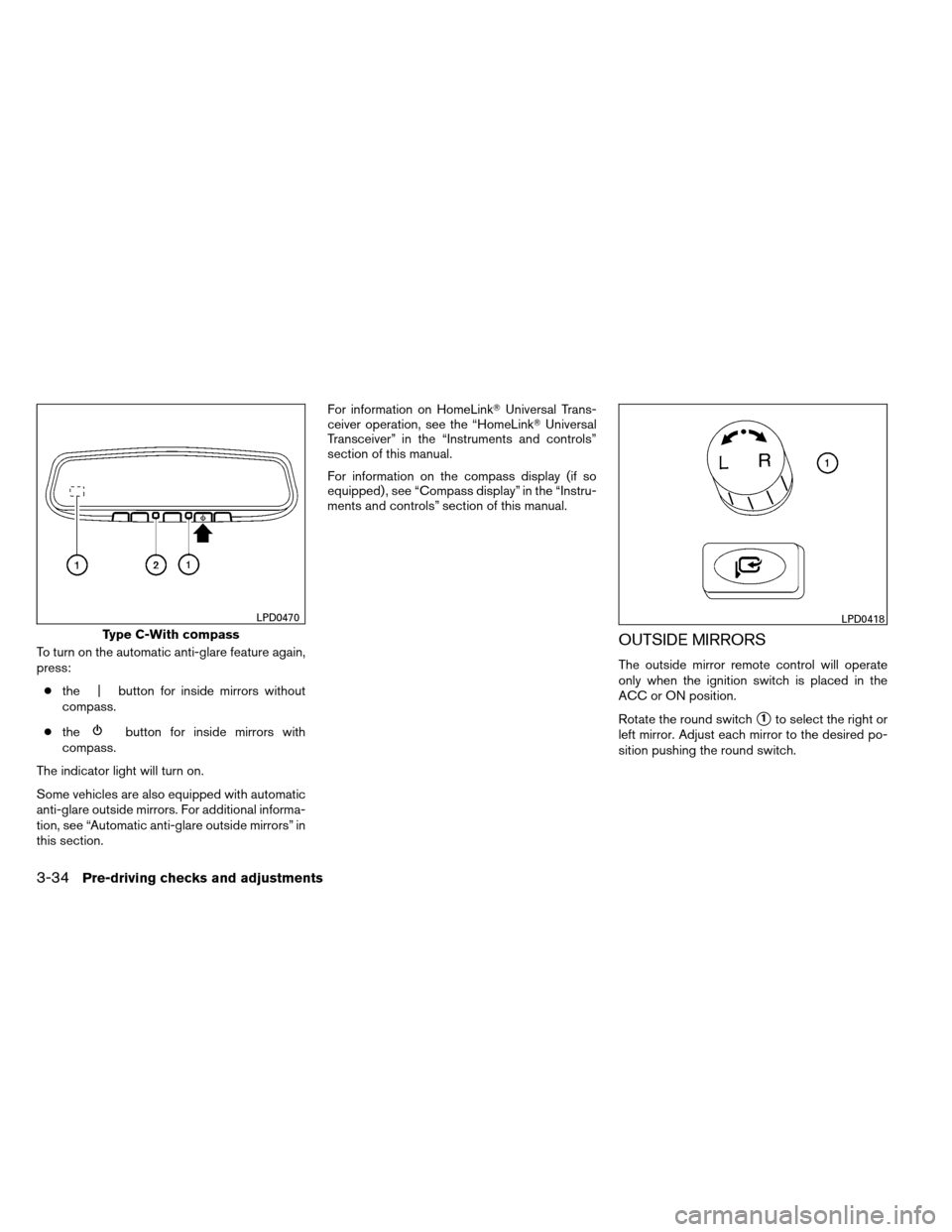
To turn on the automatic anti-glare feature again,
press:● the | button for inside mirrors without
compass.
● the
button for inside mirrors with
compass.
The indicator light will turn on.
Some vehicles are also equipped with automatic
anti-glare outside mirrors. For additional informa-
tion, see “Automatic anti-glare outside mirrors” in
this section. For information on HomeLink�
Universal Trans-
ceiver operation, see the “HomeLink� Universal
Transceiver” in the “Instruments and controls”
section of this manual.
For information on the compass display (if so
equipped) , see “Compass display” in the “Instru-
ments and controls” section of this manual.
OUTSIDE MIRRORS
The outside mirror remote control will operate
only when the ignition switch is placed in the
ACC or ON position.
Rotate the round switch
�1to select the right or
left mirror. Adjust each mirror to the desired po-
sition pushing the round switch.
Type C-With compass
LPD0470LPD0418
3-34Pre-driving checks and adjustments