Page 277 of 453
●outgoing
● call three one nine oh two
● nine seven pause pause three oh eight
● cancel
● call back number
● call star two zero nine five
● delete phone
● dial eight three zero five one
● record name
● four three pause two nine pause zero
● delete redial number
● phonebook list names
● call eight oh five four one
● correction
● connect phone
● dial seven four oh one eight
● previous entry
● delete ●
dial nine seven two six six
● call seven six three oh one
● go back
● call five six two eight zero
● dial six six four three seven
MANUAL CONTROL
While using the voice recognition system, it is
possible to select menu options by using the
steering wheel controls instead of speaking voice
commands. The manual control mode does not
allow dialing a phone number by digits. The user
may select an entry from the Phonebook or Re-
cent Calls lists. To re-activate voice recognition,
exit the manual control mode by pressing and
holding the PHONE/END (
Page 278 of 453
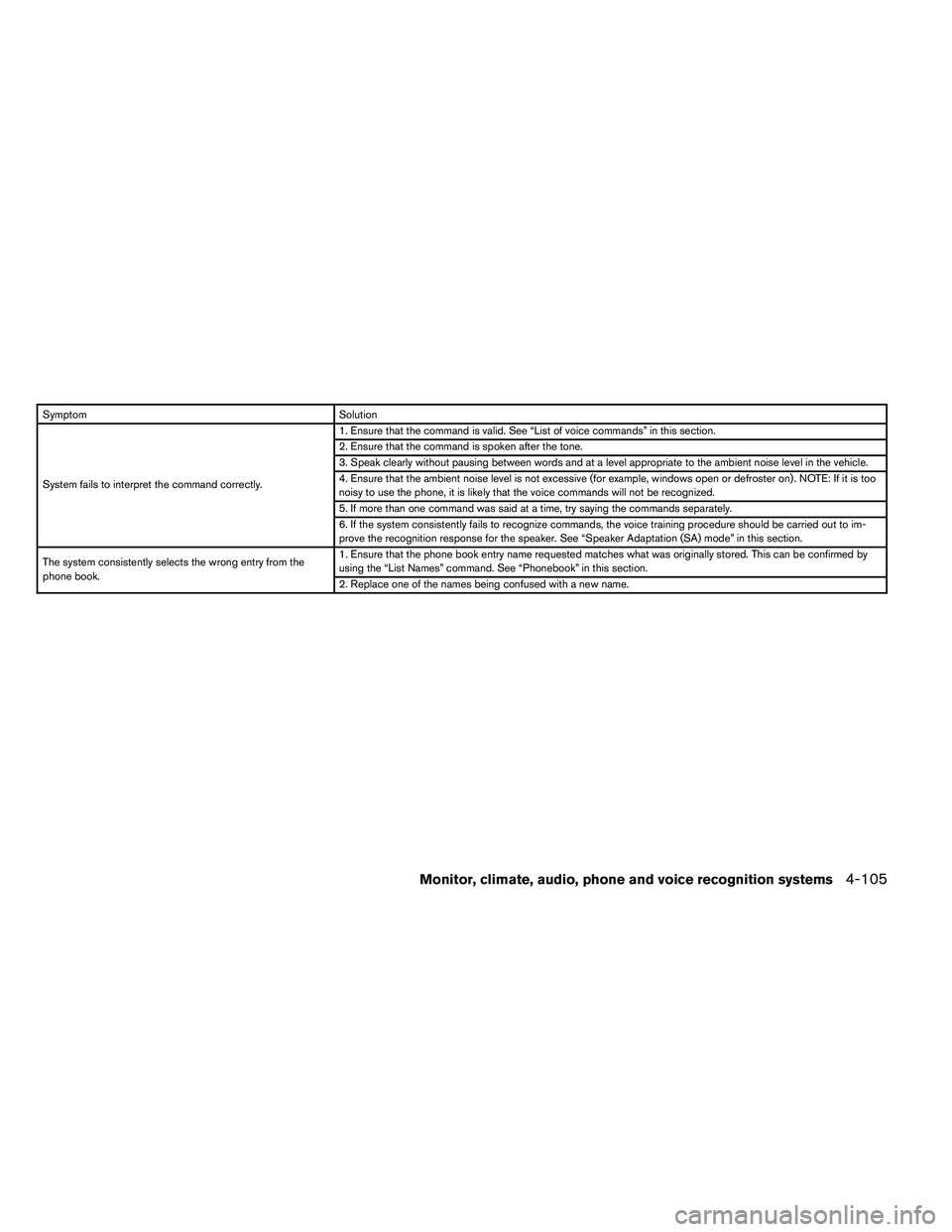
SymptomSolution
System fails to interpret the command correctly. 1. Ensure that the command is valid. See “List of voice commands” in this section.
2. Ensure that the command is spoken after the tone.
3. Speak clearly without pausing between words and at a level appropriate to the ambient noise level in the vehicle.
4. Ensure that the ambient noise level is not excessive (for example, windows open or defroster on) . NOTE: If it is too
noisy to use the phone, it is likely that the voice commands will not be recognized.
5. If more than one command was said at a time, try saying the commands separately.
6. If the system consistently fails to recognize commands, the voice training procedure should be carried out to im-
prove the recognition response for the speaker. See “Speaker Adaptation (SA) mode” in this section.
The system consistently selects the wrong entry from the
phone book. 1. Ensure that the phone book entry name requested matches what was originally stored. This can be confirmed by
using the “List Names” command. See “Phonebook” in this section.
2. Replace one of the names being confused with a new name.
Monitor, climate, audio, phone and voice recognition systems4-105
Page 290 of 453
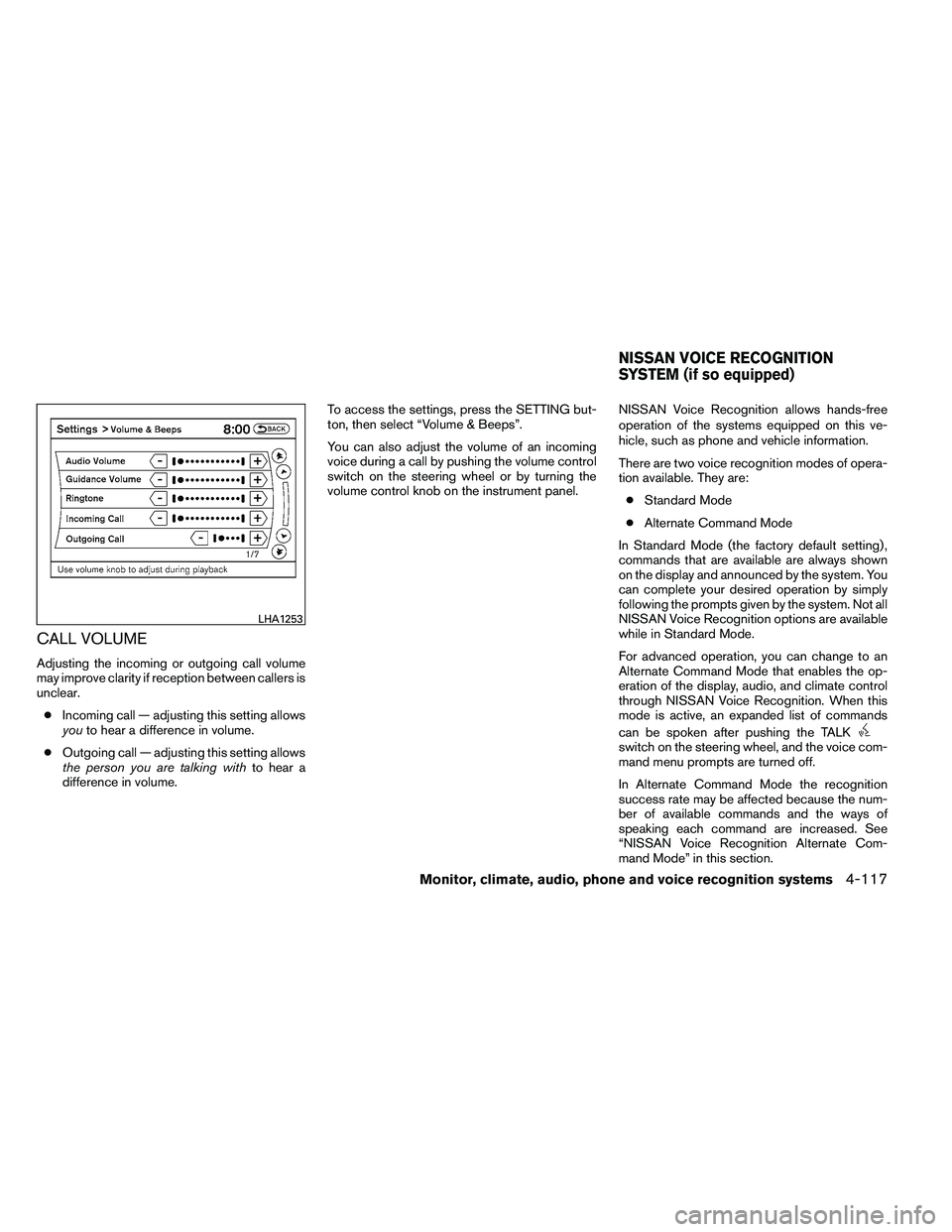
CALL VOLUME
Adjusting the incoming or outgoing call volume
may improve clarity if reception between callers is
unclear.● Incoming call — adjusting this setting allows
you to hear a difference in volume.
● Outgoing call — adjusting this setting allows
the person you are talking with to hear a
difference in volume. To access the settings, press the SETTING but-
ton, then select “Volume & Beeps”.
You can also adjust the volume of an incoming
voice during a call by pushing the volume control
switch on the steering wheel or by turning the
volume control knob on the instrument panel.
NISSAN Voice Recognition allows hands-free
operation of the systems equipped on this ve-
hicle, such as phone and vehicle information.
There are two voice recognition modes of opera-
tion available. They are:
● Standard Mode
● Alternate Command Mode
In Standard Mode (the factory default setting) ,
commands that are available are always shown
on the display and announced by the system. You
can complete your desired operation by simply
following the prompts given by the system. Not all
NISSAN Voice Recognition options are available
while in Standard Mode.
For advanced operation, you can change to an
Alternate Command Mode that enables the op-
eration of the display, audio, and climate control
through NISSAN Voice Recognition. When this
mode is active, an expanded list of commands
can be spoken after pushing the TALK
Page 291 of 453
To improve the recognition success rate when
Alternate Command Mode is active, try using the
Speaker Adaptation Function available in that
mode. See “Speaker Adaptation Function” in this
section. Otherwise, it is recommended that Alter-
nate Command Mode be turned off and Standard
Mode be used for the best recognition perfor-
mance.
While using the NISSAN Voice Recognition sys-
tem for certain Phone and Navigation features,
you can switch to using manual controls (touch-
screen, steering wheel controls) and the informa-
tion you have already entered by voice control will
be retained. To switch to manual controls, select
the “Manual Controls” key on the display when it
appears. The system will respond by speaking
“Changing to manual operation. Please use
manual controls to continue.”
For the voice commands for the navigation sys-
tem, refer to the Navigation System Owner’s
Manual of your vehicle.
For vehicles in the U.S., the factory default setting
is the Standard Mode. See “NISSAN Voice Rec-
ognition Standard Mode” in this section. For ve-
hicles in Canada, the factory default setting is the
Alternate Command Mode. See “NISSAN Voice
Recognition Alternate Command Mode” in this
section.NISSAN VOICE RECOGNITION
STANDARD MODE
The Standard Mode enables control of naviga-
tion, phone and vehicle information. With this
setting active, commands that are available are
always shown on the display and announced by
the system.
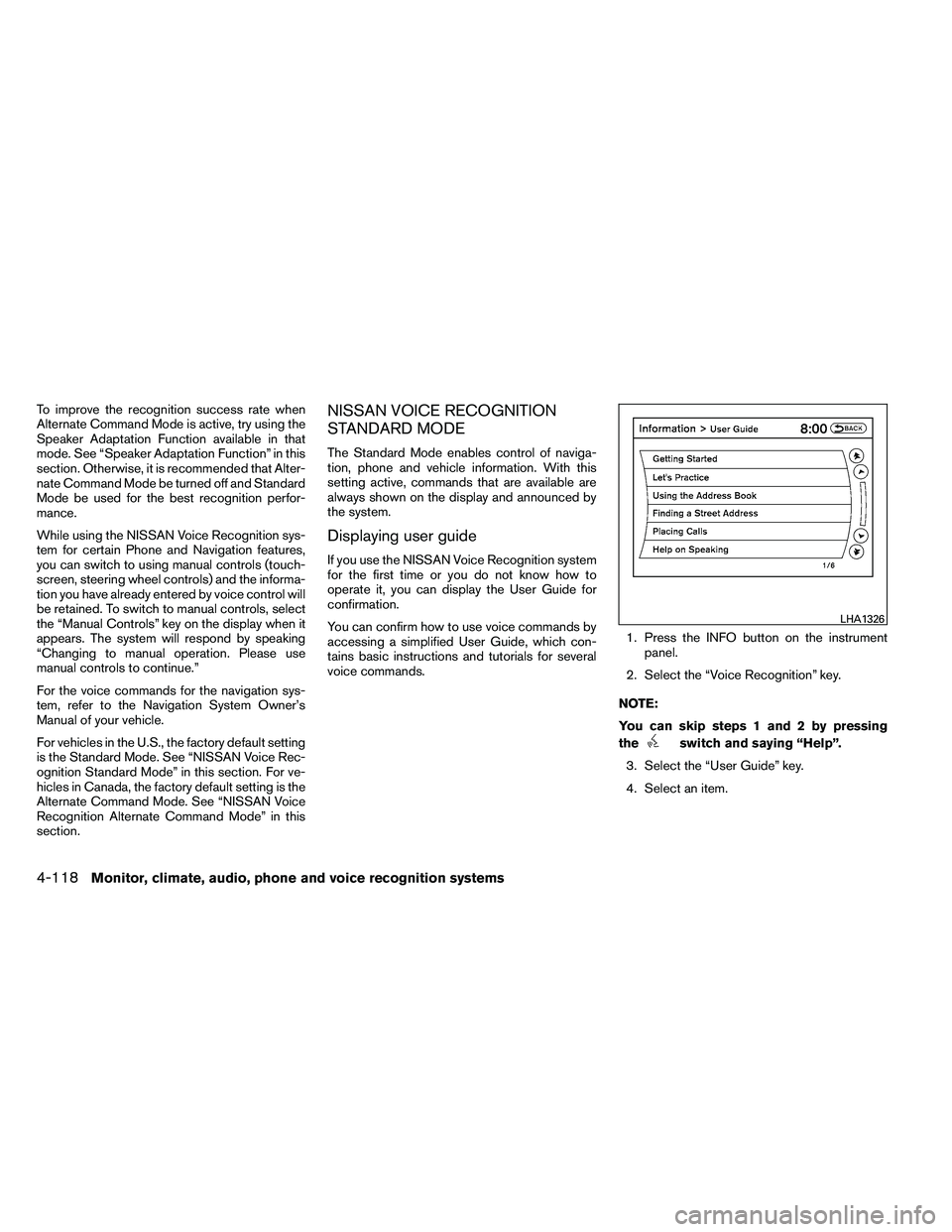
Displaying user guide
If you use the NISSAN Voice Recognition system
for the first time or you do not know how to
operate it, you can display the User Guide for
confirmation.
You can confirm how to use voice commands by
accessing a simplified User Guide, which con-
tains basic instructions and tutorials for several
voice commands.1. Press the INFO button on the instrument
panel.
2. Select the “Voice Recognition” key.
NOTE:
You can skip steps 1 and 2 by pressing
the
Page 303 of 453
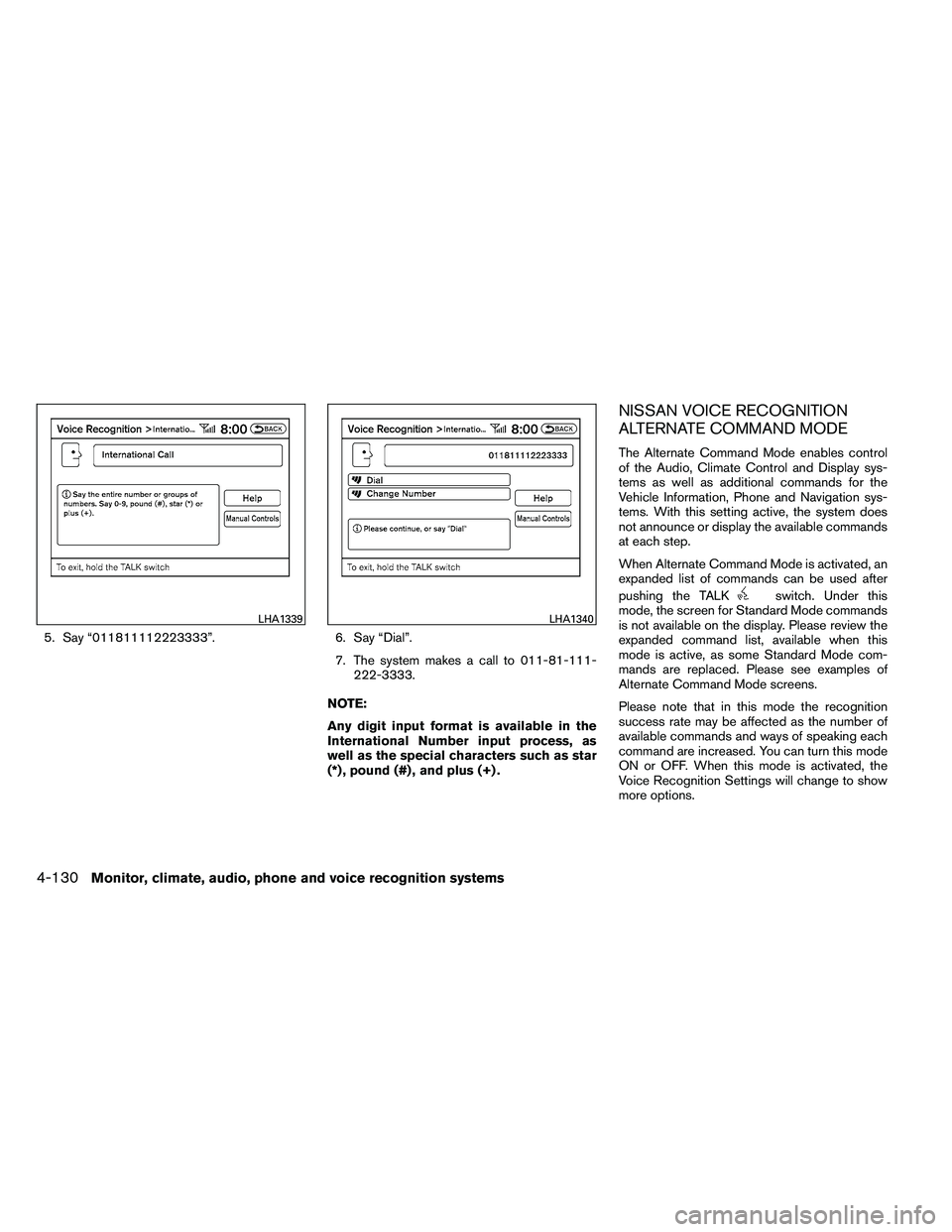
5. Say “011811112223333”.6. Say “Dial”.
7. The system makes a call to 011-81-111- 222-3333.
NOTE:
Any digit input format is available in the
International Number input process, as
well as the special characters such as star
(*) , pound (#) , and plus (+) .
NISSAN VOICE RECOGNITION
ALTERNATE COMMAND MODE
The Alternate Command Mode enables control
of the Audio, Climate Control and Display sys-
tems as well as additional commands for the
Vehicle Information, Phone and Navigation sys-
tems. With this setting active, the system does
not announce or display the available commands
at each step.
When Alternate Command Mode is activated, an
expanded list of commands can be used after
pushing the TALK
Page 304 of 453
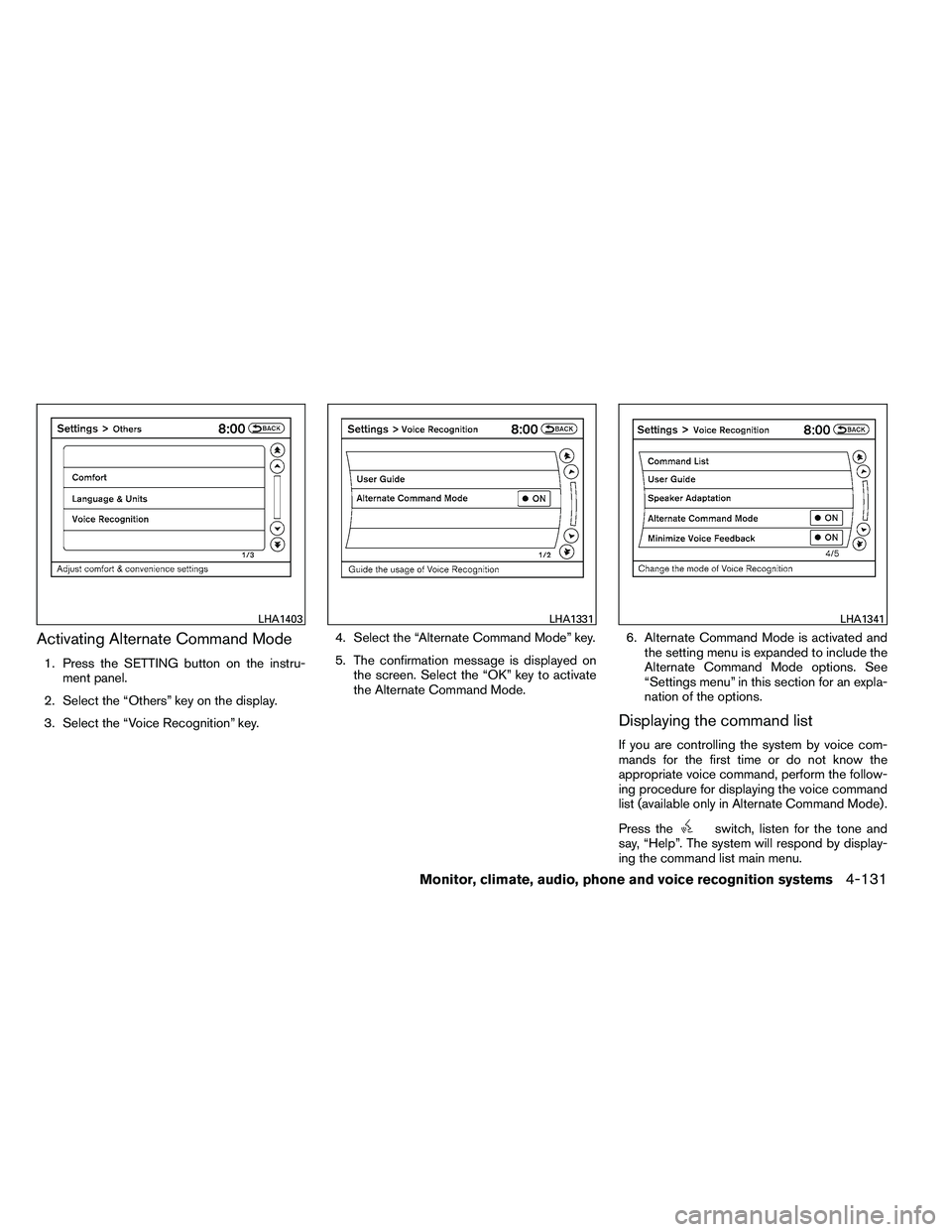
Activating Alternate Command Mode
1. Press the SETTING button on the instru-ment panel.
2. Select the “Others” key on the display.
3. Select the “Voice Recognition” key. 4. Select the “Alternate Command Mode” key.
5. The confirmation message is displayed on
the screen. Select the “OK” key to activate
the Alternate Command Mode. 6. Alternate Command Mode is activated and
the setting menu is expanded to include the
Alternate Command Mode options. See
“Settings menu” in this section for an expla-
nation of the options.
Displaying the command list
If you are controlling the system by voice com-
mands for the first time or do not know the
appropriate voice command, perform the follow-
ing procedure for displaying the voice command
list (available only in Alternate Command Mode) .
Press the
Page 309 of 453
Before starting
To get the best performance from NISSAN Voice
Recognition, observe the following:● Keep the interior of the vehicle as quiet as
possible. Close the windows to eliminate the
surrounding noises (traffic noises, vibration
sounds, etc.) , which may prevent the system
from recognizing the voice commands cor-
rectly.
● When the climate control is in the AUTO
mode, the fan speed decreases automati-
cally for easy recognition.
● Wait until a tone sounds before speaking a
command.
● Speak in a natural voice without pausing
between words.
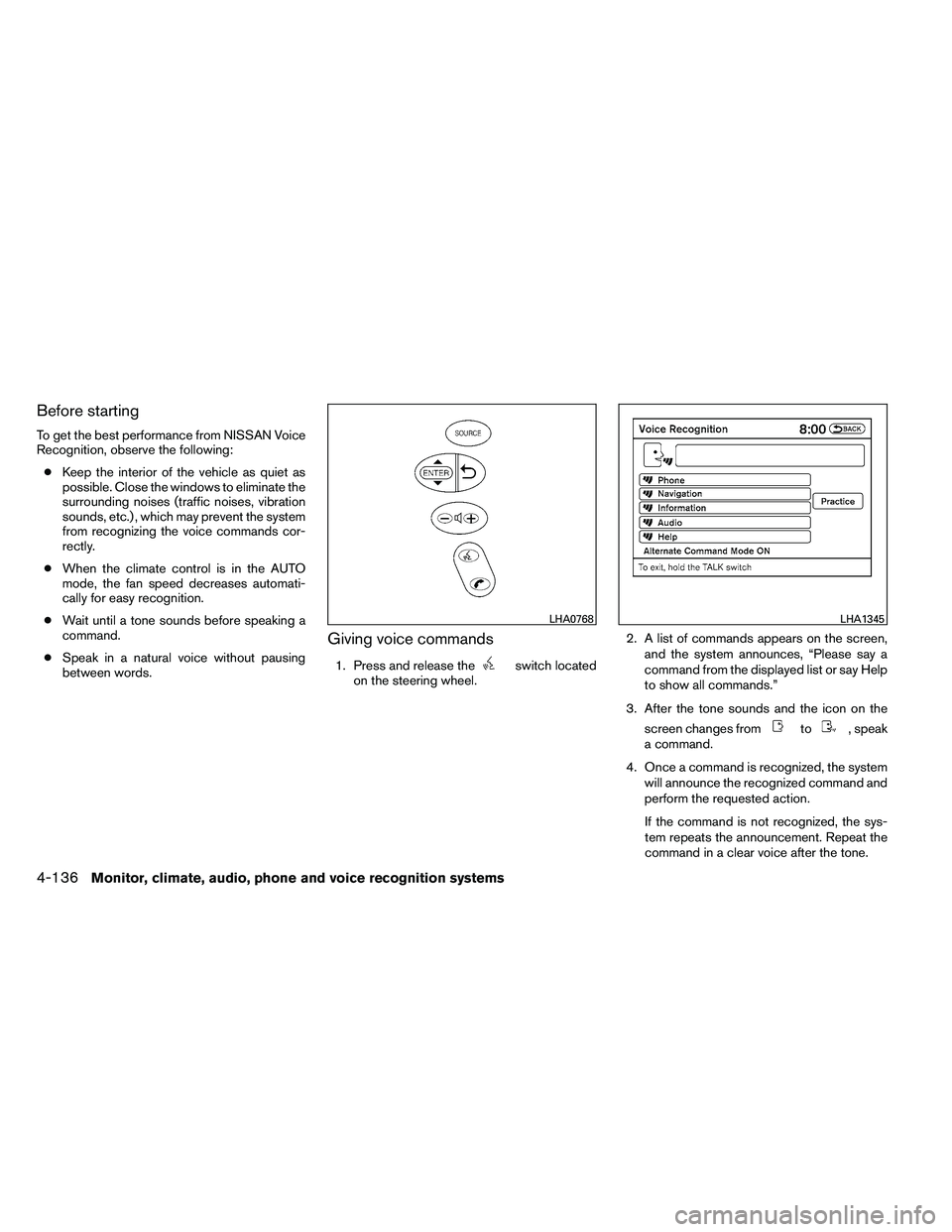
Giving voice commands
1. Press and release the
Page 311 of 453
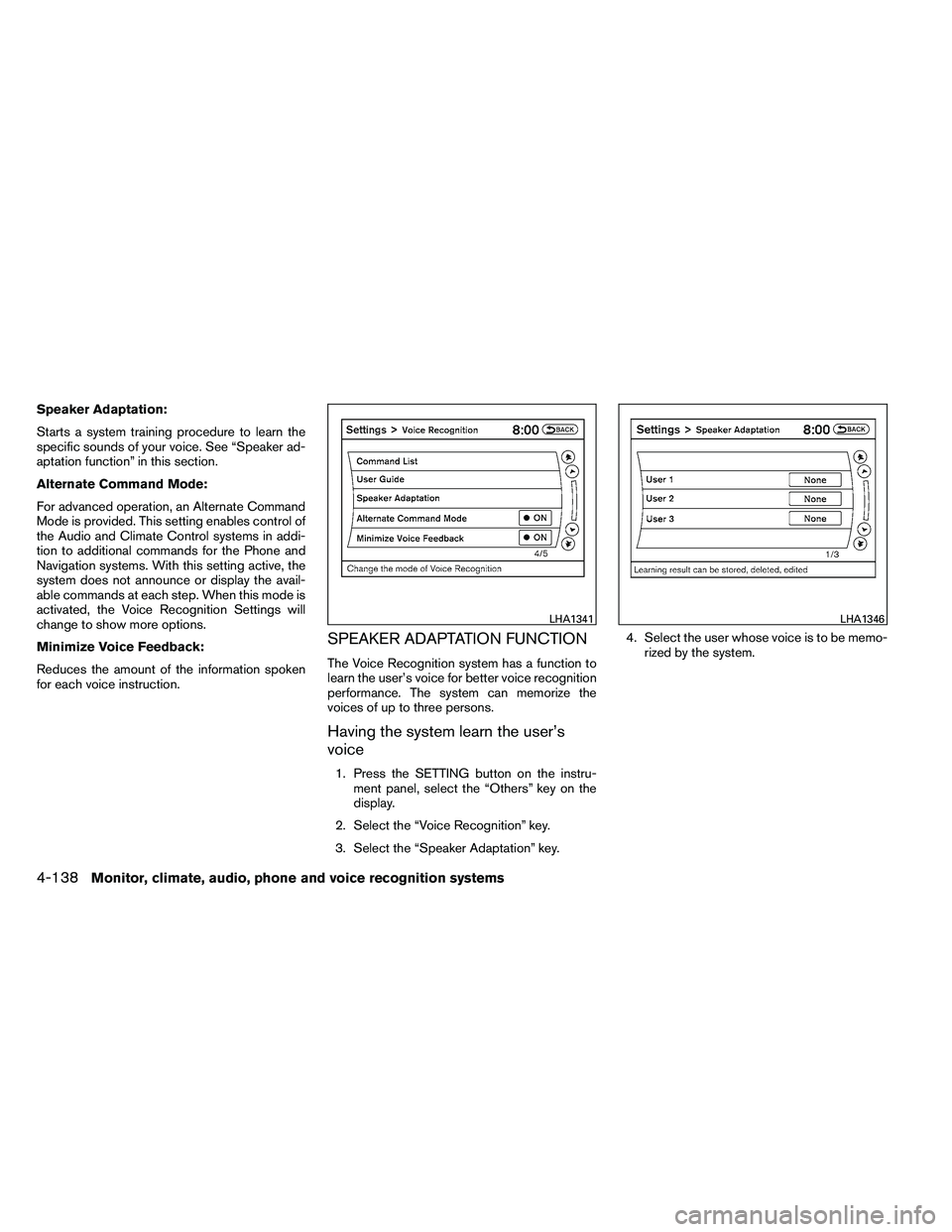
Speaker Adaptation:
Starts a system training procedure to learn the
specific sounds of your voice. See “Speaker ad-
aptation function” in this section.
Alternate Command Mode:
For advanced operation, an Alternate Command
Mode is provided. This setting enables control of
the Audio and Climate Control systems in addi-
tion to additional commands for the Phone and
Navigation systems. With this setting active, the
system does not announce or display the avail-
able commands at each step. When this mode is
activated, the Voice Recognition Settings will
change to show more options.
Minimize Voice Feedback:
Reduces the amount of the information spoken
for each voice instruction.
SPEAKER ADAPTATION FUNCTION
The Voice Recognition system has a function to
learn the user’s voice for better voice recognition
performance. The system can memorize the
voices of up to three persons.
Having the system learn the user’s
voice
1. Press the SETTING button on the instru-ment panel, select the “Others” key on the
display.
2. Select the “Voice Recognition” key.
3. Select the “Speaker Adaptation” key. 4. Select the user whose voice is to be memo-
rized by the system.