Page 248 of 453
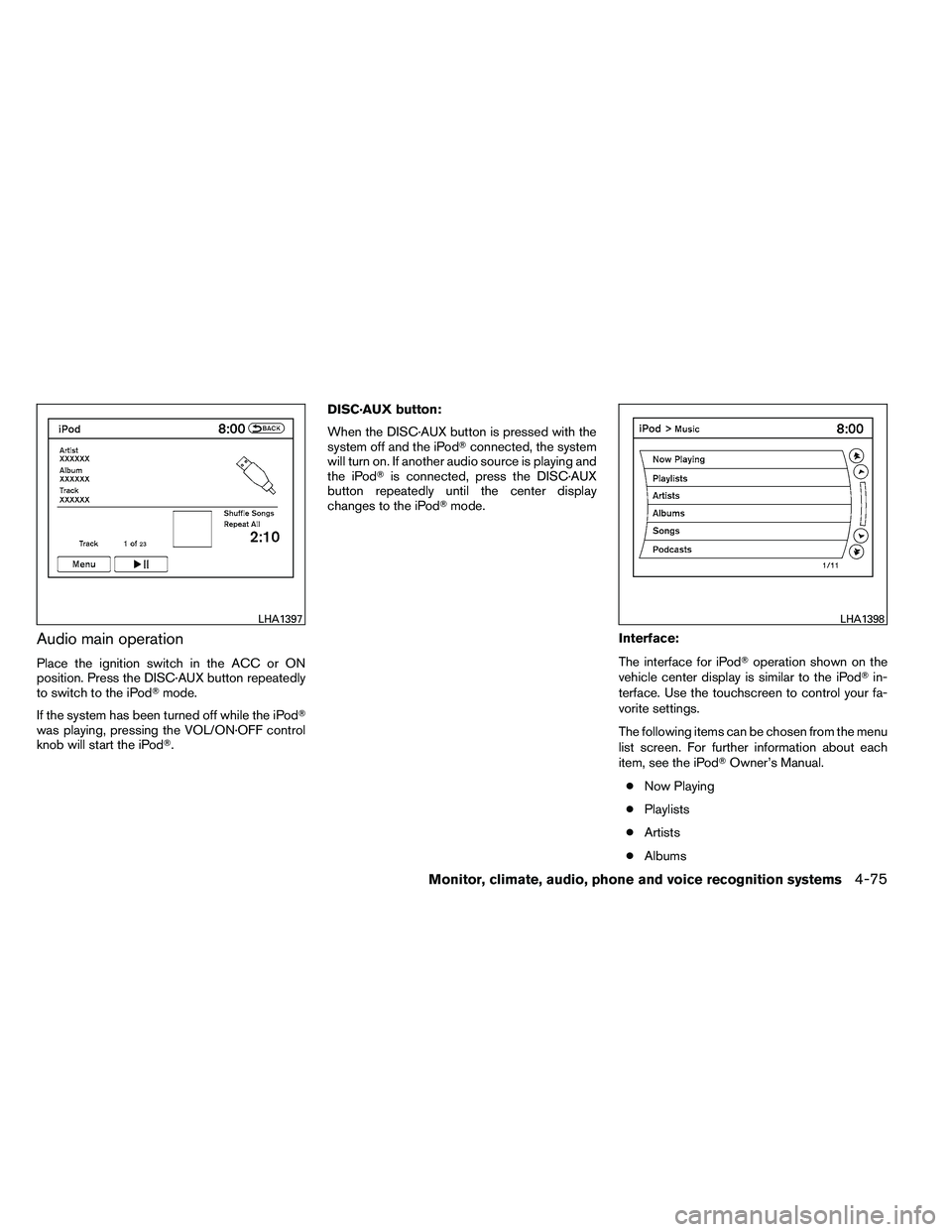
Audio main operation
Place the ignition switch in the ACC or ON
position. Press the DISC·AUX button repeatedly
to switch to the iPod�mode.
If the system has been turned off while the iPod�
was playing, pressing the VOL/ON·OFF control
knob will start the iPod�. DISC·AUX button:
When the DISC·AUX button is pressed with the
system off and the iPod�
connected, the system
will turn on. If another audio source is playing and
the iPod� is connected, press the DISC·AUX
button repeatedly until the center display
changes to the iPod� mode.
Interface:
The interface for iPod�operation shown on the
vehicle center display is similar to the iPod� in-
terface. Use the touchscreen to control your fa-
vorite settings.
The following items can be chosen from the menu
list screen. For further information about each
item, see the iPod� Owner’s Manual.
● Now Playing
● Playlists
● Artists
● Albums
Page 252 of 453
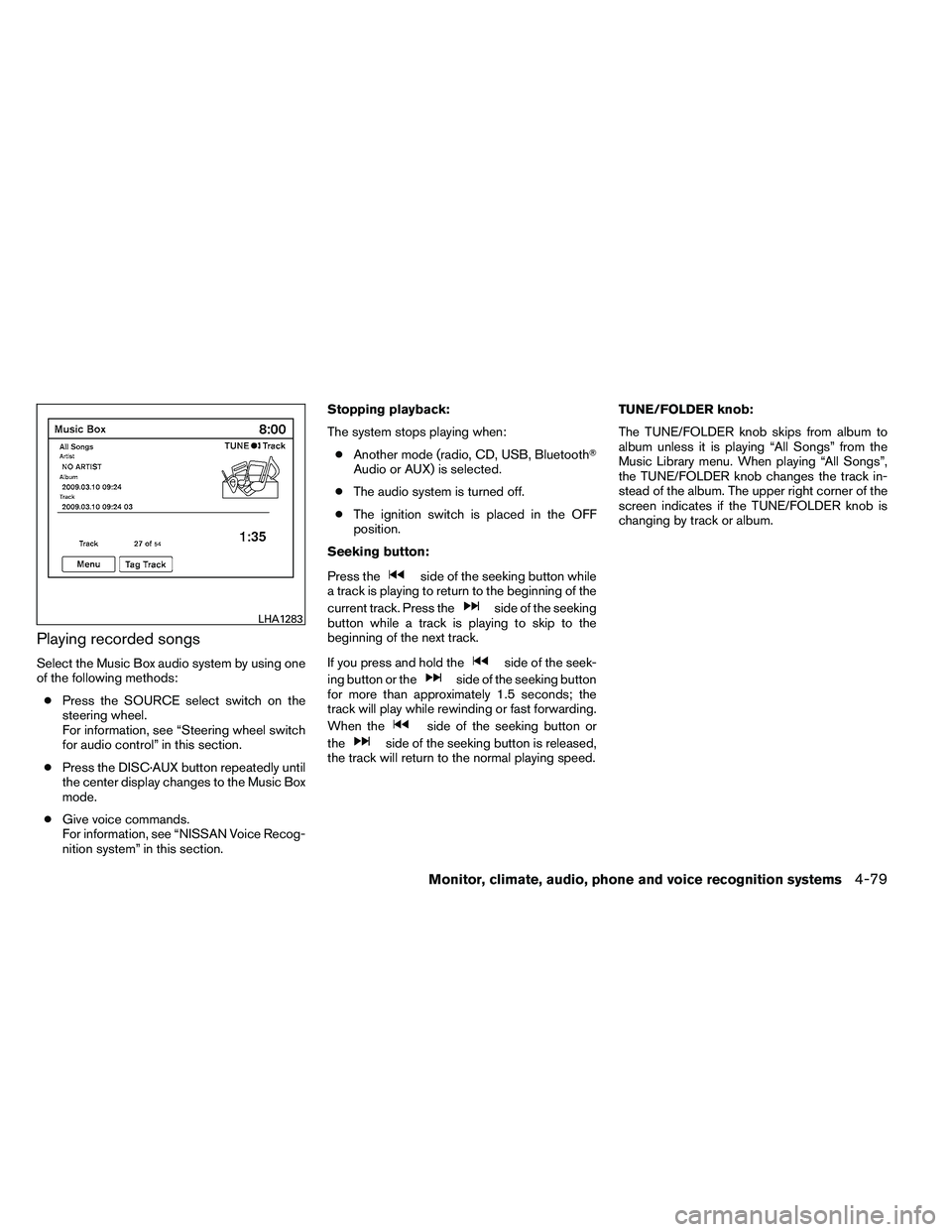
Playing recorded songs
Select the Music Box audio system by using one
of the following methods:● Press the SOURCE select switch on the
steering wheel.
For information, see “Steering wheel switch
for audio control” in this section.
● Press the DISC·AUX button repeatedly until
the center display changes to the Music Box
mode.
● Give voice commands.
For information, see “NISSAN Voice Recog-
nition system” in this section. Stopping playback:
The system stops playing when:
● Another mode (radio, CD, USB, Bluetooth�
Audio or AUX) is selected.
● The audio system is turned off.
● The ignition switch is placed in the OFF
position.
Seeking button:
Press the
Page 259 of 453
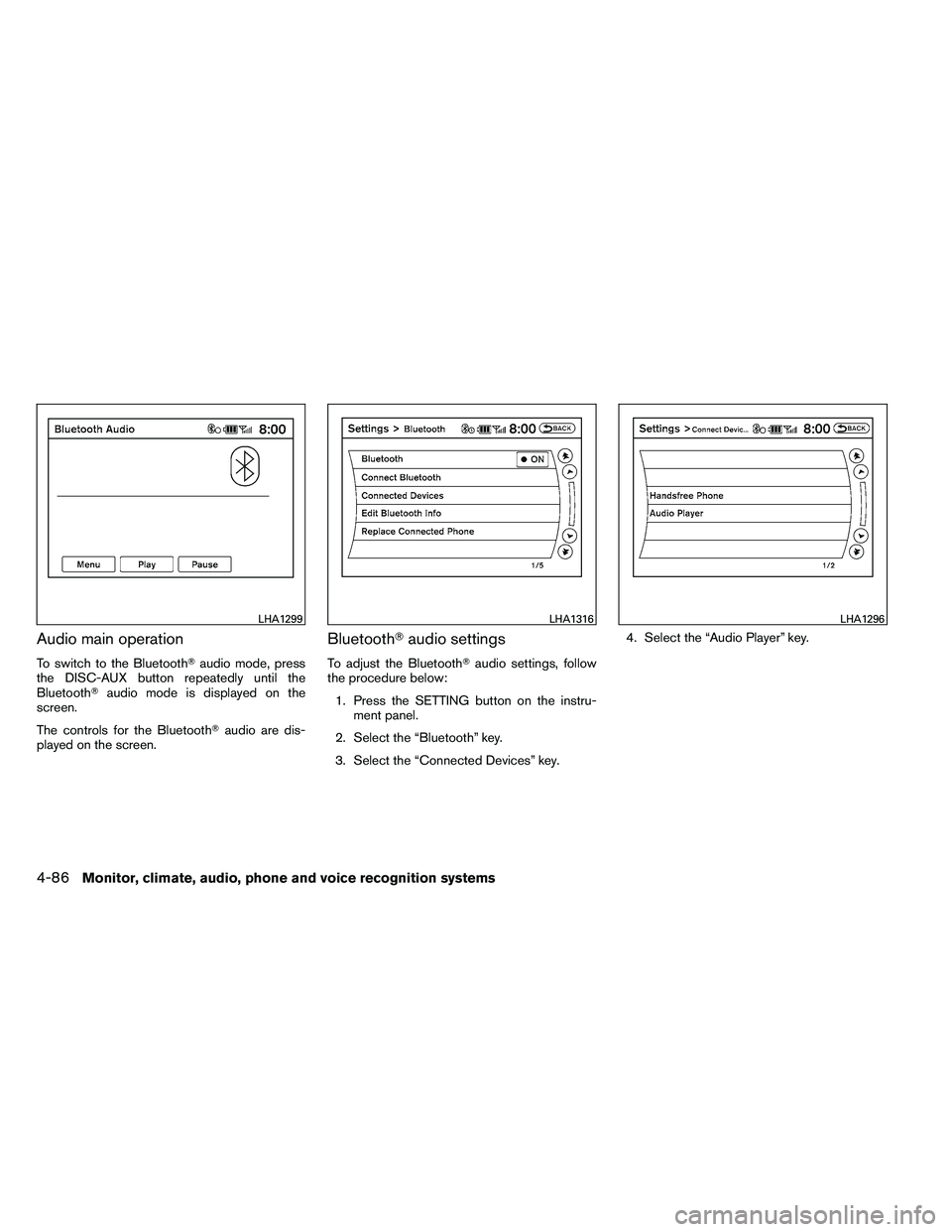
Audio main operation
To switch to the Bluetooth�audio mode, press
the DISC-AUX button repeatedly until the
Bluetooth� audio mode is displayed on the
screen.
The controls for the Bluetooth� audio are dis-
played on the screen.
Bluetooth� audio settings
To adjust the Bluetooth� audio settings, follow
the procedure below:
1. Press the SETTING button on the instru- ment panel.
2. Select the “Bluetooth” key.
3. Select the “Connected Devices” key. 4. Select the “Audio Player” key.
Page 262 of 453
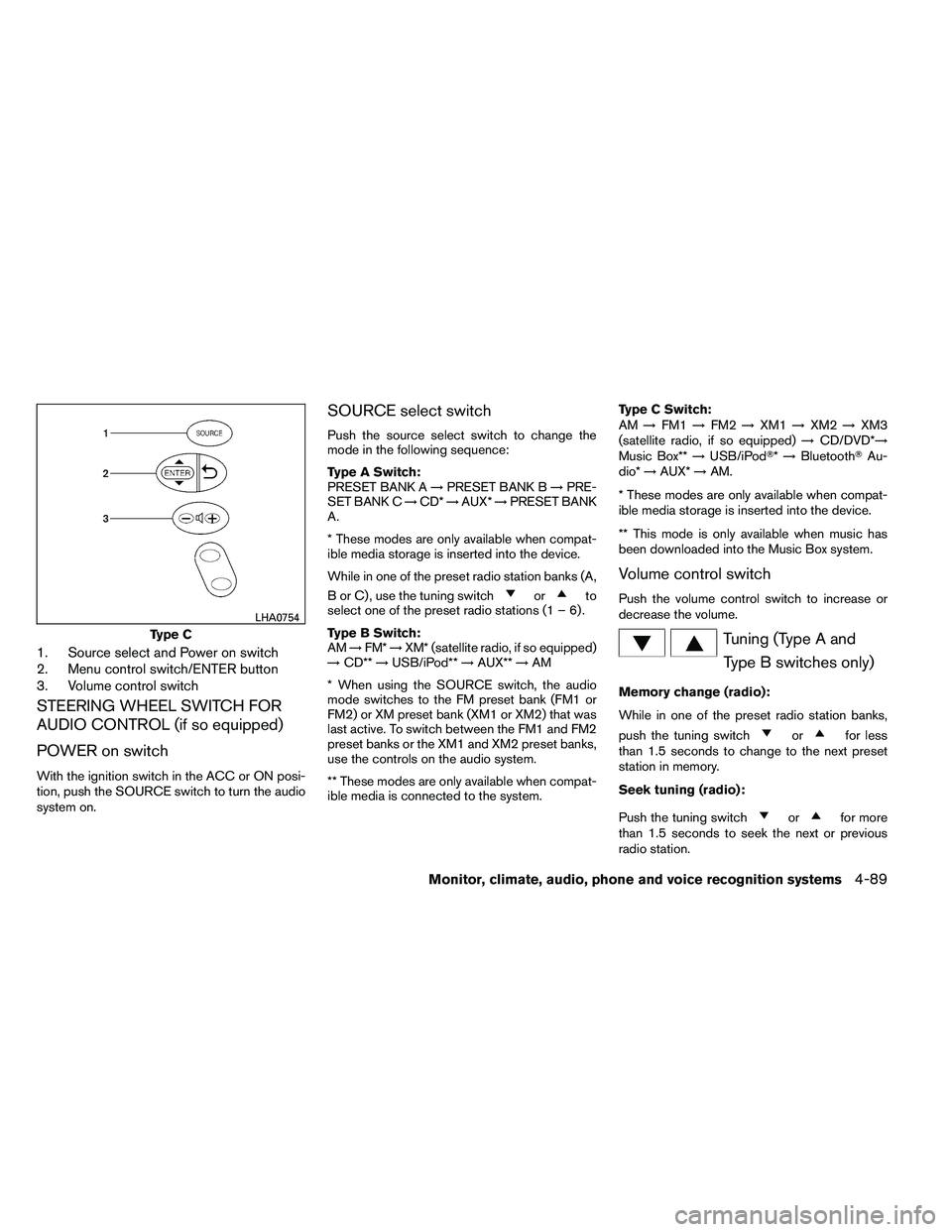
1. Source select and Power on switch
2. Menu control switch/ENTER button
3. Volume control switch
STEERING WHEEL SWITCH FOR
AUDIO CONTROL (if so equipped)
POWER on switch
With the ignition switch in the ACC or ON posi-
tion, push the SOURCE switch to turn the audio
system on.
SOURCE select switch
Push the source select switch to change the
mode in the following sequence:
Type A Switch:
PRESET BANK A→PRESET BANK B →PRE-
SET BANK C →CD* →AUX* →PRESET BANK
A.
* These modes are only available when compat-
ible media storage is inserted into the device.
While in one of the preset radio station banks (A,
B or C) , use the tuning switch
Page 264 of 453
AUX:● Press the ENTER button to show the AUX
Menu.
ANTENNA
Window antenna
The antenna pattern is printed inside the rear
window.