5-88 Comfort controls
5To play tracks from a Bluetooth
® device
(vehicles with Bluetooth
® 2.0 interface)
N00765300090
You can wirelessly connect a digital audio player or cellular
phone supporting Bluetooth
® to listen to the tracks on the con-
nected device.
Refer to “Bluetooth
® 2.0 interface” for the connecting method,
etc. on page 3-210.
The following explains the basic playback method.
NOTE�Depending on the connected device, operation of the con-
nected device is limited to its available functions.
�Depending on the connected device, the device may not
operate correctly.
�A file protected by copyright might not be able to start
playback.
�It is recommended to leave the equalizer of the connected
device flat.
�The voice operation is not available to access music files
on the connected Bluetooth
® device.
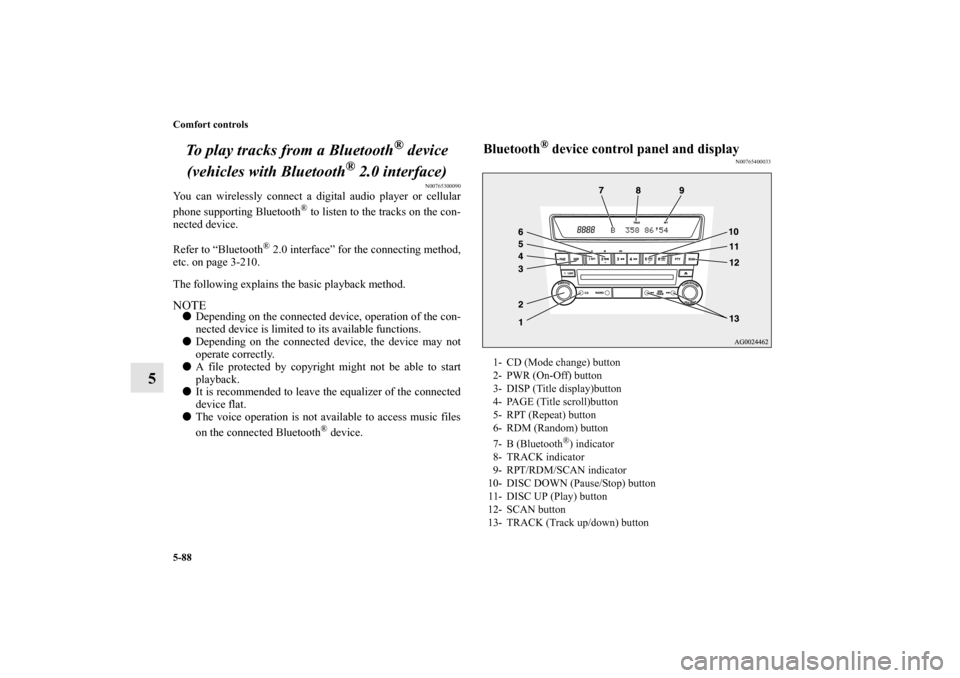
Bluetooth
® device control panel and display
N00765400033
1- CD (Mode change) button
2- PWR (On-Off) button
3- DISP (Title display)button
4- PAGE (Title scroll)button
5- RPT (Repeat) button
6- RDM (Random) button
7- B (Bluetooth
®) indicator
8- TRACK indicator
9- RPT/RDM/SCAN indicator
10- DISC DOWN (Pause/Stop) button
11- DISC UP (Play) button
12- SCAN button
13- TRACK (Track up/down) button
BK0140300US.book 88 ページ 2011年6月28日 火曜日 午後5時18分
Comfort controls
5-89
5
To listen to tracks from a device connected via
Bluetooth
®
N00765500047
1. Press the PWR button to turn on the audio system. The
system turns on in the last mode used.
2. Press the CD button several times to switch to the
B(Bluetooth
®) mode. The input mode changes as follows
every time the CD button is pressed.
CD mode → USB (iPod) mode → Bluetooth
® mode
NOTE�For vehicles equipped with audio input RCA terminals,
pressing and holding the CD button for 2 seconds or more
switches the system to the AUX mode.
3. Connect your Bluetooth
® device.
Refer to “Connecting the Bluetooth
® 2.0 interface and
Bluetooth
® device” on page 3-218.
4. Playback starts automatically.
NOTE�Depending on the connected device, the playback may not
start automatically.
In this case, operate the connected device to start the play-
back.To stop the playback (if supported by the device)
N00765600022
To stop the playback, press the DISC DOWN button.
To restart the playback, press the DISC UP button.
To pause the playback (if supported by the device)
N00765700023
To pause the playback, press the DISC DOWN button.
To restart the playback, press the DISC UP button.To select a track (if supported by the device)
N00765800024
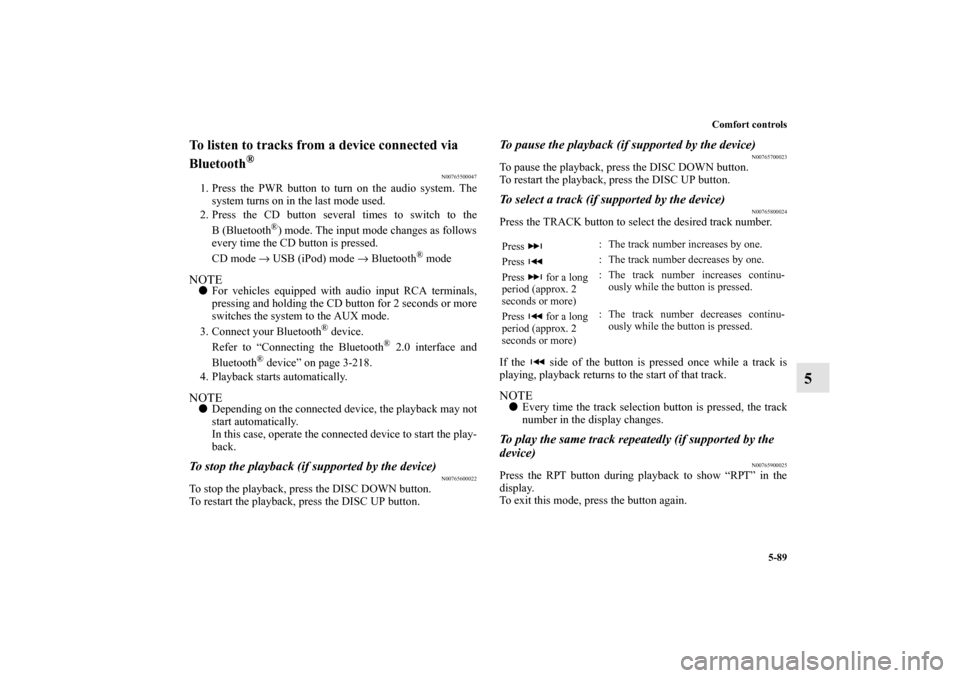
Press the TRACK button to select the desired track number.
If the side of the button is pressed once while a track is
playing, playback returns to the start of that track.NOTE�Every time the track selection button is pressed, the track
number in the display changes.To play the same track repeatedly (if supported by the
device)
N00765900025
Press the RPT button during playback to show “RPT” in the
display.
To exit this mode, press the button again.Press : The track number increases by one.
Press : The track number decreases by one.
Press for a long
period (approx. 2
seconds or more): The track number increases continu-
ously while the button is pressed.
Press for a long
period (approx. 2
seconds or more): The track number decreases continu-
ously while the button is pressed.
BK0140300US.book 89 ページ 2011年6月28日 火曜日 午後5時18分