Page 216 of 714
Features and controls
3-101
3
NOTE�Gears can only be selected in a forward direction from 1st
gear to 6th gear. To reverse or park the vehicle, move the
selector lever to the “R” or “P” position.
�To maintain good running performance, the transaxle may
refuse to perform an upshift when the selector lever is
moved to the “+ (SHIFT UP)” position at certain vehicle
speeds. Also, to prevent over-revving of the engine, the
transaxle may refuse to perform a downshift when the
lever is moved to the “- (SHIFT DOWN)” position at cer-
tain vehicle speeds. When this happens, a buzzer sounds
to indicate that a downshift is not going to take place.
�When pulling away from a standstill on a slippery road,
push the selector lever forward to the + (SHIFT UP) posi-
tion to select 2nd gear. Push the selector lever to the -
(SHIFT DOWN) side to shift back to 1st gear.
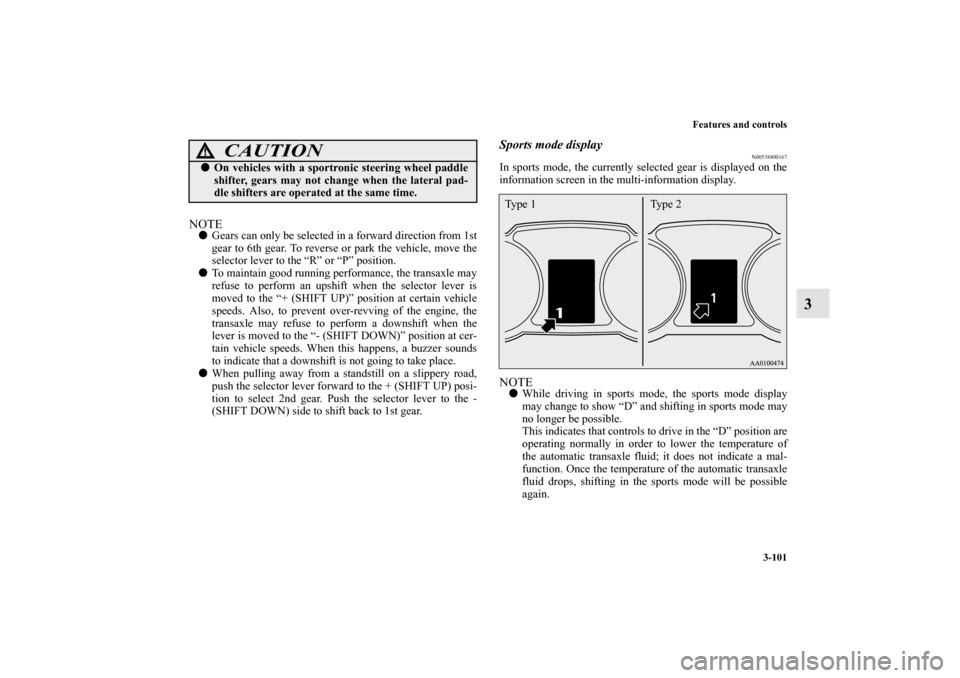
Sports mode display
N00538800167
In sports mode, the currently selected gear is displayed on the
information screen in the multi-information display.NOTE�While driving in sports mode, the sports mode display
may change to show “D” and shifting in sports mode may
no longer be possible.
This indicates that controls to drive in the “D” position are
operating normally in order to lower the temperature of
the automatic transaxle fluid; it does not indicate a mal-
function. Once the temperature of the automatic transaxle
fluid drops, shifting in the sports mode will be possible
again.
�On vehicles with a sportronic steering wheel paddle
shifter, gears may not change when the lateral pad-
dle shifters are operated at the same time.
CAUTION
!
Type 1 Type 2
BK0138000US.book 101 ページ 2011年4月13日 水曜日 午前11時17分
Page 225 of 714
3-110 Features and controls
3
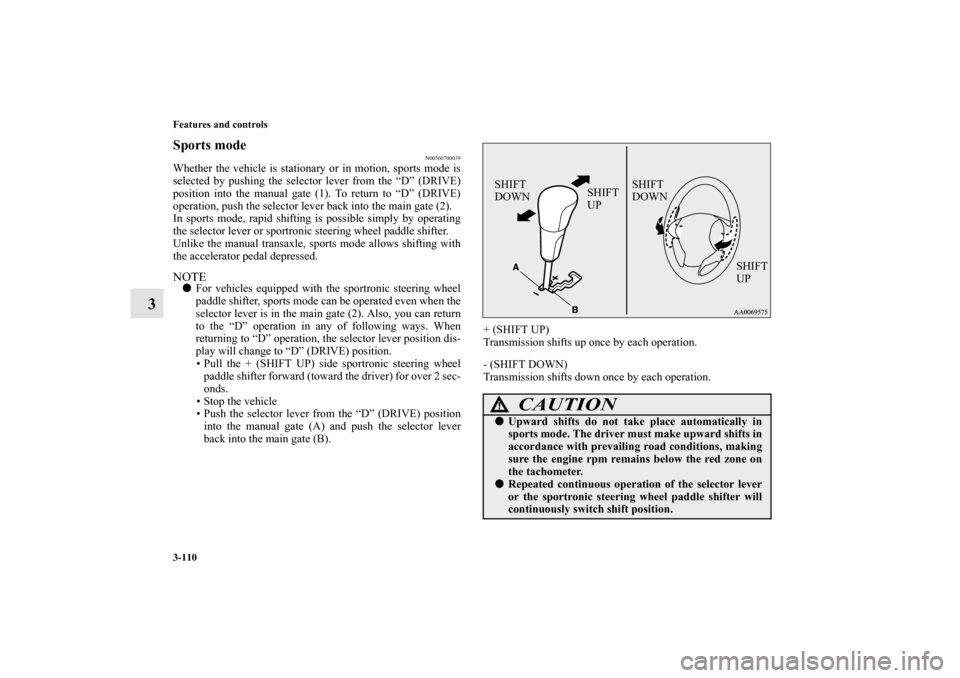
Sports mode
N00560700039
Whether the vehicle is stationary or in motion, sports mode is
selected by pushing the selector lever from the “D” (DRIVE)
position into the manual gate (1). To return to “D” (DRIVE)
operation, push the selector lever back into the main gate (2).
In sports mode, rapid shifting is possible simply by operating
the selector lever or sportronic steering wheel paddle shifter.
Unlike the manual transaxle, sports mode allows shifting with
the accelerator pedal depressed.NOTE�For vehicles equipped with the sportronic steering wheel
paddle shifter, sports mode can be operated even when the
selector lever is in the main gate (2). Also, you can return
to the “D” operation in any of following ways. When
returning to “D” operation, the selector lever position dis-
play will change to “D” (DRIVE) position.
• Pull the + (SHIFT UP) side sportronic steering wheel
paddle shifter forward (toward the driver) for over 2 sec-
onds.
• Stop the vehicle
• Push the selector lever from the “D” (DRIVE) position
into the manual gate (A) and push the selector lever
back into the main gate (B).+ (SHIFT UP)
Transmission shifts up once by each operation.
- (SHIFT DOWN)
Transmission shifts down once by each operation.
CAUTION
!�Upward shifts do not take place automatically in
sports mode. The driver must make upward shifts in
accordance with prevailing road conditions, making
sure the engine rpm remains below the red zone on
the tachometer.�Repeated continuous operation of the selector lever
or the sportronic steering wheel paddle shifter will
continuously switch shift position.SHIFT
DOWNSHIFT
UP
SHIFT
UP SHIFT
DOWN
BK0138000US.book 110 ページ 2011年4月13日 水曜日 午前11時17分
Page 226 of 714
Features and controls
3-111
3
NOTE�Shift ranges can only be selected in a forward direction
from 1st to 6th. To reverse or park the vehicle, move the
selector lever to the “R” or “P” position.
�To maintain good running performance, the transmission
may refuse to perform an upshift when the selector lever
or sportronic steering wheel paddle shifter is moved to the
“+ (SHIFT UP)” position at certain vehicle speeds. Also,
to prevent over-revving of the engine, the transmission
may refuse to perform a downshift when the shift lever or
sportronic steering wheel paddle shifter is moved to the “-
(SHIFT DOWN)” position at certain vehicle speeds.
When this happens, a buzzer sounds to indicate that a
downshift is not going to take place.
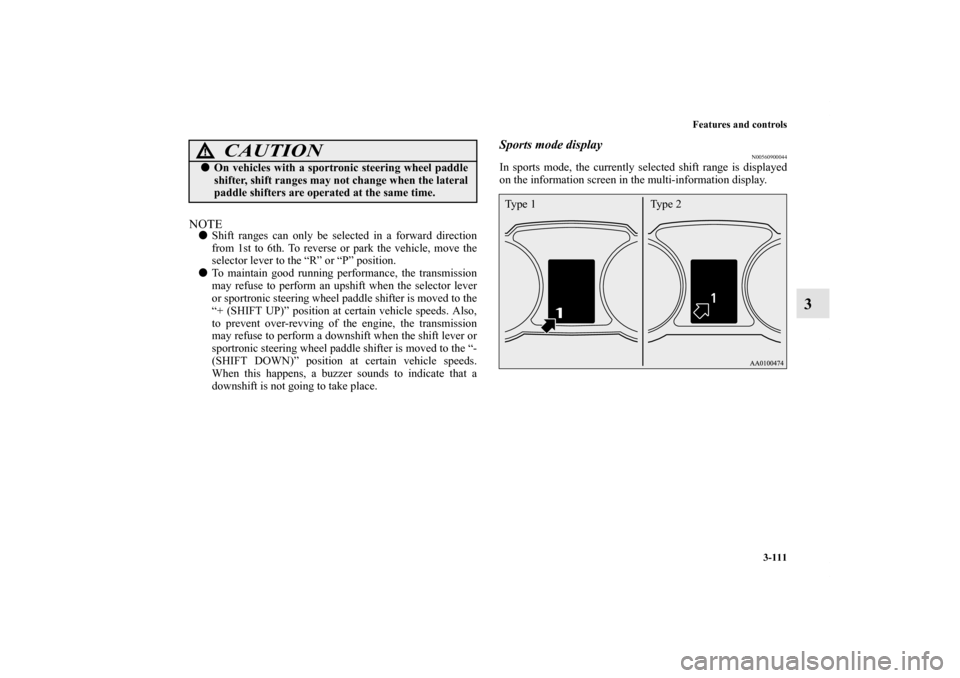
Sports mode display
N00560900044
In sports mode, the currently selected shift range is displayed
on the information screen in the multi-information display.
�On vehicles with a sportronic steering wheel paddle
shifter, shift ranges may not change when the lateral
paddle shifters are operated at the same time.
CAUTION
!
Ty p e 2 Ty p e 1
BK0138000US.book 111 ページ 2011年4月13日 水曜日 午前11時17分
Page 229 of 714
3-114 Features and controls
3Electronically controlled 4WD system
(if so
equipped)N00517200142
The electronically controlled 4WD system is an all-wheel drive
system that allows one of three drive modes to be selected with
a switch, in accordance with the driving conditions.
The following drive modes are available.
4-wheel drive operation requires special driving skills.
Carefully read the “4-wheel drive operation” section on page 3-
122 and take care to drive safely.
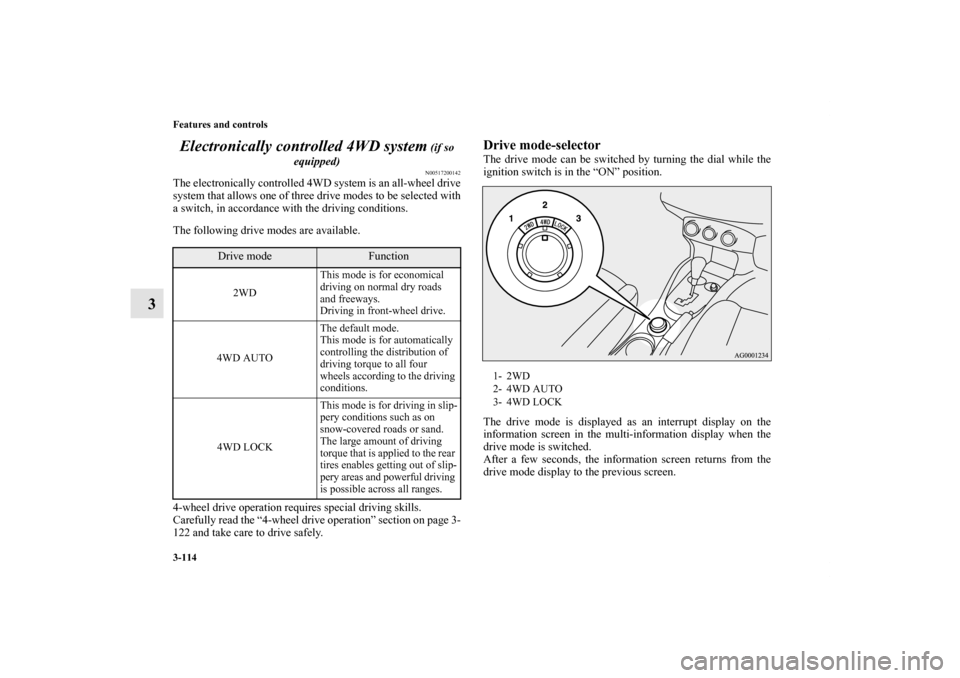
Drive mode-selectorThe drive mode can be switched by turning the dial while the
ignition switch is in the “ON” position.
The drive mode is displayed as an interrupt display on the
information screen in the multi-information display when the
drive mode is switched.
After a few seconds, the information screen returns from the
drive mode display to the previous screen.
Drive mode
Function
2WDThis mode is for economical
driving on normal dry roads
and freeways.
Driving in front-wheel drive.
4WD AUTOThe default mode.
This mode is for automatically
controlling the distribution of
driving torque to all four
wheels according to the driving
conditions.
4WD LOCKThis mode is for driving in slip-
pery conditions such as on
snow-covered roads or sand.
The large amount of driving
torque that is applied to the rear
tires enables getting out of slip-
pery areas and powerful driving
is possible across all ranges.
1- 2WD
2- 4WD AUTO
3- 4WD LOCK
BK0138000US.book 114 ページ 2011年4月13日 水曜日 午前11時17分
Page 230 of 714
Features and controls
3-115
3
NOTE�The drive mode can be switched while driving or stopped.Drive mode indicatorNormally the indicator illuminates when the ignition switch is
turned to the “ON” position, and then the drive mode is dis-
played a few seconds after the engine is started.
The status of each drive mode display is as follows.
Drive mode
Display
Ty p e 1
Ty p e 2
2WD
4WD AUTO
4WD LOCKCAUTION
!�Do not operate the drive mode-selector with the
front wheels spinning on a snowy road or in similar
conditions. The vehicle could lunge in an unexpected
direction. �Driving on dry, paved roads in “4WD LOCK” mode
causes increased fuel consumption, noise, and pre-
mature tire wear.�Do not drive with the tires spinning in “2WD” mode.
Doing so could generate heat in the drive-system
components.
Type 1 Type 2
Drive
Mode
Drive mode
indicator
“4WD” indicator
“LOCK” indicator
2WD OFF OFF
4WD AUTO ON OFF
4WD LOCK ON ON
BK0138000US.book 115 ページ 2011年4月13日 水曜日 午前11時17分
Page 231 of 714
3-116 Features and controls
3
CAUTION
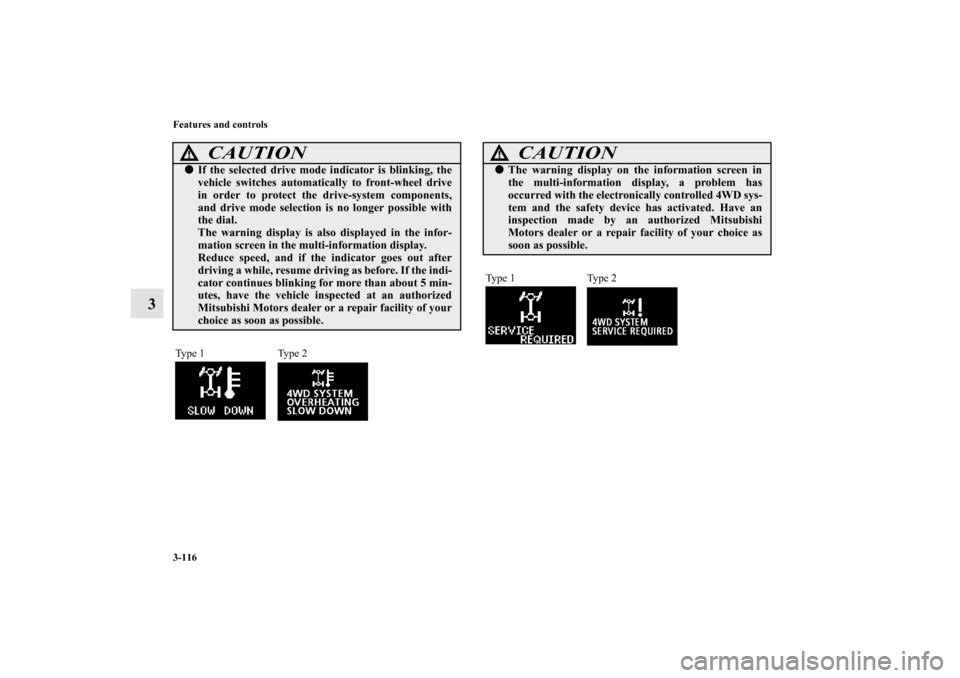
!�If the selected drive mode indicator is blinking, the
vehicle switches automatically to front-wheel drive
in order to protect the drive-system components,
and drive mode selection is no longer possible with
the dial.
The warning display is also displayed in the infor-
mation screen in the multi-information display.
Reduce speed, and if the indicator goes out after
driving a while, resume driving as before. If the indi-
cator continues blinking for more than about 5 min-
utes, have the vehicle inspected at an authorized
Mitsubishi Motors dealer or a repair facility of your
choice as soon as possible.Type 1 Type 2
CAUTION
!�The warning display on the information screen in
the multi-information display, a problem has
occurred with the electronically controlled 4WD sys-
tem and the safety device has activated. Have an
inspection made by an authorized Mitsubishi
Motors dealer or a repair facility of your choice as
soon as possible.Ty p e 1 Ty p e 2
BK0138000US.book 116 ページ 2011年4月13日 水曜日 午前11時17分
Page 232 of 714
Features and controls
3-117
3 S-AWC (Super-All Wheel Control)
(if so
equipped)N00541300049
S-AWC is an integrated vehicle dynamics control system that
enhances driving performance, cornering performance and
vehicle stability over a wide range of driving conditions. It
does this by integrated controls over the front-rear distribution
of driving torque to the wheels and the left-right distribution of
driving torque to the front wheels.NOTE�If the parking brake lever is pulled up while the vehicle is
moving, the front-rear distribution of driving torque con-
trol will be forced to turn OFF which will allow the rear
wheel to lock easier.
CAUTION
!�Always use tires of the same size, type, and brand
that have no wear differences. Using tires that differ
in size, type, brand, or wear amount may activate
the protection of the drive-system components, caus-
ing the drive mode in “4WD AUTO” mode to lock or
the “4WD” and “LOCK” indicators to blink alter-
nately.
CAUTION
!�Do not over-rely on the S-AWC. Even the S-AWC
cannot prevent the natural laws of physics from act-
ing on the vehicle. This system, like any other sys-
tem, has limits and cannot help you to maintain
traction and control of the vehicle in all circum-
stances. Reckless driving can lead to accidents. It is
the driver’s responsibility to drive carefully. This
means taking into account the traffic, road and envi-
ronmental conditions.�Be sure to use tires that are the same specified size,
type, and brand, and have no difference in the
amount of wear for all four wheels. Otherwise, the
S-AWC may not work properly.
BK0138000US.book 117 ページ 2011年4月13日 水曜日 午前11時17分
Page 234 of 714
Features and controls
3-119
3
NOTE�The control mode can be changed while the vehicle is
moving.
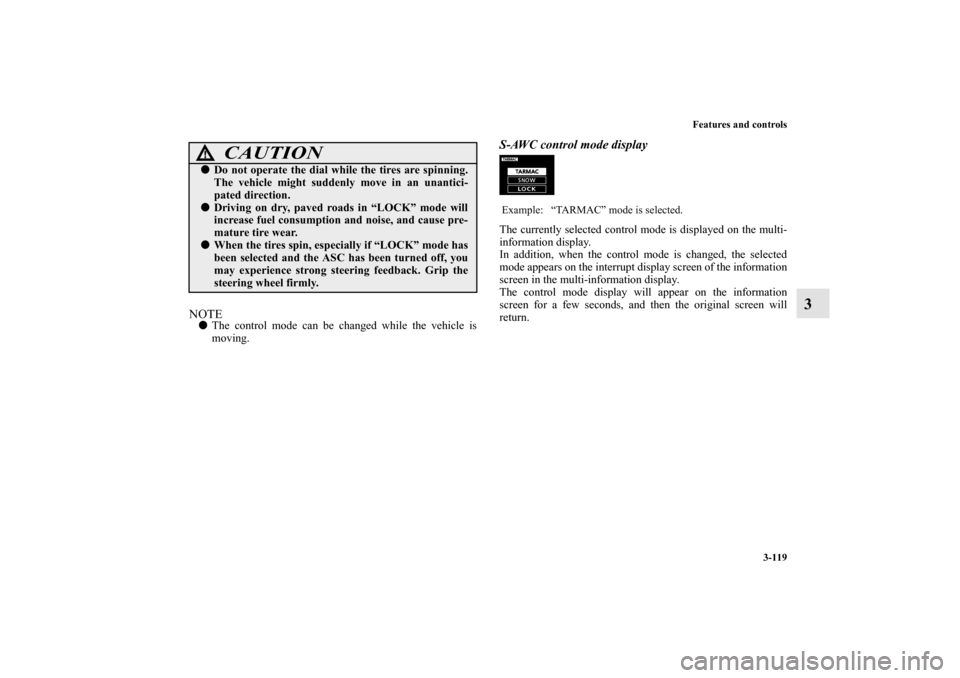
S-AWC control mode displayThe currently selected control mode is displayed on the multi-
information display.
In addition, when the control mode is changed, the selected
mode appears on the interrupt display screen of the information
screen in the multi-information display.
The control mode display will appear on the information
screen for a few seconds, and then the original screen will
return.
CAUTION
!�Do not operate the dial while the tires are spinning.
The vehicle might suddenly move in an unantici-
pated direction.�Driving on dry, paved roads in “LOCK” mode will
increase fuel consumption and noise, and cause pre-
mature tire wear.�When the tires spin, especially if “LOCK” mode has
been selected and the ASC has been turned off, you
may experience strong steering feedback. Grip the
steering wheel firmly.
Example: “TARMAC” mode is selected.
BK0138000US.book 119 ページ 2011年4月13日 水曜日 午前11時17分
