Page 274 of 714

Features and controls
3-159
3
NOTE�Mirror image is displayed on the screen.
�Monitor brightness is adjusted automatically by sensors.
�It is possible to change the display language of the screen.
For details, please refer to the separated owner’s manual
for “Mitsubishi Multi-Communication System” or
“Change language or turn off the inside rearview mirror
screen : To change the language of warning text (3)” on
page 3-160.
�Under certain circumstances, it may become difficult to
see an image on the screen, even when the system is func-
tioning correctly.
• In a dark area, such as at night.
• When water drops or condensation are on the lens.
• When sun light or headlights shine directly into the lens.
CAUTION
!�The reference lines for distance and vehicle width
are intended to indicate the distance to a flat object
such as a level, flat road surface. They may not indi-
cate correct distance depending on the shape of an
obstacle.
For example, when there is an object behind the
vehicle that has upper sections projecting in the
direction of the vehicle, the reference lines on the
screen will indicate that point A is the farthest point
and point B is the closest point to the vehicle. In real-
ity, point A and B are actually the same distance
from the vehicle, and point C is farther off than
point A and B.
BK0138000US.book 159 ページ 2011年4月13日 水曜日 午前11時17分
Page 278 of 714
Features and controls
3-163
3
Tachometer
N00519200250
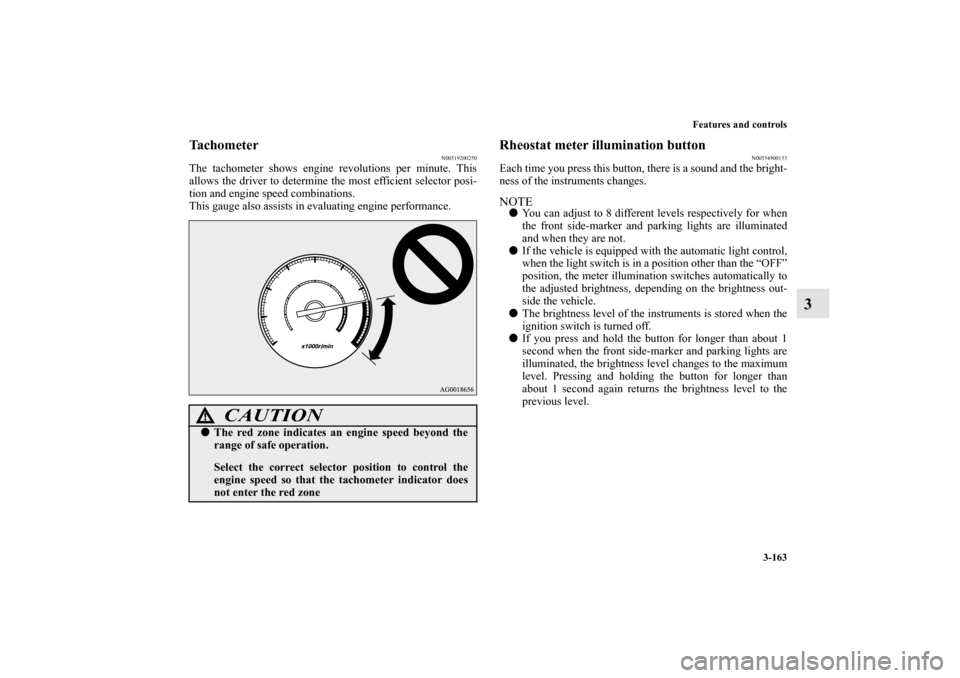
The tachometer shows engine revolutions per minute. This
allows the driver to determine the most efficient selector posi-
tion and engine speed combinations.
This gauge also assists in evaluating engine performance.
Rheostat meter illumination button
N00554900153
Each time you press this button, there is a sound and the bright-
ness of the instruments changes.NOTE�You can adjust to 8 different levels respectively for when
the front side-marker and parking lights are illuminated
and when they are not.
�If the vehicle is equipped with the automatic light control,
when the light switch is in a position other than the “OFF”
position, the meter illumination switches automatically to
the adjusted brightness, depending on the brightness out-
side the vehicle.
�The brightness level of the instruments is stored when the
ignition switch is turned off.
�If you press and hold the button for longer than about 1
second when the front side-marker and parking lights are
illuminated, the brightness level changes to the maximum
level. Pressing and holding the button for longer than
about 1 second again returns the brightness level to the
previous level.
CAUTION
!�The red zone indicates an engine speed beyond the
range of safe operation.
Select the correct selector position to control the
engine speed so that the tachometer indicator does
not enter the red zone
BK0138000US.book 163 ページ 2011年4月13日 水曜日 午前11時17分
Page 282 of 714

Features and controls
3-167
3
“!” Warning display screen (With ignition switch
in the “OFF” position)
N00555200166
If you press the multi-information meter switch and return
from the warning display screen to the previous screen, the “!”
warning is displayed.
Refer to “Returning to the display screen from before the warn-
ing display” on page 3-169.
This mark is also displayed if there is another warning other
than the one displayed. When the cause of the warning display
is eliminated, the “!” warning goes out automatically.NOTE�When the “!” warning is displayed, the warning display
screen can be redisplayed on the information screen.
Refer to “Information screen (With ignition switch in the
“OFF” position)” on page 3-167.
Refer to “Information screen (With ignition switch in the
“ON” position)” on page 3-173.Information screen (With ignition switch in the
“OFF” position)
N00555300138
Each time you lightly press the multi-information meter
switch, the display screen switches in the following order.
When there is no
warning display
When there is a
warning display Ty p e 1
Ty p e 2
When there is no
warning display
When there is a
warning display
BK0138000US.book 167 ページ 2011年4月13日 水曜日 午前11時17分
Page 283 of 714

3-168 Features and controls
3
Odometer/Trip odometer
N00555400126
Each time you lightly press the multi-information meter
switch, the display screen switches.
Odometer/Trip odometer → Odometer/Trip odometer
→ Service reminder → Redisplay of a warning display screen
→ Odometer/Trip odometer .
Odometer
Shows the total distance traveled.
Trip odometer
Shows the distance traveled between two points.
To reset the trip odometer
To return the display to 0, hold down the multi-information
meter switch for about 2 seconds or more. Only the currently
displayed value will be reset.
Example
If trip odometer is displayed, only trip odometer will
be reset.1-
Odometer (Type1)/Trip odometer
2-
Odometer (Type1)/Trip odometer
3- Service reminder
4- Redisplay of a warning display screen
Usage examples for trip odometer , trip odometer
It is possible to measure two currently traveled distances,
from home using trip odometer and from a particular
point on the way using trip odometer .
Ty p e 1
Ty p e 2
BK0138000US.book 168 ページ 2011年4月13日 水曜日 午前11時17分
Page 285 of 714

3-170 Features and controls
3
Returning to the display screen from before the warn-
ing displayEven if the cause of the warning display is not eliminated, you
can return to the screen that was displayed before the warning
display.
If you press the multi-information meter switch, the display
screen switches to the previous screen display (before the
warning and the “!” warning (A) were displayed).
NOTE�Warning display screens with a “ ” or “ ” mark dis-
played in the upper right of the screen can be switched. If
you want to switch the display, press the multi-informa-
tion meter switch as follows.
“ ”: Press lightly.
“ ”: Press for about 2 seconds or more.
Redisplay of a warning display screen
When the “!” warning is displayed, if you lightly press the
multi-information meter switch a few times, the warning dis-
play screen you switched from is redisplayed.
Refer to “Information screen (With ignition switch in the
“OFF” position)” on page 3-167.
Ty p e 1
Ty p e 2BK0138000US.book 170 ページ 2011年4月13日 水曜日 午前11時17分
Page 288 of 714

Features and controls
3-173
3
This mark is also displayed if there is another warning other
than the one displayed.
When the cause of the warning display is eliminated, the “!”
warning goes out automatically.NOTE�When the “!” warning is displayed, the warning display
screen can be redisplayed on the information screen.
Refer to “Information screen (With ignition switch in the
“OFF” position)” on page 3-167.
Refer to “Information screen (With ignition switch in the
“ON” position)” on page 3-173.“Active stability control (ASC) OFF” display
screen
(if so equipped)
N00556100090
This is displayed when the Active stability control (ASC) is
turned “OFF” with the “ASC OFF” switch.
Also, if an abnormal condition is occurred in the ASC while
driving, the “ASC OFF” display illuminates.
Refer to “ASC OFF switch” on page 3-139.Information screen (With ignition switch in the
“ON” position)
N00556200192
Each time you lightly press the multi-information meter
switch, the display screen switches in the following order.
When there is no warning display
When there is a
warning display
When there is no warning display
When there is a
warning display Type 1
Ty p e 2
BK0138000US.book 173 ページ 2011年4月13日 水曜日 午前11時17分
Page 293 of 714
3-178 Features and controls
3
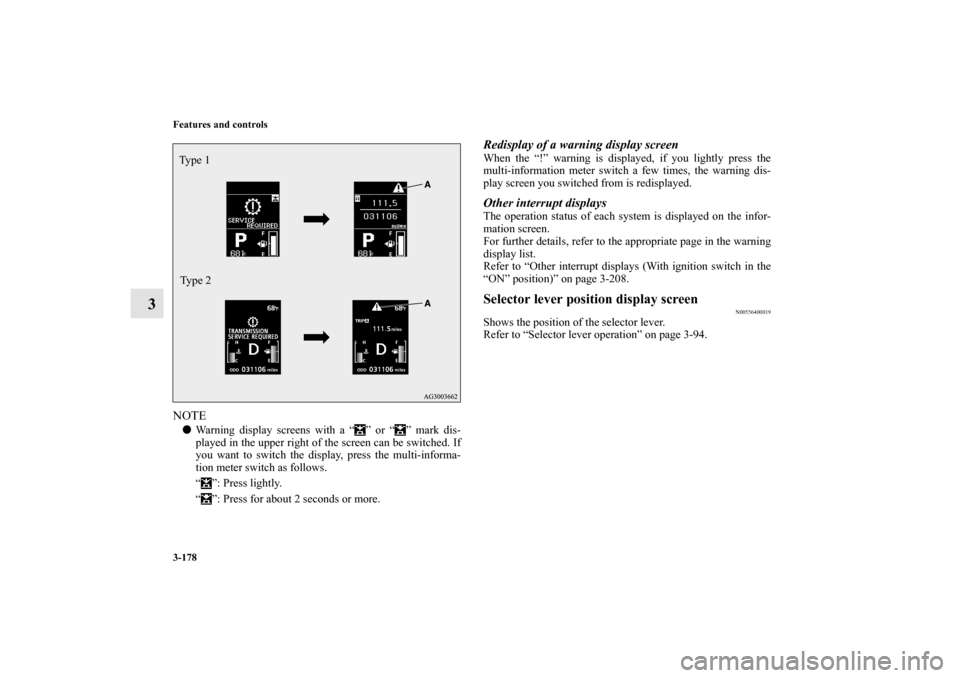
NOTE�Warning display screens with a “ ” or “ ” mark dis-
played in the upper right of the screen can be switched. If
you want to switch the display, press the multi-informa-
tion meter switch as follows.
“ ”: Press lightly.
“ ”: Press for about 2 seconds or more.
Redisplay of a warning display screenWhen the “!” warning is displayed, if you lightly press the
multi-information meter switch a few times, the warning dis-
play screen you switched from is redisplayed.Other interrupt displaysThe operation status of each system is displayed on the infor-
mation screen.
For further details, refer to the appropriate page in the warning
display list.
Refer to “Other interrupt displays (With ignition switch in the
“ON” position)” on page 3-208.Selector lever position display screen
N00556400019
Shows the position of the selector lever.
Refer to “Selector lever operation” on page 3-94.
Ty p e 1
Type 2BK0138000US.book 178 ページ 2011年4月13日 水曜日 午前11時17分
Page 296 of 714
Features and controls
3-181
3
2. This informs you that a periodic inspection is due. Contact
an authorized Mitsubishi Motors dealer or a repair facility
of your choice to have the system checked.
At that time, when the ignition switch is switched from
the “OFF” position to the “ON” position, the warning dis-
play is displayed for a few seconds on the information
screen.
Ty p e 1
Ty p e 2
3. After your vehicle is inspected at an authorized Mitsubishi
Motors dealer, it displays the time until the next periodic
inspection.
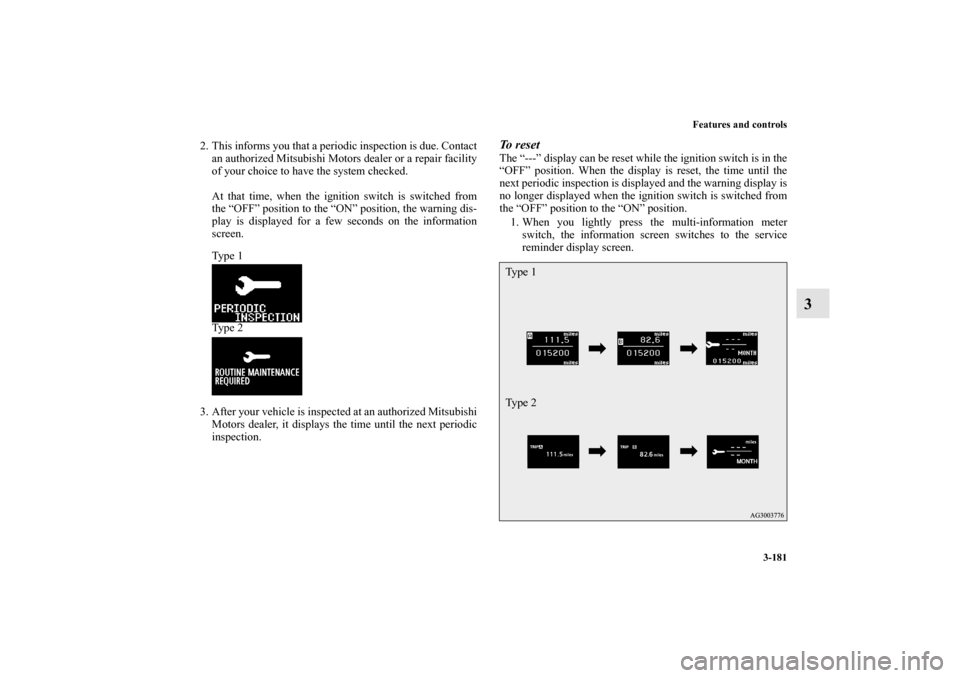
To reset The “---” display can be reset while the ignition switch is in the
“OFF” position. When the display is reset, the time until the
next periodic inspection is displayed and the warning display is
no longer displayed when the ignition switch is switched from
the “OFF” position to the “ON” position.
1. When you lightly press the multi-information meter
switch, the information screen switches to the service
reminder display screen.Ty p e 1
Ty p e 2
BK0138000US.book 181 ページ 2011年4月13日 水曜日 午前11時17分