XTo select a stored station: briefly press
the 9 or : button.XTo select a station from the station
list: press and briefly hold the : or
9 button.XTo select a station using station
search 19
: press and briefly hold the 9
or : button.XPress a to stop the station search
function at the desired station.
Operating audio player or audio media
Audio data from various audio devices or
media can be played, depending on the
equipment installed in the vehicle.
XSwitch on COMAND and select the audio
device or audio medium ( Y page 220).XPress the = or ; button on the
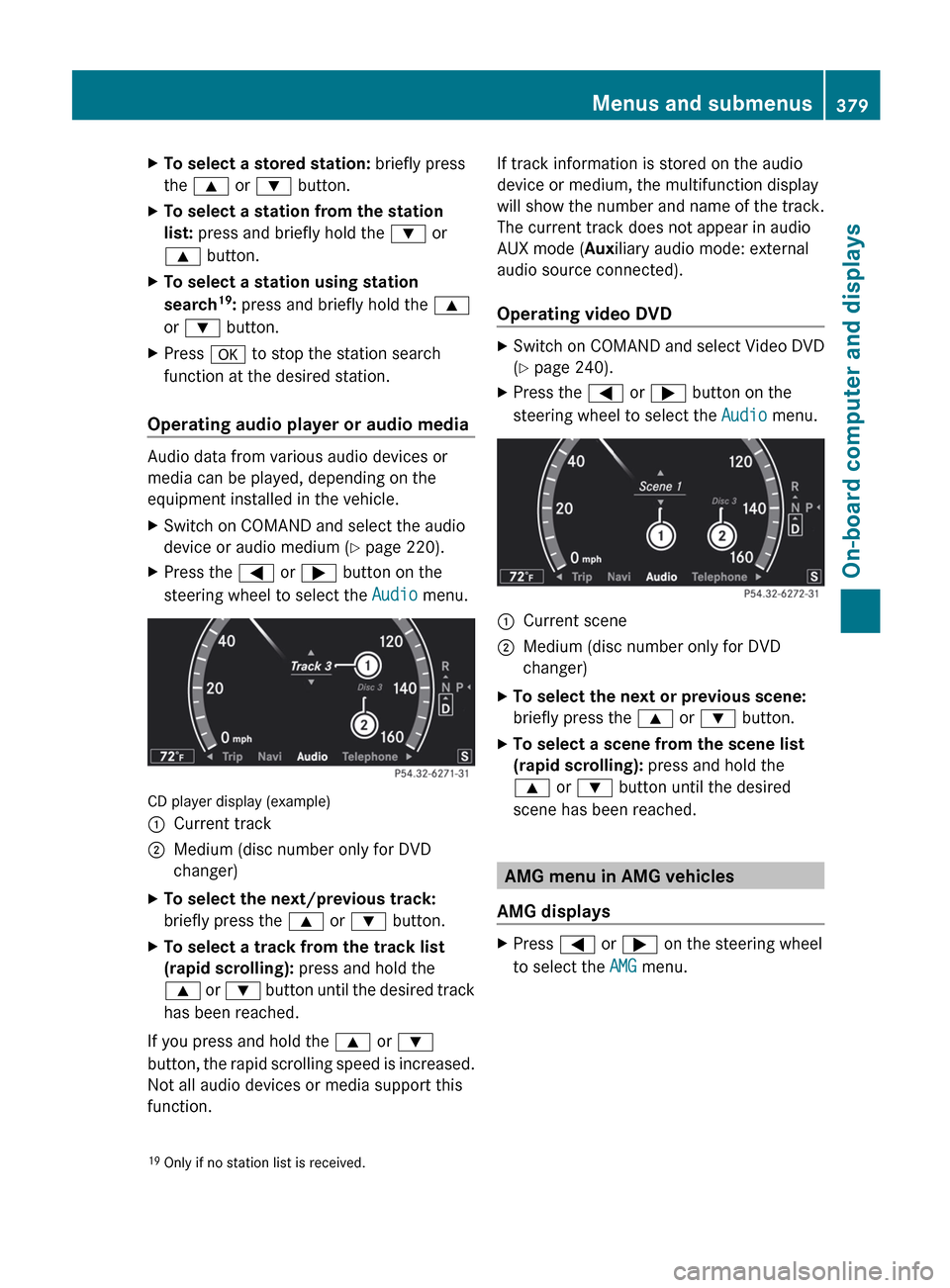
steering wheel to select the Audio menu.
CD player display (example)
:Current track;Medium (disc number only for DVD
changer)XTo select the next/previous track:
briefly press the 9 or : button.XTo select a track from the track list
(rapid scrolling): press and hold the
9 or : button until the desired track
has been reached.
If you press and hold the 9 or :
button, the rapid scrolling speed is increased.
Not all audio devices or media support this
function.
If track information is stored on the audio
device or medium, the multifunction display
will show the number and name of the track.
The current track does not appear in audio
AUX mode ( Auxiliary audio mode: external
audio source connected).
Operating video DVDXSwitch on COMAND and select Video DVD
( Y page 240).XPress the = or ; button on the
steering wheel to select the Audio menu.:Current scene;Medium (disc number only for DVD
changer)XTo select the next or previous scene:
briefly press the 9 or : button.XTo select a scene from the scene list
(rapid scrolling): press and hold the
9 or : button until the desired
scene has been reached.
AMG menu in AMG vehicles
AMG displays
XPress = or ; on the steering wheel
to select the AMG menu.19
Only if no station list is received.Menus and submenus379On-board computer and displaysZ
Display messagesPossible causes/consequences and M Solutionsh
Check Tire PressureGRisk of accident
The tire pressure in one or more tires has dropped significantly.
XStop the vehicle without making any sudden steering or braking
maneuvers. Pay attention to the traffic conditions as you do so.XIf necessary, change a wheel ( Y page 513).XCheck the tire pressure. If necessary, correct the tire pressure
( Y page 497).h
Correct Tire
PressureThe tire pressure is too low in at least one of the tires or the tire
pressure difference between the wheels is too great.XCheck the tire pressures at the next opportunity. If necessary,
correct the tire pressure ( Y page 497).
Vehicle
Display messagesPossible causes/consequences and M SolutionsShift to P or N
to Start EngineYou have attempted to start the engine with the transmission in
position R or D.XShift the transmission to position P or N.Auxiliary Battery
Malfunction
(White display
message)The auxiliary battery for the automatic transmission is no longer
being charged.XVisit a qualified specialist workshop.Auxiliary Battery
Malfunction
(Red display message)The auxiliary battery for the automatic transmission is discharged.
If there is a malfunction in the vehicle's electrical system, you may
not be able to change the transmission position.XPull over and stop the vehicle safely as soon as possible, paying
attention to road and traffic conditions. Do not continue driving
under any circumstances.XConsult a qualified specialist workshop.Apply Brake to
Shift from 'P'You have attempted to move the transmission selector lever to
position D, R or N without depressing the brake pedal.XDepress the brake pedal.Door Open
Vehicle Not in ParkThe driver's door is open and the transmission is in position R, N
or D.XShift the transmission to position P.XApply the electric parking brake.Display messages417On-board computer and displaysZ