2012 MERCEDES-BENZ M-Class Display
[x] Cancel search: DisplayPage 227 of 396

=
Des cripti on field
? Menubar
A Transmi ssion positio n
For furthe rinform ation on displ aying the
trans mission positio n,see (Ypage 145) .
The followi ng mes sage sma yap pe ar inthe
mu ltifu nctio ndisplay:
XjY ActivePark ingAssist
(Y page 186) CRUI
SE Cruise
control (Y page 167)
à DSR DS
R(Y page 208)
è Rearwindow wiper(Ypage 118)
À ATTENTION ASSIS T(Ypage 194)
à LaneKeeping Assist(Ypage 200)
or Active Lane Keeping Assist
(Y page 205) HOLD HOLD
function (Ypage 179)
Ä PRE-SAFE®
Brak e(Y page 65) Displays
andopera tion
225On-board computer and displays Z
Page 228 of 396

Menus
andsubmen us Menu
overview
The number ofmenus showndepends onthe option alequipment inthe vehicle. Function
:
Trip menu
(Ypage 227) ;
Navi menu
(navigation instruct ions) (Ypage 228) =
Audio menu
(Ypage 229) ?
Tel menu
(telephon e)(Y page 230) A
DriveAs
sist menu
(assistanc e)(Y page 232) B
Service menu
(Ypage 233)
R calls updisplay messages (Y page 238)
R tire pressure losswarning system(Canada only)(Ypage 357)
R tire pressure monitor(Y page 359)
R AS SYST PLUS serviceint erval display (Ypage 317) C
Sett. menu
(Ypage 233) 226
Menus
andsubm enusOn-board computer and displays
Page 229 of 396

Trip
menu
Stan dard display X
Pre ssand holdthe % button onthe
stee ring wheelunti lthe Tri
p menu
with
od ome ter:and tripodome ter;is
sho wn.
Trip compute r"F rom start" or"From
res et" The
values inthe Fro
mSta rt su
bme nuare
cal cul ate dfro mt hestart ofajourney, while
the values inthe From
Reset submenu
are
calculated fromthelast time thesubmenu
was reset (Ypage 228).
X Press the= or; button onthe
steering wheeltoselect the Trip menu.
X Press the9 or: button toselect From
Start or From
Reset .
Trip
computer "Fromstart"(example)
: Distanc e
; Time
= Average speed
? Average fuelconsumption
The From
Start trip
computer isreset
automatically if:
R the ignition hasbeen switched offfor more
than fourhours.
R 999 hours havebeen exceeded.
R 9,999 mileshavebeen exceeded. When
9,999 hoursor99,999 mileshavebeen
exceeded, thetrip computer isautomatically
reset From
Reset .
Displaying therange andcurrent fuel
consumption X
Press the= or; button onthe
steering wheeltoselect the Trip menu.
X Press the9 or: button toselect
current fuelconsumption andapproximate
range. :
Approximate range
; Current fuelconsumption
Approximate range:iscalculated
according tocurrent drivingstyleandthe
amount offuel inthe tank .If there isonly a
small amount offuel leftinthe fuel tank ,the
displa yshows avehicle beingrefueled C
instead ofrange :.
Digi talspeedometer X
Press the= or; button onthe
steering wheeltoselect the Trip menu.
X Press 9or: toselect thedigital
speedometer. :
Digital speedometer Menus
andsubmenus
227On-board computer and displays Z
Page 230 of 396

Res
ettingvalues Yo
ucan resetthe valuesof the followi ng
functi ons:
R Tri podo mete r
R Tri pcomp uter"Fro mstar t"
R Tri pcomp uter"Fro mres et"
X Pre ssthe = or; button onthe
stee ring wheel tosel ect the Trip menu
.
X Pre ssthe 9 or: button tosel ect the
functi onthat youwi sh tores et.
X Pre ssa. Re
setti ngthe trip comp uter"From start" (example)
X Pres s: tosel ect Yes and
pres sa
to confirm . Navig
ationsys tem menu
Di splay ingnavi gatio nins tructio ns In
the Navi menu
,the multifunction displa y
show snavi gationinstru ctions. Formore
inform ation,see theseparateope rating
instru ctions.
X Swi tch onCOM AND (seethe separate
ope ratinginstru ctions) .
X Pres sthe = or; button onthe
steer ingwhe elto sel ect the Navi menu
. Route
guidanc einac tive :
Directi onoftrave l
; Current road
Route guidanc eacti ve No
chan geofdirec tionanno unced :
Dista ncetothe destinati on
; Dista ncetothe next chang eof dir ectio n
= Current road
? Symb olfor "follow the road's cour se"
Chan geofdirec tionanno uncedwithout a
lane recommen dation :
Road into whichthe chang eof dir ectio n
lea ds
; Dista ncetochang eof dir ectio nand visual
di sta nce displ ay
= Sym bolfor cha nge ofdirecti on
Whe nach angeof directi onhasbee n
annou nced,youwi llsee visuald istanc e
display ;nex ttothe symbol forthe change
of direction =.Thisdecreases insize asyou
approach theannounced changeofdirection. 228
Menus
andsubmenusOn-board computer and displays
Page 231 of 396

Cha
nge ofdir ection announced witha
lane recom mendation
Lan erec omm endatio nsare onlydisplaye dif
th erele vantdata isavailabl eonthe digital
map. :
Road intowhich thechange ofdirection
leads
; Distanc eto change ofdirection andvisual
distance display
= Lane recommen dation
? Symbol forchange ofdirection
On multi-lane roads,lanerecommen dation
= may beshown forthe next change of
direction. Lanesmaybeadded during a
change ofdirection. :
New laneduring achange ofdirection
; Unint errupted lane
Other statusindicators ofthe
navigation system R
O :you have reached thedestinat ionor
an inter mediate destination .
R New
Route... or Calculating
Route :
a
new route isbeing calculated. R Off
Map or Off Mapped Road :t
he vehicle
position isoutside thearea ofthe digital
map (off-map position).
R No
Route :n
oroute could becalculated to
the selected destination . Audio
menu
Selecting aradio station i
SIRIUS
XMsatel literadioacts likea
normal radio.
For more informa tiononsatel literadio
ope ratio n,see thesepa rateoperating
instructi ons.
You canonly change thewaveba ndand store
new statio nsusing COM AND.
X Switch onCOM AND andselect Radio (see
the sepa rateoperating instructi ons).
X Press the= or; button onthe
steeri ngwhe elto sel ect the Audio menu.
:
Wave band
; Station 18
X To selectas toredstatio n:bri eflypre ss
the 9 or: button.
X To select astati onfrom thestati on
li st: pressand brieflyhol dthe 9
or : button.
X To select as tatio nusi ng stati on
se arch 19
:pre ssand brieflyhol dthe 9
or : button.
18 Ifthe stationh asbeen stored ,th emem oryposit ionwill also bedisplaye d.
19 Onl yif no statio nlist isrece ived. Menus
andsubm enus
229On-board computer and displays Z
Page 232 of 396

Opera
tingaudioplayer oraud iomedia Audio
datafrom various audiodevices or
media canbeplayed, depending onthe
equipment installed inthe vehicle.
X Switc hon COMAND andselect theaudio
device ormedium (seetheseparate
operatin ginst ruct ions).
X Press the= or; button onthe
steer ingwheel toselect the Audio menu.
CD
changer display(example)
: Current CDinthe CDchanger
; Current track
X To select thenext/pr evioustrack:
briefly pressthe9 or: button .
X To select atrack from thetrack list
(rap idscrolling): pressandhold the
9 or: button untilthedesired track
has been reached.
If you press andhold the9 or:
button ,the rapid scrollin gspeed isincr eased.
Not allaudio devices ormedia support this
func tion.
If trac kinfor mation isstor edon the audio
device ormedium, themultifun ction display
will show thenumber andname ofthe trac k.
The curren ttrack does notappear inau dio
AUX mode (Auxiliary audio mode: external
au dio source connected).
Operating videoDVD X
Switch onCOMAND andselectvide oDVD
(see thesepa rateopera tinginstructions).
X Press the= or; button onthe
steering wheelto sele ctthe Audio menu. DVD
changer display(examp le)
: Current DVDinthe DVD changer
; Current scene
X To selectthe nex torp rev ious scen e:
bri eflypre ssthe 9 or: button.
X To select as cene from thescene list
(ra pid scrolling) :pre ssand hold the
9 or: buttonu ntil the desired
sce nehasbe en rea che d. Tel
eph onemen u
In troduc tion Yo
ucan esta blish aBlu etoo th®
conne ctionto
CO MAND (see the separate opera ting
ins tructio ns). G
WA
RNING A
dri ver 'satte ntionto the roadmu stalwa ys
be his/he rprimary focuswhendriving.For
you rsafet yand thesafe tyof other s,we
rec omm endthat you pull overtoasafe
location andstop before placing ortaking a
telephone call.Ifyou choose touse the
telephone whiledriving, pleaseusethehands-
free device andonly usethetelephone when
weather, roadandtraffic conditionspermit.
Some jurisdiction sprohibit thedriver from
using amobile phonewhiledriving avehicle.
Bear inmind thatataspeed ofjust 30mph
(approximately 50km/ h),your vehic leis
cove ringadistan ceof44 feet (approxim ately
14 m)every second.
X Swit chon the mobile phoneandCOMAN D
(see theseparate operatinginst ruct ions).
X Press the= or; buttononthe
steer ingwheel toselect the Tel menu.230
Menus
andsubm enusOn-board computer and displays
Page 233 of 396
You
willsee one ofthe followin gdisplay
mess ages inthe multif unction display:
R Tele
phoneRead y or
the name ofthe
net work provider: themobile phonehas
foun danet work andisready torec eive.
R Tele
phoneNo Serv ice :
no net work is
available, orthe mobile phoneis searc hing
for anet work .
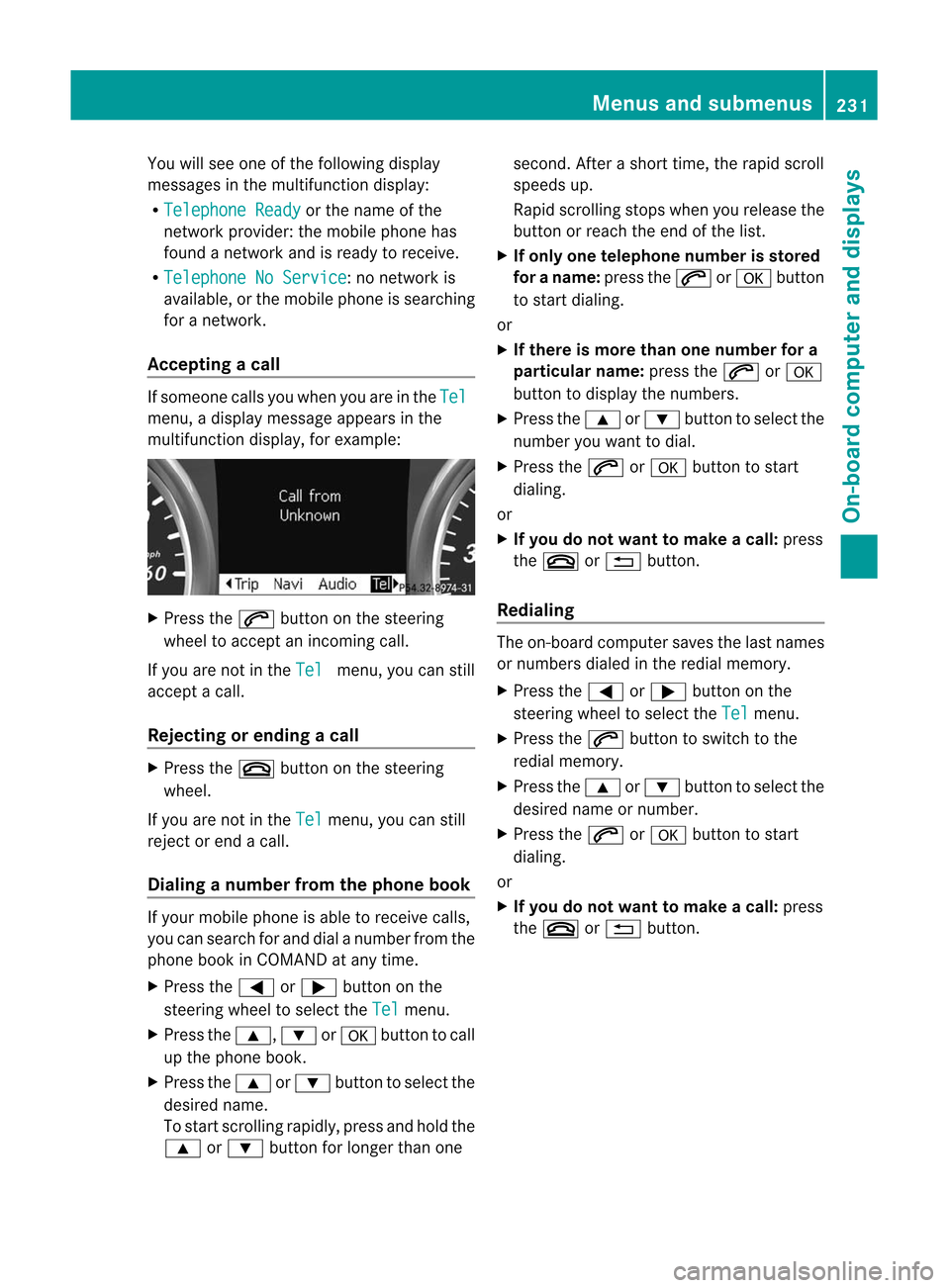
Accepting acall If
someo necall syou whe nyou are inthe Tel
menu,
adisplay message appearsinthe
multifunct iondisplay ,for example: X
Press the6 button onthe steerin g
wheel toaccept anincomin gcall.
If you arenot inthe Tel menu,
youcan still
accept acall.
Rejecting orending acall X
Press the~ button onthe steeri ng
whe el.
If you arenot inthe Tel menu,
youcan still
reject orend acall .
Di alin ganumbe rfrom thephone book If
you rmobile phone isable toreceive calls,
you can search forand dialanumber fromthe
phone bookinCOMAND atany time.
X Press the= or; button onthe
steerin gwheel toselect the Tel menu.
X Press the9, :ora button tocall
up the phone book.
X Press the9 or: button toselect the
desired name.
To start scrolling rapidly,press andhold the
9 or: button forlonger thanone second.
Afterashort time,therapidscroll
spee dsup.
Ra pid scroll ingstops whenyourelease the
button orreach theend ofthe list.
X Ifonl yone telephone numberisstored
for aname: pressthe6 ora button
to start dialing.
or
X Ifther eis more thanone number fora
par ticular name:pressthe6 ora
button todisplay thenumbers.
X Press the9 or: button toselect the
number youwant todial.
X Press the6 ora button tostart
dialing.
or
X Ifyou donot want tomak eacall: press
the ~ or% button .
Redialing The
on-board comput ersaves thelast names
or numbers dialedinthe redial memory.
X Press the= or; button onthe
steerin gwheel toselect the Tel menu.
X Press the6 button toswitch tothe
redial memory.
X Press the9 or: button toselect the
desired nameornumber.
X Press the6 ora button tostart
dialing.
or
X Ifyou donot want tomak eacall: press
the ~ or% button . Menus
andsubmenus
231On-board computer and displays Z
Page 234 of 396

Assis
tance men u
Int rod uction In
the Dri
veAssist. men
uyou can:
R sho wthedist ancedisp lay
R act ivat e/deac tivat ePRE -SAF E®
Br ake
R act ivat e/deac tivat eAT TENTI ON ASSIST
R act ivat e/deac tivat eBli nd Spot Assis tor
Activ eBli nd Spo tAssi st
R acti vate/d eactiv ate Lane Kee ping Assi stor
Activ eLa ne Kee ping Assi st
Sho wing the distanc edis play Thi
sfu nctio nisonly available with
DISTRONIC PLUS.
X Press the= or; button onthe
steering wheeltoselect the DriveAssist
menu.
X Press the9 or: button toselect Distance
Display .
X Press a.
The DISTRONIC PLUSdistance display
(Y page 173)appea rsinthe multifunction
displa y.
Activating/deac tivatingPRE-SAFE ®
Bra ke PRE-SA
FE®
Brake isonly available invehicles
with DISTRONIC PLUS.
X Press the= or; button onthe
steering wheeltoselect the DriveAssist
menu.
X Press 9or: toselect PRE-SAFE
Brake . X
Press a.
The current selection isdispla yed.
X To activate/deactivate: pressa
agai n.
When PRE-SA FE®
Brake (Ypage 65)is
activated, themultifunction displayshows
the Ä symbol aslong asthe HOLD
function isnot activated (Ypage 179).
Vehicles withActive Parking Assist:if
PARKTRONIC isactivated andyouaredriving
at aspeed under22mph (35km/h), thej
Act iveParking Assistsymbol willbedispla yed
instead ofthe Ä symbol.
Activating/deac tivatingATTENTION
ASSIST X
Press the= or; button onthe
steering wheeltoselect the DriveAssist
menu.
X Press the9 or: button toselect Attention
Asst. .
X Press a.
The current selection isdispla yed.
X To activate/deactivate: pressa
agai n.
When ATTENTION ASSIST(Ypage 194)is
activated, theÀ symbol appearsinthe
multifunction displaywhen theignition ison.
Activating/deac tivatingBlindSpot
Assis t You
canusethe Blind Spot Asst. function
to activate ordeactivate BlindSpotAssist
(Y page 198)orAct ive Blind SpotAssist
(Y page 202).
X Press =or; onthe steering wheel
to select the DriveAssist menu.
X Press 9or: toselect Blind Spot
Asst. .
X Press a.
The current selection isdispla yed.
X To activate/deactivate: pressa
agai n. 232
Menus
andsubmenusOn-board computer and displays