2012 MERCEDES-BENZ GL-Class Distronic
[x] Cancel search: DistronicPage 190 of 384

iDISTRONIC is not deactivated if you
depress the accelerator pedal. If you
accelerate to overtake, DISTRONIC adjusts
the vehicle's speed to the last speed stored
after you have finished overtaking.
DISTRONIC is automatically deactivated if:
R you apply the parking brake.
R you are driving slower than
20 mph (25 km/h) and there is no vehicle
in front, or if the vehicle in front is no longer
detected.
R ESP ®
intervenes or you deactivate ESP ®
.
R you shift the transmission to P, R or N.
If DISTRONIC is deactivated, you will hear a
warning tone. You will see the DISTRONIC
Off message in the multifunction display for
approximately five seconds.
Tips for driving with DISTRONIC
The following contains descriptions of certain
road and traffic conditions in which you must
be particularly attentive. In such situations,
brake if necessary. DISTRONIC is then
deactivated.
GWARNING
The Distronic works to maintain the speed
selected by the driver unless a moving
obstacle proceeding directly ahead of it in the
same travel direction is detected (e.g.
following another vehicle ahead of you at your
set distance).
This means that:
R Your vehicle can pass another vehicle after
you have changed lanes.
R While in a sharp turn or if the preceding
vehicle is in a sharp turn, the Distronic
could lose sight of the preceding vehicle.
Your vehicle could then accelerate to the
previously selected speed.
The Distronic regulates only the distance
between your vehicle and those directly
ahead of it, but does not register stationary
objects in the road, e.g.:
R a stopped vehicle in a traffic jam
R a disabled vehicle
R an oncoming vehicle
The driver must always be alert, observe all
traffic and intercede as required by means of
steering or braking the vehicle.GWARNING
The Distronic should not be used in snowy or
icy road conditions.
Cornering, going into and coming out of a
bend
The ability of DISTRONIC to detect vehicles
when cornering is limited. Your vehicle may
brake unexpectedly or late.
Vehicles traveling on a different line
188Driving systemsDriving and parking
Page 191 of 384

DISTRONIC may not detect vehicles traveling
on a different line. The distance to the vehicle
in front will be too short.
Other vehicles changing lane
DISTRONIC has not detected the vehicle
cutting in yet. The distance to this vehicle will
be too short.
Narrow vehicles
DISTRONIC has not yet detected the vehicle
in front on the edge of the road, because of
its narrow width. The distance to the vehicle
in front will be too short.
Obstructions and stationary vehicles
DISTRONIC does not brake for obstructions
or stationary vehicles. If, for example, the
detected vehicle turns a corner and reveals
an obstacle or stationary vehicle, DISTRONIC
will not brake for these.
Crossing vehicles
DISTRONIC may detect vehicles that are
crossing your lane by mistake. Activating
DISTRONIC at, for example, a traffic light with
crossing traffic, could cause your vehicle to
pull away at the wrong time.
Level control
Important safety notes
Level control adapts the vehicle level
automatically to the current operating and
driving situation. This results in reduced fuel
consumption and improved handling.
For vehicles with ADS: when you are driving
in ADS COMF or ADS AUTO (Y page 195),
the vehicle is lowered to high-speed level as
Driving systems189Driving and parkingZ
Page 219 of 384

surface is free of ice. The road may still be icy,
especially in wooded areas or on bridges.
Changes in the outside temperature are
displayed after a short delay.
Speedometer with segments
The segments in the speedometer indicate
which speed range is available.
DISTRONIC ( Y page 182) activated:
One or two segments in the set speed range
light up.
DISTRONIC detects a vehicle in front:
The segments between the speed of the
vehicle in front and the stored speed light up.
Operating the on-board computer
The on-board computer is activated as soon
as you turn the SmartKey to position 1 in the
ignition lock.
You can control the multifunction display and
the settings in the on-board computer using
the buttons on the multifunction steering
wheel.
:Multifunction display;~
Rejects or ends a call
Exits phone book/redial memory
6
Makes or accepts a call
Switches to the redial memory
WX
Selects submenus in the Settings
menu
Changes values
Adjusts the volume
?
Switches on the Voice Control
System; see the separate operating
instructions=VU
Selects a menu: scrolls back and
forth
A
Switches off the Voice Control
System; see the separate operating
instructions&*
Press briefly:
Scrolls back and forth within a menu
In the Audio menu: selects a stored
station, an audio track or a video
scene
In the Telephone menu: switches to
the phone book and selects a name
or a telephone number&*
Press and hold:
In the Audio menu: selects the
previous/next station or selects an
audio track using rapid scrolling
In the Telephone menu: starts rapid
scrolling through the phone bookDisplays and operation217On-board computer and displaysZ
Page 221 of 384

Menus and submenus
Menu overview
The number of menus shown depends on the optional equipment in the vehicle.
Function:Standard display menu (Y page 220)
R tire pressure loss warning system (Canada only) ( Y page 345)
R tire pressure monitor (USA only) ( Y page 347)
R ASSYST PLUS service interval display ( Y page 305);Audio menu ( Y page 221)=Navigation menu (Y page 222)?Offroad menu (Y page 222)
R Level control ( Y page 189)
R Compass display ( Y page 296)
R Differential locks (status indicator) ( Y page 208)ADISTRONIC menu (Y page 187)BMessage memory 24
menu ( Y page 232)CSettings menu (Y page 223)DAdditional functions menu (Y page 228)24
The menu is only visible if there is a display message.Menus and submenus219On-board computer and displaysZ
Page 225 of 384
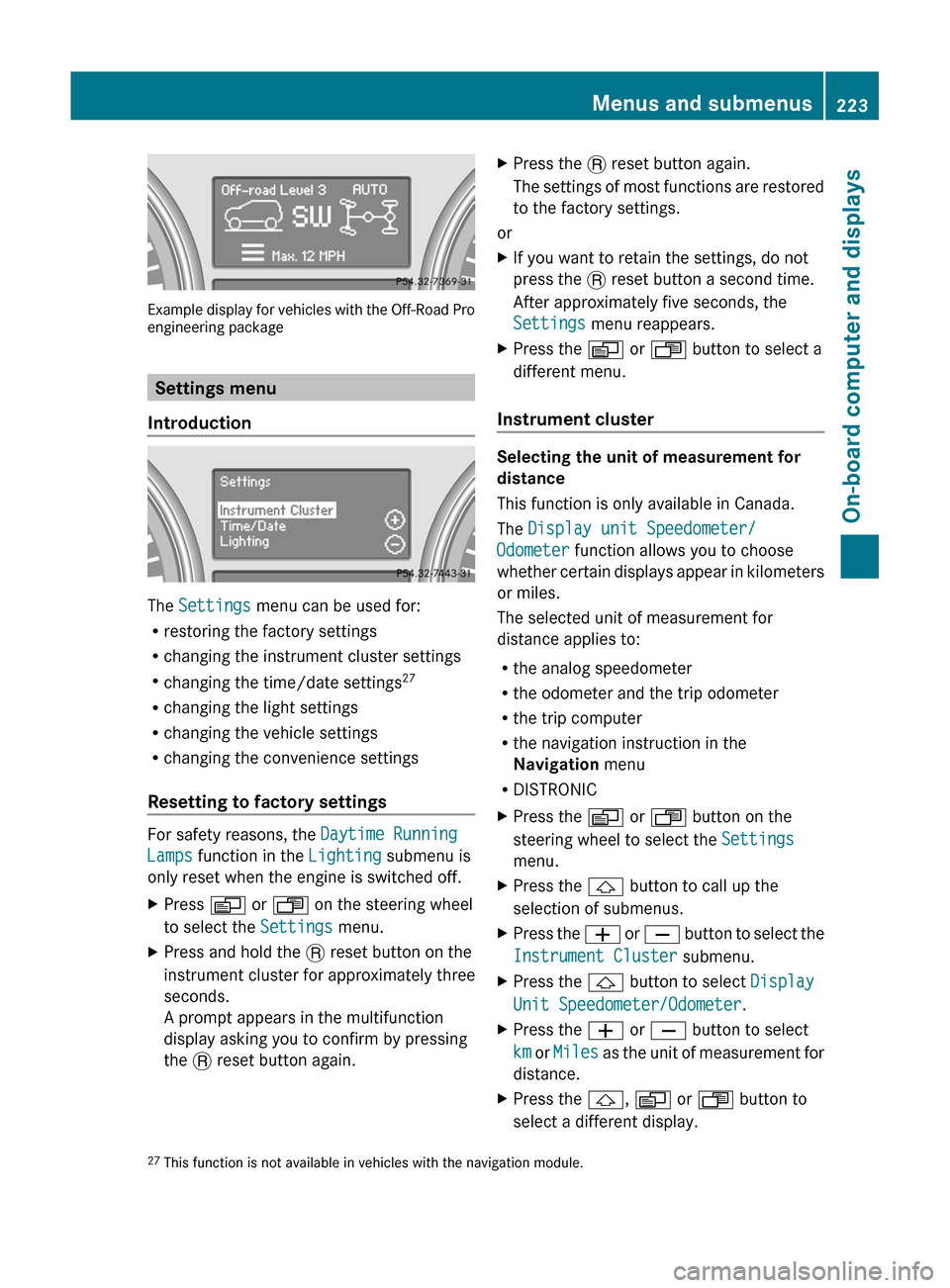
Example display for vehicles with the Off-Road Pro
engineering package
Settings menu
Introduction
The Settings menu can be used for:
R restoring the factory settings
R changing the instrument cluster settings
R changing the time/date settings 27
R changing the light settings
R changing the vehicle settings
R changing the convenience settings
Resetting to factory settings
For safety reasons, the Daytime Running
Lamps function in the Lighting submenu is
only reset when the engine is switched off.
XPress V or U on the steering wheel
to select the Settings menu.XPress and hold the . reset button on the
instrument cluster for approximately three
seconds.
A prompt appears in the multifunction
display asking you to confirm by pressing
the . reset button again.XPress the . reset button again.
The settings of most functions are restored
to the factory settings.
or
XIf you want to retain the settings, do not
press the . reset button a second time.
After approximately five seconds, the
Settings menu reappears.XPress the V or U button to select a
different menu.
Instrument cluster
Selecting the unit of measurement for
distance
This function is only available in Canada.
The Display unit Speedometer/
Odometer function allows you to choose
whether certain displays appear in kilometers
or miles.
The selected unit of measurement for
distance applies to:
R the analog speedometer
R the odometer and the trip odometer
R the trip computer
R the navigation instruction in the
Navigation menu
R DISTRONIC
XPress the V or U button on the
steering wheel to select the Settings
menu.XPress the & button to call up the
selection of submenus.XPress the W or X button to select the
Instrument Cluster submenu.XPress the & button to select Display
Unit Speedometer/Odometer .XPress the W or X button to select
km or Miles as the unit of measurement for
distance.XPress the &, V or U button to
select a different display.27 This function is not available in vehicles with the navigation module.Menus and submenus223On-board computer and displaysZ
Page 230 of 384

XPress the & button to select Easy-
entry Function .XPress the W or X button to activate
or deactivate the Easy-entry Function .XPress the &, V or U button to
select a different display.
Switching the belt adjustment on/off
For further information on belt adjustment
( Y page 58).
XPress the V or U button on the
steering wheel to select the Settings
menu.XPress the & button to select submenus.XPress the W or X button to select the
Comfort submenu.XPress the & button to select Belt
Adjustment .XPress the W or X button to activate
or deactivate Belt Adjustment .XPress the &, V or U button to
select a different display.
Switching the Fold in mirrors when
locking function on/off
If you activate the Fold In Mirrors When
Locking function, the exterior mirrors are
folded in when the vehicle is locked. If you
switch on the ignition, the exterior mirrors
fold out again.
If you have switched the function on and you
fold the exterior mirrors in using the button
on the door ( Y page 112), they will not fold
out automatically. The exterior mirrors can
then only be folded out using the button on
the door.
XPress V or U on the steering wheel
to select the Settings menu.XPress the & button to select submenus.XPress the W or X button to select the
Convenience submenu.XPress & to select Fold In Mirrors
When Locking .XPress W or X to activate/deactivate
the Fold Mirrors In When Locking
function.XPress the &, V or U button to
select a different display.
Additional functions menu
Activating/deactivating the distance
warning function
This function is only available with
DISTRONIC.
XPress V or U on the steering wheel
to select the Additional functions menu.XPress the & or * button to select the
Distance warning function.XPress the W or X button to activate
or deactivate the Distance warning
system.
When the distance warning function
( Y page 72) is activated, the Ä symbol
is shown in the lower multifunction display.XPress the &, V or U button to
select a different display.
Activating/deactivating Blind Spot
Assist
Further information about Blind Spot Assist
( Y page 201).
XPress V or U on the steering wheel
to select the Additional functions menu.XPress the & or * button to select the
Blind Spot Assist function.XPress the W or X button to switch
Blind Spot Assist on or off.XPress the &, V or U button to
select a different display.
Setting DSR
With the DSR speed function, you can set the
speed of DSR (the speed for driving downhill)
( Y page 204) to a value between 3 mph
228Menus and submenusOn-board computer and displays
Page 253 of 384

Display messagesPossible causes/consequences and M SolutionsCruise Control
--- MPH A condition for activating cruise control has not been fulfilled.
You attempted to save a speed of less than 20 mph (30 km/h).XIf the situation allows, drive faster than 20 mph ( 30 km/h) and
save the speed.XCheck the activation conditions for cruise control
( Y page 179).DISTRONIC
--- MPH An activation condition for DISTRONIC is not fulfilled.XCheck the activation conditions for DISTRONIC ( Y page 182).DISTRONIC
OverrideDISTRONIC is no longer controlling the speed of the vehicle.XTake your foot off the accelerator pedal.DISTRONIC
InoperativeDISTRONIC is defective or the display has failed.XVisit a qualified specialist workshop.DISTRONIC
Currently
Unavailable See
Operator's ManualDISTRONIC is deactivated and is temporarily inoperative if:
R the DISTRONIC cover in the radiator grill is dirty.
R its function is impaired due to heavy rain, snow or fog.
R the radar sensor system is temporarily inoperative, e.g. due to
electromagnetic radiation emitted by nearby TV or radio
stations or other sources of electromagnetic radiation.
R the radar sensor system has not detected any vehicles or
stationary objects, e.g. traffic signs, for a long time.
R the system is outside the operating temperature range.
DISTRONIC becomes available again and the display message
disappears if:
R the dirt (e.g. slush) drops away while the vehicle is in motion.
R the system detects that the sensors are fully available again.
R the system is within the operating temperature range.
If the display message continues to be displayed:XClean the DISTRONIC cover in the radiator grill ( Y page 309).XRestart the engine.GWARNING
DISTRONIC cannot take weather conditions into account. Switch off DISTRONIC or do not turn
it on if the sensor is dirty or visibility is diminished as a result of snow, rain or fog. The distance
control may be impaired even before the system is able to detect a dirty sensor. The DISTRONIC
Currently Unavailable See Operator's Manual message will be displayed in the
multifunction display and DISTRONIC will be turned off.
Display messages251On-board computer and displaysZ
Page 263 of 384

ProblemPossible causes/consequences and M Solutions!
The yellow ABS warning
lamp is lit while the
engine is running. A
warning tone also
sounds.GRisk of accident
EBD is faulty. Therefore, ABS, BAS, PRE-SAFE ®
, hill start assist and
ESP ®
trailer stabilization, for example, are also not available due
to a malfunction.
The brake system continues to function normally, but without the
functions listed above. The wheels could therefore lock if you
brake hard, for example.
XObserve the additional display messages in the multifunction
display.XDrive on carefully.XVisit a qualified specialist workshop.$ (USA only)
J (Canada only)
֌!
The red brake warning
lamp, the yellow ESP ®
and ESP ®
OFF warning
lamps and the yellow
ABS warning lamp are
lit while the engine is
running.GRisk of accident
ABS and ESP ®
are faulty. As a result other systems, such as, BAS,
EBD, PRE-SAFE ®
, hill start assist and ESP ®
trailer stabilization...,
may also be unavailable due to a malfunction.
The brake system continues to function normally, but without the
functions listed above. The wheels could therefore lock if you
brake hard, for example.
XObserve the additional display messages in the multifunction
display.XDrive on carefully.XVisit a qualified specialist workshop.÷
The yellow ESP ®
warning lamp flashes
while the vehicle is in
motion.GRisk of accident
ESP ®
or traction control has intervened because there is a risk of
skidding or at least one wheel has started to spin.
Cruise control or DISTRONIC is deactivated.
XOnly depress the accelerator pedal as far as necessary when
pulling away.XRelease the accelerator pedal while the vehicle is in motion.XAdapt your driving style to suit the road and weather conditions.XDo not deactivate ESP ®
.
For exceptions: ( Y page 69).Warning and indicator lamps in the instrument cluster261On-board computer and displaysZ