2012 MERCEDES-BENZ C-CLASS SALOON reset
[x] Cancel search: resetPage 368 of 557
Multimedia sy
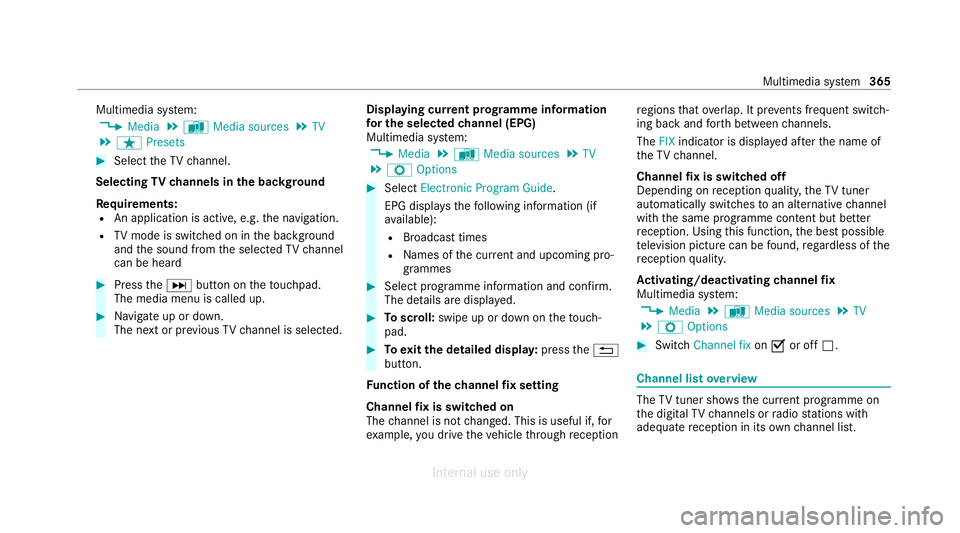
stem:
4 Media 5
à Media sources 5
TV
5 ß Presets #
Select theTV channel.
Selecting TVchannels in the bac kground
Re quirements:
R An application is active, e.g. the navigation.
R TVmode is switched on in the bac kground
and the sound from the selected TVchannel
can be heard #
Press theD button on theto uchpad.
The media menu is called up. #
Navigate up or down.
The next or pr evious TVchannel is selec ted. Displaying cur
rent prog ramme in form ation
fo r the selected channel (EPG)
Multimedia sy stem:
4 Media 5
à Media sources 5
TV
5 Z Options #
Select Electronic Program Guide.
EPG displa ys thefo llowing information (if
av ailable):
R Broadcast times
R Names of the cur rent and upcoming pro‐
grammes #
Select programme information and confirm.
The de tails are displa yed. #
Toscroll: swipe up or down on theto uch‐
pad. #
Toexitth e detailed displa y:press the%
button.
Fu nction of thech annel fix setting
Channel fix is switched on
The channel is not changed. This is useful if, for
ex ample, you drive theve hicle thro ugh reception re
gions that ove rlap. It pr events frequent switch‐
ing ba ckand forth between channels.
The FIXindicator is displa yed af terth e name of
th eTV channel.
Channel fix is switched off
Depending on reception qualit y,theTV tuner
au tomatical lyswitches toan alternative channel
with the same programme conte nt but better
re ception. Using this function, the best possible
te levision picture can be found, rega rdless of the
re ception qualit y.
Ac tivating/deactivating channel fix
Multimedia sy stem:
4 Media 5
à Media sources 5
TV
5 Z Options #
Switch Channel fix onO or off ª. Channel list
overview The
TVtuner sho wsthe cur rent programme on
th e digital TVchannels or radio stations with
adequate reception in its ownch annel list. Multimedia sy
stem 365
Internal use only
Page 369 of 557

The order of
thech annel lists is alphabetical or
countr y-specific.
The TVtuner requ ires a short amount of time to
update the information.
The channel lists show thefo llowing information:
R recei vable channel names
R programme title
The information is shown under thefo llowing
conditions:
R it is broadcast bythe digital channel
R there ception conditions are adequate Favo
urites Overview of
TVprog rammes (f avourites)
Yo u can sa veup to100 digital TVchannels in
fa vo urites.
Fo rqu ick- access you can sa veTV channels as
fa vo urites. Qui
ck-saving a TVchannel
Multimedia sy stem:
4 Media 5
à Media sources 5
TV #
In full-screen mode, press theto uchpad for
longer than thre e seconds.
The cur rent TV channel is stored in the
fa vo urites in the next available position.
St oring TVchannels
Multimedia sy stem:
4 Media 5
à Media sources 5
TV
5 ß Presets #
Select Store current station in the presets.
or #
Highlight a channel in thech annel list and
st ore as a favo urite.
The cur rent channel is stored in thefa vo ur‐
ites in the next available position.
Moving channels in thefa vo urites #
Highlight a channel in thefa vo urites. #
Select ¥Move highlighted station. #
Highlight the new position. #
Confirm the position.
Deleting channels #
Highlight a channel in thefa vo urites. #
Select ¥Delete highlighted station. #
Select Yes. TV
prog ramme Overvi
ewof audio language and subtitles
Au dio language
R A selection from theav ailable audio lan‐
guages can be made for a programme broad‐
cast in multiple languages.
R If English, forex ample, is set as the sy stem
language and a TVchannel is broadcasting in
th is language, Engl ish is selected automati‐
cally.
The prog ramme transmission may be indica ted
with thefo llowing symbols:
m Programme with audio explanations for
th e visually impaired
o Stereo broadcast 366
Multimedia sy stem
Internal use only
Page 371 of 557

MHEG-5 digital
telete xt #
Ifth ete lete xt is displ ayed, press and hold on
th eto uchpad.
A colour selection bar appears. #
Select a colour.
The data content is displ ayed. #
Toenter numbers: select123. #
Enterth e numbers in quick succession. #
Toreturn totheTV prog ramme: selectTV. Pictu
resettings Picture settings
overview
The following picture form at settings are availa‐
ble:
R Automatic
The brightness is automatically set with this
option.
R 16:9
R 4:3
R Zoom Selecting picture settings
Multimedia sy
stem:
4 Media 5
à Media sources 5
TV
5 Z Options #
Select Picture format. #
Select a picture form at.
Ad justing the brightness manually
If th eAutomatic pictureform at is swit ched off,
yo u can adjust the brightness yourself. #
Select Brightness. #
Adjust the brightness. HD prog
rammes Re
ceiving encryp ted HD prog rammes
* NO
TEDama getothe CI+ module and
Smart Card The CI+ module is designed
for use in the
home. The CI+ module can overheat and be
damaged bycontinuous exposure tohigh
outside temp eratures. #
Make sure that the CI+ module is not
subject tohigh temp eratures forex ten‐
ded pe riods of time.
If th e CI+ module is damaged, no
encryp tedch annels can be recei ved. The
TVtuner is in the boot recess. #
Ifre qu ired (countr y-dependent), insert the
smart card into the CI+ module slot. #
Remo vethe pr otective cap from theTV tune r. #
Insert the CI+ module into theTV tuner sl ot. #
Place the pr otective cap on theTV tune r.
When the CI+ module is inser ted cor rectly,
encryp ted HD programmes can be recei ved
according toCI+ standard.
If th e CI+ module is not compatible, an er ror
messa geappears.
Calling up the CI+ module menu
Multimedia sy stem:
4 Media 5
à Media sources 5
TV
5 Z Options #
Select CA module. 368
Multimedia sy stem
Internal use only
Page 376 of 557

fi
ed based on the actual operating conditions
and/or loads.
Examples of arduous operating conditions:
R regular city driving with frequent intermedi‐
ate stops
R mainly short-dis tance driving
R frequent operation in mountainous terrain or
on poor road sur faces
R when the engine is of ten le ftidling for long
periods
R operation in particula rly dusty conditions
and/or if air-recirculation mode is frequently
used
In these or similar operating conditions, ha vethe
interior air filter, engine air cleaner, engine oil
and oil filter etc. changed more frequent ly. The
ty re s must be checked more frequently if the
ve hicle is operated under increased loads. Fur‐
th er information can be obtained at a qualified
specialist workshop. Battery disconnection periods
The ASS
YST PLUS service inter val display can
calculate the service due date only when the
battery is connec ted. #
Notedown the service due date displa yed on
th e instrument display before disconnecting
th e battery (/ page372). Engine com
partment Ac
tive bonn et(pedestrian pr otection) Operation of
the active bonnet (pedestrian
pr otection)
In cer tain accident situations, the actuation of
th e active bonn etreduces therisk of injury to
pedestrians. The rear area of the bonn etis
ra ised byappr oximately 85 mm.
Fo rth e drive tothewo rkshop, reset the actuated
active bonn etyourself (/ page373).
Af terth e active bonn ethas been actuated,
pedestrian pr otection may be limited.
Ha ve the full functionality of the active bonn et
re stored in a qualified specialist workshop. Re
setting the active bonnet &
WARNING Risk of burn s from hot com‐
ponent parts in the engine compartment
Cer tain component parts in the engine com‐
partment can be very hot, e.g. the engine,
th e cooler and parts of theex haust sy stem. #
Allow the engine tocool down and only
to uch co mponent parts described in
th efo llowing. Maintenance and care
373
Internal use only
Page 520 of 557

Drive program display............................
16 6
Drive programs...................................... 16 5
DY NA MIC SELECT switch...................... 16 5
Engaging drive position........................ .169
Engaging neutral................................... .168
Engaging park position.......................... 16 9
Engaging reve rsege ar........................... 16 8
Kickdown............................................... 171
Manual gear changing.......................... .170
St eering wheel gearshift paddles...........1 70
Tr ansmission position displa y................ 167
Tr ansmission position s..........................167
Au tomatic transmission (problem)
see Transmission (problem)
Axle load Perm issible............................................ 428
Tr ailer operation.................................... 443B
Bag hook..................................................... 11 7
Ball neck Folding out/in....................................... 237
BA S (Brake Assist Sy stem)....................... 187Battery
Key.......................................................... 75
Re mo tecontrol (s tationary heater)........ 151
Battery see Battery (vehicle)
Battery (vehicle) Charging................................................ 400
Charging (Remo teOnline)..................... 15 6
No tes....................................................3 96
No tes (s tarting assis tance and
ch arging)............................................... 398
Re placing.............................................. 402
St arting assis tance................................ 400
Belt see Seat belt
Bic ycle rack
Load capacity........................................ 443
Tr ailer operation.................................... .241
Blind Spot Assi st
Ac tivating/deactivating......................... 216
Fu nction................................................. 213
Sy stem limitations................................. 213
Blo wer
see Climate control BlueTEC
see AdBlue ®
Blue tooth ®
Information............................................ 276
Setting up an Internet connection......... 342
Switching on/of f................................... 276
Switching profile (DUN/PAN)................ 342
Blue tooth ®
audio
Ac tivating.............................................. 357
De-authorising (de-regis tering) the
device.................................................... 358
Information............................................ 355
Overview............................................... 356
Sear ching for a track............................. 358
Sear ching for and auth orisingthe
device.................................................... 356
Selecting a media pla yer....................... 357
Switching device via NFC...................... 358
Bonnet Resetting (active bonnet)....................... 373
Boot lid Activating/deactivating theta ilgate
opening limiter....................................... .85
Closin g................................................... .81 Index
517
Internal use only
Page 538 of 557

Map data................................................3
11
Moving.................................................. 308
Overview...............................................3 07
Selecting POI symbols........................... 309
Selecting text information..................... 309
Selecting the map orientation............... 309
Setting the map scale............................ 308
Setting the map scale automaticall y...... 312
Up dating................................................3 11
Map and compass Overview............................................... 307
Massage prog rammes
Re setting the settings............................1 06
Selecting the front seats....................... 105
Massage settings Resetting...............................................1 06
Matt finish (cleaning instructions) ..........383
Maximum gross vehicle weight .............. .428
Maximum speed see Limiter
Mecca......................................................... 312
Media Sear ching............................................. .353 Media display
Notes....................................................2 65
Media Inter face
Ac tivating.............................................. 354
Information............................................ 353
Overview.............................................. .354
Media mode Activating.............................................. 348
Media sear ch
St arting................................................. 353
Medical aids................................................ .32
Memory function Function................................................. 11 0
Head-up display — Calling up stored
settings..................................................1 11
Head-up display — Storing settings......... 111
Operating............................................... 111
Outside mir rors — Calling up stored
settings..................................................1 11
Outside mir rors —St oring settings......... 111
Seat — Calling up stored settings........... 111
Seat — Storing settings........................... 111
St eering wheel — Calling up sa ved
settings.................................................. 111St
eering wheel — Saving settings...........1 11
Menu (on-board computer) Head-up displa y..................................... 24 9
Overview............................................... 24 6
Mercedes me calls Arranging a service appointment.......... 334
Calling the Mercedes-Benz Cus tomer
Centre................................................... 333
Calling the Mercedes-Benz Cus tomer
Centre af ter auto matic accident or
breakdown de tection............................. 333
Consenting todata transfer.................. 334
Information............................................ 332
Making a call via theove rhead con‐
trol panel............................................... 331
Tr ans ferred data.................................... 334
Mercedes me connect Accident and Breakdown Manage‐
ment...................................................... 336
Information............................................ 336
Tr ans ferred data.................................... 337
Mercedes-AMG vehicles
No tes..................................................... 154 Index
535
Internal use only
Page 543 of 557

R
Ra dar and ultrasonic senso rs
Damage................................................. 186
Ra dio
Ac tivating.............................................. 358
Ac tivating/deactivating radio text......... 361
Ac tivating/deactivating traf fic
announcements..................................... 361
Calling up a slide sho w.......................... 360
Calling up thest ation lis t...................... .360
Deleting stations.................................. .360
Direct frequency entr y.......................... 360
Displaying information........................... 361
Displaying radio text.............................. 361
Fr equency fix......................................... 361
Managing favo urites.............................. 360
Managing station presets...................... 360
Moving stations.................................... .360
Overview.............................................. .359
Sear ching forst ations.......................... .360
Setting a channel................................. .359
Setting station trackin g......................... 361
Setting the frequency band................... 359
Setting the traf fic information
service volume inc rease........................ 361 St
oring radio stations............................ 360
Ta gging music trac ks............................. 361
Vo ice commands (LINGU ATRO NIC)....... 258
Ra dio ope rating permits ........................... 428
Ra in-closing feature
Side wind ows.......................................... 87
Sliding sunroof........................................ 92
REA CHregulation........................................32
Re ading lamp
see Interior lighting
Re ar climate control
Setting................................................... 14 6
Re ar door (child saf ety lock)...................... 70
Re ar fog light
Switching on/of f................................... 12 6
Re ar seat
see Seat
Re ar seat belt
St atus display......................................... .43
Re ar seat belt status display ..................... 43
Re ar window
Ro ller sunblin d......................................... 94Re
ar window heater.................................. 14 4
Re ar-view mir ror
see Outside mir rors
Re cycling
see Take -ba ckof end-of-life vehicles
Re ducing agent
see AdBlue ®
Re fuelling
Re fuelling theve hicle............................. 172
To pping up AdBlue ®
............................... 176
Re gistration
Ve hicle.....................................................31
Re mo tecont rol (stationa ryheater/
ve ntilation)
Displa ys................................................. 151
Problems............................................... 15 2
Re placing the battery.............................1 51
Setting................................................... 15 0
Re mo teOnline
Charging thest ar ter battery.................. 15 6
Cooling or heating theve hicle interior... 15 6
St arting theve hicle................................ 157540
Index
Internal use only
Page 544 of 557

Re
placing a bulb
see Changing bulbs
Re scue card................................................. 33
Re ser ve
Fu el....................................................... 434
Re set function (multimedia sy stem)....... 285
Re sidual heat............................................. 147
Re storing (factory settings)
see Reset function (multimedia sy stem)
Re stra int sy stem
Basic instructions forch ildren................ .52
Fu nction in an accident........................... 38
Fu nctionality............................................ 37
Malfunction............................................. 38
Pr otection................................................ 37
Re duced pr otection.................................37
Self-test................................................... 37
Wa rning lamp......................................... .37
Re versege ar
Inserting................................................ 16 8
Re versing camera
Care..................................................... .384
Fu nction................................................ 221 Opening
the camera co ver (360°
Camera)................................................ 227
Setting favo urites (360° Camera).......... 227
Swit ching automatic operation
on/off (360° Camera).......................... .227
Re versing lights (changing bulbs) ............137
Rims (care)................................................. 384
Ro llaw ay protection
see HOLD function
Ro ller sunblind
Pa norama sliding sunroof........................ 89
Re ar wind ow............................................ 94
Side windo ws.......................................... 93
Ro of lining (care) ...................................... .385
Ro of load .................................................... 441
Ro of luggage rack
Loading.................................................. 11 9
Secu ring................................................. 11 9
Ro ute
Calculating............................................ 295
Displ aying destination information........2 97
Planning................................................ 292
Selecting a type.................................... 295 Selecting an alternative
route................ 297
Selecting notification s........................... 297
Selecting options.................................. 296
St arting the automatic service sta‐
tion sear ch............................................ 298
Switching the automatic filling sta‐
tion sear chon/off................................. 297
Using automatic filling station sear ch... 297
Wi th intermediate destinations............ .293
Ro ute guidance
Cancelling............................................. 302
Changing direction................................ 299
Destination reached............................. .300
Fr om an off-road location...................... 302
Lane recommendations......................... 300
No tes....................................................2 98
Off-road................................................. 302
To an off-ro ad destination.....................3 02
Ro ute-based speed adaptation
Fu nction................................................ 202
Ro ute-based speed adjustment
Setting................................................... 203
Ru n-flat characteristics
MOExtended tyres................................. 391 Index
541
Internal use only