Page 84 of 349

3. Carefully pull/push the trunk side panel (dark grey, soft wheelhouse
side trim panel) outboard to expose the lamp assembly. The most
effective point to grasp the trunk side panel when pulling it out from the
luggage scuff plate is at it’s bottom edge where that edge meets the
exposed sheet metal of the trunk floor.
Note:Do not allow the trunk side panel to remain bent and untucked
from the luggage scuff plate (hard molding) for a long period of time.
Doing so may result in permanent deformation.
4. Remove the bulb socket by
rotating it counterclockwise, then
pulling it out of the lamp assembly.
5. Pull the bulb from the socket and
push in the new bulb.
6. Install the bulb socket into the
lamp assembly by rotating it
clockwise.
7. Carefully push the trunk side
panel (dark grey, soft wheelhouse
side trim panel) back to the shingle position to the luggage scuff plate
(hard molding).
8. Reinstall the trunk floor carpeting panel.
Replacing backup lamp/supplemental tail lamp
The backup lamp and supplemental tail lamps are located in the trunk
lid. Follow the same steps to replace either lamp.
1. Make sure the headlamp switch is
in the off position and open trunk to
access the lamp assembly.
2. Position the decklid trim aside by
removing 3 to 4 pin-type retainers
to expose the lamp assembly.
3. Remove the bulb socket by
rotating it counterclockwise, then
pull it out of the lamp assembly.
Lights
84
2012 MKZ Hybrid(hkz)
Owners Guide, 1st Printing
USA(fus)
Page 85 of 349

4. Pull the bulb from the socket and
push in the new bulb.
5. Install the bulb socket into the
lamp assembly by rotating it
clockwise.
6. Carefully reposition the trim back
to its original position and secure
the retainers.
Replacing high-mount brake lamp bulb
1. Make sure the ignition control is
in the off position.
2. Open the trunk and reach
underneath package tray to locate
lamp assembly.
3. Remove the bulb socket by
rotating it counterclockwise, then
pull it out of the lamp assembly.
4. Pull the bulb straight from the
socket and push in the new bulb.
5. Install the bulb socket into the lamp assembly by rotating it clockwise.
Replacing license plate lamp bulbs
1. Make sure the headlamp switch is
in the off position.
2. Remove the screws from the
license plate lamp assembly.
3. Remove bulb socket by turning it
counterclockwise.
4. Carefully pull the bulb out from
the socket.
Install new bulb(s) in reverse order.
Lights
85
2012 MKZ Hybrid(hkz)
Owners Guide, 1st Printing
USA(fus)
Page 86 of 349
Replacing fog lamp bulbs
1. Make sure the fog lamp switch is
in the off position.
2. From underneath the vehicle,
partially remove the tire splash
shield by removing four drive
screws.
After removing to allow free access
to the front fog lamp bulb and
electrical wire harness, the splash shield flap can be repositioned.
3. Rotate the harness/bulb assembly
counterclockwise to remove from
the fog lamp.
4. Carefully disconnect the bulb
from the harness assembly via the
two snap clips.
Install the new bulb in reverse order.
Lights
86
2012 MKZ Hybrid(hkz)
Owners Guide, 1st Printing
USA(fus)
Page 95 of 349

Accessory delay
With accessory delay, the window switches, audio system and moon roof
(if equipped) may be used for up to 10 minutes after the ignition is
turned off or until either front door is opened.
INTERIOR MIRROR
The interior rearview mirror has two pivot points on the support arm
which lets you adjust the mirror up or down and from side to side.
WARNING:Do not adjust the mirror while the vehicle is in
motion.
Automatic dimming interior rear view mirror
The interior rear view mirror and a driver’s side exterior mirror have an
auto-dimming function. The electronic day/night mirror will change from
the normal (high reflective) state to the non-glare (darkened) state
when bright lights (glare) reach the interior mirror. When the interior
mirror detects bright light from behind the vehicle, the interior rear view
mirror and the driver’s side exterior mirror will automatically adjust
(darken) to minimize glare.
The mirrors will automatically return to the normal state whenever the
vehicle is placed in R (Reverse) to ensure a bright clear view when
backing up.
Do not block the sensors on the front and back of the interior
rear view mirror since this may impair proper mirror
performance.
Note:A rear center passenger and/or raised rear center headrest (if
equipped) may also block the light from reaching the sensor.
Do not clean the housing or glass of any mirror with harsh
abrasives, fuel or other petroleum-based cleaning products.
Note:If equipped with a rearview camera system, a video image will
display in the mirror or the navigation system display (if equipped) when
the vehicle is put in R (Reverse). As you shift into any other gear from R
(Reverse), the image will remain for a few seconds and then turn off.
Refer toRearview camera systemin theDrivingchapter.
Driver Controls
95
2012 MKZ Hybrid(hkz)
Owners Guide, 1st Printing
USA(fus)
Page 106 of 349
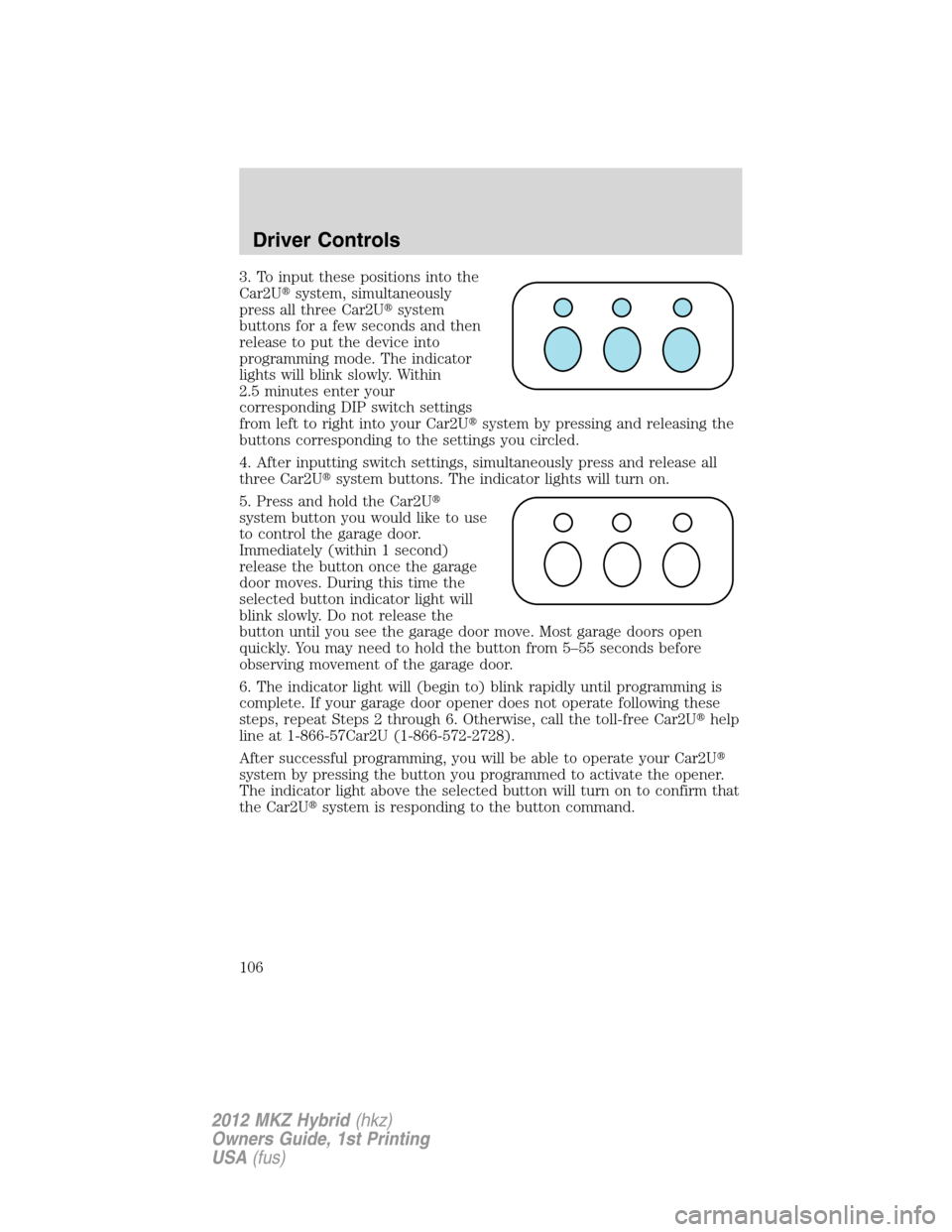
3. To input these positions into the
Car2U�system, simultaneously
press all three Car2U�system
buttons for a few seconds and then
release to put the device into
programming mode. The indicator
lights will blink slowly. Within
2.5 minutes enter your
corresponding DIP switch settings
from left to right into your Car2U�system by pressing and releasing the
buttons corresponding to the settings you circled.
4. After inputting switch settings, simultaneously press and release all
three Car2U�system buttons. The indicator lights will turn on.
5. Press and hold the Car2U�
system button you would like to use
to control the garage door.
Immediately (within 1 second)
release the button once the garage
door moves. During this time the
selected button indicator light will
blink slowly. Do not release the
button until you see the garage door move. Most garage doors open
quickly. You may need to hold the button from 5–55 seconds before
observing movement of the garage door.
6. The indicator light will (begin to) blink rapidly until programming is
complete. If your garage door opener does not operate following these
steps, repeat Steps 2 through 6. Otherwise, call the toll-free Car2U�help
line at 1-866-57Car2U (1-866-572-2728).
After successful programming, you will be able to operate your Car2U�
system by pressing the button you programmed to activate the opener.
The indicator light above the selected button will turn on to confirm that
the Car2U�system is responding to the button command.
Driver Controls
106
2012 MKZ Hybrid(hkz)
Owners Guide, 1st Printing
USA(fus)
Page 107 of 349

Erasing the Car2U�Home Automation System buttons
Note:The system allows for three devices to be programmed. If you
need to change or replace any of the three devices after it has been
initially programmed, it will be necessary to erase the current settings
using the procedure below and then reprogramming all of the devices
being used.
To erase programming on the Car2U�system (individual buttons cannot
be erased), use the following procedure:
1. Firmly press the two outside
Car2U�system buttons
simultaneously for approximately
20 seconds until the indicator lights
begin to blink rapidly. The indicator
lights are located directly above the
buttons.
2. Once the indicator lights begin to
blink, release your fingers from the
buttons. The codes for all buttons
are erased.
If you sell your vehicle equipped with the Car2U�system, it is
recommended that you erase the programming for security reasons.
FCC and RSS-210 Industry Canada Compliance
The Car2U�system complies with Part 15 of the FCC rules and with
RSS-210 of Industry Canada. Operation is subject to the following two
conditions: (1) This device may not cause harmful interference, and (2)
This device must accept any interference received including interference
that may cause undesired operation.
Changes and modifications to the Car2U�system transmitter by other
than an authorized service facility could void authorization to use the
equipment.
Driver Controls
107
2012 MKZ Hybrid(hkz)
Owners Guide, 1st Printing
USA(fus)
Page 125 of 349

Illuminated entry
The interior lamps, parking lamps and puddle lamps (if equipped)
illuminate when the integrated keyhead transmitter or the keyless entry
system keypad is used to unlock the door(s) or when any door is
opened.
The illuminated entry system will turn off the lights if:
•the ignition is turned to the on position,
•the integrated keyhead transmitter lock control is pressed, or
•the vehicle is locked using the keyless entry keypad, or
•after 25 seconds of illumination.
The interior lights will not turn off if:
•they have been turned on with the dimmer control, or
•any door is open.
Illuminated exit
•When all vehicle doors are closed and the key is removed from the
ignition, the interior lamps and the puddle lamps (if equipped) will
illuminate.
The lamps will turn off if all the doors remain closed and
•25 seconds elapse, or
•the key is inserted in the ignition.
Battery saver
The battery saver will shut off the lamps 30 minutes after the ignition
has been turned to the 1 (off) position.
•If the dome lamps were turned on using the panel dimmer control, the
battery saver will shut them off 30 minutes after the ignition has been
turned to the off position.
•If the courtesy lamps were turned on because one of the vehicle doors
or the trunk was opened, the battery saver will shut off them off
10 minutes after the ignition has been turned to the off position.
•The battery saver will shut off the headlamps 10 minutes after the
ignition has been turned to the off position.
Locks and Security
125
2012 MKZ Hybrid(hkz)
Owners Guide, 1st Printing
USA(fus)
Page 139 of 349
To operate the heated seats:
Press once to activate the high heat setting (three indicator lights).
Continue pressing to scroll through the other settings; medium heat (two
indicator lights), low heat (one indicator light) or off.
•DATC system
•Navigation-based system
If the engine falls below 350 rpm while the heated seats are on, the
feature will turn itself off and will need to be reactivated.
Cooled seats
The cooled seats will only function when the engine is running.
To operate the cooled seats:
Press once to activate the high cool setting (three indicator lights).
Continue pressing to scroll through the other settings; medium cool (two
indicator lights), low cool (one indicator light) or off.
•DATC system
•Navigation-based system
If the engine falls below 350 rpm while the cooled seats are on, the
feature will turn itself off and will need to be reactivated.
A/C
Seating and Safety Restraints
139
2012 MKZ Hybrid(hkz)
Owners Guide, 1st Printing
USA(fus)

