Page 99 of 437
Deactivating high beams
The automatic high beams will deactivate if any of the following events
occur:
•An approaching vehicle’s headlights or a preceding vehicle’s tail lamps
are detected.
•The headlamp control is moved out of the autolamps position.
•The vehicle speed falls below 27 mph (43 km/h).
•The ambient light level is high enough that high beams are not
needed.
•Severe rain, snow or fog is detected.
•The camera is blocked.
Note:Activating the multi-function lever will put the headlamps in
manual high beam mode (constant or flash-to-pass) until the lever is
returned to the neutral position. To manually override the auto high
beam and go to low beam, the headlamp control must be taken out of
the
(autolamp) position. For severe fog on freeways, or severe fog
in low traffic situations, use of fog lamps is recommended.
Setting auto high beam sensitivity
The automatic high beam system has two sensitivity settings. The default
setting is near. If you would like the high beams to turn off when traffic
is further away, the sensitivity setting can be changed to far. The
procedure is as follows:
Preconditions:
•Vehicle is at a stop.
•Ignition is in the on position.
•The headlamp control is in the
position.
•High-beams are off.
Programming Sequence:
1. Turn the headlamp control from
(on) to(autolamp) three
times within two seconds, ending in
(on).
2. Cycle flash-to-pass three times using the multi-function lever.
Lights
99
2012 MKT(mkt)
Owners Guide, 1st Printing
USA(fus)
Page 100 of 437

3. The high beams will flash momentarily to confirm that the sensitivity
setting has been changed.
Note: The programming sequence will end if either of the following
occur:
•The vehicle speed is not zero.
•The battery voltage is out of normal range.
Troubleshooting
If the automatic high beam camera becomes blocked, the high beams
may not come on automatically. They will only activate when they are
manually turned on with the multi-function lever.
Typical road dust, dirt and water spots will not affect the automatic high
beam system’s performance. However, in cold or inclement weather
conditions, the automatic high beam system’s availability may be
decreased. In such conditions, the manual override may be used to turn
the high beams on or off.
For significant blockages (e.g. bird dropping, bug splatter, snow, or ice),
the automatic high beam system uses a blocked sensor computer
program. If a blockage is detected and no changes are observed, the
system will go into low beam mode until the blockage is cleared. If
blockages are repeatedly detected, the system will stay in low beam
mode for the remainder of the ignition cycle unless the system is able to
begin detecting other vehicles again.
If it appears that automatic control of the high beams is not functioning
properly, check the windshield in front of the camera for blockage.
Flash-to-pass
Pull and release to activate.
12
Lights
100
2012 MKT(mkt)
Owners Guide, 1st Printing
USA(fus)
Page 101 of 437
Daytime running lamps (DRL) (if equipped)
Turns the front fog lamps on.
To activate:
•the ignition must be in the on position,
•the headlamp control is in the off, autolamps or parking lamp position
and
•the transmission must be out of the P (Park) position.
WARNING:Always remember to turn on your headlamps at
dusk or during inclement weather. The Daytime Running Lamp
(DRL) system does not activate the tail lamps and generally may not
provide adequate lighting during these conditions. Failure to activate
your headlamps under these conditions may result in a collision.
PANEL DIMMER CONTROL
Use to adjust the brightness of the
instrument panel and all applicable
switches in the vehicle during
headlamp and parking lamp
operation.
Tap the top of the switch to the first
detent to brighten all interior lighted
components. Tap the bottom of the
switch to the first detent to dim all
interior lighted components. Press
and hold the switch until the
desired lighting level is reached.
Press and hold the top of the switch to the second detent to activate the
interior courtesy lights. The lights will remain on until bottom of the
switch is pressed and held at the second detent.
Lights
101
2012 MKT(mkt)
Owners Guide, 1st Printing
USA(fus)
Page 103 of 437
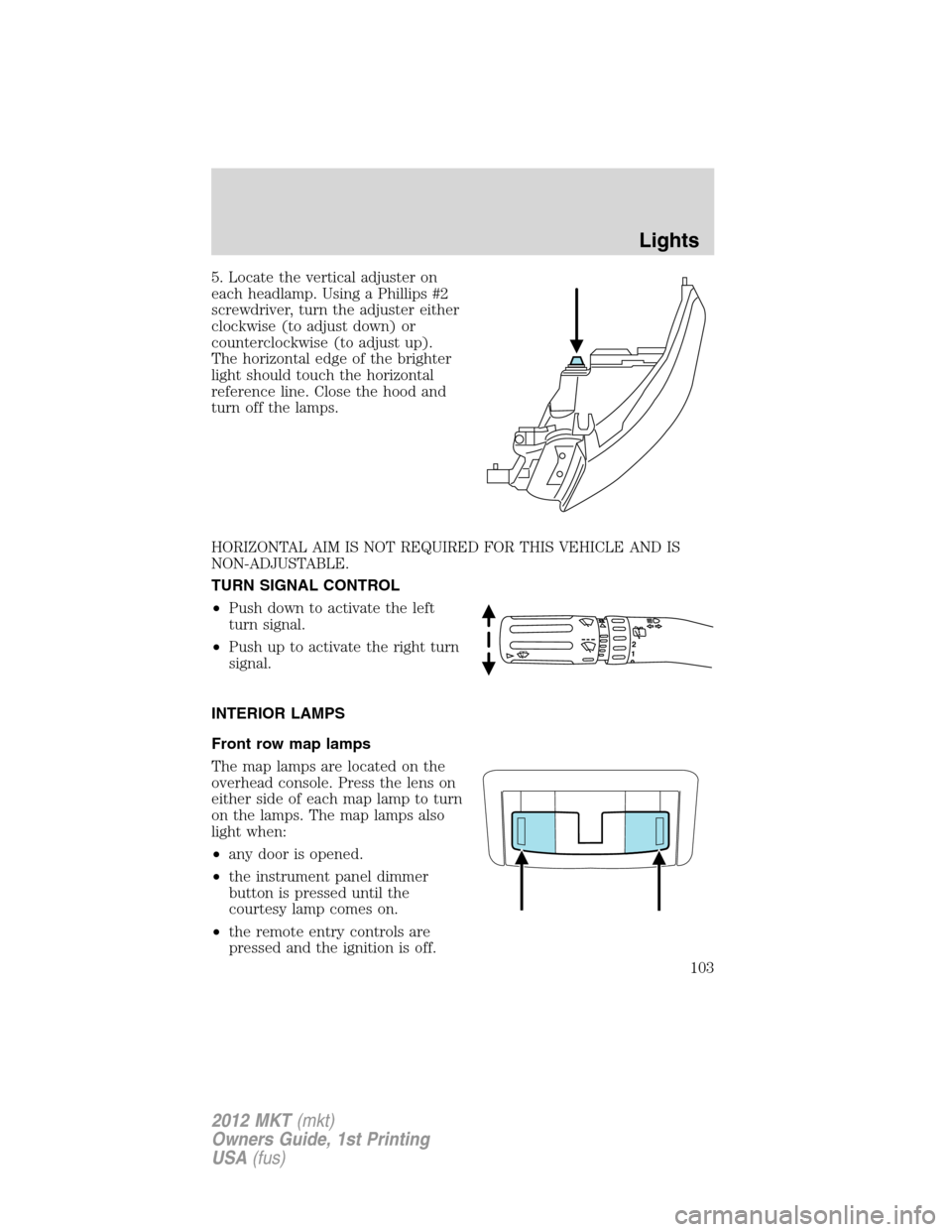
5. Locate the vertical adjuster on
each headlamp. Using a Phillips #2
screwdriver, turn the adjuster either
clockwise (to adjust down) or
counterclockwise (to adjust up).
The horizontal edge of the brighter
light should touch the horizontal
reference line. Close the hood and
turn off the lamps.
HORIZONTAL AIM IS NOT REQUIRED FOR THIS VEHICLE AND IS
NON-ADJUSTABLE.
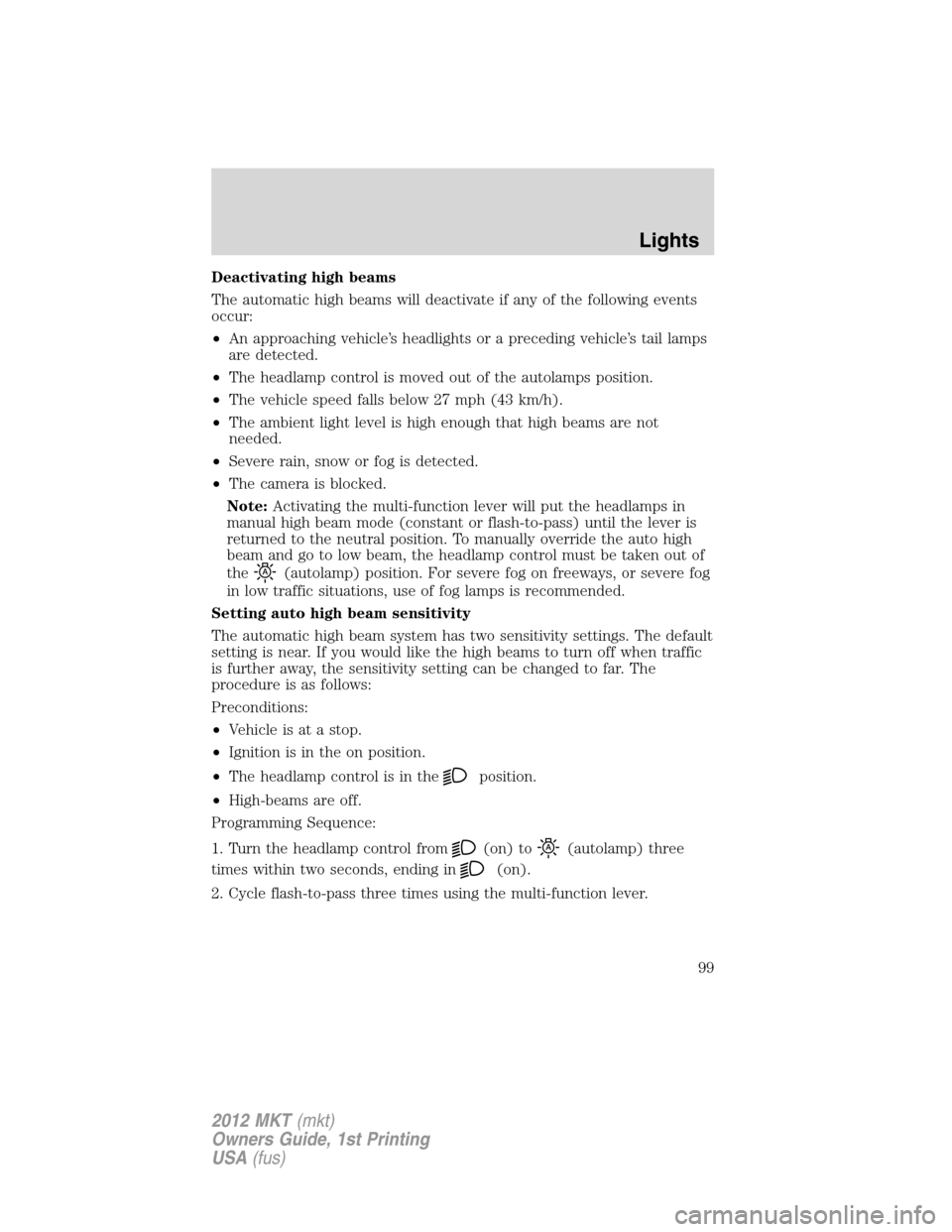
TURN SIGNAL CONTROL
•Push down to activate the left
turn signal.
•Push up to activate the right turn
signal.
INTERIOR LAMPS
Front row map lamps
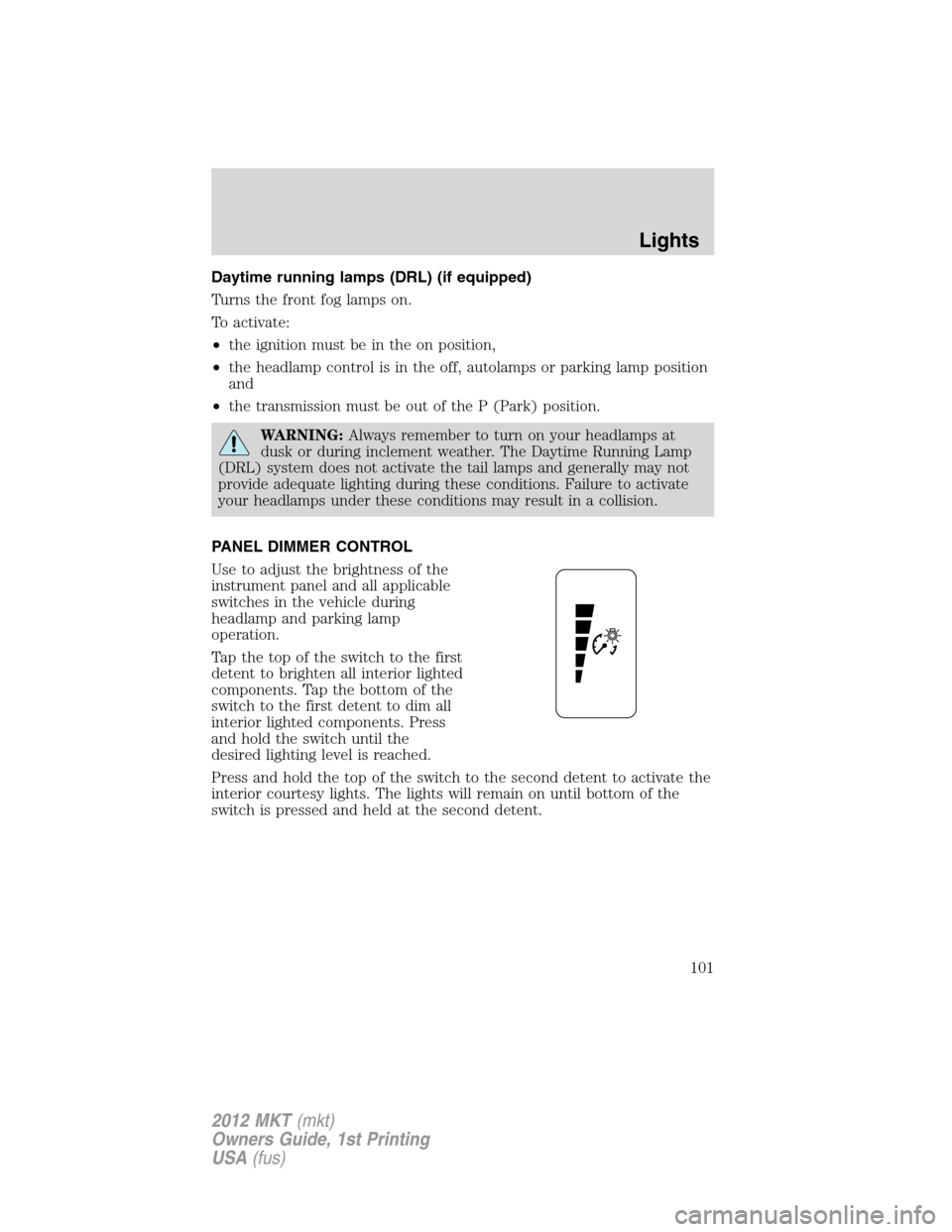
The map lamps are located on the
overhead console. Press the lens on
either side of each map lamp to turn
on the lamps. The map lamps also
light when:
•any door is opened.
•the instrument panel dimmer
button is pressed until the
courtesy lamp comes on.
•the remote entry controls are
pressed and the ignition is off.
12
Lights
103
2012 MKT(mkt)
Owners Guide, 1st Printing
USA(fus)
Page 105 of 437
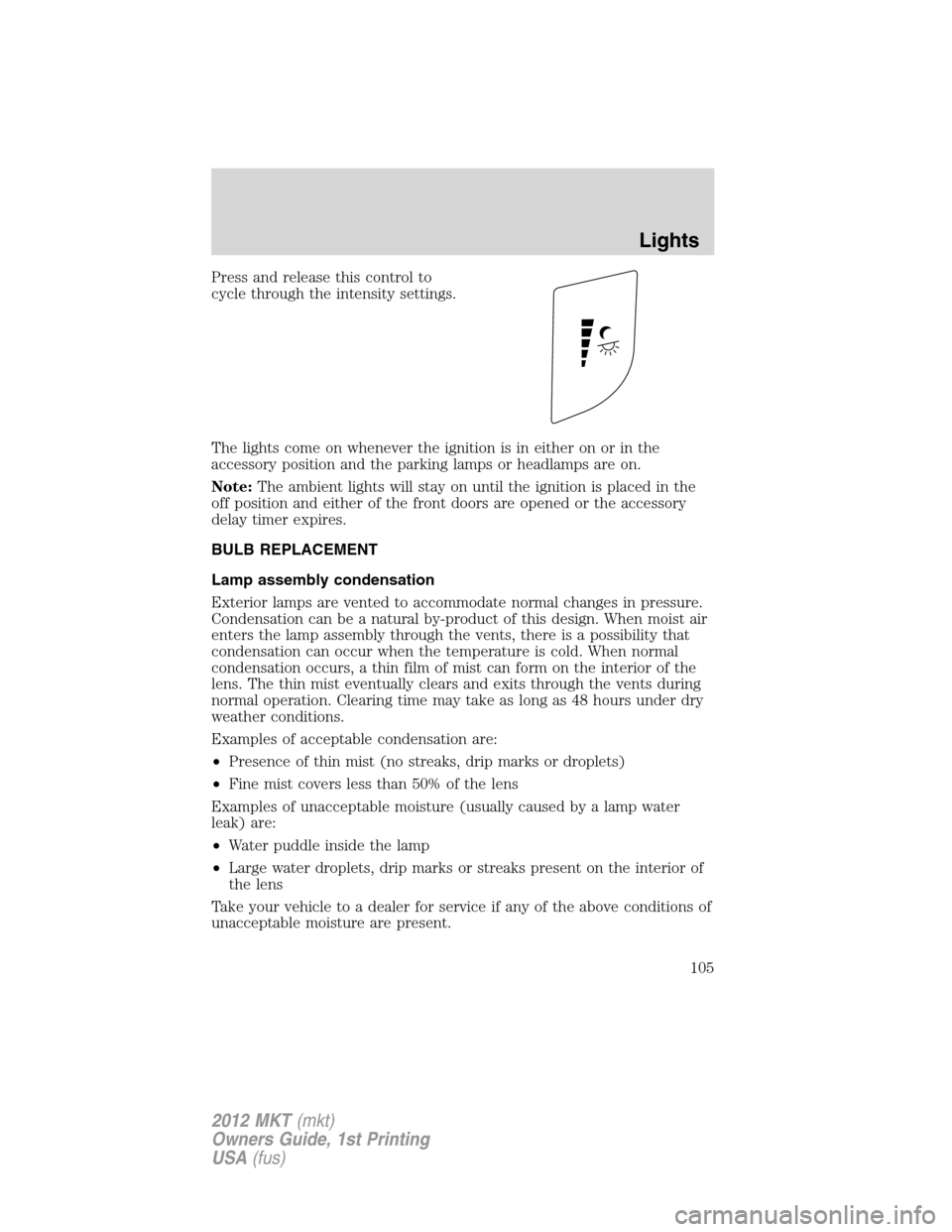
Press and release this control to
cycle through the intensity settings.
The lights come on whenever the ignition is in either on or in the
accessory position and the parking lamps or headlamps are on.
Note:The ambient lights will stay on until the ignition is placed in the
off position and either of the front doors are opened or the accessory
delay timer expires.
BULB REPLACEMENT
Lamp assembly condensation
Exterior lamps are vented to accommodate normal changes in pressure.
Condensation can be a natural by-product of this design. When moist air
enters the lamp assembly through the vents, there is a possibility that
condensation can occur when the temperature is cold. When normal
condensation occurs, a thin film of mist can form on the interior of the
lens. The thin mist eventually clears and exits through the vents during
normal operation. Clearing time may take as long as 48 hours under dry
weather conditions.
Examples of acceptable condensation are:
•Presence of thin mist (no streaks, drip marks or droplets)
•Fine mist covers less than 50% of the lens
Examples of unacceptable moisture (usually caused by a lamp water
leak) are:
•Water puddle inside the lamp
•Large water droplets, drip marks or streaks present on the interior of
the lens
Take your vehicle to a dealer for service if any of the above conditions of
unacceptable moisture are present.
Lights
105
2012 MKT(mkt)
Owners Guide, 1st Printing
USA(fus)
Page 110 of 437
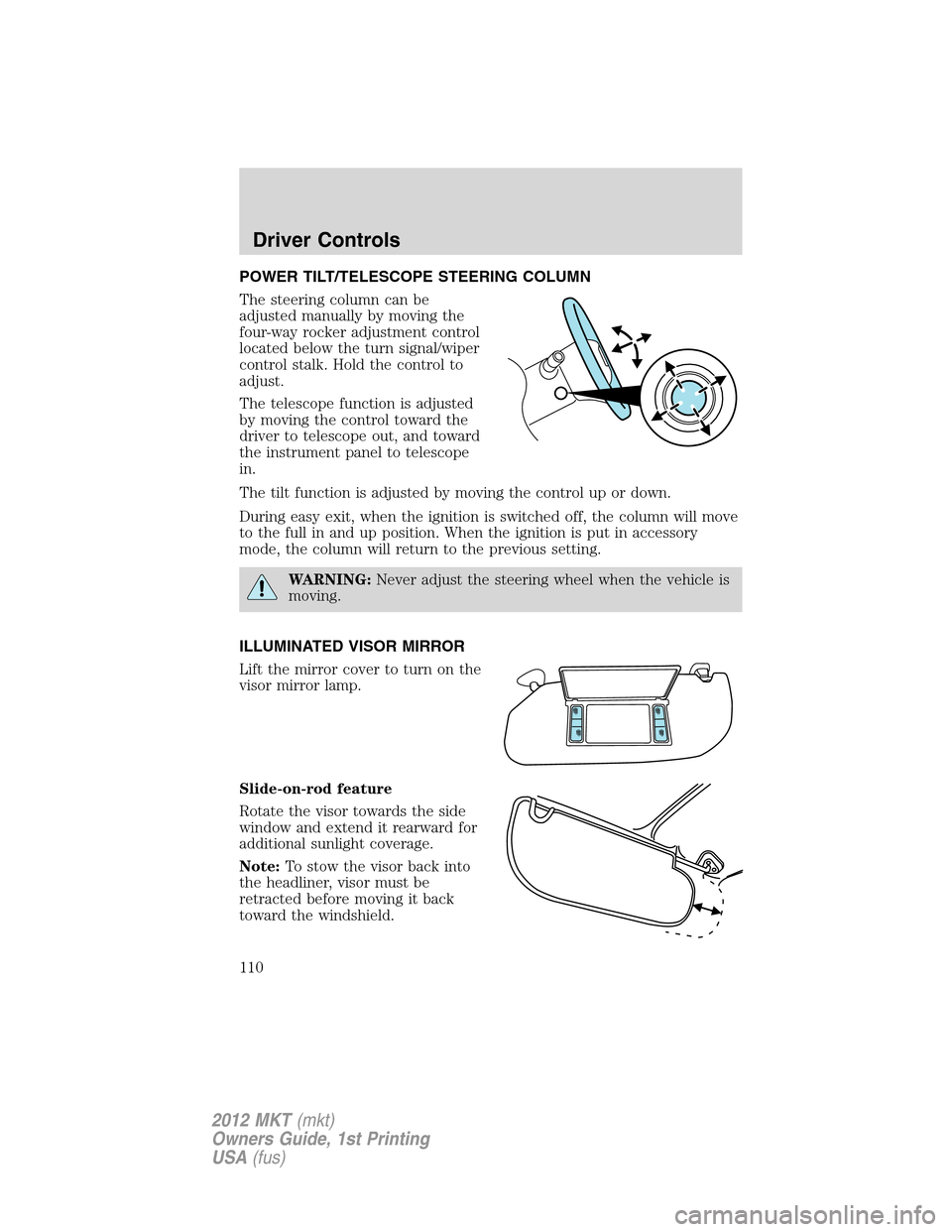
POWER TILT/TELESCOPE STEERING COLUMN
The steering column can be
adjusted manually by moving the
four-way rocker adjustment control
located below the turn signal/wiper
control stalk. Hold the control to
adjust.
The telescope function is adjusted
by moving the control toward the
driver to telescope out, and toward
the instrument panel to telescope
in.
The tilt function is adjusted by moving the control up or down.
During easy exit, when the ignition is switched off, the column will move
to the full in and up position. When the ignition is put in accessory
mode, the column will return to the previous setting.
WARNING:Never adjust the steering wheel when the vehicle is
moving.
ILLUMINATED VISOR MIRROR
Lift the mirror cover to turn on the
visor mirror lamp.
Slide-on-rod feature
Rotate the visor towards the side
window and extend it rearward for
additional sunlight coverage.
Note:To stow the visor back into
the headliner, visor must be
retracted before moving it back
toward the windshield.
Driver Controls
110
2012 MKT(mkt)
Owners Guide, 1st Printing
USA(fus)
Page 112 of 437
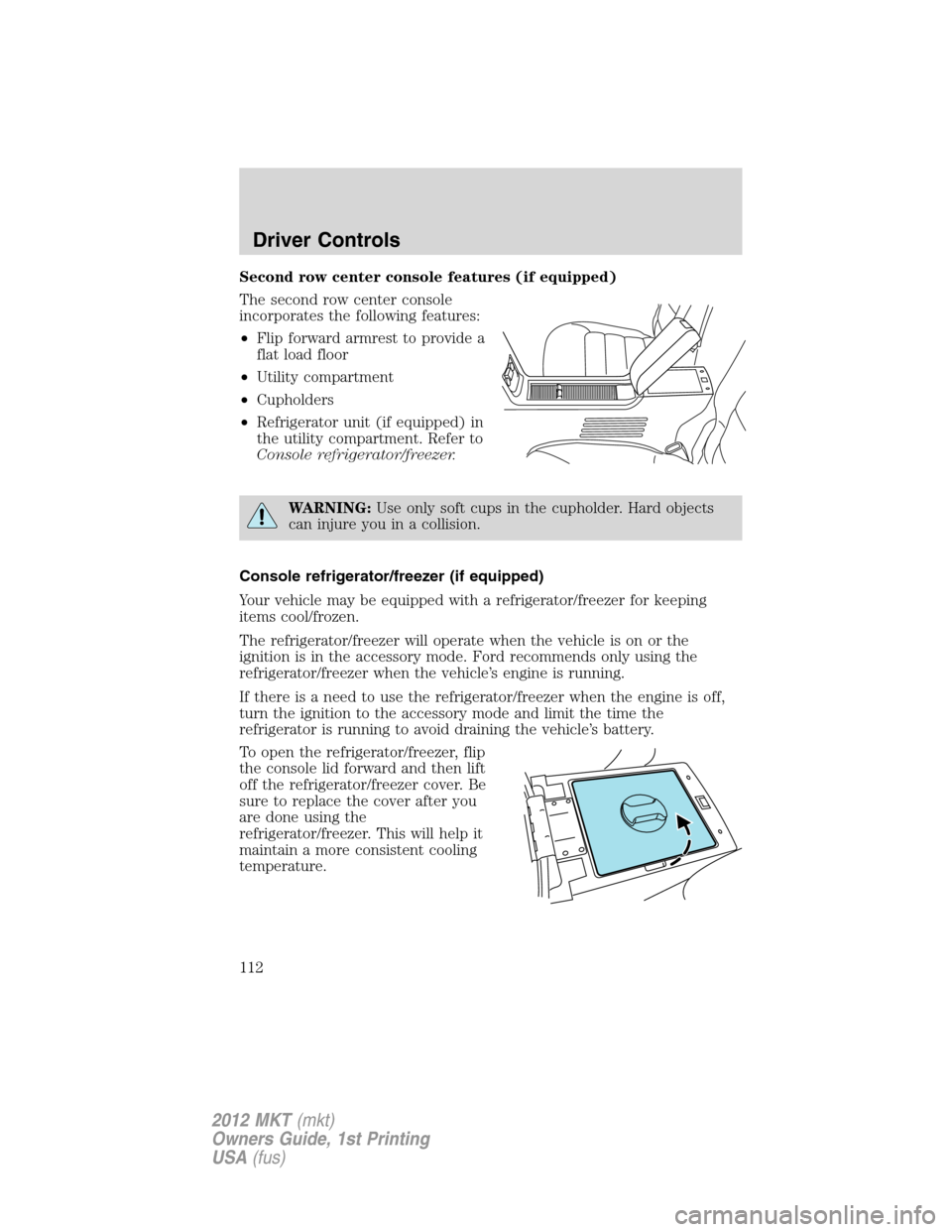
Second row center console features (if equipped)
The second row center console
incorporates the following features:
•Flip forward armrest to provide a
flat load floor
•Utility compartment
•Cupholders
•Refrigerator unit (if equipped) in
the utility compartment. Refer to
Console refrigerator/freezer.
WARNING:Use only soft cups in the cupholder. Hard objects
can injure you in a collision.
Console refrigerator/freezer (if equipped)
Your vehicle may be equipped with a refrigerator/freezer for keeping
items cool/frozen.
The refrigerator/freezer will operate when the vehicle is on or the
ignition is in the accessory mode. Ford recommends only using the
refrigerator/freezer when the vehicle’s engine is running.
If there is a need to use the refrigerator/freezer when the engine is off,
turn the ignition to the accessory mode and limit the time the
refrigerator is running to avoid draining the vehicle’s battery.
To open the refrigerator/freezer, flip
the console lid forward and then lift
off the refrigerator/freezer cover. Be
sure to replace the cover after you
are done using the
refrigerator/freezer. This will help it
maintain a more consistent cooling
temperature.
Driver Controls
112
2012 MKT(mkt)
Owners Guide, 1st Printing
USA(fus)
Page 115 of 437

The power outlet is not designed for the following electric appliances;
they may not work properly:
•Cathode ray tube type televisions.
•Motor loads, such as vacuum cleaners, electric saws and other electric
power tools, compressor-driven refrigerators, etc.
•Measuring devices, which process precise data, such as medical
equipment, measuring equipment, etc.
•Other appliances requiring an extremely stable power supply:
microcomputer-controlled electric blankets, touch sensor lamps, etc.
WARNING:Do not keep electrical devices plugged in the power
point whenever the device is not in use. Do not use any
extension cord with the 110 VAC power point, since it will defeat the
safety protection design provided by the cap and twist tab. Doing so
my cause the power point to overload due to powering multiple
devices that can reach beyond the 150W load limit and could result in
fire or serious injury.
The power point can switch to a fault mode when it is overloaded,
overheated, or shorted. For overloading and shorting conditions, unplug
your device and turn the ignition key off then on. For an overheating
condition, let the system cool off, then turn the ignition key off then on.
The 110V AC power point can provide power whenever the vehicle
ignition is in the run position and the power point green indicator light
located in the top left corner is turned on. Refer to the indicator light
code below for the power point status.
Indicator light code
Green light is on — Power point is ready to supply power
Green light is off — Power point power supply is off. Ignition is not in
RUN position
Green light is blinking — Power point is in fault mode
Driver Controls
115
2012 MKT(mkt)
Owners Guide, 1st Printing
USA(fus)