Page 97 of 437
Fog lamp control
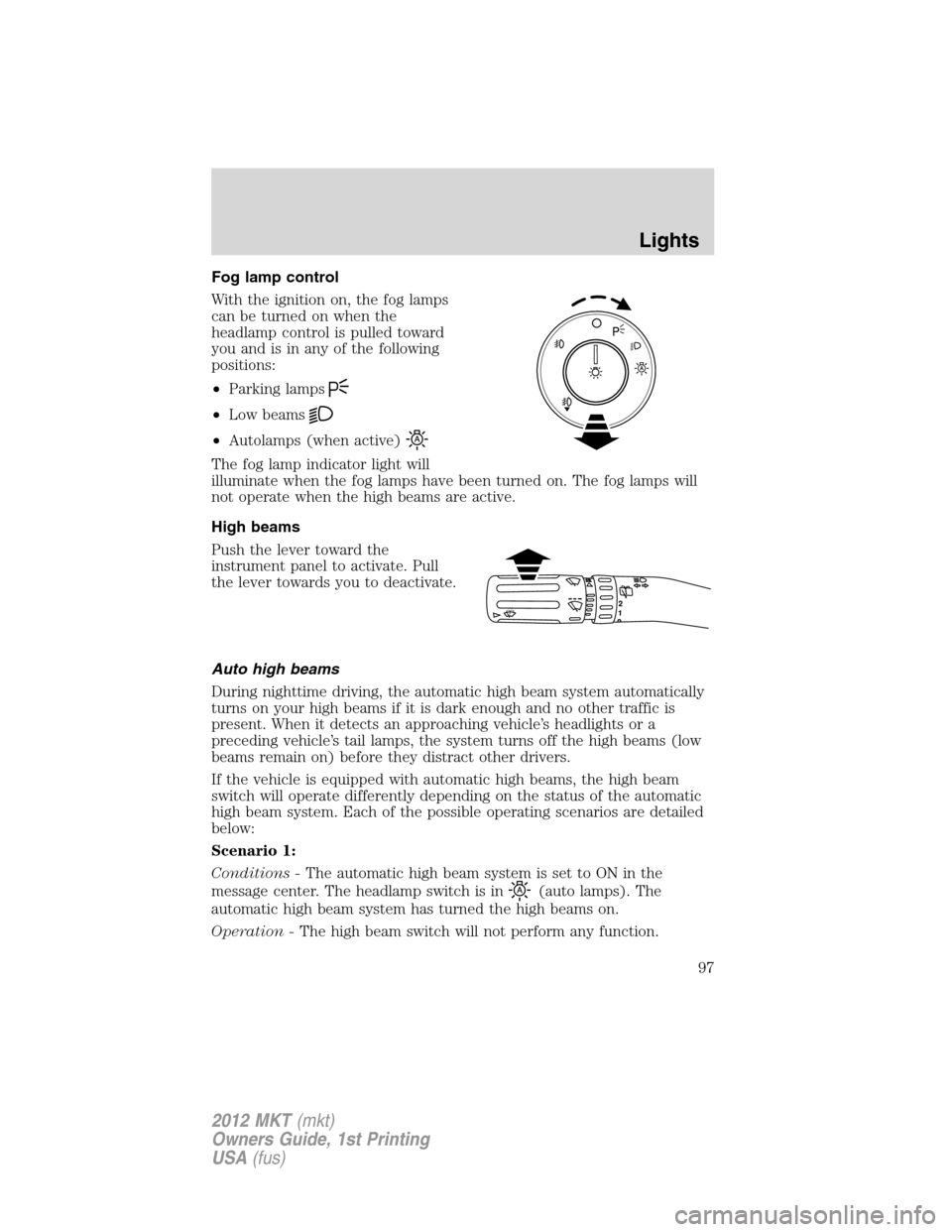
With the ignition on, the fog lamps
can be turned on when the
headlamp control is pulled toward
you and is in any of the following
positions:
•Parking lamps
•Low beams
•Autolamps (when active)
The fog lamp indicator light will
illuminate when the fog lamps have been turned on. The fog lamps will
not operate when the high beams are active.
High beams
Push the lever toward the
instrument panel to activate. Pull
the lever towards you to deactivate.
Auto high beams
During nighttime driving, the automatic high beam system automatically
turns on your high beams if it is dark enough and no other traffic is
present. When it detects an approaching vehicle’s headlights or a
preceding vehicle’s tail lamps, the system turns off the high beams (low
beams remain on) before they distract other drivers.
If the vehicle is equipped with automatic high beams, the high beam
switch will operate differently depending on the status of the automatic
high beam system. Each of the possible operating scenarios are detailed
below:
Scenario 1:
Conditions -The automatic high beam system is set to ON in the
message center. The headlamp switch is in
(auto lamps). The
automatic high beam system has turned the high beams on.
Operation -The high beam switch will not perform any function.
12
Lights
97
2012 MKT(mkt)
Owners Guide, 1st Printing
USA(fus)
Page 102 of 437
AIMING THE HEADLAMPS
The headlamps on your vehicle are properly aimed at the assembly plant.
If your vehicle has been in an accident, the alignment of your headlamps
should be checked by your authorized dealer.
Vertical aim adjustment
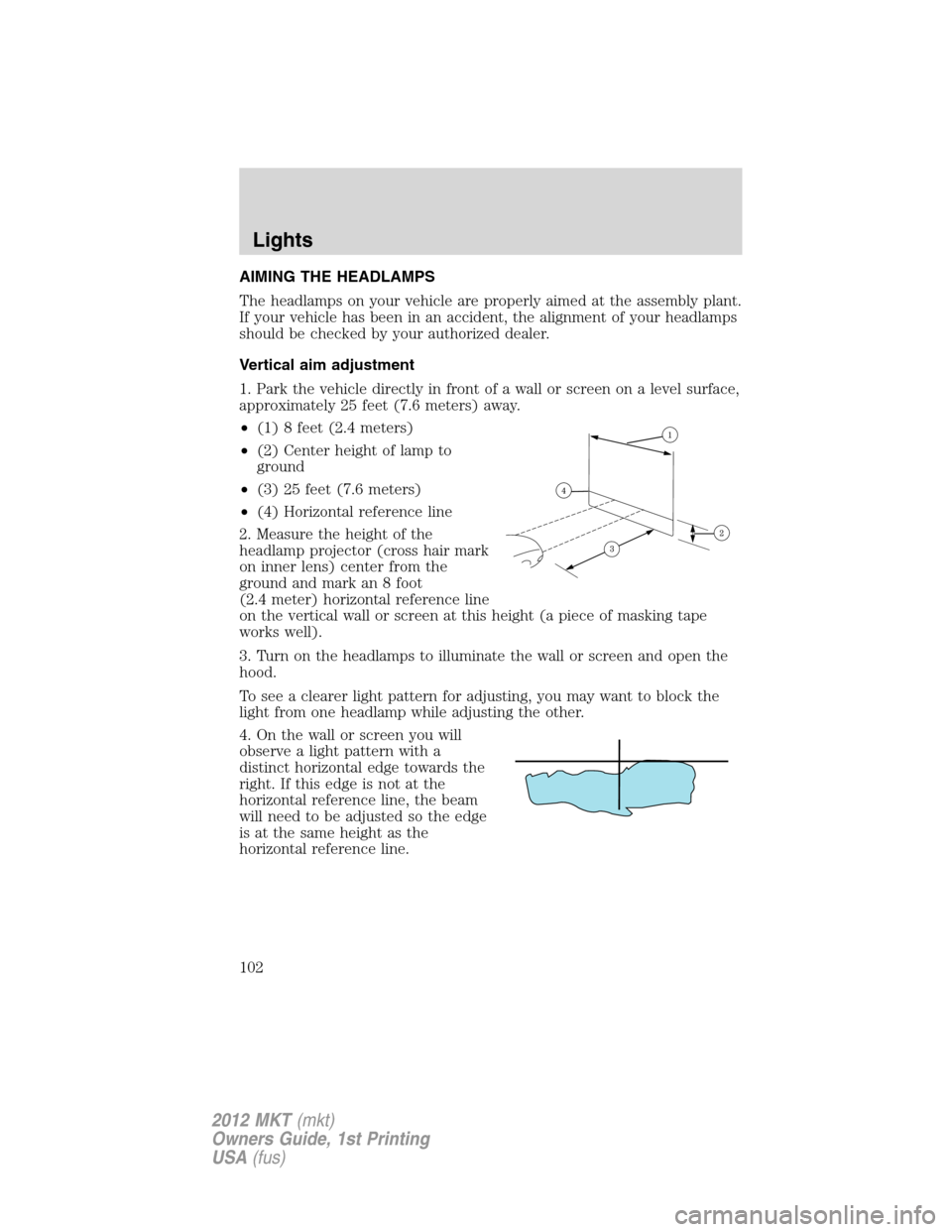
1. Park the vehicle directly in front of a wall or screen on a level surface,
approximately 25 feet (7.6 meters) away.
•(1) 8 feet (2.4 meters)
•(2) Center height of lamp to
ground
•(3) 25 feet (7.6 meters)
•(4) Horizontal reference line
2. Measure the height of the
headlamp projector (cross hair mark
on inner lens) center from the
ground and mark an 8 foot
(2.4 meter) horizontal reference line
on the vertical wall or screen at this height (a piece of masking tape
works well).
3. Turn on the headlamps to illuminate the wall or screen and open the
hood.
To see a clearer light pattern for adjusting, you may want to block the
light from one headlamp while adjusting the other.
4. On the wall or screen you will
observe a light pattern with a
distinct horizontal edge towards the
right. If this edge is not at the
horizontal reference line, the beam
will need to be adjusted so the edge
is at the same height as the
horizontal reference line.
Lights
102
2012 MKT(mkt)
Owners Guide, 1st Printing
USA(fus)
Page 108 of 437

MULTI-FUNCTION LEVER
Windshield wiper:Rotate the end
of the control away from you to
increase the speed of the wipers;
rotate towards you to decrease the
speed of the wipers.
Rain sensing wipers:The rain
sensing wipers will automatically
activate when moisture is present
on the windshield and the multi-function switch is set to one of five
auto/interval moisture sensitivity settings. Rotate the end of the control
toward the windshield to increase the sensitivity. The speed of the rain
sensitive wipers will vary based on the amount of moisture detected on
the windshield and the auto/interval setting. There are no interval
(intermittent wipe) settings on vehicles with rain sensing wipers. The
wipers will continue to wipe as long as the presence of moisture is
detected on the windshield. More or less wiping may occur depending on
humidity, mist or light rain, or road spray.
Keep the outside of the windshield clean, especially the area around the
rear view mirror where the sensor is located or rain sensor performance
may be affected.
Note:During winter driving conditions with ice, snow or a salty road
mist, inconsistent or unexpected wiping or smearing may occur. In these
conditions, you can lower the sensitivity to reduce the amount of
smearing or override the feature by selecting low- or high-speed wiping
or turning the wiper system off.
Note:The rain sensing wiper feature must be turned off before entering
a car wash.
Windshield washer:Press the end
of the stalk:
•briefly: causes a single swipe of
the wipers without washer fluid.
•a quick press and hold: the
wipers will swipe three times with washer fluid.
•a long press and hold: the wipers and washer fluid will be activated for
up to ten seconds.
12
Driver Controls
108
2012 MKT(mkt)
Owners Guide, 1st Printing
USA(fus)
Page 110 of 437
POWER TILT/TELESCOPE STEERING COLUMN
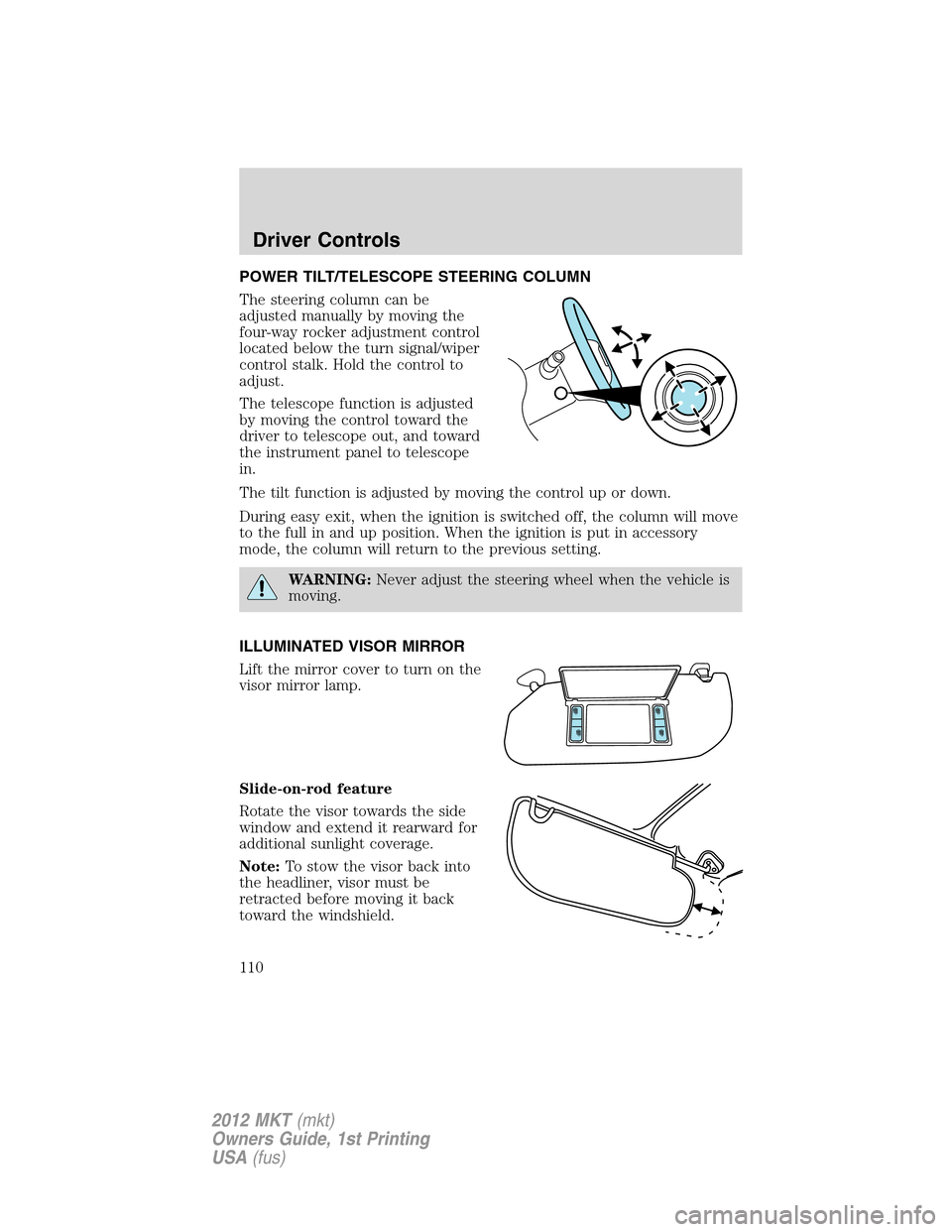
The steering column can be
adjusted manually by moving the
four-way rocker adjustment control
located below the turn signal/wiper
control stalk. Hold the control to
adjust.
The telescope function is adjusted
by moving the control toward the
driver to telescope out, and toward
the instrument panel to telescope
in.
The tilt function is adjusted by moving the control up or down.
During easy exit, when the ignition is switched off, the column will move
to the full in and up position. When the ignition is put in accessory
mode, the column will return to the previous setting.
WARNING:Never adjust the steering wheel when the vehicle is
moving.
ILLUMINATED VISOR MIRROR
Lift the mirror cover to turn on the
visor mirror lamp.
Slide-on-rod feature
Rotate the visor towards the side
window and extend it rearward for
additional sunlight coverage.
Note:To stow the visor back into
the headliner, visor must be
retracted before moving it back
toward the windshield.
Driver Controls
110
2012 MKT(mkt)
Owners Guide, 1st Printing
USA(fus)
Page 120 of 437
Signal indicator mirrors
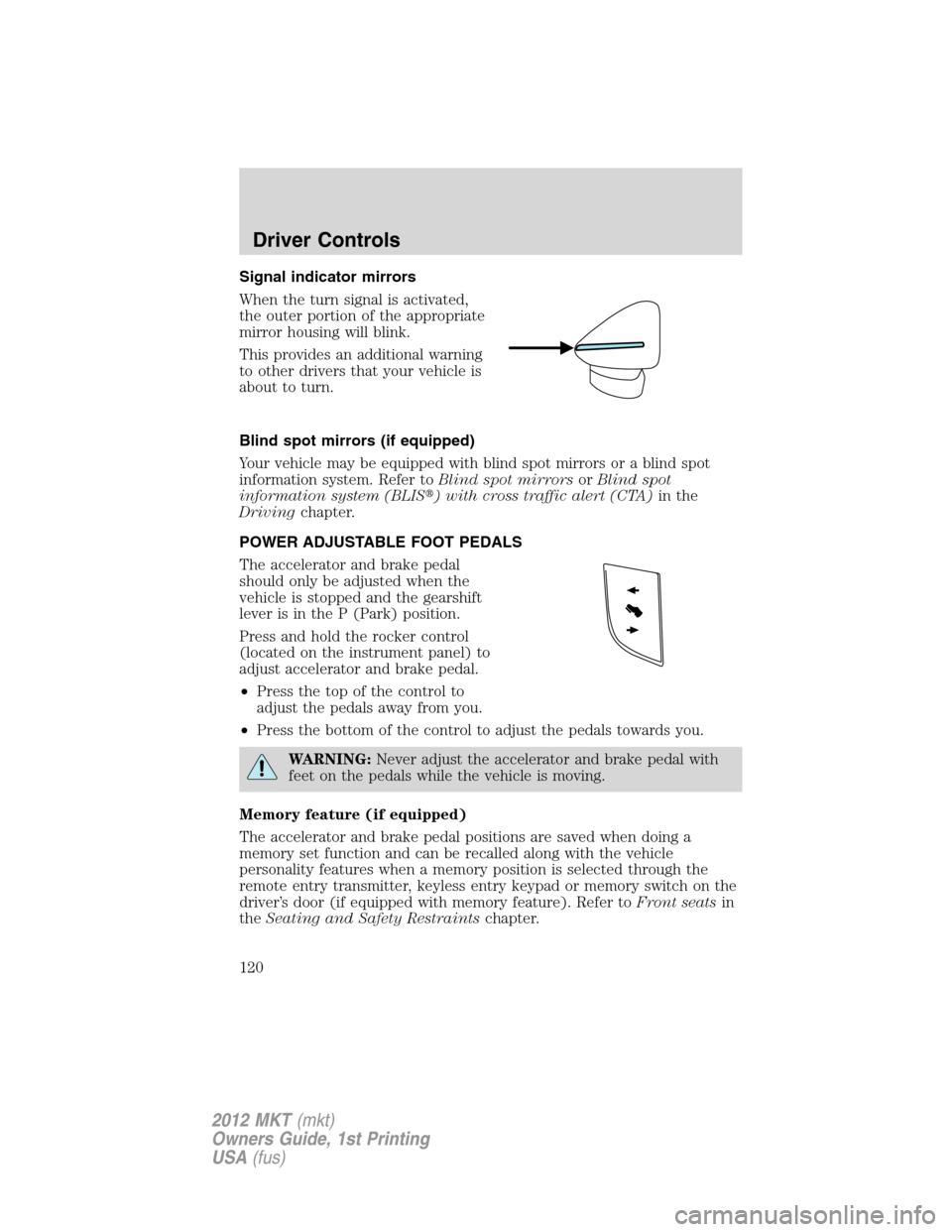
When the turn signal is activated,
the outer portion of the appropriate
mirror housing will blink.
This provides an additional warning
to other drivers that your vehicle is
about to turn.
Blind spot mirrors (if equipped)
Your vehicle may be equipped with blind spot mirrors or a blind spot
information system. Refer toBlind spot mirrorsorBlind spot
information system (BLIS�) with cross traffic alert (CTA)in the
Drivingchapter.
POWER ADJUSTABLE FOOT PEDALS
The accelerator and brake pedal
should only be adjusted when the
vehicle is stopped and the gearshift
lever is in the P (Park) position.
Press and hold the rocker control
(located on the instrument panel) to
adjust accelerator and brake pedal.
•Press the top of the control to
adjust the pedals away from you.
•Press the bottom of the control to adjust the pedals towards you.
WARNING:Never adjust the accelerator and brake pedal with
feet on the pedals while the vehicle is moving.
Memory feature (if equipped)
The accelerator and brake pedal positions are saved when doing a
memory set function and can be recalled along with the vehicle
personality features when a memory position is selected through the
remote entry transmitter, keyless entry keypad or memory switch on the
driver’s door (if equipped with memory feature). Refer toFront seatsin
theSeating and Safety Restraintschapter.
Driver Controls
120
2012 MKT(mkt)
Owners Guide, 1st Printing
USA(fus)
Page 131 of 437

WARNING:Do not use ACC when towing a trailer with brake
controls. Aftermarket trailer brakes will not function properly
when ACC is activated because the brakes are electronically controlled.
Failing to do so may result in loss of vehicle control, which could result
in serious injury.
WARNING:Do not use tires sizes other than those
recommended because this can affect the normal operation of
ACC. Failing to do so may result in a loss of vehicle control, which
could result in serious injury.
STEERING WHEEL CONTROLS
Radio control features
– VOL + (Volume):Press to
decrease or increase the volume.
(Seek):Press to select
the previous/next radio station
preset, CD track or satellite radio
station preset depending on which
media mode you are in.
MEDIA:Press repeatedly to scroll
through available audio modes.
SYNC�system hands free
control feature
Press
briefly to use the voice
command feature. You will hear a
tone and LISTENING will appear in
the radio display. Press and
hold
to exit voice command.
Press
to activate phone mode or
answer a phone call. Press and
hold
to end call or exit phone
mode.
For further information on the SYNC�system, refer to theSYNC�
supplement.
Driver Controls
131
2012 MKT(mkt)
Owners Guide, 1st Printing
USA(fus)
Page 143 of 437
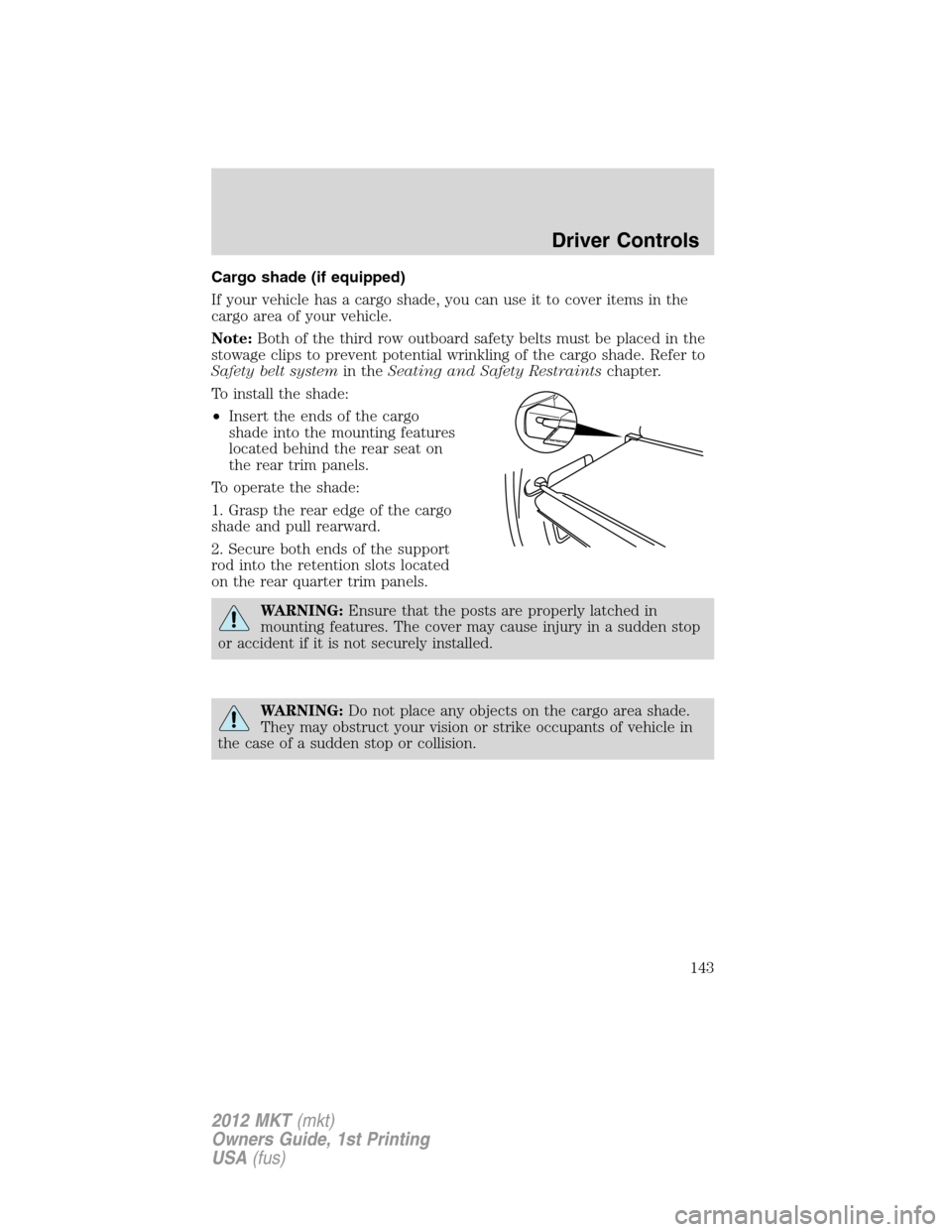
Cargo shade (if equipped)
If your vehicle has a cargo shade, you can use it to cover items in the
cargo area of your vehicle.
Note:Both of the third row outboard safety belts must be placed in the
stowage clips to prevent potential wrinkling of the cargo shade. Refer to
Safety belt systemin theSeating and Safety Restraintschapter.
To install the shade:
•Insert the ends of the cargo
shade into the mounting features
located behind the rear seat on
the rear trim panels.
To operate the shade:
1. Grasp the rear edge of the cargo
shade and pull rearward.
2. Secure both ends of the support
rod into the retention slots located
on the rear quarter trim panels.
WARNING:Ensure that the posts are properly latched in
mounting features. The cover may cause injury in a sudden stop
or accident if it is not securely installed.
WARNING:Do not place any objects on the cargo area shade.
They may obstruct your vision or strike occupants of vehicle in
the case of a sudden stop or collision.
Driver Controls
143
2012 MKT(mkt)
Owners Guide, 1st Printing
USA(fus)
Page 151 of 437
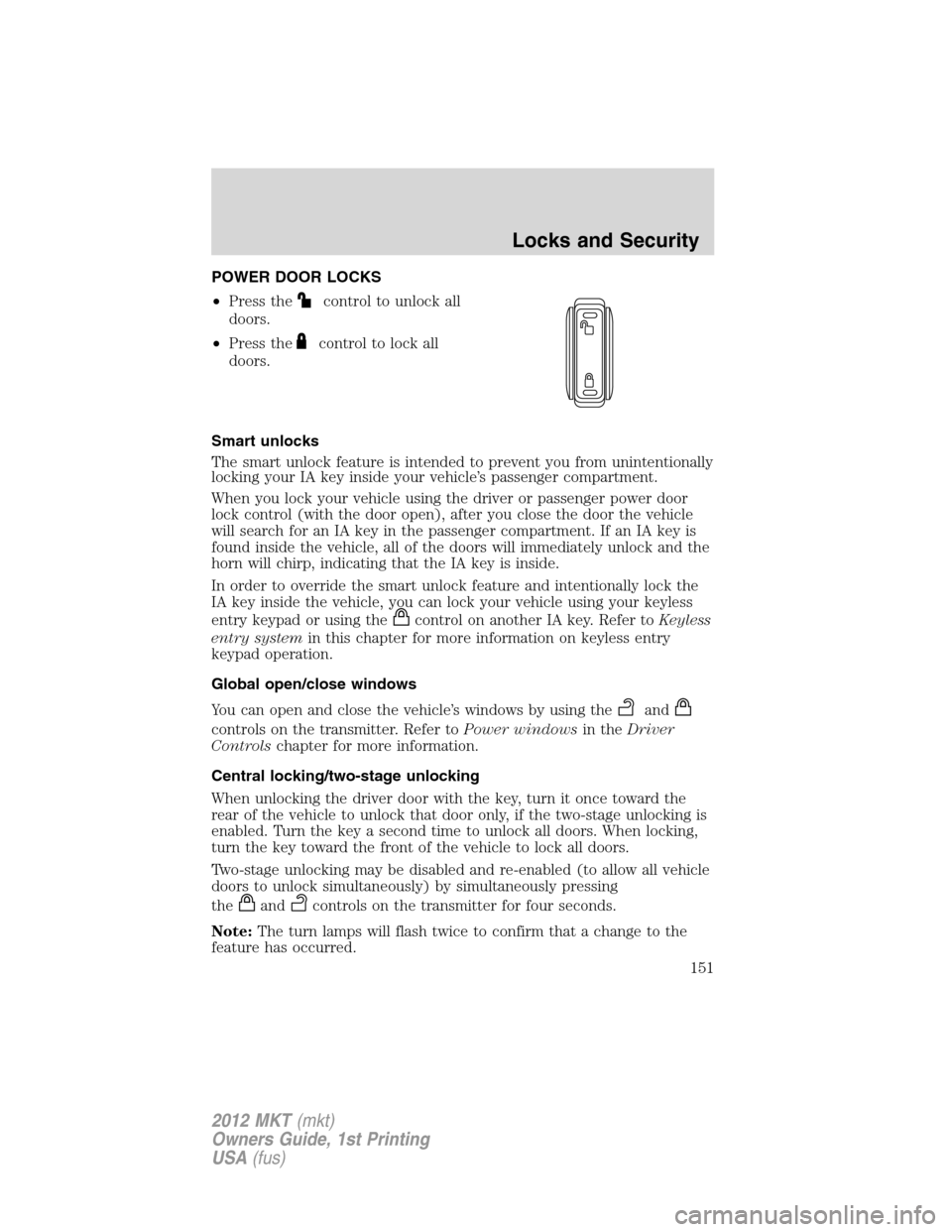
POWER DOOR LOCKS
•Press the
control to unlock all
doors.
•Press the
control to lock all
doors.
Smart unlocks
The smart unlock feature is intended to prevent you from unintentionally
locking your IA key inside your vehicle’s passenger compartment.
When you lock your vehicle using the driver or passenger power door
lock control (with the door open), after you close the door the vehicle
will search for an IA key in the passenger compartment. If an IA key is
found inside the vehicle, all of the doors will immediately unlock and the
horn will chirp, indicating that the IA key is inside.
In order to override the smart unlock feature and intentionally lock the
IA key inside the vehicle, you can lock your vehicle using your keyless
entry keypad or using the
control on another IA key. Refer toKeyless
entry systemin this chapter for more information on keyless entry
keypad operation.
Global open/close windows
You can open and close the vehicle’s windows by using the
and
controls on the transmitter. Refer toPower windowsin theDriver
Controlschapter for more information.
Central locking/two-stage unlocking
When unlocking the driver door with the key, turn it once toward the
rear of the vehicle to unlock that door only, if the two-stage unlocking is
enabled. Turn the key a second time to unlock all doors. When locking,
turn the key toward the front of the vehicle to lock all doors.
Two-stage unlocking may be disabled and re-enabled (to allow all vehicle
doors to unlock simultaneously) by simultaneously pressing
the
andcontrols on the transmitter for four seconds.
Note:The turn lamps will flash twice to confirm that a change to the
feature has occurred.
Locks and Security
151
2012 MKT(mkt)
Owners Guide, 1st Printing
USA(fus)