2012 Lexus LFA tow
[x] Cancel search: towPage 3 of 420

TABLE OF CONTENTS
1
1Before drivingAdjusting and operating features such as door locks, mir-
rors, and steering column.
2When drivingDriving, stopping and safe-driving information.
3Interior featuresAir conditioning and audio systems, as well as other interior
features for a comfortable driving experience.
4Maintenance
and careCleaning and protecting your vehicle, performing do-it-your-
self maintenance, and maintenance information.
5When trouble
arisesWhat to do if the vehicle needs to be towed, gets a flat tire,
or is involved in an accident.
6Vehicle
specificationsDetailed vehicle information.
7For ownersReporting safety defects for U.S. owners, and seat belt and
SRS airbag instructions for Canadian owners
IndexAlphabetical listing of informat ion contained in this manual.
Page 5 of 420

1
2
3
4
5
6
7
3
2-4. Using other driving systemsRear view monitor system ......... 163
Driving assist systems.................. 166
Active rear wing .............................. 171
Launch control ............................... 174
2-5. Driving information Cargo and luggage ...................... 176
Vehicle load limits ......................... 179
Winter driving tips ........................ 180
Trailer towing .................................. 182
Dinghy towing ................................ 183
3-1. Using the air conditioning system and defogger
Automatic air conditioning system (with
navigation system) ..................... 186
Automatic air conditioning system (without
navigation syst em) ..................... 194
Rear window and outside rear view mirror
defoggers ...................................... 201
3-2. Using the audio system Audio/video system some basics ................................. 202 3-3. Using the interior lights
Interior lights list............................ 207
3-4. Using the storage features List of storage features .............. 209
• Glove box ..................................... 210
• Door pockets ............................... 212
3-5. Other interior features Sun visors.......................................... 213
Power outlet .................................... 214
Floor mats......................................... 215
Luggage compartment features........................................... 218
Safety Connect .............................. 219
4-1. Maintenance and care Cleaning and protecting the vehicle exterior................... 228
Cleaning and protecting the vehicle interior .................... 235
4-2. Maintenance Maintenance requirements ..... 240
General maintenance ................ 242
Emission inspection and maintenance (I/M)
programs ...................................... 246
3Interior features
4Maintenance and care
Page 6 of 420

TABLE OF CONTENTSIndex
4
4-3. Do-it-yourself maintenanceDo-it-yourself service precautions .................................. 247
Hood................................................. 250
Positioning a floor jack............... 253
Engine compartment.................. 256
Adding washer fluid .................... 264
Battery .............................................. 265
Tires ................................................... 270
Tire inflation pressure ................. 277
Wheels............................................... 281
Air conditioning filter ................. 283
Wireless remote control battery ........................................... 285
Checking and replacing fuses ................................................ 287
Light bulbs ....................................... 299 5-1. Essential information
Emergency flashers.................... 302
If your vehicle needs to be towed ...................................... 303
If you think something is wrong ............................................ 308
Fuel pump shut off system ....... 309
Event data recorder ..................... 310
5-2. Steps to take in an emergency
If a warning light turns on or a warning buzzer
sounds... ......................................... 312
If a warning message is displayed ....................................... 322
If you have a flat tire..................... 332
If the engine will not start .......... 343
If you lose your keys/ wireless remote control
transmitter .................................... 344
If the parking brake cannot be released .................................. 345
If the vehicle battery is discharged .................................. 348
If your vehicle ov erheats ............ 351
If the vehicle becomes stuck................................................ 354
If your vehicle has to be stopped in an
emergency .................................. 355
5When trouble arises
Page 25 of 420

23
1-2. Opening, closing and locking the doors
1
Before driving
■Conditions affecting operation
In the following situations, the wireless remote control may not operate properly:
●Near a TV tower, electric power plant, broadcasting station, airport or other
facility that generates strong radio waves or electrical noise, an audio or other
radio wave emitting device or a large display
●When carrying a portable radio, cellular phone, cordless phone or other wire-
less communication device
●When multiple wireless remote controls are in the vicinity
●When the wireless remote control is in contact with, or is covered by certain
metallic objects
●When another wireless remote control (that emits radio waves) is being used
nearby
■When riding in an aircraft
When bringing a wireless remote control function onto an aircraft, make sure you
do not press any buttons on the wireless remote control while inside the aircraft
cabin. If you are carrying the wireless remote control in your bag etc, ensure that
the buttons are not likely to be pressed accidentally. Pressing a button may cause
the wireless remote control to emit radio waves that could interfere with the opera-
tion of the aircraft.
■Customization that can be conf igured at your Lexus dealer
Settings (e.g. door unlocking function and door lock buzzer sound) can be
changed. (Customizable features P. 383)
Page 58 of 420
56
1-6. Theft deterrent system
Tilt sensorThe tilt sensor detects changes in vehicle inclination, such as when the
vehicle is towed away.
This system is designed to deter and p revent vehicle theft but does not
guarantee absolute security against all tilts.
The tilt sensor can be canceled using the cancel switch.
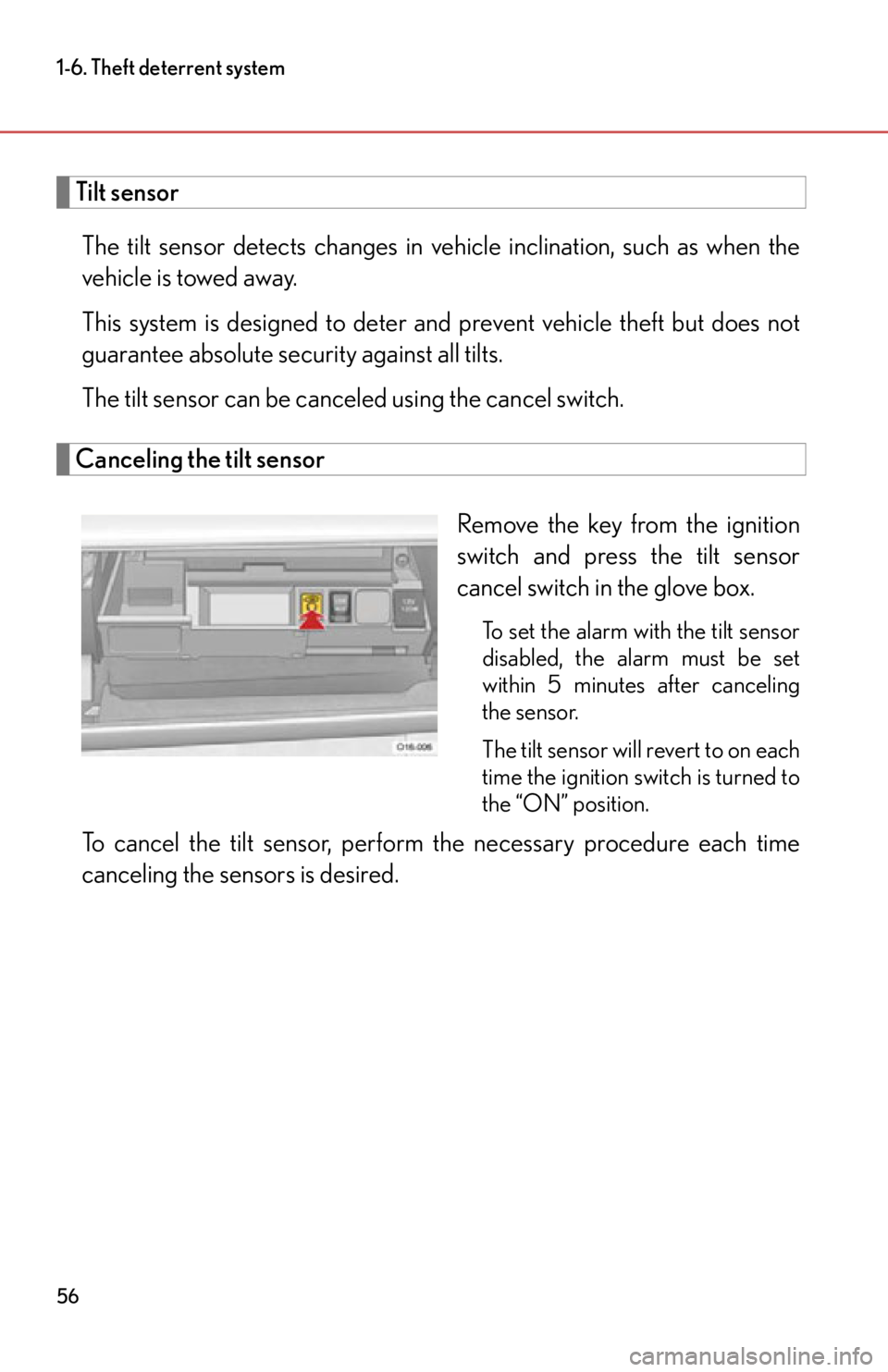
Canceling the tilt sensor
Remove the key from the ignition
switch and press the tilt sensor
cancel switch in the glove box.
To set the alarm with the tilt sensor
disabled, the alarm must be set
within 5 minutes after canceling
the sensor.
The tilt sensor will revert to on each
time the ignition switch is turned to
the “ON” position.
To cancel the tilt sensor, perform the necessary procedure each time
canceling the sensors is desired.
Page 70 of 420

68
1-7. Safety information
CAUTION
■SRS airbag precautions
Observe the following precautions regarding the airbags.
Failure to do so may cause death or serious injury.
●The driver and passenger in the vehicle must wear their seat belts properly.
The SRS airbags are supplemental devices to be used with the seat belts.
●The SRS driver airbag deploys with considerable force, and can cause death or
serious injury especially if the driver is very close to the airbag. The National
Highway Traffic Safety Administration (“NHTSA”) advises:
Since the risk zone for the driver airbag is the first 2 - 3 in. (50 - 75 mm) of infla-
tion, placing yourself 10 in. (250 mm) from your driver airbag provides you with a
clear margin of safety. This distance is measured from the center of the steering
wheel to your breastbone. If you sit less than 10 in. (250 mm) away now, you can
change your driving position in several ways:
• Move your seat to the rear as far as you can while still reaching the pedals
comfortably.
• Slightly recline the back of the seat. Although vehicle designs vary, many dr ivers can achieve the 10 in. (250 mm)
distance, even with the driver’s seat all the way forward, simply by reclining
the back of the seat somewhat. If reclining the back of your seat makes it hard
to see the road, raise yourself by using a firm, or raise the seat if your vehicle
has that feature.
• If your steering wheel is adjustable, ti lt it downward. This points the airbag
toward your chest instead of your head and neck.
The seat should be adjusted as recommended by NHTSA above, while still main-
taining control of the foot pedals, steering wheel, and your view of the instrument
panel controls.
Page 89 of 420

When driving2
87
2-1. Driving proceduresDriving the vehicle................... 88
Ignition switch ........................... 98
ASG (Automated Sequential Gearbox) .......... 102
Turn signal lever ........................ 112
Parking brake ............................ 113
Horn ............................................. 115
2-2. Instrument cluster Gauges and meters ................. 116
Indicators and warning lights .......................................... 121
Using the menu........................ 124
2-3. Operating the lights and windshield wipers
Headlight switch...................... 158
Windshield wipers and washer ..................................... 160 2-4. Using other driving
systems
Rear view monitor system .... 163
Driving assist systems ............ 166
Active rear wing ........................ 171
Launch control.......................... 174
2-5. Driving information Cargo and luggage ................. 176
Vehicle load limits .................... 179
Winter driving tips .................. 180
Trailer towing ........................... 182
Dinghy towing .......................... 183
Page 164 of 420
162
2-3. Operating the lights and windshield wipers
■If there is a system malfunction
“Check wiper system” will be shown on the meter. (P. 325)
NOTICE
■When the windshield is dry
Do not use the wipers, as they may damage the windshield.
■When there is no washer fluid spray from the nozzle
Damage to the washer fluid pump may be caused if the lever is pulled toward you
and held continually.
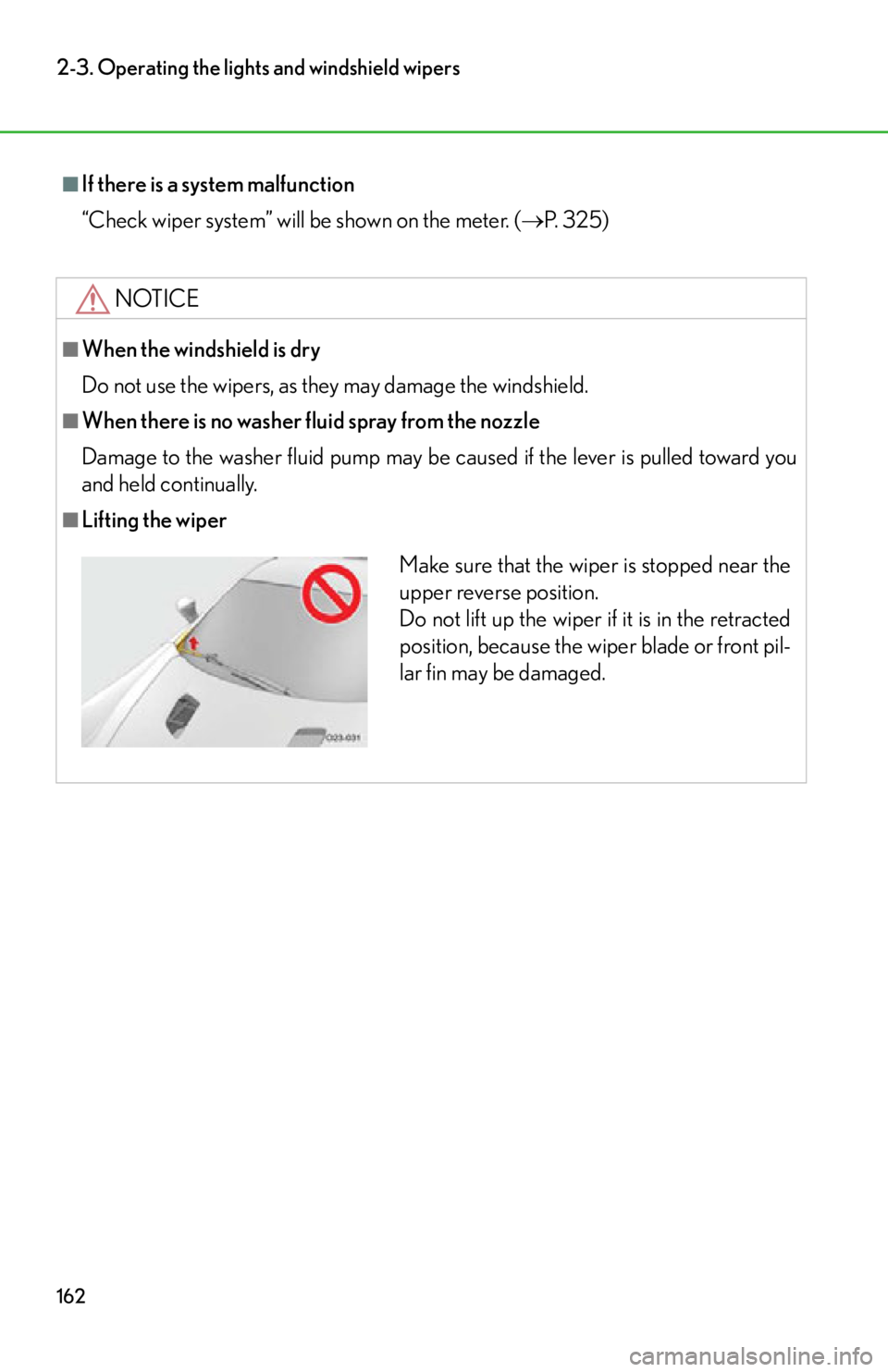
■Lifting the wiper
Make sure that the wiper is stopped near the
upper reverse position.
Do not lift up the wiper if it is in the retracted
position, because the wiper blade or front pil-
lar fin may be damaged.