2012 KIA Soul warning light
[x] Cancel search: warning lightPage 140 of 393
461
Features of your vehicle
Low key battery
If the ENGINE START/STOP button
turns to the OFF position when the
smart key in the vehicle discharges,
the warning illuminates on the LCD
display for about 10 seconds. Also,
the warning chime sounds once.
Replace the battery with a new one.
Press brake pedal to start engine
If the ENGINE START/STOP button
turns to the ACC position twice by
pressing the button repeatedly with-
out depressing the brake pedal, the
warning illuminates on the LCD dis-
play for about 10 seconds to indicate
that you should depress the brake
pedal to start the engine.Press clutch pedal to start engine
(if equipped)
If the ENGINE START/STOP button
turns to the ACC position twice by
pressing the button repeatedly with-
out depressing the clutch pedal, the
warning illuminates on the LCD dis-
play for about 10 seconds to indicate
that you should depress the clutch
pedal to start the engine.
Shift to "P" position
If you try to turn off the engine with-
out the shift lever in the P (Park)
position, the ENGINE START/STOP
button will turn to the ACC position. If
the button is pressed once more it
will turn to the ON position. The
warning illuminates on the LCD dis-
play for about 10 seconds to indicate
that you should press the ENGINE
START/STOP button with the shift
lever in the P (Park) position to turn
off the engine.
Also, the warning chime sounds for
about 10 seconds. (if equipped)Remove key
When you turn off the engine with
the smart key in the smart key hold-
er, the warning illuminates on the
LCD display for about 10 seconds.
Also, the smart key holder light blinks
for about 10 seconds.
To remove the smart key push the
smart key once and pull it out from
the smart key holder.
Insert key
If you press the ENGINE
START/STOP button while "Key is
not detected" illuminates on the LCD
display, the warning “Insert key” illu-
minates for about 10 seconds. Also,
the immobilizer indicator and the key
holder light blinks for about 10 sec-
onds.
Page 141 of 393

Features of your vehicle
62
4
Press start button again
If you can not operate the ENGINE
START/STOP button when there is a
problem with the ENGINE
START/STOP button system, the
warning illuminates for 10 seconds
and the chime sounds continuously
to indicate that you could start the
engine by pressing the ENGINE
START/STOP button once more.
The chime will stop if the ENGINE
START/STOP button system works
normally or the theft alarm system is
armed.
If the warning illuminates each time
you press the ENGINE
START/STOP button, take your vehi-
cle to an authorized Kia dealer and
have the system checked. Shift to "P" or "N" to start engine
If you try to start the engine with the
shift lever not in the P(Park) or
N(Neutral) position, the warning illu-
minates for about 10 seconds on the
LCD display.
You can also start the engine with
the shift lever in the N(Neutral) posi-
tion, but for your safety start the
engine with the shift lever in the
P(Park) position.
Press start button while turn steering
If the steering wheel does not unlock
normally when the ENGINE
START/STOP button is pressed, the
warning illuminates for 10 seconds
on the LCD display. Also, the warning
chime sounds once and the ENGINE
START/STOP button light blinks for
10 seconds.
When you are warned, press the
ENGINE START/STOP button while
turning the steering wheel right and
left.Steering wheel unlocked (if equipped)
If the steering wheel does not lock
normally when the ENGINE
START/STOP button turns to the
OFF position, the warning illumi-
nates for 10 minutes on the LCD dis-
play. If locks when the door is opened
or when you pull out the smart key
from the smart key holder.
Check steering wheel lock
If the steering wheel does not lock
normally when the ENGINE
START/STOP button turns to the
OFF position, the warning illumi-
nates for 10 seconds on the LCD dis-
play. Also, the warning chime sounds
for 3 seconds and the ENGINE
START/STOP button light blinks for
10 seconds.
Low tire pressure (if equipped)
If one or more of your tires is signifi-
cantly under-inflated when the igni-
tion key is turned to the "ON" posi-
tion, the warning illuminates for 10
seconds on the LCD display.
Page 142 of 393
463
Features of your vehicle
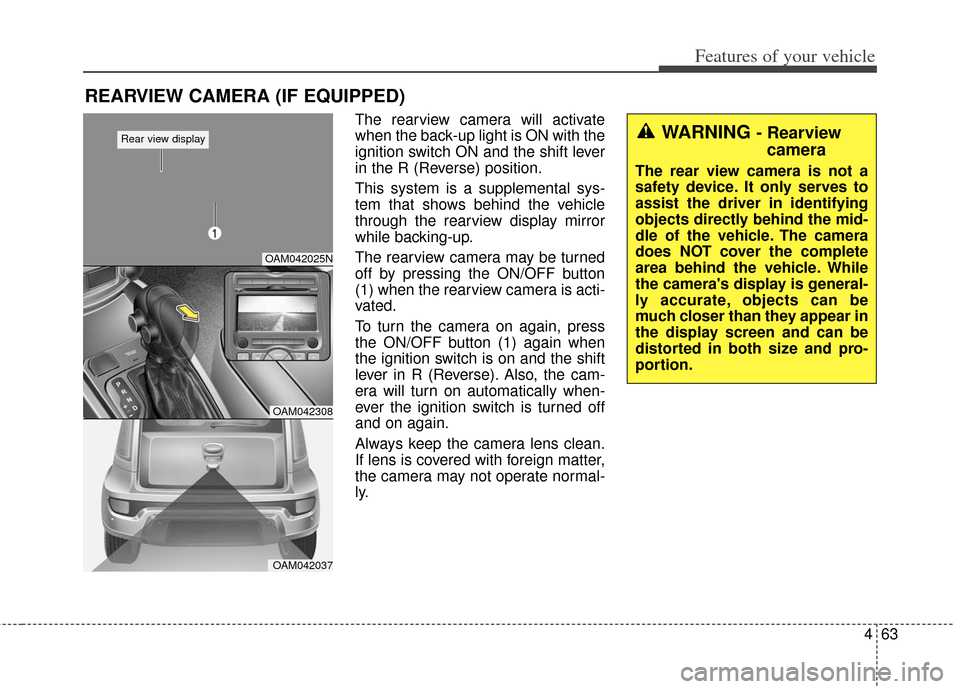
The rearview camera will activate
when the back-up light is ON with the
ignition switch ON and the shift lever
in the R (Reverse) position.
This system is a supplemental sys-
tem that shows behind the vehicle
through the rearview display mirror
while backing-up.
The rearview camera may be turned
off by pressing the ON/OFF button
(1) when the rearview camera is acti-
vated.
To turn the camera on again, press
the ON/OFF button (1) again when
the ignition switch is on and the shift
lever in R (Reverse). Also, the cam-
era will turn on automatically when-
ever the ignition switch is turned off
and on again.
Always keep the camera lens clean.
If lens is covered with foreign matter,
the camera may not operate normal-
ly.
REARVIEW CAMERA (IF EQUIPPED)
WARNING - Rearviewcamera
The rear view camera is not a
safety device. It only serves to
assist the driver in identifying
objects directly behind the mid-
dle of the vehicle. The camera
does NOT cover the complete
area behind the vehicle. While
the camera's display is general-
ly accurate, objects can be
much closer than they appear in
the display screen and can be
distorted in both size and pro-
portion.
OAM042025N
OAM042308
OAM042037
Rear view display
1
Page 143 of 393

Features of your vehicle
64
4
The hazard warning flasher should
be used whenever you find it neces-
sary to stop the vehicle in a haz-
ardous location. When you must
make such an emergency stop,
always pull off the road as far as pos-
sible.
The hazard warning lights are turned
on by pushing in the hazard switch.
Both turn signal lights will blink. The
hazard warning lights will operate
even though the key is not in the igni-
tion switch.
To turn the hazard warning lights off,
push the switch again.
OAM042039
HAZARD WARNING FLASHER
WARNING - Backing &
using
camera
Never rely solely on the rear
view camera when backing. You
must always use methods of
viewing the area behind you
including looking over both
shoulders as well as continu-
ously checking all three rear
view mirrors. Due to the difficul-
ty of ensuring that the area
behind you remains clear,
always back slowly and stop
immediately if you even suspect
that a person, and especially a
child, might be behind you.
Page 146 of 393

467
Features of your vehicle
Auto light position (if equipped)
When the light switch is in the AUTO
light position, the taillights and head-
lights will be turned ON or OFF auto-
matically depending on the amount
of light outside the vehicle.
Never place anything over sensor(1) located on the instrument
panel. This will ensure better auto-
light system control.
Don’t clean the sensor using a win- dow cleaner. The cleaner may
leave a light film which could inter-
fere with sensor operation.
If your vehicle has window tint or other types of metallic coating on
the front windshield, the Auto light
system may not work properly.
High beam operation
To turn on the high beam headlights,
push the lever away from you. Pull it
back for low beams.
The high beam indicator will light
when the headlight high beams are
switched on.
To prevent the battery from being
discharged, do not leave the lights
on for a prolonged time while the
engine is not running. To flash the headlights, pull the lever
towards you. It will return to the nor-
mal (low beam) position when
released. The headlight switch does
not need to be on to use this flashing
feature.
OMD040095OAM049044OAM049043
WARNING - High beams
Do not use high beam when
there are other vehicles. Using
high beam could obstruct the
other driver's vision.
Page 151 of 393

Features of your vehicle
72
4
Do not use the interior lights for
extended periods when the engine is
not running.
It may cause battery discharge.
Map lamp
Push the lens (1) to turn the map
lamp on or off. This light produces a
spot beam for convenient use as a
map lamp at night or as a personal
lamp for the driver and the front pas-
senger.
(2) DOOR
The light will turn on as below if the
button is pressed.
The light will turn off if the button is
pressed again. The light comes on
when any door (or tailgate) is opened
regardless of the ignition switch posi-
tion. When doors are unlocked by the
transmitter or the key is removed
from the ignition switch, the light
comes on for approximately 30 sec-
onds as long as any door is not
opened. The light goes out gradually
after approximately 30 seconds if the
door is closed.
However, if the ignition switch is ON
or all doors are locked, the light will
turn off immediately. If a door is
opened with the ignition switch in the
ACC or LOCK position, the light
stays on for about 20 minutes.
However, if a door is opened with the
ignition switch in the ON position, the
light stays on continuously.
INTERIOR LIGHT
OAM042052
■Type A
WARNING - Interior light
Do not use the interior lights
when driving in the dark. The
glare from the interior lights
may obstruct your view and
cause an accident.
Page 160 of 393
481
Features of your vehicle
Fan speed control
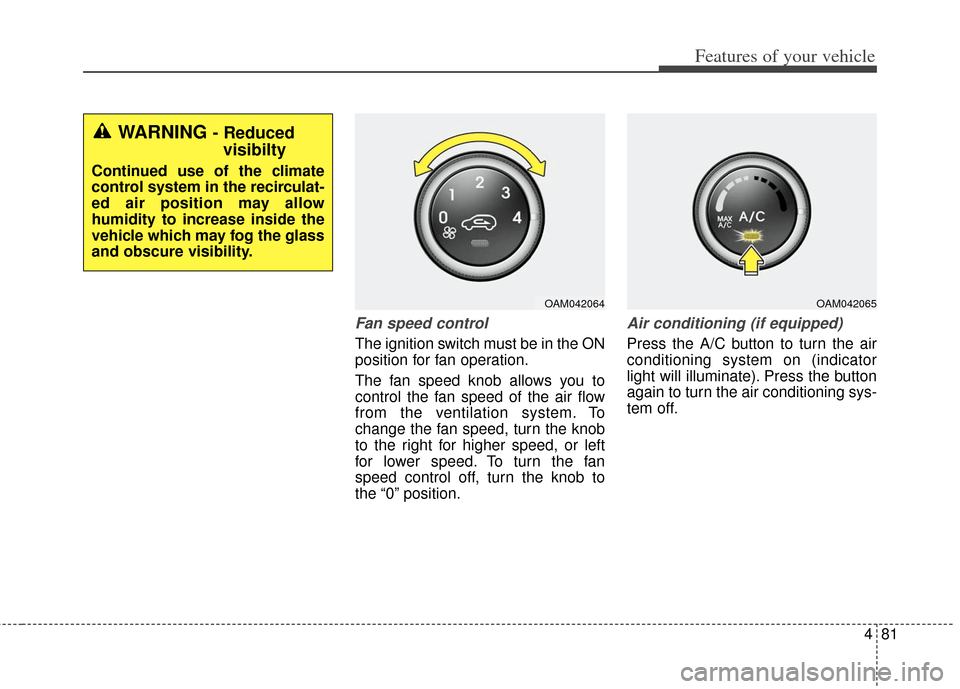
The ignition switch must be in the ON
position for fan operation.
The fan speed knob allows you to
control the fan speed of the air flow
from the ventilation system. To
change the fan speed, turn the knob
to the right for higher speed, or left
for lower speed. To turn the fan
speed control off, turn the knob to
the “0” position.
Air conditioning (if equipped)
Press the A/C button to turn the air
conditioning system on (indicator
light will illuminate). Press the button
again to turn the air conditioning sys-
tem off.
OAM042064OAM042065
WARNING - Reducedvisibilty
Continued use of the climate
control system in the recirculat-
ed air position may allow
humidity to increase inside the
vehicle which may fog the glass
and obscure visibility.
Page 170 of 393
491
Features of your vehicle
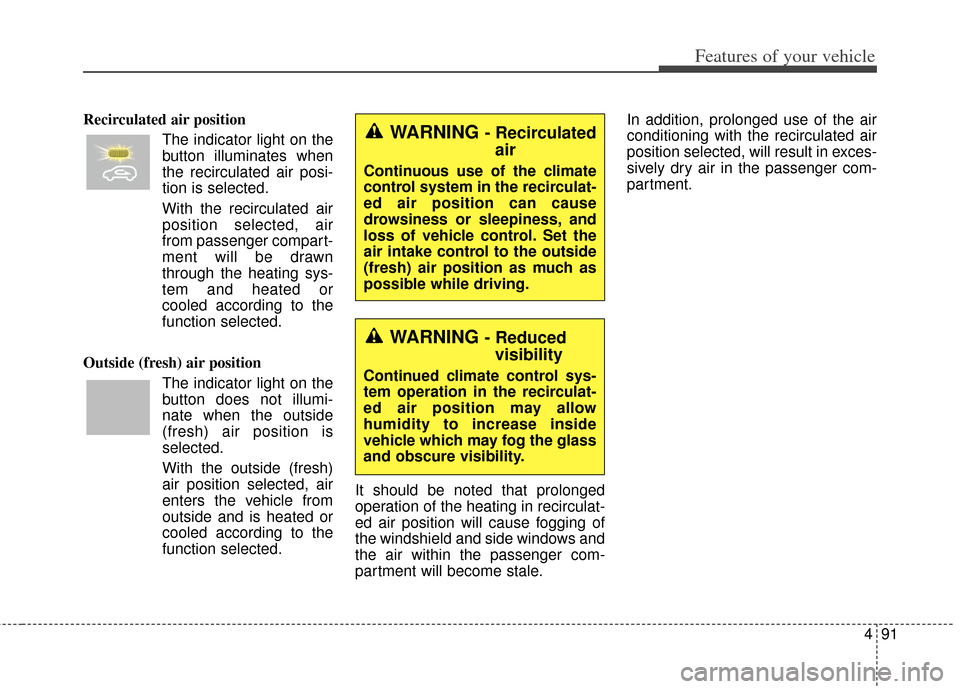
Recirculated air positionThe indicator light on the
button illuminates when
the recirculated air posi-
tion is selected.
With the recirculated air position selected, air
from passenger compart-
ment will be drawn
through the heating sys-
tem and heated or
cooled according to the
function selected.
Outside (fresh) air position The indicator light on the
button does not illumi-
nate when the outside
(fresh) air position is
selected.
With the outside (fresh)
air position selected, air
enters the vehicle from
outside and is heated or
cooled according to the
function selected. It should be noted that prolonged
operation of the heating in recirculat-
ed air position will cause fogging of
the windshield and side windows and
the air within the passenger com-
partment will become stale. In addition, prolonged use of the air
conditioning with the recirculated air
position selected, will result in exces-
sively dry air in the passenger com-
partment.WARNING - Recirculated
air
Continuous use of the climate
control system in the recirculat-
ed air position can cause
drowsiness or sleepiness, and
loss of vehicle control. Set the
air intake control to the outside
(fresh) air position as much as
possible while driving.
WARNING - Reducedvisibility
Continued climate control sys-
tem operation in the recirculat-
ed air position may allow
humidity to increase inside
vehicle which may fog the glass
and obscure visibility.