Page 143 of 393
Features of your vehicle
64
4
The hazard warning flasher should
be used whenever you find it neces-
sary to stop the vehicle in a haz-
ardous location. When you must
make such an emergency stop,
always pull off the road as far as pos-
sible.
The hazard warning lights are turned
on by pushing in the hazard switch.
Both turn signal lights will blink. The
hazard warning lights will operate
even though the key is not in the igni-
tion switch.
To turn the hazard warning lights off,
push the switch again.
OAM042039
HAZARD WARNING FLASHER
WARNING - Backing &
using
camera
Never rely solely on the rear
view camera when backing. You
must always use methods of
viewing the area behind you
including looking over both
shoulders as well as continu-
ously checking all three rear
view mirrors. Due to the difficul-
ty of ensuring that the area
behind you remains clear,
always back slowly and stop
immediately if you even suspect
that a person, and especially a
child, might be behind you.
Page 146 of 393

467
Features of your vehicle
Auto light position (if equipped)
When the light switch is in the AUTO
light position, the taillights and head-
lights will be turned ON or OFF auto-
matically depending on the amount
of light outside the vehicle.
Never place anything over sensor(1) located on the instrument
panel. This will ensure better auto-
light system control.
Don’t clean the sensor using a win- dow cleaner. The cleaner may
leave a light film which could inter-
fere with sensor operation.
If your vehicle has window tint or other types of metallic coating on
the front windshield, the Auto light
system may not work properly.
High beam operation
To turn on the high beam headlights,
push the lever away from you. Pull it
back for low beams.
The high beam indicator will light
when the headlight high beams are
switched on.
To prevent the battery from being
discharged, do not leave the lights
on for a prolonged time while the
engine is not running. To flash the headlights, pull the lever
towards you. It will return to the nor-
mal (low beam) position when
released. The headlight switch does
not need to be on to use this flashing
feature.
OMD040095OAM049044OAM049043
WARNING - High beams
Do not use high beam when
there are other vehicles. Using
high beam could obstruct the
other driver's vision.
Page 150 of 393

471
Features of your vehicle
Rear window wiper and wash-
er switch (if equipped)
The rear window wiper switch is
located at the end of the wiper and
washer switch lever. Turn the switch
to the desired position to operate the
rear wiper and washer.
ON - Normal wiper operation
INT - Intermittent wiper operation(if equipped)
OFF - Wiper is not in operation
Push the lever away from you to
spray rear washer fluid and to run the
rear wipers 1~3 cycles. The spray
and wiper operation will continue
until you release the lever.
OAM049103N
CAUTION - Washer pump
To prevent possible damage to
the washer pump, do not oper-ate the washer when the fluidreservoir is empty.
CAUTION - Wipers& windshields
To prevent possible damage
to the wipers or windshield,do not operate the wiperswhen the windshield is dry.
To prevent damage to the wiper blades, do not use gaso-line, kerosene, paint thinner,or other solvents on or nearthem.
To prevent damage to the wiper arms and other compo-nents, do not attempt to movethe wipers manually.
WARNING - Obscured visibility
Do not use the washer in freez-
ing temperatures without first
warming the windshield with
the defrosters; the washer solu-
tion could freeze on the wind-
shield and obscure your vision.
Page 151 of 393

Features of your vehicle
72
4
Do not use the interior lights for
extended periods when the engine is
not running.
It may cause battery discharge.
Map lamp
Push the lens (1) to turn the map
lamp on or off. This light produces a
spot beam for convenient use as a
map lamp at night or as a personal
lamp for the driver and the front pas-
senger.
(2) DOOR
The light will turn on as below if the
button is pressed.
The light will turn off if the button is
pressed again. The light comes on
when any door (or tailgate) is opened
regardless of the ignition switch posi-
tion. When doors are unlocked by the
transmitter or the key is removed
from the ignition switch, the light
comes on for approximately 30 sec-
onds as long as any door is not
opened. The light goes out gradually
after approximately 30 seconds if the
door is closed.
However, if the ignition switch is ON
or all doors are locked, the light will
turn off immediately. If a door is
opened with the ignition switch in the
ACC or LOCK position, the light
stays on for about 20 minutes.
However, if a door is opened with the
ignition switch in the ON position, the
light stays on continuously.
INTERIOR LIGHT
OAM042052
■Type A
WARNING - Interior light
Do not use the interior lights
when driving in the dark. The
glare from the interior lights
may obstruct your view and
cause an accident.
Page 159 of 393
Features of your vehicle
80
4
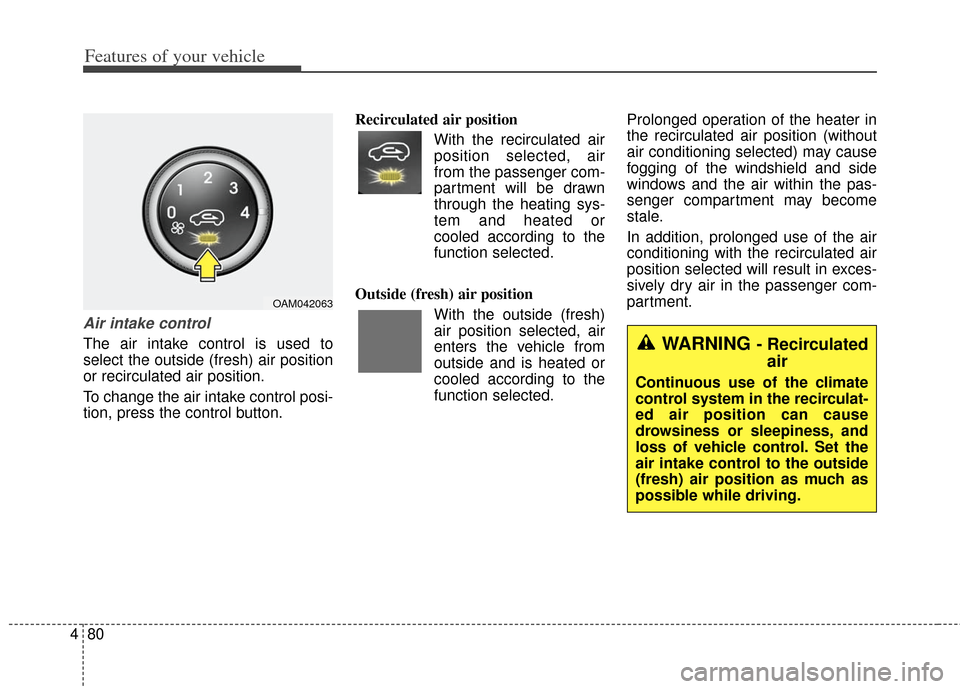
Air intake control
The air intake control is used to
select the outside (fresh) air position
or recirculated air position.
To change the air intake control posi-
tion, press the control button. Recirculated air position
With the recirculated airposition selected, air
from the passenger com-
partment will be drawn
through the heating sys-
tem and heated or
cooled according to the
function selected.
Outside (fresh) air position With the outside (fresh)
air position selected, air
enters the vehicle from
outside and is heated or
cooled according to the
function selected. Prolonged operation of the heater in
the recirculated air position (without
air conditioning selected) may cause
fogging of the windshield and side
windows and the air within the pas-
senger compartment may become
stale.
In addition, prolonged use of the air
conditioning with the recirculated air
position selected will result in exces-
sively dry air in the passenger com-
partment.
OAM042063
WARNING - Recirculated
air
Continuous use of the climate
control system in the recirculat-
ed air position can cause
drowsiness or sleepiness, and
loss of vehicle control. Set the
air intake control to the outside
(fresh) air position as much as
possible while driving.
Page 160 of 393
481
Features of your vehicle
Fan speed control
The ignition switch must be in the ON
position for fan operation.
The fan speed knob allows you to
control the fan speed of the air flow
from the ventilation system. To
change the fan speed, turn the knob
to the right for higher speed, or left
for lower speed. To turn the fan
speed control off, turn the knob to
the “0” position.
Air conditioning (if equipped)
Press the A/C button to turn the air
conditioning system on (indicator
light will illuminate). Press the button
again to turn the air conditioning sys-
tem off.
OAM042064OAM042065
WARNING - Reducedvisibilty
Continued use of the climate
control system in the recirculat-
ed air position may allow
humidity to increase inside the
vehicle which may fog the glass
and obscure visibility.
Page 170 of 393
491
Features of your vehicle
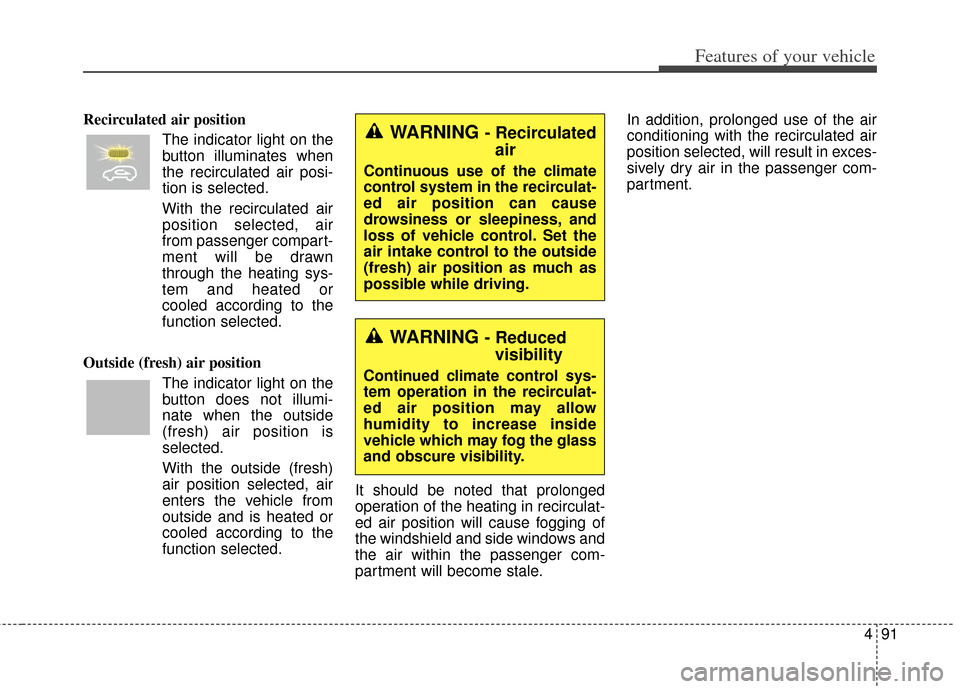
Recirculated air positionThe indicator light on the
button illuminates when
the recirculated air posi-
tion is selected.
With the recirculated air position selected, air
from passenger compart-
ment will be drawn
through the heating sys-
tem and heated or
cooled according to the
function selected.
Outside (fresh) air position The indicator light on the
button does not illumi-
nate when the outside
(fresh) air position is
selected.
With the outside (fresh)
air position selected, air
enters the vehicle from
outside and is heated or
cooled according to the
function selected. It should be noted that prolonged
operation of the heating in recirculat-
ed air position will cause fogging of
the windshield and side windows and
the air within the passenger com-
partment will become stale. In addition, prolonged use of the air
conditioning with the recirculated air
position selected, will result in exces-
sively dry air in the passenger com-
partment.WARNING - Recirculated
air
Continuous use of the climate
control system in the recirculat-
ed air position can cause
drowsiness or sleepiness, and
loss of vehicle control. Set the
air intake control to the outside
(fresh) air position as much as
possible while driving.
WARNING - Reducedvisibility
Continued climate control sys-
tem operation in the recirculat-
ed air position may allow
humidity to increase inside
vehicle which may fog the glass
and obscure visibility.
Page 173 of 393
Features of your vehicle
94
4
For maximum defrosting, set the
temperature control to the extreme
right/hot position and the fan speed
control to the highest speed.
If warm air to the floor is desired while defrosting or defogging, set
the mode to the floor-defrost posi-
tion.
Before driving, clear all snow and ice from the windshield, rear win-
dow, outside rear view mirrors, and
all side windows.
Clear all snow and ice from the hood and air inlet in the cowl grille
to improve heater and defroster
efficiency and to reduce the proba-
bility of fogging up inside of the
windshield.
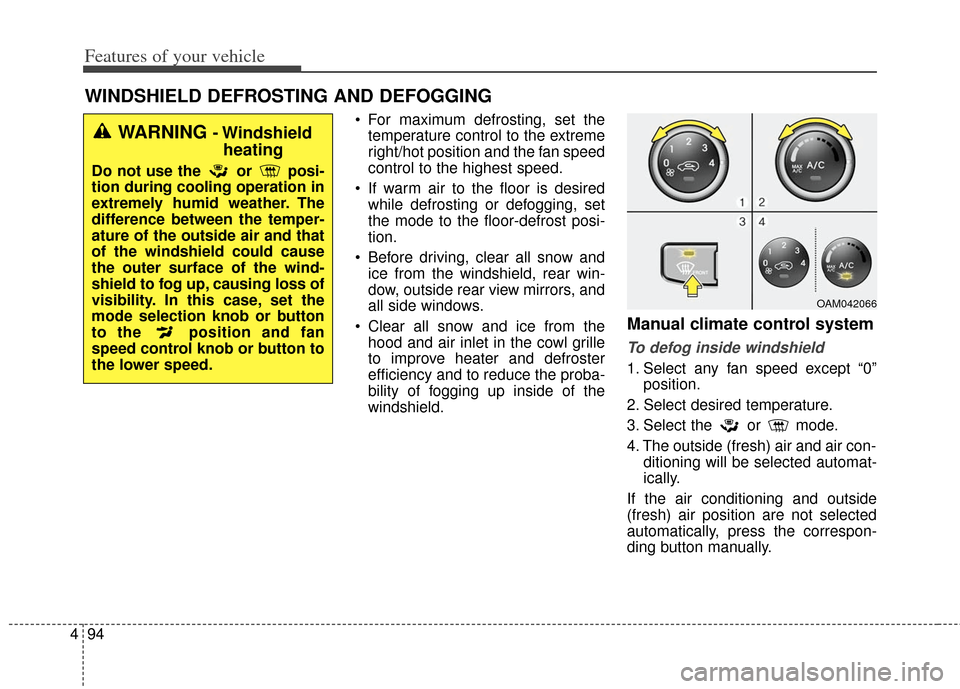
Manual climate control system
To defog inside windshield
1. Select any fan speed except “0” position.
2. Select desired temperature.
3. Select the or mode.
4. The outside (fresh) air and air con- ditioning will be selected automat-
ically.
If the air conditioning and outside
(fresh) air position are not selected
automatically, press the correspon-
ding button manually.
WINDSHIELD DEFROSTING AND DEFOGGING
OAM042066
WARNING - Windshield heating
Do not use the or posi-
tion during cooling operation in
extremely humid weather. The
difference between the temper-
ature of the outside air and that
of the windshield could cause
the outer surface of the wind-
shield to fog up, causing loss of
visibility. In this case, set the
mode selection knob or button
to the position and fan
speed control knob or button to
the lower speed.