2012 KIA Cerato body
[x] Cancel search: bodyPage 108 of 353

Features of your vehicle
30
4
D110200ATD
Tilting the sunroof
To open the sunroof, push the control
lever (3) on the overhead console.
The sunroof will tilt only while the control
lever is pushed.
To close the sunroof, push the sunroof
control lever forward (2).
D110300ATD
Sunshade
The sunshade will automatically open
when the glass panel is moved. Close it
manually if you want it closed.
OBK049019
WARNING - Sunroof
Be careful that no heads, hands
and body parts are not obstruct-
ed by a closing sunroof.
Do not extend the face, neck, arms or body outside the sunroof
while driving.
Make sure your hand and face are safely out of the way before clos-
ing a sunroof.
OTD049017
CAUTION
Periodically remove any dirt that may accumulate on the guide rail.
If you try to open the sunroof when the temperature is belowfreezing or when the sunroof iscovered with snow or ice, the glass or the motor could be dam-aged.
While using sunroof for a long time, a dust between sunroof androof panel can make a noise.
Open the sunroof and removeregularly the dust using cleancloth.
Page 149 of 353

471
Features of your vehicle
D230101ATD
Mode selection
The mode selection knob controls the
direction of the air flow through the venti-
lation system.
Air can be directed to the floor, dash-
board outlets, or windshield. Six symbols
are used to represent MAX A/C, Face,
Bi-Level, Floor, Floor-Defrost and Defrost
air position.
The MAX A/C mode is used to cool the
inside of the vehicle faster.
MAX A/C-Level (B, D)
Air flow is directed toward the upper body
and face.
In this mode, the air conditioning and the
recirculated air position will be selected
automatically.
Face-Level (B, D)
Air flow is directed toward the upper body
and face. Additionally, each outlet can be
controlled to direct the air discharged
from the outlet.
Bi-Level (B, D, E, C)
Air flow is directed towards the face and
the floor.
Floor-Level (C, A, D, E)
Most of the air flow is directed to the
floor, with a small amount of the air being
directed to the windshield and side win-
dow defrosters.
Floor/Defrost-Level (A, C, D, E)
Most of the air flow is directed to the floor
and the windshield with a small amount
directed to the side window defrosters.
Defrost-Level (A, D)
Most of the air flow is directed to the
windshield with a small amount of air
directed to the side window defrosters.
OTD049132
Page 151 of 353
473
Features of your vehicle
Recirculated air position The indicator light on the
button illuminates when the
recirculated air position is
selected.
With the recirculated air position selected, air from
passenger compartment
will be drawn through the
heating system and heated
or cooled according to the
function selected.
Outside (fresh) air position The indicator light on the
button will not illuminate
when the outside (fresh) air
position is selected.
With the outside (fresh) air
position selected, air enters
the vehicle from outside and
is heated or cooled accord-
ing to the function selected.✽ ✽NOTICE
Prolonged operation of the heater in the
recirculated air position (without air
conditioning selected) may cause fog-
ging of the windshield and side windows
and the air within the passenger com-
partment may become stale.
In addition, prolonged operation of the
air conditioning with the recirculated
air position selected will result in exces-
sively dry air in the passenger compart-
ment. WARNING
Continuous use of the climate
control system in the recirculated
air position may allow humidity to
increase inside the vehicle which
may fog the glass and obscure
visibility.
Do not sleep in a vehicle with the air conditioning or heating sys-
tem on. It may cause serious
harm or death due to a drop in the
oxygen level and/or body temper-
ature.
Continuous use of the climate control system in the recirculated
air position can cause drowsi-
ness or sleepiness, and loss of
vehicle control. Set the air intake
control to the outside (fresh) air
position as much as possible
while driving.
Page 158 of 353
Features of your vehicle
80
4
D240200ATD
Manual heating and air condition-
ing
The heating and cooling system can be
controlled manually by pushing buttons
other than the AUTO button. In this case,
the system works sequentially according
to the order of buttons selected.
1. Start the engine.
2. Set the mode to the desired position.
To improve the effectiveness of heat-ing and cooling :
- Heating:
- Cooling:
3. Set the temperature control to the desired position.
4. Set the air intake control to the outside (fresh) air or recirculated air position.
5. Set the fan speed control to the desired speed.
6. If air conditioning is desired, turn the air conditioning system on.
Press the AUTO button in order to con-
vert to full automatic control of the sys-
tem.
D240201ATD
Mode selection
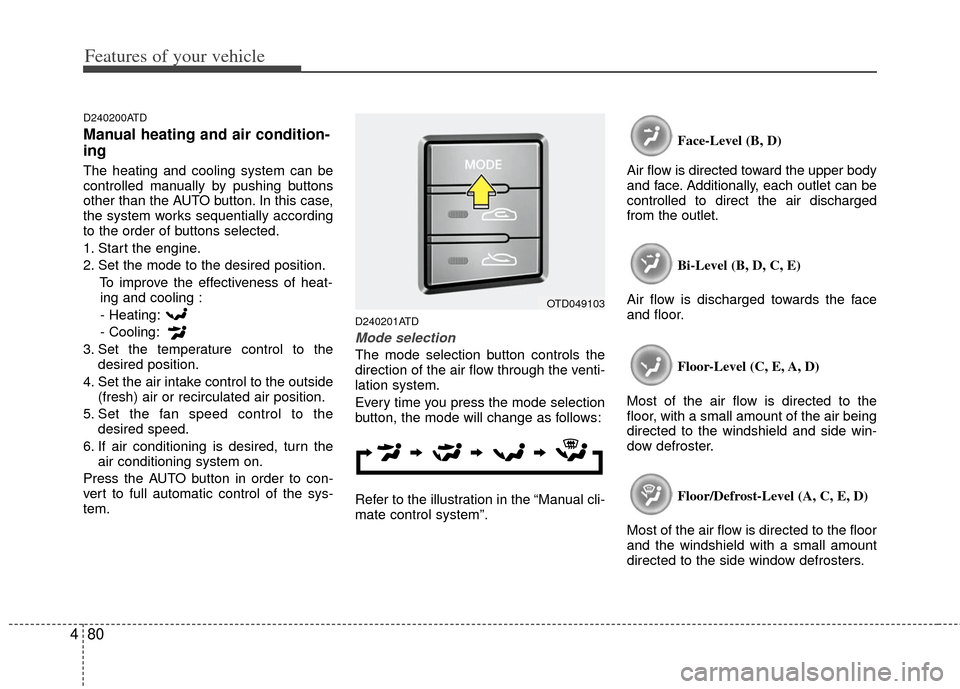
The mode selection button controls the
direction of the air flow through the venti-
lation system.
Every time you press the mode selection
button, the mode will change as follows:
Refer to the illustration in the “Manual cli-
mate control system”. Face-Level (B, D)
Air flow is directed toward the upper body
and face. Additionally, each outlet can be
controlled to direct the air discharged
from the outlet.
Bi-Level (B, D, C, E)
Air flow is discharged towards the face
and floor.
Floor-Level (C, E, A, D)
Most of the air flow is directed to the
floor, with a small amount of the air being
directed to the windshield and side win-
dow defroster.
Floor/Defrost-Level (A, C, E, D)
Most of the air flow is directed to the floor
and the windshield with a small amount
directed to the side window defrosters.
OTD049103
Page 161 of 353

483
Features of your vehicle
Recirculated air position
The indicator light on the button illumi-
nates when the recirculated air position
is selected.
With the recirculated air position selected,
air from the passenger compartment will
be drawn through the heating system and
heated or cooled according to the func-
tion selected.Outside (fresh) air position
The indicator light on the button illumi-
nates when the outside (fresh) air posi-
tion is selected.
With the outside (fresh) air position
selected, air enters the vehicle from out-
side and is heated or cooled according to
the function selected.
✽ ✽
NOTICE
Prolonged operation of the heating in
recirculated air position will cause fog-
ging of the windshield and side windows
and the air within the passenger com-
partment will become stale.
In addition, prolonged operation of the
air conditioning with the recirculated
air position selected, will result in exces-
sively dry air in the passenger compart-
ment.
WARNING
Continuous use of the climate con-
trol system in the recirculated air
position may allow humidity to
increase inside vehicle which may
fog the glass and obscure visibility.
Do not sleep in a vehicle with air conditioning or heating system on.
It may cause serious harm or death
due to a drop in the oxygen level
and/or body temperature.
Continuous use of the climate con- trol system in the reciruclated air
position can cause drowsiness or
sleepiness, and loss of vehicle
control. Set the air intake control to
the outside (fresh) air position as
much as possible while driving.
OTD049106OTD049107
Page 174 of 353

Features of your vehicle
96
4
D210300ATD
Advanced lighting speaker
(if equipped)
Pull down the switch.
The advanced lighting speaker that lights
around the front speaker is adjusted by
turning the knob as follows. 1. ON : The light turns on.
2. MOOD : The light shade changes auto-
matically at regular interval.
3. MUSIC : The light blinks or changes shade according to the
sound of the audio.
If the audio is not turned on,
the light does not turn on.
4. OFF : The light turns off.
5. +/- : When the lights are on, push the illumination button to adjust the
light intensity.
If the low lighting grade is
selected, the intensity of the
light may be weak or may not
illuminate according to the
audio volume or selected con-
ditions.
✽ ✽NOTICE
The lighting around the front speaker
may not illuminate when the sound of
the audio is low.OTDC049221
OTDC049222
CAUTION
Do not use the lights for extended
periods when engine is not run-ning.
It may cause battery discharge.
WARNING
Make sure the switch locks in posi-
tion to avoid damage of the switch
and injury of your hands or body
parts.
Page 190 of 353

Features of your vehicle
112
4
CAUTION IN USING
USB DEVICE
To use an external USB device,
make sure the device is not con-nected when starting up the vehi-cle and connect the device afterstarting up.
If you start the vehicle when the USB device is connected, it maydamage the USB device. (USB isnot ESA)
If the vehicle is started up or turned off while the external USBdevice is connected, the external USB device may not work.
It may not play inauthentic MP3 or WMA files.
1) It can only play MP3 files with the compression rate between8Kbps~320Kbps.
2) It can only play WMA music files with the compression ratebetween 8Kbps~320Kbps.
Take cautions for static electricity when connecting or disconnect-ing the external USB device.
An encoded MP3 player is not recognizable.
(Continued)
(Continued) Depending on the condition of the external USB device, the con-nected external USB device canbe unrecognizable.
When the formatted byte/sector setting of External USB devices isnot either 512BYTE or 2048BYTE,then the device will not be recog-nized.
Use only a USB device formatted to FAT 12/16/32.
USB devices without USB I/F authentication may not be recog-nizable.
Make sure the USB connection terminal does not come in contactwith a human body or any object.
If you repeat connecting or dis- connecting USB device in a shortperiod of time, it may break the device.
You might hear a strange noise when connecting or disconnect-ing a USB device.
(Continued)(Continued) If you disconnect the external USB device during playback in USBmode, the external USB device canbe damaged or malfunction. Therefore, connect the externalUSB device when the engine is turned off or in another mode.
Depending on the type and capac- ity of the external USB device orthe type of the files stored in thedevice, there is a difference in thetime taken for recognition of the device, but this is not an indicatorof trouble and you only have to wait.
Do not use the USB device for other purposes than playing music files.
Use of USB accessories such as recharger or heater using USB I/Fmay lower performance or causetrouble.
If you use devices such as a USB hub you purchased separately,the vehicle’s audio system may not recognize the USB device.Connect the USB device directlyto the multimedia terminal of the vehicle.
(Continued)
Page 269 of 353

What to do in an emergency
86
F070200AFD
Removing and storing the spare
tire
Turn the tire hold-down wing bolt
counterclockwise.
Store the tire in the reverse order of
removal.
To prevent the spare tire and tools
from “rattling” while the vehicle is in
motion, store them properly.
F070300ATD-EU
Changing tires
1. Park on a level surface and applythe parking brake firmly.
2. Shift the shift lever into R (Reverse) for manual transaxle or
P (Park) for automatic transaxle.
3. Activate the hazard warning flash- er.
ONF068004
(Continued)
The vehicle can easily roll offthe jack causing serious
injury or death. No person
should place any portion of
their body under a vehicle that
is supported only by a jack;
use vehicle support stands.
Do not start or run the engine while the vehicle is on the
jack.
Do not allow anyone to remain in the vehicle while it is on the
jack.
Make sure any children pres- ent are in a secure place away
from the road and from the
vehicle to be raised with the
jack.
OED066033