Page 129 of 558
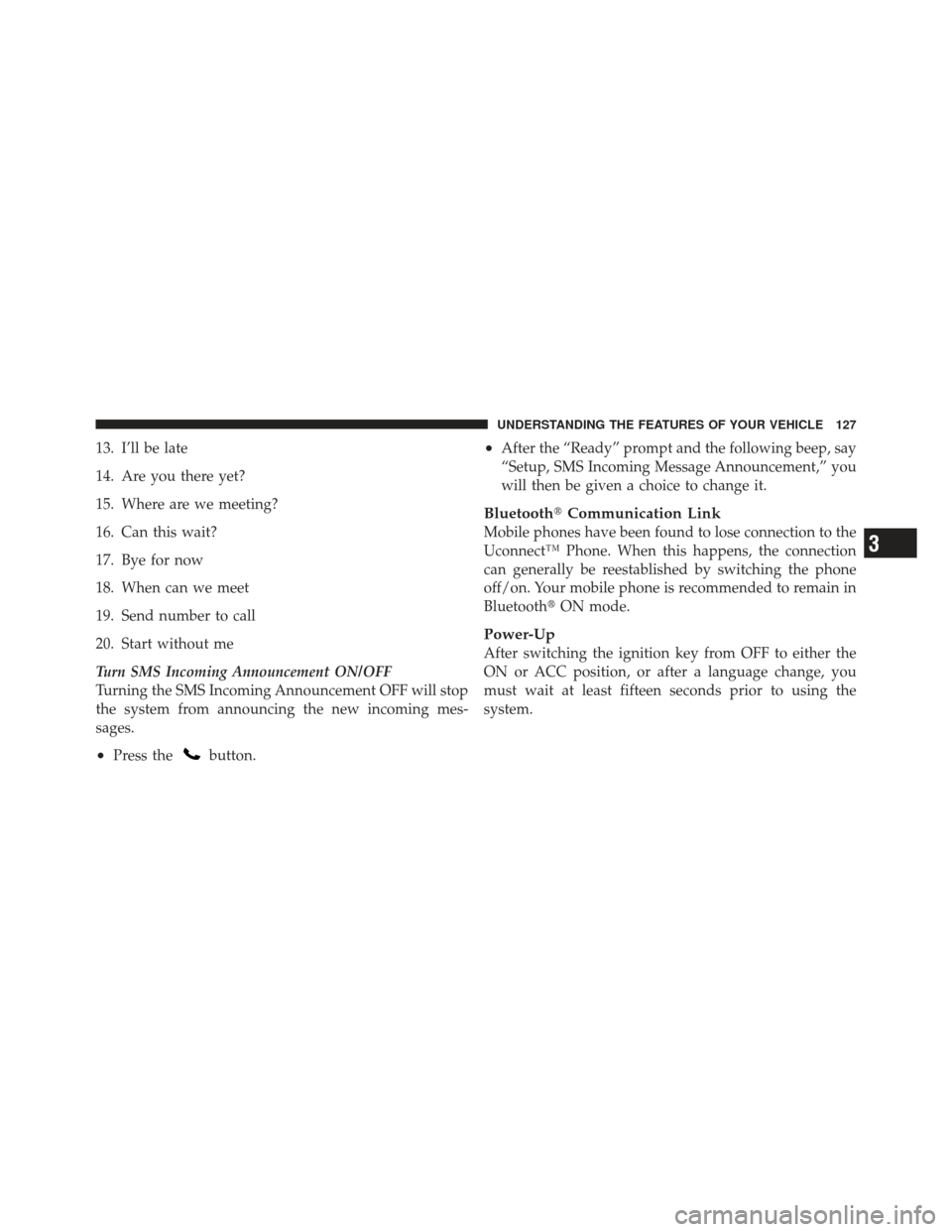
13. I’ll be late
14. Are you there yet?
15. Where are we meeting?
16. Can this wait?
17. Bye for now
18. When can we meet
19. Send number to call
20. Start without me
Turn SMS Incoming Announcement ON/OFF
Turning the SMS Incoming Announcement OFF will stop
the system from announcing the new incoming mes-
sages.
•Press thebutton.
•After the “Ready” prompt and the following beep, say
“Setup, SMS Incoming Message Announcement,” you
will then be given a choice to change it.
Bluetooth�Communication Link
Mobile phones have been found to lose connection to the
Uconnect™ Phone. When this happens, the connection
can generally be reestablished by switching the phone
off/on. Your mobile phone is recommended to remain in
Bluetooth�ON mode.
Power-Up
After switching the ignition key from OFF to either the
ON or ACC position, or after a language change, you
must wait at least fifteen seconds prior to using the
system.
3
UNDERSTANDING THE FEATURES OF YOUR VEHICLE 127
Page 260 of 558
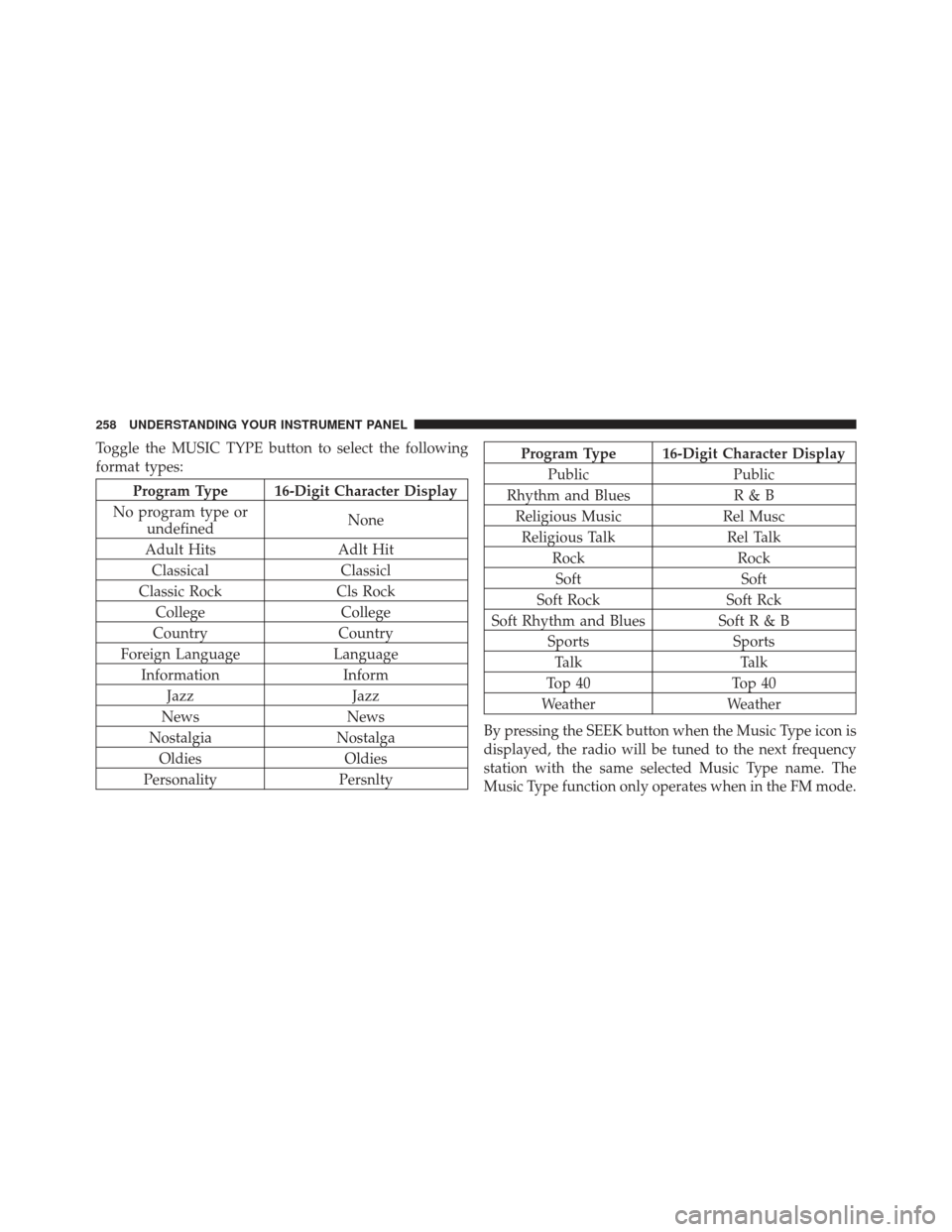
Toggle the MUSIC TYPE button to select the following
format types:
Program Type 16-Digit Character Display
No program type or undefined None
Adult Hits Adlt Hit
Classical Classicl
Classic Rock Cls Rock
College College
Country Country
Foreign Language Language
Information Inform
Jazz Jazz
News News
Nostalgia Nostalga
Oldies Oldies
Personality Persnlty
Program Type 16-Digit Character Display
Public Public
Rhythm and Blues R & B
Religious Music Rel Musc
Religious Talk Rel Talk
Rock Rock
Soft Soft
Soft Rock Soft Rck
Soft Rhythm and Blues Soft R & B Sports Sports
Talk Talk
Top 40 Top 40
Weather Weather
By pressing the SEEK button when the Music Type icon is
displayed, the radio will be tuned to the next frequency
station with the same selected Music Type name. The
Music Type function only operates when in the FM mode.
258 UNDERSTANDING YOUR INSTRUMENT PANEL
Page 289 of 558
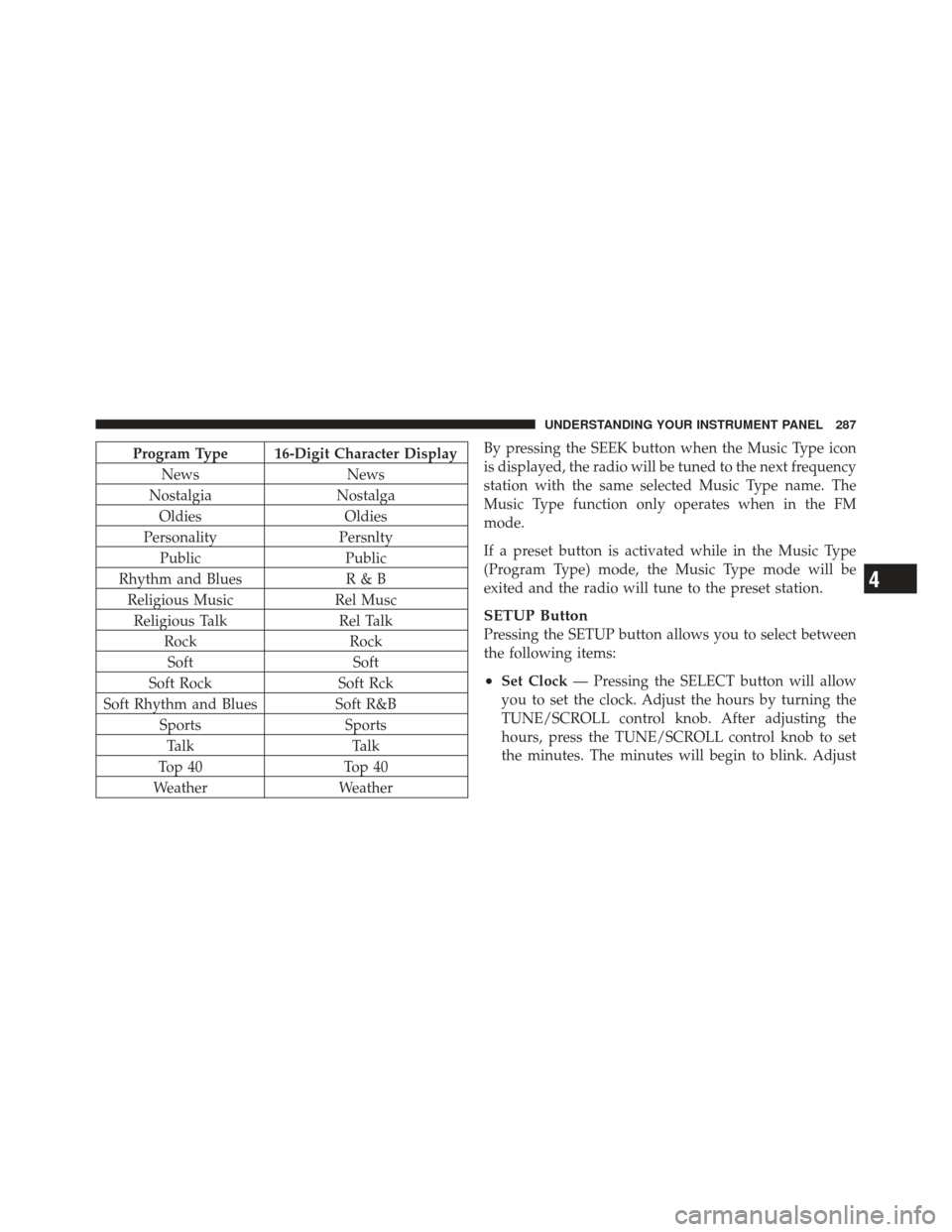
Program Type 16-Digit Character DisplayNews News
Nostalgia Nostalga
Oldies Oldies
Personality Persnlty
Public Public
Rhythm and Blues R & B
Religious Music Rel Musc
Religious Talk Rel Talk
Rock Rock
Soft Soft
Soft Rock Soft Rck
Soft Rhythm and Blues Soft R&B
Sports Sports
Talk Talk
Top 40 Top 40
Weather WeatherBy pressing the SEEK button when the Music Type icon
is displayed, the radio will be tuned to the next frequency
station with the same selected Music Type name. The
Music Type function only operates when in the FM
mode.
If a preset button is activated while in the Music Type
(Program Type) mode, the Music Type mode will be
exited and the radio will tune to the preset station.
SETUP Button
Pressing the SETUP button allows you to select between
the following items:
•Set Clock
— Pressing the SELECT button will allow
you to set the clock. Adjust the hours by turning the
TUNE/SCROLL control knob. After adjusting the
hours, press the TUNE/SCROLL control knob to set
the minutes. The minutes will begin to blink. Adjust
4
UNDERSTANDING YOUR INSTRUMENT PANEL 287
Page 304 of 558
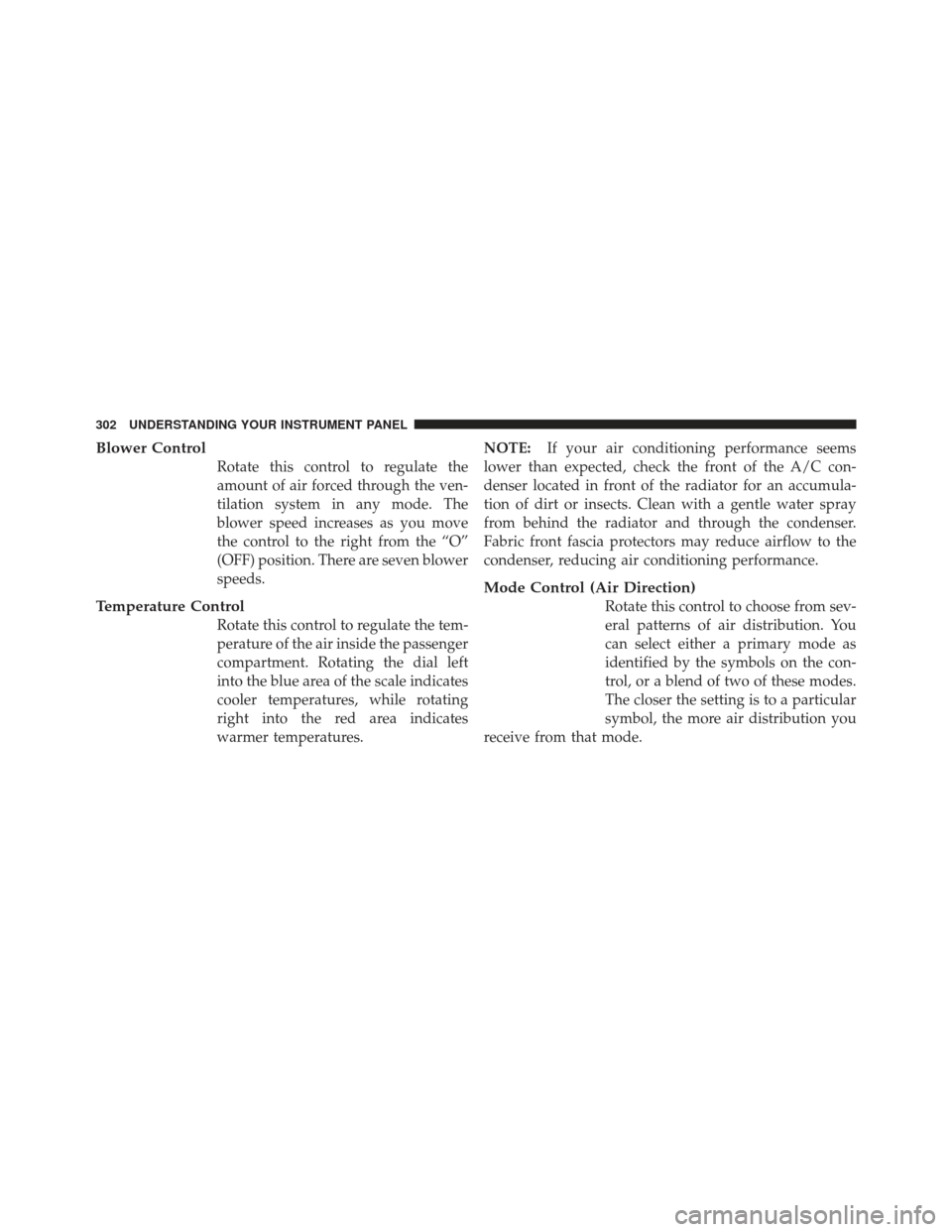
Blower Control
Rotate this control to regulate the
amount of air forced through the ven-
tilation system in any mode. The
blower speed increases as you move
the control to the right from the “O”
(OFF) position. There are seven blower
speeds.
Temperature Control
Rotate this control to regulate the tem-
perature of the air inside the passenger
compartment. Rotating the dial left
into the blue area of the scale indicates
cooler temperatures, while rotating
right into the red area indicates
warmer temperatures.NOTE:
If your air conditioning performance seems
lower than expected, check the front of the A/C con-
denser located in front of the radiator for an accumula-
tion of dirt or insects. Clean with a gentle water spray
from behind the radiator and through the condenser.
Fabric front fascia protectors may reduce airflow to the
condenser, reducing air conditioning performance.
Mode Control (Air Direction)
Rotate this control to choose from sev-
eral patterns of air distribution. You
can select either a primary mode as
identified by the symbols on the con-
trol, or a blend of two of these modes.
The closer the setting is to a particular
symbol, the more air distribution you
receive from that mode.
302 UNDERSTANDING YOUR INSTRUMENT PANEL
Page 307 of 558
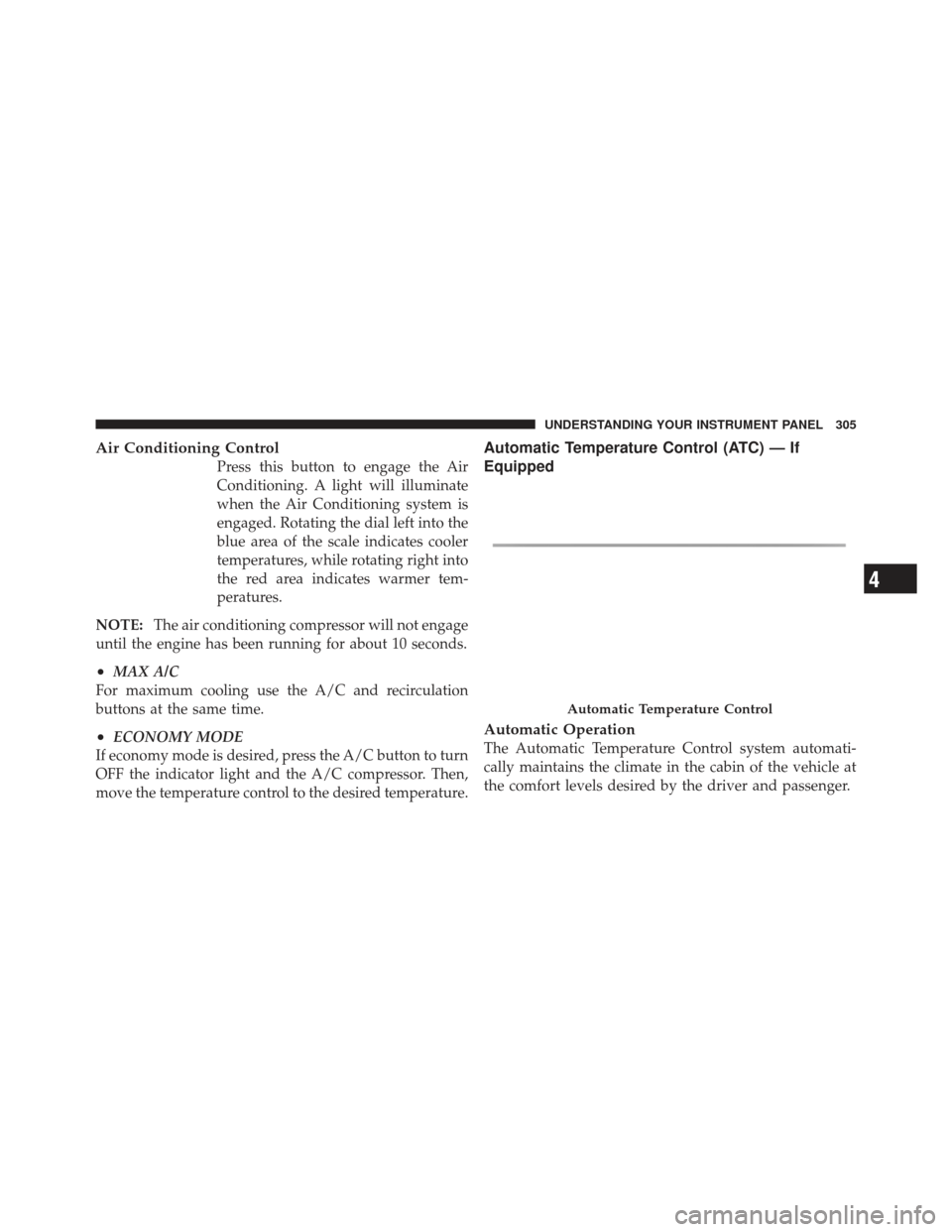
Air Conditioning Control
Press this button to engage the Air
Conditioning. A light will illuminate
when the Air Conditioning system is
engaged. Rotating the dial left into the
blue area of the scale indicates cooler
temperatures, while rotating right into
the red area indicates warmer tem-
peratures.
NOTE: The air conditioning compressor will not engage
until the engine has been running for about 10 seconds.
•MAX A/C
For maximum cooling use the A/C and recirculation
buttons at the same time.
•ECONOMY MODE
If economy mode is desired, press the A/C button to turn
OFF the indicator light and the A/C compressor. Then,
move the temperature control to the desired temperature.
Automatic Temperature Control (ATC) — If
Equipped
Automatic Operation
The Automatic Temperature Control system automati-
cally maintains the climate in the cabin of the vehicle at
the comfort levels desired by the driver and passenger.
Automatic Temperature Control
4
UNDERSTANDING YOUR INSTRUMENT PANEL 305
Page 495 of 558
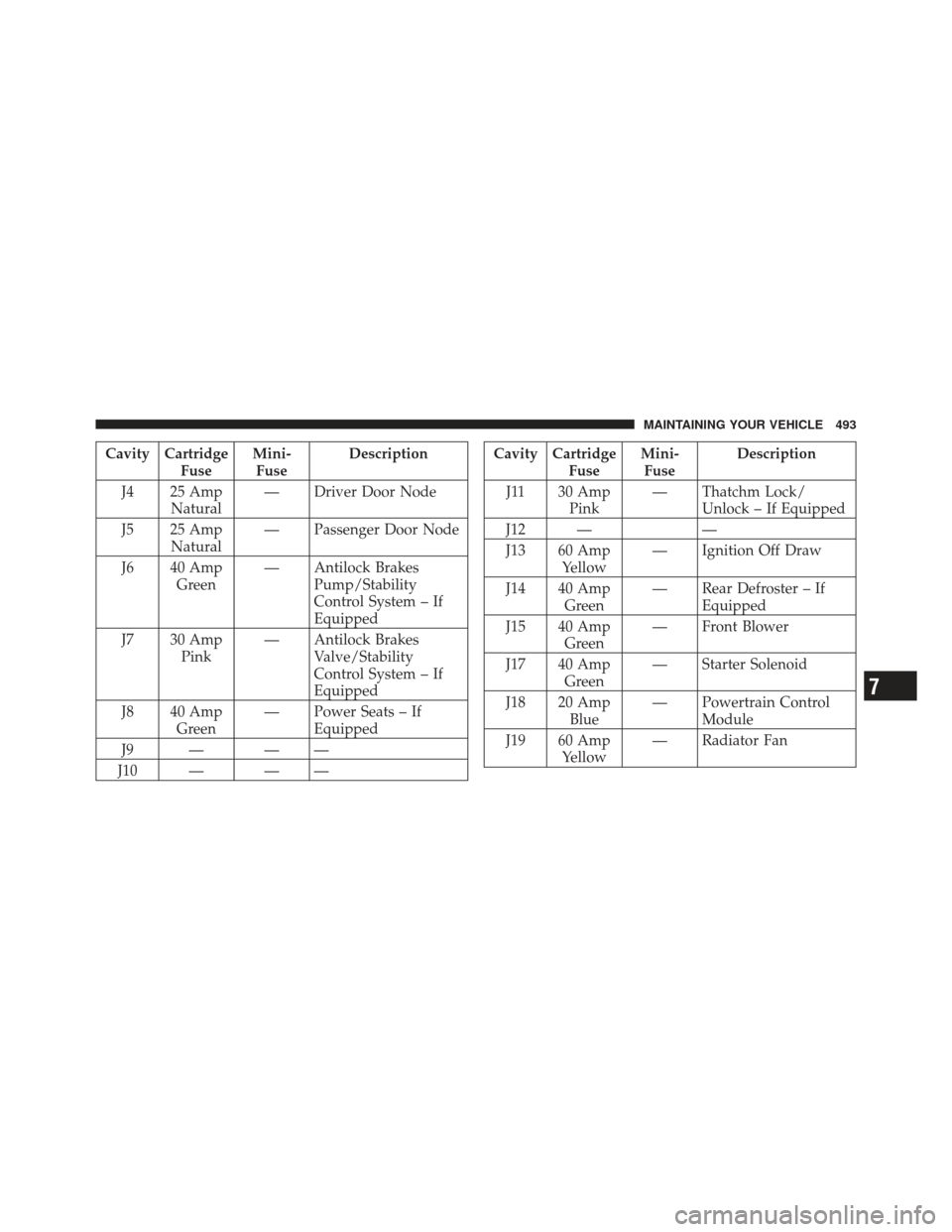
Cavity CartridgeFuseMini-
Fuse Description
J4 25 Amp Natural — Driver Door Node
J5 25 Amp Natural — Passenger Door Node
J6 40 Amp Green — Antilock Brakes
Pump/Stability
Control System – If
Equipped
J7 30 Amp Pink — Antilock Brakes
Valve/Stability
Control System – If
Equipped
J8 40 Amp Green — Power Seats – If
Equipped
J9 — — —
J10 — — —Cavity Cartridge FuseMini-
Fuse Description
J11 30 Amp Pink — Thatchm Lock/
Unlock – If Equipped
J12 — —
J13 60 Amp Yellow — Ignition Off Draw
J14 40 Amp Green — Rear Defroster – If
Equipped
J15 40 Amp Green — Front Blower
J17 40 Amp Green — Starter Solenoid
J18 20 Amp Blue — Powertrain Control
Module
J19 60 Amp Yellow — Radiator Fan
7
MAINTAINING YOUR VEHICLE 493
Page 496 of 558
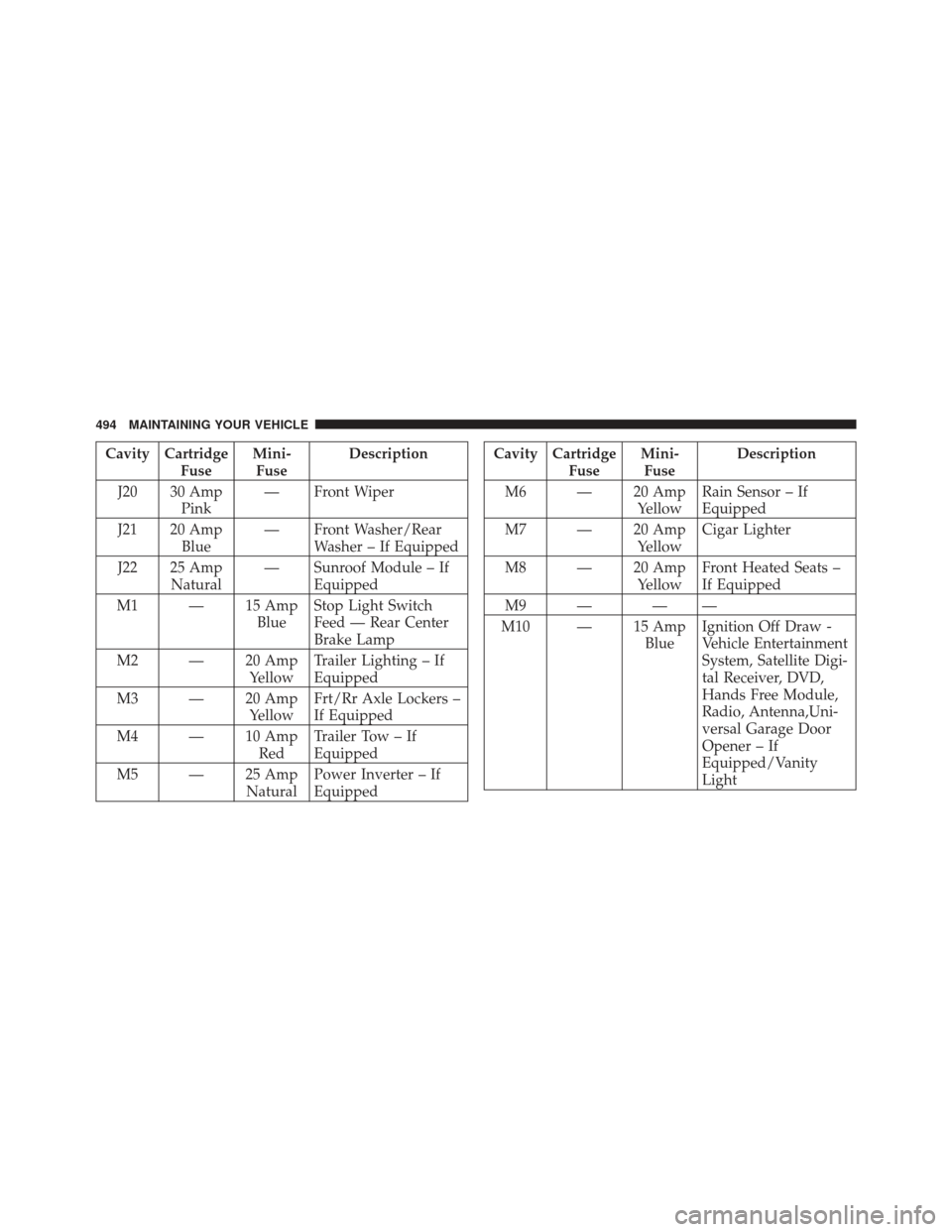
Cavity CartridgeFuseMini-
Fuse Description
J20 30 Amp Pink — Front Wiper
J21 20 Amp Blue — Front Washer/Rear
Washer – If Equipped
J22 25 Amp Natural — Sunroof Module – If
Equipped
M1 — 15 Amp BlueStop Light Switch
Feed — Rear Center
Brake Lamp
M2 — 20 Amp YellowTrailer Lighting – If
Equipped
M3 — 20 Amp YellowFrt/Rr Axle Lockers –
If Equipped
M4 — 10 Amp RedTrailer Tow – If
Equipped
M5 — 25 Amp NaturalPower Inverter – If
EquippedCavity Cartridge
FuseMini-
Fuse Description
M6 — 20 Amp YellowRain Sensor – If
Equipped
M7 — 20 Amp YellowCigar Lighter
M8 — 20 Amp YellowFront Heated Seats –
If Equipped
M9 — — —
M10 — 15 Amp BlueIgnition Off Draw -
Vehicle Entertainment
System, Satellite Digi-
tal Receiver, DVD,
Hands Free Module,
Radio, Antenna,Uni-
versal Garage Door
Opener – If
Equipped/Vanity
Light
494 MAINTAINING YOUR VEHICLE
Page 497 of 558
Cavity CartridgeFuseMini-
Fuse Description
M11 — 10 Amp RedClimate Control Sys-
tem – If Equipped
M12 — 30 Amp GreenRadio/Amplifier – If
Equipped
M13 — 20 Amp YellowInstrument Cluster/
Wireless Control
Module/
Multifunction Control
Switch, Siren – If
Equipped
M14 — 20 Amp YellowTrailer Tow (Export
Only) – If EquippedCavity Cartridge
FuseMini-
Fuse Description
M15 — 20 Amp YellowInstrument Cluster/
Rear View Mirror/
Tire Pressure
Monitor/Transfer
Case Module – If
Equipped/Glow
Plugs – If Equipped
M16 — 10 Amp RedAirbag Module
M17 — 15 Amp BlueExterior Lighting –
Left Front Park and
Side Marker, Left Tail
and Running, License
Lights
7
MAINTAINING YOUR VEHICLE 495