2012 HYUNDAI VELOSTER key battery
[x] Cancel search: key batteryPage 59 of 385

341
Safety features of your vehicle
WARNING
Do not install or place any acces-
sories (drink holder, CD or discs
holder, sticker, etc.) on the front
passenger's panel above the
glove box in a vehicle with a pas-
senger's air bag. Such objects
may become dangerous projec-
tiles and cause injury if the pas-
senger's air bag inflates.
When installing a container of liq-
uid air freshener inside the vehi-
cle, do not place it near the
instrument cluster nor on the
instrument panel surface.
It may become a dangerous pro-
jectile and cause injury if the pas-
senger's air bag inflates.
B240B05L
Passenger’s front air bag
WARNING
If an air bag deploys, there may
be a loud noise followed by a fine
dust released in the vehicle.
These conditions are normal and
are not hazardous - the air bags
are packed in this fine powder.
The dust generated during air
bag deployment may cause skin
or eye irritation as well as aggra-
vate asthma for some persons.
Always wash all exposed skin
areas thoroughly with lukewarm
water and a mild soap after an
accident in which the air bags
were deployed.
The SRS can function only when
the ignition switch is in the ON
position. If the SRS air bag warn-
ing light " " does not illumi-
nate, or continuously remains on
after illuminating for about 6 sec-
onds when the ignition switch is
turned to the ON position, or after
the engine is started, comes on
while driving, the SRS is not
working properly. If this occurs,
have your vehicle immediately
inspected by an authorized
HYUNDAI dealer.
(Continued)
(Continued)
Before you replace a fuse or dis-
connect a battery terminal, turn
the ignition switch to the LOCK
position and remove the ignition
key for ignition key, and turn the
engine start/stop button to the
OFF position for smart key. Never
remove or replace the air bag
related fuse(s) when the ignition
switch is in the ON position.
Failure to heed this warning will
cause the SRS air bag warning
light to illuminate.
Page 89 of 385

Features of your vehicle
10 4
This device complies with Part 15 of
the FCC rules.
Operation is subject to the following two
conditions:
1. This device may not cause harmful
interference, and
2. This device must accept any interfer-
ence received, including interference
that may cause undesired operation.
Battery replacement
A smart key battery should last for sever-
al years, but if the smart key is not work-
ing properly, try replacing the battery with
a new one. If you are unsure how to use
your smart key or replace the battery,
contact an authorized HYUNDAI dealer.
✽ ✽
NOTICE
The circuit inside the smart key can
have a problem if exposed to moisture
or static electricity. If you are unsure
how to use your smart key or replace the
battery, contact an authorized
HYUNDAI dealer.
WARNING
Changes or modifications not
expressly approved by the party
responsible for compliance could
void the user’s authority to operate
the equipment. If the keyless entry
system is inoperative due to
changes or modifications not
expressly approved by the party
responsible for compliance, it will
not be covered by your manufactur-
er’s vehicle warranty.OBH048004
CAUTION
The transponder in your smart key
is an important part of the immobi-
lizer system. It is designed to give
years of trouble-free service, how-
ever you should avoid exposure to
moisture, static electricity and
rough handling. Immobilizer sys-
tem malfunction could occur.
CAUTION
Do not change, alter or adjust the
immobilizer system because it
could cause the immobilizer sys-
tem to malfunction and should only
be serviced by an authorized
HYUNDAI dealer.
Malfunctions caused by improper
alterations, adjustments or modifi-
cations to the immobilizer system
are not covered by your vehicle
manufacturer warranty.
Page 90 of 385
411
Features of your vehicle
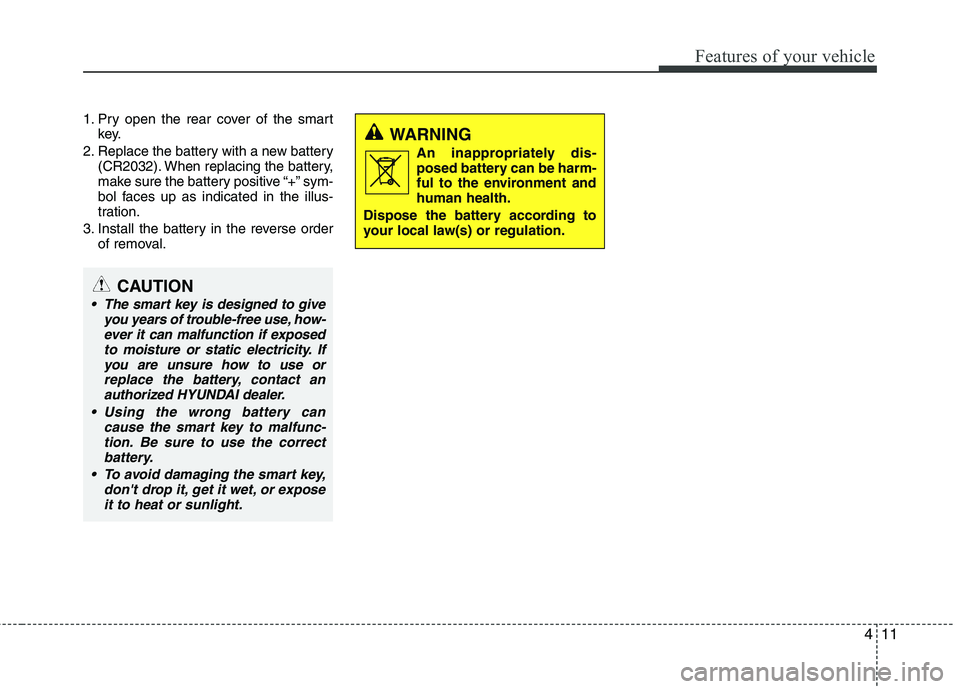
1. Pry open the rear cover of the smart
key.
2. Replace the battery with a new battery
(CR2032). When replacing the battery,
make sure the battery positive “+” sym-
bol faces up as indicated in the illus-
tration.
3. Install the battery in the reverse order
of removal.
CAUTION
The smart key is designed to give
you years of trouble-free use, how-
ever it can malfunction if exposed
to moisture or static electricity. If
you are unsure how to use or
replace the battery, contact an
authorized HYUNDAI dealer.
Using the wrong battery can
cause the smart key to malfunc-
tion. Be sure to use the correct
battery.
To avoid damaging the smart key,
don't drop it, get it wet, or expose
it to heat or sunlight.
WARNING
An inappropriately dis-
posed battery can be harm-
ful to the environment and
human health.
Dispose the battery according to
your local law(s) or regulation.
Page 92 of 385

413
Features of your vehicle
Transmitter precautions
✽ ✽
NOTICE
The transmitter will not work if any of
following occur:
• The ignition key is in ignition switch.
• You exceed the operating distance
limit (about 90 feet [30 m]).
• The battery in the transmitter is
weak.
• Other vehicles or objects may be
blocking the signal.
• The weather is extremely cold.
• The transmitter is close to a radio
transmitter such as a radio station or
an airport which can interfere with
normal operation of the transmitter.
When the transmitter does not work
correctly, open and close the door with
the ignition key. If you have a problem
with the transmitter, contact an author-
ized HYUNDAI dealer.
This device complies with Part 15 of
the FCC rules.
Operation is subject to the following two
conditions:
1. This device may not cause harmful
interference, and
2. This device must accept any interfer-
ence received, including interference
that may cause undesired operation.
Battery replacement
The transmitter uses a 3 volt lithium bat-
tery which will normally last for several
years. When replacement is necessary,
use the following procedure.
1. Insert a slim tool into the slot and gently
pry open the transmitter center cover.
2. Replace the battery with a new battery
(CR2032). When replacing the battery,
make sure the battery positive “+” sym-
bol faces up.
3. Install the battery in the reverse order
of removal.
For replacement transmitters, see an
authorized HYUNDAI dealer for transmit-
ter reprogramming.
CAUTION
Keep the transmitter away from
water or any liquid. If the keyless
entry system is inoperative due to
exposure to water or liquids, it will
not be covered by your manufactur-
er’s vehicle warranty.
WARNING
Changes or modifications not
expressly approved by the party
responsible for compliance could
void the user’s authority to operate
the equipment. If the keyless entry
system is inoperative due to
changes or modifications not
expressly approved by the party
responsible for compliance, it will
not be covered by your manufactur-
er’s vehicle warranty.ONF048120
Page 134 of 385
455
Features of your vehicle
Auto door unlock (if equipped)
Off - The auto door unlock operation will
be canceled.
Key Out - All doors will be automatically
unlocked when the ignition key
is removed from ignition switch
(or smart key is removed from
the smart key holder).
Shift Lever - All doors will be automati-
cally unlocked if the shift
lever is shifted to the
P(Park) position.
AVG fuel economy
Auto Reset - The average fuel economy
will reset automatically
when you drive after refuel-
ing.
Manual Reset - The average fuel econo-
my will not reset auto-
matically when you drive
after refueling.
Headlamp escort
On - If you turn the ignition switch to the
ACC or OFF position with the head-
lamp ON, the headlamp remain on
for about 20 minutes. And the head
lamp welcome operation will be
activated. Refer to the [LIGHTING]
in this chapter.
Off - The headlamp escort and head-
lamp welcome operation will be
canceled.✽ ✽
NOTICE
• If the vehicle is not on level ground or
the battery power has been interrupt-
ed, the “Distance to empty” function
may not operate correctly.
The trip computer may not register
additional fuel if less than 1.6 gallons (6
liters) of fuel are added to the vehicle.
• The fuel consumption and distance to
empty values may vary significantly
based on driving conditions, driving
habits, and condition of the vehicle.
• The distance to empty value is an esti-
mate of the available driving distance.
This value may differ from the actual
driving distance available.
Page 141 of 385

Features of your vehicle
62 4
Front fog light indicator
This light comes on when the front fog
lights are ON.
Trunk lid open warning
light
This warning light illuminates when the
trunk lid is not closed securely with the
ignition in any position.
Door open warning light
This indicator illuminates when a door is
not closed securely.
Immobilizer indicator
(if equipped)
Without smart key system
This light illuminates when the immobiliz-
er key is inserted and turned to the ON
position to start the engine.
At this time, you can start the engine. The
light goes out after the engine is running.
If this light blinks when the ignition switch
is in the ON position before starting the
engine, have the system checked by an
authorized HYUNDAI dealer.With smart key system (if equipped)
If any of the following occurs in a vehicle
equipped with the smart key, the immobi-
lizer indicator illuminates, blinks or the
light goes off.
When the smart key is in the vehicle, if
the engine start/stop button is turned
to the ON position, the indicator will
illuminate until the engine is started.
However, when the smart key is not in
the vehicle, if the engine start/stop but-
ton is depressed, the indicator will blink
for a few minutes to indicate that you
will not be able to start the engine.
When the ignition switch is turned to
the ON position and the indicator turns
off after 2 seconds, the system may
need repair. Have the vehicle checked
by an authorized HYUNDAI dealer.
When the battery is weak, if the engine
start/stop button is depressed, the indi-
cator will blink and you will not be able
to start the engine. However, you may
still be able to start the engine by
pressing the engine start/stop button
with the smart key. If smart key system
related parts need repair, the indicator
blinks.
Page 147 of 385
Features of your vehicle
68 4
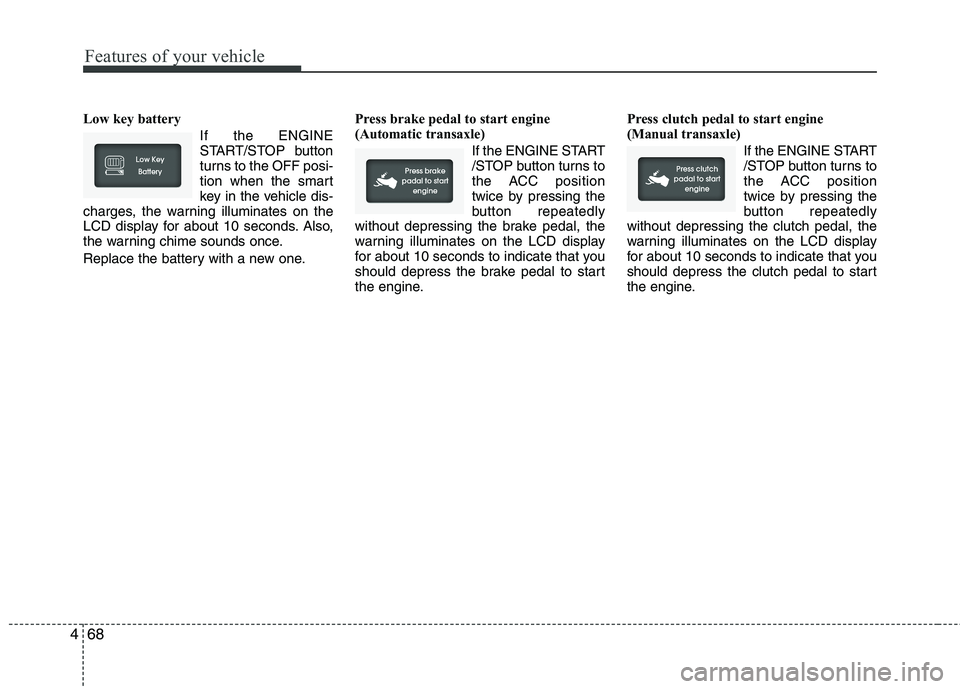
Low key battery
If the ENGINE
START/STOP button
turns to the OFF posi-
tion when the smart
key in the vehicle dis-
charges, the warning illuminates on the
LCD display for about 10 seconds. Also,
the warning chime sounds once.
Replace the battery with a new one.Press brake pedal to start engine
(Automatic transaxle)
If the ENGINE START
/STOP button turns to
the ACC position
twice by pressing the
button repeatedly
without depressing the brake pedal, the
warning illuminates on the LCD display
for about 10 seconds to indicate that you
should depress the brake pedal to start
the engine.Press clutch pedal to start engine
(Manual transaxle)
If the ENGINE START
/STOP button turns to
the ACC position
twice by pressing the
button repeatedly
without depressing the clutch pedal, the
warning illuminates on the LCD display
for about 10 seconds to indicate that you
should depress the clutch pedal to start
the engine.
Page 156 of 385
477
Features of your vehicle
LIGHTING
Battery saver function
The purpose of this feature is to pre-
vent the battery from being dis-
charged. The system automatically
turns off the parking lights when the
driver removes the ignition key (smart
key : turns off the engine) and opens
the driver-side door.
With this feature, the parking lights will
be turned off automatically if the driver
parks on the side of road at night.
If necessary, to keep the lights on
when the ignition key is removed
(smart key : turns off the engine), per-
form the following:
1) Open the driver-side door.
2) Turn the parking lights OFF and ON
again using the light switch on the
steering column.
Headlamp delay (if equipped)
If you turn the ignition switch to the ACC
or OFF position with the headlights ON,
the headlights remain on for about 20
minutes. However, if the driver’s door is
opened and closed, the headlights are
turned off after 30 seconds.
The headlights can be turned off by
pressing the lock button on the transmit-
ter (or smart key) twice or turning the
light switch to the OFF or Auto position.
However, if you turn the light switch to the
Auto position when it is dark outside, the
headlights will not be turned off.
Headlamp welcome function
(if equipped)
When the headlight switch is in the ON or
AUTO position and all doors (and tail-
gate) are closed and locked, if you press
the door unlock button on the transmitter
(or smart key), the headlights will come
on for about 15 seconds.
If the headlight switch is in the AUTO
position, the function can only operate at
night.
At this time, if you press the door unlock
button again or door lock button on the
transmitter (or smart key), the headlights
will turn off immediately.
Daytime running light (if equipped)
Daytime Running Lights (DRL) can make
it easier for others to see the front of your
vehicle during the day. DRL can be help-
ful in many different driving conditions,
and it is especially helpful after dawn and
before sunset.
The DRL system turns OFF when:
1. The headlight are ON.
2. The parking brake is applied.
3. Engine stops.
CAUTION
If the driver gets out of the vehicle
through other doors (other than the
driver's door), the battery saver
function does not operate and the
headlamp delay does not turn off
automatically. This will cause the
battery to be discharged. In this
case, make sure to turn off the lamp
before getting out of the vehicle.