2012 HYUNDAI IX35 Start
[x] Cancel search: StartPage 192 of 560
4117
Features of your vehicle
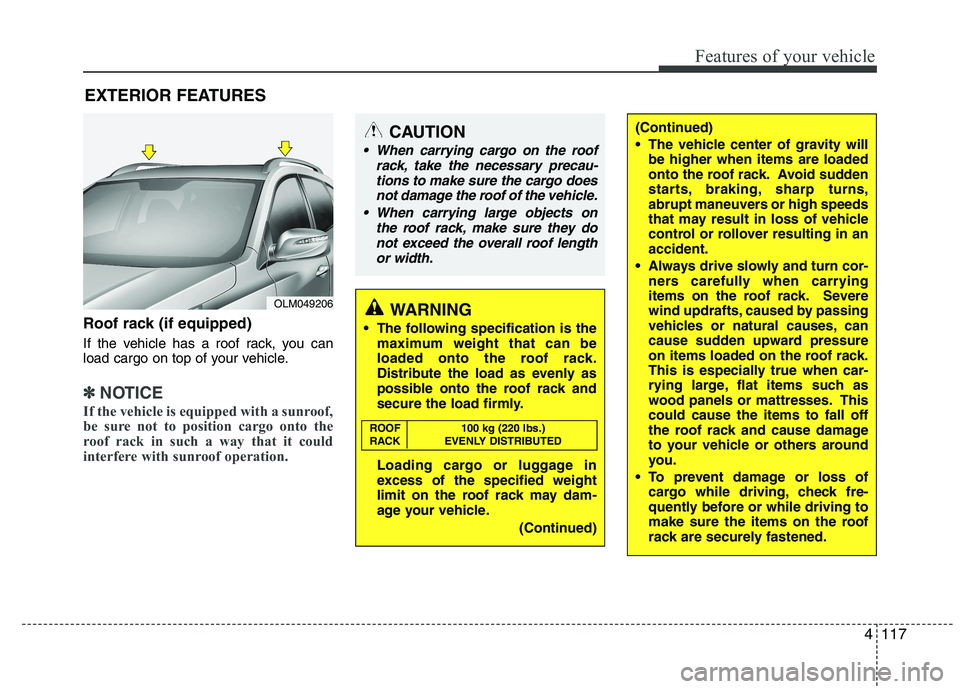
Roof rack (if equipped)
If the vehicle has a roof rack, you can
load cargo on top of your vehicle.
✽✽NOTICE
If the vehicle is equipped with a sunroof,
be sure not to position cargo onto the
roof rack in such a way that it could
interfere with sunroof operation.
EXTERIOR FEATURES
(Continued)
The vehicle center of gravity will be higher when items are loaded
onto the roof rack. Avoid sudden
starts, braking, sharp turns,
abrupt maneuvers or high speeds
that may result in loss of vehicle
control or rollover resulting in anaccident.
Always drive slowly and turn cor- ners carefully when carrying
items on the roof rack. Severe
wind updrafts, caused by passing
vehicles or natural causes, can
cause sudden upward pressure
on items loaded on the roof rack.
This is especially true when car-
rying large, flat items such as
wood panels or mattresses. Thiscould cause the items to fall off
the roof rack and cause damage
to your vehicle or others around
you.
To prevent damage or loss of cargo while driving, check fre-
quently before or while driving to
make sure the items on the roof
rack are securely fastened.CAUTION
When carrying cargo on the roof
rack, take the necessary precau-
tions to make sure the cargo doesnot damage the roof of the vehicle.
When carrying large objects on the roof rack, make sure they do
not exceed the overall roof length or width.
WARNING
The following specification is the maximum weight that can be
loaded onto the roof rack.
Distribute the load as evenly as
possible onto the roof rack and
secure the load firmly.
Loading cargo or luggage in
excess of the specified weight
limit on the roof rack may dam-
age your vehicle.
(Continued)
ROOF 100 kg (220 lbs.)
RACK EVENLY DISTRIBUTED
OLM049206
Page 207 of 560
Features of your vehicle
132
4
CAUTION IN USING USB DEVICE
To use the external USB device,
make sure the device is not
mounted when starting up thevehicle and mount the deviceafter starting up.
If you start the vehicle when the USB device is mounted, it maydamage the USB device. (USB isnot ESA)
If the vehicle is started up or turned off while the external USB
device is connected, the externalUSB device may not work.
It may not play inauthentic MP3 or WMA files.
1) It can only play MP3 files with the compression rate between8Kbps~320Kbps.
2) It can only play WMA music files with the compression ratebetween 8Kbps~320Kbps.
Take cautions for static electricity when mounting or dismountingthe external USB device.
Encoded MP3 PLAYER is not rec- ognizable.
(Continued)
(Continued) Depending on the condition of the external USB device, the con-nected external USB device canbe unrecognizable.
When the formatted byte/sector setting of External USB devices isnot either 512BYTE or 2048BYTE,then the device will not be recog-
nized.
Only the USB device formatted to FAT 12/16/32.
USB device without USB IF authentication may not be recog-nizable.
Make sure the USB connection terminal does not come in con-tact with human body or anyobject.
If you repeat mounting or dis- mounting USB device in a shortperiod of time, it may break the device.
You might hear strange noise when mounting or dismounting a
USB device.
(Continued)(Continued) If you dismount the external USB device during playback in USBmode, the external USB device
can be damaged or malfunction.Therefore, mount the external USB device when the engine isturned off or in another mode.
Depending on the type and capacity of the external USBdevice or the type of the files stored in the device, there is a dif-ference in the time taken for
recognition of the device, but thisis not a trouble Please wait for amoment.
Do not use the USB device for other purposes than playingmusic files.
Use of USB accessories such as the recharger or heater usingUSB I/F may lower the perform-
ance or cause trouble.
If you use devices such as the USB hub you purchased sepa-rately, the vehicle’s audio system may not recognize the USB
device. Connect the USB device directly to the multimedia termi-nal of the vehicle.
(Continued)
Page 220 of 560
4145
Features of your vehicle
1. Press button.
2. Say “Set Up”.- The system replies with availablecommands.
- To skip the information message, press again and then a beep is heard.
3. Say “Pair Phone”
4. Proceed at Next step.
5. Say the name of your phone when prompted.
- Use any name to uniquely describe
your phone.
- Use Full name to voice tag.
- Not use to short name or similar to voice command.
6. Bluetooth ®
system will repeat the name
you stated.
7. Say "Yes" to confirm.
8. The audio displays “searching ---- passkey: 0000” and asks you to initiate
pairing procedure from the phone.
9. Search the Bluetooth ®
system on your
phone .Your phone should display your
[vehicle model name] on theBluetooth ®
device list. Then attempt
pairing on your phone
10. After Pairing is completed, your phone will start to transfer phone/contact list to the audio system. - This process may take from a few
minutes to over 10 minutes depend-
ing on the phone model and number
of entries in the phone/contact list.
11. By manual operation: - Select “PAIR” in PHONE menu,thenproceed from step 5
Note:
Until the audio displays “Transfer Complete”, Bluetooth ®
hands-free
feature may not be fully operational.
If the phone is paired to two or more vehicles of the same model, some
phones may not handle Bluetooth¢ç
devices of that name correctly. In
this case, you may need to change
the name displayed on your phone.
For example, if the vehicles' name is
HMC, you may need to change the
name displayed on you phone fromHMC.
Refer to your phone User’s Guide,
or contract your cellular carrier or
phone manufacturer for instruc-tions. When the Bluetooth
®
system is enabled,
the phone previously used is automati-
cally selected and re-connected. If you
want to select different phone previouslypaired, the phone can be selected
through “Select Phone” menu. Only a selected phone can be used with
the hands-free system at a time.
1. Press button.
2. Say "Set Up".
3. Say "Select Phone" after prompt
- The system lists all the registeredphone names.
4. Say the name or number of desired phone from the list.
5. Say "Yes" to confirm.
6. By manual operation: - Select “SELECT” in PHONE menu,then select desired phone from the list.
Page 223 of 560
Features of your vehicle
148
4
✽✽
NOTICE
The system can recognize single digits
from zero to nine. Numbers that are
ten or greater cannot be recognized.
You can enter each digit individually or group digits together in preferred
string lengths.
To speed up input, it is a good idea to
group all digits into a continuous
string.
The display corresponding to each operation appears on the screen as fol-
lows:
Input operation example:
1. Say: “Nine, nine, five” ➟
➟Display: “995”
2. And say: “Seven, three, four” ➟
➟Display: “995734”
1. Press button.
2. Say "Phonebook".
3. Say "Add Entry" after prompt.
4. Say "By Phone" to proceed.
5. Say “Yes” to confirm.
6. Your phone will start to transfer phone/
contact list to the audio system.
This process may take over 10 min-utes depending on the phone model
and number of entries
7. Wait till the audio displays “Transfer Complete” message.
The registered names can be modified.
1. Press button.
2. Say “Phonebook”
3. Say “Change Name” after prompt.
4. Say the name of the entry (voice tag)
5. Say “Yes” to confirm.
6. Say new desired name. The registered names can be deleted.
1. Press button.
2. Say “Phonebook”
3. Say “Delete Name” after prompt.
4. Say the name of the entry (voice tag)
5. Say “Yes” to confirm.
■
■ Making a Phone Call
A phone call can be made by speaking names registered in the audio system.
1. Press button.
2. Say "Call".
3. Say “Name” when prompted.
4. Say desired name (voice tag).
5. Say desired location (phone number type). Only stored locations can be selected.
6. Say “Yes” to confirm and make a call.
✽
✽ TIP
A shortcut to each of the following
functions is available:
1. Say “Call Name”
2. Say “Call
3. Say “Call
Page 226 of 560
5
Before driving / 5-3 Key positions / 5-4Engine start/stop button / 5-8Manual transaxle / 5-14Automatic transaxle / 5-17
Four wheel drive (4WD) / 5-23Brake system / 5-30
Cruise control system / 5-43Active ECO system / 5-47Economical operation / 5-48Special driving conditions / 5-50
Winter driving / 5-54
Trailer towing / 5-58
Vehicle weight / 5-67
Driving your vehicle
EL UK 5.QXP 1/25/2010 9:54 AM Page 1
Page 227 of 560
Driving your vehicle
2
5
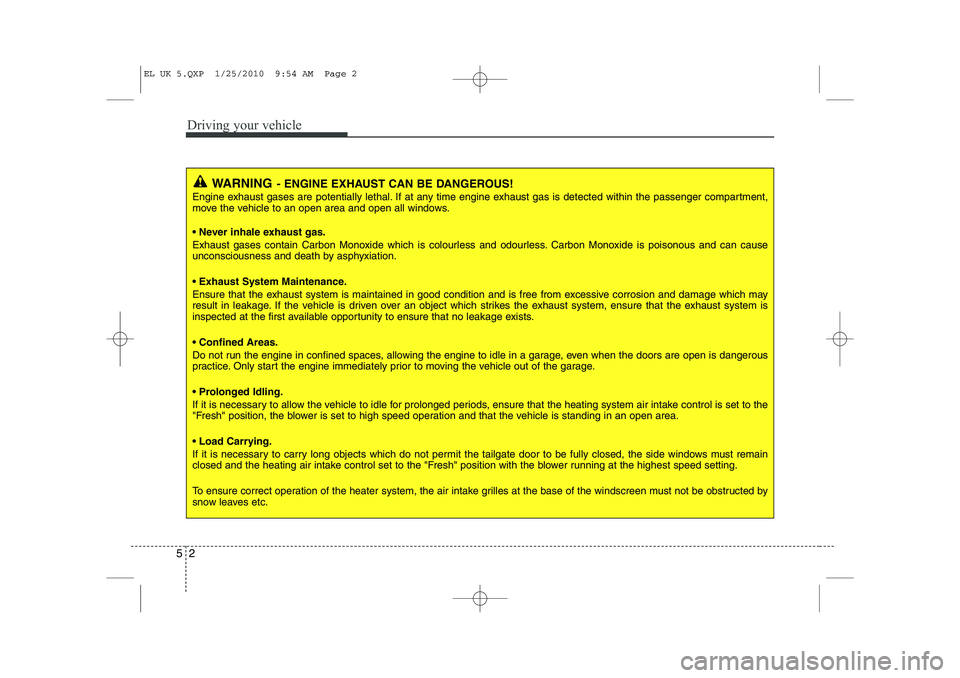
WARNING - ENGINE EXHAUST CAN BE DANGEROUS!
Engine exhaust gases are potentially lethal. If at any time engine exhaust gas is detected within the passenger compartment,
move the vehicle to an open area and open all windows.
• Never inhale exhaust gas.
Exhaust gases contain Carbon Monoxide which is colourless and odourless. Carbon Monoxide is poisonous and can cause
unconsciousness and death by asphyxiation.
Exhaust System Maintenance.
Ensure that the exhaust system is maintained in good condition and is free from excessive corrosion and damage which may
result in leakage. If the vehicle is driven over an object which strikes the exhaust system, ensure that the exhaust system is
inspected at the first available opportunity to ensure that no leakage exists. Confined Areas.
Do not run the engine in confined spaces, allowing the engine to idle in a garage, even when the doors are open is dangerous
practice. Only start the engine immediately prior to moving the vehicle out of the garage.
Prolonged Idling.
If it is necessary to allow the vehicle to idle for prolonged periods, ensure that the heating system air intake control is set to the
"Fresh" position, the blower is set to high speed operation and that the vehicle is standing in an open area.
Load Carrying.
If it is necessary to carry long objects which do not permit the tailgate door to be fully closed, the side windows must remain
closed and the heating air intake control set to the "Fresh" position with the blower running at the highest speed setting.
To ensure correct operation of the heater system, the air intake grilles at the base of the windscreen must not be obstructed b y
snow leaves etc.
EL UK 5.QXP 1/25/2010 9:54 AM Page 2
Page 228 of 560

53
Driving your vehicle
Before entering vehicle
• Be sure that all windows, outside mir-ror(s), and outside lights are clean.
Check the condition of the tyres.
Check under the vehicle for any sign of leaks.
Be sure there are no obstacles behind you if you intend to back up.
Necessary inspections
Fluid levels, such as engine oil, engine
coolant, brake fluid, and washer fluid
should be checked on a regular basis,
with the exact interval depending on thefluid.
Before starting
Close and lock all doors.
Position the seat so that all controls are easily reached.
Adjust the inside and outside rearview mirrors. Be sure that all lights work.
Check all gauges.
Check the operation of warning lights
when the ignition switch is turned to the ON position.
Release the parking brake and make sure the brake warning light goes out.
For safe operation, be sure you are famil-
iar with your vehicle and its equipment.
BEFORE DRIVING
WARNING
All passengers must be properly
belted whenever the vehicle is mov-
ing. Refer to “Seat belts” in section
3 for more information on their
proper use.
WARNING
Always check the surrounding
areas near your vehicle for people,
especially children, before putting a
vehicle into “Drive” or “Reverse”.
WARNING
When you intend to park or stop the
vehicle with the engine on, be care-ful not to depress the accelerator
pedal for a long period of time. It
may overheat the engine or exhaust
system and cause fire.
WARNING - Driving under
the influence of alcohol or drugs
Drinking and driving is dangerous.
Drunk driving is the number one
contributor to the highway death
toll each year. Even a small amount
of alcohol will affect your reflexes,
perceptions and judgement.Driving whilst under the influence
of drugs is as dangerous or more
dangerous than driving drunk.
You are much more likely to have a
serious accident if you drink or
take drugs and drive.
If you are drinking or taking drugs,
don’t drive. Do not ride with a driv-er who has been drinking or taking
drugs. Choose a designated driveror call a cab.
EL UK 5.QXP 1/25/2010 9:54 AM Page 3
Page 229 of 560
Driving your vehicle
4
5
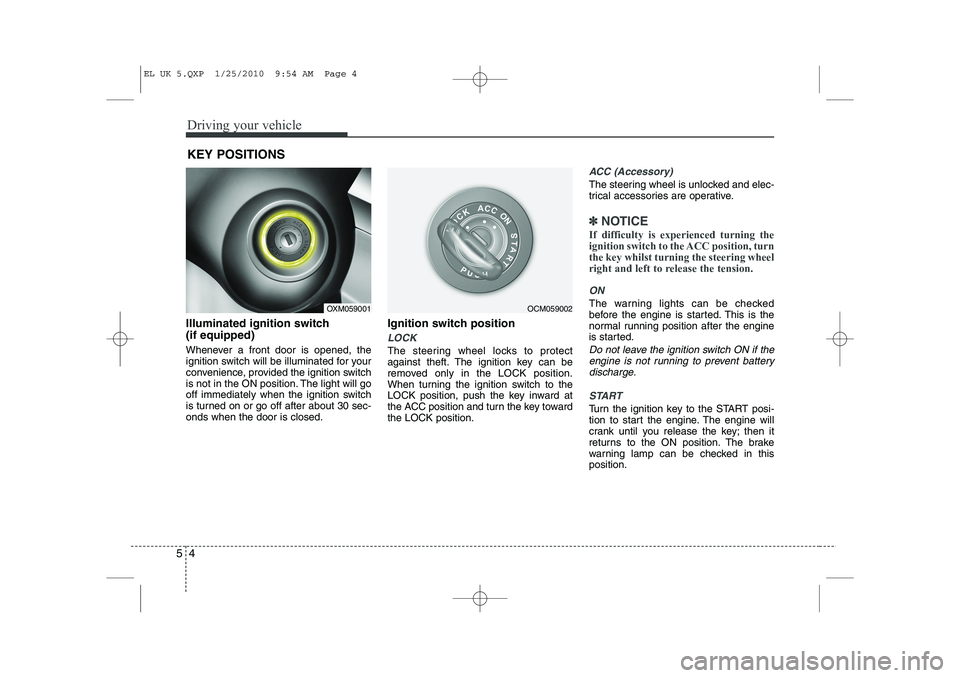
Illuminated ignition switch (if equipped)
Whenever a front door is opened, the
ignition switch will be illuminated for your
convenience, provided the ignition switch
is not in the ON position. The light will go
off immediately when the ignition switch
is turned on or go off after about 30 sec-onds when the door is closed. Ignition switch position
LOCK
The steering wheel locks to protect
against theft. The ignition key can be
removed only in the LOCK position.
When turning the ignition switch to the
LOCK position, push the key inward at
the ACC position and turn the key towardthe LOCK position.
ACC (Accessory)
The steering wheel is unlocked and elec-
trical accessories are operative.
✽✽
NOTICE
If difficulty is experienced turning the
ignition switch to the ACC position, turnthe key whilst turning the steering wheel
right and left to release the tension.
ON
The warning lights can be checked
before the engine is started. This is the
normal running position after the engine
is started.
Do not leave the ignition switch ON if the engine is not running to prevent battery discharge.
START
Turn the ignition key to the START posi-
tion to start the engine. The engine will
crank until you release the key; then it
returns to the ON position. The brake
warning lamp can be checked in thisposition.
KEY POSITIONS
OXM059001OCM059002
EL UK 5.QXP 1/25/2010 9:54 AM Page 4