2012 HYUNDAI I30 fog
[x] Cancel search: fogPage 14 of 635

17
Introduction
A050000BFDINDICATOR SYMBOLS ON THE INSTRUMENT CLUSTER
Door and tailgate ajar warning light
Seat belt warning light
High beam indicator
Turn signal indicator
Front fog light indicator (if equipped)
Rear fog light indicator (if equipped)
ABS warning light (if equipped)
Parking brake & Brake fluid
warning light
Engine oil pressure warning light
Charging system warning light
ESP indicator (if equipped)
ESP OFF indicator (if equipped)
Malfunction indicator (if equipped)
Air bag warning light (if equipped)
Cruise indicator (if equipped)
Cruise SET indicator (if equipped)
Immobilizer indicator (if equipped)
Low fuel level warning light
Glow indicator (Diesel only)
Fuel filter warning light (Diesel only)
Electric power steering (EPS)
system warning light
Low windshield washer fluid
level warning light (if equipped) * For more detailed explanations, refer to
section 4, “Instrument cluster”.
TPMS (Tire Pressure Monitoring System) malfunction indicator (if equipped)
Low tire pressure telltale (if equipped)
Low tire pressure position tell- tale (if equipped)
Passenger’s front air bag OFF indicator (if equipped)
Overspeed warning light(if equipped)
120 km/h
Page 79 of 635

4
Keys / 4-2 Remote keyless entry / 4-4Theft-alarm system / 4-6
Door locks / 4-8
Tailgate / 4-12
Windows / 4-14Hood / 4-19
Fuel filler lid / 4-21
Sunroof / 4-24
Steering wheel / 4-28
Mirrors / 4-31
Instrument cluster / 4-35
Rear parking assist system / 4-55
Hazard warning flasher / 4-58Lighting / 4-59
Wipers and washers / 4-64
Interior light / 4-68
Defroster / 4-70
Manual climate control system / 4-72
Automatic climate control system / 4-80
Windshield defrosting and defogging / 4-88
Storage compartment / 4-92
Interior features / 4-95
Exterior features / 4-105Audio system / 4-107
Features of your vehicle
Page 123 of 635

445
Features of your vehicle
D150305AFD
Turn signal indicator
The blinking green arrows on the instru-
ment panel show the direction indicated
by the turn signals. If the arrow comes on
but does not blink, blinks more rapidly
than normal, or does not illuminate at all,
a malfunction in the turn signal system is
indicated. Your dealer should be consult-
ed for repairs.
This indicator also blinks when the haz-
ard warning switch is turned on.
D150306AUN
High beam indicator
This indicator illuminates when the head- lights are on and in the high beam posi-
tion or when the turn signal lever is pulled
into the Flash-to-Pass position.
Low beam indicator
This indicator light illuminates when the headlights are on.
D150309AUN
Front fog light indicator (if equipped)
This light comes on when the front fog lights are ON. D150310AFD
Rear fog light Indicator
(If equipped)
This light comes on when the rear fog lights are ON.
Tail light indicator (if equipped)
This indicator illuminates when the tail lights are on. D150307AFD
Engine oil pressure warn-
ing
This warning light indicates the engine oil
pressure is low.
If the warning light illuminates while driv- ing:
1. Drive safely to the side of the road and stop.
2. With the engine off, check the engine oil level. If the level is low, add oil as required.
If the warning light remains on after
adding oil or if oil is not available, call an
authorized HYUNDAI dealer.
CAUTION
If the engine is not stopped imme- diately after the engine oil pressure
warning light is illuminated, severe damage could result.
Page 141 of 635
463
Features of your vehicle
D190700AFD
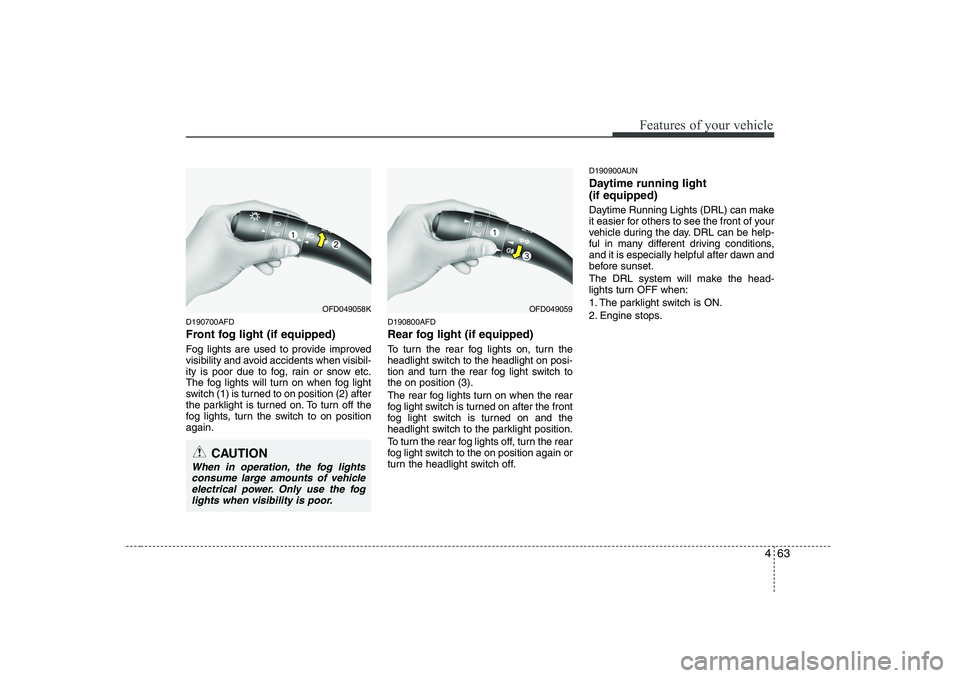
Front fog light (if equipped)
Fog lights are used to provide improved
visibility and avoid accidents when visibil-
ity is poor due to fog, rain or snow etc.
The fog lights will turn on when fog light
switch (1) is turned to on position (2) after
the parklight is turned on. To turn off the
fog lights, turn the switch to on positionagain.D190800AFD
Rear fog light (if equipped)
To turn the rear fog lights on, turn the
headlight switch to the headlight on posi-
tion and turn the rear fog light switch tothe on position (3).
The rear fog lights turn on when the rear
fog light switch is turned on after the front
fog light switch is turned on and the
headlight switch to the parklight position.
To turn the rear fog lights off, turn the rear
fog light switch to the on position again or
turn the headlight switch off.D190900AUN
Daytime running light (if equipped)
Daytime Running Lights (DRL) can make
it easier for others to see the front of your
vehicle during the day. DRL can be help-
ful in many different driving conditions,
and it is especially helpful after dawn and
before sunset.
The DRL system will make the head-
lights turn OFF when:
1. The parklight switch is ON.
2. Engine stops.
CAUTION
When in operation, the fog lights
consume large amounts of vehicleelectrical power. Only use the fog lights when visibility is poor.
OFD049058KOFD049059
Page 148 of 635

Features of your vehicle
70
4
D210500AUN
Glove box lamp (if equipped)
The glove box lamp comes on when the
glove box is opened.
The parking lights or headlights must be
ON for the glove box lamp to function. D210600ATD
Vanity mirror lamp (if equipped)
Push the switch to turn the light on or off.
: The light turns on.
O: The light turns off.D220000AUN
✽✽
NOTICE
If you want to defrost and defog on the
front windshield, refer to “Windshield
Defrosting and Defogging” in this sec-tion. OFD049070EOFD047069
CAUTION
To prevent damage to the conduc- tors bonded to the inside surface of the rear window, never use sharp
instruments or window cleaners containing abrasives to clean thewindow.
CAUTION - Vanity mirror
lamp (if equipped)
Always have the switch in the off position when the vanity mirrorlamp is not in use. If the sunvisor is closed without the lamp off, it maydischarge the battery or damage
the sunvisor.
DEFROSTER
Page 149 of 635
471
Features of your vehicle
D220100AUN
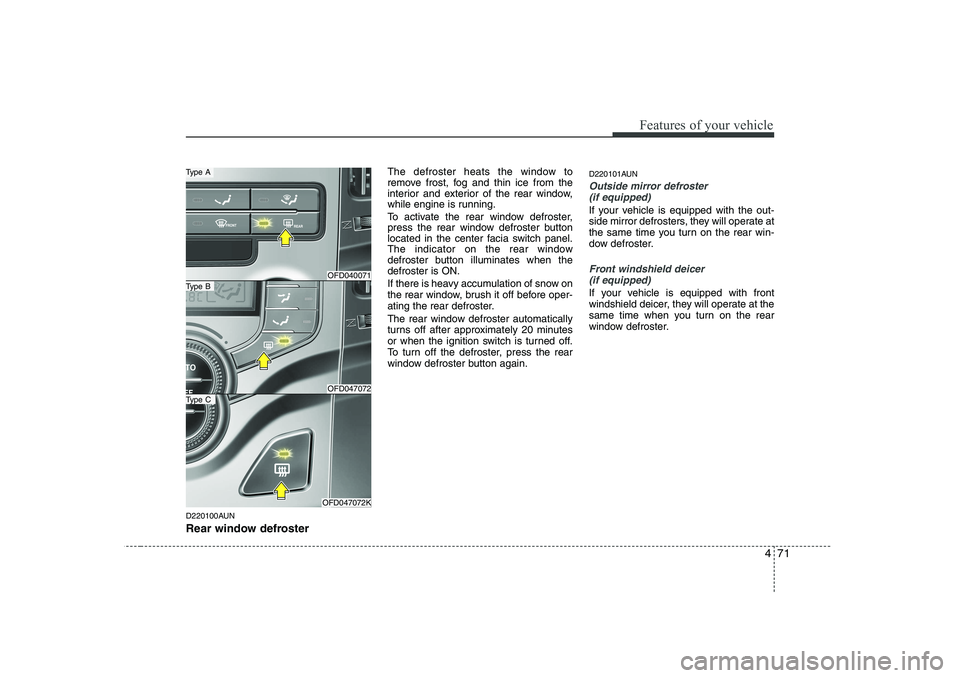
Rear window defrosterThe defroster heats the window to
remove frost, fog and thin ice from the
interior and exterior of the rear window,
while engine is running.
To activate the rear window defroster,
press the rear window defroster button
located in the center facia switch panel.
The indicator on the rear window
defroster button illuminates when thedefroster is ON.
If there is heavy accumulation of snow on
the rear window, brush it off before oper-
ating the rear defroster.
The rear window defroster automatically
turns off after approximately 20 minutes
or when the ignition switch is turned off.
To turn off the defroster, press the rear
window defroster button again.
D220101AUN
Outside mirror defroster
(if equipped)
If your vehicle is equipped with the out-
side mirror defrosters, they will operate at
the same time you turn on the rear win-
dow defroster.
Front windshield deicer (if equipped)
If your vehicle is equipped with front
windshield deicer, they will operate at the
same time when you turn on the rear
window defroster.
OFD040071
OFD047072
OFD047072K
Type B
Type A
Type C
Page 154 of 635
Features of your vehicle
76
4
✽✽
NOTICE
Prolonged operation of the heater in the
recirculated air position (without airconditioning selected) may cause fog-ging of the windshield and side windows
and the air within the passenger com-partment may become stale.
In addition, prolonged use of the air
conditioning with the recirculated air
position selected will result in excessive-
ly dry air in the passenger compart-ment.
D230104AUN
Fan speed control
The ignition switch must be in the ON
position for fan operation.
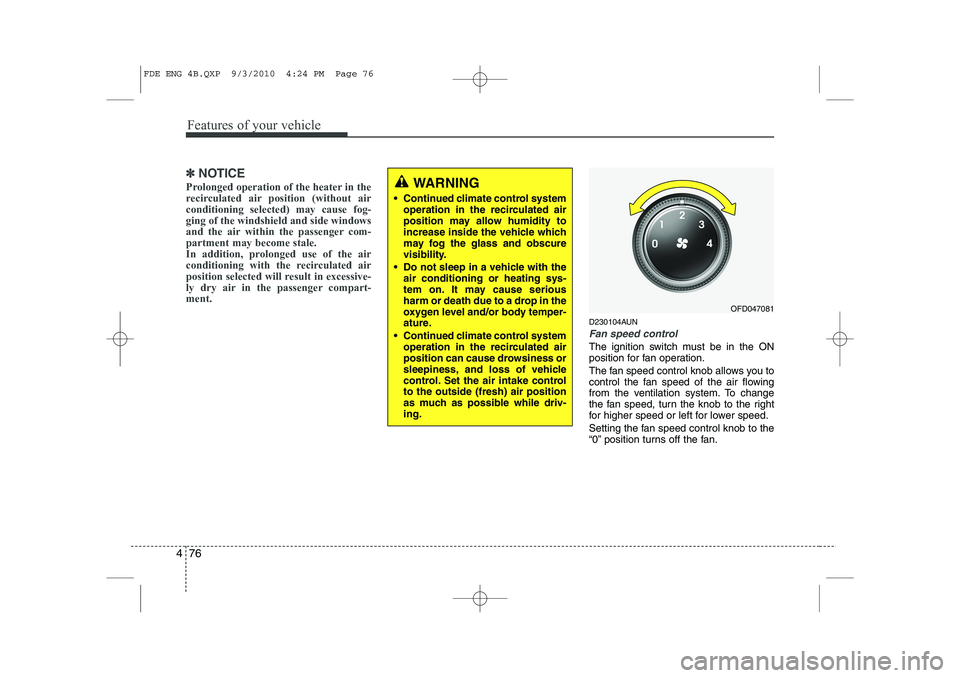
The fan speed control knob allows you to
control the fan speed of the air flowing
from the ventilation system. To change
the fan speed, turn the knob to the right
for higher speed or left for lower speed.
Setting the fan speed control knob to the
“0” position turns off the fan.
WARNING
• Continued climate control system operation in the recirculated air
position may allow humidity to
increase inside the vehicle which
may fog the glass and obscure
visibility.
Do not sleep in a vehicle with the air conditioning or heating sys-
tem on. It may cause serious
harm or death due to a drop in the
oxygen level and/or body temper-
ature.
Continued climate control system operation in the recirculated air
position can cause drowsiness or
sleepiness, and loss of vehicle
control. Set the air intake controlto the outside (fresh) air position
as much as possible while driv-ing.
OFD047081
FDE ENG 4B.QXP 9/3/2010 4:24 PM Page 76
Page 155 of 635
477
Features of your vehicle
D230105AUN
Air conditioning (if equipped)
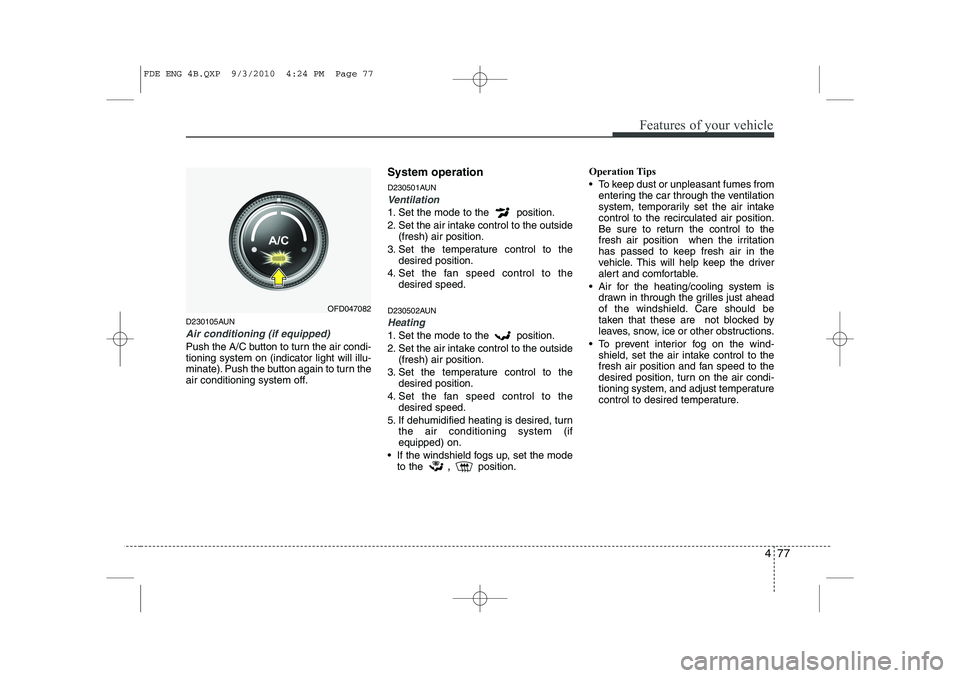
Push the A/C button to turn the air condi- tioning system on (indicator light will illu-
minate). Push the button again to turn the
air conditioning system off.System operation
D230501AUN
Ventilation
1. Set the mode to the position.
2. Set the air intake control to the outside
(fresh) air position.
3. Set the temperature control to the desired position.
4. Set the fan speed control to the desired speed.
D230502AUN
Heating
1. Set the mode to the position.
2. Set the air intake control to the outside (fresh) air position.
3. Set the temperature control to the desired position.
4. Set the fan speed control to the desired speed.
5. If dehumidified heating is desired, turn the air conditioning system (if equipped) on.
If the windshield fogs up, set the mode to the ,
position. Operation Tips
To keep dust or unpleasant fumes from
entering the car through the ventilation
system, temporarily set the air intakecontrol to the recirculated air position.
Be sure to return the control to the
fresh air position when the irritation
has passed to keep fresh air in the
vehicle. This will help keep the driver
alert and comfortable.
Air for the heating/cooling system is drawn in through the grilles just ahead
of the windshield. Care should be
taken that these are not blocked by
leaves, snow, ice or other obstructions.
To prevent interior fog on the wind- shield, set the air intake control to the
fresh air position and fan speed to the
desired position, turn on the air condi-
tioning system, and adjust temperature
control to desired temperature.
OFD047082
FDE ENG 4B.QXP 9/3/2010 4:24 PM Page 77