Page 393 of 681
Onceadeviceislinked,thenameof
thedevicewillappearonthescreen.
Pressing the TITLE button switches
the center display between the
Audio and the device
name.
If more than one phone is paired to
the HFL system, there will be a
delay bef ore the system begins to
play. In the following conditions, the
display shows ‘‘NO CONNECT
Page 394 of 681
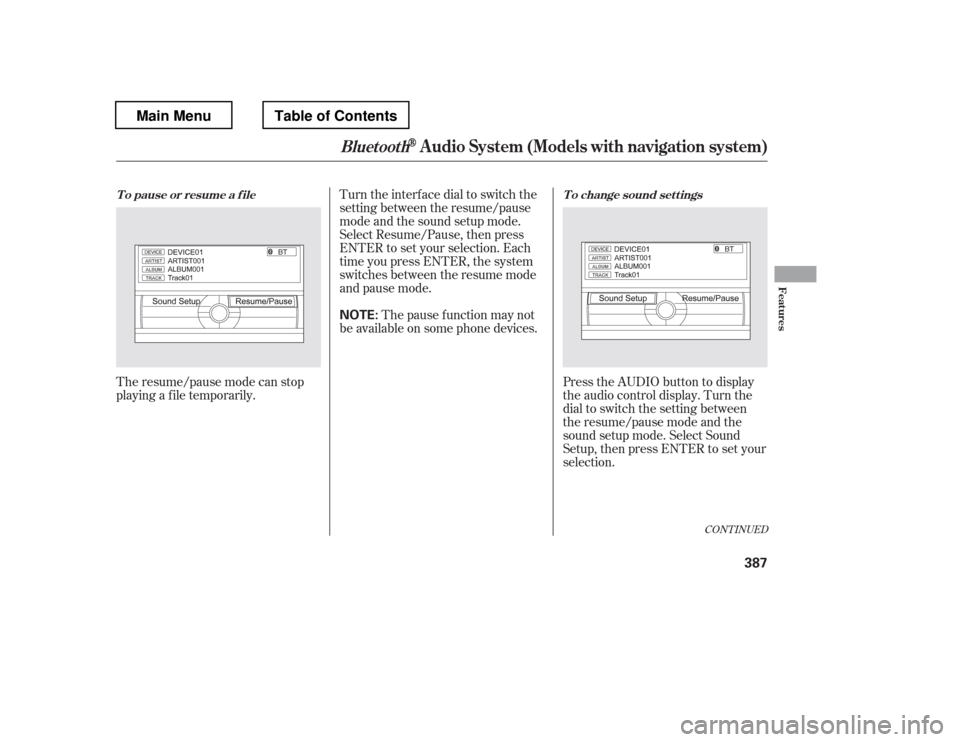
The resume/pause mode can stop
playing a f ile temporarily.Turn the interface dial to switch the
setting between the resume/pause
mode and the sound setup mode.
Select Resume/Pause, then press
ENTER to set your selection. Each
time you press ENTER, the system
switches between the resume mode
and pause mode.
Thepausefunctionmaynot
be available on some phone devices.
Press the AUDIO button to display
the audio control display. Turn the
dial to switch the setting between
theresume/pausemodeandthe
sound setup mode. Select Sound
Setup, then press ENTER to set your
selection.
CONT INUED
T o pause or resume a f ile T o change sound set t ings
BluetoothAudio System (Models with navigation system)
Features
387
NOTE:
Main MenuTable of Contents
Page 395 of 681

Turn the dial to select a sound setup
mode, then press ENTER to set your
selection. See page f or more
sound setting inf ormation.
If you receive a call when the
Audio is playing, press the
PICK-UPbuttononthesteering
wheel. The screen and the center
displayswitchtotheHFLmode(see
page ).
Af ter ending the call, press the
HANG-UP button to go back to the
Audio mode. To take the system out of the
Audio mode, press one of
the other source buttons than the
USB/AUX button. When a
compatible audio unit is connected to
the auxiliary input jack, press the
USB/AUX button to select it.
Switching to another mode pauses
the music playing f rom your phone.
309
463
As required by the FCC: This device complies with Part 15 of theFCC rules. Operation is subject to the
f ollowing two conditions: (1) This device may not cause harmf ul interf erence, and(2) this device must accept any
interf erence received, includinginterf erence that may cause undesiredoperation.
Changes or modif ications not expresslyapproved by the party responsible f or
compliance could void the user
Page 399 of 681

�Û�Ý�´
�µ
�´�µ
�´
�µ
Three controls f or the audio system
are mounted in the steering wheel
hub. These let you control basic
f unctions without removing your
hand f rom the wheel.
The VOL button adjusts the volume
up ( ) or down ( ). Press the top
or bottom of the button, hold it until
the desired volume is reached, then
release it. If you are playing a disc, the system
skips to the beginning of the next
track each time you press the top
( ) of the CH button. Press the
bottom ( ) to return to the
beginning of the current track. Press
it again to return to the previous
track. You will see the disc and track
numbers in the upper display.
To search up and down f rom the
current f requency and f ind a station
with a strong signal, press the top
( ) or bottom ( ) of the button for
1 second.
The MODE button changes the
mode.
If you are listening to the radio, use
the CH button to change stations.
Each time you press the top ( ) of
the button, the system goes to the
next preset station on the band you
are listening to. Press the bottom
( ) to go back to the previous
station.
Pressing the MODE button
repeatedly cycles through all present,
connected media sources. Media
sources that are not present or
connected will not appear when
cycling with the MODE button.
Pressing the MODE button
repeatedly cycles through all
possible media sources whether they
are present or not.
On vehicles with navigation system
On vehicles without navigation system
Except U.S. LX models
Remote Audio Controls
392
VOL BUTTON
CH BUTTON
MODE BUTTON
Main MenuTable of Contents
Page 406 of 681
To operate the rear entertainment
system f rom the f ront panel, press
the REAR SOURCE button. You will
hear two beeps and the indicator in
the button comes on to show that the
control panel is enabled.
When REAR SOURCE is selected,
the f ront entertainment system
audio controls can also be used to
operate the rear entertainment
system in all modes.To play the radio, the buttons for the
f ront entertainment system have the
same f unctions.
The media that the rear passengers
are listening to will then be heard
f rom the f ront speakers.
If you do not operate the rear
entertainment system f rom the f ront
panel within 20 seconds, the
indicator in the REAR SOURCE
button will go of f and the display will
return to the front entertainment
system automatically. If an audio CD is loaded into the
upper slot, select the CD/CDL or
CD button. If a DVD or CD is loaded
into the lower slot, select the DVD
button.
The DVD player in your rear
entertainment system can play DVD
video discs, audio CDs, MP3/WMA
discs and DTS CDs.
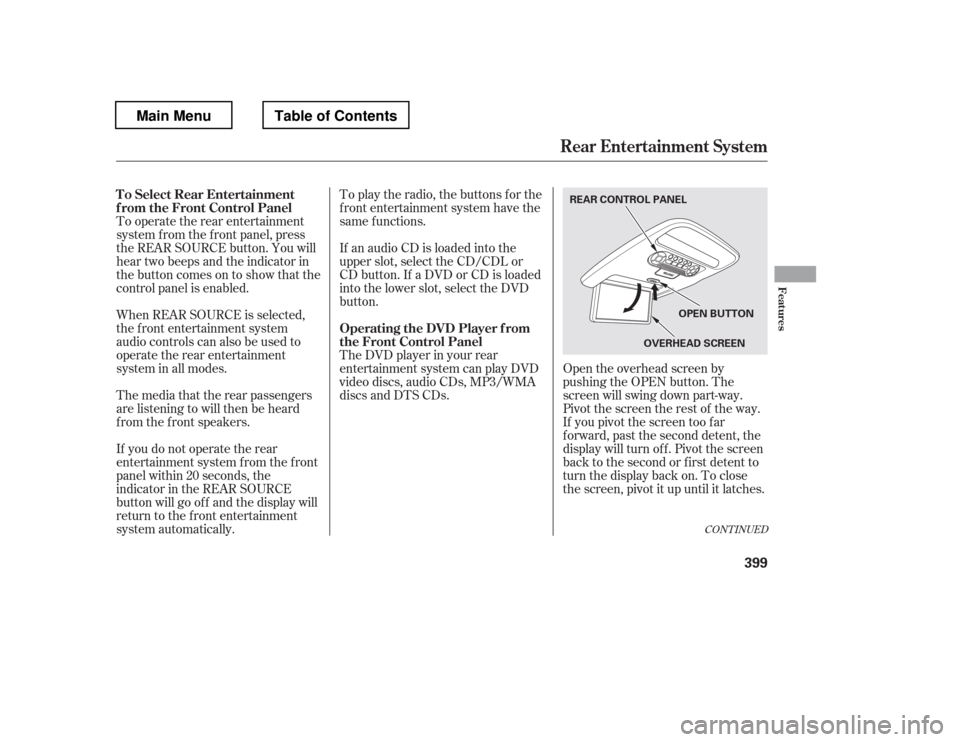
Open the overhead screen by
pushing the OPEN button. The
screen will swing down part-way.
Pivot the screen the rest of the way.
If you pivot the screen too f ar
f orward, past the second detent, the
display will turn of f . Pivot the screen
back to the second or first detent to
turn the display back on. To close
the screen, pivot it up until it latches.
CONT INUED
To Select Rear Entertainment
f rom the Front Control Panel
Operating the DVD Player f rom
the Front Control Panel
Rear Entertainment System
Features
399
REAR CONTROL PANEL
OVERHEADSCREEN
OPEN BUTTON
Main MenuTable of Contents
Page 413 of 681

Press the FM/AM button to listen to
the radio.Press the XM button to listen to the
XM Radio. You can press either side(or) of th e TU N E/S K IP
bar to scroll up/down and select
channels within a category (in
CATEGORY mode), or to scroll up/
down and select f rom among all
available channels (in CH mode). Press the MENU button to display
theaudiomenuontheoverhead
screen. You can enter the
highlighted f unction by pressing the
ENTER button. These f unctions
have the same features as those of
the f ront audio system.
Pressing and holding the TITLE/
SCROLL button f or 5 seconds
enables you to switch between
search modes.
U
se th e,,, or
button to highlight SEEK,
TUNE, AUTO SELECT, SCAN, or
one of the preset radio stations on
the overhead screen. You can enter
the highlighted f unction by pressing
the ENT button. These f unctions
have the same features as those of
the f ront audio system. You can also
use the or buttons to seek
up/down and or to tune
up/down.
To Play the Radio f rom the Rear
Control Panel
To Play the XM Radio f rom the
Rear Control Panel
Rear Entertainment System
406
OVERHEADSCREEN REAR CONTROL PANEL
OPEN BUTTON
REAR CONTROL PANEL
On vehicles without navigation system
On vehicles with navigation system
Main MenuTable of Contents
Page 414 of 681

When the TITLE/SCROLL button is
pressed, the title scrolls. When it is
pushed again, scrolling stops.Pressthe buttontoskiptothe
beginning of the next chapter. Press
the button to return to the
beginning of the current chapter.
Press the button again quickly
to go to the previous chapter.
To move rapidly within a chapter,
press and hold the or
button. The system will
continue to move through the
chapter. Press the button to
move forward, or the button to
move backward. Release the button
when the system reaches the point
you want.
The video screen is f or use by rear
seat passengers only. The driver and
f ront seat passenger should not try
to view the screen while driving.
U
se th e,,, or
button to highlight Repeat,
Random, or Scan on the screen. You
can enter the highlighted f unction by
pressing the ENT button. These
functions have the same features as
those of the f ront audio system.
Press the button when you
want to pause the DVD. Press this
button again to go back to PLAY. ToselectthemenuontheDVD,
press the MENU button. Use the
,,, an db utto n to
move to the desired menu selection,
then press the ENT button to enter
your selection.
Open the overhead screen by
pushing the OPEN button. The
screen will swing down part-way.
Pivot the screen the rest of the way.
If you pivot the screen too f ar
forward, past the detent, the display
will turn off. Pivot the screen back to
the second or first detent to turn the
display back on. To close the screen,
pivot it up until it latches.
To Play a Disc, CD L ibrary, HDD,
USB, or iPod
from the Rear
Control Panel To Play a DVD f rom the Rear
Control Panel
Rear Entertainment System
Features
407
Main MenuTable of Contents
Page 415 of 681
Top Menu
When you press the TITLE/
SCROLL button while a DVD is
playing, the current status of title,
chapter, elapsed time, angle, subtitle,
audio, and sound characteristics are
displayed. To return to the DVD
video screen, press the TITLE/
SCROLL button again. When you press the MENU button
while a DVD is playing, the DVD
Menu appears. The menu options
are TOP MENU, MENU, PLAY
MODE, SEARCH, NumInput and
REPEAT.
To go to your selected menu, use the
or button to highlight the
icon and press the ENT button. To
return to the DVD video screen,
select RETURN. When you select ‘‘TOP MENU,