2012 HONDA CR-V theft
[x] Cancel search: theftPage 98 of 361

97
Continued
Controls
Locking and Unlocking the Doors
Key Types and Functions
This vehicle comes with the following keys:
Use the keys to start and stop the engine, and
to lock and unlock all the doors and tailgate.
You can also use the remote transmitter to
lock and unlock the doors and tailgate.
■Master Keys
1Key Types and Functions
All of the keys have an immobilizer system. The
immobilizer system helps to protect against vehicle theft.2 Immobilizer System P. 106
The keys contain precision electronics.
Adhere to the following advice to prevent damage to the electronics: • Do not leave the keys in direct sunlight, or in
locations with high temperature or high humidity.
• Do not drop the keys or set heavy objects on them.
• Keep the keys away from liquids.
• Do not take the keys apart except for replacing the
battery.
If the circuits in the keys are damaged, the engine
may not start, and the remote transmitter may not work.
If the keys do not work properly, have them
inspected by a dealer.
Page 107 of 361

106
Controls
Security System
Immobilizer System
The immobilizer system prevents a key that has not been pre-registered from
starting the engine. Each key contains electronic transmitters that use electronic
signals to verify the key.
Pay attention to the following when inserting the key into the ignition switch: •Do not allow objects that emit strong radio waves near the ignition switch.
• Make sure the key is not covered by or touching a metal object.
• Do not bring a key from another vehicle's immobilizer system near the ignition
switch.
Security System Alarm *
The security system alarm activates when the doors, tailgate, or hood are opened
without the key, or remote transmitter. ■ When the security system alarm activates
The horn sounds intermittently and all of the exterior lights flash.
■ To deactivate the security system alarm
Unlock the vehicle using the key, or remote transmitter. The system, along with the
horn and flashing lights, is deactivated.
1Immobilizer System
NOTICELeaving the ignition key in the vehicle can result in
theft or accidental movement of the vehicle.
Always take the ignition key with you whenever you
leave the vehicle unattended.
Do not alter the system or add other devices to it.
Doing so may damage the system and make your
vehicle inoperable.
1Security System Alarm *
The security alarm continues for a maximum of two
minutes until the security system deactivates.
* Not available on all models
Page 150 of 361

149
Features
This chapter describes how to operate technology features on models without the navigation system.
Audio System About Your Audio System................ 150
USB Adapter Cable .......................... 151 Auxiliary Input Jack *
........................ 151
Audio Antenna ................................ 152
Audio System Theft Protection ......... 152
Audio System Basic Operation ........ 153
Adjusting the Sound ........................ 154
Playing the AM/FM Radio ................. 155
Playing the XM ® Radio *
................... 158
Playing a CD .................................... 160
Playing an iPod ®............................... 163
Playing Pandora ®............................. 166 Playing a USB Flash Drive ................. 168
Playing
Bluetooth ® Audio ................ 171
Rear Entertainment System *
........... 173
Audio Error Messages ...................... 185
Audio Remote Controls .................... 189
General Information on the Audio
System ............................................. 190
Bluetooth ® HandsFreeLink ®
Using HFL ........................................ 194
HFL Menus ...................................... 196
Compass ............................................ 223
* Not available on all models
Page 153 of 361
152
uuAudio SystemuAudio Antenna
Features
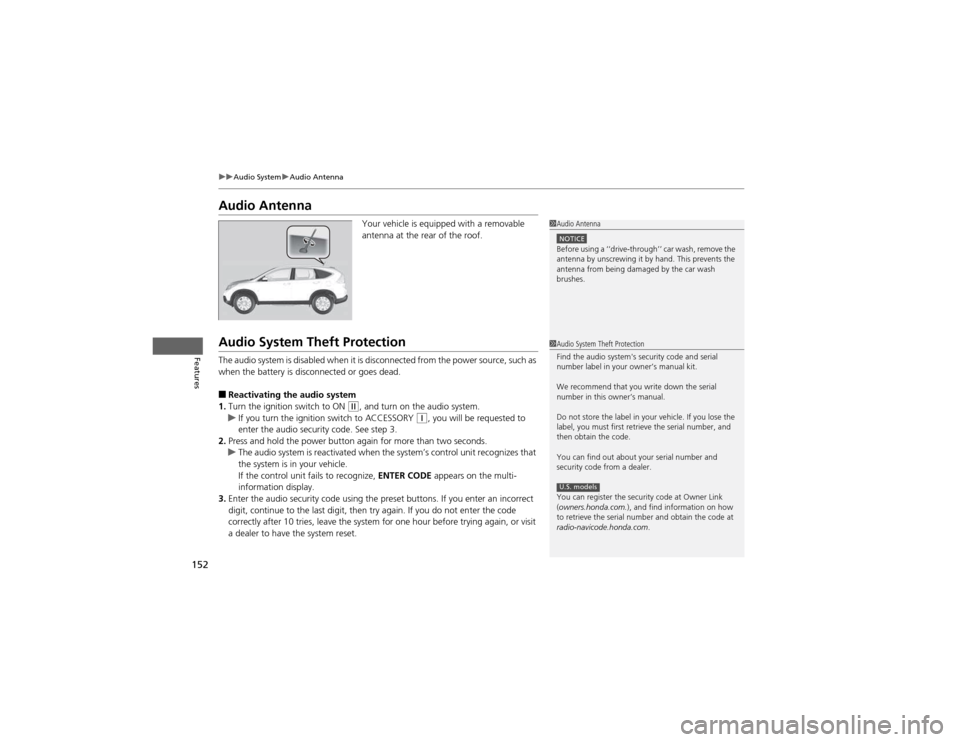
Audio AntennaYour vehicle is equipped with a removable
antenna at the rear of the roof.
Audio System Theft Protection
The audio system is disabled when it is disconnected from the power source, such as
when the battery is disconnected or goes dead. ■Reactivating the audio system
1. Turn the ignition switch to ON
(w , and turn on the audio system.uIf you turn the ignition switch to ACCESSORY (q, you will be requested to
enter the audio security code. See step 3.
2. Press and hold the power button again for more than two seconds.
uThe audio system is reactivated when the system’s control unit recognizes that
the system is in your vehicle.
If the control unit fails to recognize, ENTER CODE appears on the multi-
information display.
3. Enter the audio security code using the preset buttons. If you enter an incorrect
digit, continue to the last digit, then try again. If you do not enter the code
correctly after 10 tries, leave the system for one hour before trying again, or visit
a dealer to have the system reset.
1Audio Antenna
NOTICEBefore using a ‘‘drive-through’’ car wash, remove the
antenna by unscrewing it by hand. This prevents the
antenna from being damaged by the car wash brushes.
1Audio System Theft Protection
Find the audio system's security code and serial
number label in your owner’s manual kit.
We recommend that you write down the serial
number in this owner’s manual.
Do not store the label in your vehicle. If you lose the
label, you must first retrieve the serial number, and
then obtain the code.
You can find out about your serial number and
security code from a dealer.
You can register the security code at Owner Link (owners.honda.com. ), and find information on how
to retrieve the serial number and obtain the code at
radio-navicode.honda.com .
U.S. models
Page 240 of 361

239
Continued
Driving
When Driving
Starting the Engine
1.Make sure the parking brake is applied.
2. Check that the shift lever is in
(P , then
depress the brake pedal.
uAlthough it is possible to start the vehicle
in (N , it is safer to start it in (P.
3. Turn the ignition switch to START
(e
without depressing the accelerator pedal.
1Starting the Engine
Keep your foot firmly on the brake pedal when
starting the engine.
The engine is harder to start in cold weather and in
thinner air found at altitudes above 8,000 feet (2,400 meters).
When starting the engine in cold weather, turn off all
electrical accessories such as the lights, heating and
cooling system *
/climate control system *
, and rear
defogger in order to reduce battery drain.
If the exhaust system sounds abnormal or you can
smell exhaust gas inside the vehicle, have your vehicle
checked by a dealer. There may be a problem with
the engine or exhaust system.
Do not hold the key in START
(e for more than 15
seconds.
• If the engine does not start right away, wait for at
least 10 seconds before trying again.
• If the engine starts, but then immediately stops,
wait at least 10 seconds before repeating step 3
while gently depressing the accelerator pedal.
Release the accelerator pedal once the engine starts.
The immobilizer system protects your vehicle from
theft. If an improperly coded key (or other device) is
used, the engine's fuel system is disabled. 2 Immobilizer System P. 106
Brake Pedal
* Not available on all models
Page 352 of 361

Index
351
Index
Index
Numbers 4WD.......................................................... 250
A
ABS (Anti-lock Brake System) .................. 255
Accessories and Modifications ................ 263
Accessory Power Sockets ......................... 135
Additives
Coolant .................................................. 280
Engine Oil ............................................... 275
Washer ................................................... 284
Additives, Engine Oil ............................... 275
Adjusting
Armrest .................................................. 131
Front Seats.............................................. 122
Head Restraints ....................................... 125
Mirrors.................................................... 120
Rear Seat Back ........................................ 130
Rear Seats ............................................... 129
Steering Wheel ....................................... 119
Air Conditioning System (Climate Control System) .................................................... 145
Changing the Mode................................ 145
Defrosting the Windshield and Windows .............................................. 146
Dust and Pollen Filter .............................. 309
Recirculation/Fresh Air Mode.... ............... 145
Sensors ................................................... 148
Synchronized Mode ................................ 147
Using Automatic Climate Control............ 145 Air Conditioning System (Heating and
Cooling System) ...................................... 142
Cooling ................................................... 144
Defrosting the Windshield and
Windows ............................................... 144
Dust and Pollen Filter ............................... 309
Heating ................................................... 143
Air Pressure ....................................... 297, 341
Airbags ........................................................ 37
Advanced Airbags ..................................... 43
After a Collision......................................... 41
Airbag Care ............................................... 51
Event Data Recorder .................................. 21
Front Airbags (SRS) .................................... 40
Indicator ........................................ 48, 71, 74
Passenger Airbag Off Indicator .................. 49
Sensors...................................................... 37
Side Airbag Cutoff System ......................... 46
Side Airbag Off Indicator ........................... 50
Side Airbags .............................................. 44
Side Curtain Airbags .................................. 47
AM/FM Radio ............................................ 155
Anti-lock Brake System (ABS) .................. 255
Indicator .................................................... 71
Armrest ..................................................... 131
Audio Antenna ......................................... 152
Audio Remote Controls ............................ 189
Audio System ............................................ 150
Adjusting the Sound ................................ 154
Auxiliary Input Jack .................................. 151
Error Messages ........................................ 185 General Information ................................ 190 iPod
®....................................................... 163
MP3/WMA/AAC ...................................... 168
Pandora ®................................................. 166
Reactivating ............................................ 152
Recommended CDs ................................. 191
Recommended Devices............................ 193
Security Code .......................................... 152
Theft Protection ...................................... 152
USB Adapter Cable.................................. 151
USB Flash Drives ...................................... 193
Authorized Manuals ................................ 349
Auto Door Locking/Unlocking ................. 103
Customize ................................................. 89
Automatic Lighting .................................. 113
Automatic Transmission ........................... 242
Creeping ................................................. 242
Fluid ........................................................ 282
Kickdown ................................................ 242
Operating the Shift Lever................... 15, 244
Shift Lever Does Not Move ...................... 326
Shifting ................................................... 243
Auxiliary Input Jack .................................. 151
Average Fuel Economy ........................ 79, 82
Average Speed ........................................... 82
AWD .......................................................... 250
B
Battery ...................................................... 305
Charging System Indicator................. 69, 329