Page 5 of 345
Visual Index
4Quick Reference Guide
❙Door Mirror Controls *
(P 125)
❙Passenger's Front Airbag
(P 38)
❙Parking Brake (P 229)
❙Glove Box (P 135)
❙Rearview Mirror (P 125)
❙Accessory Power Socket
(P 137)
❙Shift Lever
Automatic Transmission
(P 214)
Manual Transmission
(P 217)
❙Hood Release Handle (P 253)
❙Fuel Fill Door Release Handle (P 235)
❙Driver’s Pocket
❙Trunk Release (P 109)
❙Power Door Lock Master Switch *
(P 104)
❙Power Window Switches (P 114)
❙Auxiliary Input Jack*
(P 145)
❙Interior Fuse Box (P 319)
❙Driver's Front Airbag (P 38)
Page 144 of 345

143
Features
This chapter describes how to operate technology features on models without the navigation system.
Audio System *
About Your Audio System ................ 144
USB Adapter Cable *
........................ 145
Auxiliary Input Jack .......................... 145 Audio System Theft Protection *
....... 146
Audio System Basic Operation *
..... 147
Adjusting the Sound ........................ 148
Playing the AM/FM Radio ................. 149
Playing a CD .................................... 151
Models with information display
Audio System Basic Operation *
..... 155
Audio Remote Controls *
.................. 156
Adjusting the Sound ........................ 157
Playing the AM/FM Radio ................. 158
Playing a CD .................................... 161
Playing an iPod ®
............................... 164
Playing a USB Flash Drive ................. 167 Playing Bluetooth ®
Audio................. 170
Models with multi-information displayAudio Error Messages *
CD Player......................................... 172 iPod ®
/USB Flash Drive ...................... 173
General Information on the Audio System *
Recommended CDs ......................... 174
Compatible iPod® and USB Flash Drives .... 176
Bluetooth ®
HandsFreeLink ®*
Using HFL ........................................ 177
HFL Menus ...................................... 179
* Not available on all models
Page 146 of 345

145
uuAudio System*uUSB Adapter Cable
*
Features
USB Adapter Cable *
1.Unclip the USB connector and loosen the
adapter cable.
2. Install the iPod ®
dock connector or the USB
flash drive to the USB connector.
Auxiliary Input Jack
Use the jack to connect standard audio devices. 1.Open the AUX cover.
2. Connect a standard audio device to the
input jack using a 1/8 inch (3.5 mm) stereo
miniplug.
uThe audio system automatically switches
to the AUX mode.
1USB Adapter Cable •Do not leave the iPod ®
or USB flash drive in the
vehicle. Direct sunlight and high temperatures may damage it.
• Do not use an extension cable with the USB
adapter cable.
• Do not connect the iPod ®
or USB flash drive using a
hub.
• Do not use a device such as a card reader or hard
disk drive, as the device or your files may be damaged.
• We recommend backing up your data before using
the device in your vehicle.
• Displayed messages may vary depending on the
device model and software version.
If the audio system does not recognize the iPod ®
, try
reconnecting it a few times or reboot the device. To
reboot, follow the manufacturer's instructions provided with the iPod ®
or visit www.apple.com/
ipod .
1Auxiliary Input Jack
To switch the mode, press any of the audio mode
buttons. You can return to the AUX mode by
pressing the AUX button.
You cannot use the auxiliary input jack if you replace
the audio system.
State or local laws may limit the circumstances in
which you can launch or control your attached audio device.
* Not available on all models
Page 172 of 345

171
uuAudio System Basic Operation*uPlaying
Bluetooth ®
Audio
Features
1. Make sure that your phone is paired and
linked to HFL.
2. Press the AUX button.
If the phone is not recognized, another HFL-
compatible phone, which is not compatible
for Bluetooth ®
Audio, may be already linked.
■ To pause or resume a file
1. Press the SETUP button.
2. Rotate to select Resume/Pause, then press .
Each time you press , the setting switches between Pause and Resume.
Press the (pick-up) button on the steering
wheel to receive a call when Bluetooth®
Audio
is playing. 2 Bluetooth ®
HandsFreeLink ®
P. 177
Press the (hang-up/back) button to end
the call and return to Bluetooth®
Audio.
■To Play Bluetooth ®
Audio Files1To Play Bluetooth ®
Audio Files
To play the audio files, you may need to operate your
phone. If so, follow the phone maker's operating instructions.
The pause function may not be available on some
phones.
If any audio device is connected to the auxiliary input
jack, you may need to press the AUX button
repeatedly to select the Bluetooth®
Audio system.
Switching to another mode pauses the music playing
from your phone.
Sound Settings
■Switching to HFL1Switching to HFL
If you receive a call while Bluetooth®
Audio is in the
pause mode, it will resume play after ending the call.
Button
Button
Page 175 of 345
174
Features
General Information on the Audio System*
Recommended CDs •
Use only high-quality CD-R or CD-RW discs labeled for audio use.
• Use only CD-R or CD-RW discs on which the recordings are closed.
• Play only standard round-shaped CDs.
• Some software files may not allow for audio play or text data display.
• Some versions of MP3 or WMA formats may be unsupported.
1Recommended CDs
A Dual-disc cannot play on this audio unit. If recorded
under certain conditions, a CD-R or CD-RW may not play either.
■CDs with MP3 or WMA files
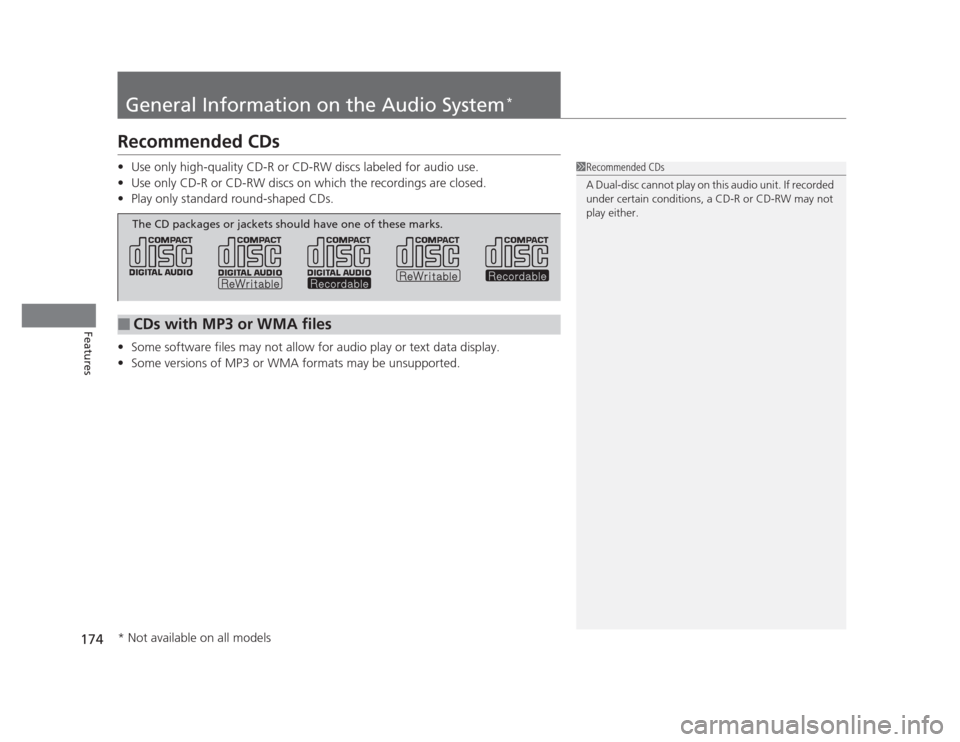
The CD packages or jackets should have one of these marks.
* Not available on all models
Page 299 of 345
298
Handling the Unexpected
Tools
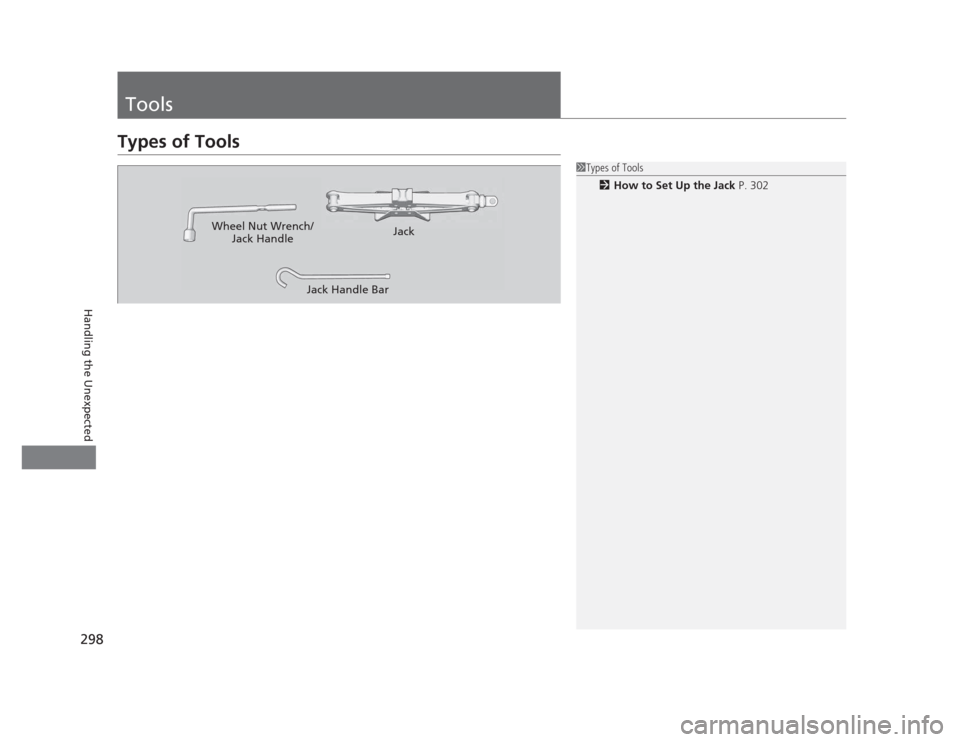
Types of Tools
1Types of Tools2 How to Set Up the Jack P. 302
Wheel Nut Wrench/
Jack Handle Jack
Jack Handle Bar
Page 301 of 345
uuIf a Tire Goes FlatuChanging a Flat Tire
300
Handling the Unexpected
1. Open the trunk floor lid.
2. Take the tool case out of the trunk. Take
the jack and wheel nut wrench out of the tool case.
3. Unscrew the wing bolt, and remove the
spacer cone. Then, remove the spare tire.
4. Place a wheel block or rock in front and rear
of the wheel diagonal to the flat tire.
■Getting Ready to Re place the Flat Tire1Getting Ready to Replace the Flat Tire
NOTICE
Do not mount the compact spare on the front. If
mounted on the front, the compact spare, smaller in
size than the normal tire, may damage the
differential.
If either front tire goes flat, remove the rear tire on
the same side, and mount the compact spare on the
rear and the rear tire on the front.
2.4 � engine models
Tool Case
Spare Tire
Wheel
Blocks
The tire to be replaced.
Page 302 of 345
301
uuIf a Tire Goes FlatuChanging a Flat Tire
Continued
Handling the Unexpected
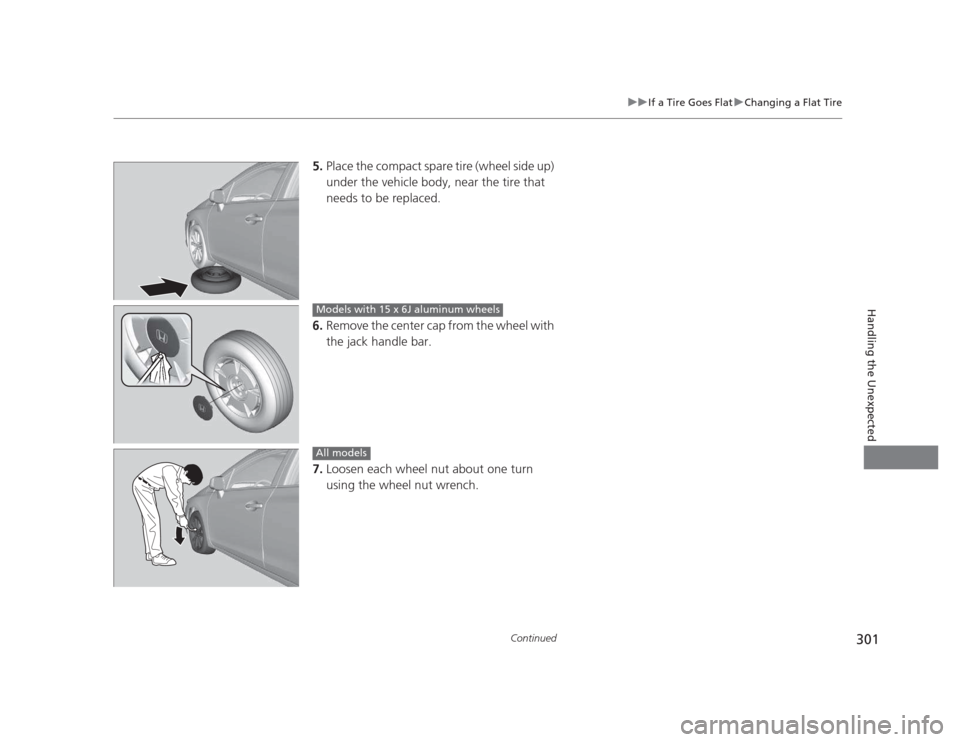
5.Place the compact spare tire (wheel side up)
under the vehicle body, near the tire that
needs to be replaced.
6. Remove the center cap from the wheel with
the jack handle bar.
7. Loosen each wheel nut about one turn
using the wheel nut wrench.
Models with 15 x 6J aluminum wheels
All models