2012 GMC ACADIA service
[x] Cancel search: servicePage 445 of 468
Black plate (19,1)GMC Acadia/Acadia Denali Owner Manual - 2012
Customer Information 13-19
Current and Past Models
Technical Service Bulletins and
Manuals are available for current
and past model GM vehicles.
ORDER TOLL FREE:
1-800-551-4123 Monday–Friday
8:00 AM –6:00 PM Eastern Time
For Credit Card Orders Only
(VISA-MasterCard-Discover), visit
Helm, Inc. at: www.helminc.com.
Or write to:
Helm, Incorporated
Attention: Customer Service
47911 Halyard Drive
Plymouth, MI 48170
Prices are subject to change
without notice and without incurring
obligation. Allow ample time for
delivery.
All listed prices are quoted in U.S.
funds. Make checks payable in
U.S. funds.
Reporting Safety
Defects
Reporting Safety Defects
to the United States
Government
If you believe that your vehicle
has a defect which could cause
a crash or could cause injury or
death, you should immediately
inform the National Highway
Traffic Safety Administration
(NHTSA) in addition to notifying
General Motors.
If NHTSA receives similar
complaints, it may open an
investigation, and if it finds that
a safety defect exists in a group
of vehicles, it may order a
recall and remedy campaign. However, NHTSA cannot
become involved in individual
problems between you, your
dealer, or General Motors.
To contact NHTSA, you may
call the Vehicle Safety Hotline
toll-free at 1-888-327-4236
(TTY: 1-800-424-9153); go to
http://www.safercar.gov;
or
write to:
Administrator, NHTSA
1200 New Jersey Avenue, S.E.
Washington, D.C. 20590
You can also obtain other
information about motor
vehicle safety from
http://www.safercar.gov
.
Page 446 of 468

Black plate (20,1)GMC Acadia/Acadia Denali Owner Manual - 2012
13-20 Customer Information
Reporting Safety Defects
to the Canadian
Government
If you live in Canada, and you
believe that the vehicle has a
safety defect, notify Transport
Canada immediately, and notify
General Motors of Canada Limited.
Call Transport Canada at
1-800-333-0510 or write to:
Transport Canada
Road Safety Branch
80 rue Noel
Gatineau, QC J8Z 0A1
Reporting Safety Defects
to General Motors
In addition to notifying NHTSA
(or Transport Canada) in a situation
like this, please notify General
Motors.
Call 1-800-GMC-8782
(1-800-462-8782), or write:
GMC Customer Assistance Center
P.O. Box 33172
Detroit, MI 48232-5172
In Canada, call 1-800-263-3777
(English) or 1-800-263-7854
(French), or write:
General Motors of Canada Limited
Customer Care Centre,
Mail Code: CA1-163-005
1908 Colonel Sam Drive
Oshawa, Ontario L1H 8P7
Vehicle Data
Recording and
Privacy
This GM vehicle has a number of
sophisticated computers that record
information about the vehicle’s
performance and how it is driven.
For example, the vehicle uses
computer modules to monitor and
control engine and transmission
performance, to monitor the
conditions for airbag deployment
and deploy airbags in a crash, and,
if so equipped, to provide antilock
braking to help the driver control the
vehicle. These modules may store
data to help your dealer technician
service the vehicle. Some modules
may also store data about how you
operate the vehicle, such as rate of
fuel consumption or average speed.
These modules may also retain the
owner’s personal preferences, such
as radio presets, seat positions, and
temperature settings.
Page 448 of 468

Black plate (22,1)GMC Acadia/Acadia Denali Owner Manual - 2012
13-22 Customer Information
OnStar®
If the vehicle is equipped with an
active OnStar system, that system
may also record data in crash
or near crash-like situations.
The OnStar Terms and Conditions
provides information on data
collection and use and is available
at www.onstar.com (U.S.) or
www.onstar.ca (Canada), or by
pressing the
Qbutton and
speaking to an advisor. See OnStar
Overview on page 14‑1.
Navigation System
If the vehicle has a navigation
system, use of the system may
result in the storage of destinations,
addresses, telephone numbers,
and other trip information.
Refer to the navigation manual
for information on stored data and
for deletion instructions.
Radio Frequency
Identification (RFID)
RFID technology is used in some
vehicles for functions such as tire
pressure monitoring and ignition
system security, as well as in
connection with conveniences
such as key fobs for remote door
locking/unlocking and starting, and
in-vehicle transmitters for garage
door openers. RFID technology in
GM vehicles does not use or record
personal information or link with
any other GM system containing
personal information.
Radio Frequency
Statement
This vehicle has systems that
operate on a radio frequency that
comply with Part 15 of the Federal
Communications Commission (FCC)
rules and with Industry Canada
Standards RSS‐GEN/210/220/310.
Operation is subject to the following
two conditions:
1. The device may not cause harmful interference.
2. The device must accept any interference received, including
interference that may cause
undesired operation of the
device.
Changes or modifications to any of
these systems by other than an
authorized service facility could void
authorization to use this equipment.
Page 449 of 468
Black plate (1,1)GMC Acadia/Acadia Denali Owner Manual - 2012
OnStar 14-1
OnStar
OnStar Overview
OnStar Overview . . . . . . . . . . . . 14-1
OnStar Services
Emergency . . . . . . . . . . . . . . . . . . 14-2
Security . . . . . . . . . . . . . . . . . . . . . . 14-2
Navigation . . . . . . . . . . . . . . . . . . . 14-2
Connections . . . . . . . . . . . . . . . . . 14-4
Diagnostics . . . . . . . . . . . . . . . . . . 14-5
OnStar Additional Information
OnStar AdditionalInformation . . . . . . . . . . . . . . . . . 14-5
OnStar Overview
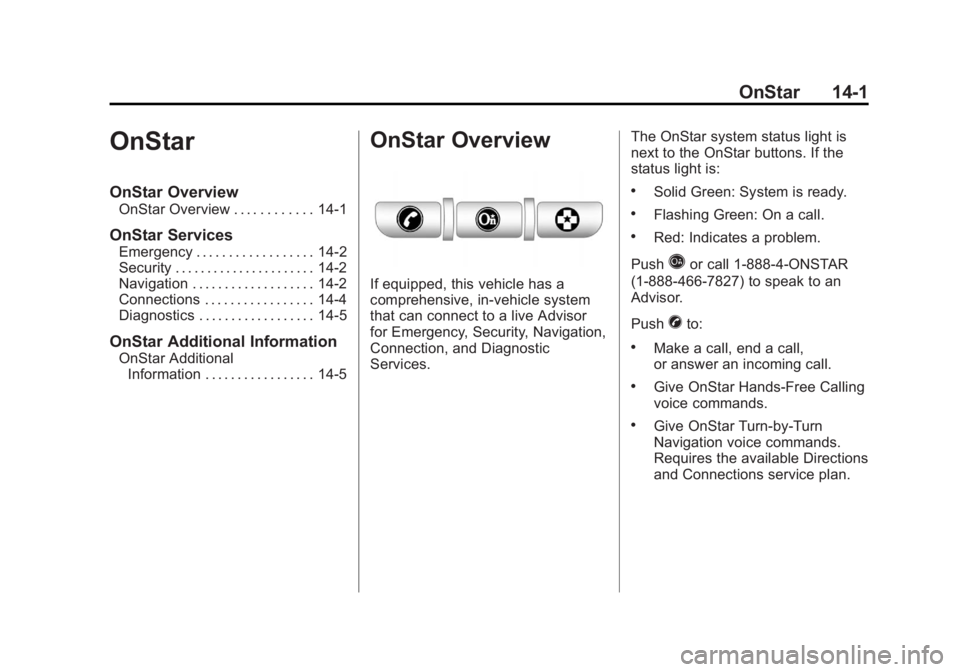
If equipped, this vehicle has a
comprehensive, in-vehicle system
that can connect to a live Advisor
for Emergency, Security, Navigation,
Connection, and Diagnostic
Services. The OnStar system status light is
next to the OnStar buttons. If the
status light is:
.Solid Green: System is ready.
.Flashing Green: On a call.
.Red: Indicates a problem.
Push
Qor call 1‐888‐4‐ONSTAR
(1‐888‐466‐7827) to speak to an
Advisor.
Push
Xto:
.Make a call, end a call,
or answer an incoming call.
.Give OnStar Hands-Free Calling
voice commands.
.Give OnStar Turn-by-Turn
Navigation voice commands.
Requires the available Directions
and Connections service plan.
Page 450 of 468

Black plate (2,1)GMC Acadia/Acadia Denali Owner Manual - 2012
14-2 OnStar
PushQto connect to a live
Advisor to:
.Verify account information or
update contact information.
.Get driving directions. Requires
the available Directions and
Connections service plan.
.Receive On-Demand
Diagnostics for a check on the
vehicle’s key operating systems.
.Receive Roadside Assistance.
Push
]to get a priority connection
to an Emergency Advisor available
24/7 to:
.Get help for an emergency.
.Be a Good Samaritan or
respond to an AMBER Alert.
.Get crisis assistance and
evacuation routes.
OnStar Services
Emergency
With Automatic Crash Response,
the built-in system can automatically
connect to help in a crash even if
you cannot ask for it.
Push
]to connect to an
Emergency Advisor. GPS
technology is used to identify the
vehicle location and can provide
critical information to emergency
personnel. The Advisor is also
trained to offer critical assistance
in emergency situations.
Security
OnStar provides services like Stolen
Vehicle Assistance, Remote Ignition
Block, and Roadside Assistance,
if the vehicle is equipped with these
services. OnStar can unlock the
vehicle doors remotely, if it is
equipped with automatic door locks,
and can help police locate the
vehicle if it is stolen.
Navigation
OnStar navigation requires the
Directions and Connections
service plan.
Push
Qto receive directions or
have them sent to the vehicle
navigation screen. Destinations
can also be forwarded to the
vehicle from Google Maps™ or
MapQuest.com. The OnStar
mapping database is continuously
updated. Visit www.onstar.com for
coverage maps.
Turn-by-Turn Navigation
1. PushQto connect to a live
Advisor.
2. Request directions.
3. Directions are downloaded to the vehicle.
4. Follow the voice-guided commands.
Page 451 of 468

Black plate (3,1)GMC Acadia/Acadia Denali Owner Manual - 2012
OnStar 14-3
Using Voice Commands
During a Planned Route
Cancel Route
1. Push
X. System responds:
“OnStar ready,” then a tone.
Say “Cancel route.” System
responds: “Would you like to
cancel route directions to your
destination?”
2. Say “Yes.”System responds:
“OK, route canceled.”
3. Say “Goodbye.” Exits voice
commands.
Route Preview
1. Push
X. System responds:
“OnStar ready,” then a tone.
2. Say “Route Preview.” System
responds with the next three
maneuvers.
3. Say “Goodbye.” Exits voice
commands. Repeat
1. Push
X. System responds:
“OnStar ready,” then a tone.
2. Say “Repeat.” System responds
with the last direction given, then
responds with “OnStar ready,”
then a tone.
3. Say “Goodbye.” Exits voice
commands.
Get My Destination
1. Push
X. System responds:
“OnStar ready,” then a tone.
2. Say “Get my destination.”
System responds with miles to
the destination, then responds
with “OnStar ready,” then a tone.
3. Say “Goodbye.” Exits voice
commands.
Other Navigation Services
Available from OnStar
OnStar eNav: Allows subscribers
to send destinations from Google
Maps™ and MapQuest.com to
their Turn-by-Turn Navigation or
screen-based navigation system.
When ready, the directions will be
downloaded to the vehicle.
Destination Download: Push
Q,
then request the Advisor to
download directions to the
navigation system in the vehicle.
After the call ends, push the
“Go” button on the navigation
screen to begin driving directions.
Destinations can also be
downloaded on the go.
For information about eNav,
Destination Download, and
coverage maps visit
www.onstar.com.
Page 452 of 468

Black plate (4,1)GMC Acadia/Acadia Denali Owner Manual - 2012
14-4 OnStar
Connections
OnStar Hands-Free Calling allows
calls to be made and received from
the vehicle. The vehicle can also be
controlled from a cell phone through
the OnStar mobile app. See
www.onstar.com for coverage maps.
Hands-Free Calling
1. PushX. System responds:
“OnStar ready.”
2. Say “Dial.”System responds:
“Please say the name or number
to call.”
3. Say the entire number without pausing, including a “1”and the
area code. System responds:
“OK calling.”
Retrieve My Number
1. PushX. System responds:
“OnStar ready.”
2. Say “My Number.” System
responds: “Your OnStar
Hands-Free Calling number is.”
End a Call
PushX. System responds:
“Call ended.”
Store a Name Tag for Speed
Dialing
1. PushX. System responds:
“OnStar ready.”
2. Say “Store.” System responds:
“Please say the number you
would like to store.”
3. Say the entire number without pausing. System responds:
“Please say the name tag.”
4. Pick a name tag. “System
responds: ”About to store
5. Say “Yes”or“No” to try again.
System responds: “OK, storing
Place a Call Using a Stored
Number
1. PushX. System responds:
“OnStar ready.”
2. Say “Call
System responds: “OK, calling
Verify Minutes and Expiration
PushXand say “minutes” then
“verify” to check how many minutes
remain and their expiration date.
OnStar Mobile App
With an iPhone® or
Android™-based mobile device,
an OnStar mobile app can be
downloaded. The vehicle can be
remote started, if equipped, or the
doors can be unlocked from
anywhere there is cell phone
service. It can also check the fuel
level, tire pressure, and oil life.
Page 453 of 468

Black plate (5,1)GMC Acadia/Acadia Denali Owner Manual - 2012
OnStar 14-5
It can connect to an OnStar Advisor
anytime. For OnStar mobile app
compatibility or further information,
see www.onstar.com.
Diagnostics
OnStar Vehicle Diagnostics will
perform a vehicle check every
month. It will check the engine,
transmission, antilock brakes, and
major vehicle systems. It also
checks the tire pressures, if the
vehicle is equipped with the Tire
Pressure Monitoring System.
If a diagnostics check is needed
between e-mails, push
Q, and an
Advisor can run a check.
OnStar Additional
Information
Transferring Service
PushQto request account transfer
eligibility information. The Advisor
can assist in canceling or removing
account information. If OnStar
receives information that vehicle
ownership has changed, OnStar
may send a voice message to the
vehicle, requesting updated account
information.
Reactivation for Subsequent
Owners
PushQand follow the prompts to
speak to an Advisor as soon as
possible after acquiring the vehicle.
The Advisor will update vehicle
records and will explain the OnStar
service offers and options available.
How OnStar Service Works
Automatic Crash Response,
Emergency Services, Crisis Assist,
Stolen Vehicle Assistance, Vehicle
Diagnostics, Remote Door Unlock,
Roadside Assistance, Turn-by-Turn
Navigation, and Hands-Free Calling
are available on most vehicles.
Not all OnStar services are
available everywhere or on all
vehicles. For more information,
a full description of OnStar
services, system limitations, and
OnStar terms and conditions,
see www.onstar.com (U.S.) or
www.onstar.ca (Canada); contact
OnStar at 1-888-4-ONSTAR
(1‐888‐466‐7827) or TTY
1‐877‐248‐2080; or push
Q
to speak with an Advisor.