2012 FORD SUPER DUTY light
[x] Cancel search: lightPage 36 of 454
ENGINE TURNS OFF IN XX (diesel engine only)— Displayed
when the vehicle is in the final 30 seconds of a countdown to where the
engine will intentionally be turned off by the PCM. The diesel engine
shutdown for extended idling is an optional feature. Refer to your diesel
supplement for more information.
ENGINE TURNED OFF (diesel engine only)— Displayed after the
30 second countdown. Refer to your diesel supplement for more
information.
DRIVE TO CLEAN EXHAUST FILTER (diesel engine only)—
Displayed when the Diesel Particulate Filter (DPF) is full of particles
(exhaust soot) and the vehicle is not being operated in a manner to
allow normal cleaning. This message will stay on until the exhaust filter
cleaning has begun, at which time the CLEANING EXHAUST FILTER
message will be displayed. It is recommended the vehicle operator drive
the vehicle above 30 mph (48 km/h) until the CLEANING EXHAUST
FILTER message turns off. This message is NORMAL. Refer to your
diesel supplement for more information.
Note:If this message is ignored, your vehicle will continue to fill the
Diesel Particulate Filter (DPF) with particles (exhaust soot). If cleaning
is not permitted, the
light will illuminate and engine power may be
limited. If the vehicle is still not operated in a manner to allow cleaning,
the service engine soon light
will illuminate and engine power will
be further limited. Dealer service will then be required to restore your
vehicle to full-power operation.
Note:Diesel Particulate Filter (DPF) regeneration will not initiate at idle
or in Power Take Off (PTO) mode. When DRIVE TO CLEAN EXHAUST
FILTER is displayed in the message center, PTO and/or Stationary
Elevated Idle Control (SEIC) must be disengaged/inactive in order to
properly clean the DPF. The vehicle must be driven until the CLEANING
EXHAUST FILTER message turns off.
CLEANING EXHAUST FILTER (diesel engine only)— Displayed
when the vehicle has entered the cleaning mode. Various engine actions
will raise the exhaust temperature in the Diesel Particulate Filter (DPF)
system to burn off the particles (exhaust soot). After the particles are
burned off, the exhaust temperature will fall back to normal levels. This
message is NORMAL. Refer to your diesel supplement for more
information.
WARNING:When the CLEANING EXHAUST FILTER message
appears in the message center, do not park near flammable
materials, vapors or structures until filter cleaning is complete.
Instrument Cluster
36
2012 F-250/350/450/550(f23)
Owners Guide, 1st Printing
USA(fus)
Page 40 of 454
OPTIONAL MESSAGE CENTER (IF EQUIPPED)
Your vehicle’s message center is capable of monitoring many vehicle
systems and will alert you to potential vehicle problems and various
conditions with a informational messages and/or warnings.
The message center is also used to program/configure the different
features of your vehicle.
The message center display is located in the instrument cluster. Use the
steering wheel mounted buttons to navigate through the message center.
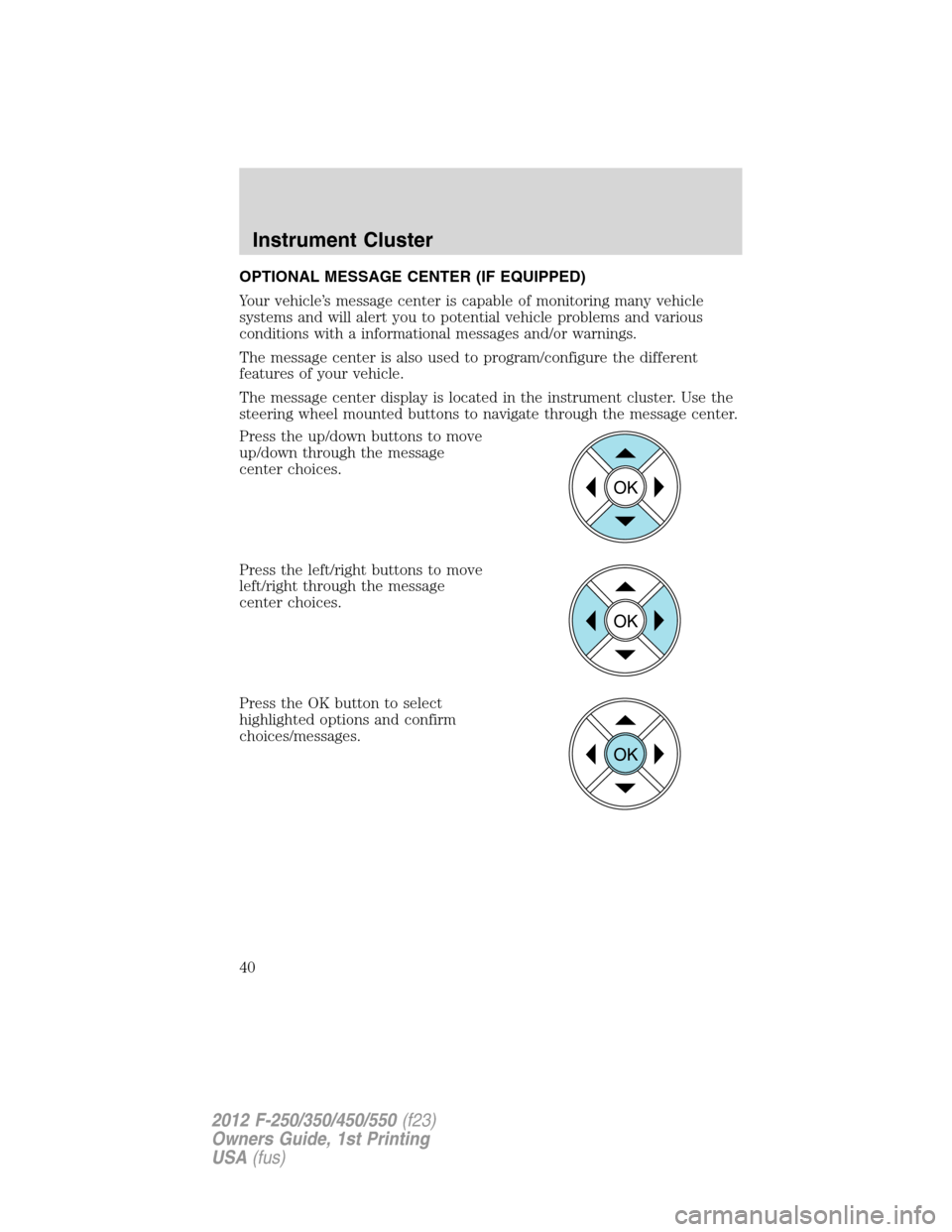
Press the up/down buttons to move
up/down through the message
center choices.
Press the left/right buttons to move
left/right through the message
center choices.
Press the OK button to select
highlighted options and confirm
choices/messages.
OK
OK
OK
Instrument Cluster
40
2012 F-250/350/450/550(f23)
Owners Guide, 1st Printing
USA(fus)
Page 41 of 454

Main menu
From the main menu screen you can choose the following:
•Gauge Mode
•Trip A/B
•Fuel Economy
•Truck Apps (if equipped)
•Settings
•Information
Scroll up/down to highlight one of the options, then press the right arrow
key or OK to enter into that menu option.
Gauge Mode
In this mode, the following options are available in different graphical
formats:
•Engine Oil Temperature (diesel only)
•Transmission Temperature
•Compass (see Compass following for compass options)
•Exhaust Filter (diesel only). Refer toDiesel exhaust system:
oxidation catalyst/diesel particulate filter systemin your diesel
supplement for more information.
•Blank
Compass:The compass orientation can be changed between fixed north
or rotating north. To change the modes, press OK when the compass
display is shown. Use the right arrow to choose the mode. Press and
hold OK to set the mode.
Trip A/B
In this mode, Trip A or B registers the following:
•Trip Time — shows the elapsed trip time. This timer will stop when
the vehicle is turned off and will restart when the vehicle is restarted.
•Trip Distance — shows the accumulated trip distance.
•Fuel Used — shows the amount of fuel used for a given trip.
Instrument Cluster
41
2012 F-250/350/450/550(f23)
Owners Guide, 1st Printing
USA(fus)
Page 43 of 454
Fuel Hist.:Press the right arrow key (when in the Fuel Econ. menu) to
reach Fuel Hist. Fuel history shows fuel usage (AVG MPG or L/100km) as a
bar graph based on time. The duration time can be changed as follows:
Duration– Press the right arrow key (when in the Fuel Hist. menu) to
reach the following duration choices.
•5 Minutes
•10 Minutes
•30 Minutes
•Last 5 Resets
Use the up/down arrows keys to highlight one of the choices; press and
hold OK to set your choice.
The graph is updated each minute with the fuel economy that was
achieved during the prior 5, 10, 30 minutes or last 5 resets of driving.
Truck Apps (if equipped)
In this mode, off-road and trailer towing application options are available.
Off Road*
Pitch and bank angle (in degrees). Displays the pitch angle (front to
rear) and bank angle (side to side) of the road surface.
Steering angle (in degrees). Displays the steering angle of the front
wheels after the vehicle has been driven for a period of time.
Differential lock/unlock. Displays the state (locked or unlocked) of the
electronic locking differential.
Energy flow. Displays the operating mode of the transfer case: 4X2,
4X4 Low or 4X4 High.
* If equipped—your vehicle may be equipped with some or all of these
options.
When “Press OK for info” is displayed, pressing OK will give you
information on the following options if equipped (Note:Information is
only available when traveling less than 3 mph [5 km/h]):
•ELD (electronic locking differential)
•Hill Descent Control
•4X4 System
•Traction Control
•Advancetrac + RSC
Instrument Cluster
43
2012 F-250/350/450/550(f23)
Owners Guide, 1st Printing
USA(fus)
Page 44 of 454
Trailer:Press the right arrow key (when in the Off Road menu) to
reach the Trailer menu (vehicle must be equipped with factory installed
trailer brake controller). The following information is displayed:
•Active trailer name or default trailer.
•Accumulated trailer distance.
•Trailer gain and output.
•Trailer disconnected
When “Press OK for options” is displayed, pressing OK will open the
trailer options menus:
Trailer
Change Active
TrailerWhen this is highlighted, press the right arrow key
to change the currently selected trailer. Use the up
and down arrows to select a trailer and press the
OK button to choose the highlighted trailer.
Adding a new trailer– Use the up/down arrows to
highlight “New Trailer” from the Change Active
Trailer menu and press the right arrow key to enter
the New Trailer input screen. Use the up/down
arrow keys to choose alpha, numeric and symbol
characters and then press the right arrow to move
the character space over. Continue adding
characters as needed. Press the left arrow to go
back and change a previously selected character.
When finished with the new trailer name, press OK
to accept the new trailer name.
Connection
Checklist (if
equipped)Press the right arrow button when this is highlighted
to show the trailer connection types: Conventional,
Fifth Wheel and Gooseneck. Use the up/down
arrows to highlight one of these choices and press
OK to display the connection checklist. Follow the
on-screen instructions to go through the connections
list.
Delete Trailer Press the right arrow button when this is highlighted
to show currently stored trailers. Use the up/down
arrows to highlight the trailer you want to delete
and press OK to delete. Follow the on-screen
prompts to exit or confirm delete.
Information
ScreenPress the right arrow button when this is highlighted
to display information on the following vehicle
features: Tow Haul mode, Trailer Brake Controller.
Instrument Cluster
44
2012 F-250/350/450/550(f23)
Owners Guide, 1st Printing
USA(fus)
Page 45 of 454
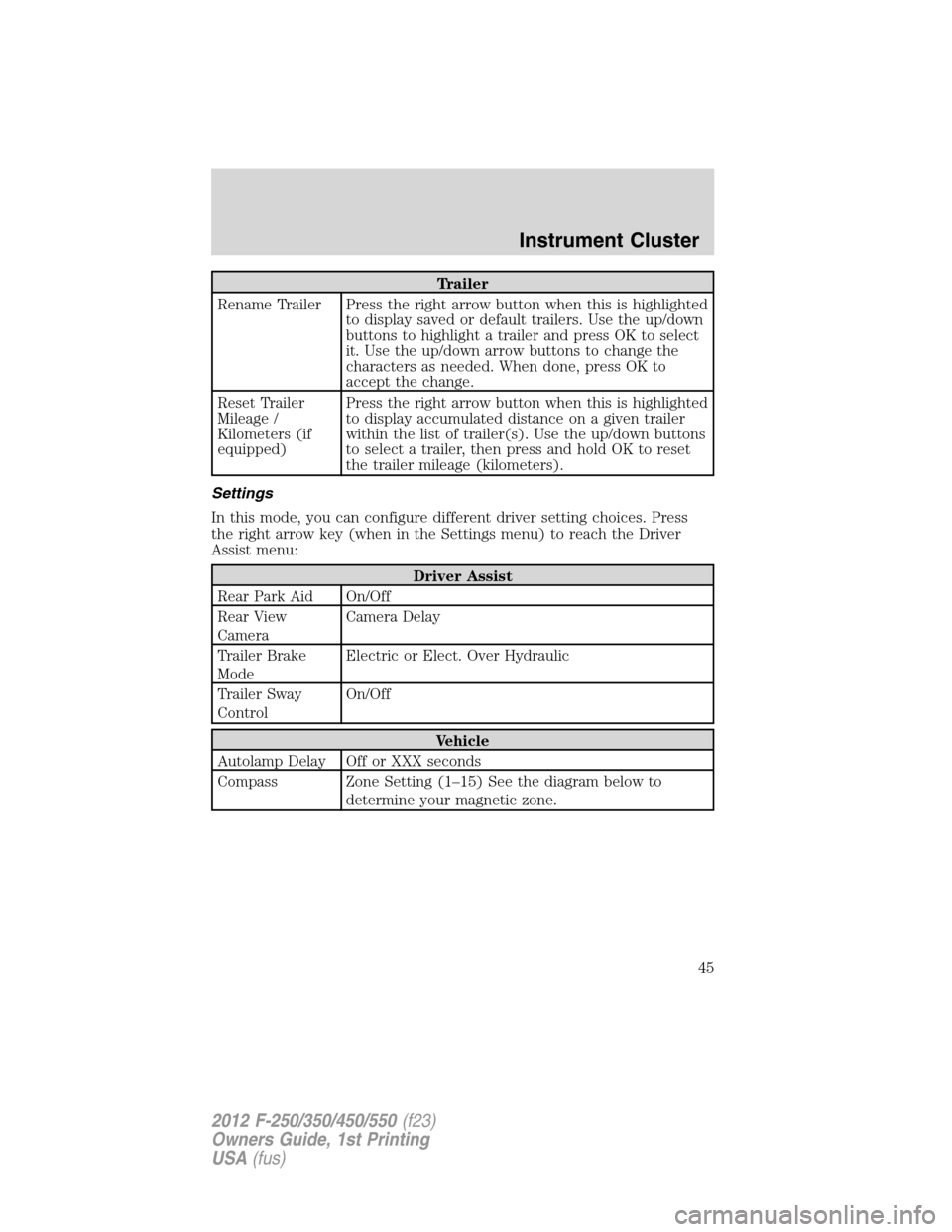
Trailer
Rename Trailer Press the right arrow button when this is highlighted
to display saved or default trailers. Use the up/down
buttons to highlight a trailer and press OK to select
it. Use the up/down arrow buttons to change the
characters as needed. When done, press OK to
accept the change.
Reset Trailer
Mileage /
Kilometers (if
equipped)Press the right arrow button when this is highlighted
to display accumulated distance on a given trailer
within the list of trailer(s). Use the up/down buttons
to select a trailer, then press and hold OK to reset
the trailer mileage (kilometers).
Settings
In this mode, you can configure different driver setting choices. Press
the right arrow key (when in the Settings menu) to reach the Driver
Assist menu:
Driver Assist
Rear Park Aid On/Off
Rear View
CameraCamera Delay
Trailer Brake
ModeElectric or Elect. Over Hydraulic
Trailer Sway
ControlOn/Off
Vehicle
Autolamp Delay Off or XXX seconds
Compass Zone Setting (1–15) See the diagram below to
determine your magnetic zone.
Instrument Cluster
45
2012 F-250/350/450/550(f23)
Owners Guide, 1st Printing
USA(fus)
Page 48 of 454
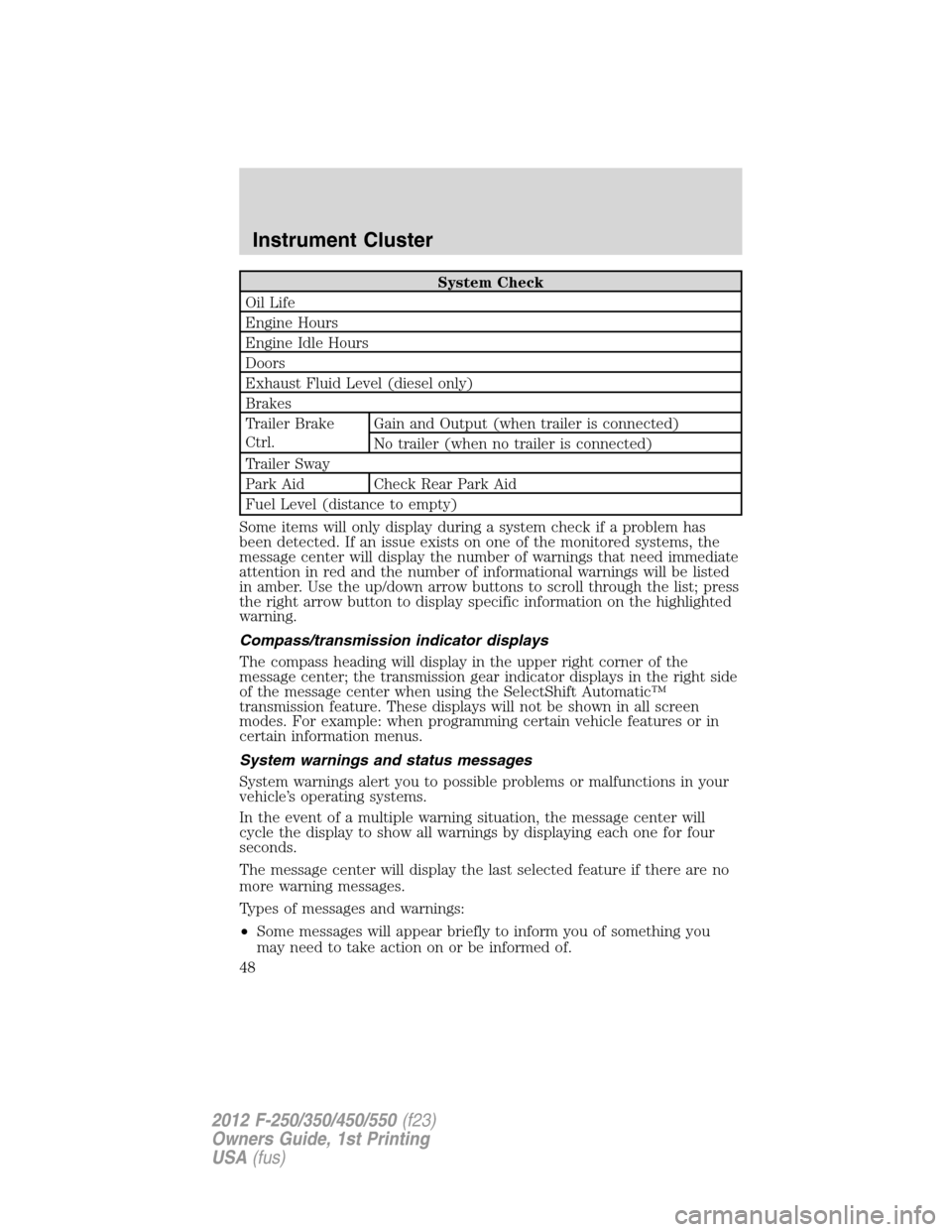
System Check
Oil Life
Engine Hours
Engine Idle Hours
Doors
Exhaust Fluid Level (diesel only)
Brakes
Trailer Brake
Ctrl.Gain and Output (when trailer is connected)
No trailer (when no trailer is connected)
Trailer Sway
Park Aid Check Rear Park Aid
Fuel Level (distance to empty)
Some items will only display during a system check if a problem has
been detected. If an issue exists on one of the monitored systems, the
message center will display the number of warnings that need immediate
attention in red and the number of informational warnings will be listed
in amber. Use the up/down arrow buttons to scroll through the list; press
the right arrow button to display specific information on the highlighted
warning.
Compass/transmission indicator displays
The compass heading will display in the upper right corner of the
message center; the transmission gear indicator displays in the right side
of the message center when using the SelectShift Automatic™
transmission feature. These displays will not be shown in all screen
modes. For example: when programming certain vehicle features or in
certain information menus.
System warnings and status messages
System warnings alert you to possible problems or malfunctions in your
vehicle’s operating systems.
In the event of a multiple warning situation, the message center will
cycle the display to show all warnings by displaying each one for four
seconds.
The message center will display the last selected feature if there are no
more warning messages.
Types of messages and warnings:
•Some messages will appear briefly to inform you of something you
may need to take action on or be informed of.
Instrument Cluster
48
2012 F-250/350/450/550(f23)
Owners Guide, 1st Printing
USA(fus)
Page 50 of 454
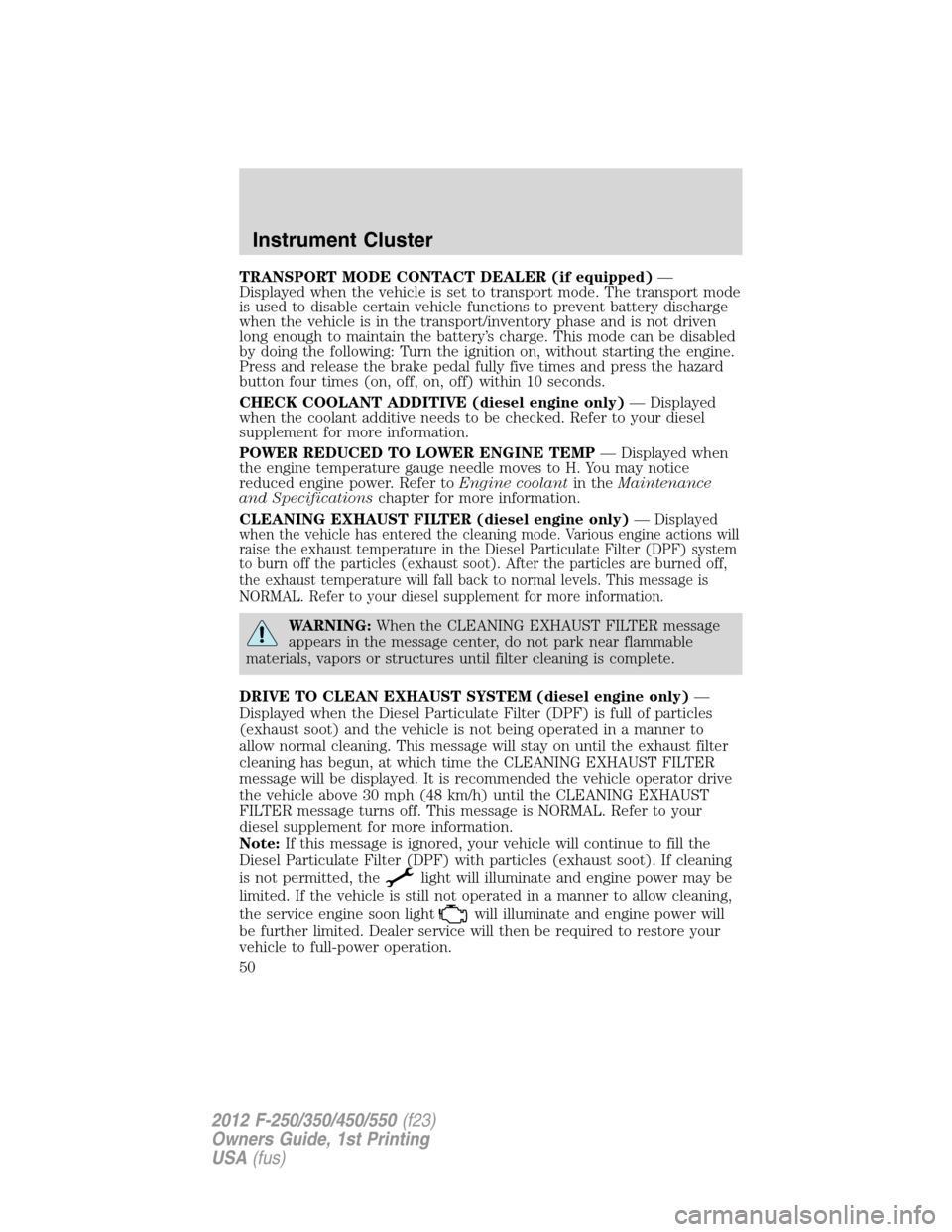
TRANSPORT MODE CONTACT DEALER (if equipped)—
Displayed when the vehicle is set to transport mode. The transport mode
is used to disable certain vehicle functions to prevent battery discharge
when the vehicle is in the transport/inventory phase and is not driven
long enough to maintain the battery’s charge. This mode can be disabled
by doing the following: Turn the ignition on, without starting the engine.
Press and release the brake pedal fully five times and press the hazard
button four times (on, off, on, off) within 10 seconds.
CHECK COOLANT ADDITIVE (diesel engine only)— Displayed
when the coolant additive needs to be checked. Refer to your diesel
supplement for more information.
POWER REDUCED TO LOWER ENGINE TEMP— Displayed when
the engine temperature gauge needle moves to H. You may notice
reduced engine power. Refer toEngine coolantin theMaintenance
and Specificationschapter for more information.
CLEANING EXHAUST FILTER (diesel engine only)—
Displayed
when the vehicle has entered the cleaning mode. Various engine actions will
raise the exhaust temperature in the Diesel Particulate Filter (DPF) system
to burn off the particles (exhaust soot). After the particles are burned off,
the exhaust temperature will fall back to normal levels. This message is
NORMAL. Refer to your diesel supplement for more information.
WARNING:When the CLEANING EXHAUST FILTER message
appears in the message center, do not park near flammable
materials, vapors or structures until filter cleaning is complete.
DRIVE TO CLEAN EXHAUST SYSTEM (diesel engine only)—
Displayed when the Diesel Particulate Filter (DPF) is full of particles
(exhaust soot) and the vehicle is not being operated in a manner to
allow normal cleaning. This message will stay on until the exhaust filter
cleaning has begun, at which time the CLEANING EXHAUST FILTER
message will be displayed. It is recommended the vehicle operator drive
the vehicle above 30 mph (48 km/h) until the CLEANING EXHAUST
FILTER message turns off. This message is NORMAL. Refer to your
diesel supplement for more information.
Note:If this message is ignored, your vehicle will continue to fill the
Diesel Particulate Filter (DPF) with particles (exhaust soot). If cleaning
is not permitted, the
light will illuminate and engine power may be
limited. If the vehicle is still not operated in a manner to allow cleaning,
the service engine soon light
will illuminate and engine power will
be further limited. Dealer service will then be required to restore your
vehicle to full-power operation.
Instrument Cluster
50
2012 F-250/350/450/550(f23)
Owners Guide, 1st Printing
USA(fus)