Page 51 of 306

WARNING:Always remember to turn on your headlamps at
dusk or during inclement weather. The Daytime Running Lamp
(DRL) system does not activate your tail lamps and generally may not
provide adequate lighting during these conditions. Failure to activate
your headlamps under these conditions may result in a collision.
PANEL DIMMER CONTROL
Use to adjust the brightness of the
instrument panel and all applicable
lit components in the vehicle during
headlamp and parking lamp
operation.
•Tapthetoporbottomofthe
control to brighten/dim all interior
lit components incrementally, or
•Press and hold at the first
position the top or bottom of the
control until the desired lighting level is reached.
AIMING THE HEADLAMPS
The headlamps on your vehicle are properly aimed at the assembly plant.
If your vehicle has been in an accident the alignment of your headlamps
should be checked by a qualified service technician.
TURN SIGNAL CONTROL
•Push down to activate the left
turn signal.
•Push up to activate the right turn
signal.
If your vehicle is a tractor, the turn signals may not shut off when a turn
is completed; this is normal. Please see your dealer if there are any
questions on the options your vehicle has been equipped with.
Lights
51
2012 F-650/750(f67)
Supplement, 2nd Printing
USA(fus)
Page 52 of 306
INTERIOR LAMPS
Map lamps (if equipped)
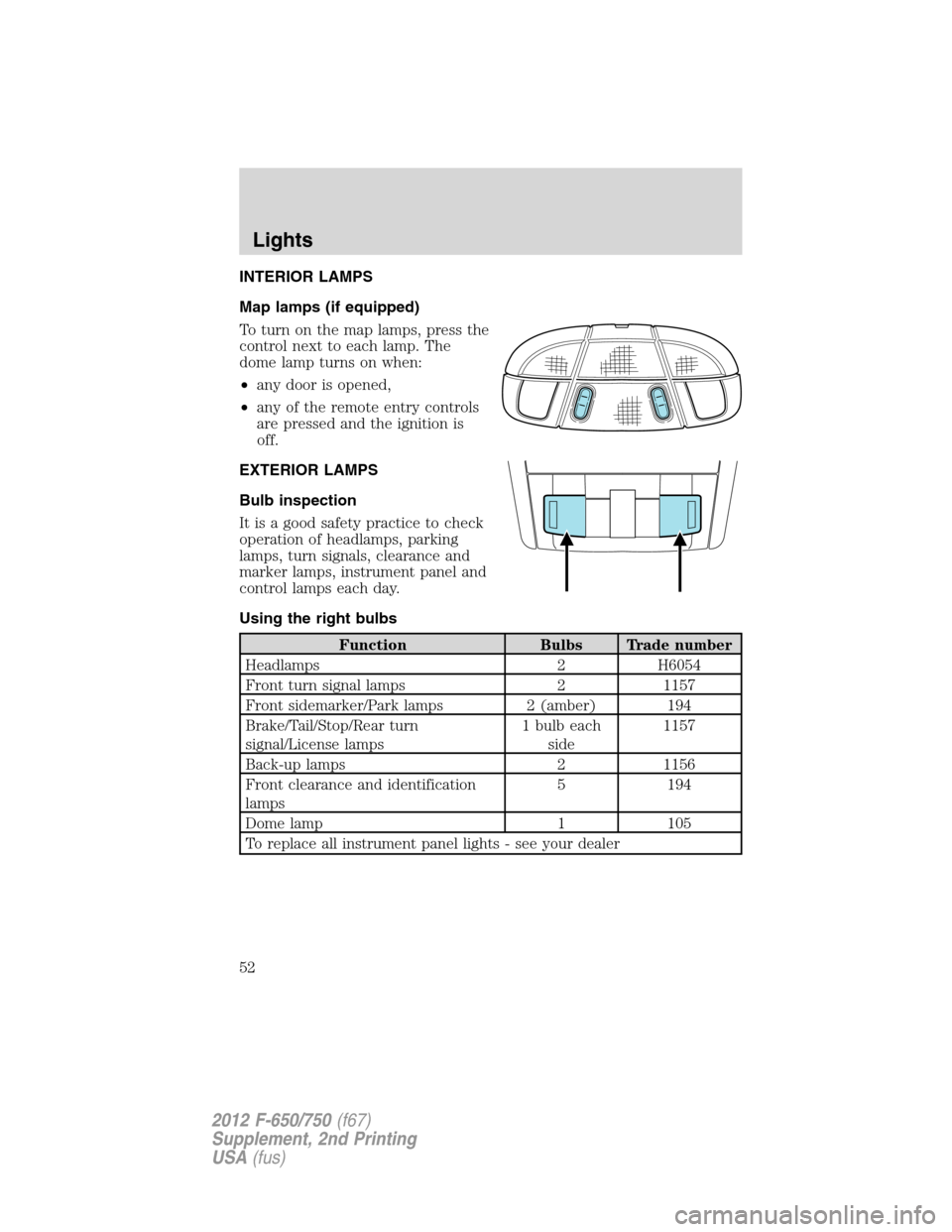
To turn on the map lamps, press the
control next to each lamp. The
dome lamp turns on when:
•any door is opened,
•any of the remote entry controls
are pressed and the ignition is
off.
EXTERIOR LAMPS
Bulb inspection
It is a good safety practice to check
operation of headlamps, parking
lamps, turn signals, clearance and
marker lamps, instrument panel and
control lamps each day.
Using the right bulbs
Function Bulbs Trade number
Headlamps 2 H6054
Front turn signal lamps 2 1157
Front sidemarker/Park lamps 2 (amber) 194
Brake/Tail/Stop/Rear turn
signal/License lamps1 bulb each
side1157
Back-up lamps 2 1156
Front clearance and identification
lamps5 194
Dome lamp 1 105
To replace all instrument panel lights - see your dealer
Lights
52
2012 F-650/750(f67)
Supplement, 2nd Printing
USA(fus)
Page 53 of 306
Bulb replacement
Replacing headlamp bulbs
To remove the headlamp bulbs:
1. Make sure the headlamp control is in the
position.
2. Remove the four screws and
move the parking lamp assembly
away from the headlamp bulb.
3. Remove the four screws and the
retaining bracket from the headlamp
bulb.
4. Pull the headlamp bulb out of the
housing, disconnect the electrical
connector and remove the headlamp
bulb.
5. To complete installation, follow
the removal procedure in reverse
order.
Replacing front parking lamp/turn signal/side marker bulbs
To remove the parking lamp/turn signal bulbs:
1. Make sure the headlamp control is in the
position and the turn
signals are off.
Lights
53
2012 F-650/750(f67)
Supplement, 2nd Printing
USA(fus)
Page 54 of 306
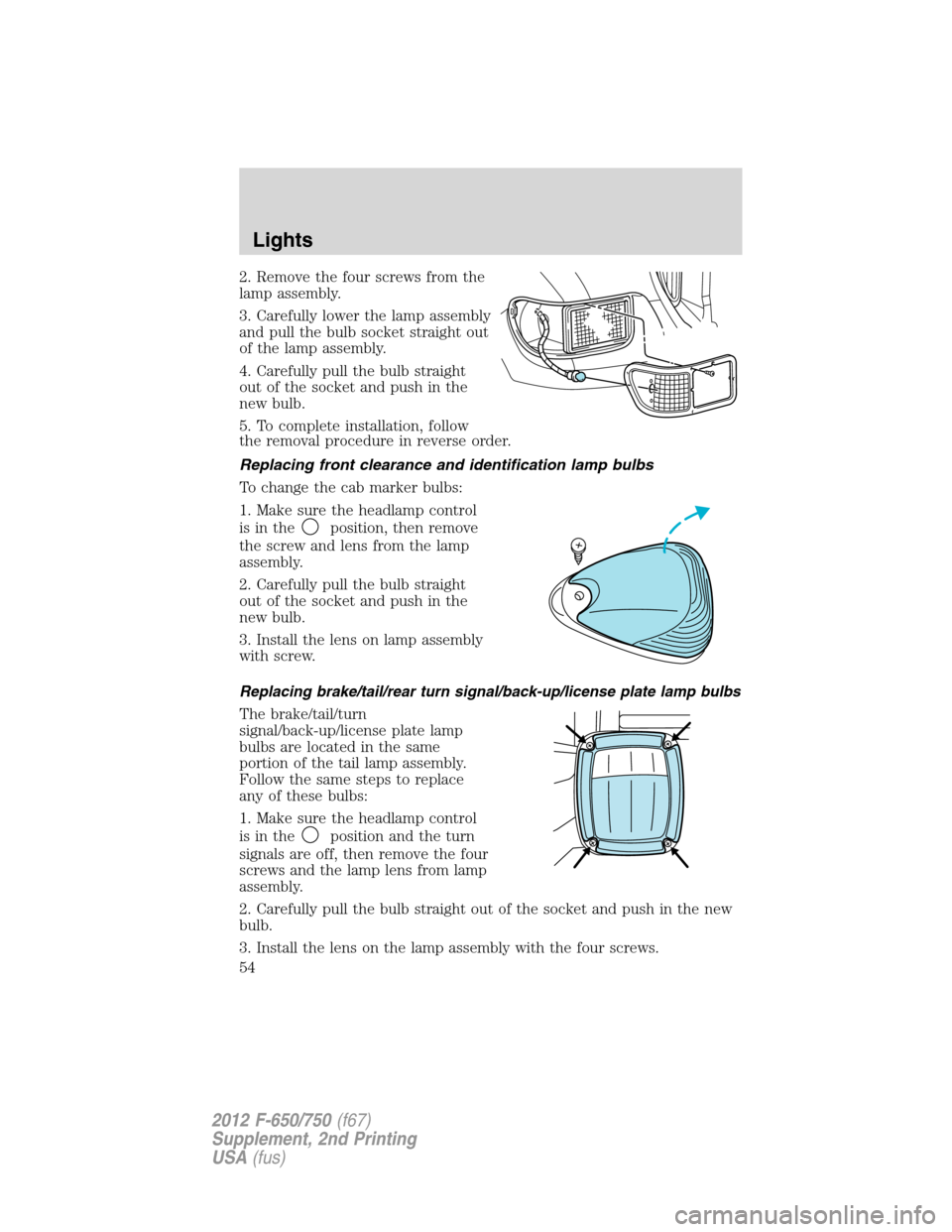
2. Remove the four screws from the
lamp assembly.
3. Carefully lower the lamp assembly
and pull the bulb socket straight out
of the lamp assembly.
4. Carefully pull the bulb straight
out of the socket and push in the
new bulb.
5. To complete installation, follow
the removal procedure in reverse order.
Replacing front clearance and identification lamp bulbs
To change the cab marker bulbs:
1. Make sure the headlamp control
is in the
position, then remove
the screw and lens from the lamp
assembly.
2. Carefully pull the bulb straight
out of the socket and push in the
new bulb.
3. Install the lens on lamp assembly
with screw.
Replacing brake/tail/rear turn signal/back-up/license plate lamp bulbs
The brake/tail/turn
signal/back-up/license plate lamp
bulbs are located in the same
portion of the tail lamp assembly.
Follow the same steps to replace
any of these bulbs:
1. Make sure the headlamp control
is in the
position and the turn
signals are off, then remove the four
screws and the lamp lens from lamp
assembly.
2. Carefully pull the bulb straight out of the socket and push in the new
bulb.
3. Install the lens on the lamp assembly with the four screws.
Lights
54
2012 F-650/750(f67)
Supplement, 2nd Printing
USA(fus)
Page 57 of 306

AUXILIARY POWER POINT
Power outlets are designed for accessory plugs only. Do not insert
any other object in the power outlet as this can damage the
outlet and blow the fuse. Do not hang any type of accessory or
accessory bracket from the plug. Improper use of the power
outlet can cause damage not covered by your warranty.
Auxiliary power points can be found in the following locations:
•On the instrument panel (two locations)
•Inside the center console storage compartment (if equipped)
•On the rear of the center console (if equipped)
•Inside the 20-percent front seat console (if equipped)
•Inside the rear under seat storage compartment (if equipped)
Do not use the power point for operating the cigarette lighter element (if
equipped).
To prevent the fuse from being blown, do not use the power point(s)
over the vehicle capacity of 12 VDC/180W. If the power point or cigar
lighter socket is not working, a fuse may have blown. Refer toFuses and
relaysin theRoadside Emergencieschapter for information on
checking and replacing fuses.
To have full capacity usage of your power point, the engine is required to
be running to avoid unintentional discharge of the battery. To prevent
the battery from being discharged:
•do not use the power point longer than necessary when the engine is
not running,
•do not leave battery chargers, video game adapters, computers and
other devices plugged in overnight or when the vehicle is parked for
extended periods.
Always keep the power point caps closed when not being used.
Driver Controls
57
2012 F-650/750(f67)
Supplement, 2nd Printing
USA(fus)
Page 58 of 306
POWER WINDOWS (IF EQUIPPED)
WARNING:Do not leave children unattended in the vehicle and
do not let children play with the power windows. They may
seriously injure themselves.
WARNING:When closing the power windows, you should verify
they are free of obstructions and ensure that children and/or
pets are not in the proximity of the window openings.
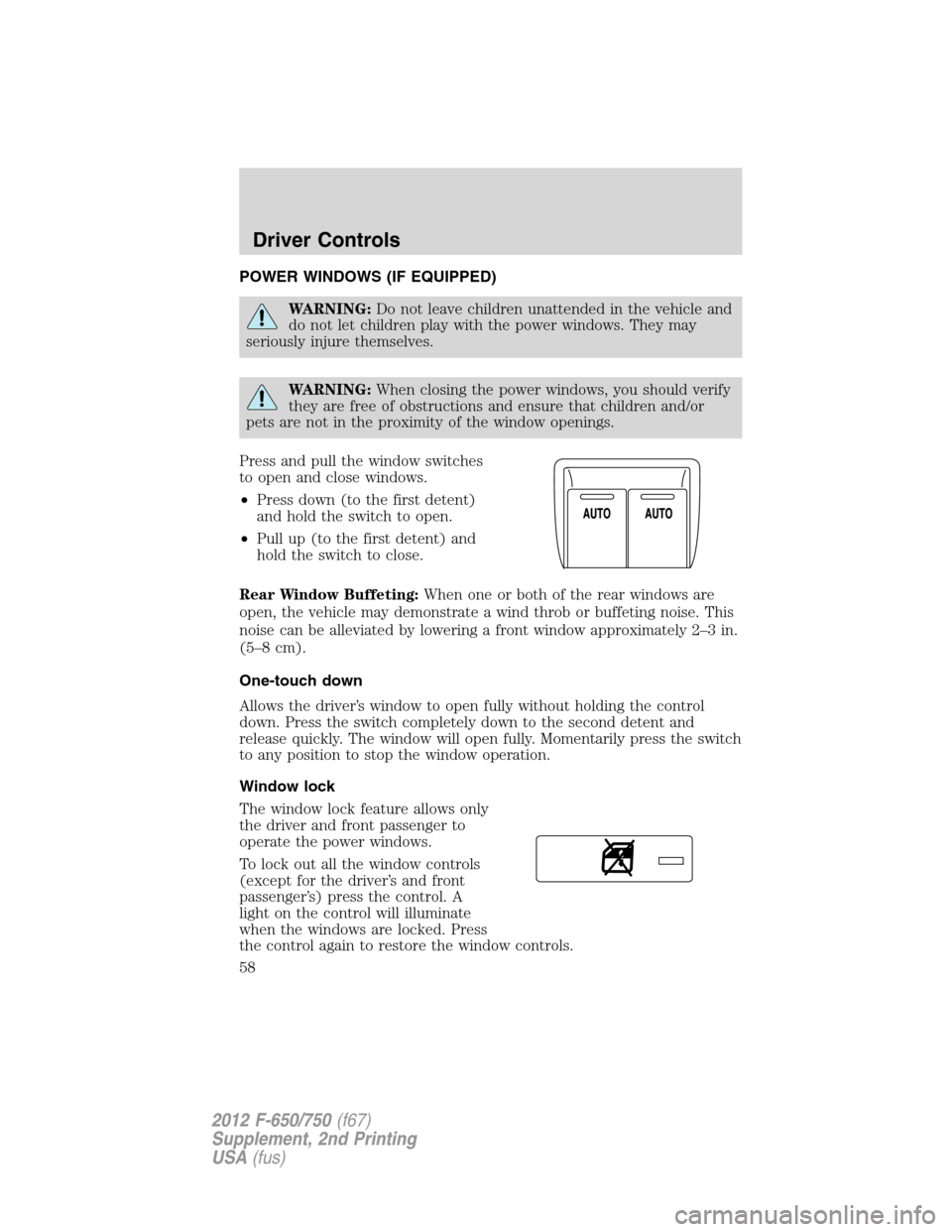
Press and pull the window switches
to open and close windows.
•Press down (to the first detent)
and hold the switch to open.
•Pull up (to the first detent) and
hold the switch to close.
Rear Window Buffeting:When one or both of the rear windows are
open, the vehicle may demonstrate a wind throb or buffeting noise. This
noise can be alleviated by lowering a front window approximately 2–3 in.
(5–8 cm).
One-touch down
Allows the driver’s window to open fully without holding the control
down. Press the switch completely down to the second detent and
release quickly. The window will open fully. Momentarily press the switch
to any position to stop the window operation.
Window lock
The window lock feature allows only
the driver and front passenger to
operate the power windows.
To lock out all the window controls
(except for the driver’s and front
passenger’s) press the control. A
light on the control will illuminate
when the windows are locked. Press
the control again to restore the window controls.
Driver Controls
58
2012 F-650/750(f67)
Supplement, 2nd Printing
USA(fus)
Page 63 of 306

Clearance lamps (if equipped)
Illuminates when the headlamps or
parking lamps are switched on.
This provides additional visibility of
your vehicle to other drivers on the
road.
SPEED CONTROL
With speed control set, you can maintain a set speed without keeping
your foot on the accelerator pedal.
WARNING:Do not use the speed control in heavy traffic or on
roads that are winding, slippery or unpaved.
Using speed control
The speed controls are located on the steering wheel. The following
buttons work with speed control.
ON:Press to turn on speed control.
OFF:Press to turn off speed
control.
RES (Resume):Press to resume a
set speed.
SET/ACCEL:Press to set a speed
or increase a set speed.
COAST:Press to reduce a set speed.
Setting speed control
1. Press and release ON.
2. Accelerate to the desired speed.
3. Press and release SET/ACCEL.
4. Take your foot off the accelerator pedal.
5. The indicator
light on the instrument cluster will turn on.
Driver Controls
63
2012 F-650/750(f67)
Supplement, 2nd Printing
USA(fus)
Page 85 of 306
Safety belt warning light and indicator chime
The safety belt warning light illuminates in the instrument cluster and a
chime sounds to remind the occupants to fasten their safety belts.
Conditions of operation
If... Then...
The driver’s safety belt is not
buckled before the ignition switch
has been turned to on...The safety belt warning light
illuminates 1-2 minutes and the
warning chime sounds 4-8 seconds.
The driver’s safety belt is buckled
while the indicator light is
illuminated and the warning
chime is sounding...The safety belt warning light and
warning chime turn off.
The driver’s safety belt is buckled
before the ignition switch has
been turned to on...The safety belt warning light and
indicator chime remain off.
Belt-Minder�
The Belt-Minder�feature is a supplemental warning to the safety belt
warning function. This feature provides additional reminders to the
driver that the driver’s safety belt is unbuckled by intermittently
sounding a chime and illuminating the safety belt warning lamp in the
instrument cluster.
If... Then...
The driver’s safety belt is not
buckled before the vehicle has
reached at least 3 mph (5 km/h)
and 1-2 minutes have elapsed since
the ignition switch has been turned
to on...The Belt-Minder�feature is activated
- the safety belt warning light
illuminates and the warning chime
sounds for six seconds every
30 seconds, repeating for
approximately five minutes or until
safety belt is buckled.
The driver’s safety belt is buckled
while the safety belt indicator light
is illuminated and the safety belt
warning chime is sounding...The Belt-Minder�feature does not
activate.
The driver’s safety belt is buckled
before the ignition switch is turned
to the on position...The Belt-Minder�feature does not
activate.
Seating and Safety Restraints
85
2012 F-650/750(f67)
Supplement, 2nd Printing
USA(fus)