2012 FORD F150 light
[x] Cancel search: lightPage 95 of 462

Windshield washer:Press the end
of the stalk:
•briefly: causes a single swipe of
the wipers without washer fluid.
•a quick press and hold: the
wipers will swipe three times with
washer fluid.
•a long press and hold: the wipers and washer fluid will be activated for
up to ten seconds.
Note:Do not operate the washer when the washer reservoir is empty.
This may cause the washer pump to overheat. Check the washer fluid
level frequently. Do not operate the wipers when the windshield is dry.
This may scratch the glass, damage the wiper blades and cause the wiper
motor to burn out. Before operating the wiper on a dry windshield,
always use the windshield washer. In freezing weather, be sure the wiper
blades are not frozen to the windshield before operating the wipers.
Courtesy wipe feature:One extra wipe will occur a few seconds after
washing the front window to clear any excess washer fluid remaining on
the windshield. This feature can be enabled/disabled through the
message center. Refer toMessage centerin theInstrument Cluster
chapter.
Windshield wiper rainlamp feature (if equipped with autolamp)
When the windshield wipers are turned on during daylight, and the
headlamp control is in the autolamp position, the exterior lamps will turn
on after a brief delay and will remain on until the wipers are turned off.
TILT OR TILT/TELESCOPE STEERING COLUMN (IF EQUIPPED)
To adjust the steering column:
1. Pull the lever down to unlock the
steering column.
2. Adjust the steering wheel up or
down.
3. If also equipped with the
telescope feature, adjust the
steering wheel in or out.
o
Driver Controls
95
2012 F-150(f12)
Owners Guide, 1st Printing
USA(fus)
Page 97 of 462

On vehicles with memory feature, to prevent damage to the steering
column, the steering column is designed to set a stopping position just
short of the end of the column position. If the steering column
encounters an object while moving up or down, a new stopping position
will be set. To reset the steering column to its normal stopping position:
•After encountering the new stopping position, press the steering
column control again to override.
•Continue pressing the control until it reaches the end of the column
position.
•A new soft stop will be automatically set. The next time the steering
column is tilted it will stop just short of the end of the column
position.
ILLUMINATED VISOR MIRROR (IF EQUIPPED)
Lift the mirror cover to turn on the
visor mirror lamp.
Slide-on-rod feature
Rotate the visor towards the side
window and extend it rearward for
additional sunlight coverage.
Note:To stow the visor back into
the headliner, visor must be
retracted before moving it back
towards the windshield.
Driver Controls
97
2012 F-150(f12)
Owners Guide, 1st Printing
USA(fus)
Page 98 of 462

CENTER CONSOLE (IF EQUIPPED)
Your vehicle may be equipped with a variety of consoles features. These
include:
•Locking storage compartment
with hanging file folder supports
•Utility compartment with coin
holder slots, cardholder and pen
holder (on underside of lid).
•Storage for laptop computer
•One 12V power point inside the
storage compartment and one on
the rear of the console
•110V AC power point outlet on
the rear of the console
•Front and rear cupholders
•Rear passenger air registers
WARNING:Use only soft cups in the cupholder. Hard objects
can injure you in a collision.
ELECTRONIC COMPASS (IF EQUIPPED)
The compass heading is displayed in the center integrated display (CID).
The compass reading may be affected when you drive near large
buildings, bridges, power lines and powerful broadcast antenna. Magnetic
or metallic objects placed in, on or near the vehicle may also affect
compass accuracy.
Usually, when something affects the compass readings, the compass will
correct itself after a few days of operating your vehicle in normal
conditions. If the compass still appears to be inaccurate, a manual
calibration may be necessary. Refer toCompass calibration adjustment.
Most geographic areas (zones) have a magnetic north compass point that
varies slightly from the northerly direction on maps. This variation is four
degrees between adjacent zones and will become noticeable as the
vehicle crosses multiple zones. A correct zone setting will eliminate this
error. Refer toCompass zone adjustment.
Driver Controls
98
2012 F-150(f12)
Owners Guide, 1st Printing
USA(fus)
Page 100 of 462

Compass calibration adjustment
Perform compass calibration in an open area free from steel structures
and high voltage lines. For optimum calibration, turn off all electrical
accessories (heater/air conditioning, wipers, etc.) and make sure all
vehicle doors are shut.
1. Start the vehicle.
2. To calibrate, press and hold the 7
and 9 radio preset buttons together
for approximately 10 seconds until
CAL appears. Release the buttons.
3. Slowly drive the vehicle in a
circle (less than 3 mph [5 km/h])
until the CAL display changes to the
direction value (N, S, E, W, etc.). It
may take up to five circles to
complete calibration.
4. The compass is now calibrated.
AUXILIARY POWER POINT (12V DC)
Power outlets are designed for accessory plugs only. Do not insert
any other object in the power outlet as this will damage the
outlet and blow the fuse. Do not hang any type of accessory or
accessory bracket from the plug. Improper use of the power
outlet can cause damage not covered by your warranty.
Auxiliary power points can be found in the following locations:
•On the instrument panel
•Inside the center console storage area (if equipped)
•On the rear of the center console (if equipped) accessible from the
rear seat
Always keep the power point caps closed when not being used.
Do not use the power point for operating the cigarette lighter element (if
equipped).
Note:Do not plug optional electrical accessories into the cigarette lighter
socket (if equipped). Improper use of the lighter can cause damage not
covered by your warranty, and can result in fire or serious injury.
Driver Controls
100
2012 F-150(f12)
Owners Guide, 1st Printing
USA(fus)
Page 101 of 462

To prevent the fuse from being blown, do not use the power point(s)
over the vehicle capacity of 12V DC/180W. If the power point or cigar
lighter socket is not working, a fuse may have blown. Refer toFuses and
relaysin theRoadside Emergencieschapter for information on
checking and replacing fuses.
To have full capacity usage of your power point, the engine is required to
be running to avoid unintentional discharge of the battery. To prevent
the battery from being discharged:
•do not use the power point longer than necessary when the engine is
not running,
•do not leave battery chargers, video game adapters, computers and
other devices plugged in overnight or when the vehicle is parked for
extended periods.
Power point (110V AC) (if equipped)
The 110V AC power point outlet is used for powering electrical devices
that require up to 150W. Exceeding the 150W limit will cause the power
point to cut off the power temporarily to provide overload protection.
Note:The 110V AC power point is
equipped with a cap which provides
protection from inserting objects
into the socket. The cap should
always be in a closed position
whenever the power point outlet is
not in use.
The 110V AC power point is located
on the back of the center console.
The power outlet is not designed for the following electric appliances;
they may not work properly:
•Cathode ray tube type televisions
•Motor loads, such as vacuum cleaners, electric saws and other electric
power tools, compressor-driven refrigerators, etc.
•Measuring devices, which process precise data, such as medical
equipment, measuring equipment, etc.
•Other appliances requiring an extremely stable power supply:
microcomputer-controlled electric blankets, touch sensor lamps, etc.
AC 110V
150W
Driver Controls
101
2012 F-150(f12)
Owners Guide, 1st Printing
USA(fus)
Page 102 of 462

WARNING:Do not keep electrical devices plugged in the power
point whenever the device is not in use. Do not use any
extension cord with the 110V AC power point, since it will defeat the
safety protection design provided by the cap and twist tab. Doing so
my cause the power point to overload due to powering multiple
devices that can reach beyond the 150W load limit and could result in
fire or serious injury.
The power point can switch to a fault mode when it is overloaded,
overheated, or shorted. For overloading and shorting conditions, unplug
your device and turn the ignition key off then on. For an overheating
condition, let the system cool off, then turn the ignition key off then on.
The 110V AC power point can provide power whenever the vehicle
ignition is in the on position and the power point green indicator light
located in the top left corner is turned on. Refer to the indicator light
code below for the power point status.
Indicator light codes
Green light is on — Power point is ready to supply power
Green light is off — Power point power supply is off. Ignition is not in
the on position
Green light is blinking — Power point is in fault mode
Note:The 110V AC power point will turn off after 13 minutes if the
ignition is in the on position without the engine running. Keep the
engine running or cycle the ignition before the 13 minute time-out to
keep the inverter on.
Ashtray (if equipped)
The ashtray is located on the
instrument panel.
To open ashtray, push in on the
door and release. The ashtray
assembly will tip out. To close, push
assembly in completely and release.
Up-level ashtray shown; base
similar.
Driver Controls
102
2012 F-150(f12)
Owners Guide, 1st Printing
USA(fus)
Page 105 of 462
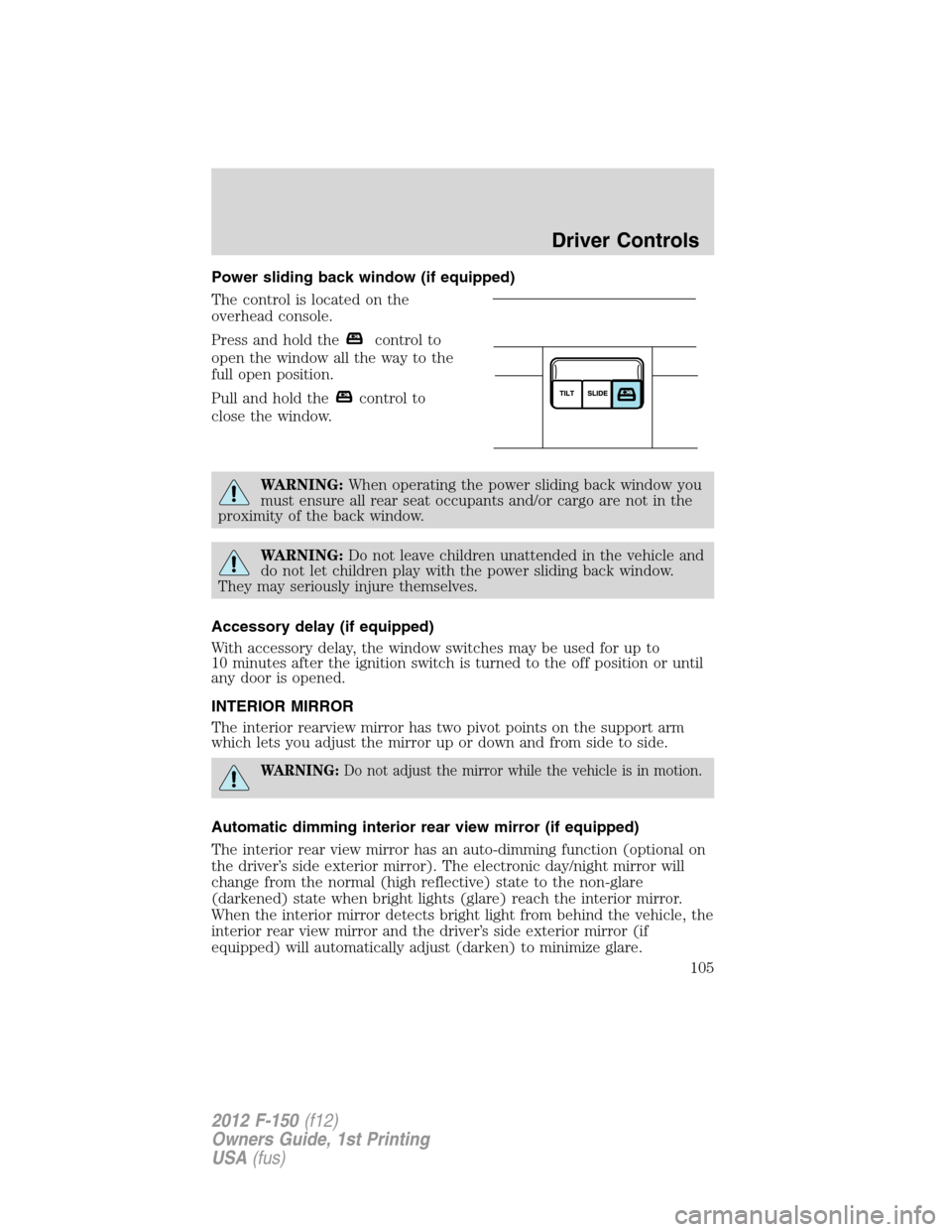
Power sliding back window (if equipped)
The control is located on the
overhead console.
Press and hold the
control to
open the window all the way to the
full open position.
Pull and hold the
control to
close the window.
WARNING:When operating the power sliding back window you
must ensure all rear seat occupants and/or cargo are not in the
proximity of the back window.
WARNING:Do not leave children unattended in the vehicle and
do not let children play with the power sliding back window.
They may seriously injure themselves.
Accessory delay (if equipped)
With accessory delay, the window switches may be used for up to
10 minutes after the ignition switch is turned to the off position or until
any door is opened.
INTERIOR MIRROR
The interior rearview mirror has two pivot points on the support arm
which lets you adjust the mirror up or down and from side to side.
WARNING:Do not adjust the mirror while the vehicle is in motion.
Automatic dimming interior rear view mirror (if equipped)
The interior rear view mirror has an auto-dimming function (optional on
the driver’s side exterior mirror). The electronic day/night mirror will
change from the normal (high reflective) state to the non-glare
(darkened) state when bright lights (glare) reach the interior mirror.
When the interior mirror detects bright light from behind the vehicle, the
interior rear view mirror and the driver’s side exterior mirror (if
equipped) will automatically adjust (darken) to minimize glare.
Driver Controls
105
2012 F-150(f12)
Owners Guide, 1st Printing
USA(fus)
Page 106 of 462

The mirrors will automatically return to the normal state whenever the
vehicle is placed in R (Reverse) to ensure a bright clear view when
backing up.
Do not block the sensors on the front and back of the interior rear
view mirror since this may impair proper mirror performance.
Note:A rear center passenger and/or raised rear center headrest (if
equipped) may also block the light from reaching the sensor.
Do not clean the housing or glass of any mirror with harsh
abrasives, fuel or other petroleum-based cleaning products.
Note:If equipped with a rearview camera system, a video image will
display in the mirror or the navigation system display (if equipped) when
the vehicle is put in R (Reverse). As you shift into any other gear from R
(Reverse), the image will remain for a few seconds and then turn off.
Refer toRearview camera systemin theDrivingchapter.
EXTERIOR MIRRORS
Power side view mirrors (if equipped)
WARNING:Do not adjust the mirror while the vehicle is in motion.
To adjust your mirrors:
1. Rotate the control clockwise to
adjust the right mirror and rotate
the control counterclockwise to
adjust the left mirror.
2. Move the control in the direction
you wish to tilt the mirror.
3. Return to the center position to lock mirrors in place.
Memory feature (if equipped)
The power side view mirror positions are saved when doing a memory
set function and can be recalled along with the vehicle personality
features when a memory position is selected through the remote entry
transmitter, keyless entry keypad or memory switch on the driver’s seat.
Refer toFront seatsin theSeating and Safety Restraintschapter.
Automatic dimming feature (if equipped)
The driver’s side view mirror has an auto-dimming function. For more
information, refer toAutomatic dimming interior rear view mirrorin
this chapter.
Driver Controls
106
2012 F-150(f12)
Owners Guide, 1st Printing
USA(fus)