2012 FORD F150 air condition
[x] Cancel search: air conditionPage 76 of 462

DUAL ZONE AUTOMATIC TEMPERATURE CONTROL WITH HEATED
AND COOLED SEATS (NAVIGATION BASED–IF EQUIPPED)
Temperature conversion:To switch between Fahrenheit and Celsius,
refer toMessage centerin theInstrument Clusterchapter.
1.CLIMATE:Press to control the climate control system through the
touch display screen. SeeTouchscreen functionslater in this section.
2.
RRear defroster (if equipped):Press to activate/deactivate the
rear window defroster. Refer toRear window defrosterlater in this
chapter for more information. If your vehicle is equipped with both rear
defroster and heated mirrors, the same button will activate both.
Heated mirrors (if equipped):Press to activate/deactivate.
This feature will remove ice and snow from the side view mirrors.
3.A/C:Press to activate/deactivate air conditioning. Use with recirculated
air to improve cooling performance and efficiency. A/C engages
automatically in MAX A/C,
(defrost) and(floor/defrost).
4.Passenger temperature:Press to activate separate passenger
temperature control to increase/decrease the air temperature on the
passenger side of the vehicle.
Climate Controls
76
2012 F-150(f12)
Owners Guide, 1st Printing
USA(fus)
Page 77 of 462

5.Passenger heated seat (if equipped):Press to control the
passenger heated seat. Refer toHeated and cooled seatsin theSeating
and Safety Restraintschapter for more information.
6.
Passenger cooled seat (if equipped):Press to control the
passenger cooled seat. Refer toHeated and cooled seatsin theSeating
and Safety Restraintschapter for more information.
7.
Recirculated air:Press to recirculate the air in the vehicle.
Recirculated air may reduce the amount of time needed to cool down the
interior of the vehicle (when used with A/C) and may also help reduce
undesired odors and dust/debris from reaching the interior of the vehicle.
This button engages automatically when MAX A/C is selected or can be
engaged manually in any airflow mode except
(defrost). This
button may turn off automatically in all airflow modes (except MAX A/C)
and when the ignition is cycled (if the A/C indicator light is not
illuminated ) in order to prevent window fogging. Even when this button
is not selected, air may still recirculate in some instances in order to
reduce vehicle warm-up time in cold conditions or to cool down time in
hot conditions.Note:You may notice changes in sound between
recirculated mode and other airflow modes.
8. –
+Fan speed control:Press to decrease/increase the fan speed.
9.AUTO:Press to engage full automatic operation. Select the desired
temperature using the temperature control. The system will
automatically determine fan speed, airflow location, A/C on or off, and
outside or recirculated air, to heat or cool the vehicle to reach the
desired temperature.
10.Driver temperature:Press to increase/decrease the air temperature
for the driver side of the vehicle. This control also adjusts the passenger
side temperature when dual zone operation is disengaged.
11.
Driver cooled seat (if equipped):Press to control the driver
cooled seat. Refer toHeated and cooled seatsin theSeating and
Safety Restraintschapter for more information.
12.
Driver heated seat (if equipped):Press to control the driver
heated seat. Refer toHeated and cooled seatsin theSeating and
Safety Restraintschapter for more information.
13.
Power:Press to activate/deactivate the climate control system.
When the system is off, outside air is prevented from entering the
vehicle. The climate status in the touchscreen will also be turned off.
14.
Defrost:Distributes outside air through the windshield
defroster vents and de-mister vents. Can be used to clear the windshield
Climate Controls
77
2012 F-150(f12)
Owners Guide, 1st Printing
USA(fus)
Page 80 of 462

4. Set the fan speed to the highest setting.
5. Direct the outer instrument panel vents towards the side windows.
To increase airflow to the outer instrument panel vents, close the vents
located in the middle of the instrument panel.
REAR WINDOW DEFROSTER (IF EQUIPPED)
R
The rear defroster control is located on the climate control panel and
works to defrost your rear window from fog and thin ice. If equipped, it
also operates the heated mirror to remove snow and thin ice from the
side mirrors.
Ensure that the ignition on. Press to turn the defroster on/off. The
indicator light will illuminate when activated. For vehicles with a sliding
rear window– the defroster will be disabled when the window is opened.
Do not use razor blades or other sharp objects to clean the inside
of the rear window or to remove decals from the inside of the
rear window. This may cause damage to the heated grid lines and
will not be covered by your warranty.
REMOTE START CLIMATE OPERATION (IF EQUIPPED)
The climate control system will condition the cabin temperature during
remote start based on the outside temperature. Engine idle may increase
to help with adjusting the cabin temperature.
Note:No climate control adjustments will be recognized during remote
start operation and none of the climate function indicators will be
illuminated while the vehicle is in remote start. Once the ignition is
cycled to the on position, the climate control system will return to the
previous settings (last ignition-on cycle) and adjustments can be made
normally. If the previous setting was off, the climate control system will
turn off.
If you previously had any of the following activated: heated seats (if
equipped), cooled seats (if equipped), heated mirrors (if equipped), or
rear defrost, they will not return to their previous settings (on) when the
ignition is turned on and will need to be re-activated if desired.
For more information on remote start climate settings and options, refer
toMessage Centerin theInstrument Clusterchapter.
Climate Controls
80
2012 F-150(f12)
Owners Guide, 1st Printing
USA(fus)
Page 88 of 462

BULB REPLACEMENT
Lamp assembly condensation
Exterior lamps are vented to accommodate normal changes in pressure.
Condensation can be a natural by-product of this design. When moist air
enters the lamp assembly through the vents, there is a possibility that
condensation can occur when the temperature is cold. When normal
condensation occurs, a thin film of mist can form on the interior of the
lens. The thin mist eventually clears and exits through the vents during
normal operation. Clearing time may take as long as 48 hours under dry
weather conditions.
Examples of acceptable condensation are:
•Presence of thin mist (no streaks, drip marks or droplets)
•Fine mist covers less than 50% of the lens
Examples of unacceptable moisture (usually caused by a lamp water
leak) are:
•Water puddle inside the lamp
•Large water droplets, drip marks or streaks present on the interior of
the lens
Take your vehicle to a dealer for service if any of the above conditions of
unacceptable moisture are present.
Using the right bulbs
Replacement bulbs are specified in the chart below. Headlamp bulbs must
be marked with an authorized “D.O.T.” for North America and an “E” for
Europe to ensure lamp performance, light brightness and pattern and safe
visibility. The correct bulbs will not damage the lamp assembly or void the
lamp assembly warranty and will provide quality bulb burn time.
Function Number of
bulbsTrade number
Headlamps 2 H13/9008
Front park/turn lamps 2 3157NA
(natural amber)
Front sidemarker 2 168
Fog lamps 2 9140
Backup lamp (styleside) 2 921
Backup lamp (Harley) 2 921
Lights
88
2012 F-150(f12)
Owners Guide, 1st Printing
USA(fus)
Page 98 of 462

CENTER CONSOLE (IF EQUIPPED)
Your vehicle may be equipped with a variety of consoles features. These
include:
•Locking storage compartment
with hanging file folder supports
•Utility compartment with coin
holder slots, cardholder and pen
holder (on underside of lid).
•Storage for laptop computer
•One 12V power point inside the
storage compartment and one on
the rear of the console
•110V AC power point outlet on
the rear of the console
•Front and rear cupholders
•Rear passenger air registers
WARNING:Use only soft cups in the cupholder. Hard objects
can injure you in a collision.
ELECTRONIC COMPASS (IF EQUIPPED)
The compass heading is displayed in the center integrated display (CID).
The compass reading may be affected when you drive near large
buildings, bridges, power lines and powerful broadcast antenna. Magnetic
or metallic objects placed in, on or near the vehicle may also affect
compass accuracy.
Usually, when something affects the compass readings, the compass will
correct itself after a few days of operating your vehicle in normal
conditions. If the compass still appears to be inaccurate, a manual
calibration may be necessary. Refer toCompass calibration adjustment.
Most geographic areas (zones) have a magnetic north compass point that
varies slightly from the northerly direction on maps. This variation is four
degrees between adjacent zones and will become noticeable as the
vehicle crosses multiple zones. A correct zone setting will eliminate this
error. Refer toCompass zone adjustment.
Driver Controls
98
2012 F-150(f12)
Owners Guide, 1st Printing
USA(fus)
Page 100 of 462

Compass calibration adjustment
Perform compass calibration in an open area free from steel structures
and high voltage lines. For optimum calibration, turn off all electrical
accessories (heater/air conditioning, wipers, etc.) and make sure all
vehicle doors are shut.
1. Start the vehicle.
2. To calibrate, press and hold the 7
and 9 radio preset buttons together
for approximately 10 seconds until
CAL appears. Release the buttons.
3. Slowly drive the vehicle in a
circle (less than 3 mph [5 km/h])
until the CAL display changes to the
direction value (N, S, E, W, etc.). It
may take up to five circles to
complete calibration.
4. The compass is now calibrated.
AUXILIARY POWER POINT (12V DC)
Power outlets are designed for accessory plugs only. Do not insert
any other object in the power outlet as this will damage the
outlet and blow the fuse. Do not hang any type of accessory or
accessory bracket from the plug. Improper use of the power
outlet can cause damage not covered by your warranty.
Auxiliary power points can be found in the following locations:
•On the instrument panel
•Inside the center console storage area (if equipped)
•On the rear of the center console (if equipped) accessible from the
rear seat
Always keep the power point caps closed when not being used.
Do not use the power point for operating the cigarette lighter element (if
equipped).
Note:Do not plug optional electrical accessories into the cigarette lighter
socket (if equipped). Improper use of the lighter can cause damage not
covered by your warranty, and can result in fire or serious injury.
Driver Controls
100
2012 F-150(f12)
Owners Guide, 1st Printing
USA(fus)
Page 177 of 462
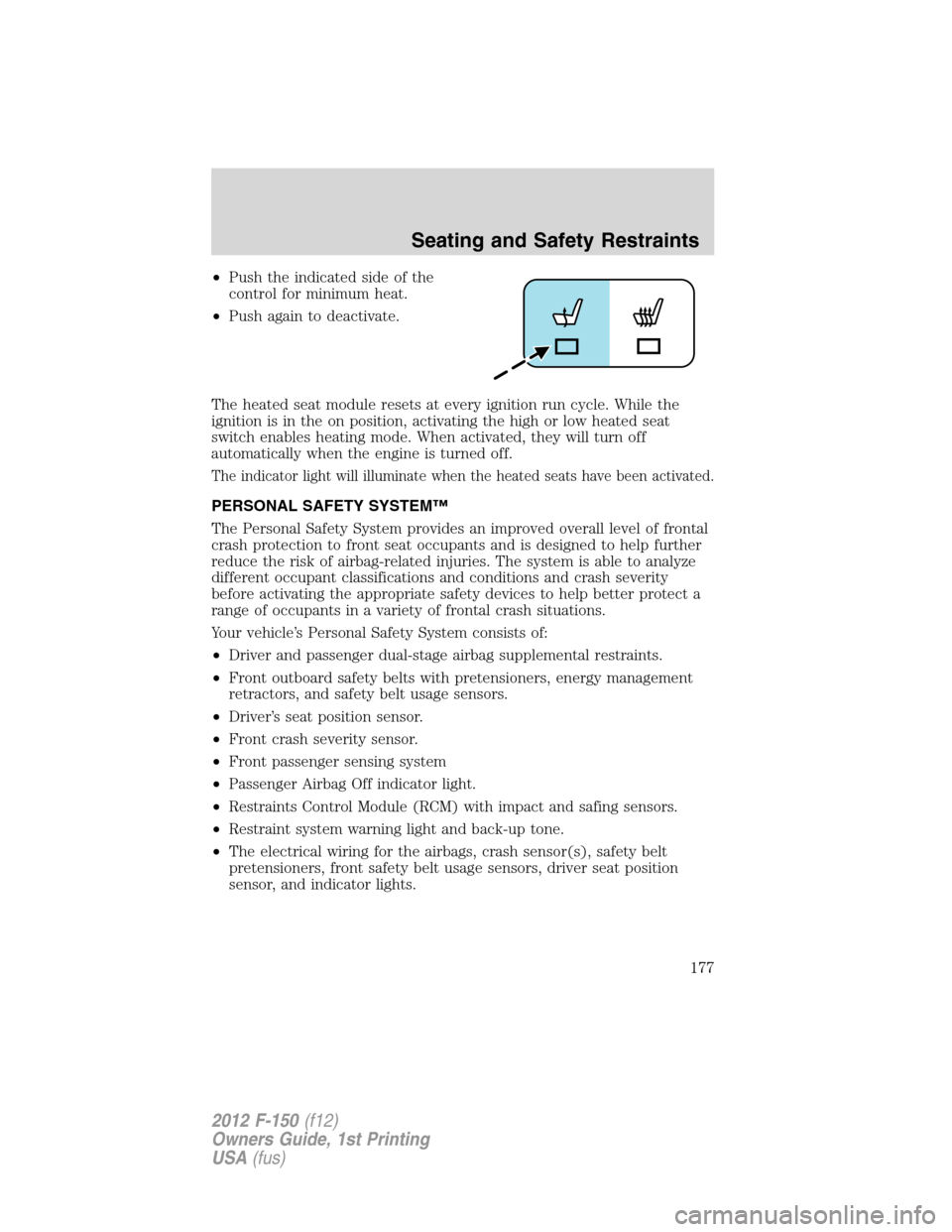
•Push the indicated side of the
control for minimum heat.
•Push again to deactivate.
The heated seat module resets at every ignition run cycle. While the
ignition is in the on position, activating the high or low heated seat
switch enables heating mode. When activated, they will turn off
automatically when the engine is turned off.
The indicator light will illuminate when the heated seats have been activated.
PERSONAL SAFETY SYSTEM™
The Personal Safety System provides an improved overall level of frontal
crash protection to front seat occupants and is designed to help further
reduce the risk of airbag-related injuries. The system is able to analyze
different occupant classifications and conditions and crash severity
before activating the appropriate safety devices to help better protect a
range of occupants in a variety of frontal crash situations.
Your vehicle’s Personal Safety System consists of:
•Driver and passenger dual-stage airbag supplemental restraints.
•Front outboard safety belts with pretensioners, energy management
retractors, and safety belt usage sensors.
•Driver’s seat position sensor.
•Front crash severity sensor.
•Front passenger sensing system
•Passenger Airbag Off indicator light.
•Restraints Control Module (RCM) with impact and safing sensors.
•Restraint system warning light and back-up tone.
•The electrical wiring for the airbags, crash sensor(s), safety belt
pretensioners, front safety belt usage sensors, driver seat position
sensor, and indicator lights.
Seating and Safety Restraints
177
2012 F-150(f12)
Owners Guide, 1st Printing
USA(fus)
Page 178 of 462
How does the Personal Safety System™ work?
The Personal Safety System can adapt the deployment strategy of your
vehicle’s safety devices according to crash severity and occupant
classification and conditions. A collection of crash and occupant sensors
provides information to the Restraints Control Module (RCM). During a
crash, the RCM may activate the safety belt pretensioners and/or either
none, one, or both stages of the dual-stage airbag supplemental restraints
based on crash severity and occupant classification and conditions.
The fact that the pretensioners or airbags did not activate for both front
seat occupants in a collision does not mean that something is wrong with
the system. Rather, it means the Personal Safety System determined the
accident conditions (crash severity, belt usage, etc.) were not appropriate
to activate these safety devices. Front airbags are designed to activate only
in frontal and near-frontal collisions, not rollovers, side-impacts, or
rear-impacts unless the collision causes sufficient longitudinal deceleration.
Driver and passenger dual-stage airbag supplemental restraints
The dual-stage airbags offer the capability to tailor the level of airbag
inflation energy. A lower, less forceful energy level is provided for more
common, moderate-severity impacts. A higher energy level is used for
the most severe impacts. Refer toAirbag Supplemental Restraints
(SRS)section in this chapter.
Front crash severity sensor
The front crash severity sensor enhances the ability to detect the
severity of an impact. Positioned up front, it provides valuable
information early in the crash event on the severity of the impact. This
allows your Personal Safety System to distinguish between different
levels of crash severity and modify the deployment strategy of the
dual-stage airbags and safety belt pretensioners.
Driver’s seat position sensor
The driver’s seat position sensor allows your Personal Safety System to
tailor the deployment level of the driver dual-stage airbag based on seat
position. The system is designed to help protect smaller drivers sitting
close to the driver airbag by providing a lower airbag output level.
Front passenger sensing system
For airbags to do their job they must inflate with great force, and this force
can pose a potentially deadly risk to occupants that are very close to the
airbag when it begins to inflate. For some occupants, like infants in
rear-facing child seats, this occurs because they are initially sitting very
close to the airbag. For other occupants, this occurs when the occupant is
not properly restrained by safety belts or child safety seats and they move
Seating and Safety Restraints
178
2012 F-150(f12)
Owners Guide, 1st Printing
USA(fus)