Page 1 of 160
Introduction 3
Instrument Cluster 10
Warning lights and chimes 10
Gauges 13
Message center 16
Lights 20
Headlamps 20
Turn signal control 21
Bulb replacement 21
Driver Controls 22
Windshield wiper/washer control 22
Steering wheel adjustment 22
Speed control 23
Tires, Wheels and Loading 25
Tire information 25
Tire inflation 27
Vehicle loading 42
Trailer towing 48
Driving 51
Starting 51
Brakes 54
Transmission operation 58
Roadside Emergencies 64
Getting roadside assistance 64
Hazard flasher control 65
Fuses and relays 66
Changing tires 74
Wheel lug nut torque 79
Jump starting 80
Wrecker towing 83
Table of Contents
1
2012 Motorhome(mot)
Supplement, 2nd Printing
USA(fus)
Page 12 of 160
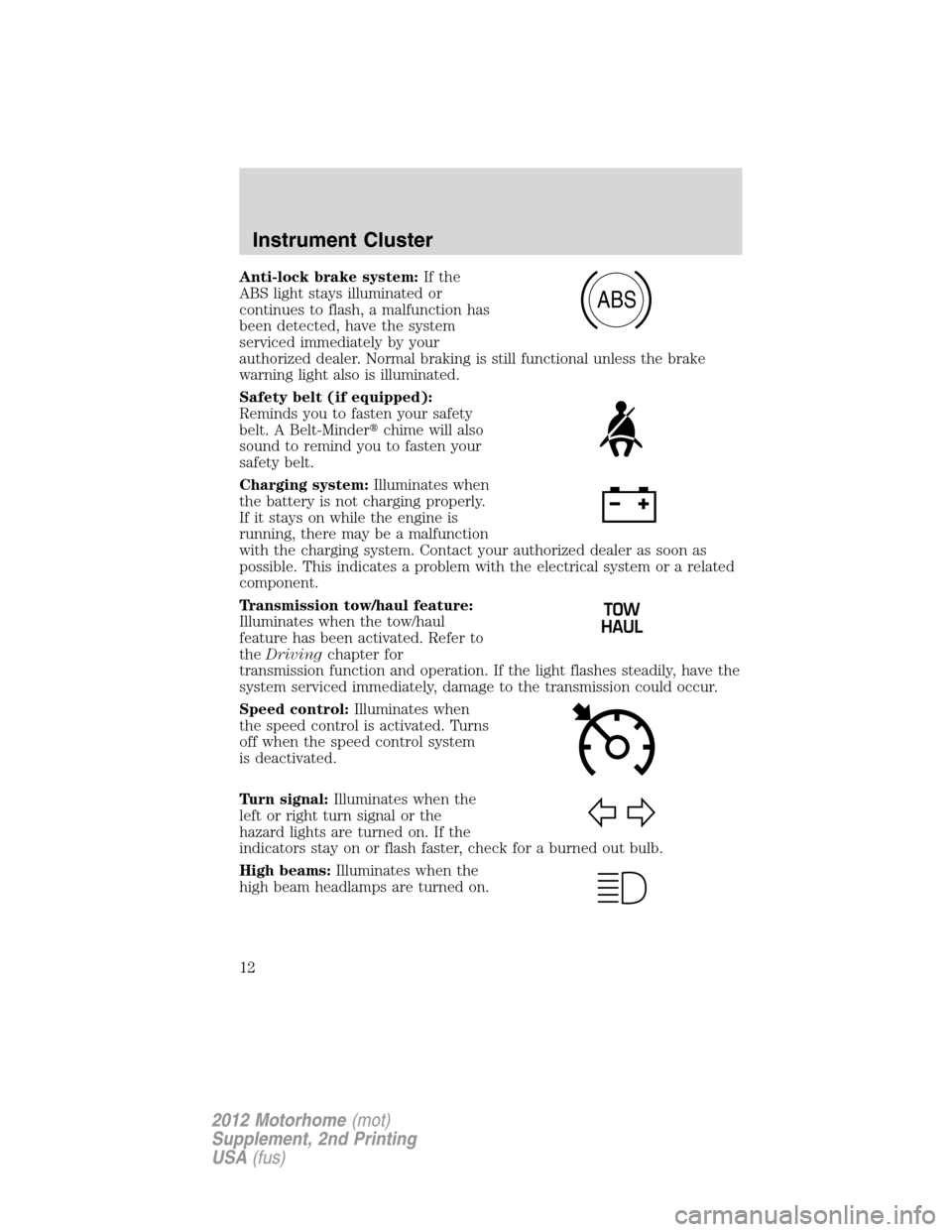
Anti-lock brake system:If the
ABS light stays illuminated or
continues to flash, a malfunction has
been detected, have the system
serviced immediately by your
authorized dealer. Normal braking is still functional unless the brake
warning light also is illuminated.
Safety belt (if equipped):
Reminds you to fasten your safety
belt. A Belt-Minder�chime will also
sound to remind you to fasten your
safety belt.
Charging system:Illuminates when
the battery is not charging properly.
If it stays on while the engine is
running, there may be a malfunction
with the charging system. Contact your authorized dealer as soon as
possible. This indicates a problem with the electrical system or a related
component.
Transmission tow/haul feature:
Illuminates when the tow/haul
feature has been activated. Refer to
theDrivingchapter for
transmission function and operation. If the light flashes steadily, have the
system serviced immediately, damage to the transmission could occur.
Speed control:Illuminates when
the speed control is activated. Turns
off when the speed control system
is deactivated.
Turn signal:Illuminates when the
left or right turn signal or the
hazard lights are turned on. If the
indicators stay on or flash faster, check for a burned out bulb.
High beams:Illuminates when the
high beam headlamps are turned on.
ABS
Instrument Cluster
12
2012 Motorhome(mot)
Supplement, 2nd Printing
USA(fus)
Page 15 of 160
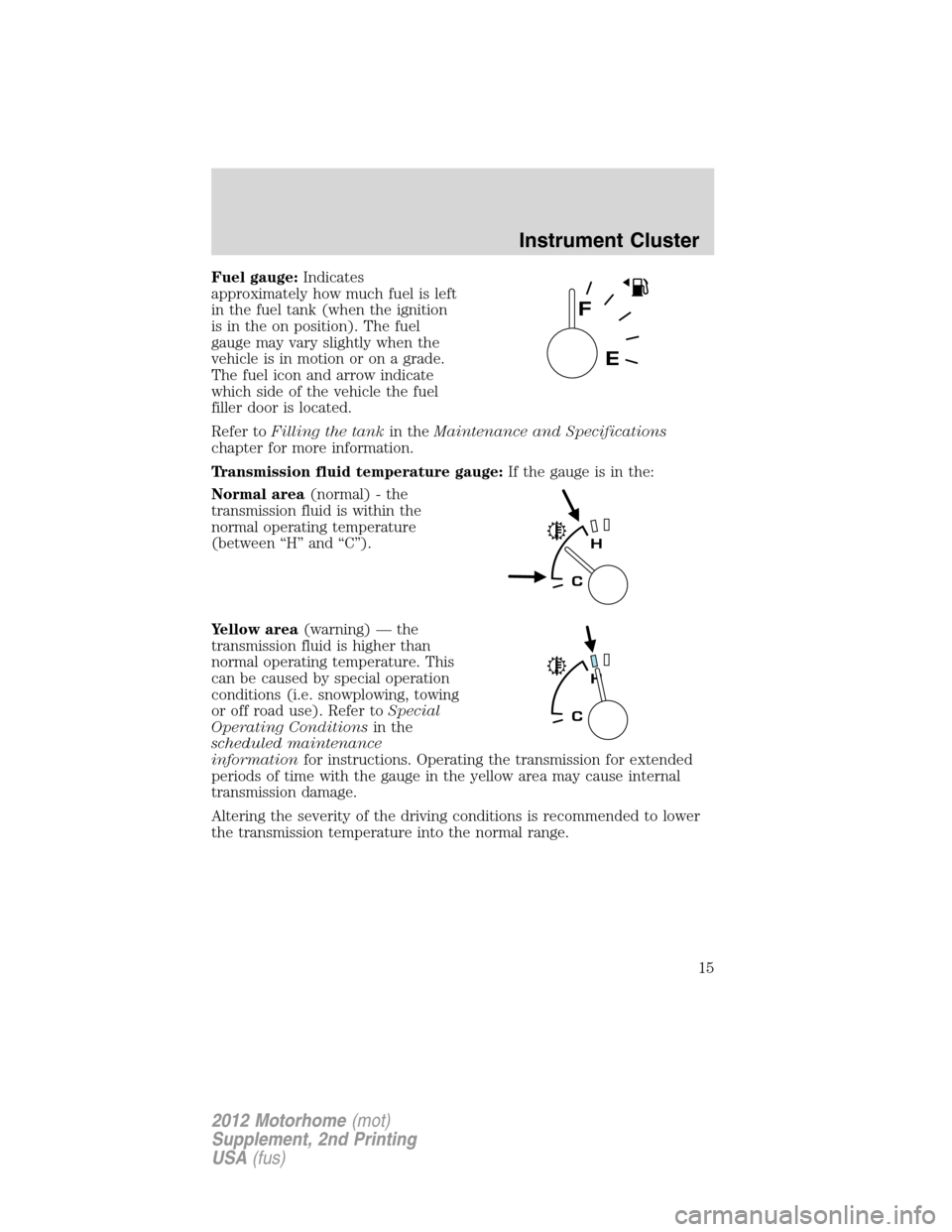
Fuel gauge:Indicates
approximately how much fuel is left
in the fuel tank (when the ignition
is in the on position). The fuel
gauge may vary slightly when the
vehicle is in motion or on a grade.
The fuel icon and arrow indicate
which side of the vehicle the fuel
filler door is located.
Refer toFilling the tankin theMaintenance and Specifications
chapter for more information.
Transmission fluid temperature gauge:If the gauge is in the:
Normal area(normal) - the
transmission fluid is within the
normal operating temperature
(between “H” and “C”).
Yellow area(warning) — the
transmission fluid is higher than
normal operating temperature. This
can be caused by special operation
conditions (i.e. snowplowing, towing
or off road use). Refer toSpecial
Operating Conditionsin the
scheduled maintenance
informationfor instructions. Operating the transmission for extended
periods of time with the gauge in the yellow area may cause internal
transmission damage.
Altering the severity of the driving conditions is recommended to lower
the transmission temperature into the normal range.
Instrument Cluster
15
2012 Motorhome(mot)
Supplement, 2nd Printing
USA(fus)
Page 16 of 160
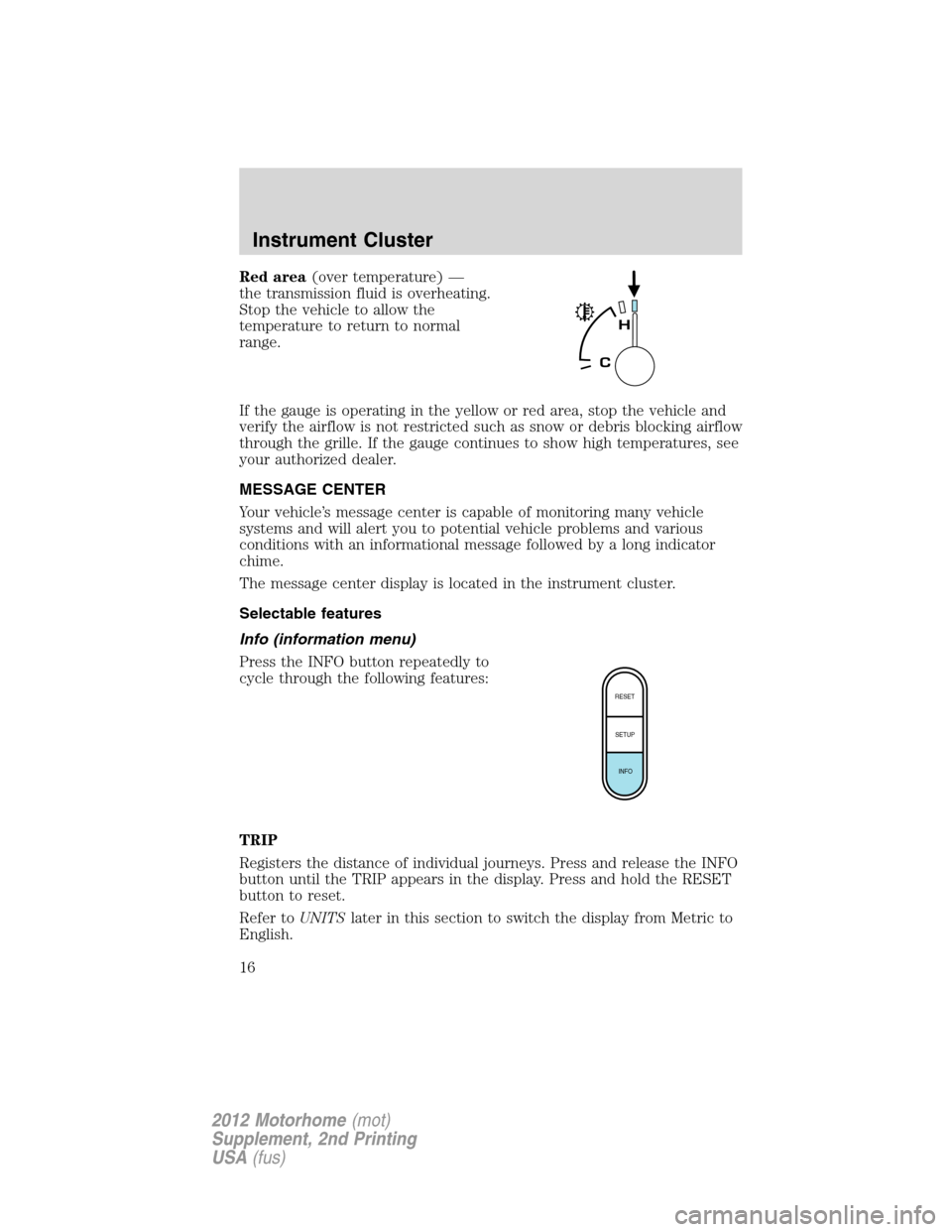
Red area(over temperature) —
the transmission fluid is overheating.
Stop the vehicle to allow the
temperature to return to normal
range.
If the gauge is operating in the yellow or red area, stop the vehicle and
verify the airflow is not restricted such as snow or debris blocking airflow
through the grille. If the gauge continues to show high temperatures, see
your authorized dealer.
MESSAGE CENTER
Your vehicle’s message center is capable of monitoring many vehicle
systems and will alert you to potential vehicle problems and various
conditions with an informational message followed by a long indicator
chime.
The message center display is located in the instrument cluster.
Selectable features
Info (information menu)
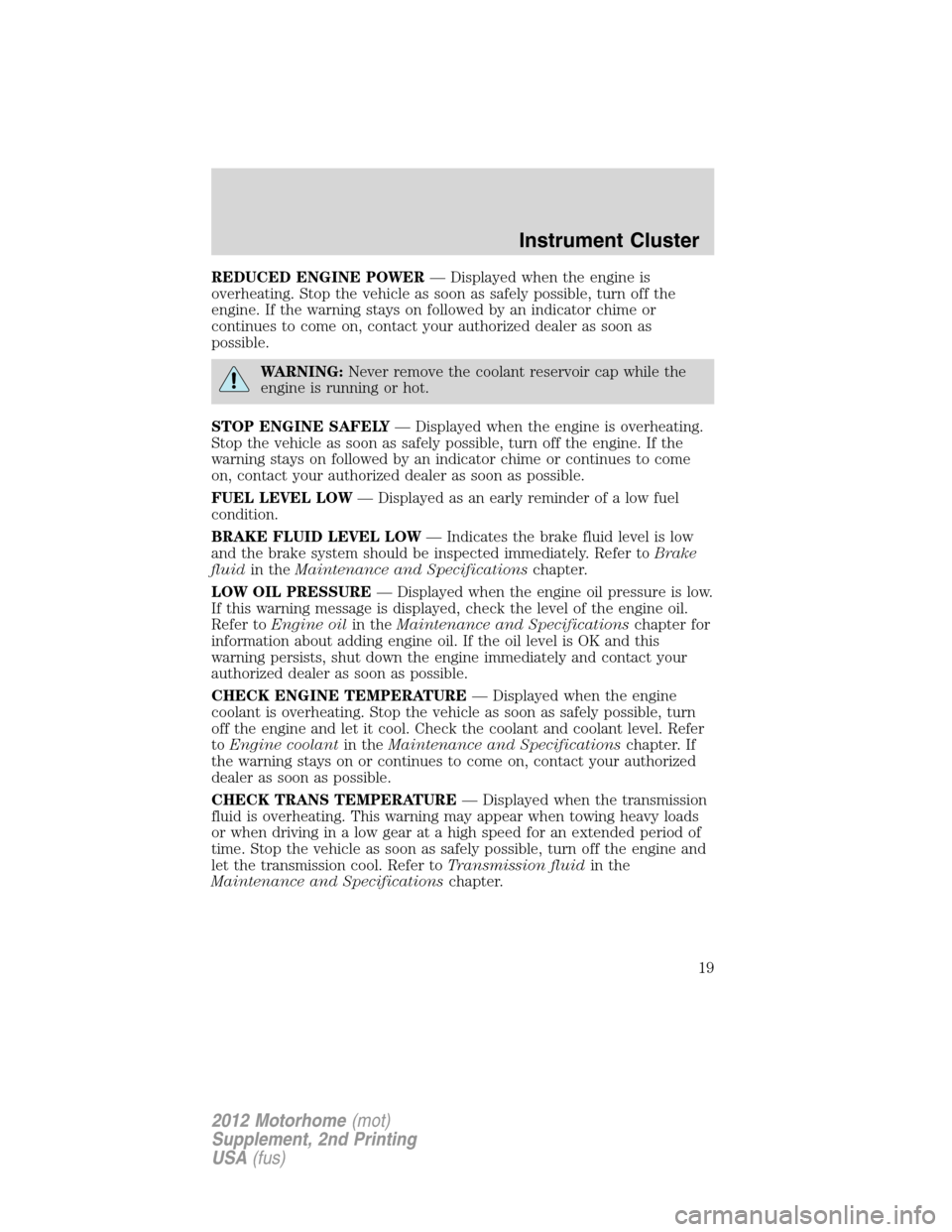
Press the INFO button repeatedly to
cycle through the following features:
TRIP
Registers the distance of individual journeys. Press and release the INFO
button until the TRIP appears in the display. Press and hold the RESET
button to reset.
Refer toUNITSlater in this section to switch the display from Metric to
English.
RESET
SETUP
INFO
Instrument Cluster
16
2012 Motorhome(mot)
Supplement, 2nd Printing
USA(fus)
Page 19 of 160
REDUCED ENGINE POWER— Displayed when the engine is
overheating. Stop the vehicle as soon as safely possible, turn off the
engine. If the warning stays on followed by an indicator chime or
continues to come on, contact your authorized dealer as soon as
possible.
WARNING:Never remove the coolant reservoir cap while the
engine is running or hot.
STOP ENGINE SAFELY— Displayed when the engine is overheating.
Stop the vehicle as soon as safely possible, turn off the engine. If the
warning stays on followed by an indicator chime or continues to come
on, contact your authorized dealer as soon as possible.
FUEL LEVEL LOW— Displayed as an early reminder of a low fuel
condition.
BRAKE FLUID LEVEL LOW— Indicates the brake fluid level is low
and the brake system should be inspected immediately. Refer toBrake
fluidin theMaintenance and Specificationschapter.
LOW OIL PRESSURE— Displayed when the engine oil pressure is low.
If this warning message is displayed, check the level of the engine oil.
Refer toEngine oilin theMaintenance and Specificationschapter for
information about adding engine oil. If the oil level is OK and this
warning persists, shut down the engine immediately and contact your
authorized dealer as soon as possible.
CHECK ENGINE TEMPERATURE— Displayed when the engine
coolant is overheating. Stop the vehicle as soon as safely possible, turn
off the engine and let it cool. Check the coolant and coolant level. Refer
toEngine coolantin theMaintenance and Specificationschapter. If
the warning stays on or continues to come on, contact your authorized
dealer as soon as possible.
CHECK TRANS TEMPERATURE— Displayed when the transmission
fluid is overheating. This warning may appear when towing heavy loads
or when driving in a low gear at a high speed for an extended period of
time. Stop the vehicle as soon as safely possible, turn off the engine and
let the transmission cool. Refer toTransmission fluidin the
Maintenance and Specificationschapter.
Instrument Cluster
19
2012 Motorhome(mot)
Supplement, 2nd Printing
USA(fus)
Page 23 of 160
SPEED CONTROL
With speed control set, you can maintain a set speed without keeping
your foot on the accelerator pedal.
WARNING:Do not use the speed control in heavy traffic or on
roads that are winding, slippery or unpaved.
Using speed control
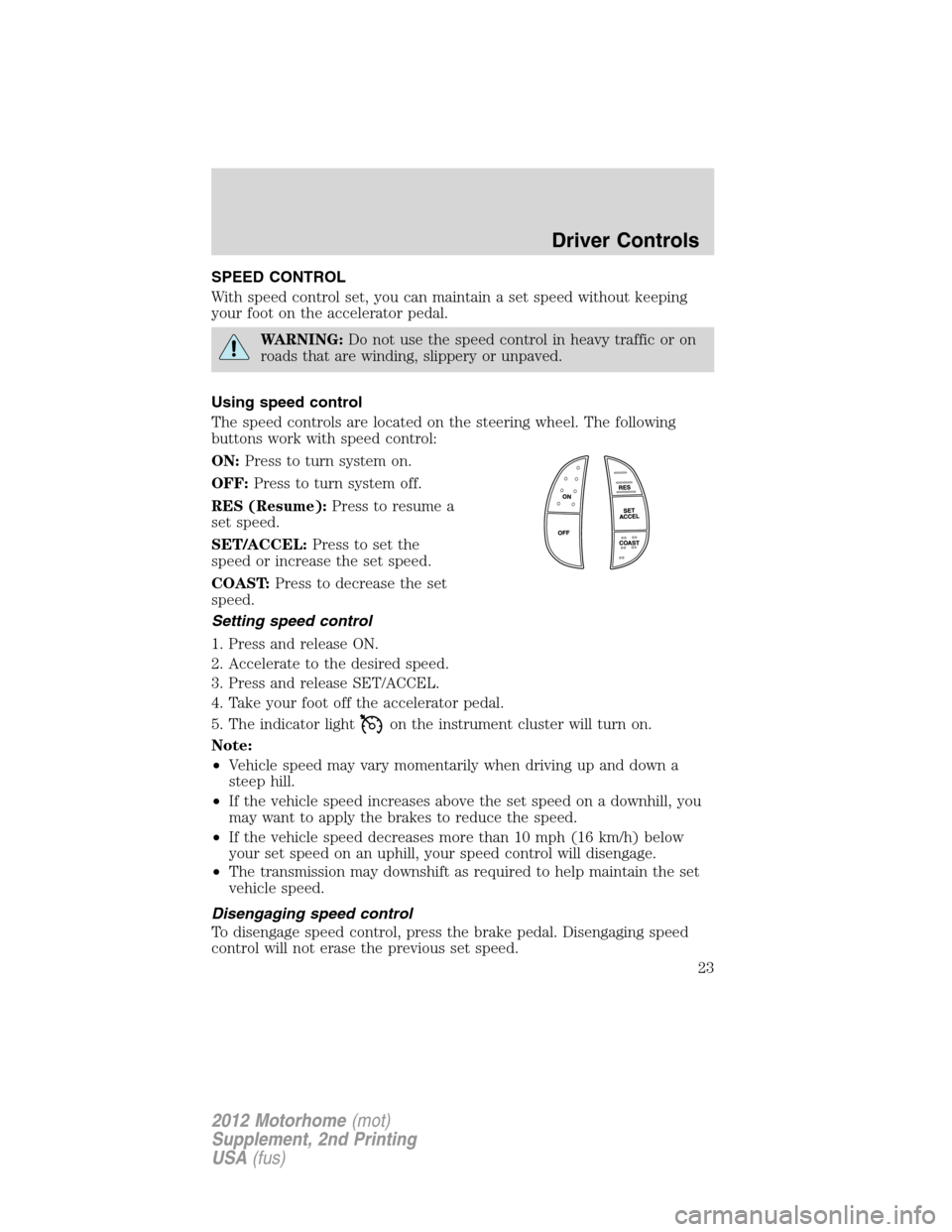
The speed controls are located on the steering wheel. The following
buttons work with speed control:
ON:Press to turn system on.
OFF:Press to turn system off.
RES (Resume):Press to resume a
set speed.
SET/ACCEL:Press to set the
speed or increase the set speed.
COAST:Press to decrease the set
speed.
Setting speed control
1. Press and release ON.
2. Accelerate to the desired speed.
3. Press and release SET/ACCEL.
4. Take your foot off the accelerator pedal.
5. The indicator light
on the instrument cluster will turn on.
Note:
•Vehicle speed may vary momentarily when driving up and down a
steep hill.
•If the vehicle speed increases above the set speed on a downhill, you
may want to apply the brakes to reduce the speed.
•If the vehicle speed decreases more than 10 mph (16 km/h) below
your set speed on an uphill, your speed control will disengage.
•The transmission may downshift as required to help maintain the set
vehicle speed.
Disengaging speed control
To disengage speed control, press the brake pedal. Disengaging speed
control will not erase the previous set speed.
Driver Controls
23
2012 Motorhome(mot)
Supplement, 2nd Printing
USA(fus)
Page 24 of 160
Resuming a set speed
Press and release RES. This will automatically return the vehicle to the
previously set speed.
Increasing speed while using speed control
To increase the set speed:
•Press and hold SET/ACCEL until you get to the desired speed, then
release. You can also use SET/ACCEL to operate the tap-up function.
Press and release SET/ACCEL to increase the vehicle set speed in
approximately 1 mph (2 km/h) increments.
•Use the accelerator pedal to get to the desired speed. When the
vehicle reaches that speed, press and release SET/ACCEL.
•By either method, the transmission may downshift to help meet the
acceleration request.
Reducing speed while using speed control
To reduce the set speed:
•Press and hold COAST until you get to the desired speed, then
release. You can also use COAST to operate the tap-down function.
Press and release COAST to decrease the vehicle set speed in
approximately 1 mph (2 km/h) increments.
•Press the brake pedal until the desired vehicle speed is reached, then
press and release SET/ACCEL.
Turning off speed control
To turn off the speed control, press OFF or turn off the ignition.
Note:When you turn off the speed control or the ignition, your speed
control set speed memory is erased.
Driver Controls
24
2012 Motorhome(mot)
Supplement, 2nd Printing
USA(fus)
Page 44 of 160
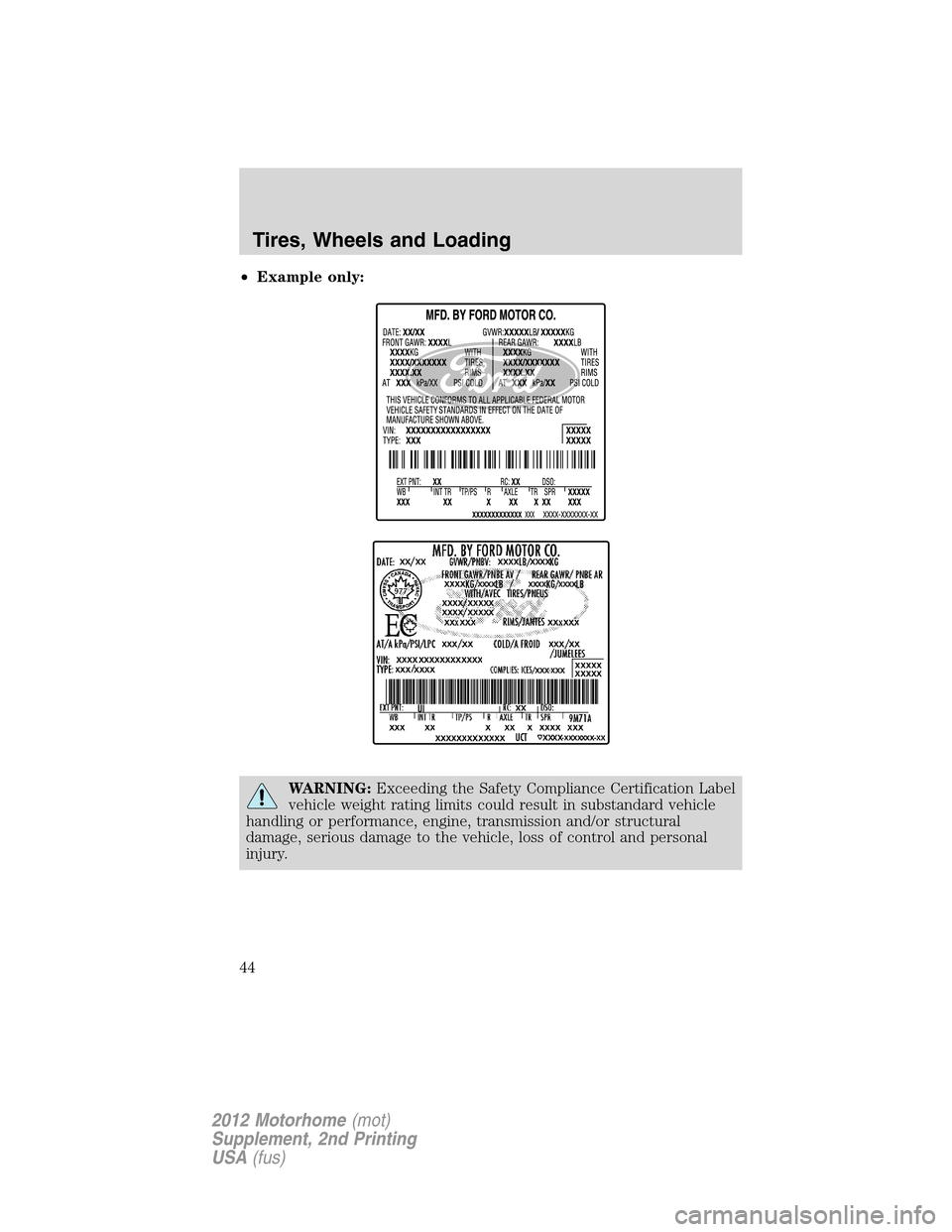
•Example only:
WARNING:Exceeding the Safety Compliance Certification Label
vehicle weight rating limits could result in substandard vehicle
handling or performance, engine, transmission and/or structural
damage, serious damage to the vehicle, loss of control and personal
injury.
Tires, Wheels and Loading
44
2012 Motorhome(mot)
Supplement, 2nd Printing
USA(fus)