Page 95 of 358
NOTE:The low beams and side/taillights will not be on
with DRL.
The DRL function can be turned on or off using the
display menus. Refer to “Electronic Vehicle Information
Center (EVIC)” in “Understanding Your Instrument
Panel” for further information.
Turn Signals
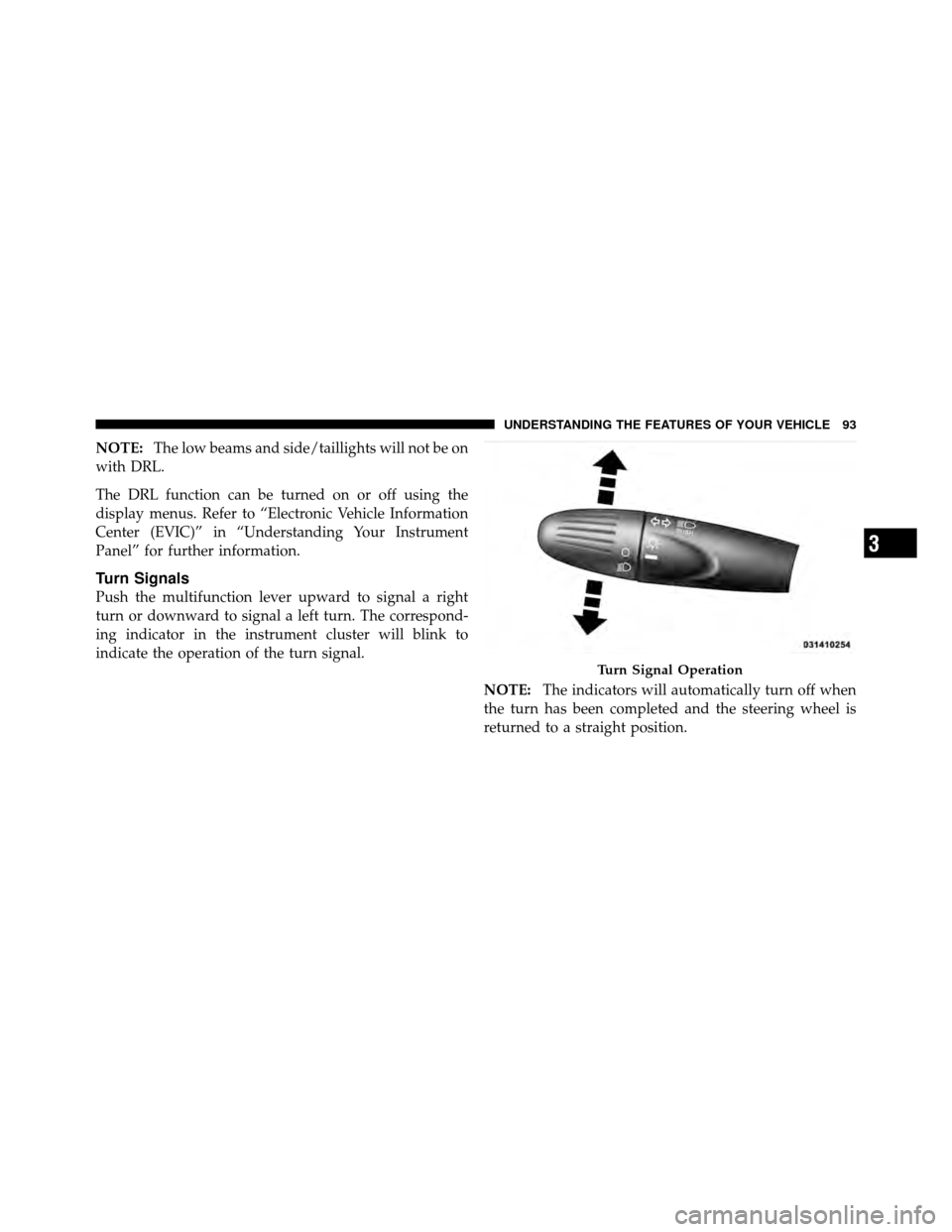
Push the multifunction lever upward to signal a right
turn or downward to signal a left turn. The correspond-
ing indicator in the instrument cluster will blink to
indicate the operation of the turn signal.
NOTE:The indicators will automatically turn off when
the turn has been completed and the steering wheel is
returned to a straight position.
Turn Signal Operation
3
UNDERSTANDING THE FEATURES OF YOUR VEHICLE 93
Page 96 of 358
Lane Change Assist
Tap the lever up or down once, without moving beyond
the detent, and the turn signal (right or left) will flash
three times then automatically turn off.
Follow Me Home/Headlight Delay
When this feature is selected the driver can choose to
have the headlights remain on for a preset period of time.
Activation
Remove the key or turn the ignition to the OFF/LOCK
position, and pull the multifunction lever toward the
steering wheel, within two minutes. Each time the lever
is pulled, the activation of the lights will be extended by
30 seconds. The activation of the lights can be extended to
a maximum of 210 seconds.
Deactivation
Pull the multifunction lever toward the steering wheel
and hold it for more than two seconds.
Interior Lights
The interior light switches are located in the overhead
console. The interior lights can be set to three different
positions (Off/Left Position, Center Position, On/Right
Position).
Using the switch on the left overhead, press the switch to
the right from its center position and the lights are always
on. Press the switch to the left from its center position and
the lights are always off. Leave the switch in the center
position, and the lights are turned on and off when the
doors are opened or closed. The switch on the right side
of the overhead console controls the map or reading
function of the lights. Press the switch to the right to turn
on the right light and press the switch to the left to turn
on the left light.
94 UNDERSTANDING THE FEATURES OF YOUR VEHICLE
Page 98 of 358
Front Fog Lights — If Equipped
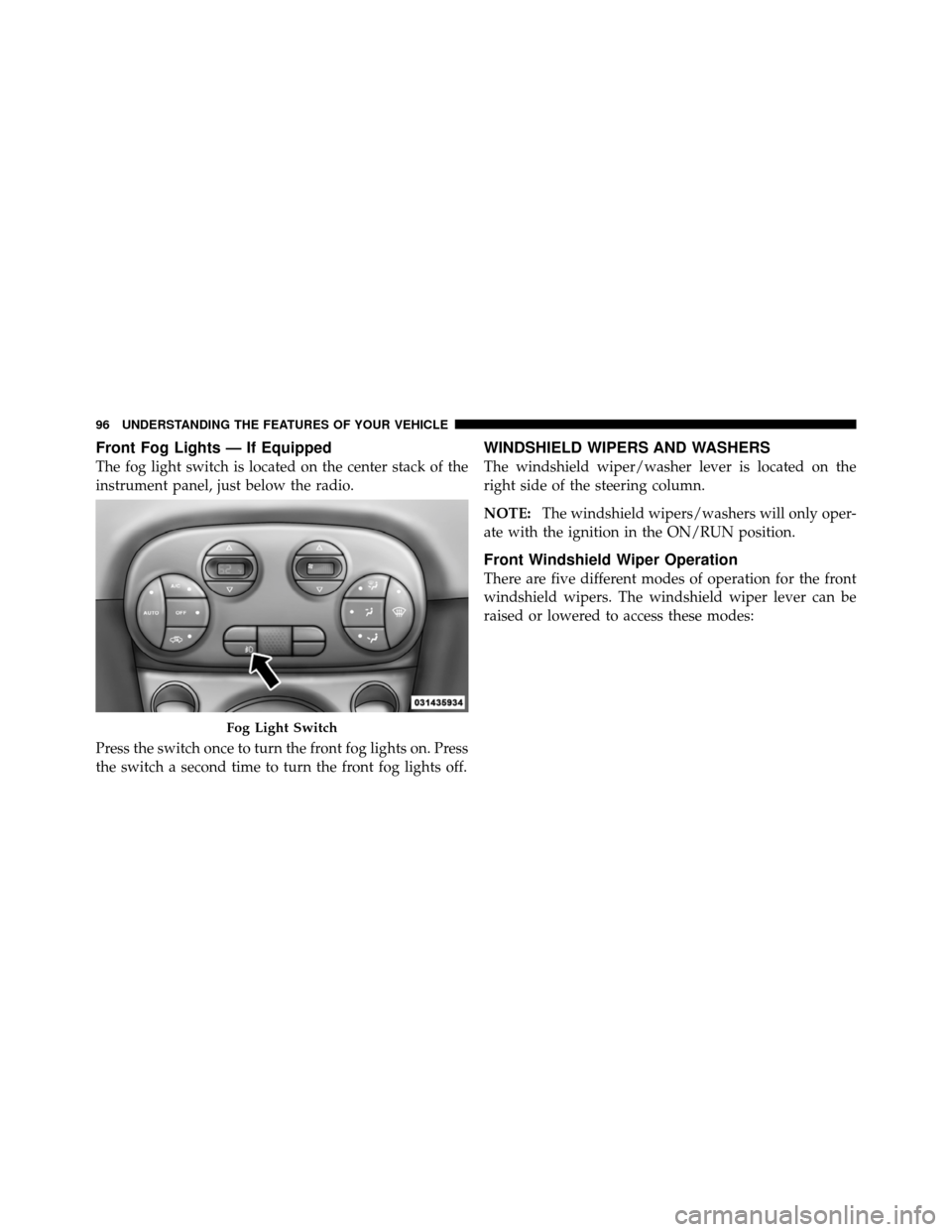
The fog light switch is located on the center stack of the
instrument panel, just below the radio.
Press the switch once to turn the front fog lights on. Press
the switch a second time to turn the front fog lights off.
WINDSHIELD WIPERS AND WASHERS
The windshield wiper/washer lever is located on the
right side of the steering column.
NOTE:The windshield wipers/washers will only oper-
ate with the ignition in the ON/RUN position.
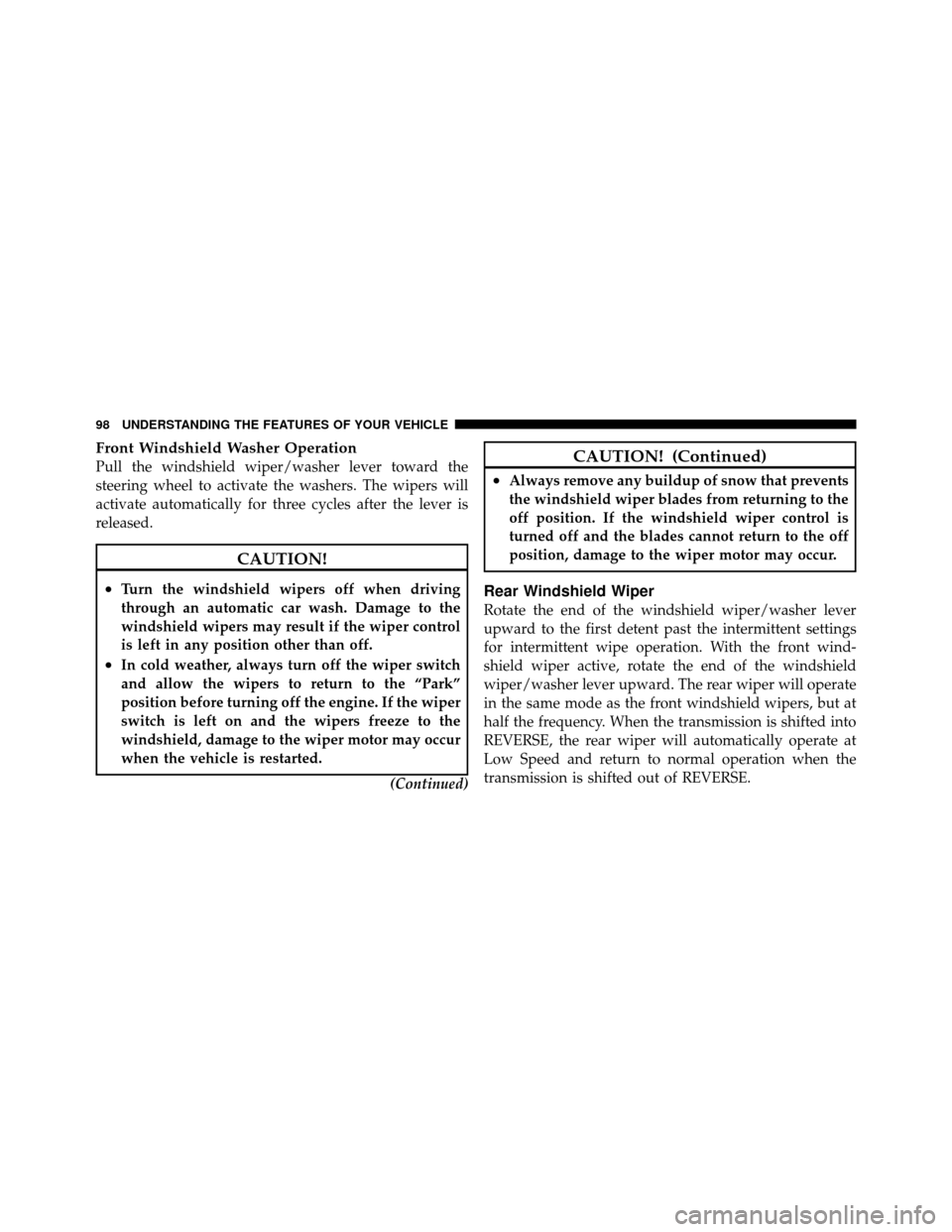
Front Windshield Wiper Operation
There are five different modes of operation for the front
windshield wipers. The windshield wiper lever can be
raised or lowered to access these modes:
Fog Light Switch
96 UNDERSTANDING THE FEATURES OF YOUR VEHICLE
Page 100 of 358
Front Windshield Washer Operation
Pull the windshield wiper/washer lever toward the
steering wheel to activate the washers. The wipers will
activate automatically for three cycles after the lever is
released.
CAUTION!
•Turn the windshield wipers off when driving
through an automatic car wash. Damage to the
windshield wipers may result if the wiper control
is left in any position other than off.
•In cold weather, always turn off the wiper switch
and allow the wipers to return to the “Park”
position before turning off the engine. If the wiper
switch is left on and the wipers freeze to the
windshield, damage to the wiper motor may occur
when the vehicle is restarted.(Continued)
CAUTION! (Continued)
•Always remove any buildup of snow that prevents
the windshield wiper blades from returning to the
off position. If the windshield wiper control is
turned off and the blades cannot return to the off
position, damage to the wiper motor may occur.
Rear Windshield Wiper
Rotate the end of the windshield wiper/washer lever
upward to the first detent past the intermittent settings
for intermittent wipe operation. With the front wind-
shield wiper active, rotate the end of the windshield
wiper/washer lever upward. The rear wiper will operate
in the same mode as the front windshield wipers, but at
half the frequency. When the transmission is shifted into
REVERSE, the rear wiper will automatically operate at
Low Speed and return to normal operation when the
transmission is shifted out of REVERSE.
98 UNDERSTANDING THE FEATURES OF YOUR VEHICLE
Page 102 of 358
TILT STEERING COLUMN — IF EQUIPPED
This feature allows you to tilt the steering column
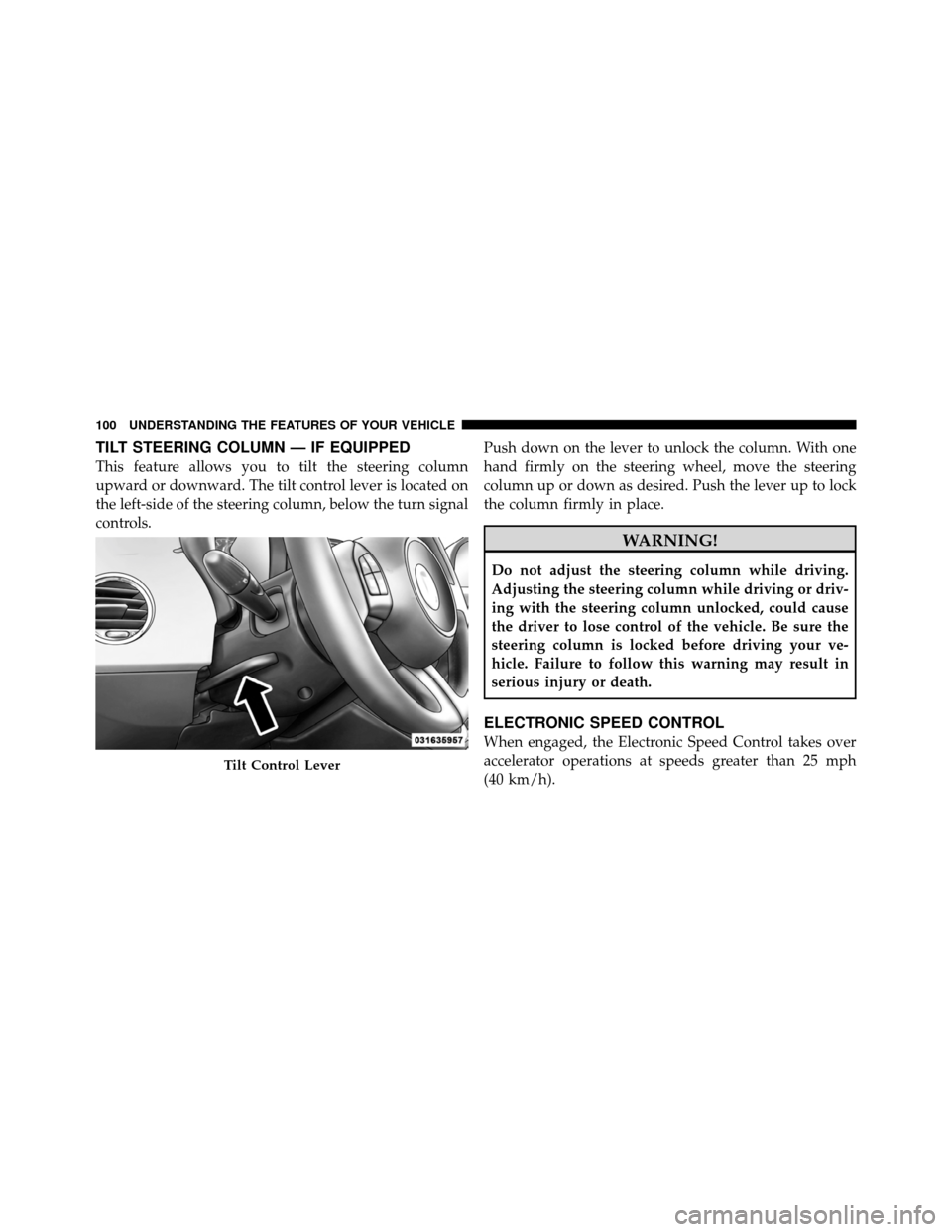
upward or downward. The tilt control lever is located on
the left-side of the steering column, below the turn signal
controls.Push down on the lever to unlock the column. With one
hand firmly on the steering wheel, move the steering
column up or down as desired. Push the lever up to lock
the column firmly in place.
WARNING!
Do not adjust the steering column while driving.
Adjusting the steering column while driving or driv-
ing with the steering column unlocked, could cause
the driver to lose control of the vehicle. Be sure the
steering column is locked before driving your ve-
hicle. Failure to follow this warning may result in
serious injury or death.
ELECTRONIC SPEED CONTROL
When engaged, the Electronic Speed Control takes over
accelerator operations at speeds greater than 25 mph
(40 km/h).
Tilt Control Lever
100 UNDERSTANDING THE FEATURES OF YOUR VEHICLE
Page 103 of 358
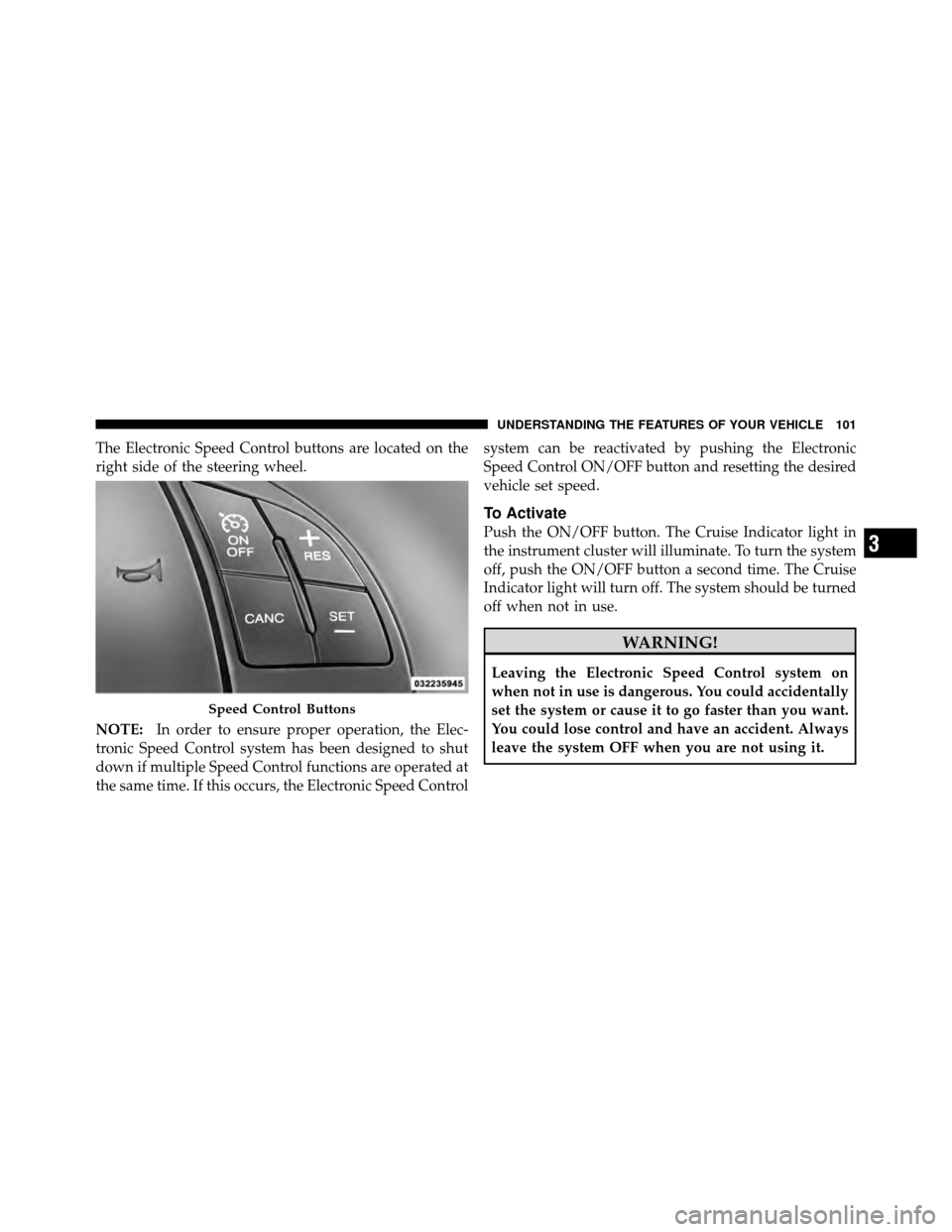
The Electronic Speed Control buttons are located on the
right side of the steering wheel.
NOTE:In order to ensure proper operation, the Elec-
tronic Speed Control system has been designed to shut
down if multiple Speed Control functions are operated at
the same time. If this occurs, the Electronic Speed Control system can be reactivated by pushing the Electronic
Speed Control ON/OFF button and resetting the desired
vehicle set speed.
To Activate
Push the ON/OFF button. The Cruise Indicator light in
the instrument cluster will illuminate. To turn the system
off, push the ON/OFF button a second time. The Cruise
Indicator light will turn off. The system should be turned
off when not in use.
WARNING!
Leaving the Electronic Speed Control system on
when not in use is dangerous. You could accidentally
set the system or cause it to go faster than you want.
You could lose control and have an accident. Always
leave the system OFF when you are not using it.
Speed Control Buttons
3
UNDERSTANDING THE FEATURES OF YOUR VEHICLE 101
Page 122 of 358

▫Technical Specifications ................ 154
▫ Quick Guide ....................... 155
▫ General Information .................. 158
▫ Functions And Adjustments ............. 159
▫ Radio ............................ 166
▫ Sirius� Satellite Radio — If Equipped ...... 168
▫ CD Player ......................... 171
▫ CD MP3 Player ..................... 173
▫ Troubleshooting ..................... 175
� iPod�/USB/Media Player Control — If
Equipped ............................ 176
� Steering Wheel Audio Controls ............ 177▫
Radio Operation ..................... 178
▫ CD Player Operation .................. 178
▫ Operating Instructions — Hands-Free Phone
(If Equipped) ....................... 179
� CD/DVD Disc Maintenance .............. 179
� Radio Operation And Mobile Phones ....... 179
� Climate Controls ...................... 180
▫ Manual Heating And Air Conditioning ..... 180
▫ Operating Tips Chart ................. 183
▫ Automatic Temperature Control (ATC) — If
Equipped .......................... 184
▫ Operating Tips ...................... 190
120 UNDERSTANDING YOUR INSTRUMENT PANEL
Page 129 of 358

electrical devices or increase engine speed (if at idle). If
the charging system light remains on, it means that the
vehicle is experiencing a problem with the charging
system. Obtain SERVICE IMMEDIATELY. See an autho-
rized dealer.
If jump starting is required, refer to “Jump Starting
Procedures” in “What To Do In Emergencies”.
13. Power Steering System WarningThis light is used to manage the electrical
warning of the EPS (Power Steering System).
Refer to “Power Steering” in “Starting and
Operating” for further information.
14. Electronic Throttle Control (ETC) Light This light informs you of a problem with the
Electronic Throttle Control (ETC) system. If a
problem is detected, the light will come on
while the engine is running. Cycle the ignition
key when the vehicle has completely stopped and the shift lever is placed in the NEUTRAL position. The light
should turn off. If the light remains lit with the engine
running, your vehicle will usually be drivable; however,
see an authorized dealer for service as soon as possible. If
the light is flashing when the engine is running, imme-
diate service is required and you may experience reduced
performance, an elevated/rough idle or engine stall and
your vehicle may require towing. The light will come on
when the ignition is first turned to ON/RUN and remain
on briefly as a bulb check. If the light does not come on
during starting, have the system checked by an autho-
rized dealer.
15. Tire Pressure Monitoring Telltale Light
Each tire, including the spare (if provided),
should be checked monthly when cold and
inflated to the inflation pressure recommended
by the vehicle manufacturer on the vehicle
placard or tire inflation pressure label. (If your vehicle
has tires of a different size than the size indicated on the
4
UNDERSTANDING YOUR INSTRUMENT PANEL 127