Page 95 of 358
NOTE:The low beams and side/taillights will not be on
with DRL.
The DRL function can be turned on or off using the
display menus. Refer to “Electronic Vehicle Information
Center (EVIC)” in “Understanding Your Instrument
Panel” for further information.
Turn Signals
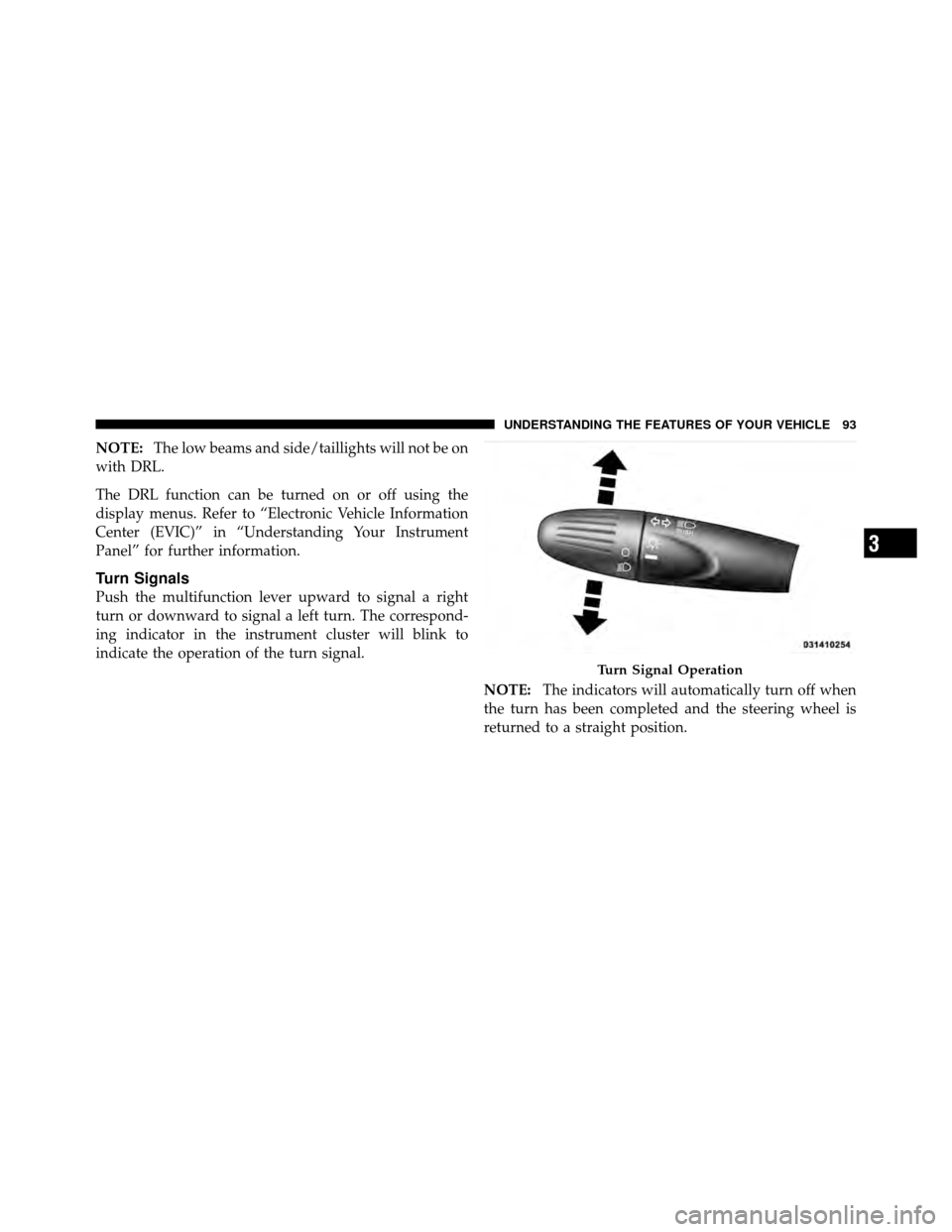
Push the multifunction lever upward to signal a right
turn or downward to signal a left turn. The correspond-
ing indicator in the instrument cluster will blink to
indicate the operation of the turn signal.
NOTE:The indicators will automatically turn off when
the turn has been completed and the steering wheel is
returned to a straight position.
Turn Signal Operation
3
UNDERSTANDING THE FEATURES OF YOUR VEHICLE 93
Page 110 of 358
WARNING!
•Drivers must be careful when backing up even
when using the Rear Park Assist system. Always
check carefully behind your vehicle, look behind
you, and be sure to check for pedestrians, animals,
other vehicles, obstructions, and blind spots be-
fore backing up. You are responsible for safety and
must continue to pay attention to your surround-
ings. Failure to do so can result in serious injury or
death.(Continued)
WARNING! (Continued)
•Before using the Rear Park Assist system, it is
strongly recommended that the ball mount and
hitch ball assembly is disconnected from the ve-
hicle when the vehicle is not used for towing.
Failure to do so can result in injury or damage to
vehicles or obstacles because the hitch ball will be
much closer to the obstacle than the rear fascia
when the loudspeaker sounds the continuous
tone. Also, the sensors could detect the ball mount
and hitch ball assembly, depending on its size and
shape, giving a false indication that an obstacle is
behind the vehicle.
108 UNDERSTANDING THE FEATURES OF YOUR VEHICLE
Page 130 of 358

vehicle placard or tire inflation pressure label, you should
determine the proper tire inflation pressure for those
tires.)
As an added safety feature, your vehicle has been
equipped with a Tire Pressure Monitoring System
(TPMS) that illuminates a low tire pressure telltale when
one or more of your tires is significantly under-inflated.
Accordingly, when the low tire pressure telltale illumi-
nates, you should stop and check your tires as soon as
possible, and inflate them to the proper pressure. Driving
on a significantly under-inflated tire causes the tire to
overheat and can lead to tire failure. Under-inflation also
reduces fuel efficiency and tire tread life, and may affect
the vehicle’s handling and stopping ability.
Please note that the TPMS is not a substitute for proper
tire maintenance, and it is the driver ’s responsibility to
maintain correct tire pressure, even if under-inflation has
not reached the level to trigger illumination of the TPMS
low tire pressure telltale.Your vehicle has also been equipped with a TPMS
malfunction indicator to indicate when the system is not
operating properly. The TPMS malfunction indicator is
combined with the low tire pressure telltale. When the
system detects a malfunction, the telltale will flash for
approximately one minute and then remain continuously
illuminated. This sequence will continue upon subse-
quent vehicle start-ups as long as the malfunction exists.
When the malfunction indicator is illuminated, the sys-
tem may not be able to detect or signal low tire pressure
as intended. TPMS malfunctions may occur for a variety
of reasons, including the installation of replacement or
alternate tires or wheels on the vehicle that prevent the
TPMS from functioning properly. Always check the
TPMS malfunction telltale after replacing one or more
tires or wheels on your vehicle, to ensure that the
replacement or alternate tires and wheels allow the TPMS
to continue to function properly.
128 UNDERSTANDING YOUR INSTRUMENT PANEL
Page 159 of 358
BUTTONRADIO FUNCTIONSMODE
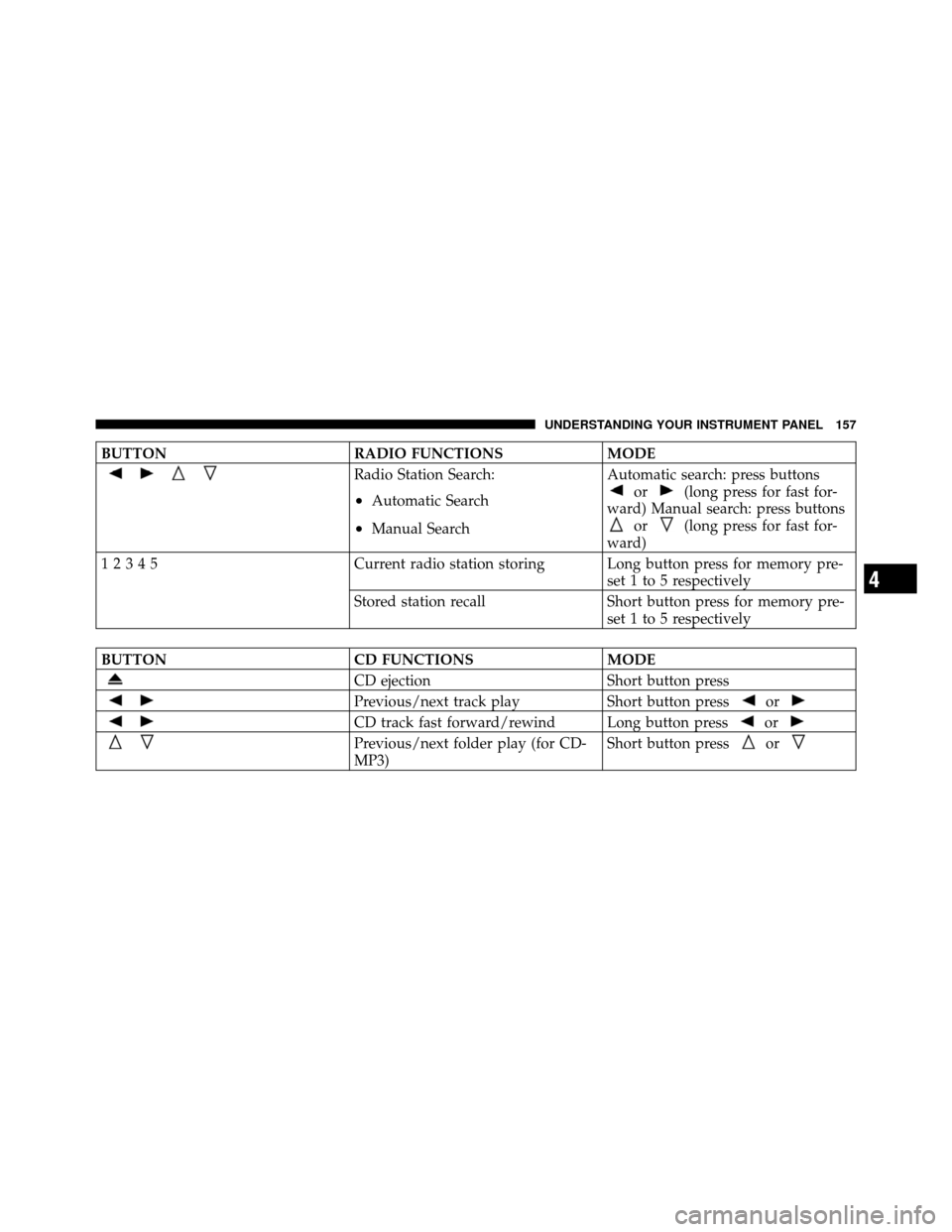
Radio Station Search:
•Automatic Search
•Manual SearchAutomatic search: press buttons
or(long press for fast for-
ward) Manual search: press buttons
or(long press for fast for-
ward)
12345 Current radio station storing Long button press for memory pre-
set 1 to 5 respectively
Stored station recall Short button press for memory pre-
set 1 to 5 respectively
BUTTON CD FUNCTIONSMODE
CD ejectionShort button press
Previous/next track playShort button pressor
CD track fast forward/rewind Long button pressor
Previous/next folder play (for CD-
MP3)Short button pressor
4
UNDERSTANDING YOUR INSTRUMENT PANEL 157
Page 169 of 358
Frequency Band Selection
With the Radio mode active, press the FM or AM tuner
button briefly and repeatedly to select the desired recep-
tion band.
Each time the button is pressed the following bands are
selected cyclically:
•AM, FM or SAT (if equipped)
Each band is highlighted by the corresponding wordings
on the display. The radio will be tuned to last station
selected on the respective frequency band.
Preset Buttons
The buttons numbered from 1 to 5 are used to set the
following pre-selections:
•15 in the FM band (5 in FMA, 5 in FMB, 5 in FMC
•10 in the AM band (5 in AMA, 5 in AMB)
•15 in SAT (if so equipped) (5 SATA, 5 SATB, 5 SATC) To listen to a preset station, select the desired frequency
band and then briefly press the corresponding preset
button (from 1 to 5).
By pressing the preset button for more than 2 seconds,
the tuned station will be stored. Pressing the A-B-C
button will change between the preset memory group in
the current frequency band.
Automatic Tuning
Briefly press theorbutton to start the automatic
tuning search for the next station that can be received in
the selected direction.
If the
orbutton is pressed for longer, the rapid
search is started. When the button is released, the tuner
will stop on the next station that can be received.
Manual Tuning
This is used to manually search for stations in the
preselected band.
4
UNDERSTANDING YOUR INSTRUMENT PANEL 167
Page 172 of 358
when installed in the customer ’s vehicle. To reactivate
your service, either call the number listed on the display
or visit the provider online.
CAUTION!
Neither SIRIUS nor FIAT is responsible for any
errors in accuracies in the SIRIUS data services or its
use in vehicles.
SIRIUS XM and all related marks and logos are trade-
marks of SIRIUS XM Radio Inc. and its subsidiaries.
SIRIUS Radio requires a subscription, sold separately
after trial subscription included with vehicle purchase.
Prices and programming are provided by SIRIUS and are
subject to change. Subscriptions governed by Terms &
Conditions available at sirius.com/service terms. SIRIUS
Radio U.S. service only available to those at least 18 years
of age in the 48 contiguous United States, D.C., & PR.
Visit www.sirius.com
Sirius Subscription Issues When Replacing A
Sirius Radio
When a radio needs to be replaced, the dealer will need
the SIRIUS information to order a new radio (even if the
SIRIUS subscription has lapsed). The ESN number con-
tains 12 digits.
The following are instructions for retrieving the Elec-
tronic Serial Number (ESN) from FIAT 500 NAFTA model
radios:
To retrieve the ESN of SIRIUS Satellite Receiver Module
tune to Channel 0. Make sure that when the order is
placed, the ESN are correct. If any of the ESN numbers
are not entered correctly, then the SIRIUS subscription
will not be able to be transferred to the new radio and
will not be active when installed in the customer ’s
vehicle.
170 UNDERSTANDING YOUR INSTRUMENT PANEL
Page 204 of 358
POWER STEERING
The standard power steering system will give you good
vehicle response and increased ease of maneuverability
in tight spaces. The system will provide mechanical
steering capability if power assist is lost.
If for some reason the power assist is interrupted, it will
still be possible to steer your vehicle. Under these condi-
tions, you will observe a substantial increase in steering
effort, especially at very low vehicle speeds and during
parking maneuvers.
The power steering system is speed sensitive for light
steering effort during slow speed parking maneuvers,
and gradually increases the steering effort as vehicle
speed increases to provide a tighter/more sporty steering
response.WARNING!
Continued operation with reduced or no power steer-
ing assist could pose a safety risk to yourself and
others. Service should be obtained as soon as pos-
sible.
PARKING BRAKE
Before leaving the vehicle, make sure that the parking
brake is fully applied. Also, be certain to leave manual
transmission in REVERSE or first gear.
The parking brake lever is located in the center console.
To apply the parking brake, pull the lever up as firmly as
possible. To release the parking brake, pull the lever up
slightly, press the center button, then lower the lever
completely.
202 STARTING AND OPERATING
Page 206 of 358
WARNING! (Continued)
•Be sure the parking brake is fully disengaged
before driving; failure to do so can lead to brake
failure and a collision.
•Always fully apply the parking brake when leav-
ing your vehicle, or it may roll and cause damage
or injury. Also, be certain to leave a manual
transmission in REVERSE or first gear. Failure to
do so may cause the vehicle to roll and cause
damage or injury.
CAUTION!
If the Brake Warning Light remains on with the
parking brake released, a brake system malfunction
is indicated. Have the brake system serviced by an
authorized dealer immediately.
SPORT MODE
In Sport mode, the engine is more responsive to the
throttle pedal, and provides more maximum torque by
increasing turbo boost pressure. Steering feedback is
improved, and steering effort is slightly higher. This
driving mode is useful for spirited driving.
1. To activate the Sport mode, press the SPORT button.
204 STARTING AND OPERATING