Page 272 of 603

�Uconnect Touch™ Settings ............... 295
▫ Hard-Keys ......................... 295
▫ Soft-Keys .......................... 296
▫ Customer Programmable Features —
Uconnect Touch™ 4.3 Settings ........... 296
▫ Customer Programmable Features —
Uconnect Touch™ System 8.4 Settings ...... 306
� Uconnect™ Multimedia Video Entertainment
System (VES)™ — If Equipped ............ 319
▫ Getting Started ...................... 319
▫ Single Video Screen ................... 320
▫ Play Video Games .................... 321
▫ Listen To An Audio Source On Channel 2
While A Video Is Playing On Channel 1 .... 322▫
Important Notes For Single Video Screen
System ............................ 323
▫ Play A DVD Using The
Touch-Screen Radio ................... 323
▫ Remote Control ..................... 325
▫ Remote Control Storage ................ 327
▫ Locking The Remote Control ............ 328
▫ Replacing The Remote Control Batteries .... 328
▫ Headphones Operation ................ 328
▫ Replacing The Headphone Batteries ....... 329
▫ Controls ........................... 329
▫ Unwired� Stereo Headphone Lifetime
Limited Warranty .................... 330
▫ System Information ................... 332
270 UNDERSTANDING YOUR INSTRUMENT PANEL
Page 273 of 603
�iPod�/USB/MP3 Control — If Equipped ..... 341
� Steering Wheel Audio Controls —
If Equipped .......................... 342
▫ Right-Hand Switch Functions ............ 342
▫ Left-Hand Switch Functions For Radio
Operation .......................... 342
▫ Left-Hand Switch Functions For Media
(i.e., CD) Operation ................... 343
� CD/DVD Disc Maintenance .............. 343
� Radio Operation And Mobile Phones ....... 344�
Climate Controls ...................... 344
▫ General Overview .................... 344
▫ Climate Control Functions .............. 352
▫ Automatic Temperature Control (ATC) ..... 353
▫ Rear Automatic Temperature Control (ATC)
— If Equipped ...................... 355
▫ Rear Blower Control .................. 358
▫ Rear Temperature Control .............. 358
▫ Rear Mode Control ................... 358
▫ Operating Tips ...................... 359
4
UNDERSTANDING YOUR INSTRUMENT PANEL 271
Page 298 of 603
change settings (i.e., 30, 60, 90), press the center of the
control knob one or more times to select or change a
setting (i.e., ON, OFF).
Soft-Keys
Soft-Keys are accessible on the Uconnect Touch™ display.
Customer Programmable Features — Uconnect
Touch™ 4.3 Settings
In this mode the Uconnect Touch™ system allows you to
access programmable features that may be equipped
such as Display, Clock, Safety/Assistance, Lights, Doors
& Locks, Heated Seats, Engine Off Operation, Compass
Settings, Audio, Phone/Bluetooth and SIRIUS Setup
through hard-keys and soft-keys.
NOTE:Only one touchscreen area may be selected at a
time. Press the
�Settings� hard-key to access the Settings screen,
use the Page Up/Down soft-keys to scroll through the
following settings. Touch the desired setting soft key to
change the setting using the description shown on the
following pages for each setting
1 — Uconnect Touch™ 4.3 Settings Hard-Key
296 UNDERSTANDING YOUR INSTRUMENT PANEL
Page 306 of 603

module is located, and it can cause interference with the
compass sensor, and it may give false readings.
•Calibration
Touch the Calibration soft-key to change this setting. This
compass is self-calibrating, which eliminates the need to
manually reset the compass. When the vehicle is new, the compass may appear erratic and the EVIC will display
CAL until the compass is calibrated. You may also
calibrate the compass by touching the ON soft-key and
completing one or more 360-degree turns (in an area free
from large metal or metallic objects) until the CAL
indicator displayed in the EVIC turns off. The compass
will now function normally.
NOTE:
A good calibration requires a level surface and
an environment free from large metallic objects such as
buildings, bridges, underground cables, railroad tracks,
etc.
Audio
•
Equalizer
Touch the Equalizer soft-key to change this display.
When in this display, you may adjust the Bass, Mid and
Treble settings. Adjust the settings with the + and –Compass Variance Map
304 UNDERSTANDING YOUR INSTRUMENT PANEL
Page 308 of 603

your selection, touch the Channel Skip soft-key, select the
channels you would like to skip. Then touch the arrow
back soft-key.
•Subscription Info
New vehicle purchasers or lessees will receive a free
limited time subscription to SIRIUS Satellite Radio with
your radio. Following the expiration of the free services,
it will be necessary to access the information on the
Subscription Information screen in order to re-subscribe.
Touch the Subscription Info soft-key to access the Sub-
scription Information screen.
Write down the SIRIUS ID numbers for your receiver. To
reactivate your service, either call the number listed on
the screen or visit the provider online.
NOTE: SIRIUS Travel Link is a separate subscription.
Customer Programmable Features — Uconnect
Touch™ System 8.4 Settings
Touch the More soft-key, then touch the Settings soft-key
to display the menu setting screen. In this mode the
Uconnect Touch™ system allows you to access program-
mable features that may be equipped such as Display,
Clock, Safety/Assistance, Lights, Doors & Locks,
Auto-On Comfort & Remote Start, Engine Off Operation,
Compass Settings, Audio, Phone/Bluetooth and SIRIUS
Setup.
NOTE:Only one touchscreen area may be selected at a
time.
306 UNDERSTANDING YOUR INSTRUMENT PANEL
Page 319 of 603
•Perform Compass Calibration
Touch the Calibration soft-key to change this setting. This
compass is self-calibrating, which eliminates the need to
manually reset the compass. When the vehicle is new, the
compass may appear erratic and the EVIC will display
CAL until the compass is calibrated. You may also
calibrate the compass by pressing the ON soft-key and
completing one or more 360-degree turns (in an area free
from large metal or metallic objects) until the CAL
indicator displayed in the EVIC turns off. The compass
will now function normally.
Audio
After pressing the Audio soft-key the following settings
will be available.
•Balance/Fade
When in this display you may adjust the Balance and
Fade settings.
•Equalizer
When in this display you may adjust the Bass, Mid and
Treble settings. Adjust the settings with the + and –
setting soft-keys or by selecting any point on the scale
between the + and – soft-keys. Then touch the arrow back
soft-key.
NOTE: Bass/Mid/Treble allow you to simply slide your
finger up or down to change the setting as well as touch
directly on the desired setting.
•Speed Adjusted Volume
This feature increases or decreases volume relative to
vehicle speed. To change the Speed Adjusted Volume
touch the Off, 1, 2 or 3 soft-key. Then touch the arrow
back soft-key.
4
UNDERSTANDING YOUR INSTRUMENT PANEL 317
Page 323 of 603
NOTE:
•The VES™ system will retain the last setting when
turned off.
•Viewing a DVD on the Touch-Screen radio screen is
not available in all states/provinces, and the vehicle
must be stopped, and the shift lever must be in the
PARK position for vehicles with automatic transmis-
sion. In vehicles with manual transmission the parking
brake must be engaged.
•Touching the screen on a Touch-Screen radio while a
DVD is playing brings up basic remote control func-
tions for DVD play such as scene selection, Play,
Pause, FF, RW, and Stop. Pressing the X in the upper
corner will turn off the remote control screen
functions.
Play Video Games
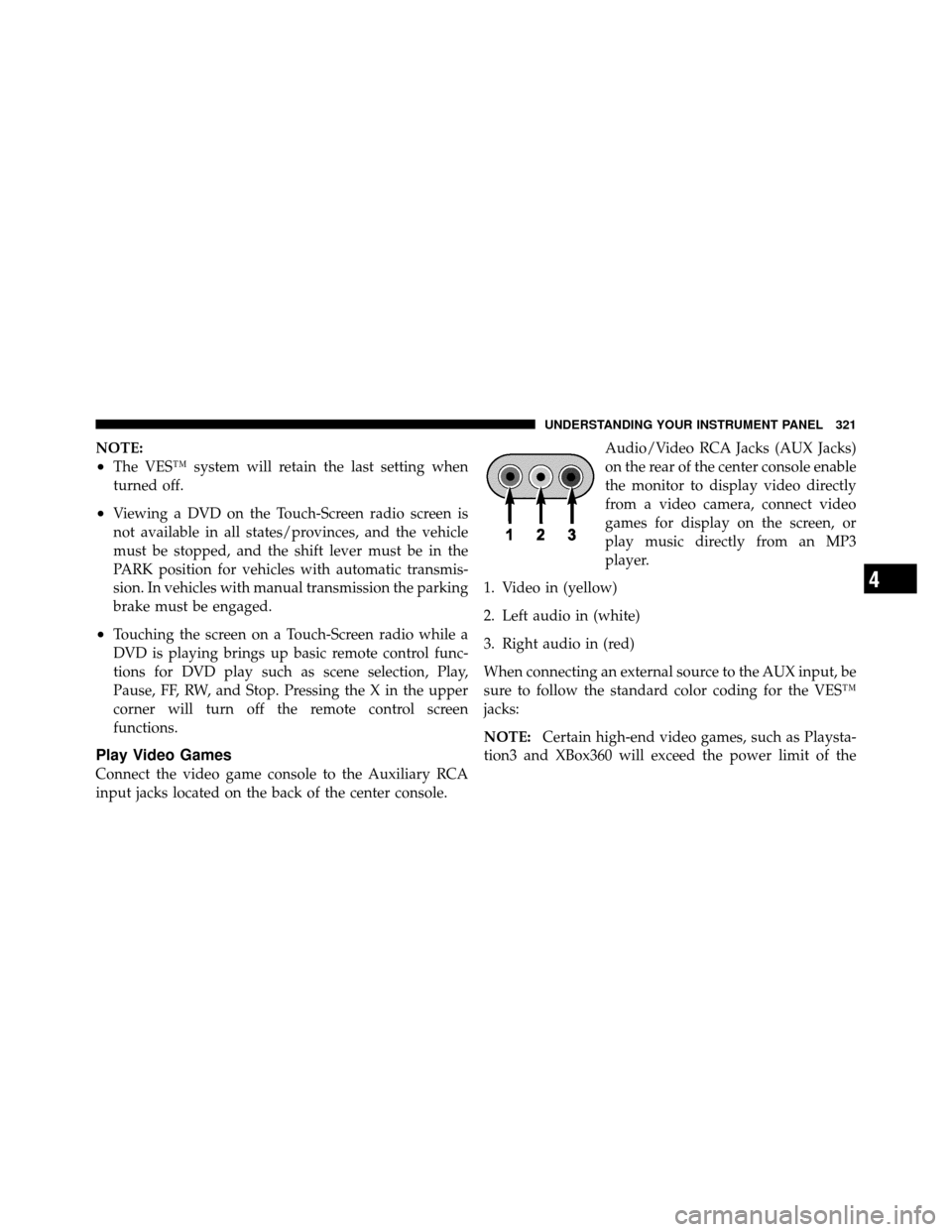
Connect the video game console to the Auxiliary RCA
input jacks located on the back of the center console.Audio/Video RCA Jacks (AUX Jacks)
on the rear of the center console enable
the monitor to display video directly
from a video camera, connect video
games for display on the screen, or
play music directly from an MP3
player.
1. Video in (yellow)
2. Left audio in (white)
3. Right audio in (red)
When connecting an external source to the AUX input, be
sure to follow the standard color coding for the VES™
jacks:
NOTE: Certain high-end video games, such as Playsta-
tion3 and XBox360 will exceed the power limit of the
4
UNDERSTANDING YOUR INSTRUMENT PANEL 321
Page 324 of 603
vehicle’s Power Inverter. Refer to the Power Inverter
section in your vehicle’s Owner’s Manual for more
information.
Ensure the Remote Control and Headphone switch is on
Channel 1.
Using The Remote Control
1. Press the MODE button on the Remote Control.
2. While looking at the video screen, highlight VES AUX
1, by either pressing Up/Down/Left/Right buttons or by
repeatedly pressing the MODE button, then press ENTER
on the Remote Control.
Using The Touch-Screen Radio Controls
1. Touch the “MORE” soft-key.
2. Touch the “Rear Entertainment” soft-key to display
the Rear Entertainment Controls.3. If the Rear Entertainment is turned off, touch the
“Power” soft-key.
4. Touch the “1” or “2” Source soft-key for the channel
desired and touch the “AUX” soft-key.
Listen To An Audio Source On Channel 2 While A
Video Is Playing On Channel 1
Ensure the Remote Control and Headphone switch is on
Channel 2.
Using The Remote Control
1. Press the MODE button on the Remote Control and
the Mode Select Screen will display, unless a video is
playing then only a small banner will appear on the
bottom of the screen.
2. While looking at the video screen, either press Up/
Down/Left/Right on the Remote Control to highlight the
322 UNDERSTANDING YOUR INSTRUMENT PANEL

