Page 267 of 594
Security
It is advised to erase all channels before you sell or turn
in your vehicle.
To do this, press and hold the two outside buttons for
20 seconds until the red indicator flashes. Note that all
channels will be erased. Individual channels cannot be
erased.
The HomeLink�Universal Transceiver is disabled when
the Vehicle Security Alarm is active.
Troubleshooting Tips
If you are having trouble programming HomeLink�, here
are some of the most common solutions:
•Replace the battery in the original hand-held transmit-
ter.
•Press the LEARN button on the Garage Door Opener
to complete the training for a Rolling Code.
•Did you unplug the device for programming and
remember to plug it back in?
If you have any problems, or require assistance, please
call toll-free 1–800–355–3515 or, on the Internet at
www.HomeLink.com for information or assistance.
3
UNDERSTANDING THE FEATURES OF YOUR VEHICLE 265
Page 303 of 594
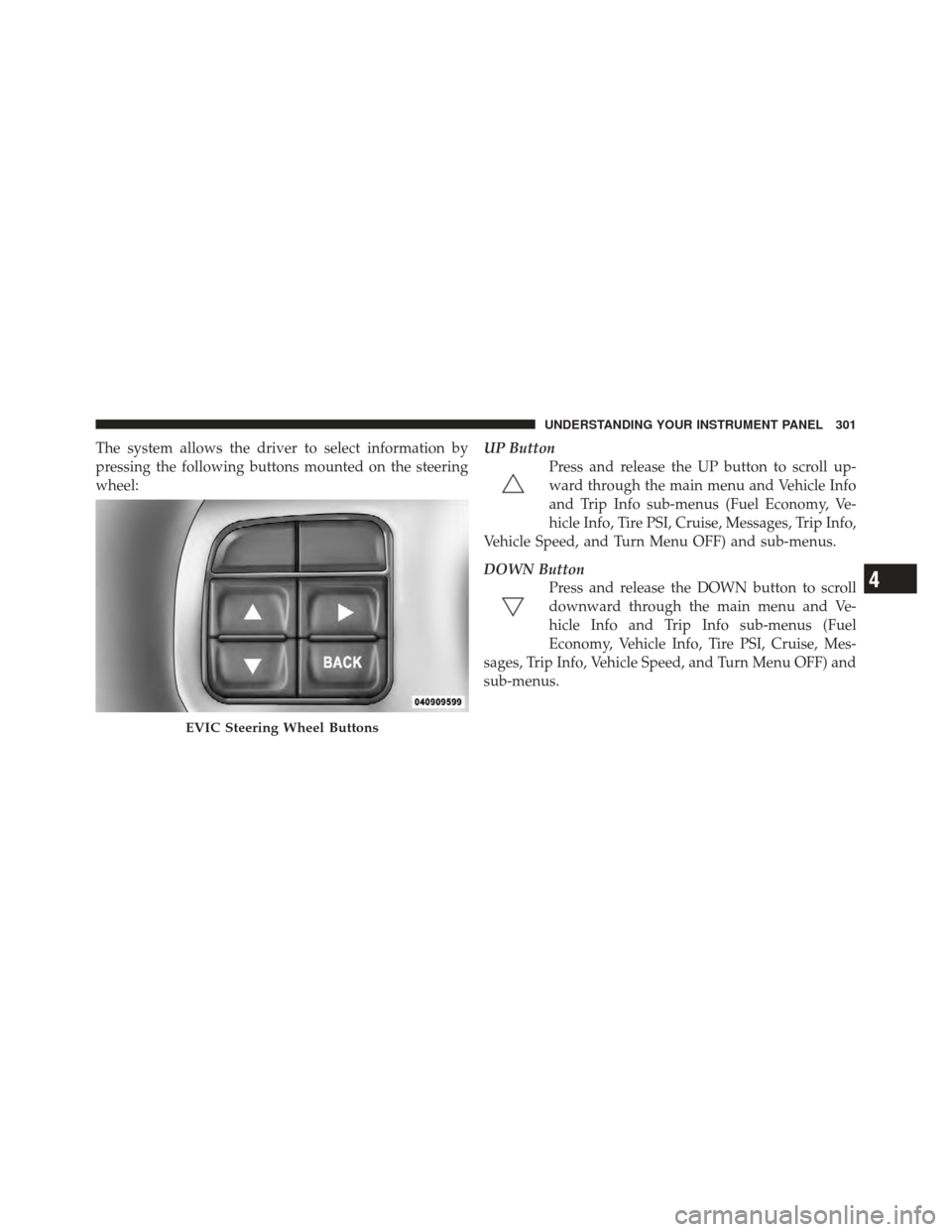
The system allows the driver to select information by
pressing the following buttons mounted on the steering
wheel:UP Button
Press and release the UP button to scroll up-
ward through the main menu and Vehicle Info
and Trip Info sub-menus (Fuel Economy, Ve-
hicle Info, Tire PSI, Cruise, Messages, Trip Info,
Vehicle Speed, and Turn Menu OFF) and sub-menus.
DOWN Button Press and release the DOWN button to scroll
downward through the main menu and Ve-
hicle Info and Trip Info sub-menus (Fuel
Economy, Vehicle Info, Tire PSI, Cruise, Mes-
sages, Trip Info, Vehicle Speed, and Turn Menu OFF) and
sub-menus.
EVIC Steering Wheel Buttons
4
UNDERSTANDING YOUR INSTRUMENT PANEL 301
Page 311 of 594
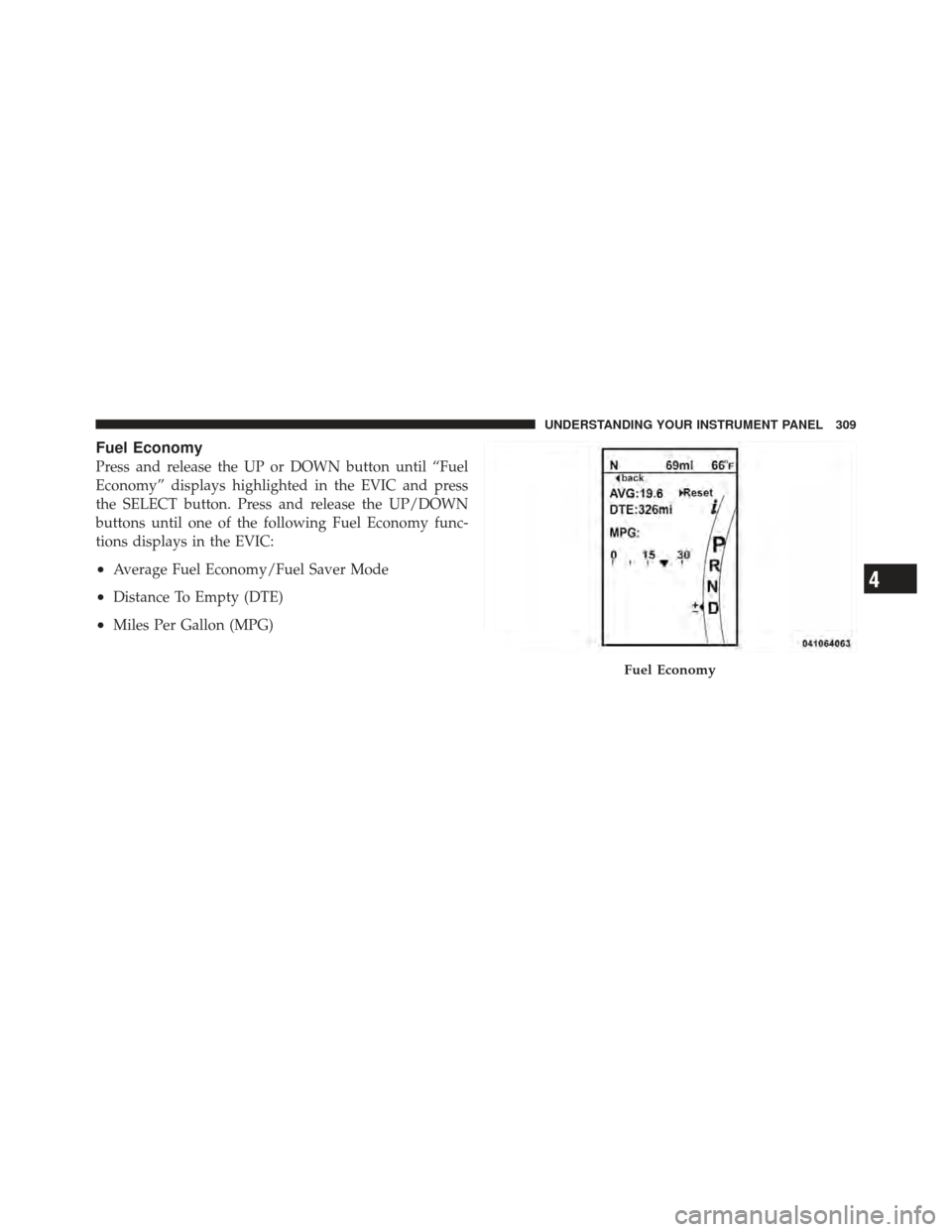
Fuel Economy
Press and release the UP or DOWN button until “Fuel
Economy” displays highlighted in the EVIC and press
the SELECT button. Press and release the UP/DOWN
buttons until one of the following Fuel Economy func-
tions displays in the EVIC:
•Average Fuel Economy/Fuel Saver Mode
•Distance To Empty (DTE)
•Miles Per Gallon (MPG)
Fuel Economy
4
UNDERSTANDING YOUR INSTRUMENT PANEL 309
Page 313 of 594
Miles Per Gallon (MPG)
The Miles Per Gallon (MPG) feature displays instanta-
neous fuel economy in a bar graph below the DTE, this
function cannot be reset. Press the BACK button to return
to the main menu.
Vehicle Speed
Press and release the UP or DOWN button until “Vehicle
Speed” displays highlighted in the EVIC and press the
SELECT button. Press the SELECT button to display the
current speed in mph or km/h. Pressing the SELECT
button a second time will toggle the unit of measure
between mph or km/h.
NOTE:Changing the unit of measure in the Vehicle
Speed menu will not change the unit of measure in the
EVIC.
Trip Info
Press and release the UP or DOWN button until “Trip
Info” displays highlighted in the EVIC and press the SELECT button. Press and release the UP/DOWN but-
tons until one of the following Trip functions displays in
the EVIC:
•Trip A
•Trip B
•Elapsed Time
Press the UP/DOWN buttons to cycle through all the
Trip Computer functions.
The Trip Functions mode displays the following informa-
tion:
Trip A
Shows the total distance traveled for Trip A since the last
reset.
Trip B
Shows the total distance traveled for Trip B since the last
reset.
4
UNDERSTANDING YOUR INSTRUMENT PANEL 311
Page 315 of 594
•Trans Temperature
Displays the actual transmission temperature.
•Engine Hours
Displays the number of hours of engine operation.
•Tire Pressure
Shows the actual tire pressure for each tire (EXCLUDING
THE SPARE TIRE).
Messages #
Select from Main Menu using the UP or DOWN buttons.
This feature shows the number of stored warning mes-
sages (in the # place holder). Pressing the SELECT button
will allow you to see what the stored messages are.
Pressing the BACK button takes you back to the Main
Menu.
Turn Menu OFF
Select from Main Menu using the DOWN button. Press-
ing the SELECT button blanks the menu display. Pressing
any one of the four steering wheel buttons brings the
menu back.
Uconnect Touch™ SETTINGS
The Uconnect Touch™ system uses a combination of soft
and hard keys located on the center of the instrument
panel that allows you to access and change the customer
programmable features.
Hard-Keys
Hard-Keys are located on the left and right side of the
Uconnect Touch™ 4.3 screen. In addition, there is a
Scroll/Enter control knob located on the right side of the
Climate Controls in the center of the instrument panel.
Turn the control knob to scroll through menus and
change settings (i.e., 30, 60, 90), press the center of the
control knob one or more times to select or change a
setting (i.e., ON, OFF).
4
UNDERSTANDING YOUR INSTRUMENT PANEL 313
Page 325 of 594
door(s) without having to press the RKE transmitter lock
or unlock buttons. To make your selection, touch the
Passive Entry soft-key and select ON or OFF. Then touch
the arrow back soft-key. Refer to “Keyless Enter-N-Go” in
“Things To Know Before Starting Your Vehicle”.
Heated Seats
•
Auto Heated Seats
Touch the Auto Heated Seats soft-key to change this
display. When this feature is selected, the driver’s heated
seat will automatically turn on when temperatures are
below 40° F (4.4° C). To make your selection, touch the
Auto Heated Seats soft-key and select ON or OFF. Then
touch the arrow back soft-key.
Engine Off Options
•
Easy Exit Seats — If Equipped
Touch the Easy Exit Seats soft-key to change this display.
This feature provides automatic driver seat positioning to enhance driver mobility when entering and exiting the
vehicle. To make your selection, touch the Easy Exit Seats
soft-key, and select ON or OFF. Then touch the arrow
back soft-key. Refer to “Driver Memory Seat” in “Under-
standing The Features Of Your Vehicle” for further infor-
mation.
•Headlight Off Delay
Touch the Headlight Off Delay soft-key to change this
display. When this feature is selected, the driver can
choose to have the headlights remain on for 0, 30, 60, or
90 seconds when exiting the vehicle. To change the
Headlight Off Delay status, touch the 0, 30, 60 or 90
soft-key. Then touch the arrow back soft-key.
•Engine Off Power Delay
Touch the Engine Off Power Delay soft-key to change this
display. When this feature is selected, the power window
switches, radio, Uconnect™ phone system (if equipped),
DVD video system (if equipped), power sunroof (if
4
UNDERSTANDING YOUR INSTRUMENT PANEL 323
Page 338 of 594
touch the Sound Horn With Remote Start soft-key, until a
check-mark appears next to setting, showing that setting
has been selected. Touch the back arrow soft-key to
return to the previous menu.
•1st Press Of Key Fob Unlocks
When 1st Press Of Key Fob Unlocks is selected, only the
driver’s door will unlock on the first press of the Remote
Keyless Entry (RKE) transmitter UNLOCK button. When
1st Press Of Key Fob Unlocks is selected, you must press
the RKE transmitter UNLOCK button twice to unlock the
passenger’s doors. When Unlock All Doors On 1st Press
is selected, all of the doors will unlock on the first press
of the RKE transmitter UNLOCK button.
NOTE: If the vehicle is programmed 1st Press Of Key
Fob Unlocks, all doors will unlock no matter which
Passive Entry equipped door handle is grasped. If 1st
Press Of Key Fob Unlocks is programmed, only the
driver ’s door will unlock when the driver ’s door is grasped. With Passive Entry, if 1st Press Of Key Fob
Unlocks is programmed touching the handle more than
once will only result in the driver ’s door opening. If
driver door first is selected, once the driver door is
opened, the interior door lock/unlock switch can be used
to unlock all doors (or use RKE transmitter).
•Passive Entry
This feature allows you to lock and unlock the vehicle’s
door(s) without having to press the Remote Keyless
Entry (RKE) transmitter lock or unlock buttons. To make
your selection, touch the Passive Entry soft-key, until a
check-mark appears next to setting, showing that setting
has been selected. Touch the back arrow soft-key to
return to the previous menu. Refer to “Keyless Enter-N-
Go” in “Things To Know Before Starting Your Vehicle”.
•Personal Settings Linked To FOB — If Equipped
This feature provides automatic driver seat positioning to
enhance driver mobility when entering and exiting the
336 UNDERSTANDING YOUR INSTRUMENT PANEL
Page 356 of 594
allowed in Defrost mode to improve window clearing
operation. Recirculation will be disabled automatically if
this mode is selected. Attempting to use Recirculation
while in this mode will cause the LED in the control
button to blink and then turn off.
Automatic Temperature Control (ATC)
ATC Hard-keys are located in the center of the instru-
ment panel.
Soft-keys are accessible on the Uconnect Touch™ system
screen.
Automatic Operation
1. Press the AUTO hard-key or soft-key button (9) on the
Automatic Temperature Control (ATC) Panel.
2. Next, adjust the temperature you would like the
system to maintain by adjusting the driver and passenger
temperature hard or soft control buttons (6, 7, 10, 11).Once the desired temperature is displayed, the system
will achieve and automatically maintain that comfort
level.
3. When the system is set up for your comfort level, it is
not necessary to change the settings. You will experience
the greatest efficiency by simply allowing the system to
function automatically.
NOTE:
•It is not necessary to move the temperature settings for
cold or hot vehicles. The system automatically adjusts
the temperature, mode and blower speed to provide
comfort as quickly as possible.
•The temperature can be displayed in U.S. or Metric
units by selecting the US/M customer-programmable
feature. Refer to the “Uconnect Touch™ System Set-
tings” in this section of the manual.
354 UNDERSTANDING YOUR INSTRUMENT PANEL
Page:
< prev 1-8 9-16 17-24