Page 141 of 471
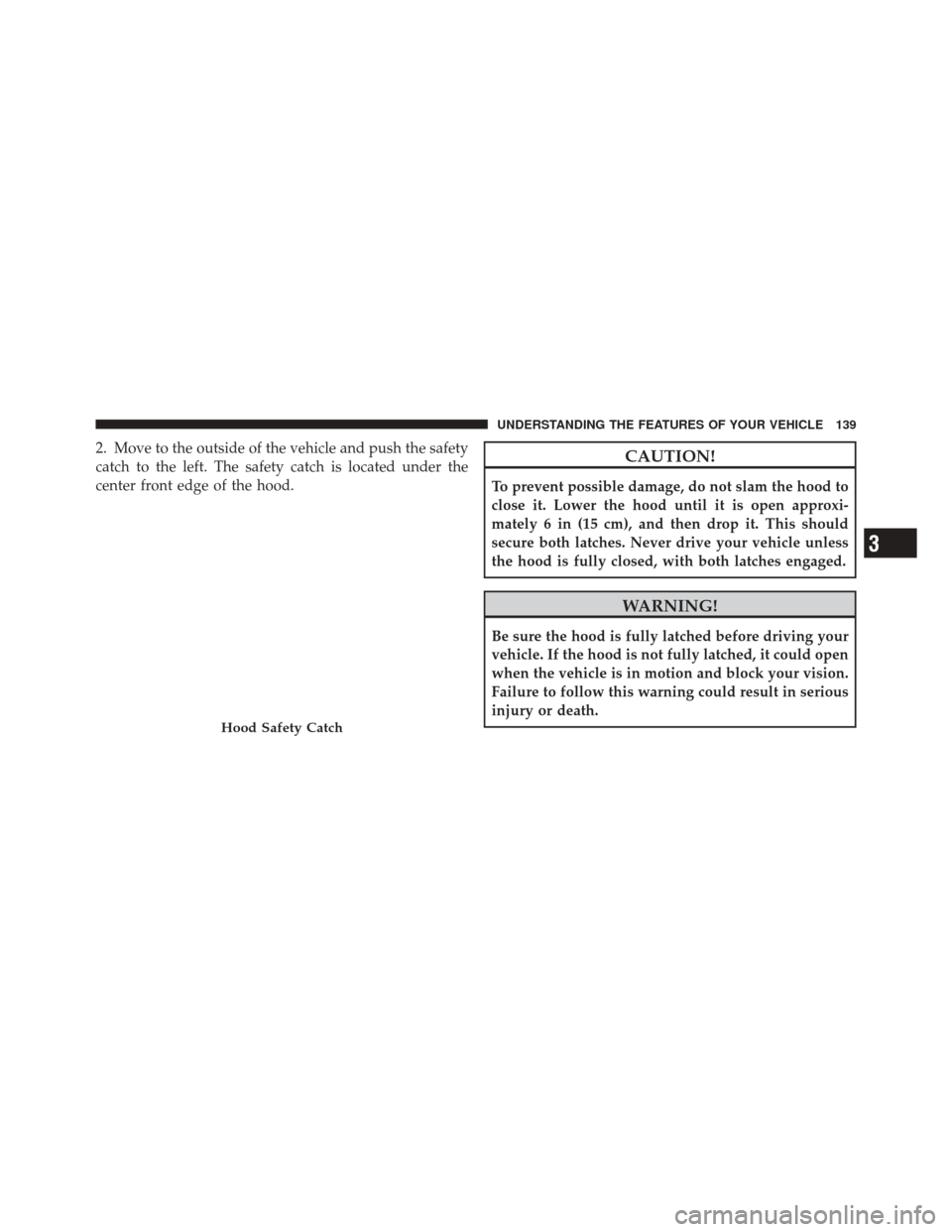
2. Move to the outside of the vehicle and push the safety
catch to the left. The safety catch is located under the
center front edge of the hood.CAUTION!
To prevent possible damage, do not slam the hood to
close it. Lower the hood until it is open approxi-
mately 6 in (15 cm), and then drop it. This should
secure both latches. Never drive your vehicle unless
the hood is fully closed, with both latches engaged.
WARNING!
Be sure the hood is fully latched before driving your
vehicle. If the hood is not fully latched, it could open
when the vehicle is in motion and block your vision.
Failure to follow this warning could result in serious
injury or death.
Hood Safety Catch
3
UNDERSTANDING THE FEATURES OF YOUR VEHICLE 139
Page 156 of 471
These lights also turn on when a door is opened, when
the UNLOCK button on the Remote Keyless Entry (RKE)
transmitter is pressed, or when the dimmer control is
turned fully upward, past the second detent.
Sunglasses Storage
At the rear of the console, a compartment is provided for
the storage of a pair of sunglasses.
The storage compartment access is a “push/push” de-
sign. Push on the raised bar on the compartment door to
open. Push on the raised bar to close.
GARAGE DOOR OPENER — IF EQUIPPED
HomeLink�replaces up to three hand-held transmitters
that operate devices such as garage door openers, motor-
ized gates, lighting or home security systems. The
HomeLink� unit is powered by your vehicles 12 Volt
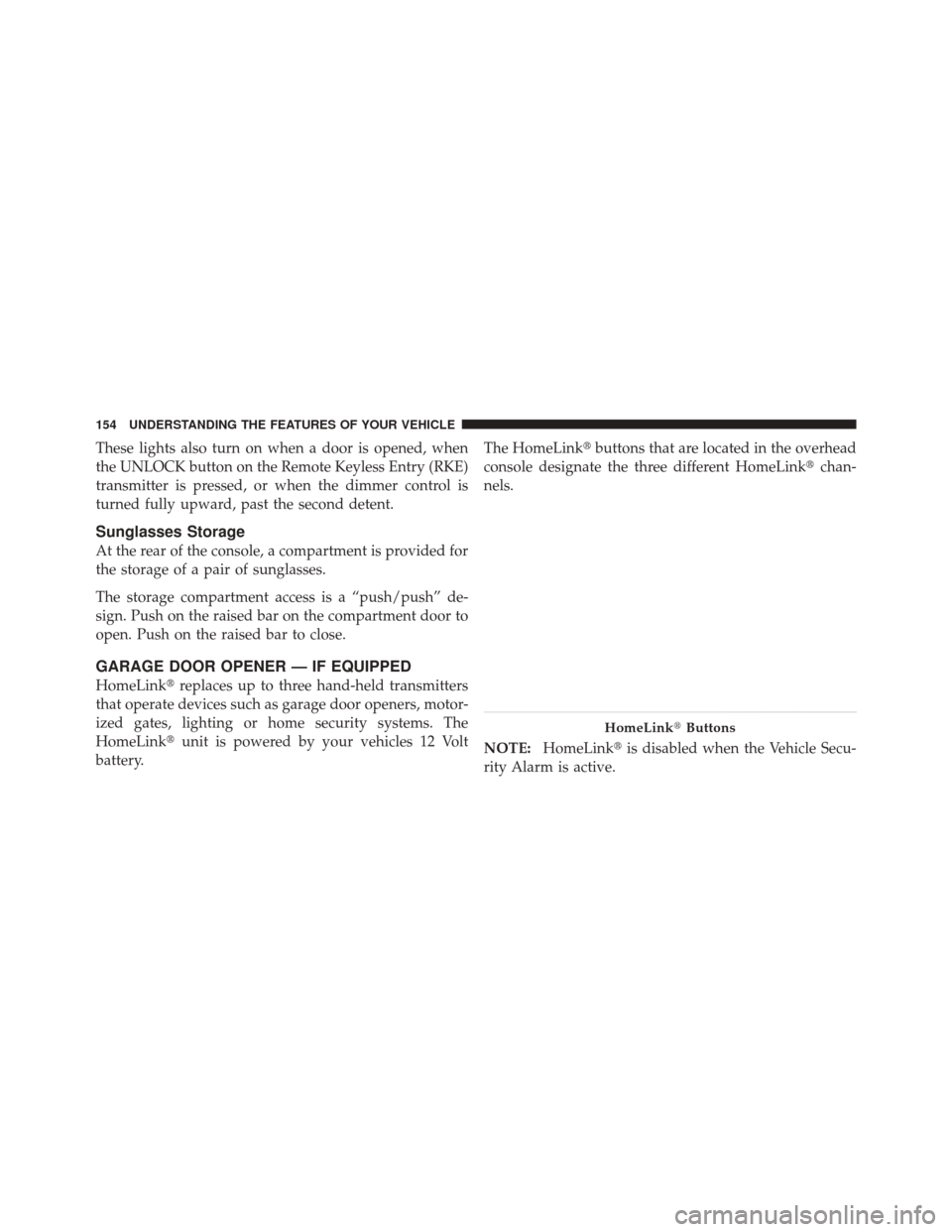
battery. The HomeLink�
buttons that are located in the overhead
console designate the three different HomeLink� chan-
nels.
NOTE: HomeLink� is disabled when the Vehicle Secu-
rity Alarm is active.
HomeLink� Buttons
154 UNDERSTANDING THE FEATURES OF YOUR VEHICLE
Page 162 of 471

3. Simultaneously press and hold both the Homelink�
button while you press and release (“cycle”), your hand-
held transmitter every two seconds.
4. Continue to hold buttons until the EVIC display
changes from “CHANNEL # TRAINING” to “CHAN-
NEL # TRAINED”, then release both buttons.
NOTE:
•It may take up to 30 seconds or longer in some cased
for the channel to train.
•If the EVIC displays “DID NOT TRAIN” repeat from
Step 2.
5. Press and hold the programmed HomeLink� button.
The EVIC will display “CHANNEL # TRANSMIT”. If the
device is plugged in and activates, programming is
complete.
If you unplugged the garage door opener/device for
programming, plug it back in at this time.
Reprogramming A Single HomeLink �Button
To reprogram a channel that has been previously trained,
follow these steps:
1. Turn the ignition switch to the ON/RUN position.
2. Press and hold the desired HomeLink� button until
the EVIC displays “CHANNEL # TRAINING” Do not
release the button.
3. Without releasing the button proceed with
“Canadian/Gate Operator Programming” Step 2 and
follow all remaining steps.
Using HomeLink�
To operate, press and release the programmed
HomeLink� button. Activation will now occur for the
programmed device (i.e., garage door opener, gate opera-
tor, security system, entry door lock, home/office light-
ing, etc.,). The hand-held transmitter of the device may
also be used at any time.
160 UNDERSTANDING THE FEATURES OF YOUR VEHICLE
Page 163 of 471
Security
It is advised to erase all channels before you sell or turn
in your vehicle.
To erase the channels press and hold the two outside
HomeLink�buttons (I and III) for up 20 seconds. The
Electronic Vehicle Information Center (EVIC) will display
“CLEARING CHANNELS”. Release the buttons when
the EVIC displays “CHANNELS CLEARED”.
The HomeLink� Universal Transceiver is disabled when
the Vehicle Security Alarm is active.
Troubleshooting Tips
If you are having trouble programming HomeLink�, here
are some of the most common solutions:
•Replace the battery in the original hand-held trans-
mitter.
•Press the LEARN button on the Garage Door Opener
to complete the training for a Rolling Code.
•Did you unplug the device for programming and
remember to plug it back in?
If you have any problems, or require assistance, please
call toll-free 1–800–355–3515 or, on the Internet at
www.HomeLink.com for information or assistance.
3
UNDERSTANDING THE FEATURES OF YOUR VEHICLE 161
Page 165 of 471
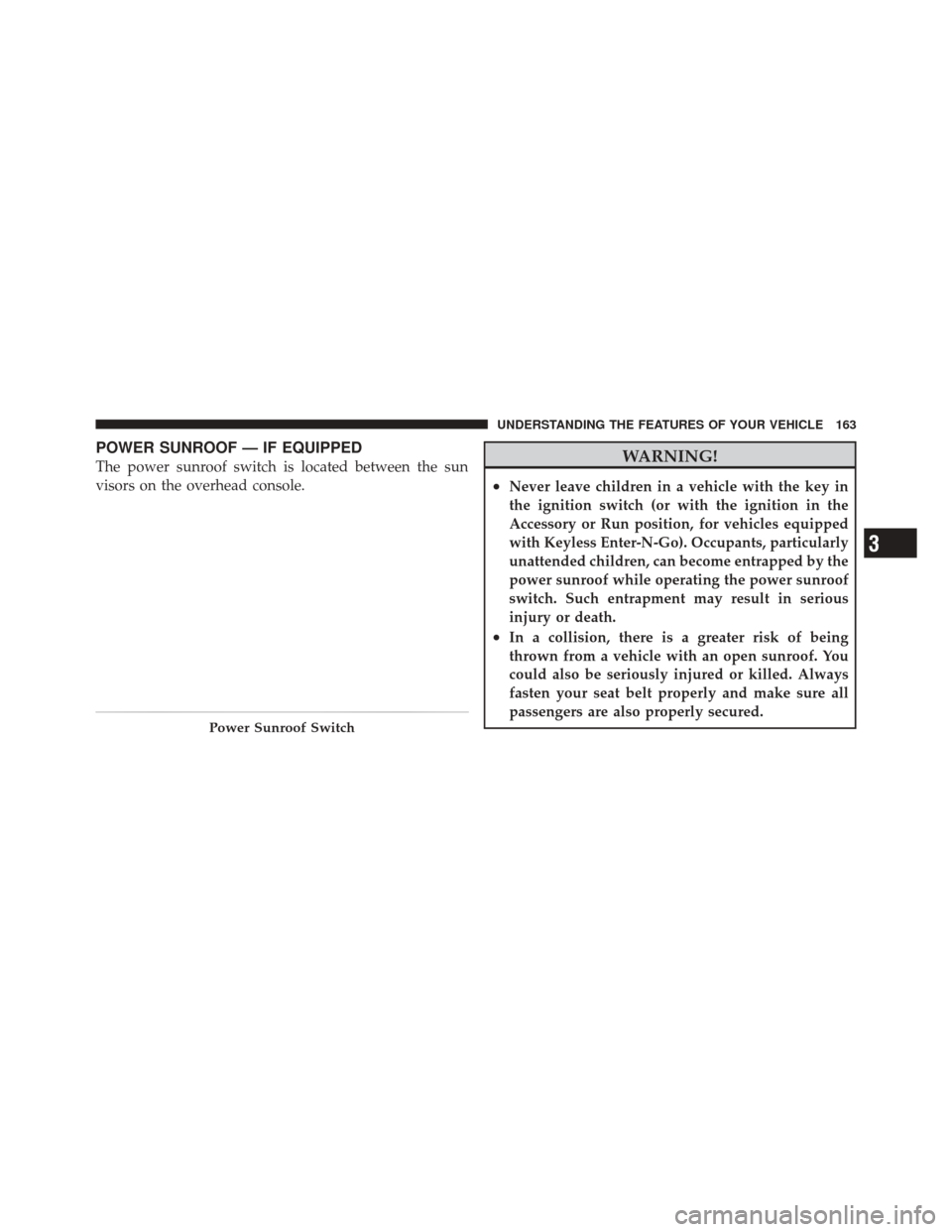
POWER SUNROOF — IF EQUIPPED
The power sunroof switch is located between the sun
visors on the overhead console.WARNING!
•Never leave children in a vehicle with the key in
the ignition switch (or with the ignition in the
Accessory or Run position, for vehicles equipped
with Keyless Enter-N-Go). Occupants, particularly
unattended children, can become entrapped by the
power sunroof while operating the power sunroof
switch. Such entrapment may result in serious
injury or death.
•In a collision, there is a greater risk of being
thrown from a vehicle with an open sunroof. You
could also be seriously injured or killed. Always
fasten your seat belt properly and make sure all
passengers are also properly secured.
Power Sunroof Switch
3
UNDERSTANDING THE FEATURES OF YOUR VEHICLE 163
Page 166 of 471
WARNING! (Continued)
•Do not allow small children to operate the sun-
roof. Never allow your fingers, other body parts, or
any object, to project through the sunroof opening.
Injury may result.
Opening Sunroof — Express Mode
Press the switch rearward and release it and the sunroof
will open automatically from any position. The sunroof
will open fully and stop automatically. This is called
“Express Open”. During “Express Open” operation, any
movement of the sunroof switch will stop the sunroof.
Opening Sunroof — Manual Mode
To open the sunroof, press and hold the switch rearward
to full open.
Closing Sunroof — Express Mode
Press the switch forward and release it and the sunroof
will close automatically from any position. The sunroofwill close fully and stop automatically. This is called
“Express Close”. During “Express Close” operation, any
movement of the switch will stop the sunroof.
Closing Sunroof — Manual Mode
To close the sunroof, press and hold the switch in the
forward position.
Pinch Protect Feature
This feature will detect an obstruction in the opening of
the sunroof during Express Close operation. If an ob-
struction is detected, the sunroof will automatically re-
tract. Remove the obstruction if this occurs. Next, press
the switch forward and release to Express Close.
NOTE:
If three consecutive sunroof close attempts re-
sult in Pinch Protect reversals, the fourth close attempt
will be a Manual Close movement with Pinch Protect
disabled.
164 UNDERSTANDING THE FEATURES OF YOUR VEHICLE
Page 187 of 471

The light also will turn on when the parking brake is
applied with the ignition switch in the ON/RUN position.
NOTE:This light shows only that the parking brake is
applied. It does not show the degree of brake application.
21. Vehicle Security Light — If Equipped This light will flash at a fast rate for approxi-
mately 15 seconds, when the vehicle security
alarm is arming, and then will flash slowly
until the vehicle is disarmed.
22. Tire Pressure Monitoring Telltale Light
Each tire, including the spare (if provided),
should be checked monthly when cold and
inflated to the inflation pressure recommended
by the vehicle manufacturer on the vehicle
placard or tire inflation pressure label. (If your vehicle has
tires of a different size than the size indicated on the
vehicle placard or tire inflation pressure label, you should
determine the proper tire inflation pressure for those tires.)
As an added safety feature, your vehicle has been
equipped with a Tire Pressure Monitoring System
(TPMS) that illuminates a low tire pressure telltale when
one or more of your tires is significantly under-inflated.
Accordingly, when the low tire pressure telltale illumi-
nates, you should stop and check your tires as soon as
possible, and inflate them to the proper pressure. Driving
on a significantly under-inflated tire causes the tire to
overheat and can lead to tire failure. Under-inflation also
reduces fuel efficiency and tire tread life, and may affect
the vehicle’s handling and stopping ability.
Please note that the TPMS is not a substitute for proper
tire maintenance, and it is the driver ’s responsibility to
maintain correct tire pressure, even if under-inflation has
not reached the level to trigger illumination of the TPMS
low tire pressure telltale.
4
UNDERSTANDING YOUR INSTRUMENT PANEL 185
Page 259 of 471

Using Fob With Integrated Key (Tip Start)
NOTE:Normal starting of either a cold or a warm
engine is obtained without pumping or pressing the
accelerator pedal.
Do not press the accelerator. Use the Fob with Integrated
Key to briefly turn the ignition switch to the START
position and release it as soon as the starter engages. The
starter motor will continue to run, and it will disengage
automatically when the engine is running. If the engine
fails to start, the starter will disengage automatically in
10 seconds. If this occurs, turn the ignition switch to the
LOCK position, wait 10 to 15 seconds, then repeat the
“Normal Starting” procedure.
Keyless Enter-N-Go
This feature allows the driver to operate
the ignition switch with the push of a
button, as long as the ENGINE START/
STOP button is installed and the Re-
mote Keyless Entry (RKE) transmitter is
in the passenger compartment.
Installing And Removing The ENGINE
START/STOP Button
Installing The Button
1. Remove the key fob from the ignition switch.
2. Insert the ENGINE START/STOP button into the
ignition switch with the lettering facing up and readable.
3. Press firmly on the center of the button to secure it into
position.
5
STARTING AND OPERATING 257